

Monitoring And Analytics Features
Maintenance Features
Security and Vulnerabilities Fixes
Monitoring and Analytics Features
15-Second Backward/Forward Buttons for User Session Replay
Description This enhancement entails the incorporation of 15-second (configurable) backward and forward navigation buttons within the User Session Replay feature. These buttons will enable users to easily navigate the replayed session content.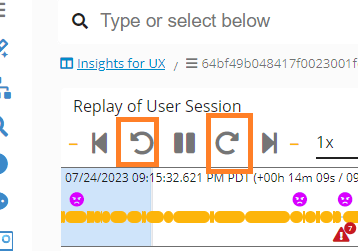
Backward and Forward User Session Replay RCA Dashboard- GermainUX
Accessing Field Display Settings from Drill-Through Dashboards
Description This feature enhancement aims to provide users with the capability to access the Display Settings of a field directly from within the Drill-Through Dashboard interface. This improvement will streamline the process of managing field display preferences.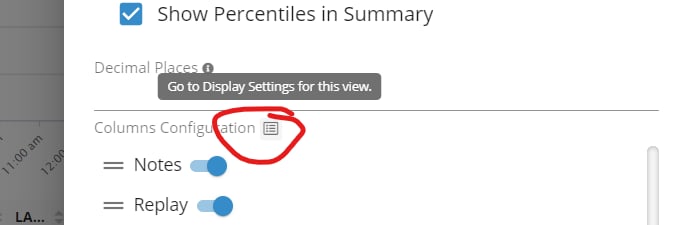
View Display Settings from Drill-through Dashboard
Apache ZooKeeper Monitoring
Description Germain comes with preconfigured monitoring for Apache ZooKeeper performance. For details on the advantages and instructions on how to enable this feature, please refer to: Apache Zookeeper MonitoringData Point Count, Percent, and Sorting for Filters
Description The Data Point Count and Percent features are now accessible for any value or key performance indicator (KPI) listed within the Filter. This enhanced functionality is applicable across all Aggregate, Pivot, Drill-through, and Root Cause Analysis (RCA) dashboards.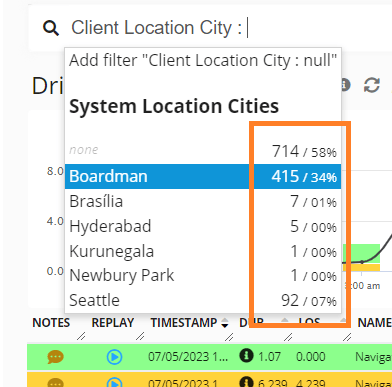
Count and Percent on Filter - GermainUX
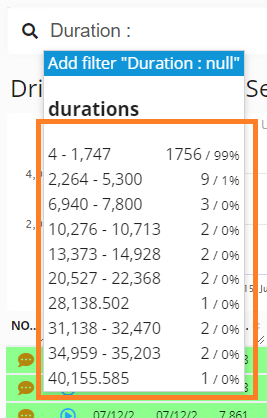
Count and Percent for Duration on Filter - GermainUX
Data Point Count for ‘Add Metric’ and ‘Explore Your Data’
Description The Data Point Count feature is now available for any key performance indicator (KPI) listed within the ‘Add Metric’ and ‘Explore Your Data’ input fields. This enhancement further enriches your data analysis experience.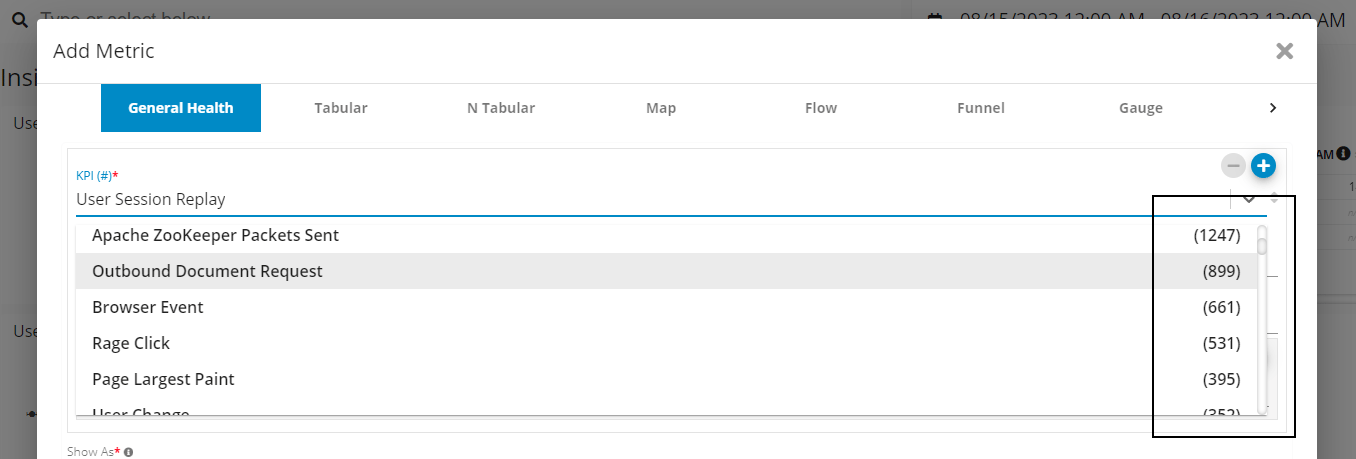
Data Point Count per KPI on Add Metric - GermainUX
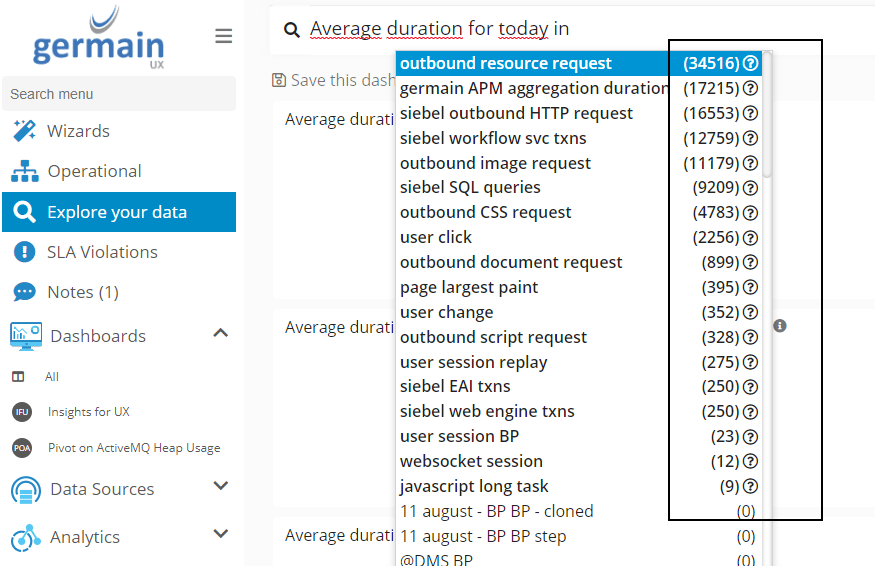
Data Point Count on Explore Your Data - GermainUX
Dashboard-Level ‘Compare To’ Functionality
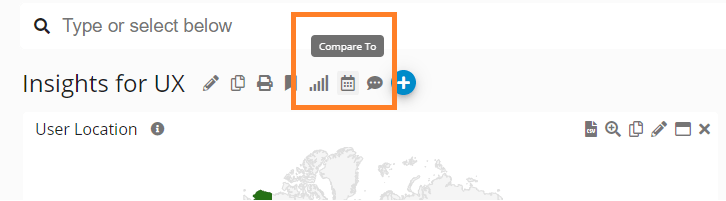
Compare To - GermainUX
Displaying All Workflows in Table Portlet
DescriptionCompare To - GermainUX
Displaying All Workflows in Table Portlet
Description This feature enhancement enables the Table Portlet to showcase the performance of all monitored Workflows or Business Processes within a single view.This feature enhancement enables the Table Portlet to showcase the performance of all monitored Workflows or Business Processes within a single view. Several other Portlets (Table, N-Table, Funnel, Geo Map, Trend Graph, etc.) can be utilized for analyzing Workflow performanceSeveral other Portlets (Table, N-Table, Funnel, Geo Map, Trend Graph, etc.) can be utilized for analyzing Workflow performance.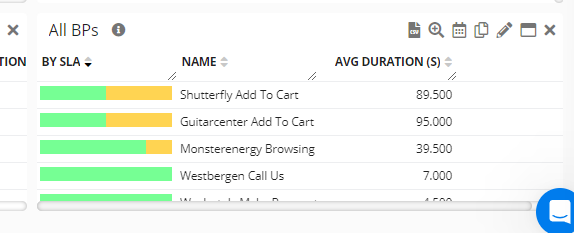
Table showing multiple Workflows - GermainUX
EC2/EBS Burst Balance Monitoring
DescriptionTable showing multiple Workflows - GermainUX
EC2/EBS Burst Balance Monitoring
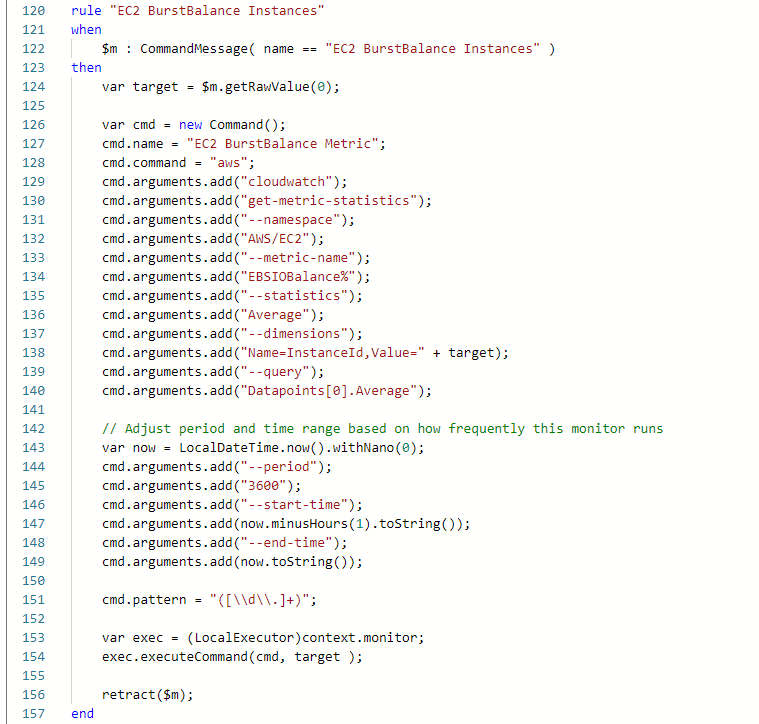
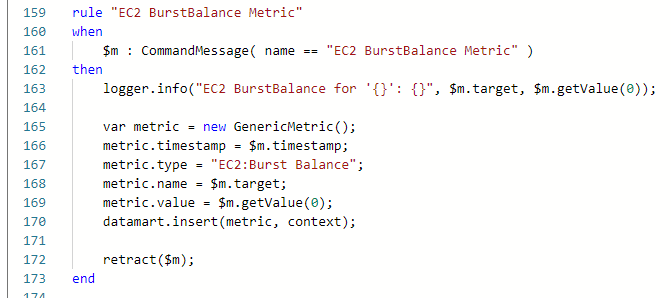
Description Germain now comes preconfigured with the ability to monitor the EBS Burst Balance of EC2 instances. In the event that any of these instances approach depletion of IOPS (Input/Output Operations Per Second), alerts will be generated to ensure timely response and management.Germain now comes preconfigured with the ability to monitor the EBS Burst Balance of EC2 instances. In the event that any of these instances approach depletion of IOPS (Input/Output Operations Per Second), alerts will be generated to ensure timely response and management. ExampleExample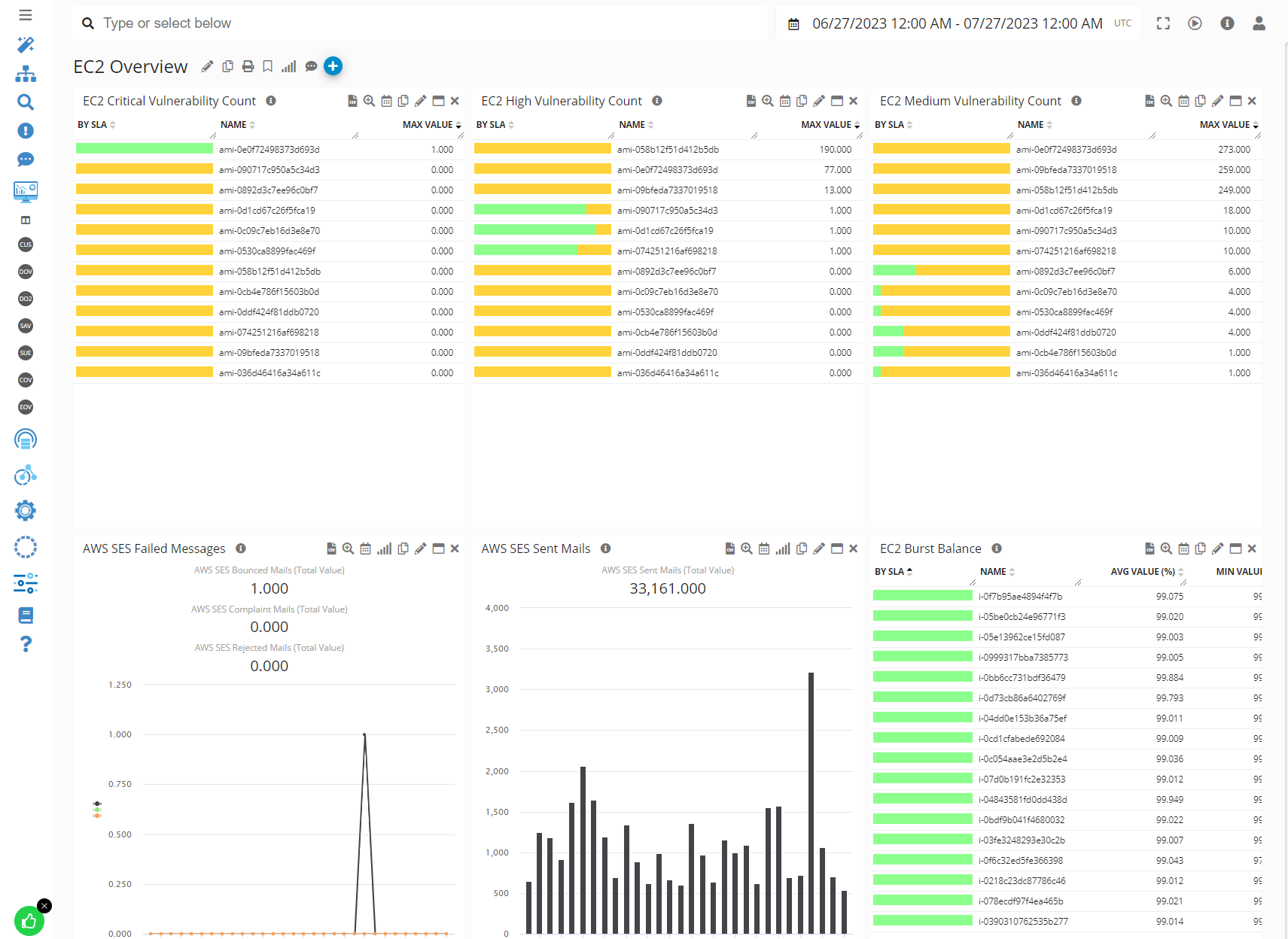
EC2 Dashboard showing EBS Burst Balance- GermainUX
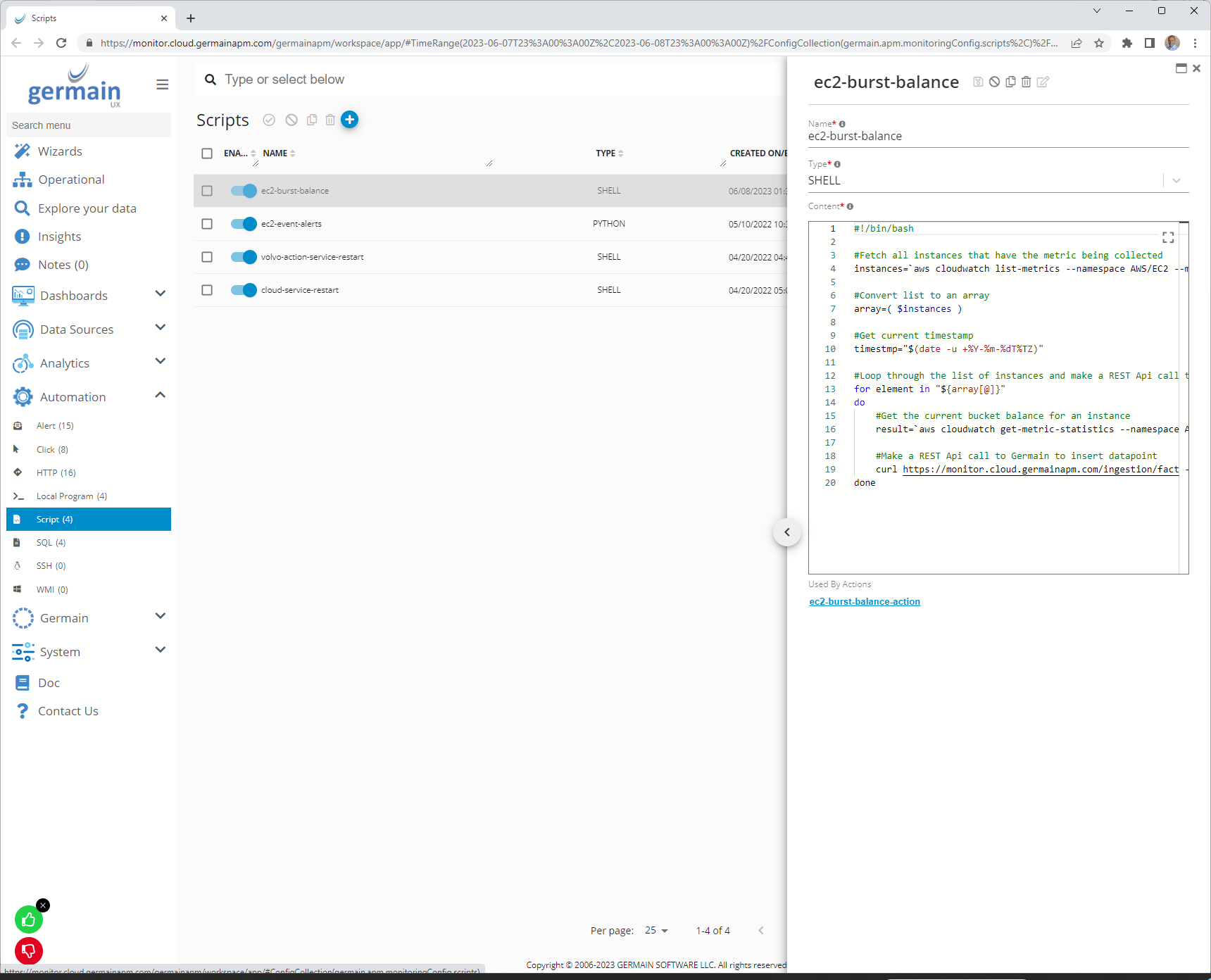
Configure EBS Burst Balance Script- GermainUX
EC2 Dashboard showing EBS Burst Balance- GermainUX
Configure EBS Burst Balance Script- GermainUX
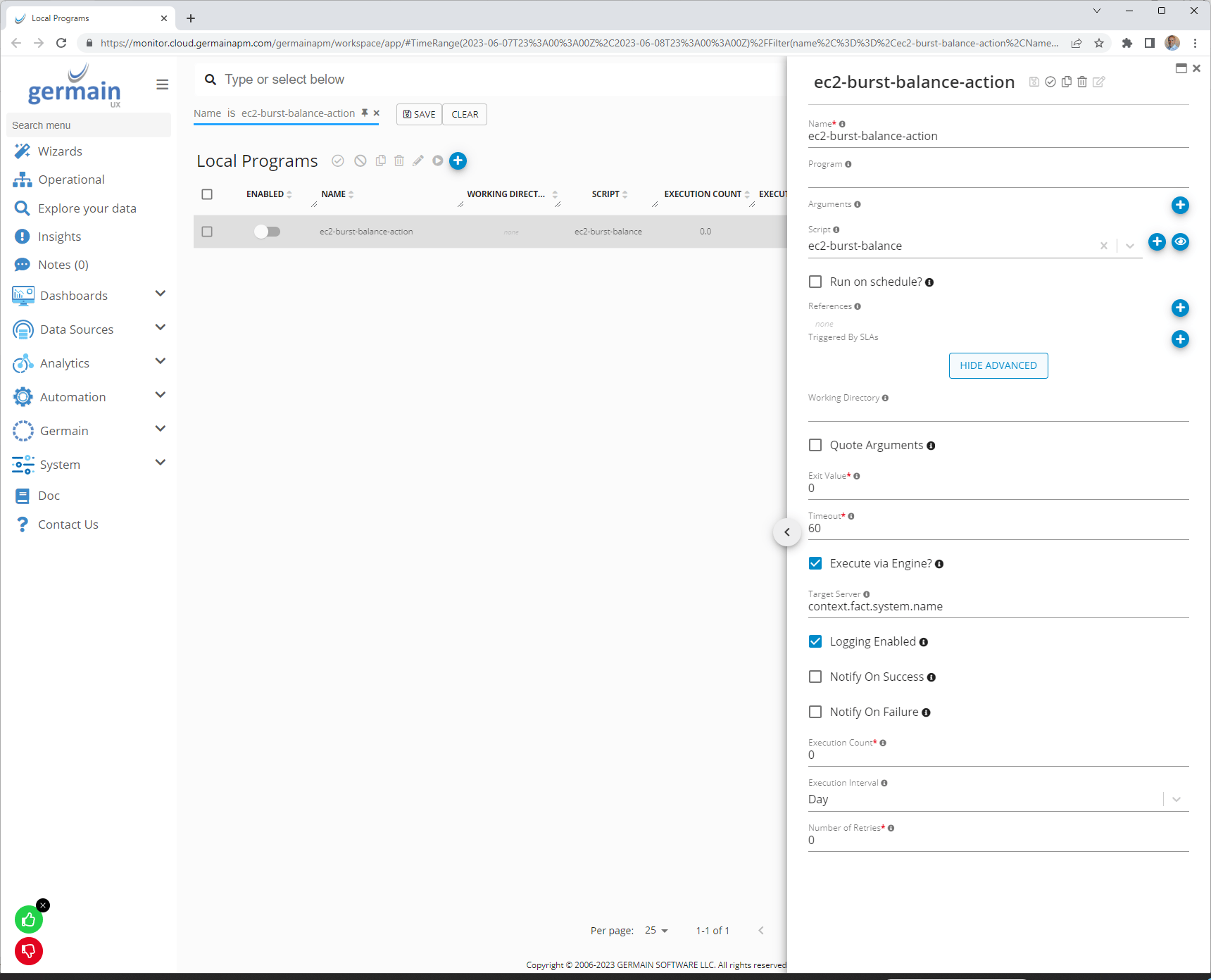
Configure EBS Burst Balance Action- GermainUX
Editable Operational Dashboard for a Perfect 360° View
Editable Operational Dashboard for a Perfect 360° View
Description This feature enables the customization of the Operational Dashboard. Users can easily add or remove columns across all tabs for a personalized experience and a 360 degree view that fits their Organization and Operational needs.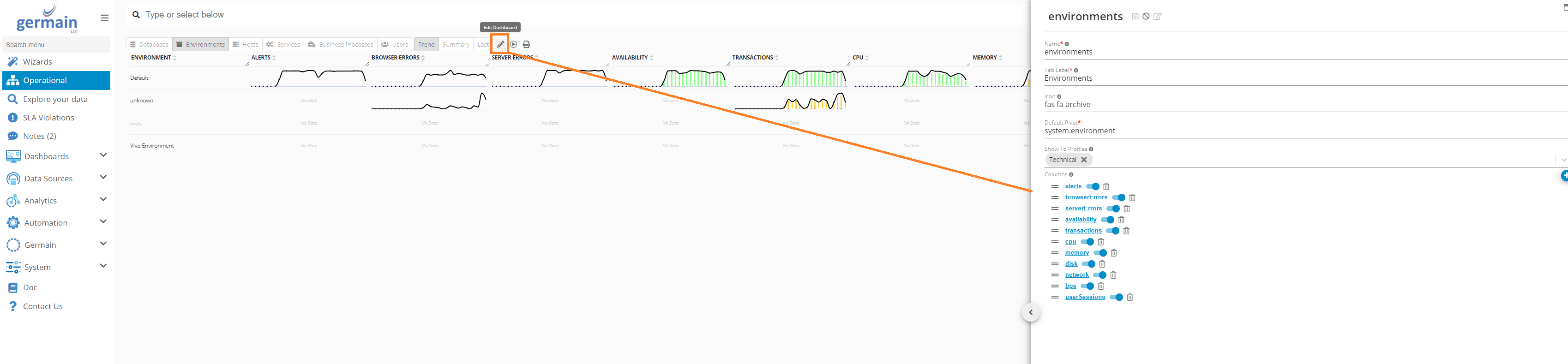
Editable Operational Dashboard - GermainUX
Editable Operational Dashboard - GermainUX
Formatting Enhanced for Comprehensive Insights
DescriptionFormatting Enhanced for Comprehensive Insights
Description Within the GermainUX workspace, several areas required refining in terms of formatting and string presentation. This refinement is aimed at facilitating swifter problem analysis. The following are examples of locations where string formatting has been improved to enhance readability: Within the GermainUX workspace, several areas required refining in terms of formatting and string presentation. This refinement is aimed at facilitating swifter problem analysis. The following are examples of locations where string formatting has been improved to enhance readability:Http Request Body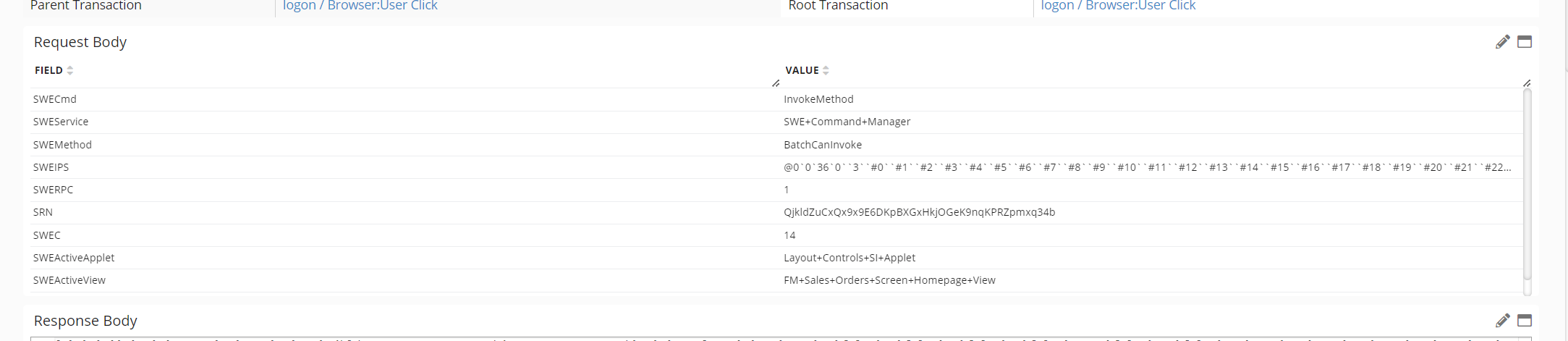
Http Body Request - GermainUX
Http Body Request - GermainUX
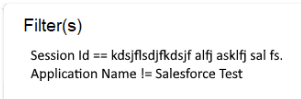
Filter Tooltip - GermainUX
Flow Graph Display for Comprehensive Customer Journey
Description This enhancement involves the implementation of a capability to visualize the entire customer journey, spanning across multiple applications and channels, within a single Flow Graph. The provided screenshot serves as a mockup to illustrate the concept.Flow Graph Display for Comprehensive Customer Journey
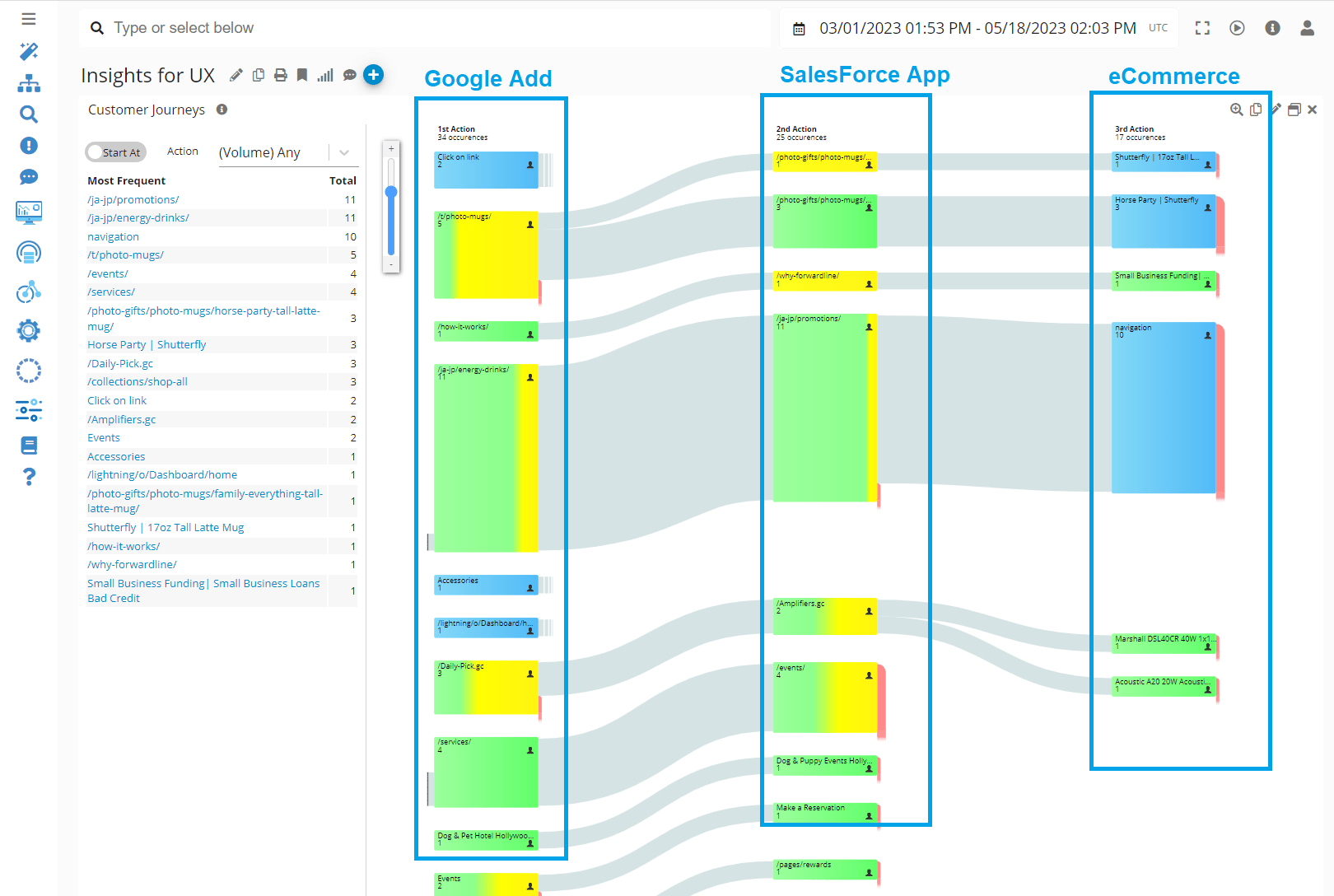
Flow Graph showing Customer Journey Across Channels - GermainUX
Links to understand relationship between Configuration Objects
Description This enhancement helps understand the relationship between configuration objects (Kpi, Sla, Alert, Synthetic Transaction, etc). You can now find links on any of the Configuration Dashboards (in Analytics, Automation, Systems folders).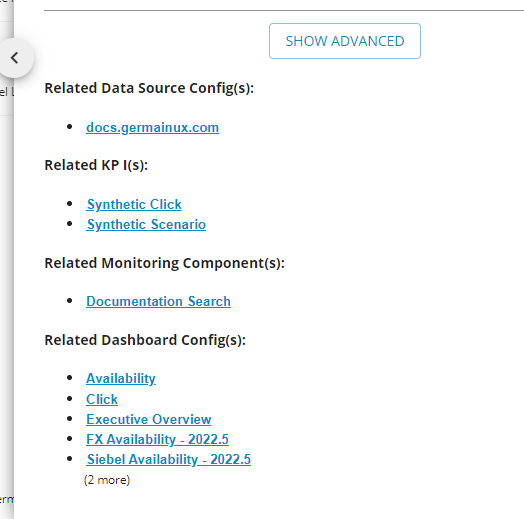
Links to understand relationship between Data and Configuration objects
Description This enhancement helps in understanding how a data point was collected. In the Root Cause Analysis (RCA) dashboard, there is now an info icon that provides links to the KPI of the data points, the Component/Engine/Agent responsible for collecting the data, and the Data Source for which the data was collected.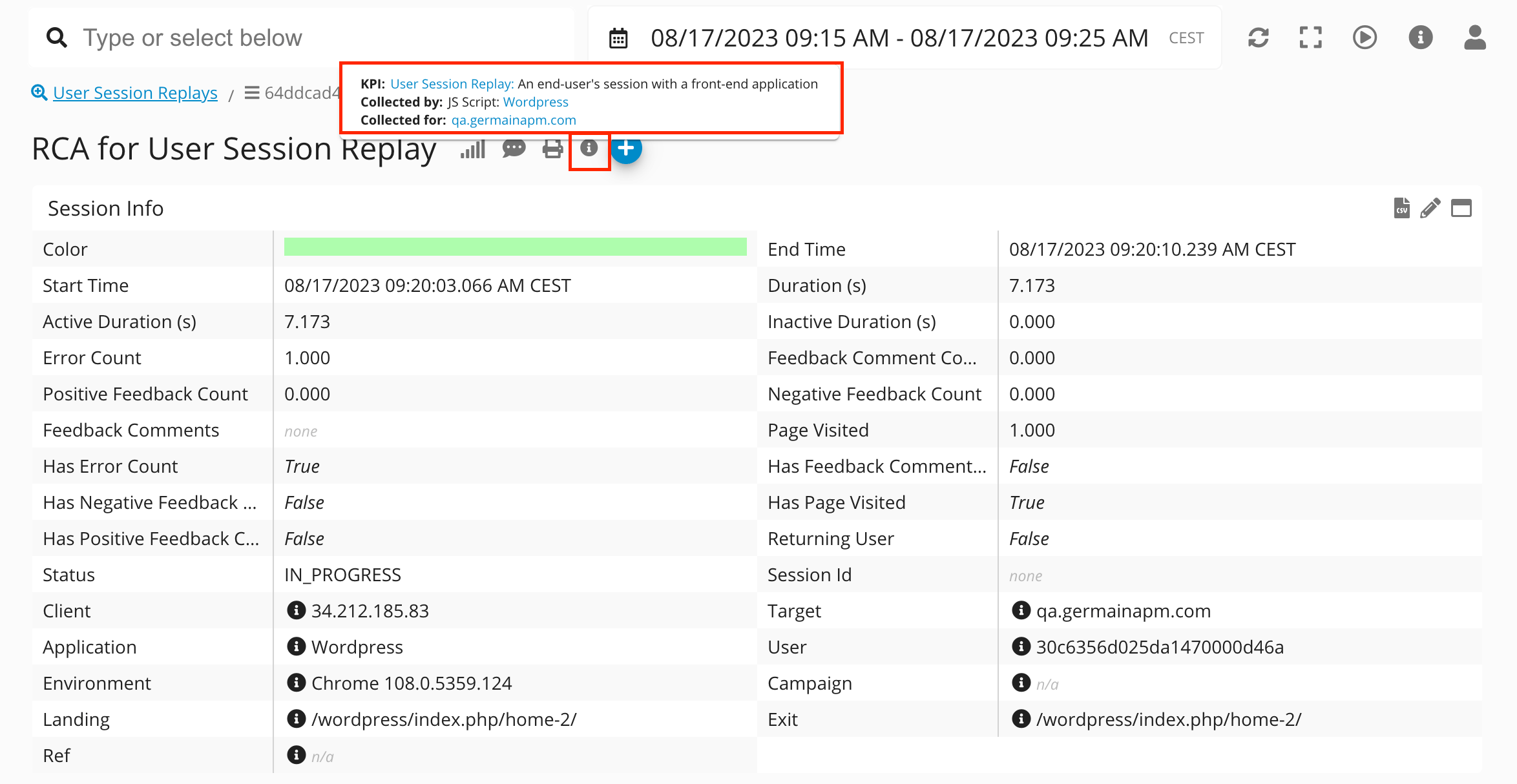
Measures Management for Summary Portlet (Drill-Through Dashboard)
Description This enhancement enables the capability to add or remove measures within the Summary portlet of any Drill-Through dashboard. For instance, measures like Count, Duration, Total Duration, Percentile 99 Duration, and more can be flexibly managed.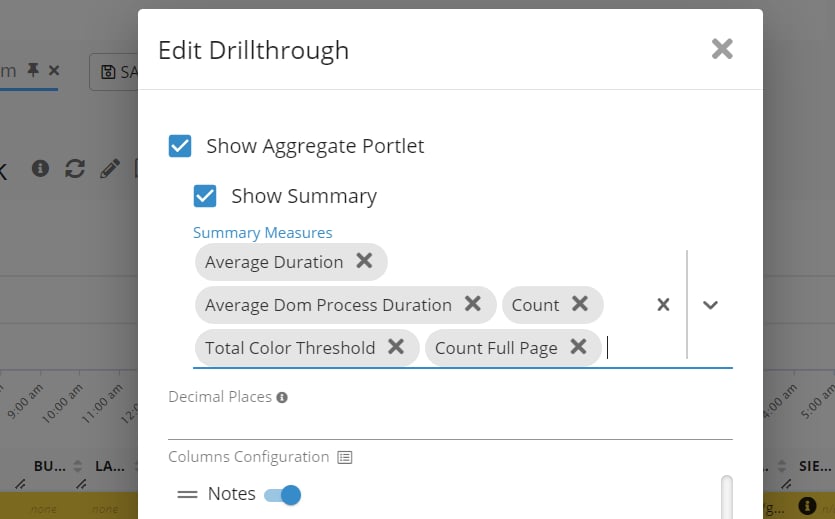
Summary Portlet on Drill-through Dashboard - GermainUX
Pin Drill-Through or Pivot Dashboards
Description This enhancement enables the ability to pin any Drill-Through or Pivot dashboards. This way, you can conveniently access them from GermainUX’s Workspace Menu > Dashboards.
Pin a Drill-through Dashboard - GermainUX
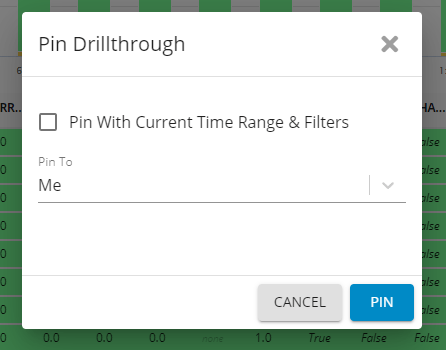
Options to Pin a Drill-through Dashboard - GermainUX
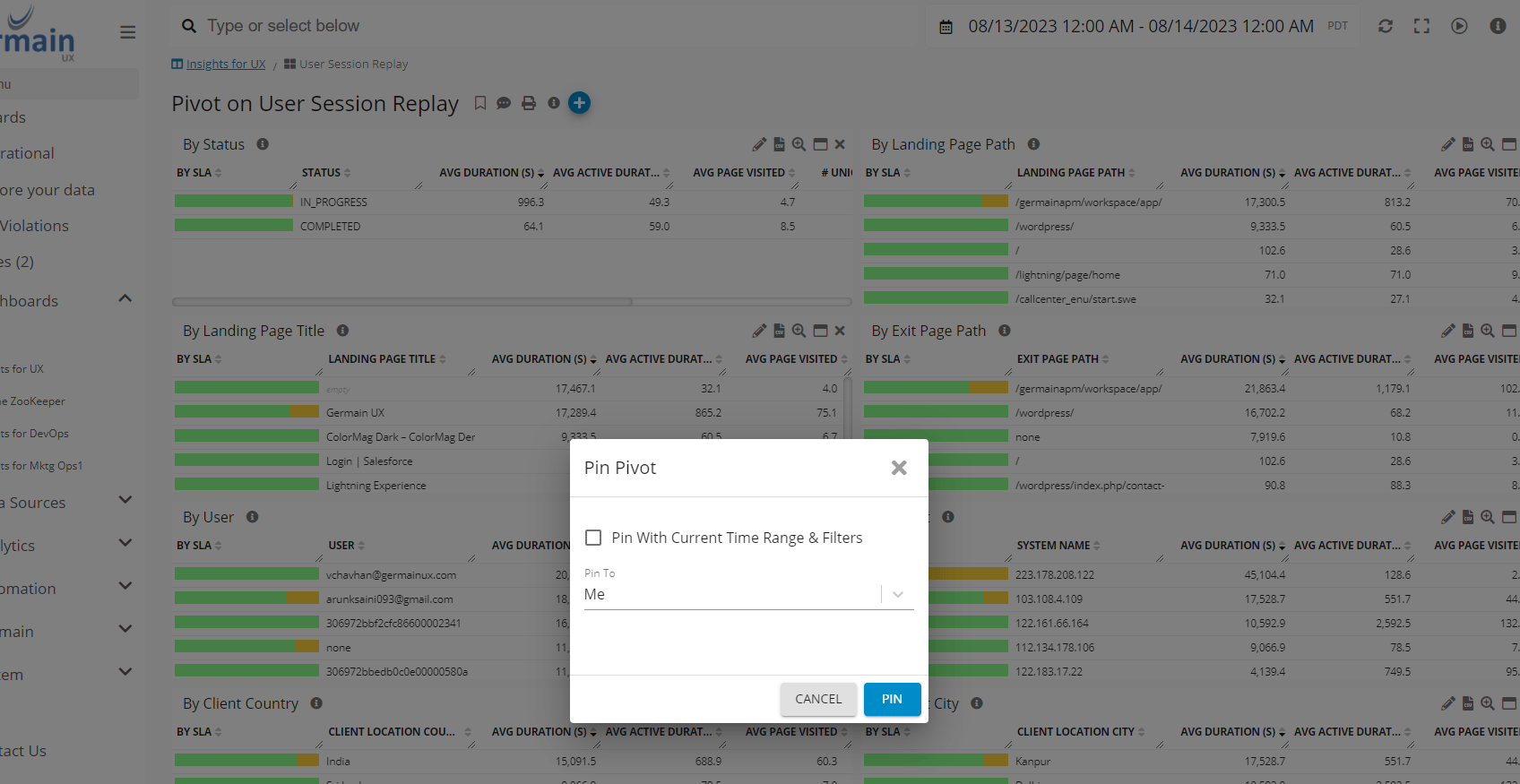
Options to Pin a Pivot Dashboard - GermainUX
Rage Click Counter on User Session Replay Window
Description A Rage Click counter is now prominently displayed on Replay windows. This addition enhances the ability to comprehend which part of the user interface (UI) a user interacted with repeatedly, offering valuable insights into user behavior.
Reordering Pinned Dashboards
Description This enhancement enables the reordering of all User-Pinned Dashboards under Workspace Menu > Dashboards.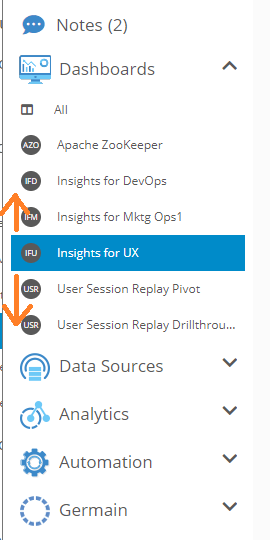
Report Dashboard
Flow Graph showing Customer Journey Across Channels - GermainUX
Links to understand relationship between Configuration Objects
Description This enhancement helps understand the relationship between configuration objects (Kpi, Sla, Alert, Synthetic Transaction, etc). You can now find links on any of the Configuration Dashboards (in Analytics, Automation, Systems folders).Links to understand relationship between Data and Configuration objects
Description This enhancement helps in understanding how a data point was collected. In the Root Cause Analysis (RCA) dashboard, there is now an info icon that provides links to the KPI of the data points, the Component/Engine/Agent responsible for collecting the data, and the Data Source for which the data was collected.Measures Management for Summary Portlet (Drill-Through Dashboard)
Summary Portlet on Drill-through Dashboard - GermainUX
Pin Drill-Through or Pivot Dashboards
Description This enhancement enables the ability to pin any Drill-Through or Pivot dashboards. This way, you can conveniently access them from GermainUX’s Workspace Menu > Dashboards.Pin a Drill-through Dashboard - GermainUX
Options to Pin a Drill-through Dashboard - GermainUX
Rage Click Counter on User Session Replay Window
Description A Rage Click counter is now prominently displayed on Replay windows. This addition enhances the ability to comprehend which part of the user interface (UI) a user interacted with repeatedly, offering valuable insights into user behavior.Reordering Pinned Dashboards
Description This enhancement enables the reordering of all User-Pinned Dashboards under Workspace Menu > Dashboards.Report Dashboard
Description The Report Dashboard is now accessible to facilitate the management of Automated Reports.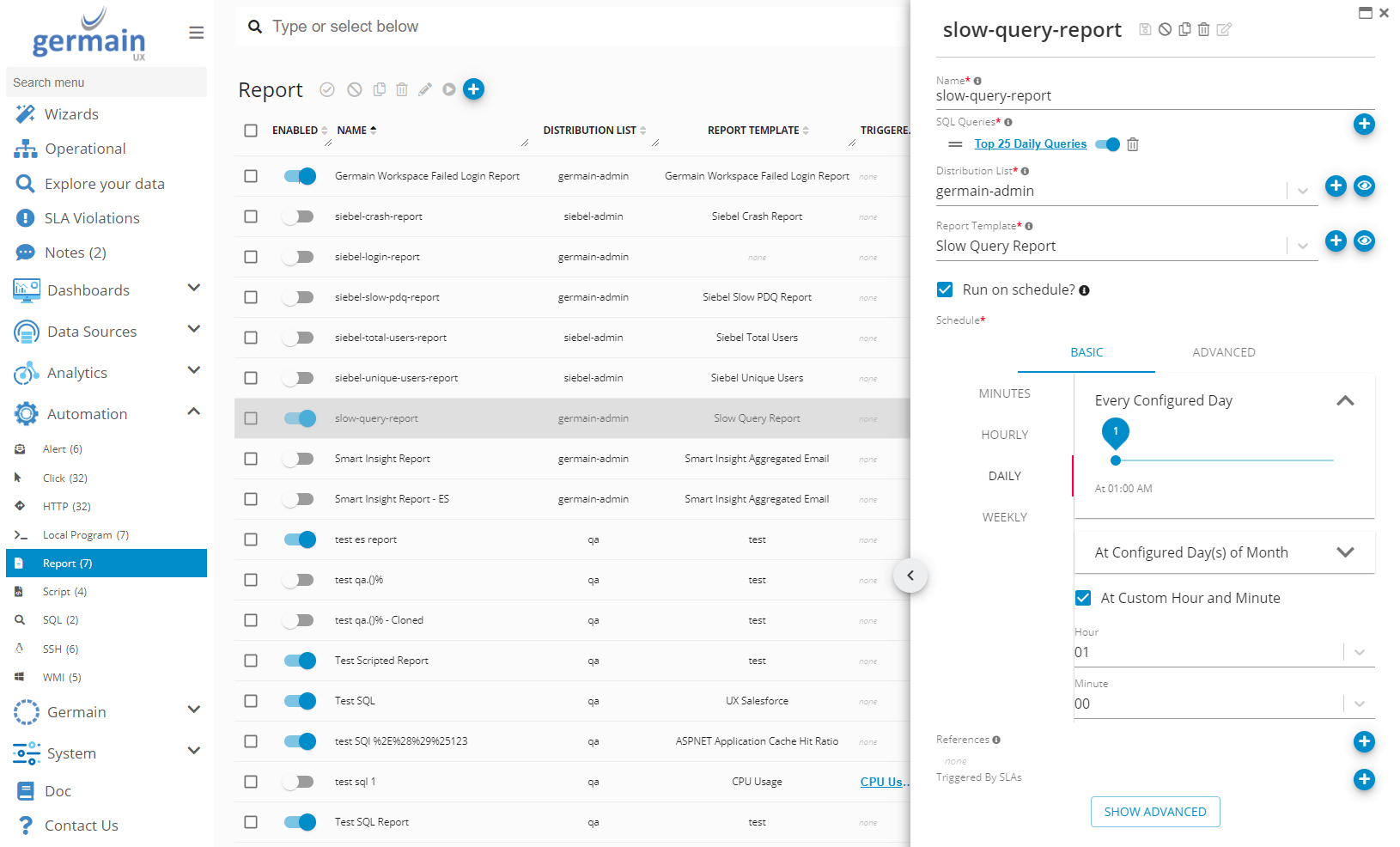
User Role Lookup Mechanism Enhanced for Business Impact Analysis
User Role Lookup Mechanism Enhanced for Business Impact Analysis
To elaborate, we have introduced support for Key Expressions with multiple values. The Key Expression leverages the existingkeyproperty, now allowing you to specify multiple fields, such as user,system.environment. This generates a key in the format of: <username>|<environment>.
Example (for Oracle Siebel CRM)
In this case for Oracle Siebel CRM: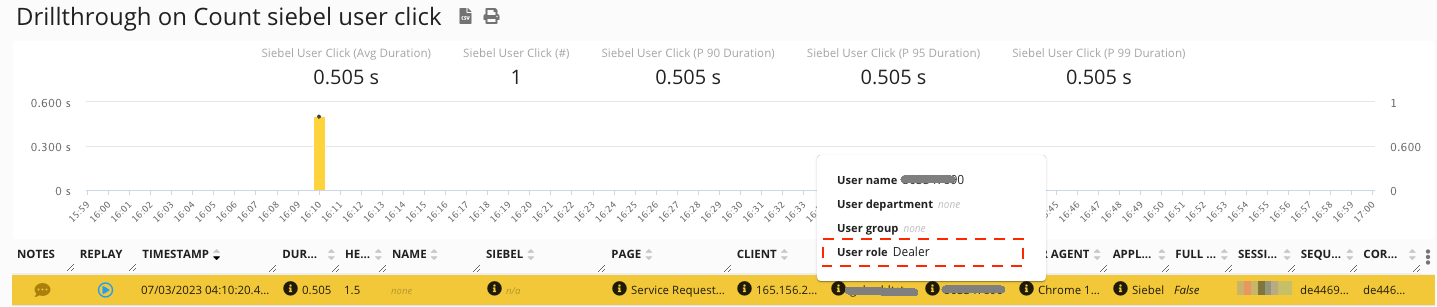
User Role for User Click - GermainUX
Workspace Branch Name of Oracle Siebel CRM
Description The Oracle Siebel CRM Workspace Branch Name is now captured and accessible on any GermainUX RCA dashboard. This enhancement facilitates simplified troubleshooting of issues.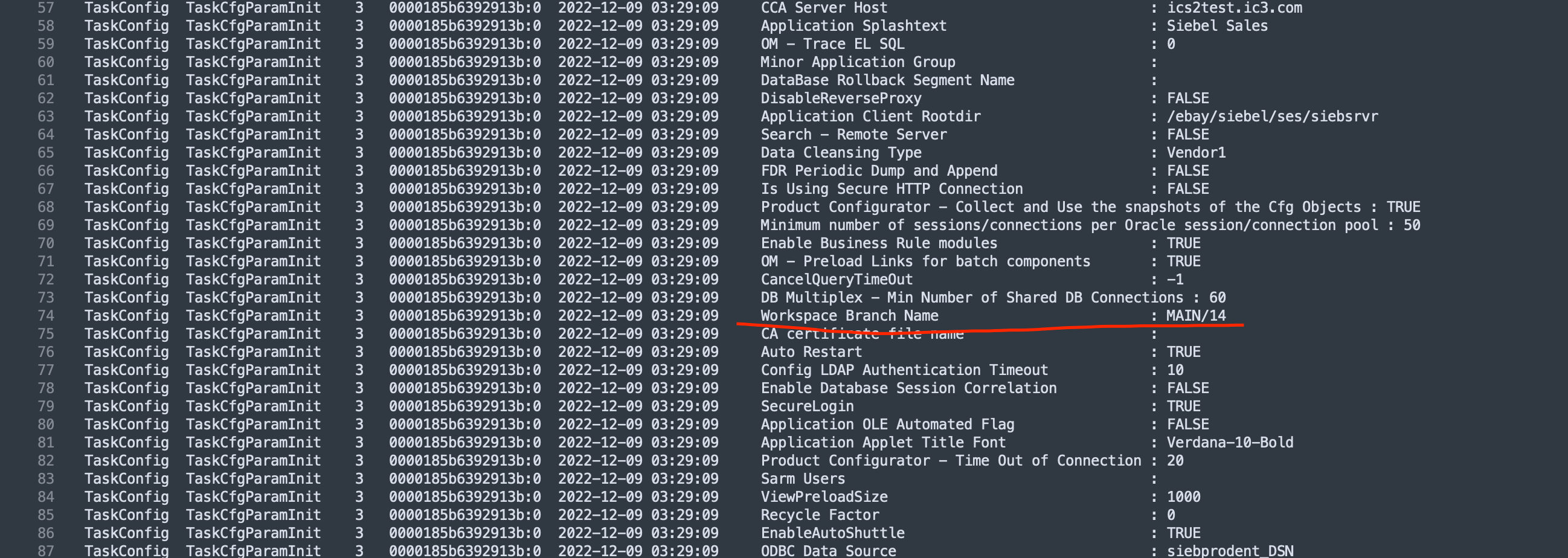
Workspace Branch Name of Siebel CRM - GermainUX
Workspace-Level Decimal Point Configuration
Description This enhancement grants users the capability to establish a default Decimal Point setting at the GermainUX Workspace Level. As a result, there’s no longer a need to manually configure it for each individual Portlet across all Dashboards. Moreover, this setting can be customized at the portlet or dashboard level, allowing for specific overrides as required.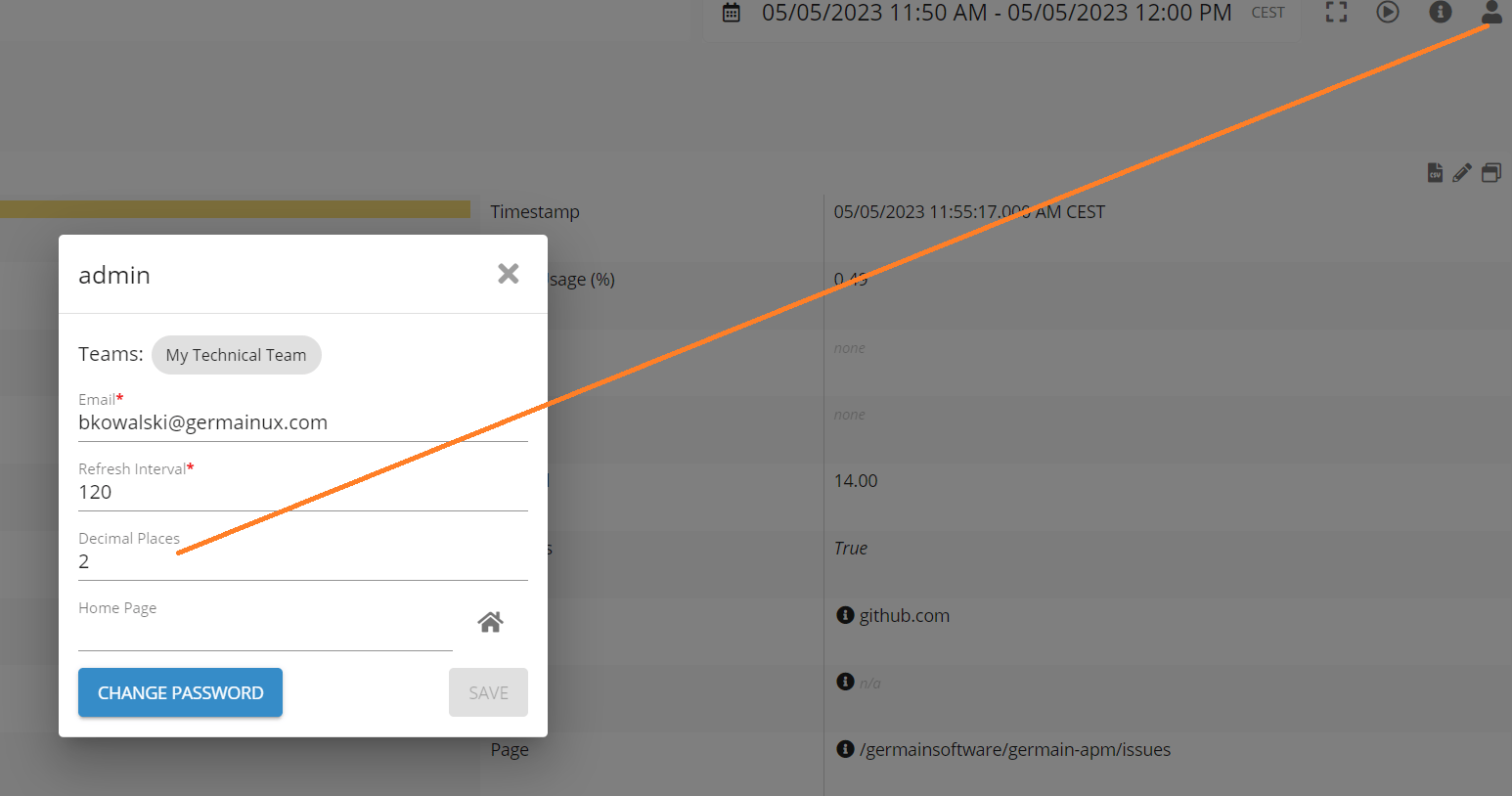
Maintenance Features
Data Source Dashboard
Description The Data Source dashboard is now accessible, allowing you to effectively manage all the data sources from which GermainUX collects data or executes transactions. A Data Source can encompass any software or hardware resource. Furthermore, the customization of Data Source categories, among other entities, is available to better align with various environments.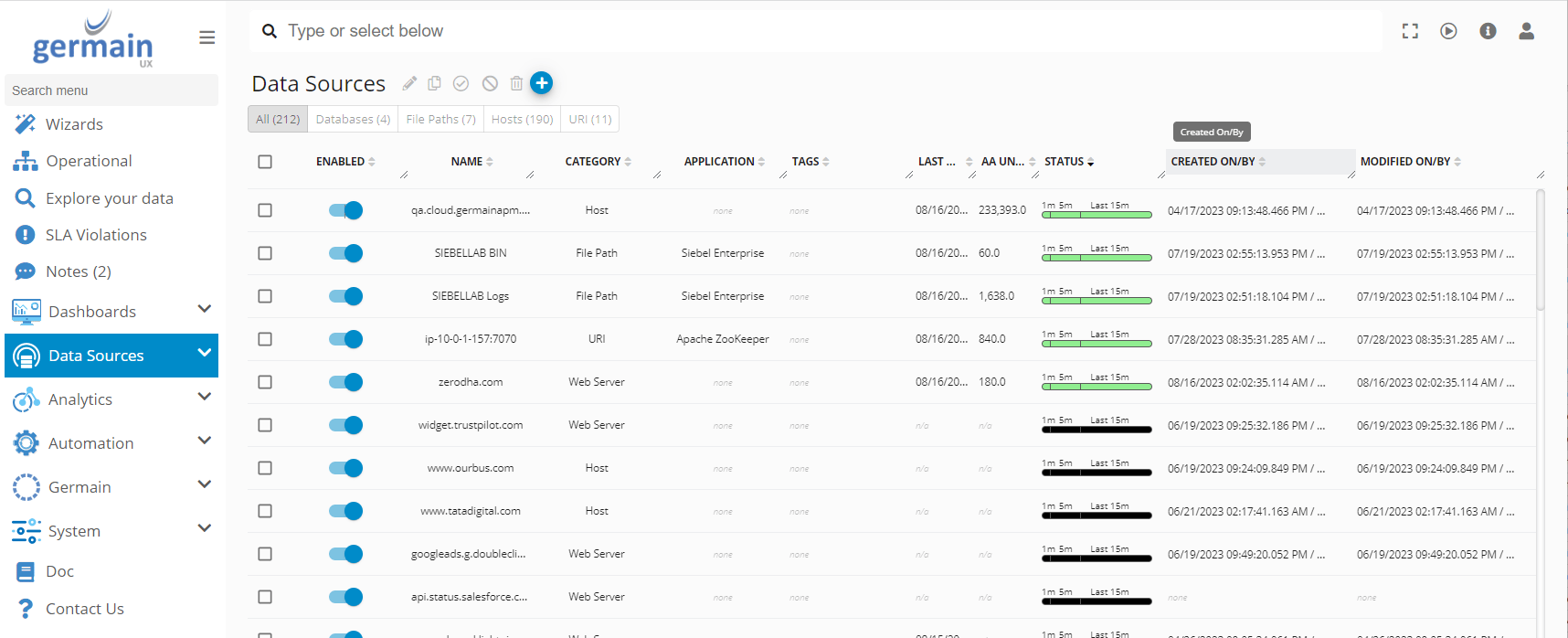
Distributed Storage for Static Resources
Description Germain has transitioned to utilizing AWS/S3 for storing large static resources through the utilization of ExternalResourceAdapter. Previously, static resources were stored on the filesystem, necessitating the configuration of network shares across servers hosting Tomcat instances.Elastic 8.x Support
Description GermainUX has been enhanced to provide support for utilizing Elastic 8.x as a data store, expanding the range of supported versions beyond our previous offerings.Enhanced Security for Kibana and Germain Communication
Description In order to establish secure login functionality for Kibana and ensure encrypted communication between the Elastic Search data store and Germain Services, please refer to: Secure Elasticsearch and KibanaEnhancements to GermainUX - RUM Extension for Non-Javascript Injectable Applications (e.g. Salesforce Lightning, Classic)
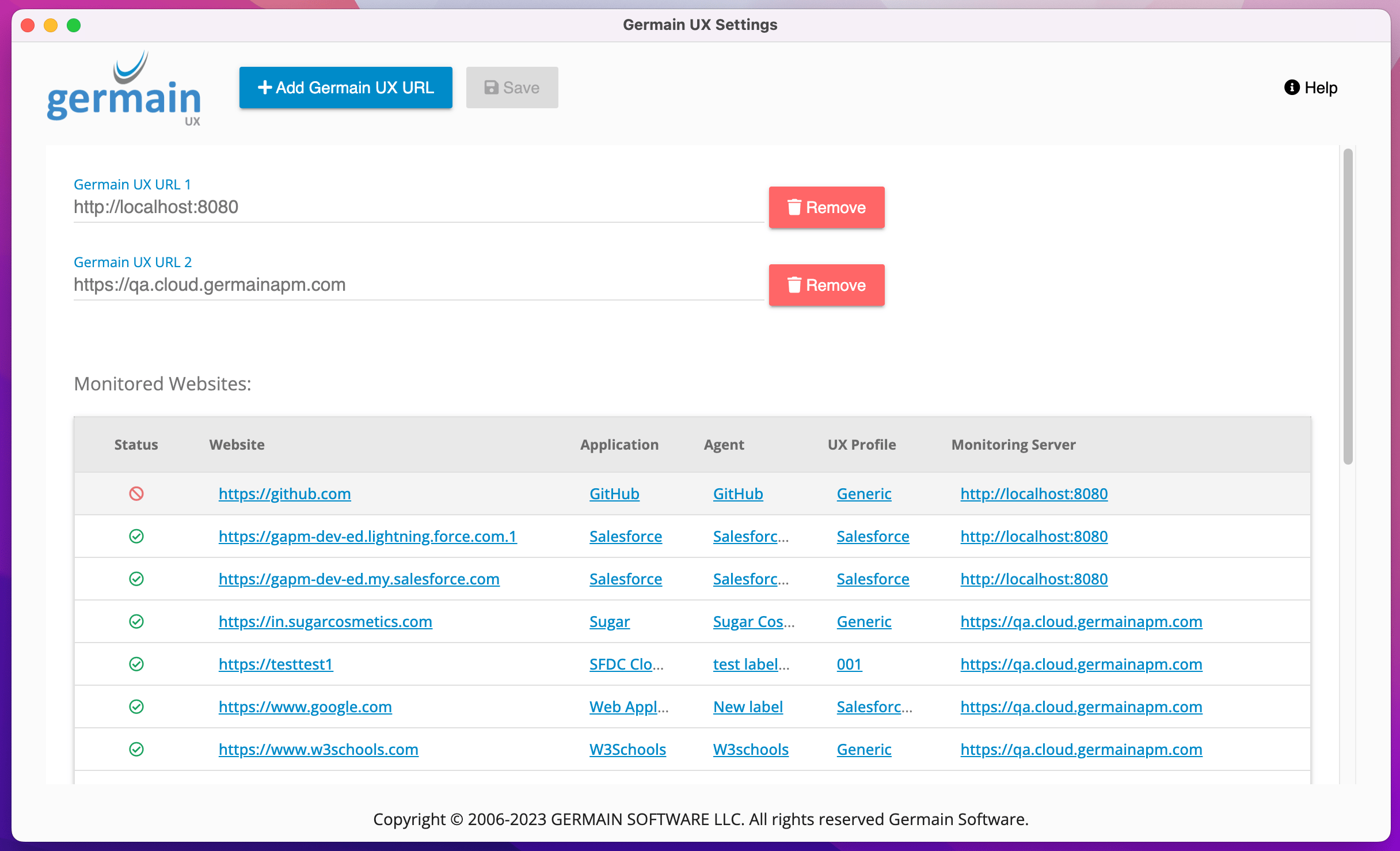
Description The GermainUX - RUM Extension, designed to monitor real user experiences of applications without requiring JavaScript injection, has received several updates to improve functionality in such scenarios (e.g. Salesforce Lightning, Classic).- Centralized Browser Extension Configuration: The configuration settings for the browser extension are now fetched from the Germain Enterprise Server, streamlining the setup process.
- Cross Origin iFrame Support: The extension now includes support for cross-origin iFrames, expanding its capabilities to monitor a wider range of embedded content.
- Multiple Germain URL Support: Many clients operate both QA and PROD instances of the monitored application as well as the monitoring application (GermainUX). This enhancement enables Monitored Users to install a single Germain RUM Extension in their browser, which can seamlessly transmit UX data to either the QA or Prod environments.
Support for Tomcat 9
Description Germain Enterprise is now compatible with Tomcat 9, offering the capability to run on this version of the server.Security and Vulnerabilities Fixes
Download:
https://germain-apm.s3.us-west-2.amazonaws.com/GermainAPM/2023/GermainAPMEngine-2023.2-32-binary.tar.gz
https://germain-apm.s3.us-west-2.amazonaws.com/GermainAPM/2023/GermainAPMEngine-2023.2-32-binary.zip
GermainAPMServer-2023.2-32-binary.tar.gz (no longer available) GermainAPMServer-2023.2-32-binary.zip (no longer available) GermainAPMService-2023.2-32-binary.tar.gz (no longer available) GermainAPMService-2023.2-32-binary.zip (no longer available)
Docker: public.ecr.aws/h0m9e4y5/germainapm-engines:2023.2-32
public.ecr.aws/h0m9e4y5/germainapm-server:2023.2-32
public.ecr.aws/h0m9e4y5/germainapm-services:2023.2-32 2023.3-21
Download:
https://germain-apm.s3.us-west-2.amazonaws.com/GermainAPM/2023/GermainAPMEngine-2023.3-21-binary.tar.gz
https://germain-apm.s3.us-west-2.amazonaws.com/GermainAPM/2023/GermainAPMEngine-2023.3-21-binary.zip
https://germain-apm.s3.us-west-2.amazonaws.com/GermainAPM/2023/GermainAPMServer-2023.3-21-binary.tar.gz
GermainAPMServer-2023.2-21-binary.zip (no longer available) https://germain-apm.s3.us-west-2.amazonaws.com/GermainAPM/2023/GermainAPMService-2023.3-21-binary.tar.gz
https://germain-apm.s3.us-west-2.amazonaws.com/GermainAPM/2023/GermainAPMService-2023.3-21-binary.zip Docker:
public.ecr.aws/h0m9e4y5/germainapm-engines:2023.3-21
public.ecr.aws/h0m9e4y5/germainapm-server:2023.3-21
public.ecr.aws/h0m9e4y5/germainapm-services:2023.3-21
Get Help
Contact GermainUX Support
Can't find what you need?
The content of this document is proprietary to GERMAIN SOFTWARE.