

Overview
Preconfigured for common stacks
Access
Create and test definitions
Technology Setup
Setup by application technology
Validate
Test logic on historical data
GermainUX Categorization automatically groups similar errors, exceptions, crashes, and other events. This helps teams separate known issues from newly detected ones, reduce duplicate noise, and prioritize the problems that require investigation.
Categorization overview
Categorization is preconfigured for many applications built with standard technologies, including Java, Go, PHP, JavaScript, and C++.When custom categorization may be required
- An application generates complex or application-specific errors.
- Similar exceptions contain dynamic values that prevent direct matching.
- A crash must be identified using multiple attributes.
- Categorization requires data from multiple sources.
- The default category identifier needs a clearer business label.
Access Categorization
Go to: Germain Workspace > Settings > Analytics > Categorization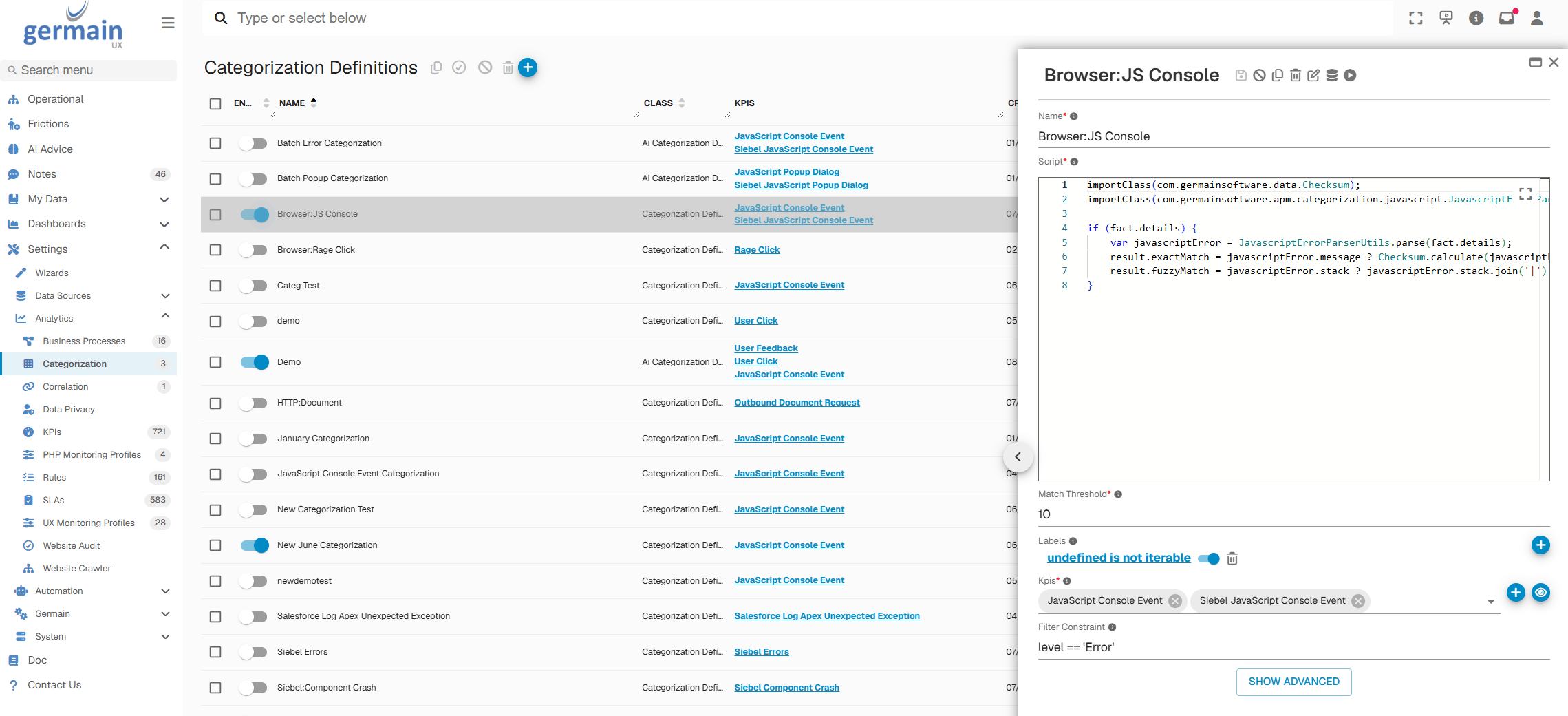
Categorization View - GermainUX
Technology-Specific Configuration
Java Exceptions
Java exception categorization is generally available out of the box. Custom processing can be added for application-specific exception structures or naming requirements. For assistance, contact GermainUX.JavaScript Errors
Errors captured by RUM JS or the RUM Browser Extension can be categorized using their message, stack trace, source, application, page, and other available attributes. For assistance with custom JavaScript error categorization, contact GermainUX.Salesforce Apex Exceptions
See Configure Salesforce Apex Exception Categorization.Oracle Siebel Object Manager Crashes
See Configure Siebel Object Manager Crash Categorization.Assign Human-Readable Category Labels
GermainUX automatically generates category IDs for identified groups of similar events. You can assign human-readable labels to these categories so users can understand and analyze them more easily. For example, a generated category ID can be labeled as:- Checkout payment failure
- Salesforce Apex governor-limit exception
- Siebel Object Manager crash
- JavaScript error in product search
- Authentication service timeout

Categorization Label - GermainUX
Validate Categorization
GermainUX includes a tester that applies the selected categorization logic to historical data before it is used for real-time analysis. To validate a categorization:- Open Germain Workspace > Settings > Analytics > Categorization.
- Select the categorization definition you want to test.
- Select the historical time range to analyze.
- Click the Play button in the right-side panel.
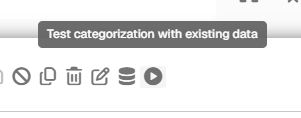
Validate Categorization - GermainUX
- Review the events grouped under each identified category.
- Refine the processor or labels if the results are too broad, too narrow, or unclear.
- Repeat the test until the results accurately represent the issues you want to identify.
Additional Resources
Troubleshoot GermainUX
Read more
Management
More Management Features
Get Help
Contact GermainUX Support
The GermainUX team helps you get up and running faster, empower your team, turn data into actionable insights, and optimize performance to deliver measurable business outcomes.
Can't find what you need?
Search all GermainUX docs with Ctrl + K, or use the feedback buttons at the bottom of this page to tell us what is missing.
The content of this document is proprietary to GERMAIN SOFTWARE.