

What You Can Analyze
Adoption, performance and replays
Deployment
Methods and prerequisite links
Session Replay
Enable or disable per profile
Examples
Sample user monitoring setups
Salesforce User Monitoring and Replay
GermainUX monitors how real users experience Salesforce Classic and Lightning and records their sessions for replay. It helps Salesforce, UX, support, and engineering teams identify, understand, prioritize, and resolve the issues affecting users. Instead of relying only on screenshots, user descriptions, or isolated technical logs, teams can replay what happened and correlate the user’s actions with performance, errors, Salesforce events, and business-process activity.What You Can Analyze
GermainUX helps teams:- Replay individual Salesforce user sessions
- Identify slow pages, actions, and workflows
- Detect errors, browser freezes, dead clicks, rage clicks, and other signs of frustration
- Understand where users struggle with Salesforce processes
- Measure lost productivity and workflow overruns
- Analyze adoption by user, role, page, feature, or process
Show all 10
Show all 10
- Correlate user actions with browser, network, Salesforce, Apex, API, and integration events
- Measure the number of users and sessions affected by each issue
- Prioritize issues based on their business and user impact
- Confirm that a deployed fix resolved the issue
Deployment
Salesforce user monitoring and replay can be deployed using:
For prerequisites and detailed installation instructions, see Salesforce Monitoring Deployment.
Enable or Disable Session Replay
Session Replay is enabled by default for each UX Monitoring Profile. To update one profile:1
Open Germain Workspace
2
Go to Settings → Analytics → UX Monitoring Profiles
3
Select the Salesforce monitoring profile
4
Enable or disable Session Replay Monitoring
5
Click Save
1
Go to Settings → System → UX and Session Replay Settings
2
Disable Session Replay Data
3
Click Save
Data Privacy
GermainUX provides controls to protect sensitive data collected during Salesforce sessions. Depending on your privacy, security, and regulatory requirements, data can be:- Excluded
- Masked
- Anonymized
- Encrypted
- Users
- IP addresses or ranges
- User agents
- Bots and crawlers
- Headless browsers
- Application elements or data fields
KPIs
GermainUX provides preconfigured Salesforce and Session Replay KPIs for analyzing user activity, experience, performance, errors, and business impact. See KPIs for Salesforce Classic and Lightning.Dashboard
Navigate to:Germain WorkspaceDashboardsAllSalesforce User Experience
The dashboard provides an aggregated view of Salesforce user experience. It helps teams identify which issues affect the most users, sessions, business processes, or work time.
From an aggregated metric, users can drill down to:
- Affected segments and leading factors
- Individual occurrences
- Correlated technical and business events
- The associated session replay
Examples
Salesforce User Experience at Scale
The Business Impact view identifies and ranks the UX, process, and technology issues affecting Salesforce users.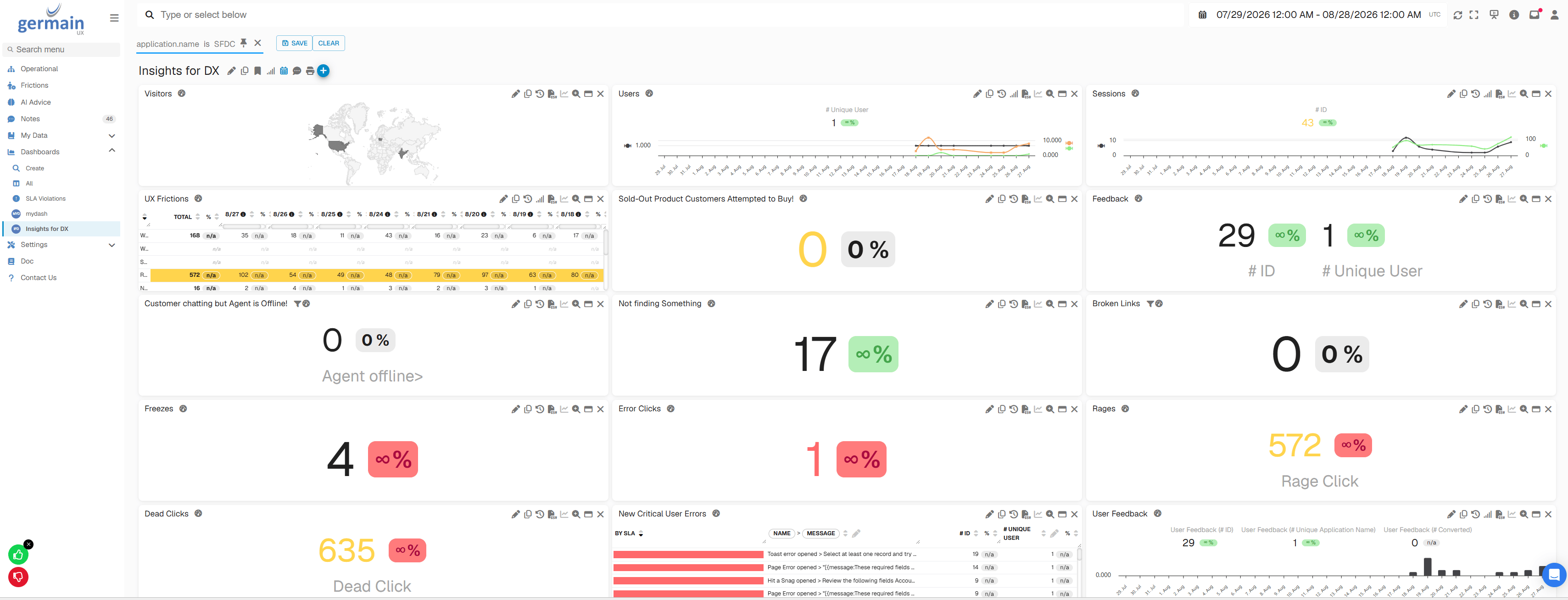
Salesforce Session Replay
The replay shows the user’s Salesforce experience as it occurred, together with the correlated events and transactions needed to understand the issue.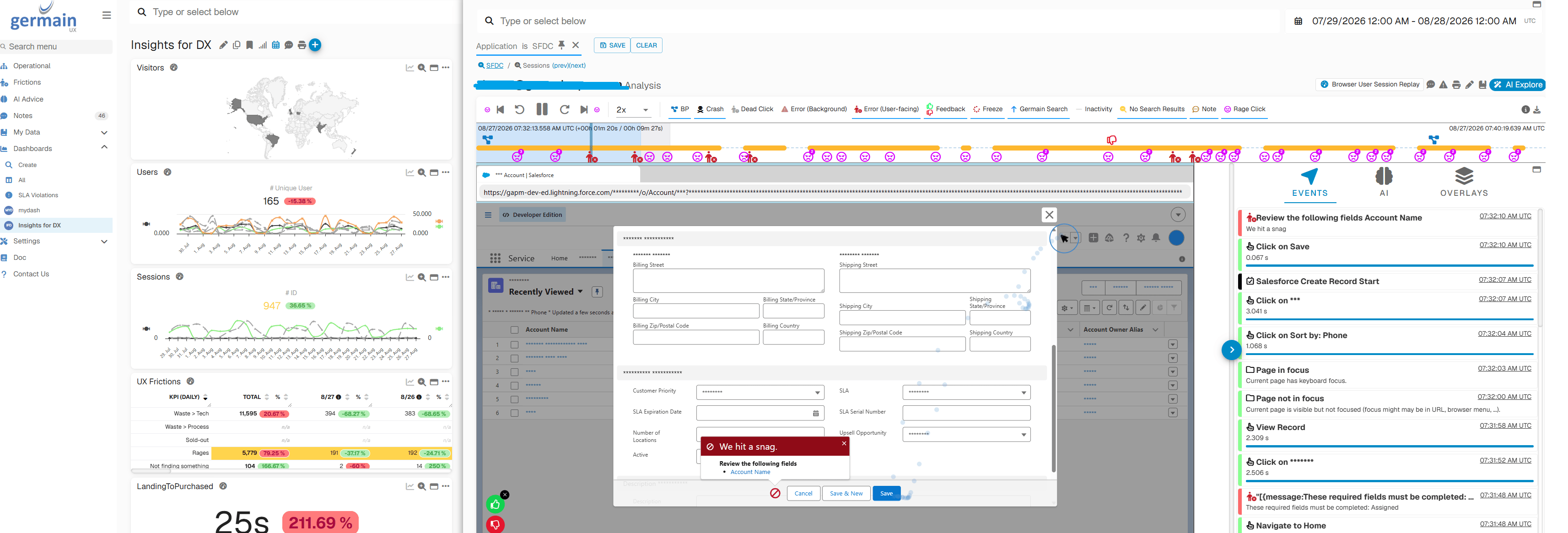
Related Documentation
Dashboard & Reports
Dashboard & Reports
AI
Insights & Recommendations
Analytics
More Analytics Features
Automation
More Automation Features
Get Help
Contact GermainUX Support
The GermainUX team helps you get up and running faster, empower your team, turn data into actionable insights, and optimize performance to deliver measurable business outcomes.
Can't find what you need?
Search all GermainUX docs with Ctrl + K, or use the feedback buttons at the bottom of this page to tell us what is missing.
The content of this document is proprietary to GERMAIN SOFTWARE.