

2022 Annual Report
Renewals and client highlights
File Auto-download
Automation
Selenium - Catch a failure
Automation
Connection Services
Maintenance
Okta OAuth
Maintenance
Real User Replay - Recording Length
Maintenance
Soc2 - Penetration Testing
Maintenance
Team
Maintenance
Salesforce - Implicit Hints
Monitoring & Analytics
Siebel 2021 & 2022 - End-2-end RCA
Monitoring & Analytics
User Search
Monitoring & Analytics
Vulnerabilities (fixed in December 2022)
Security patches for December
2022 Annual Report
Happy New Year! We’re thrilled to share that 91% of our clients renewed with us for 2 or 3 years, upfront and no questions asked. This is a great testament to the value and satisfaction they’ve experienced with our platform and support. Some facts about us in 2022:- 91% of our Clients have renewed for 2 or 3 years, upfront. Customers include leading organizations in the airline, banking, eCommerce, manufacturing, automotive, stock trading and healthcare industries.
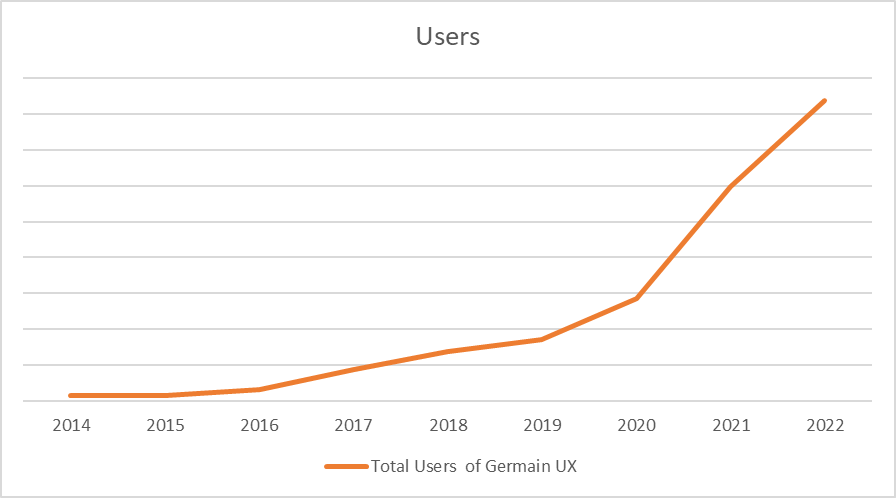
- 41% User growth (IT Dev and Ops, User Support, Customer Loyalty, Sales and Marketing Ops)
- ~6 billions/day of analytics and automation processed by Germain.
- Our moto: a customer benefit-centric approach at a fraction of the cost.
- 100% bootstrapped. No Sales, No Marketing. 2x growth of our Product Team (Engineering, QA, Support).
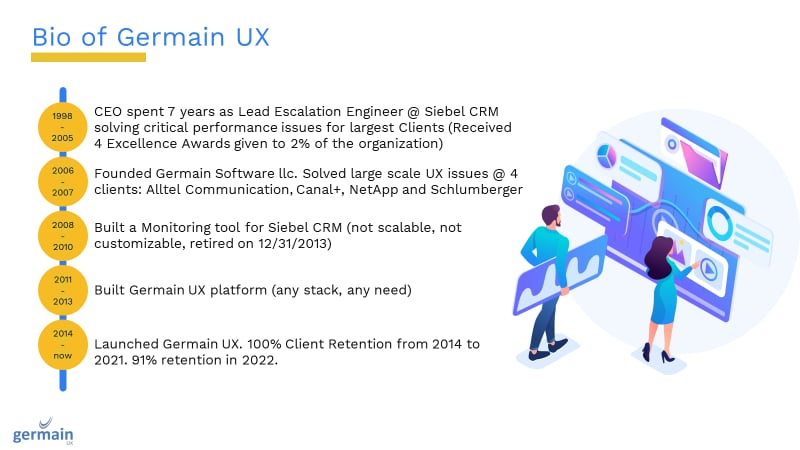
- Bio
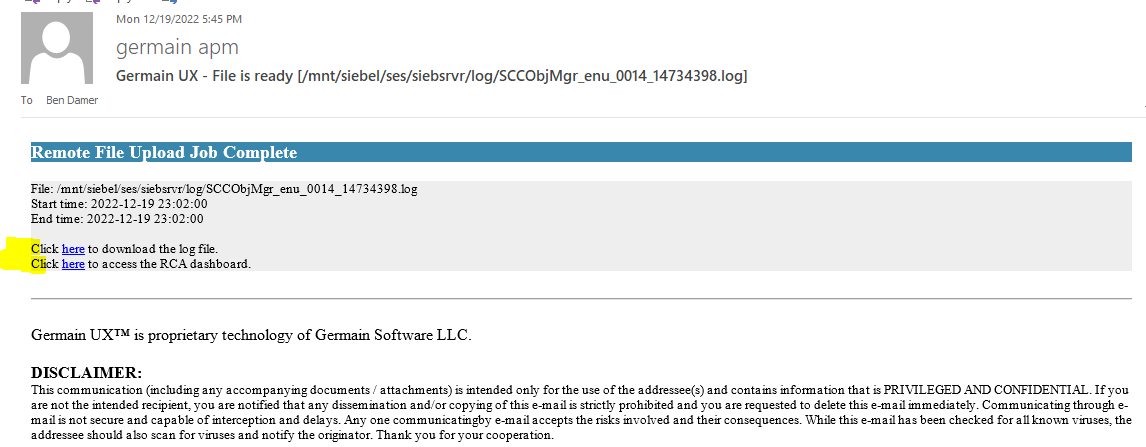
Automation - File Auto-download
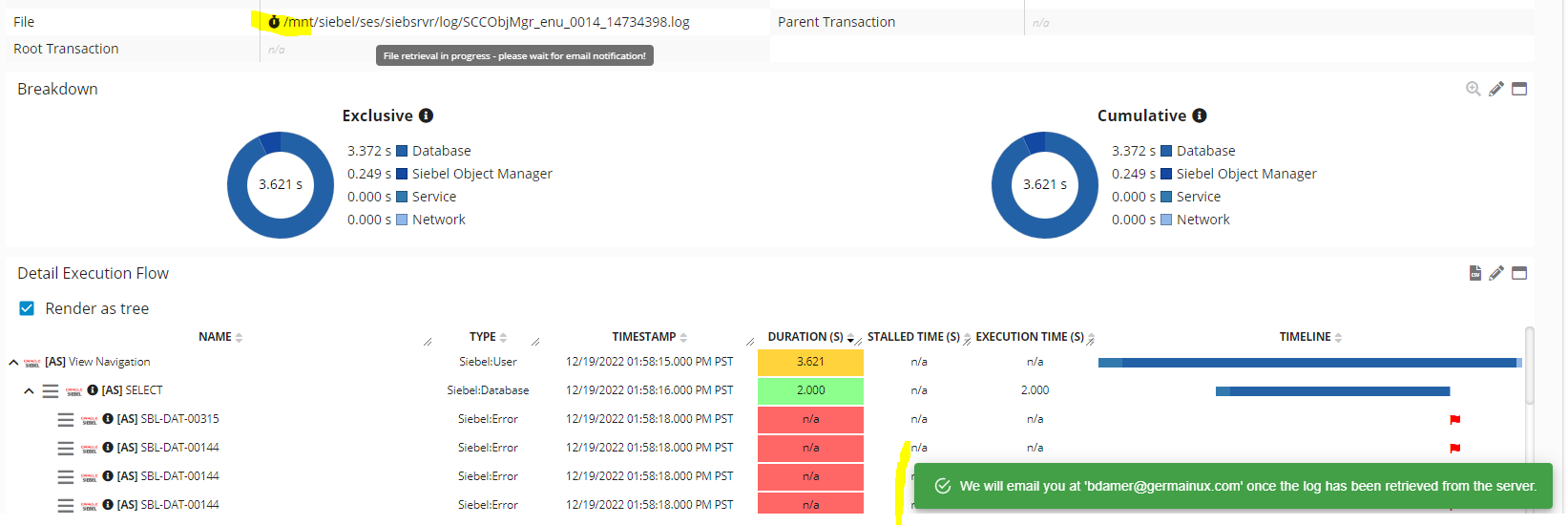
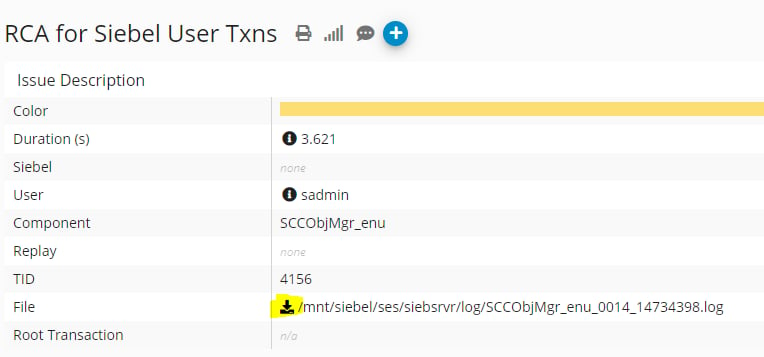
Benefit How many times do you feel you need to look into a file on a server and it is either hard to find or already purged? Germain automates that process so you dont need to spend anytime looking for that file. You can schedule the download of any file (e.g. Siebel, Java, etc) and Germain will hand it over to you via an email and Germain Workspace.Example
On Germain RCA screen, Click on “Cloud” icon next to filename to initiate file upload.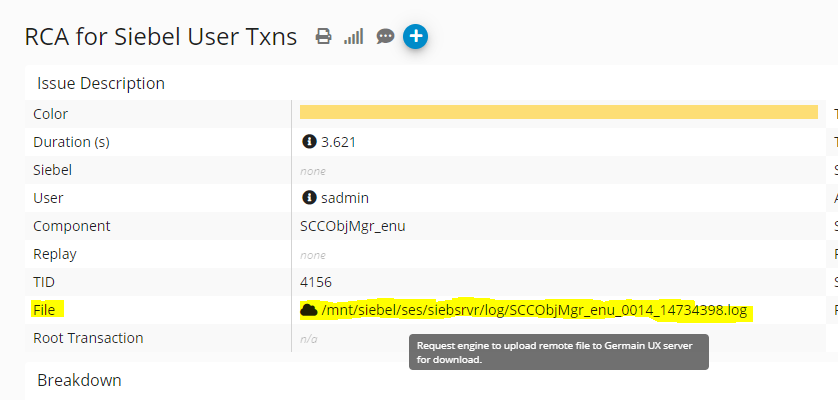
Automation - Selenium - Catch a failure
Use Case
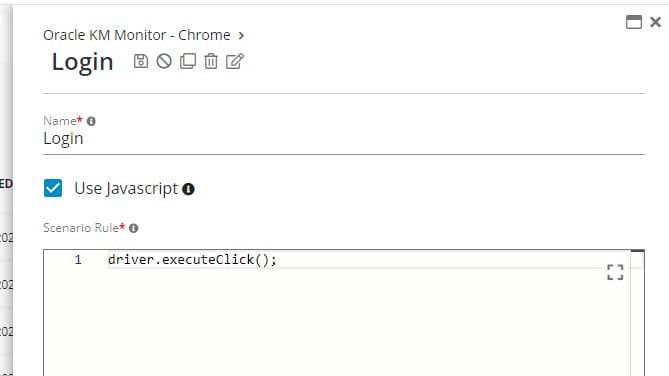
IssueTrying to capture an Exception/failure in a Synthetic scenario using Mvel won’t work (it is not supported):
In more recent version of Germain, you can create these selenium scripts in Javascript (instead of Mvel):
synthetic_scenario_script.txt
synthetic_scenario_script.txt
synthetic_scenario_script.txt
synthetic_scenario_script_guide.txt
synthetic_scenario_script_guide.txt
synthetic_scenario_script_guide.txt
Maintenance - Connection Services
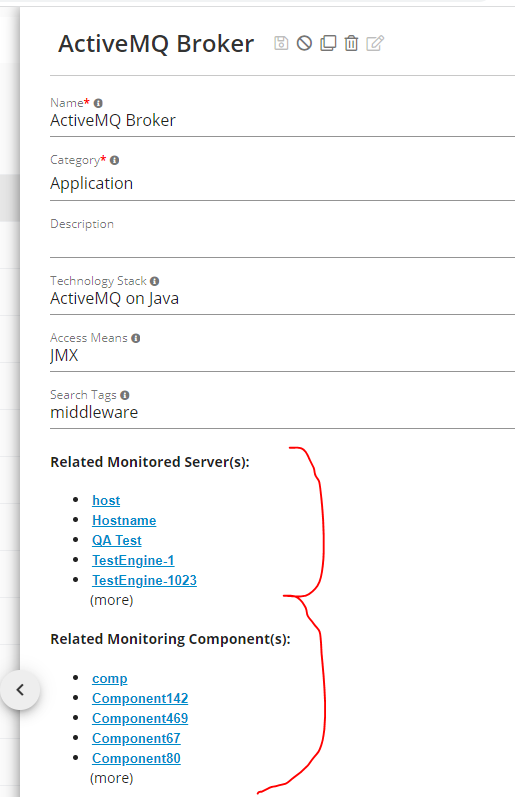
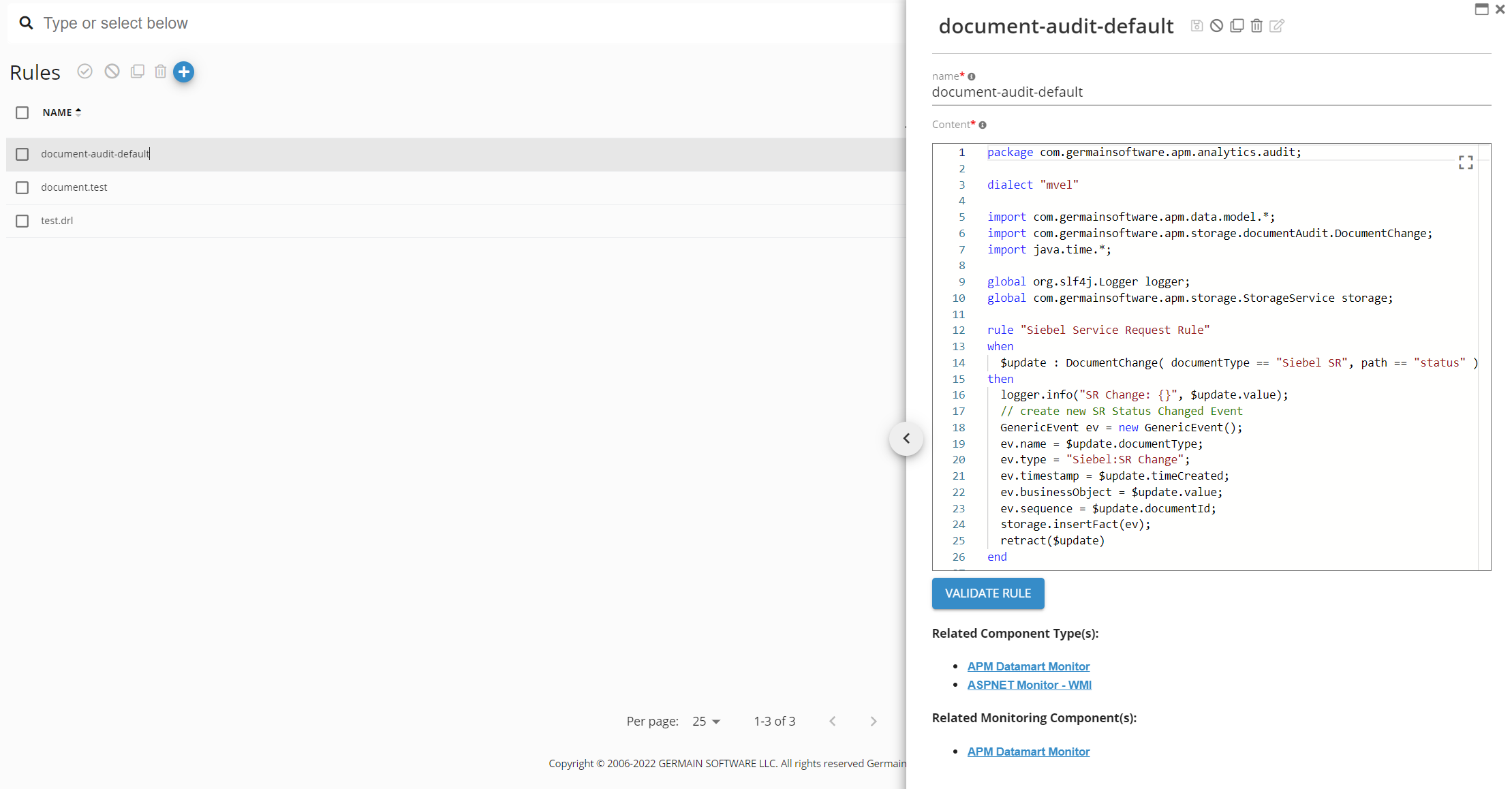
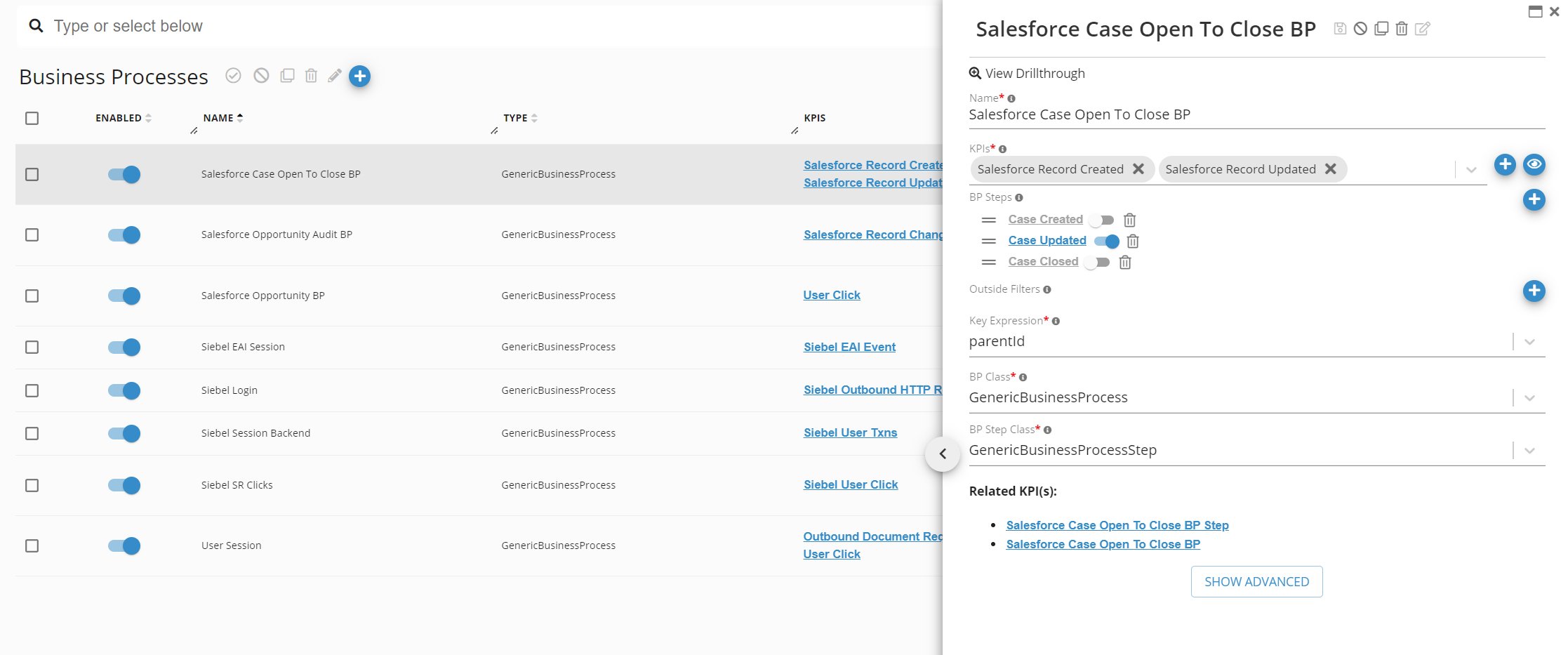
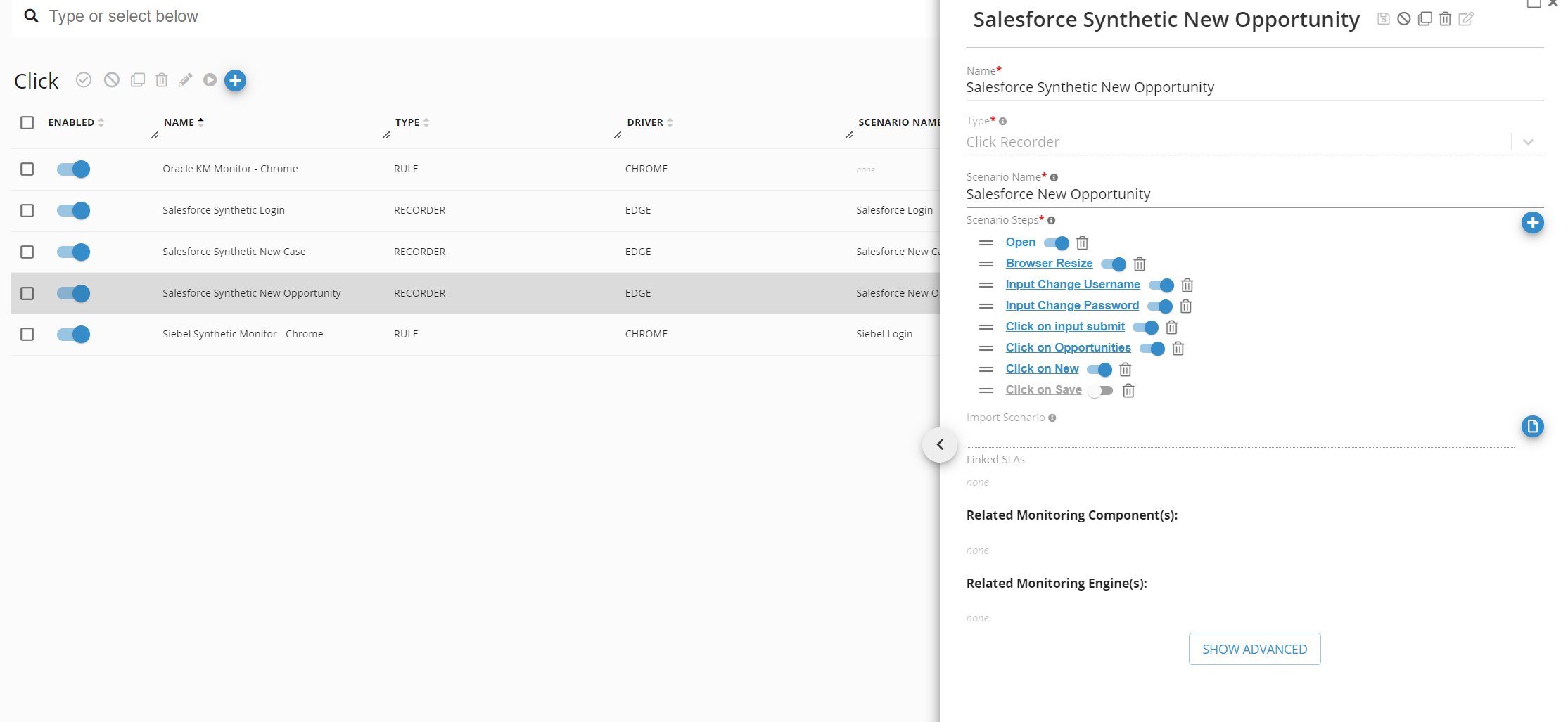
Description
Connection Services is there to help connect the dot between Germain Configuration Objects, so it is easier for administrators to understand what is configured and how config objects relate to one another.Examples
Maintenance - Okta OAuth
Description
Okta helps manage and secure user authentication into applications, and for developers to build identity controls into applications, website web services and devices and is now available as an integration in Germain More details about Okta: https://www.okta.com/ Configure: Okta User ManagementMaintenance - Real User Replay - Recording Length
Description
You can now configure Germain so the Real User Replay gets only recorded for a fix length e.g. 1 hourConfiguration
Germain RUM Ext/JS’s InitScript parameter to configure:More details
User Session Monitoring, Replay & 6 HeatmapsMaintenance - Soc2 - Penetration Testing
In addition to having third party auditor do penetration testing of Germain, we now have it part of our release process (in addition to the weekly Vulnerability check of our Code and Docker images) Example The full penetration testing report is available on request from GermainUX Support.Maintenance - Team
Description
Team is a new object and concept in Germain, enabling better management of access to Dashboards, Data, and Alerts for a specified set of User(s).- Technical/Business flags are now set at the Team level (previously set at the user level).
- Users have access to all Dashboards assigned to the Team they belong to.
- When a user is removed from a Team, they lose access to any Dashboards associated with that Team.t Team.
Configure
Left Menu > System > Auth Settings > Team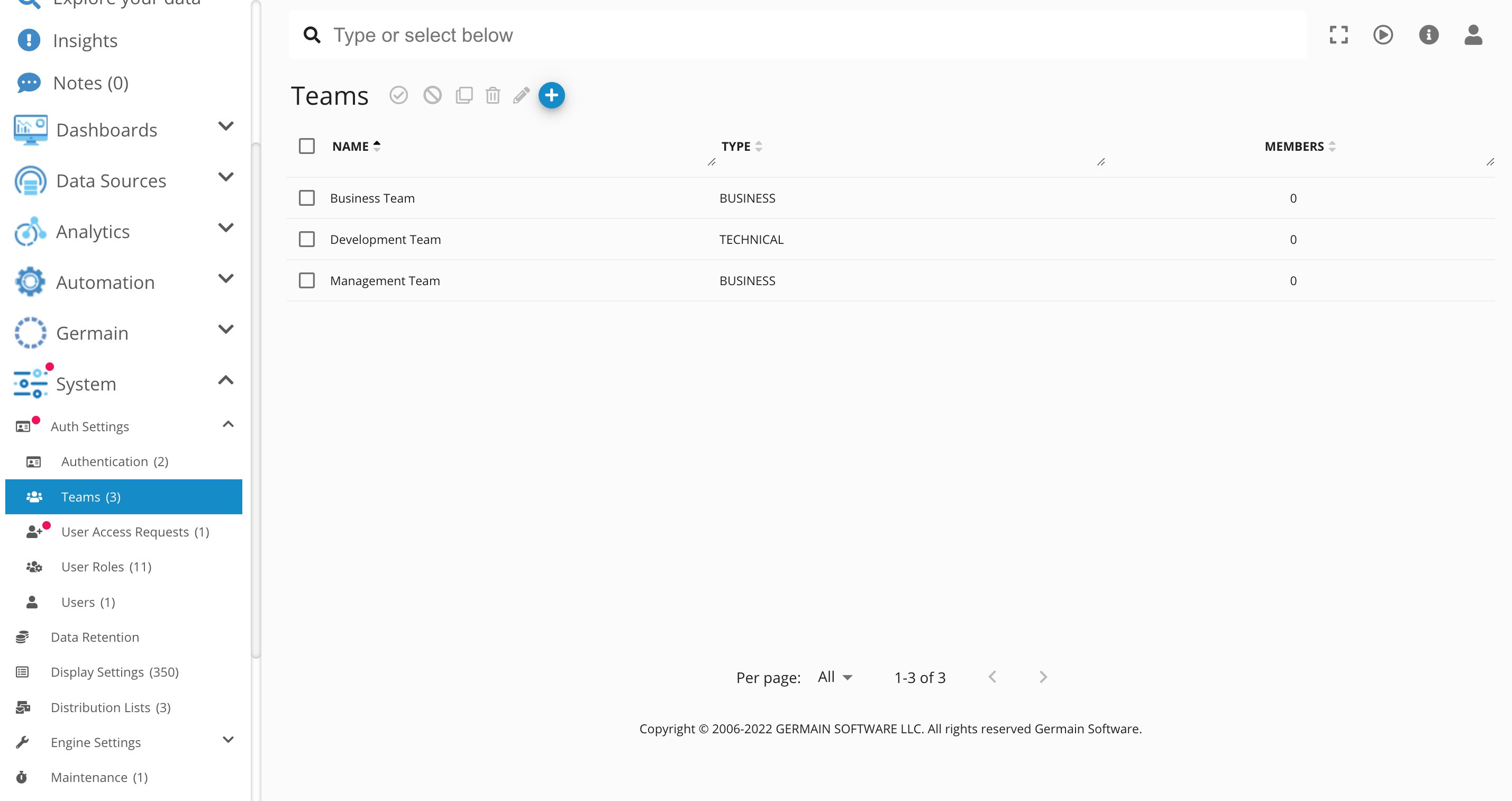
Monitoring & Analytics - Salesforce - Implicit Hints
Description
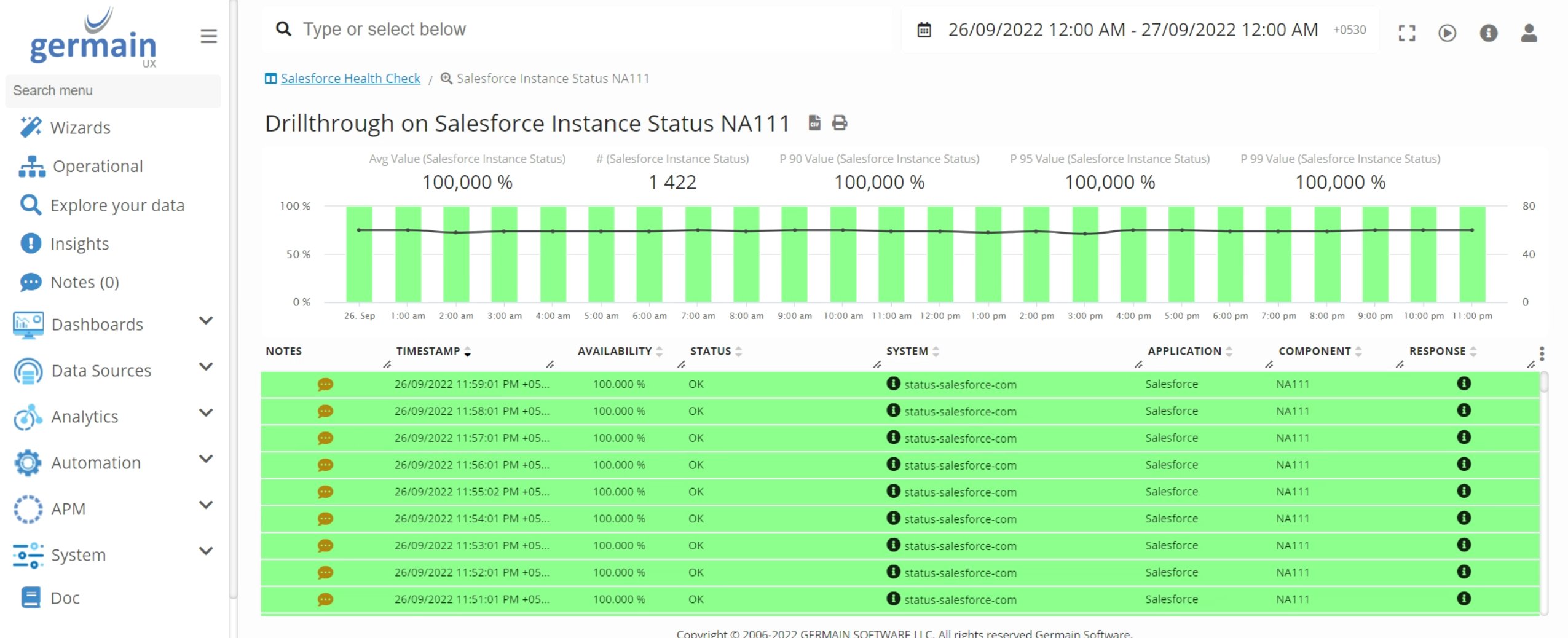
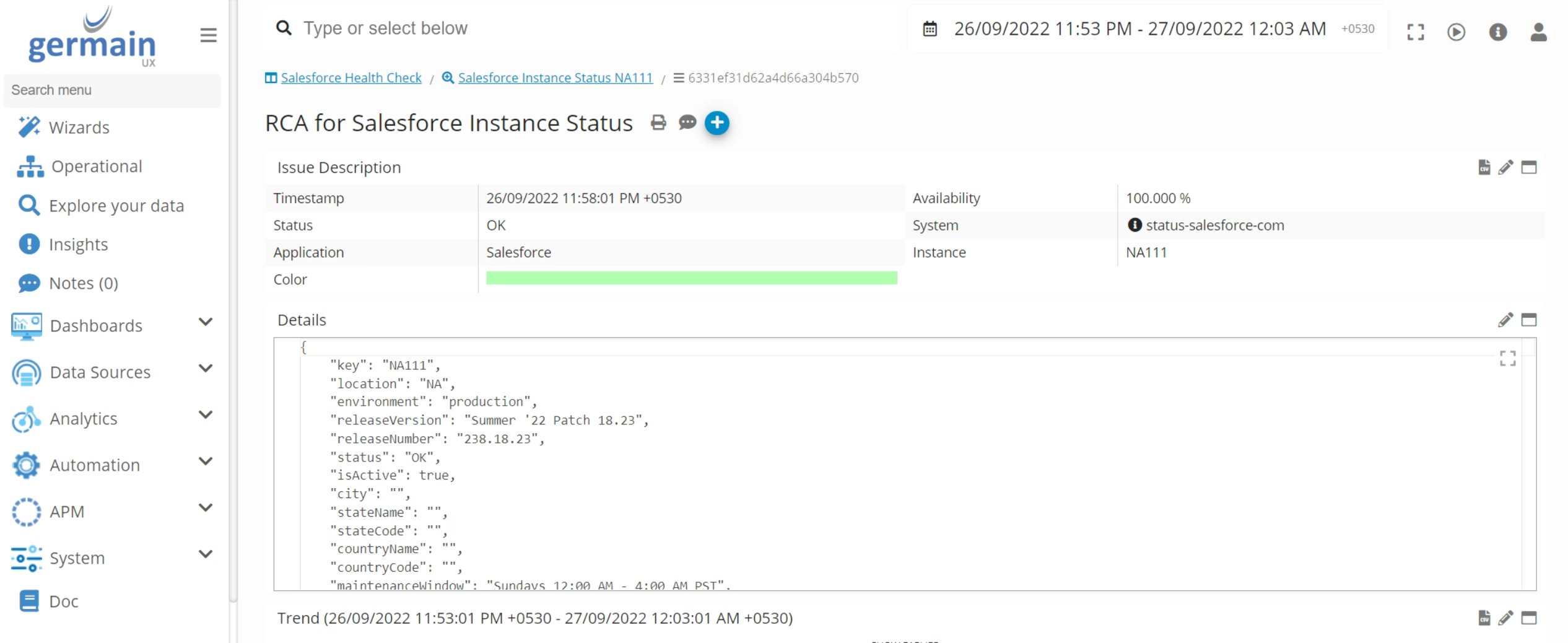
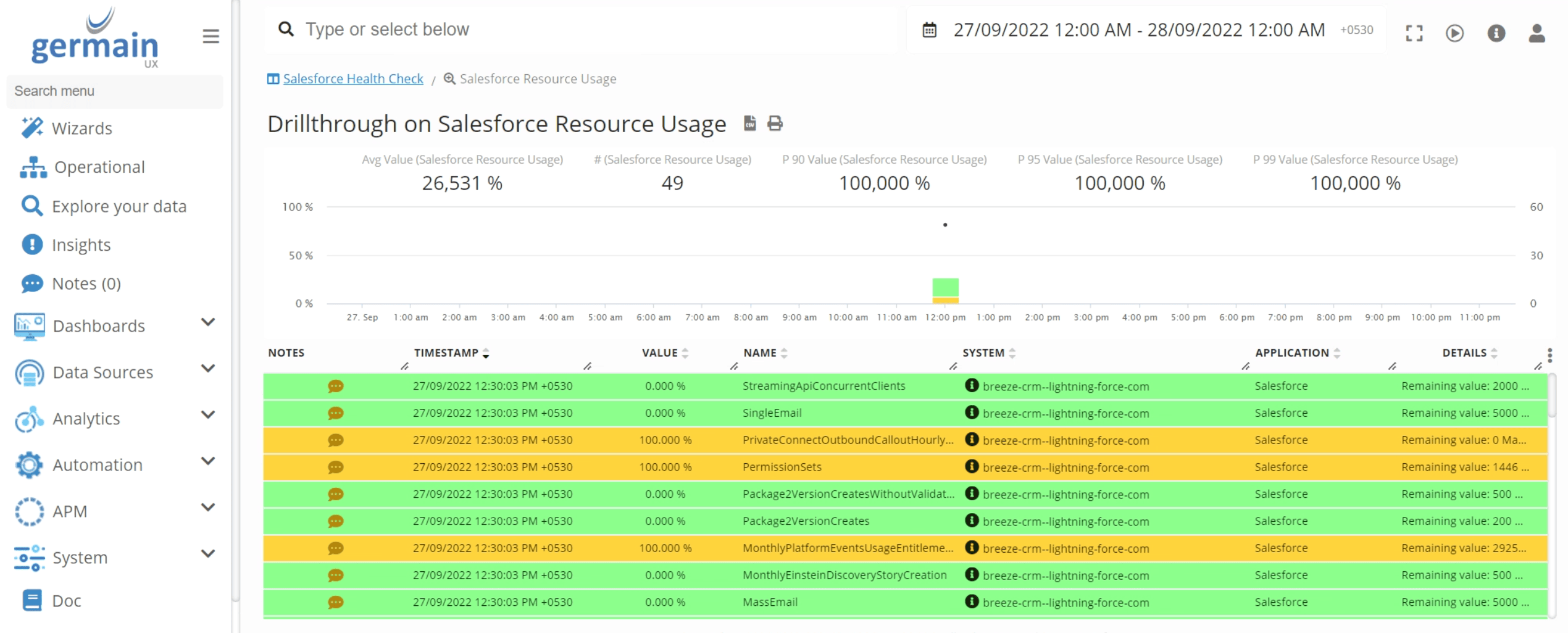
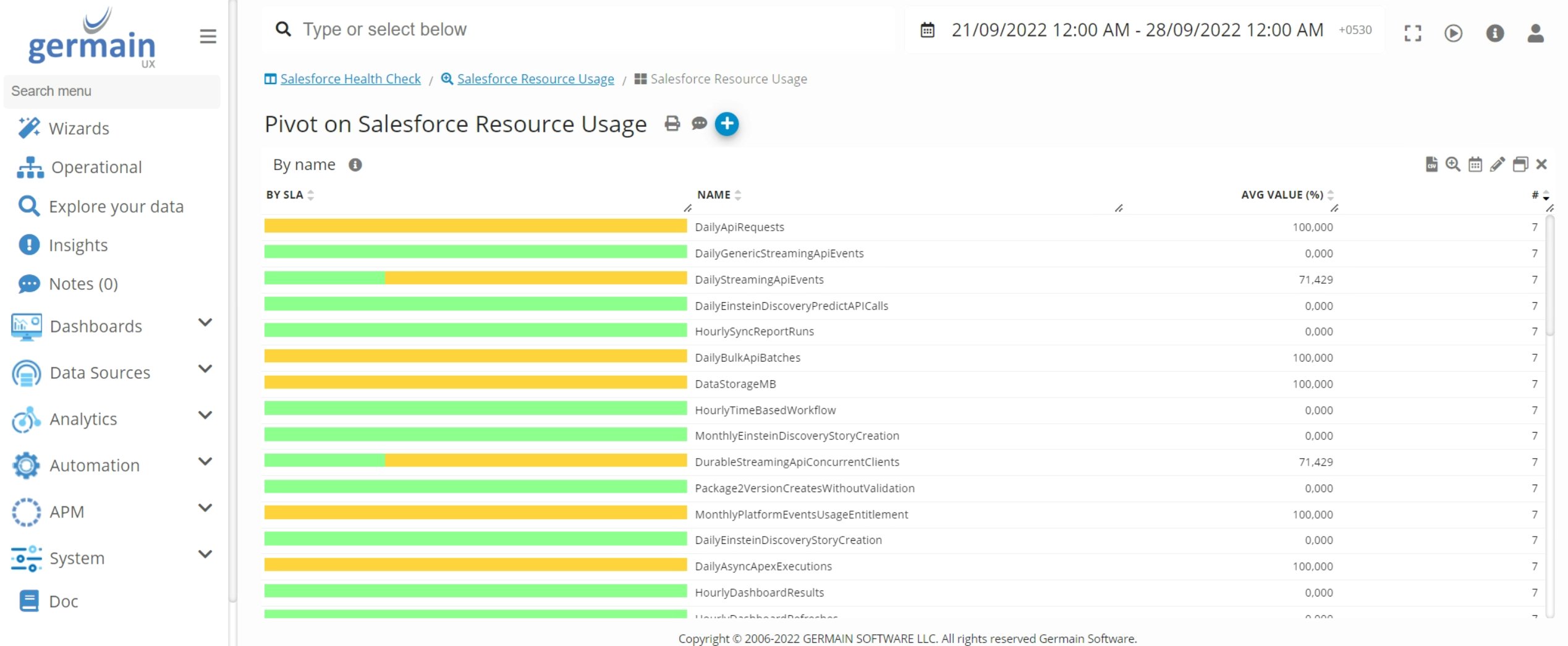
Implicit hints implemented in Germain for all below Germain’s SFDC KPIs and UI objects.- Salesforce Outbound HTTP Request
- Salesforce Instance Status
- Salesforce Flow Interview(https://developer.salesforce.com/docs/atlas.en-us.202.0.api_meta.meta/api_meta/meta_listview.htm )
- Salesforce List View
- Salesforce Platform Event Usage Metric
- Salesforce Resource Usage
- Done for the following Germain’s KPIs:
Salesforce Outbound HTTP Request
Salesforce User Click
Salesforce Lightning User
Salesforce Apex Class
Salesforce Apex Trigger
Salesforce Health Check
Salesforce Setup Audit
Salesforce Process Approval
Salesforce Flow Custom Action
Salesforce apex Custom Action
Salesforce External Service Custom Action
Salesforce Process Rule
Salesforce Flow Coverage
Salesforce Apex Code Coverage
Salesforce Flow Interview
Salesforce List View
Salesforce Instance Status
Salesforce Resource Usage
Salesforce Platform Event Usage Metric
Salesforce Records Count
Salesforce UI Switch
Salesforce Page Performance Count
Salesforce Browser Performance Count
Salesforce Cron Job
Salesforce Code Exception
salesforce Code Debug Event
salesforce Code Execution
Salesforce Record Change Event
Salesforce Report Anomaly Event
Salesforce Api Event
Salesforce Bulk Api Result Event
Salesforce Classic Record Event
Salesforce Concurrent Long-running Apex Error Event
Salesforce Credential Stuffing Event
Salesforce Lightning List View Event
Salesforce Lightning Record Event
Salesforce Log Generic Event
Salesforce Login As Event
Salesforce Login Event
Salesforce Logout Event
Salesforce Report Execution Event
Salesforce Session Hijacking Event
Monitoring & Analytics - Siebel 2021 & 2022 - End-2-end RCA
Description
Germain provides support for end-to-end root-cause analysis of Siebel Transactions, involving tracing and correlating transactions executed across different layers of the Siebel Application. For instance, when a user interacts with the Siebel UI, Germain can analyze and correlate various components such as Browser’s Javascript/eScript, HTTP request(s), Object Manager Transaction, Workflow, EAI, Database SQL, and other relevant calls. Note: Germain has consistently offered this capability since our 2014 launch. However, the level of tracing and correlation may vary depending on the version of Siebel or other technologies involved. More details about .Monitoring & Analytics - User Search
Description
Do you want to understand what searches your users perform while using your app? Or do you want to identify when users are unable to find something and possibly automatically enrich an AI Chatbot with more content? In Germain, there are various methods to identify user searches and determine which searches were successful and which ones yielded no results. Here are two different examples:Identify ‘no result’ searches on Salesforce Cloud.
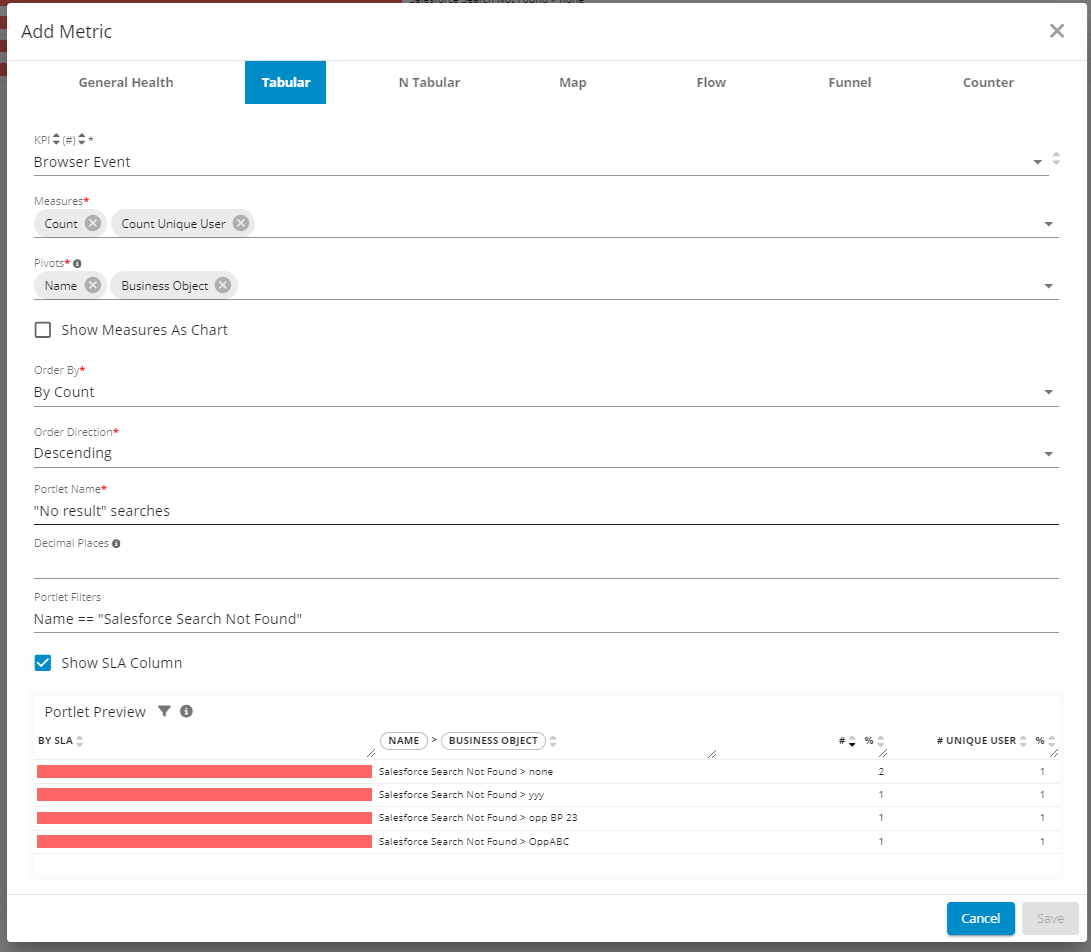
Count of searches leading to no result on Salesforce Cloud - GermainUX
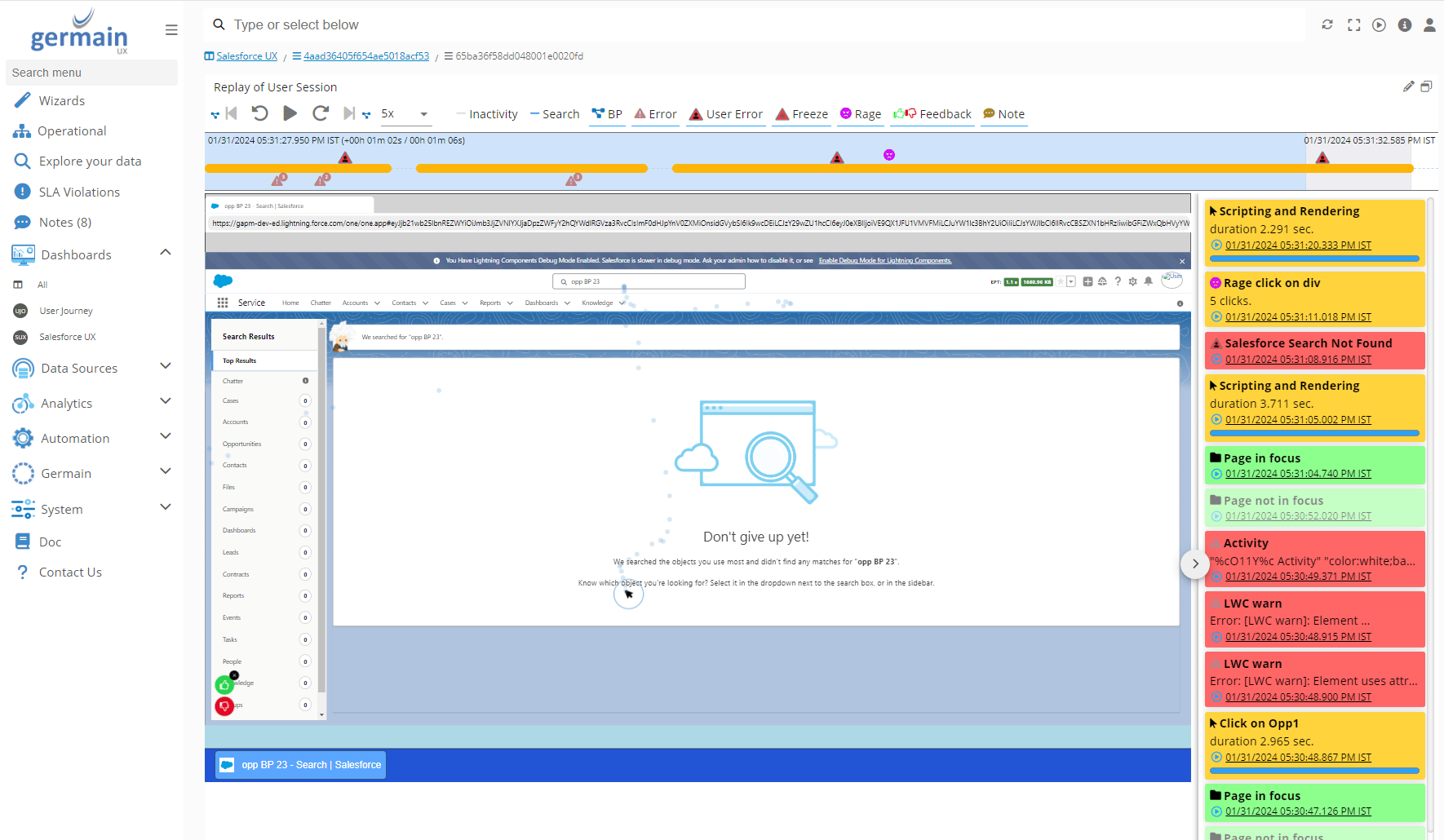
User not finding what she/he is looking for on Salesforce Cloud - GermainUX
Identify Searches on Oracle Siebel CRM
- Add Analysis portlet
- KPI: “User change”
- Measure: “Count”
- Pivot: “Page Title” “Field Value”
- Filters: “Set by user” = true & Name = “Change on input text”
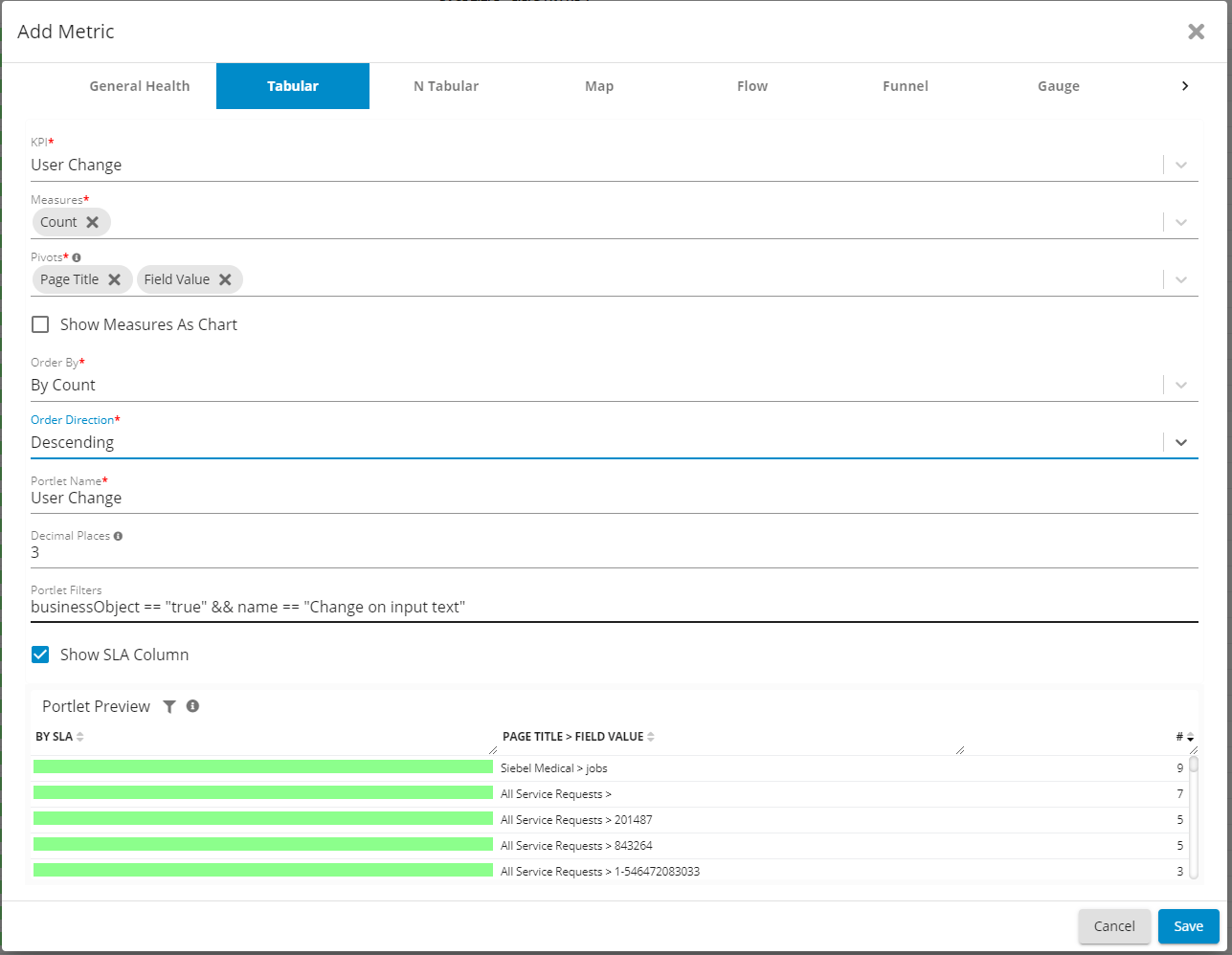
User Searches on Oracle Siebel CRM - GermainUX
Vulnerabilities (fixed in December 2022)
Description
As part of our SOC2 compliance program, here are the security breaches that have been found in December, and patches to address those. We remain available to help you with these issues. If you have not already, you can create a ticket here: https://germainux.atlassian.net/servicedesk/customer/portal/1 or email us at info@germainux.comGermain 2022.3-55
Download:
GermainAPMEngine-2022.3-55-binary.tar.gz (no longer available) GermainAPMEngine-2022.3-55-binary.zip (no longer available) GermainAPMServer-2022.3-55-binary.tar.gz (no longer available) GermainAPMServer-2022.3-55-binary.zip (no longer available) GermainAPMService-2022.3-55-binary.tar.gz (no longer available) GermainAPMService-2022.3-55-binary.zip (no longer available)
Docker:
public.ecr.aws/h0m9e4y5/germainapm-engines:2022.3-55 public.ecr.aws/h0m9e4y5/germainapm-server:2022.3-55
public.ecr.aws/h0m9e4y5/germainapm-services:2022.3-55
Germain 2022.4-40
Download:
GermainAPMEngine-2022.4-40-binary.tar.gz (no longer available) GermainAPMEngine-2022.4-40-binary.zip (no longer available) GermainAPMServer-2022.4-40-binary.tar.gz (no longer available) GermainAPMServer-2022.4-40-binary.zip (no longer available) GermainAPMService-2022.4-40-binary.tar.gz (no longer available) GermainAPMService-2022.4-40-binary.zip (no longer available)
Docker
public.ecr.aws/h0m9e4y5/germainapm-engines:2022.4-40public.ecr.aws/h0m9e4y5/germainapm-server:2022.4-40
public.ecr.aws/h0m9e4y5/germainapm-services:2022.4-40
Get Help
Contact GermainUX Support
The GermainUX team helps you get up and running faster, empower your team, turn data into actionable insights, and optimize performance to deliver measurable business outcomes.
Can't find what you need?
Search all GermainUX docs with Ctrl + K, or use the feedback buttons at the bottom of this page to tell us what is missing.
The content of this document is proprietary to GERMAIN SOFTWARE.