

Avoid Many Alerts
Monitoring & Analytics
Battery Level of Android Device
Monitoring & Analytics
SalesForce (more BI via SOQL)
Monitoring & Analytics
Shopify Adoption
Monitoring & Analytics
User Feedback on Drill-through dashboards
Monitoring & Analytics
User Name Extractor
Monitoring & Analytics
Vulnerability in Docker
Maintenance
Categorization of Facts
Maintenance
Query Validation for Elastic
Maintenance
Monitoring & Analytics - Avoid Many Alerts
Description
Are you receiving too many email or sms for a single issue that Germain found? Germain’s Quiet Time mechanism prevents from getting spammed with too many emails for a single issue. All the details you need to know about it listed on the pages below and we are here to help every step of the way if needed.Configure
More details about Alert (email and sms) and alert’s Quiet Time Period.Monitoring & Analytics - Battery Level of Android Device
Description
Germain now has the ability to monitor (and alert on) the Battery Level of an Android Mobile Device. More details on the insights for Android Mobile Application and Device.Configure Monitoring for Android Mobile
More details on how to deploy GermainUX monitoring for Android Mobile Application and Device.Monitoring & Analytics - SalesForce (more BI via SOQL)
Description
Here is an example of the type of BI-related alert that Germain is able to support, via the Salesforce Object Query Language (SOQL). Here Germain is able to send an alert when a transaction is stuck in one of the below statuses for more than 30 minutes.- Submitted
- Pending Authorization
- Authorized
- Partner Pending
Configure Monitoring for Salesforce Cloud
Here are details on how to configure GermainUX monitoring for Salesforce Cloud.Monitoring & Analytics - Shopify Adoption
Description
Considering the success of our V3 Real User Experience Monitoring, Insights, and User Replay features, we are advancing and making this aspect of our platform available to numerous online stores, including Shopify. If you are a Shopify customer, you can now seamlessly integrate Germain into your Shopify eCommerce site and begin enhancing user experience through our real-time user monitoring, alerts, insights, and automation. Here are while monitoring a Shopify eCommerce.Configure Monitoring for Shopify
Here are details on how to deploy GermainUX monitoring for Shopify.Monitoring & Analytics - User Feedback on Drill-through dashboards
Description
Monitored User’s Feedback is now displayed on our Drill-through dashboard and looks like this.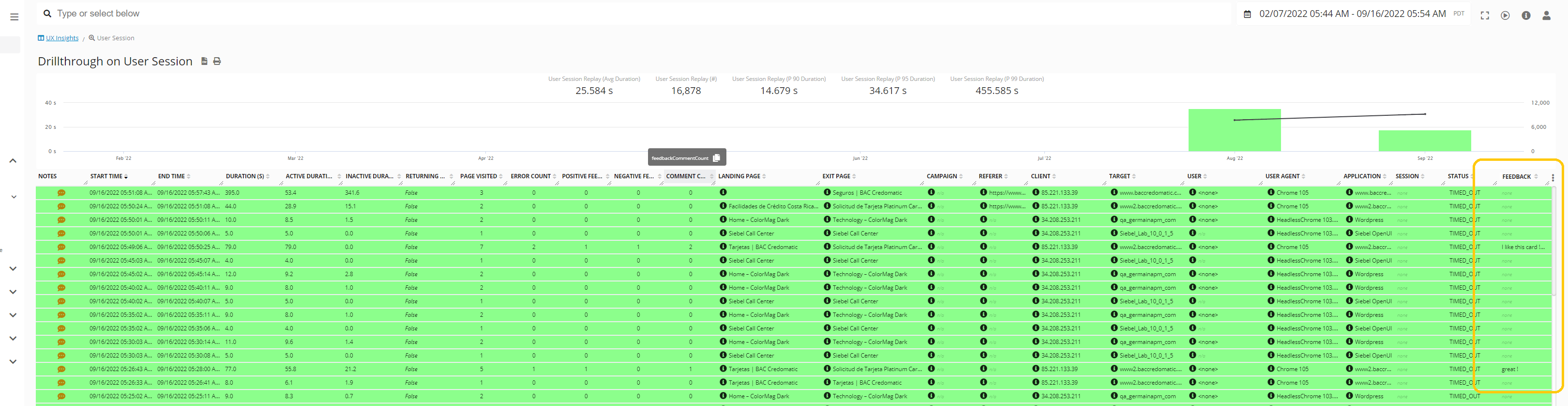
Configure Feedback (NPS)
Here are details on how to enable GermainUX Feedback popup on an application monitored by GermainUX.Monitoring & Analytics - User Name Extractor
Description
User Replay in GermainUX is extensively utilized by this client. However, prior to this enhancement, certain User Names were missing from Session Replays due to the highly customized nature of their application. To address this, we developed a solution to retrieve User Names from non-standard locations in the application metadata. This solution is designed for reusability across various applications. Please contact us for more details.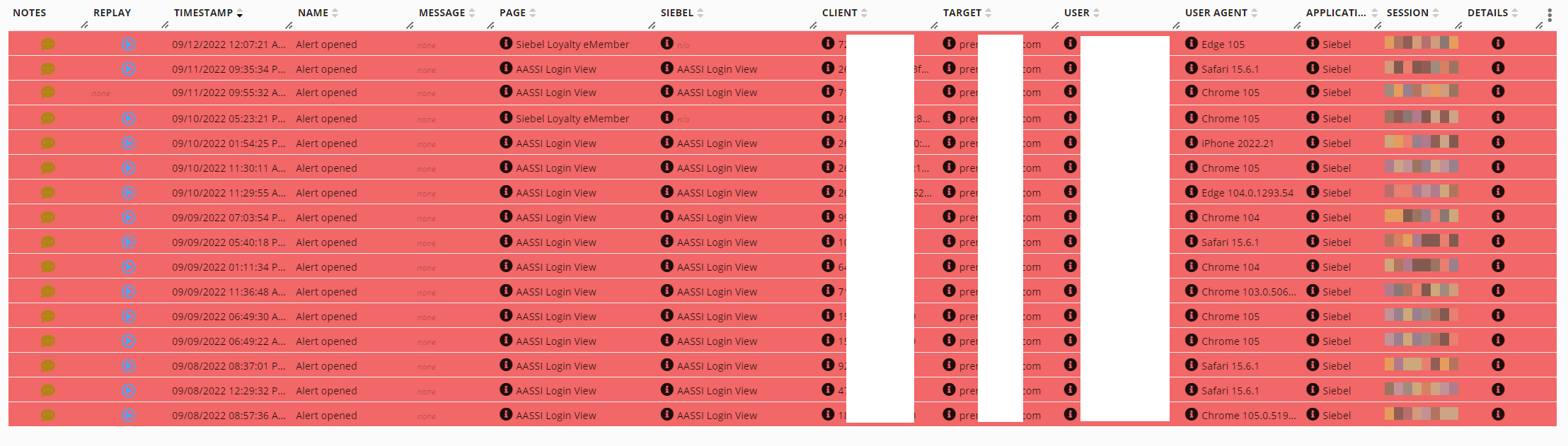
User Name extractor - GermainUX
Maintenance - Vulnerability in Docker
Description
As part of our engineering process, we have now implemented automatic weekly detection of vulnerabilities introduced in Germain’s Docker container using Docker Hub: https://hub.docker.com/Maintenance - Categorization of Facts
Description
Since most of you are relying on this new Categorization Mechanism, here is an issue we experienced while using it. For this client, we had enabled Germain’s Categorization for “Apex Unexpected Exceptions” using the logic outlined below: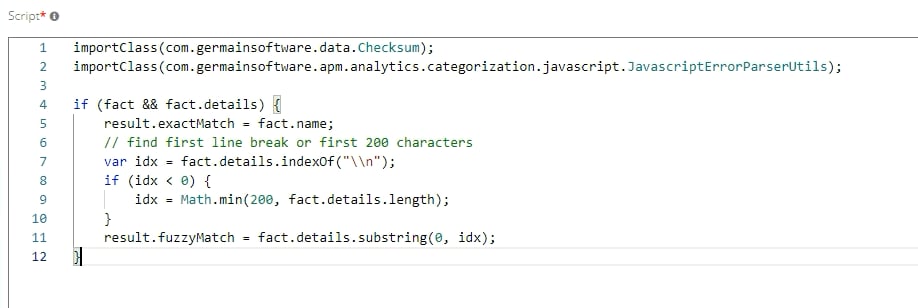
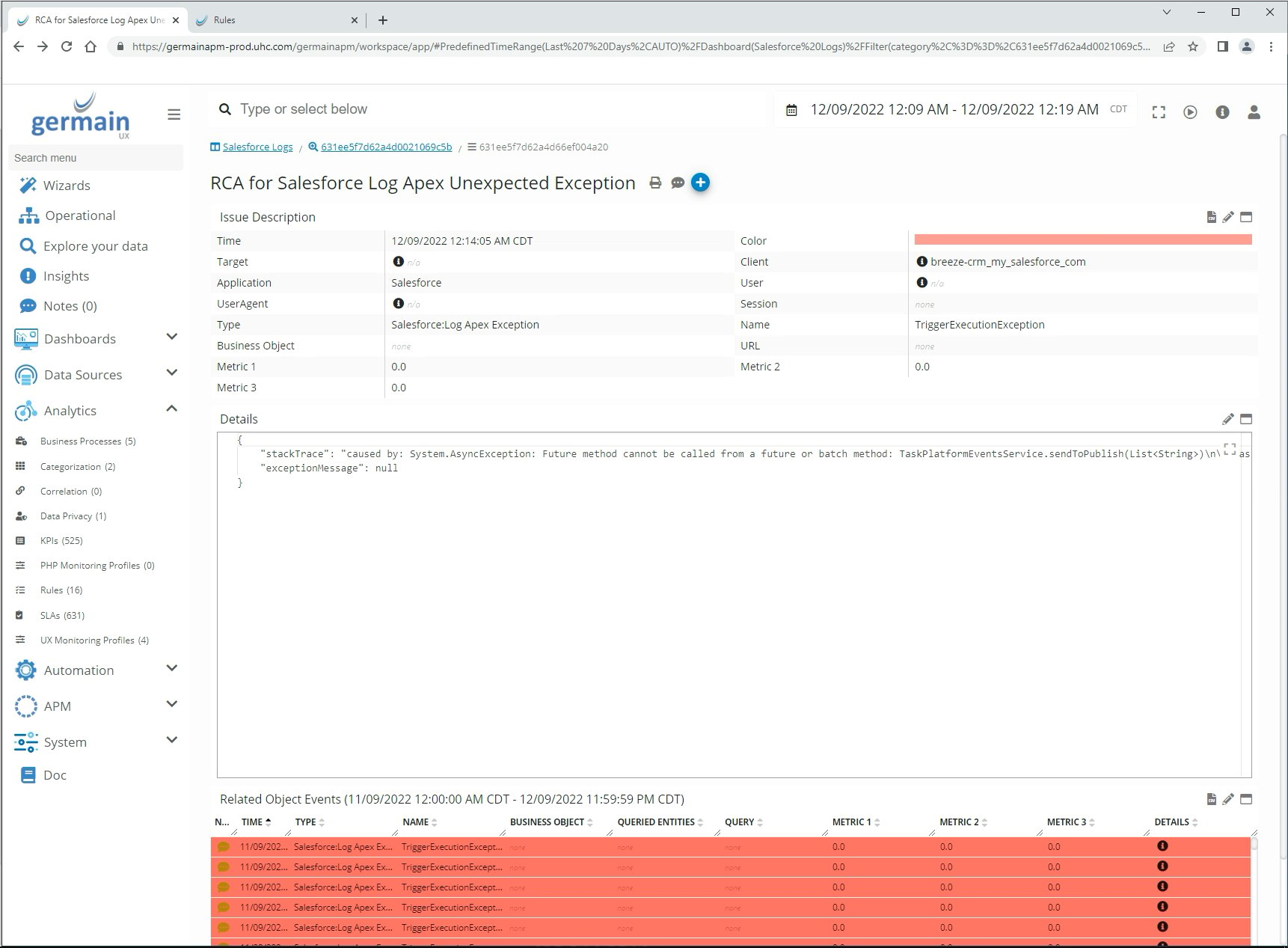
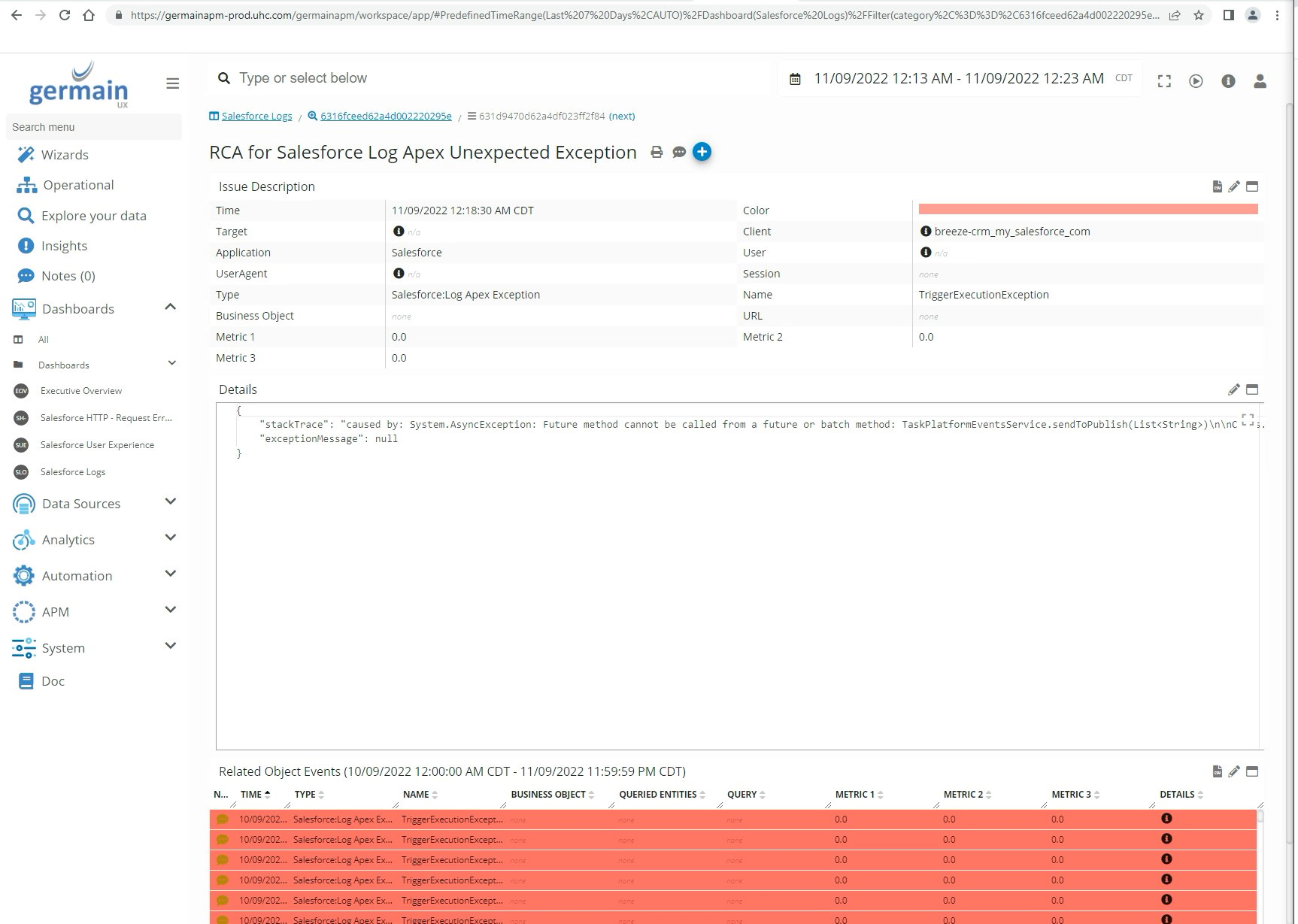
Cause of this issue & solution
The CategorizationDefinition was renamed by our Support Team in the middle of its use, which caused a new cache to be utilized, resulting in a new categorization ID. During our investigation, we discovered an issue in our Categorization/Correlation logic where a removed CategorizationDefinition was not prevented from being used. We addressed this bug in the past month. Here are more details on GermainUX’s categorization feature.Maintenance - Query Validation for Elastic
Description
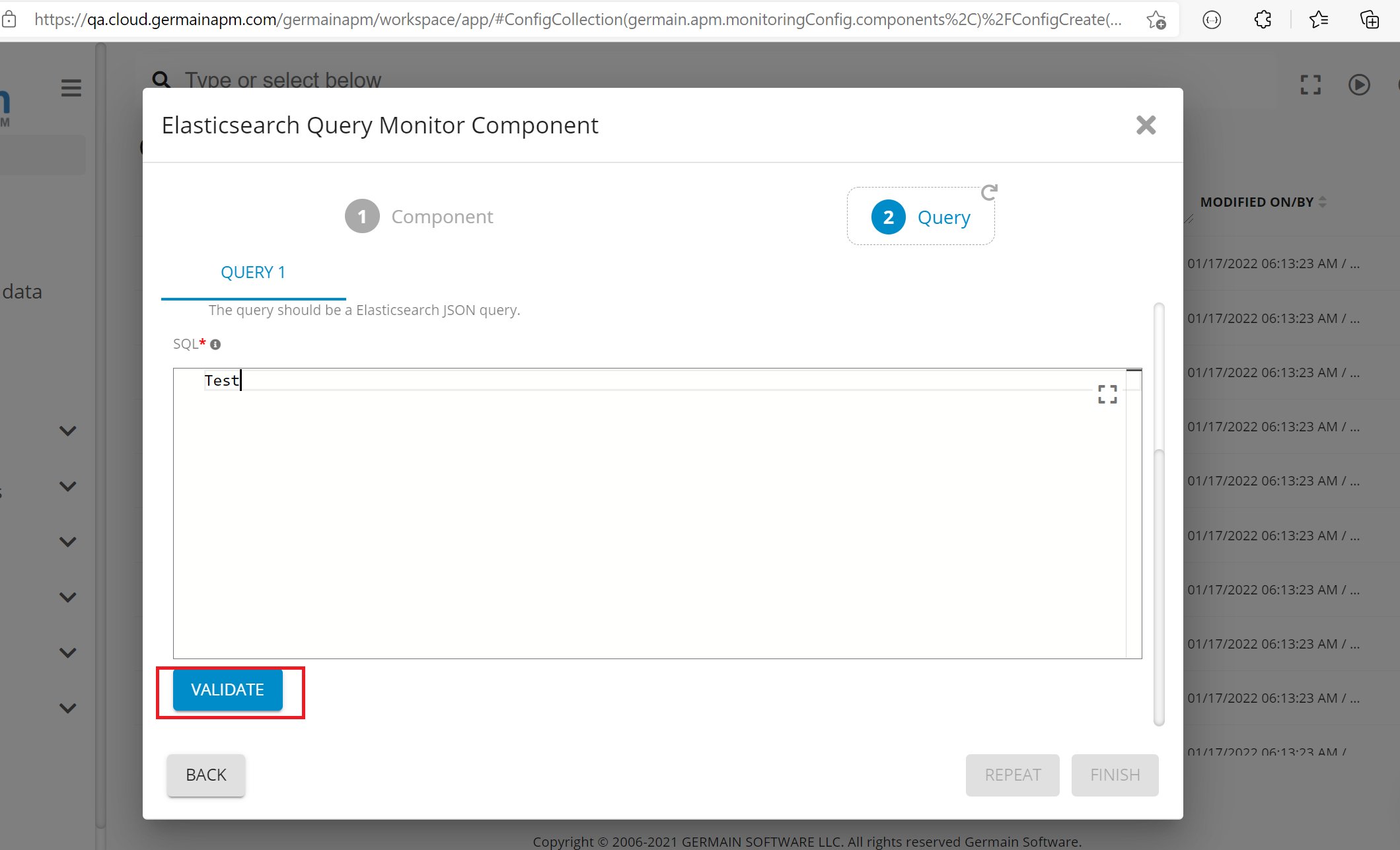
Germain has the ability to validate Elasticsearch queries.How to use
1
Log on to Germain
2
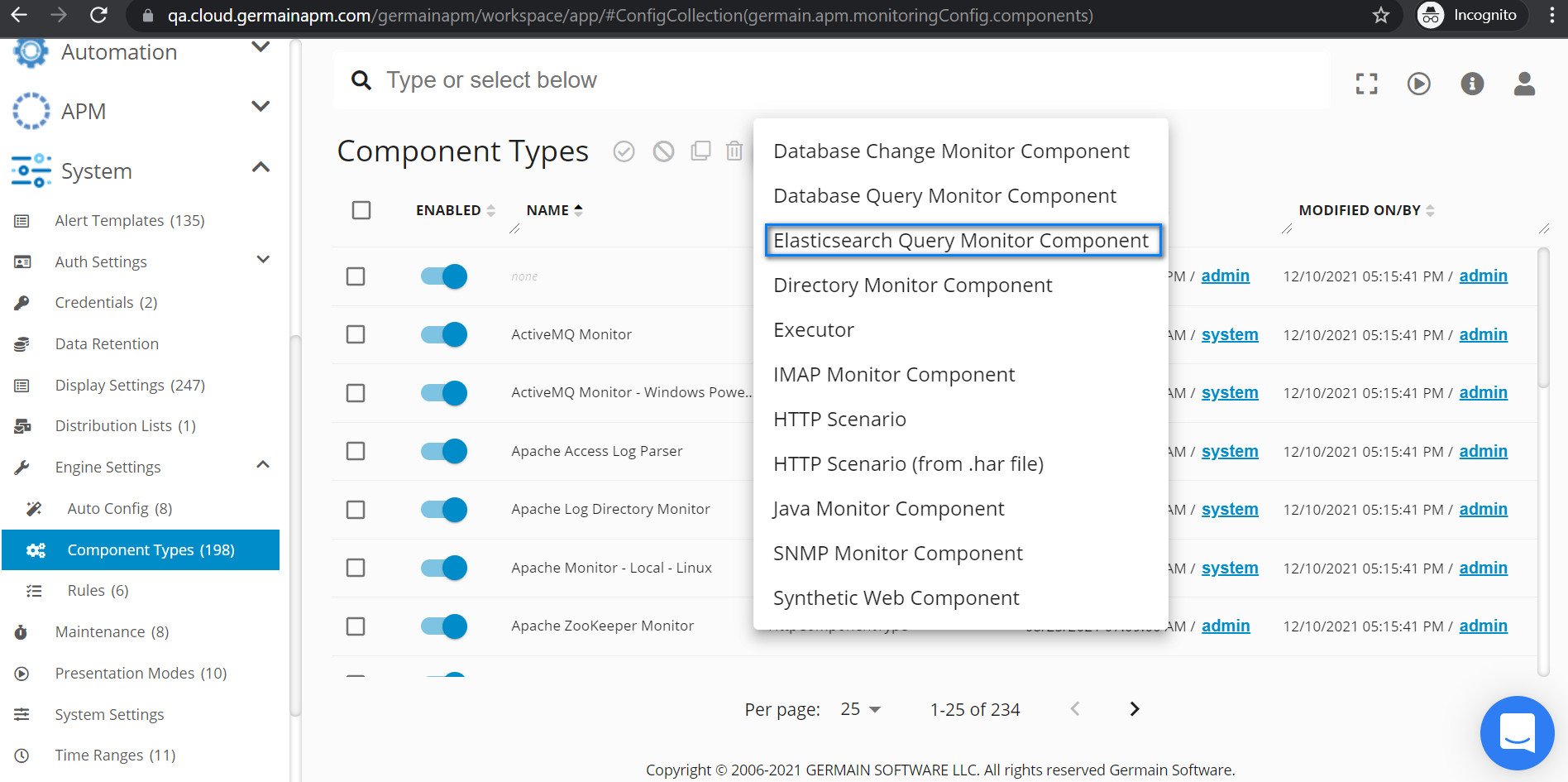
Left Menu > System > Engine Settings > Component Types’ page
3
Click on '+' icon
4
Select ‘Elasticsearch Query Monitor Component’
Get Help
Contact GermainUX Support
The GermainUX team helps you get up and running faster, empower your team, turn data into actionable insights, and optimize performance to deliver measurable business outcomes.
Can't find what you need?
Search all GermainUX docs with Ctrl + K, or use the feedback buttons at the bottom of this page to tell us what is missing.
The content of this document is proprietary to GERMAIN SOFTWARE.