

Creating a Watch
Build a watch from dashboards
Why use Watches
Monitor conditions without dashboards
Overview
A Watch notifies a GermainUX user when specified data is detected.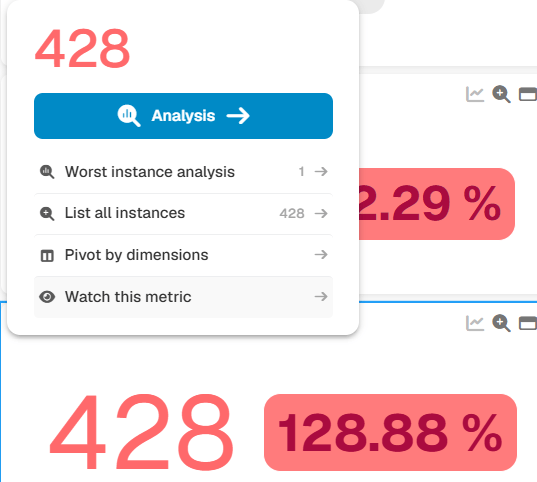
Creating a Watch
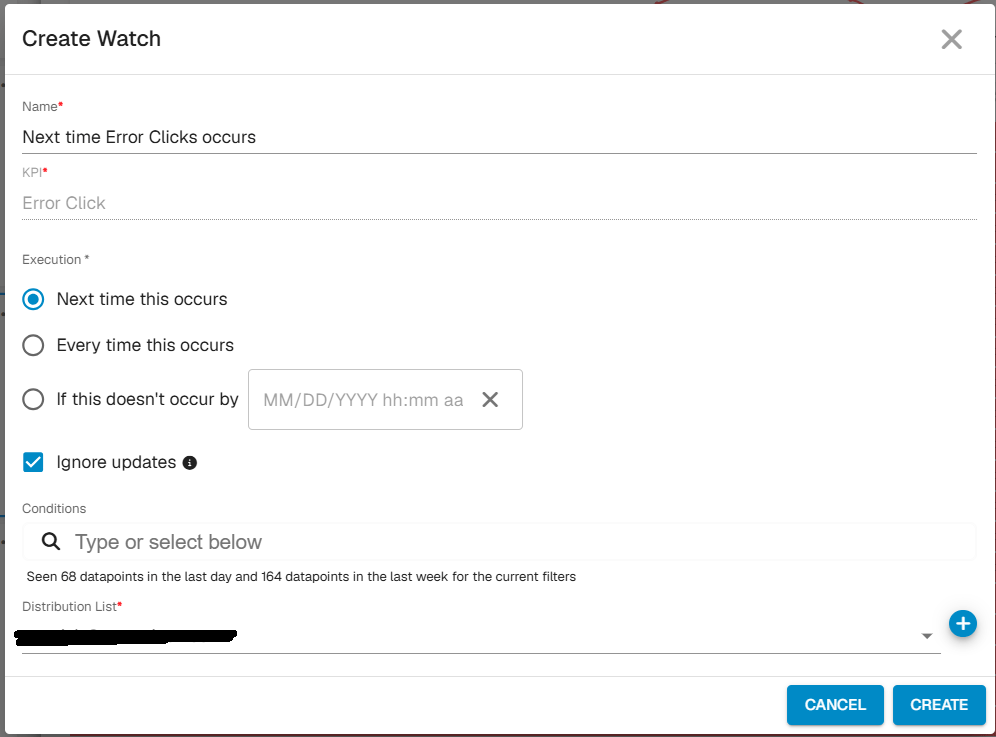
Users can create a Watch from data displayed on any dashboard and receive a notification when GermainUX detects matching data again. Notifications can be delivered:- By email
- Through the GermainUX Workspace
Why use Watches
Watches help users monitor specific conditions without continuously reviewing dashboards. Common examples include watching for:- A particular error or exception
- Activity from a specific user, server, or application
- A failed transaction
- A phrase of interest
- Another data condition relevant to an investigation
Related Information
A Watch applies the selected data criteria to future monitored activity. When matching data is detected, GermainUX notifies the user who created the Watch. Here are details on all kind of notifications in GermainUX.Get Help
Contact GermainUX Support
The GermainUX team helps you get up and running faster, empower your team, turn data into actionable insights, and optimize performance to deliver measurable business outcomes.
Can't find what you need?
Search all GermainUX docs with Ctrl + K, or use the feedback buttons at the bottom of this page to tell us what is missing.
The content of this document is proprietary to GERMAIN SOFTWARE.