

Navigation
Finding the scenario page
From the State view
Actions available in State
Component Health vs. Scenario Results
Component status versus workflow outcome
Restart or Upgrade a Component
Restarting or upgrading components
Use the GermainUX State view to monitor the operational health of deployed synthetic scenarios and their supporting components.
Navigation
Go to: GermainUX Workspace -> Left Menu -> Settings -> Germain -> State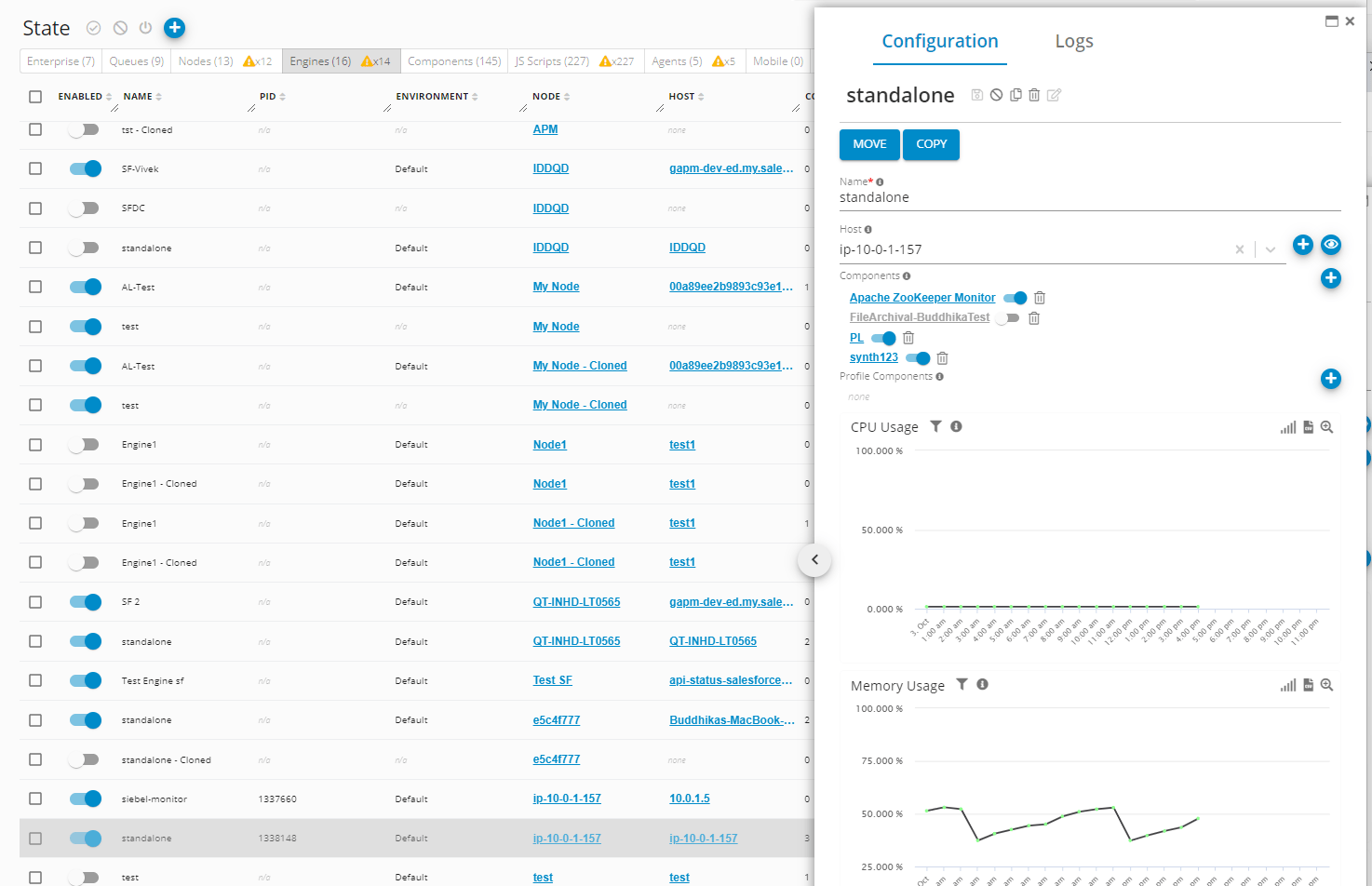
State view - GermainUX
From the State view
From the State view, you can:- Confirm that the Synthetic Web Component is enabled and running.
- Identify the Monitoring Node and Engine executing the scenario.
- Review component status and runtime information.
- Detect stopped, unavailable, or unhealthy components.
- Restart a component remotely.
- Upgrade or update a deployed component.
- Verify that configuration changes were received.
- Confirm that the Engine remains connected to GermainUX Enterprise.
Component Health vs. Scenario Results
The State view confirms whether the component responsible for executing a synthetic scenario is operational. To determine whether the monitored workflow itself succeeded, also review the scenario’s:- Latest execution status
- Duration and SLA result
- Failed step or error
- Screenshots and video
- Execution history
- Alerts and associated diagnostic data
Restart or Upgrade a Component
From the State view:1
Locate the applicable Monitoring Node, Engine, and Synthetic Web Component
2
Review its current status and version
3
Select the appropriate remote action, such as Restart or Upgrade
4
Wait for the component to reconnect
5
Confirm that its status returns to healthy
6
Run the synthetic scenario manually to validate the component and workflow
Get Help
Contact GermainUX Support
The GermainUX team helps you get up and running faster, empower your team, turn data into actionable insights, and optimize performance to deliver measurable business outcomes.
Can't find what you need?
Search all GermainUX docs with Ctrl + K, or use the feedback buttons at the bottom of this page to tell us what is missing.
The content of this document is proprietary to GERMAIN SOFTWARE.