

Android Application
Monitoring & Analytics
User Click/Transaction Browser-web-app-db-(...) correlation
Monitoring & Analytics
Synthetic User Click mechanism (better than HP Loadrunner)
Monitoring & Analytics
Auto-indexing on SQL ID
Monitoring & Analytics
Web Server name
Monitoring & Analytics
Siebel sisnapi errors
Monitoring & Analytics
Siebel - Property Set(s) on workflow rca dashboard
Monitoring & Analytics
Tomcat - auto-restart to ensure high availability
Maintenance
Data Aggregation speed reduced to 5min
Maintenance
Monitoring & Analytics - Android Application
Description
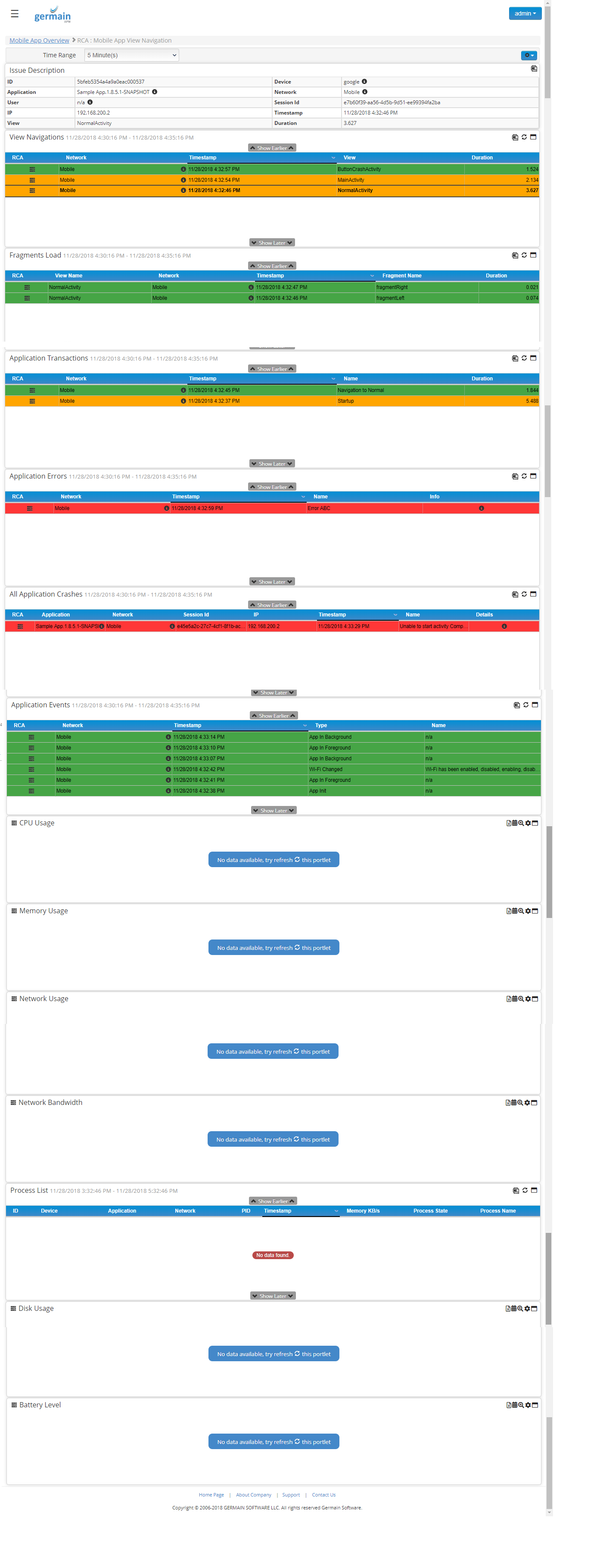
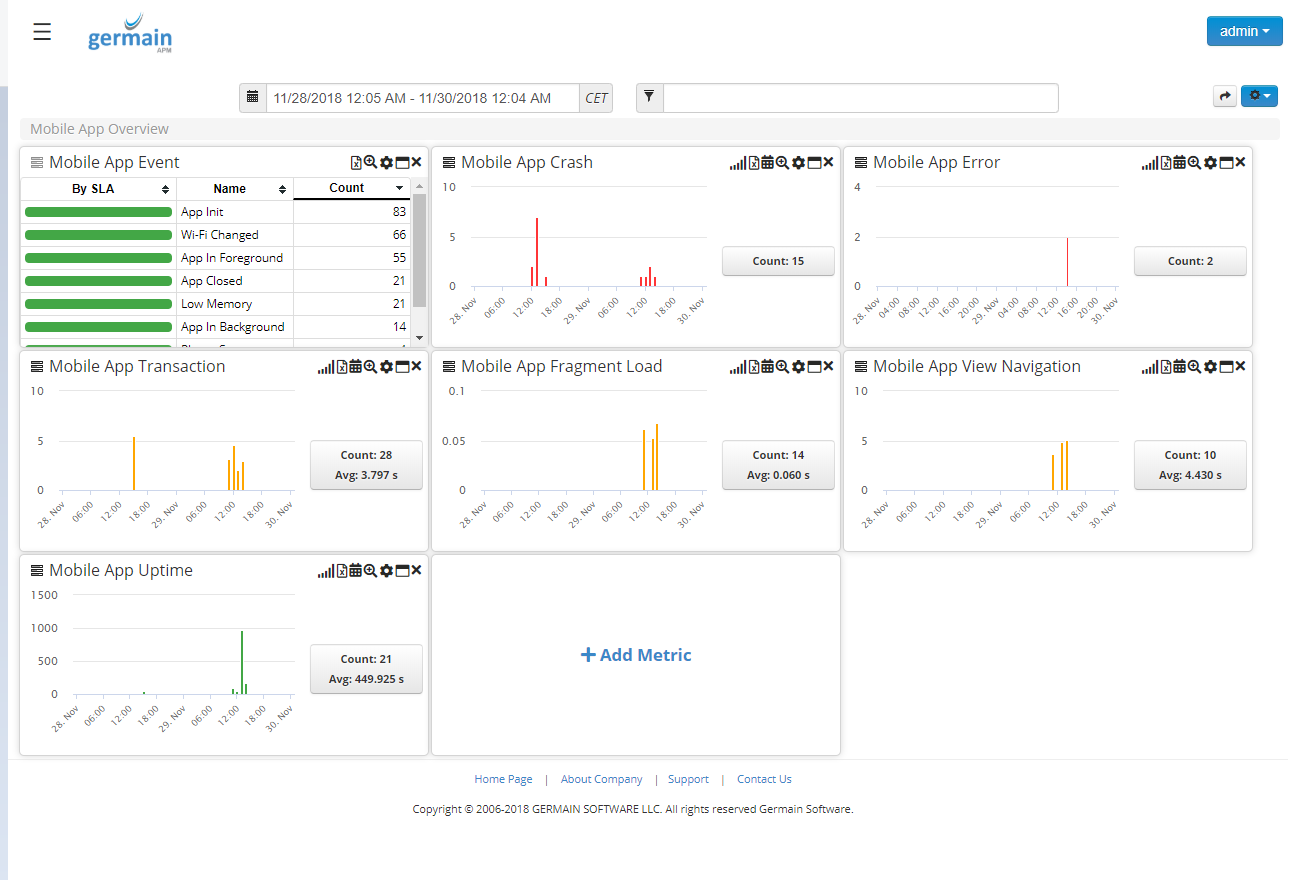
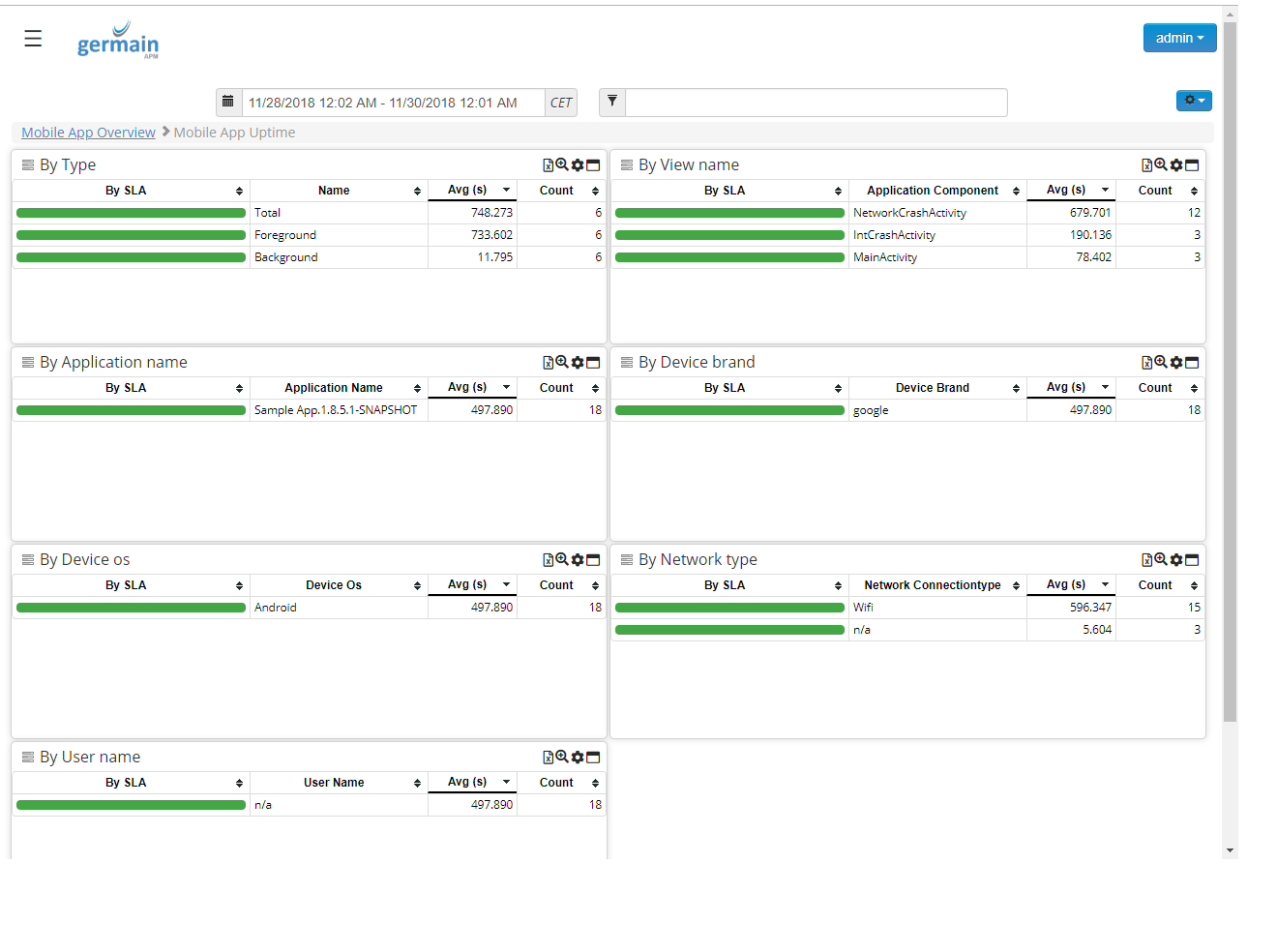
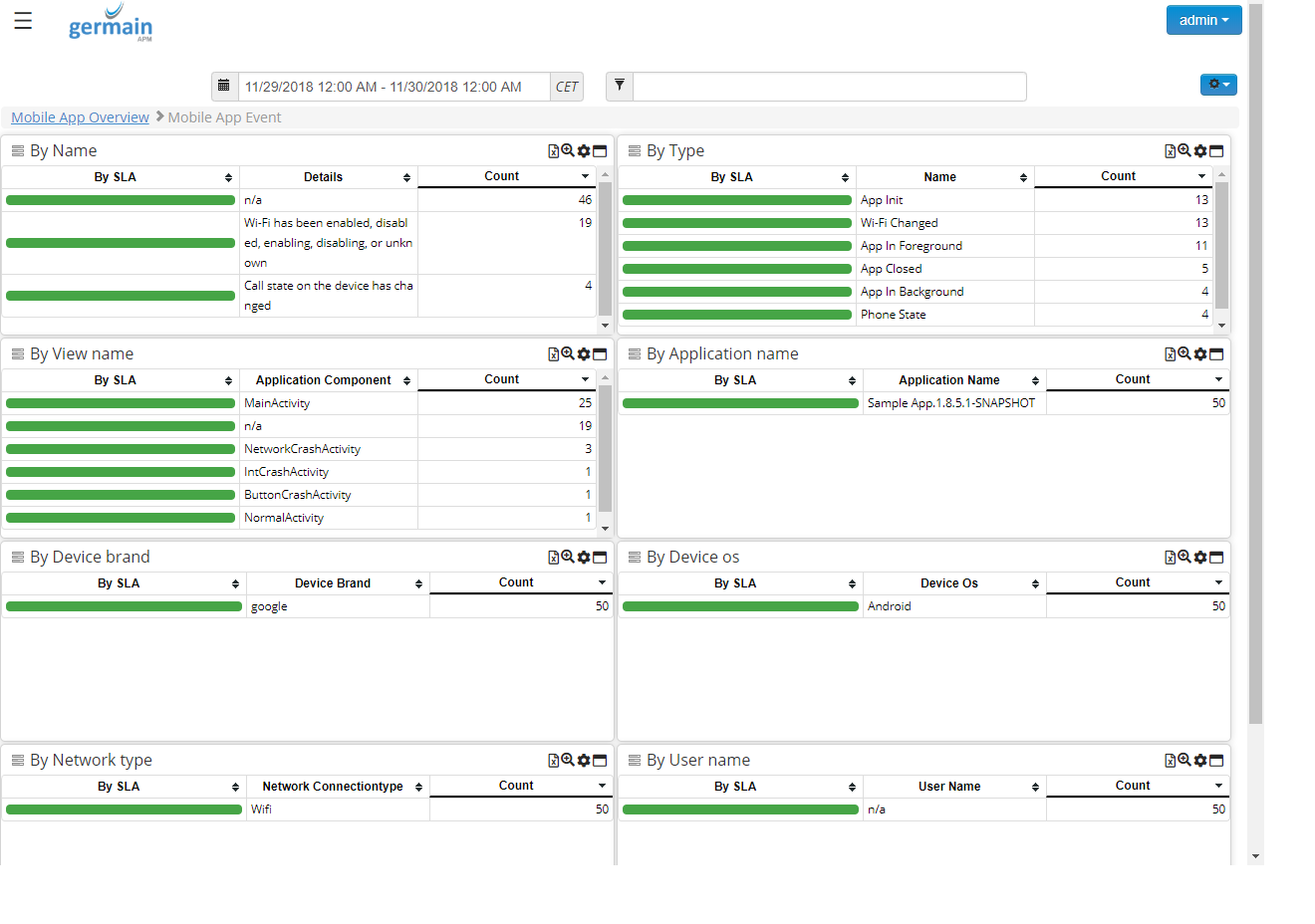
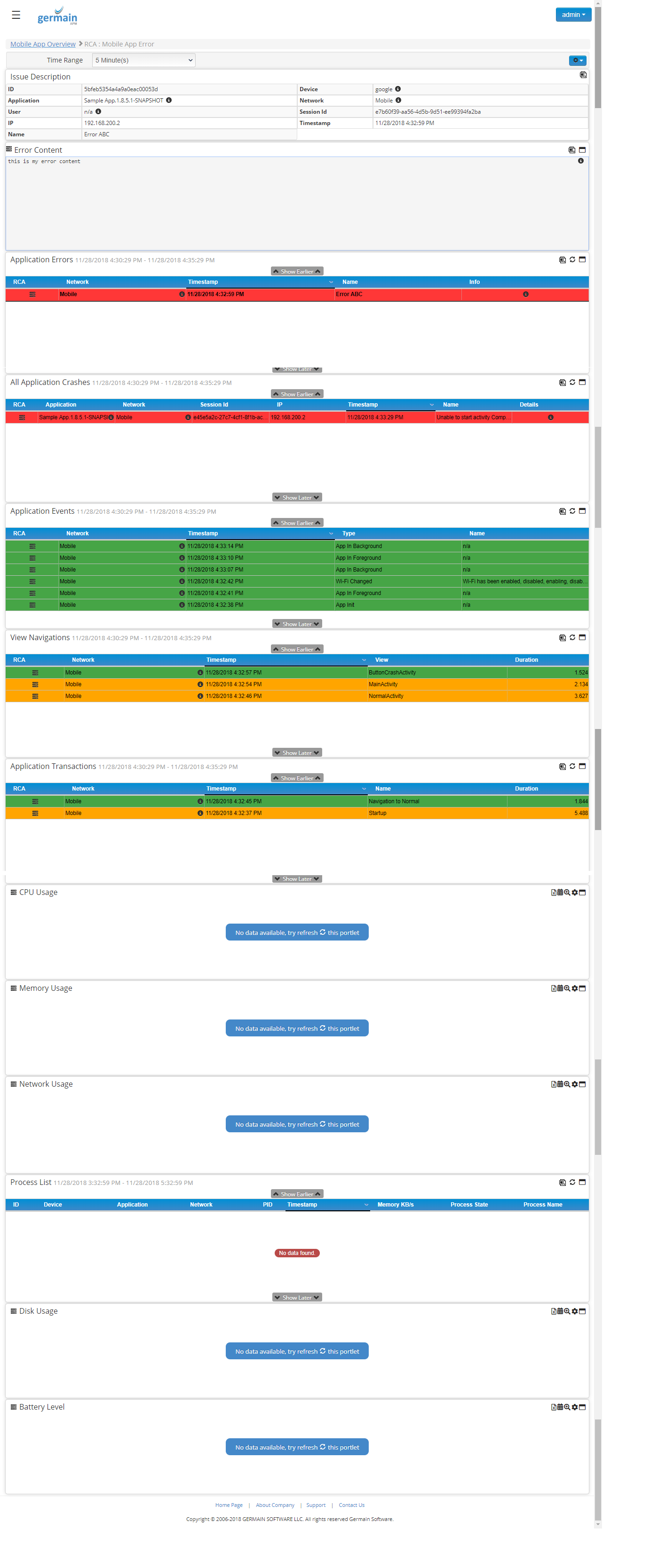
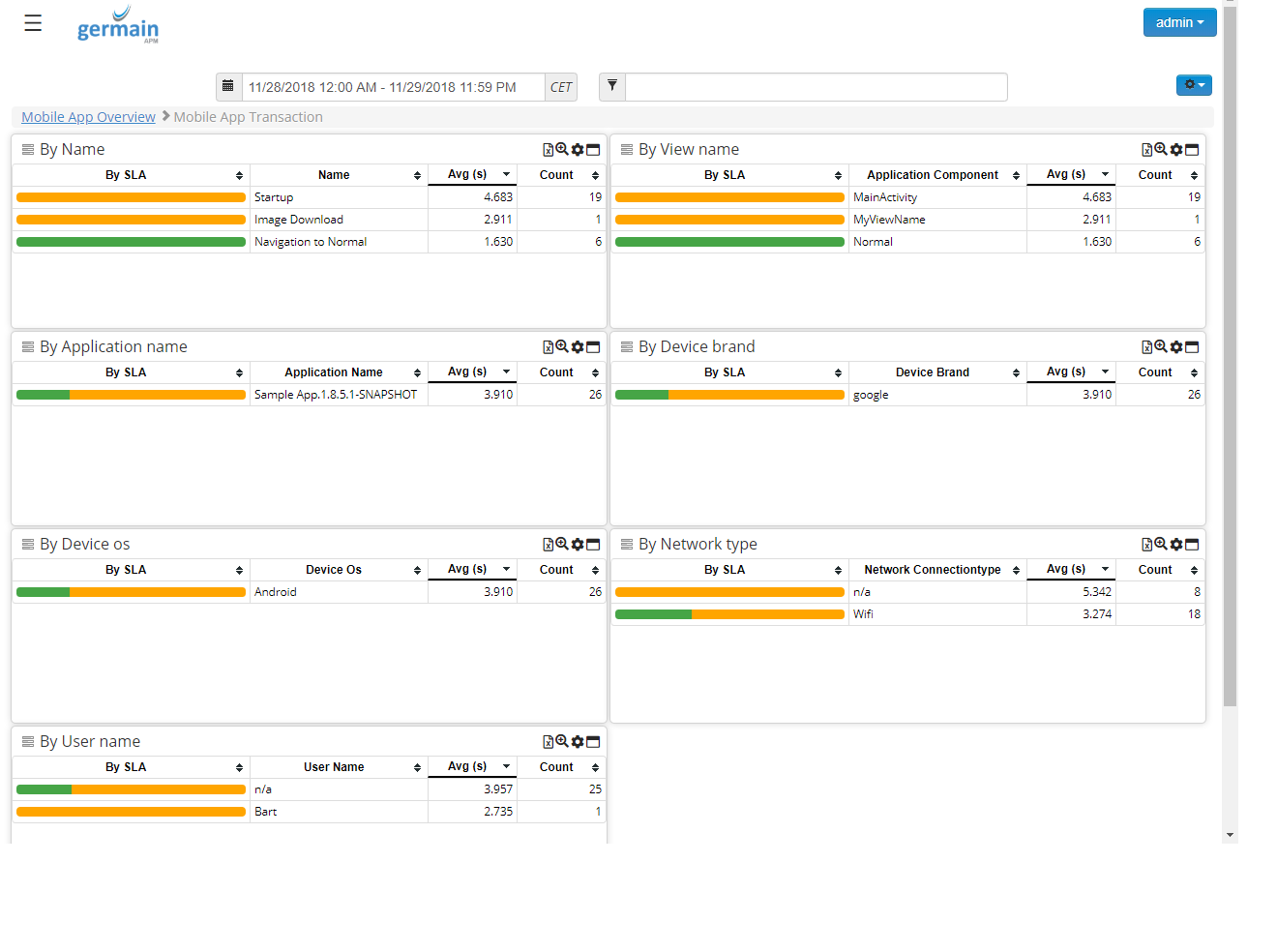
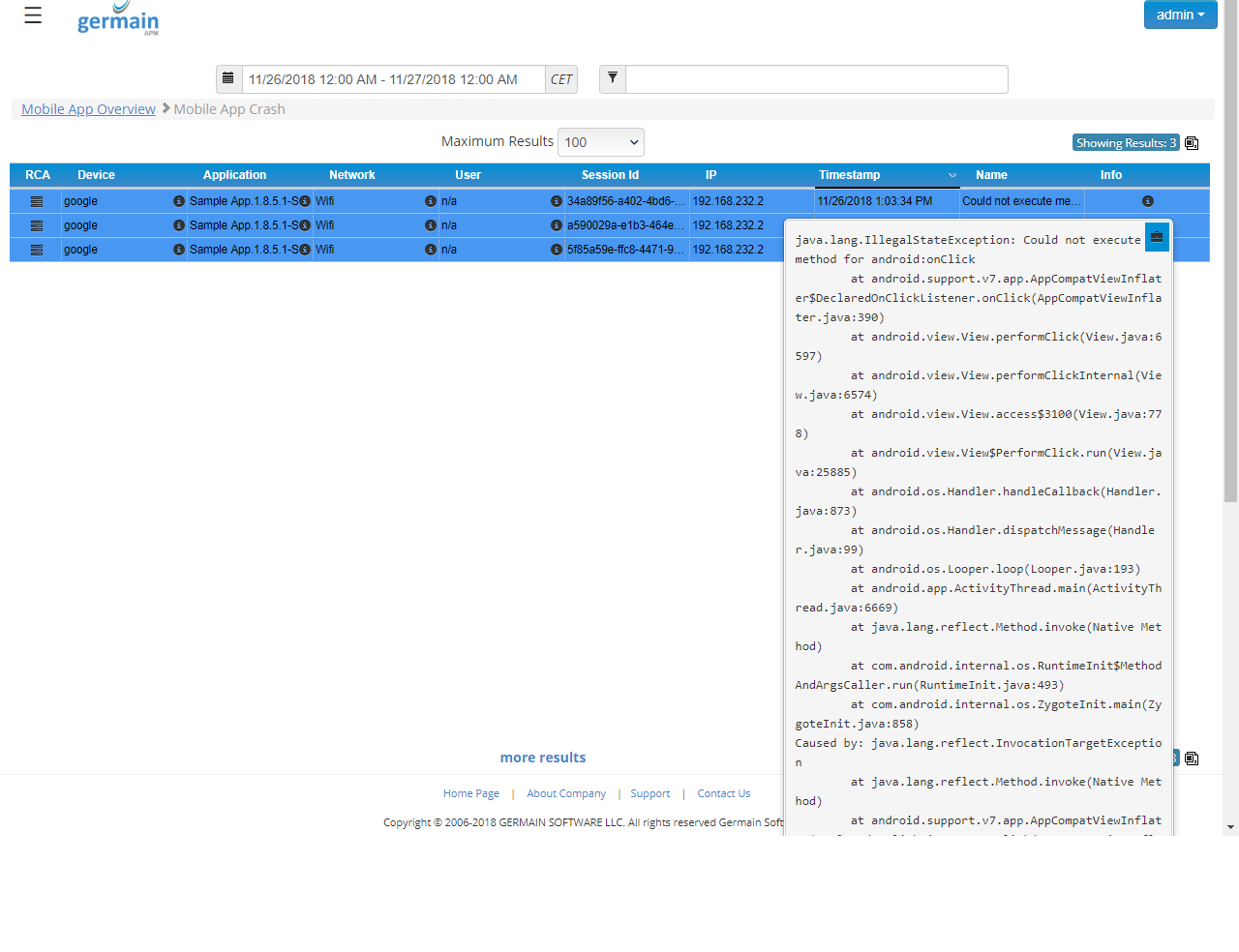
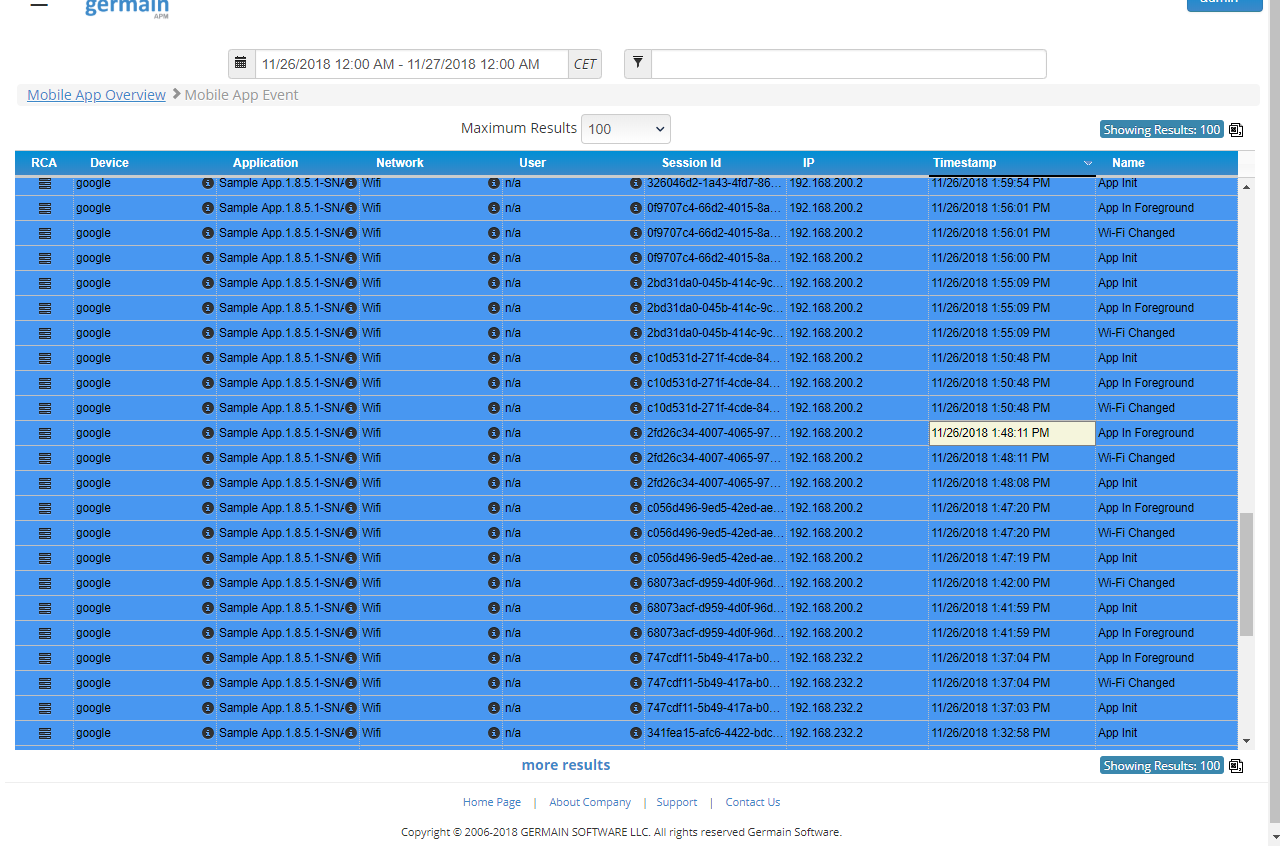
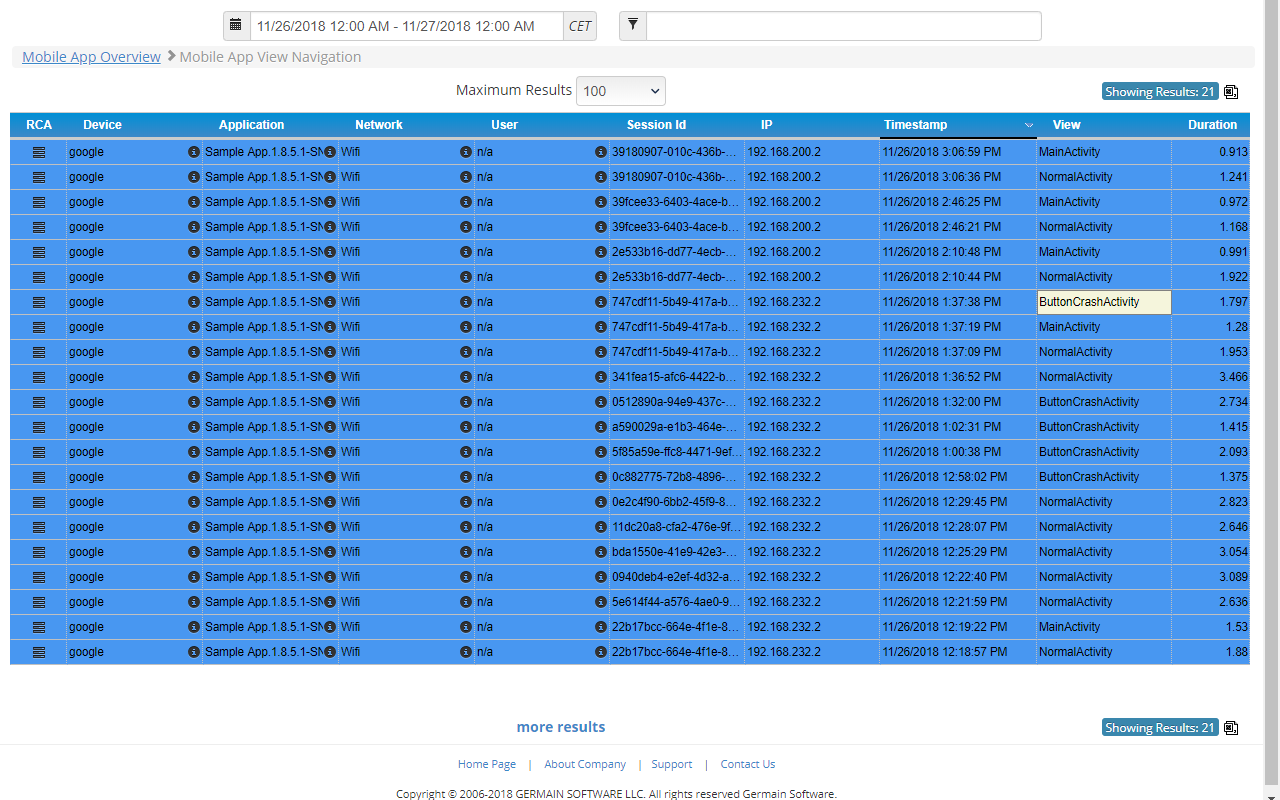
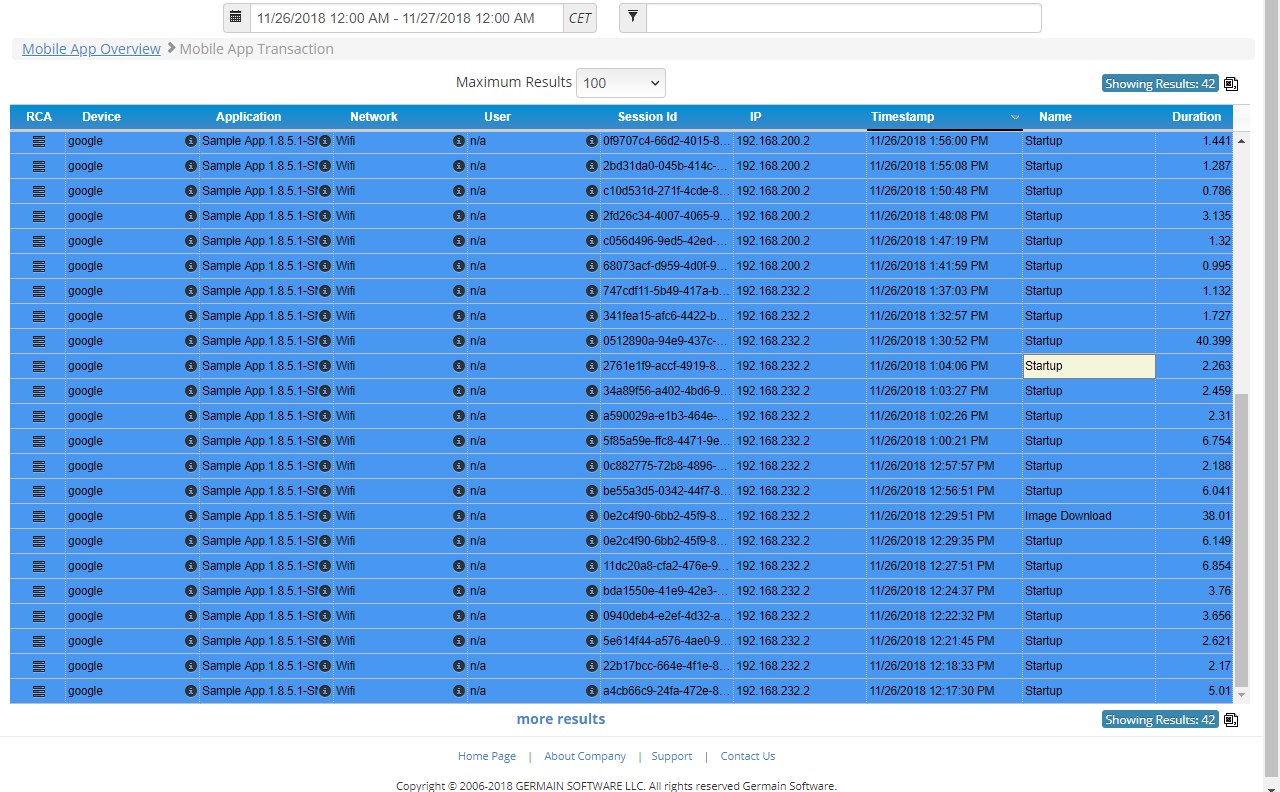
Germain now has the ability to monitor Availability, Performance and User Experience of a native Android Application (SDK 23 and above). This new feature complements the ability for Germain to monitor 1)performance and availability of Android Mobile Device and 2)performance, availability and user experience of any HTML/JS Application accessed from a mobile device). The main features of the Germain Mobile Library are:- Automatic crash detection for unhandled exceptions
- Handled exception notification
- Error notification
- System event monitoring
- Application event monitoring
- Session monitoring
Show all 9
Show all 9
- Transaction monitoring
- View navigation monitoring
- Fragment monitoring
Configuration: Android Application Observability
Benefit
Being able to understand mobile application performance, user experience with your mobile application and identify root-cause of issues (and whether issues are caused by the mobile device, mobile app, network, or backend infrastructure (in the event your mobile application is integrated with some backend infrastructure, etc)Example
Monitoring & Analytics - User Click/Transaction Browser-web-app-db-(…) correlation
Description
User click’s root-cause analysis is now presented as whole within a single portlet, so it is easier to understand whether a click is slow because of the User Desktop, Browser, Web Server, Application Server, Database Server or an Integration layer. This user click transaction correlation is pre-configured for a number of application (e.g. Siebel CRM, Java, .Net, etc) and can be configured on the fly, by customers or us.Configuration
This Correlation mechanism is configurable, so you/we can correlate transactions processed by any other technology. e.g. AngularJS, NodeJS, SOA, OSB, SAP, etc Example of how to configure DataCorrelation or Tracing Example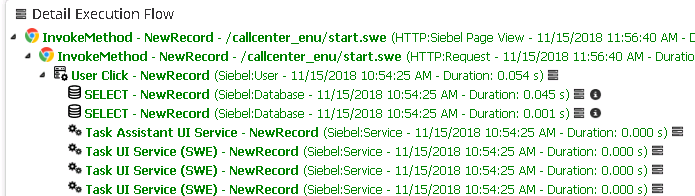
Monitoring & Analytics - Synthetic User Click mechanism (better than HP Loadrunner)
Description
Germain has now the ability to execute Synthetic User Click(any) against any web application (for web application built in html and/or JS such Angular, MarkoJS, ReactJS, Siebel OUI, Salesforce.com, etc) This mechanism is better than HP Load Runner (or any other tools that are intended to simulate users logging on to a web portal via HTTP/S, yet this new mechanism isn’t built to perform Load Test 🙂 ) because it checks upon the actual HTML rendering, JS execution and HTTP responses (HP Loadrunner only checks upon HTTP responses e.g. HP can detect if the “Welcome” message does not show up, but may not detect if a portion of a html page is missing or failing…HP may miss many production issues like this one, that users would typically be affected by) Note: Germain still support Synthetic Transaction via HTTP/S (for 24x7 web portal availability check, integration availability check, etc) however, and as explain above, this new Synthetic User Click mechanism is much better at identifying user-related issues.Benefit
Proactive monitoring of a web application and detection of user issues before users experience the issues.Configuration & example: synthetic user click
Monitoring & Analytics - Auto-indexing on SQL ID
Description
SQL IDs (produced by any database) are unique, so initially we didn’t configure Germain to automatically index SQL IDs, but some of our customers raised this as an issue, so it is now possible to diagnose a slow SQL statement using SQL ID on Germain dashboard.Monitoring & Analytics - Web Server name
Description
Germain has now the ability to capture “web server name” that processes a transaction, to further help with troubleshooting.Monitoring & Analytics - Siebel sisnapi errors
Description
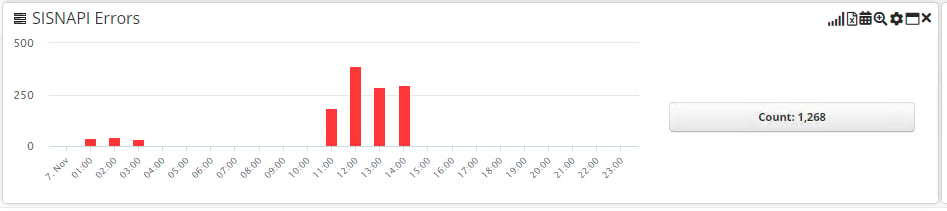
Siebel SISNAPI/HTTP errors are now being monitored OOTB (that took our customer 5 min to configure it, but that capability wasn’t configured in Germain OOTB before, which we just ported)Example
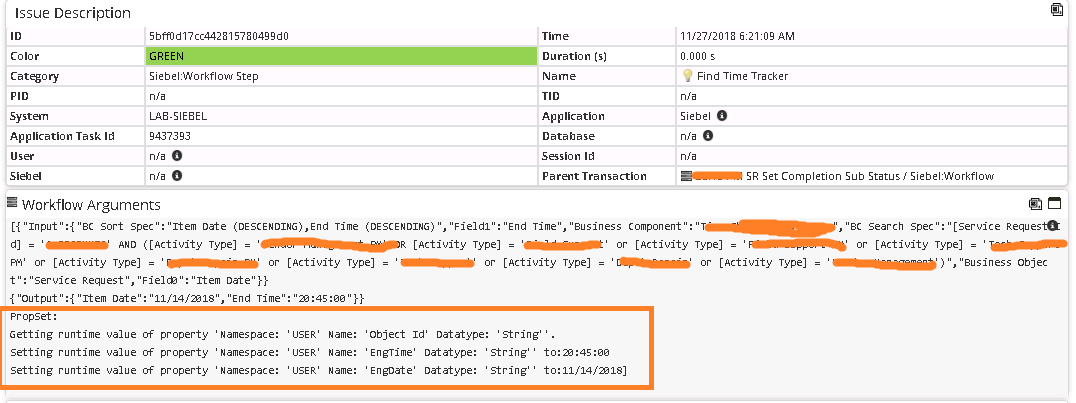
Monitoring & Analytics - Siebel - Property Set(s) on workflow rca dashboard
Description
Property Sets and Values that are processed by a Siebel Workflow Process are now monitored and displayed on Germain dashboard. (This was a 5-min configuration work for our team, which had been provided to a number of clients, configuration that we just brought back into OOTB Germain so everyone can benefit from it)Example
Maintenance - Tomcat - auto-restart to ensure high availability
Description
If you are using Germain on-premise and you need high availability, make sure that Tomcat is configured to auto-restart when it crashes or runs out of memory.Configuration
Add the following parameter in your Java VM arguments: -XX:+CrashOnOutOfMemoryErrorMaintenance - Data Aggregation speed reduced to 5min
Description
Optimized the way Germain aggregates data to ensure data shows up on Germain dashboard, within ~5 minutes. Data Aggregation was initially taking ~30min (at one of our client’s environment scaling around ~200 Million Germain unit per day. note that raw data and real-time alerting were working within 1-2 second response time).Configuration
In addition to this patch, a number of things can be configured to reach an acceptable aggregation response time. please contact us and we will help out.Get Help
Contact GermainUX Support
The GermainUX team helps you get up and running faster, empower your team, turn data into actionable insights, and optimize performance to deliver measurable business outcomes.
Can't find what you need?
Search all GermainUX docs with Ctrl + K, or use the feedback buttons at the bottom of this page to tell us what is missing.
The content of this document is proprietary to GERMAIN SOFTWARE.