

Elastic
Analytics
Report
Analytics
MoogSoft
Monitoring & Analytics
Search
Monitoring & Analytics
Analytics - Elastic
Description
A number of our clients have now transitioned to ElasticSearch as datastore for Germain. Billion (not million) of Data Analysis and/or Executed Transaction per day are stored by Germain in Elastic. Things to know about it:- Percentiles or Std Deviation need row data
- Percentiles or std deviation measures are not supported by Elastic’s roll-up mechanism; only min, max, avg, sum, count are supported. Percentiles or std deviation are supported by Germain/Elastic as long as raw data is there
- Roll-ups
- Germain’s “aggregation” equates to “roll-up” in Elastic; same basic idea, compress data over time by reducing detail level
- Built-in support for roll-up at configurable time, into variable time windows
- For now, Germain rolls up into hourly index that can be kept past raw data window
- Single API call to query both raw and aggregated indexes, results are merged automatically
- Timeseries Indexes:
- Timeseries datastreams are generally append only / write once; in order to update data, we either use Elastic API or directly push update to underlying index
- For our fact datastreams, we use 1-day “hot” storage, afterwards read-only “cold” storage for as long as raw retention is configured
Reminder
Other no-sql datastore can be supported, please let us know.Analytics - Report
Description
2 Enhancements are now available in Germain:- you can generate a PDFreport from Germain dashboard (XLS report generation are already available).
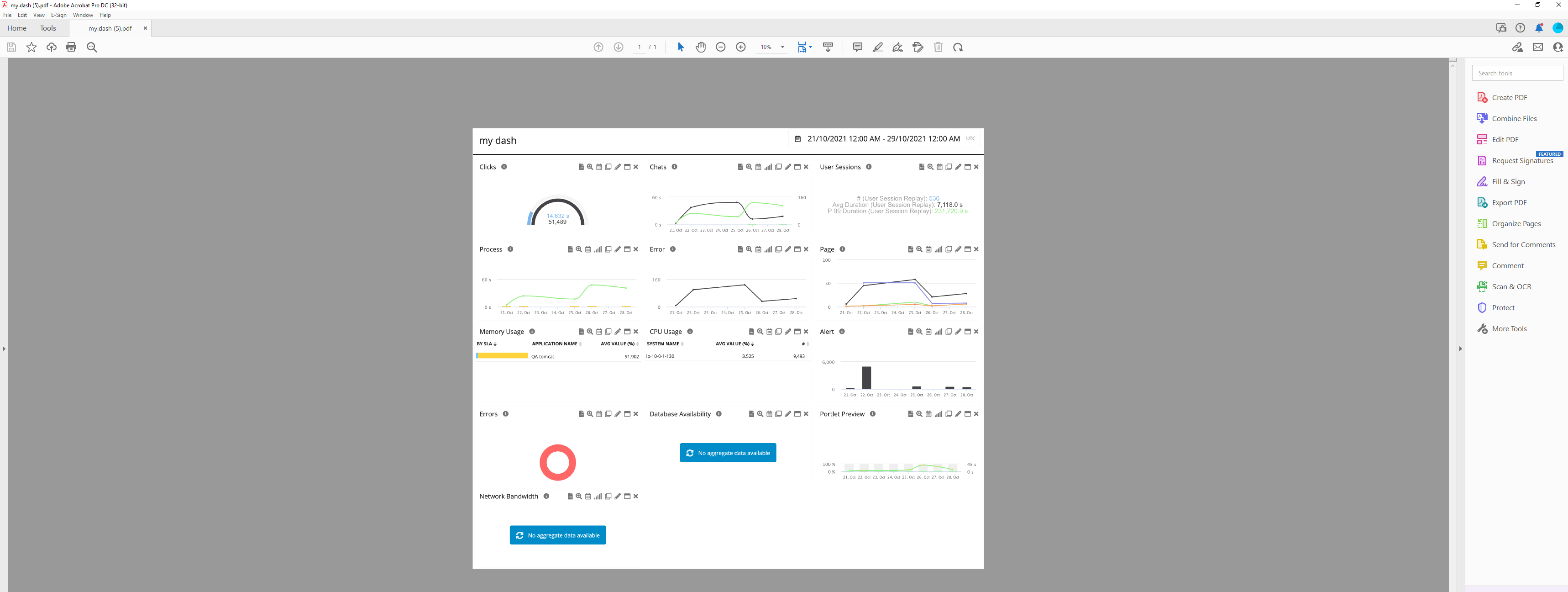
- you can schedulea report that consists of data coming from separatedata sources
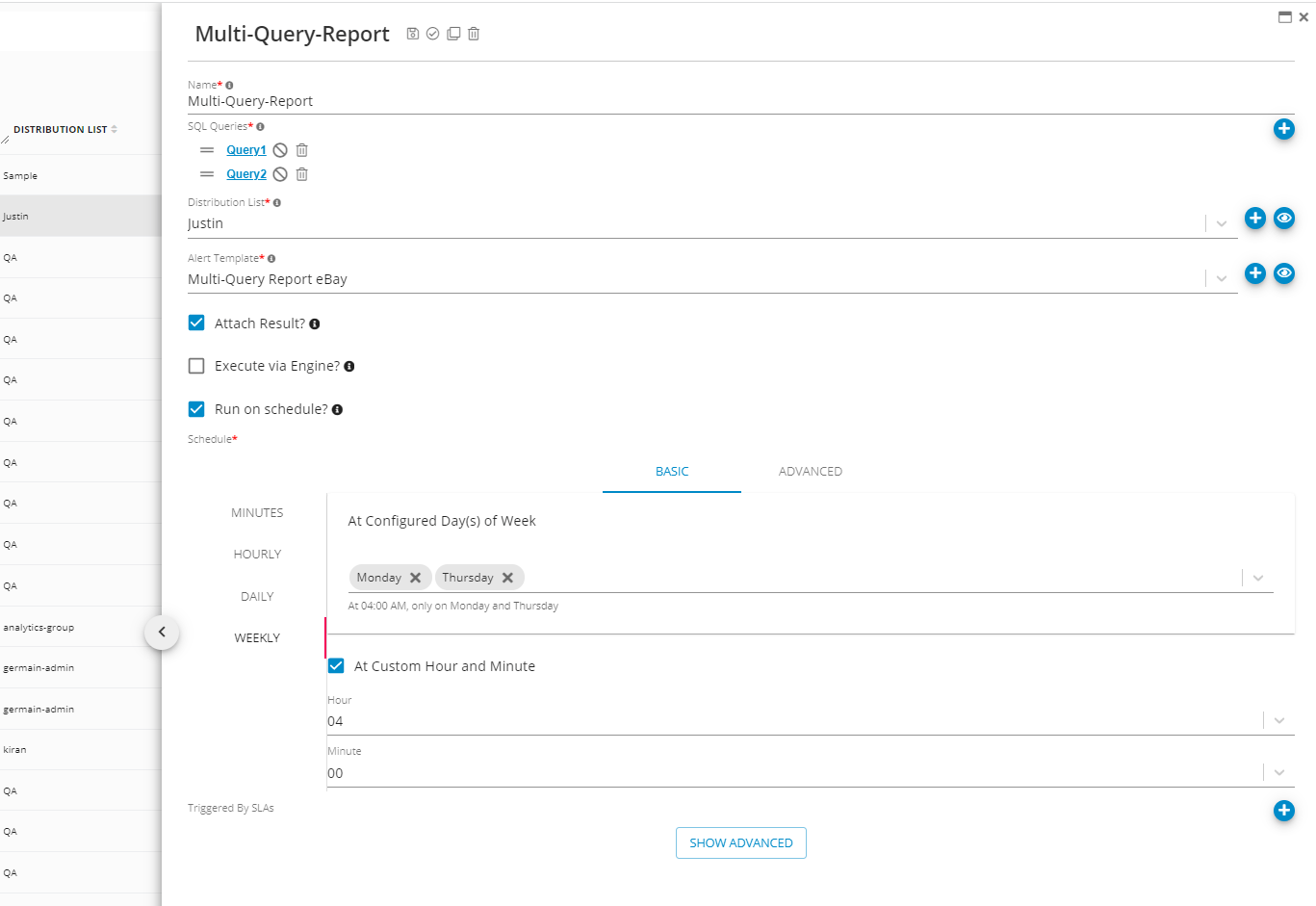
Monitoring & Analytics - MoogSoft
Description
Germain now monitors MoogSoft’s uptime and performance down to the http requests that travel in and outside of MongSoft.Monitoring & Analytics - Search
Description
Our Search feature has been significantly improved (as of Germain 8.6.17 release) to make it easier/faster to find insights, at every level of our dashboard (our dashboarding capability consists of 4 visualization levels, respectively for our Business and Technical dashboards, all preconfigured and customizable).- CONTENT fields are searchable. That means you can search for ANY low-level data that Germain collects from your Data Sources
- FREE TEXT search mode is working as following:
- Searching for “Bonjour Mon Ami“ (single sentence) returns any data that contains both “Bonjour” and “Mon” and “Ami”
- Searching for “Bonjour” then entering “Mon” then entering “Ami“ (3 separate words) returns any data that contains EITHER “Bonjour” or “Mon” or “Ami”
- Search for a “Label Name” that is displayed on a web page of your eCommerce or Saas app or onpremise CRM
- Search for an ID in a SQL Statement
- Search for a Value in a SOAP request
- Identify all the Users that experienced a critical issue (e.g. HTTP 401: Authorization Required, HTTP 403: Forbidden, HTTP 500: Internal Server Error, HTTP 503: Service Unavailable, …
Get Help
Contact GermainUX Support
The GermainUX team helps you get up and running faster, empower your team, turn data into actionable insights, and optimize performance to deliver measurable business outcomes.
Can't find what you need?
Search all GermainUX docs with Ctrl + K, or use the feedback buttons at the bottom of this page to tell us what is missing.
The content of this document is proprietary to GERMAIN SOFTWARE.