

Supported sources
Feedback Collection
Real-Time Alerts and Follow-Up
Typical Workflow
Overview
GermainUX can analyze sentiment and response quality in near real time across any conversation, feedback or text-based data collected from a preconfigured or custom data source.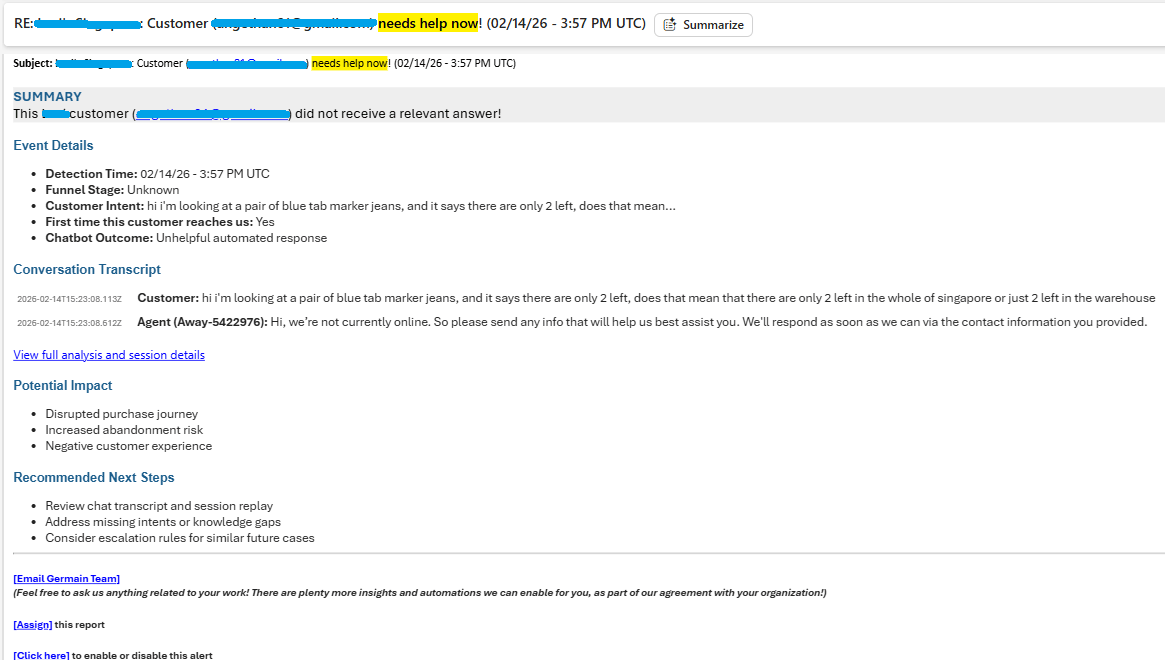
Detect & Act When Your Bot or CSR Gives the Wrong Answer — GermainUX
Supported sources
What GermainUX Can Analyze
Depending on the configured AI prompt and data available, GermainUX can identify:- Positive, neutral or negative sentiment
- Frustration, urgency or dissatisfaction
- Conversation topic or issue category
- Missing, incomplete or irrelevant answers
- Unanswered questions
- Customer intent
Show all 10
Show all 10
- Escalation risk
- Recommended priority
- Suggested follow-up action
- Trends across large volumes of feedback or conversations
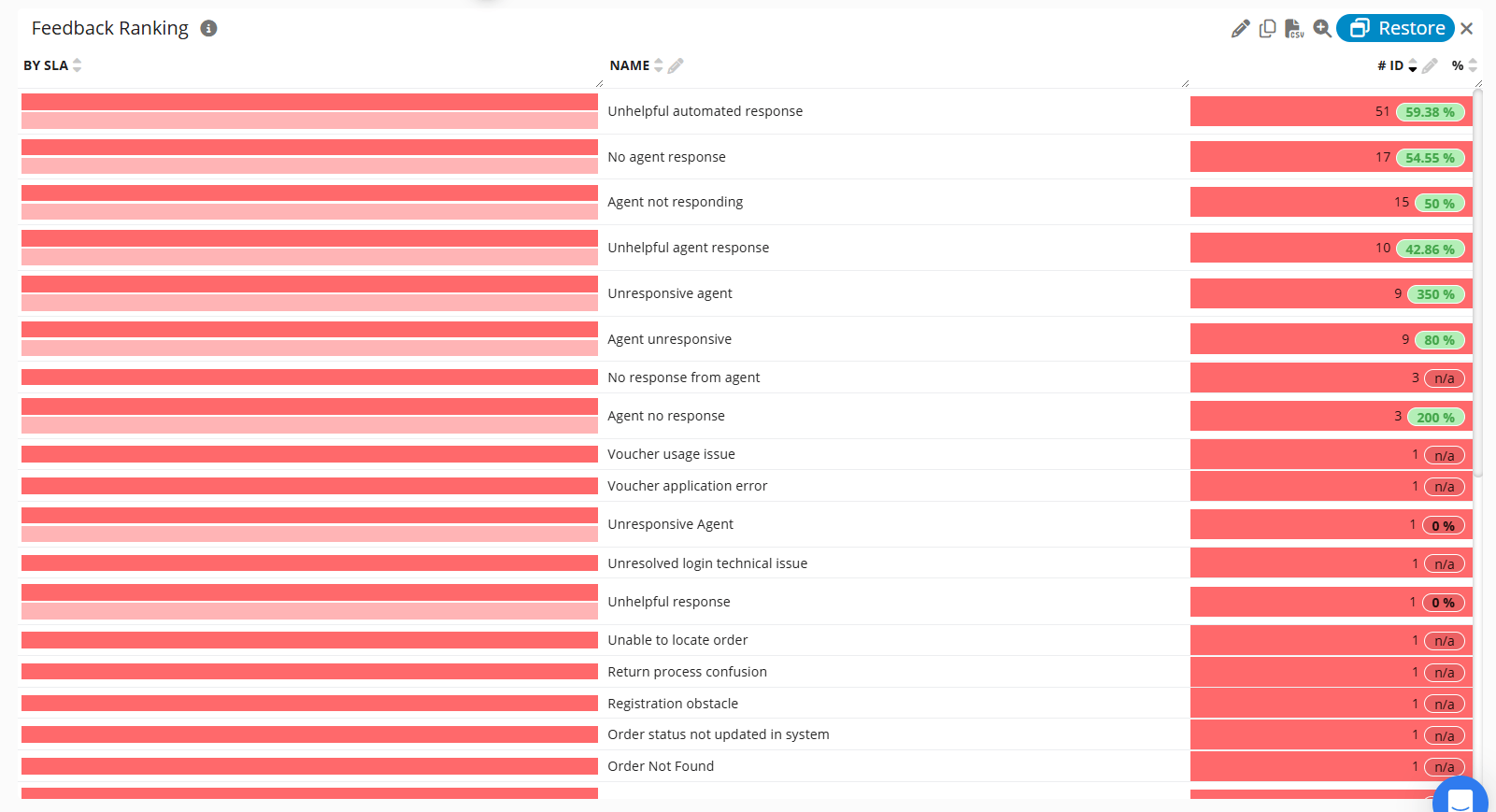
Feedback Analysis & Ranking at Scale - GermainUX
Detect Missing or Inadequate Answers
A customer may ask a chatbot or customer-service representative a question and receive:- No answer
- An incomplete answer
- An irrelevant response
- An answer that does not address the customer’s intent
- Conflicting or inaccurate guidance
- A response that requires escalation
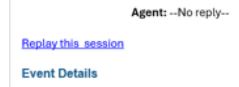
Replay the Conversation. Understand the Context. — GermainUX
Identify the unanswered or partially answered question
Summarize the problem
Assess sentiment and urgency
Assign a category and priority
Alert the appropriate CX or support team
Include the available customer and conversation context
Trigger a follow-up or other automated workflow
Analyze and Prioritize Feedback at Scale
Organizations may receive thousands of comments through surveys, feedback forms, chatbot conversations and other channels. Reviewing and prioritizing them manually can be slow and inconsistent. GermainUX can analyze each response and automatically assign:- Sentiment
- Topic or category
- Severity
- Urgency
- Business impact
- Recommended priority
- Suggested owner or next action
Examples
For example, GermainUX can distinguish among:Feedback Collection
Feedback can be collected through the GermainUX Feedback Popup or through an integrated third-party mechanism.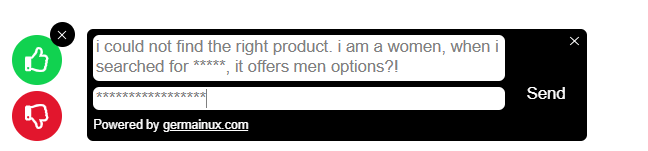
Feedback Collection - GermainUX
- What the user was trying to accomplish
- Which page, product or workflow was involved
- What happened before the feedback was submitted
- Whether errors or performance problems occurred
- Whether the user completed or abandoned the journey
- Whether similar feedback affects other users
Real-Time Alerts and Follow-Up
GermainUX can trigger an alert or automated action when an analysis meets configured conditions. Examples include:- Alert the CX team when a customer receives no useful answer.
- Notify support when highly negative feedback concerns a blocking error.
- Route billing complaints to the appropriate team.
- Escalate conversations involving urgent language or repeated failed responses.
- Create a follow-up task for a customer who abandoned after a poor interaction.
- Produce a scheduled summary of the most common complaints and emerging issues.
Analyze Trends at Scale
Individual alerts help recover specific interactions. Aggregate analytics help organizations improve the broader customer experience. GermainUX can help teams understand:- The most common topics generating negative sentiment
- Which chatbot intents produce inadequate answers
- Which products, pages or workflows generate the most complaints
- Whether sentiment improves or declines over time
- Which customer segments are most affected
- Which issues create the greatest conversion or retention risk
- Whether corrective changes improve subsequent conversations
Typical Workflow
Capture a conversation, comment, survey response or feedback event
Analyze sentiment, intent and response quality
Categorize the issue by topic and type
Prioritize it according to urgency and business impact
Correlate it with the user's session, journey, errors and application behavior
Alert or route the issue to the appropriate team
Follow up with the customer when necessary
Track trends and confirm whether corrective actions improve outcomes
Customize the Automated Analysis & Action
GermainUX can support custom:- AI prompts
- Sentiment labels
- Topic and issue categories
- Response-quality criteria
- Priority and severity rules
- Channel-specific analysis
- Alerts, reports and automated actions
- Privacy, masking and data-retention requirements
Additional Resources
AI
Analytics
Automation
Dashboard & Reports
Management
Get Help
Contact GermainUX Support
Can't find what you need?
The content of this document is proprietary to GERMAIN SOFTWARE.