

Performance and Analytics
Speed boosts and new analytics
Percentiles
Percentile metrics for any measure
Cloud v2
Simpler cloud signup flow
Pivot Column Title is now configurable
Customize pivot column header
Popover window is now configurable
More control over popovers
Numbers formatting is now configurable
Control number display formats
Performance optimizations & a whole new world of analytics - GA
We are pleased to announce the general availability of Germain 8.5 and the new architecture that it entails, which makes Germain significantly faster and opens up a whole new world in terms of the types of data analysis, correlation and visualization that can be achieved with this release. WITHOUT OPTIMIZATION(Germain 8.4 on Oracle DB this time) Click on “Drill-through” (of Germain dashboard) on “Business Svc Txns” portlet takes timed out after10 minutes Volume for 1 day: 16 million rows Showing 100 rows, sort by duration Database: Oracle Enterprise Edition 12.1.0.2.v10 Database hardware: Amazon RDS db.r3.xlarge WITH OPTIMIZATION(Germain 8.5) Click on “Drill-through” (of Germain dashboard) on “Business Svc Txns” portlet takes 4.2second Volume for 1 day: 16 million rows Showing 100 rows, sort by duration Database: Oracle Enterprise Edition 12.1.0.2.v10 Database hardware: Amazon RDS db.r3.xlarge What did we do in this release that significantly improved performance? We used both Mondrian (Top-level/Aggregate and Pivot dashboards) and JPA (for Drill-through and RCA dashboards) to generate SQL to run against Germain’s datamart; this new 8.5 architecture eliminates both of these systems and provides a unified query layer instead that can service all queries.- For high-volume data, we are using dedicated collections (on traditional RDBMs that means tables, on NoSQL there are actual collections) instead of storing data together with similar data types. For example, before this release, we used to store all transaction data (User clicks, Workflows, Business service, SQL) in a single table – once that table grew, performance degraded. In this release, each of these types of data can be written to a dedicated collection, which will be smaller and perform better.
- Better aggregation – replaced the way data is aggregated, making it now easy and quick to add any data type for aggregation.
- Databases (RDBMS and noSQL) need to be maintained, so customers are required to do their due diligence there and follow the database maintenance best-practices that are typically required. As always, we are available to provide any guidance, at no additional charge.
- Performance results (e.g. 4.2 sec response time mentioned above, etc) will vary based on your database hardware and software; the same SQL takes 0.05 millisecond on mySQL for instance; yet it can also be slower on any database, if you are running a slower database hardware/storage)
Percentiles
Ability to get percentiles for any metrics you want Germain to collectCloud v2
Enhanced the signup process on our https://cloud.germainux.com to make it easier, start reflecting more of the benefits customers can get with regards to CX, PX, UX, and Technology performance analytics, and as our service in included at no additional charge, customers now have the ability, on this cloud, to collaborate with us and ask us for more user/business/technology analytics. This is v2 of our cloud, a much bigger release is on its way this year. Try it out: https://cloud.germainux.com It takes 1 minute to have your cloud instance ready (and a few minutes or hours depending your organization process..to get Agent and/or JS scripts to be deployed within your infrastructure). Cloud is hosted on AWS. Database is dedicated to each customer. Database technology is by default mySQL but noSQL datastore MemSQL can be configured for any customers that need more than ~300 Million analytics per day.Pivot Column Title is now configurable
Pivot Column Name (i.e. Main column header’s title that data pivots on) on Analysis portlet is now configurable.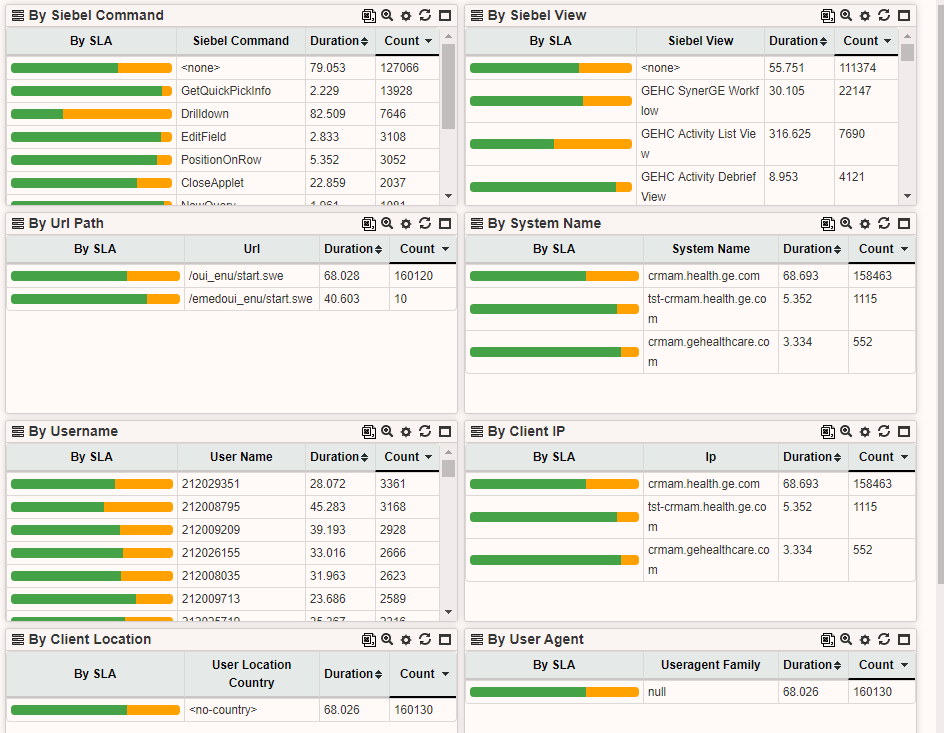
Configuration
You can configure this Pivot Column title via settings of any Analysis portlet.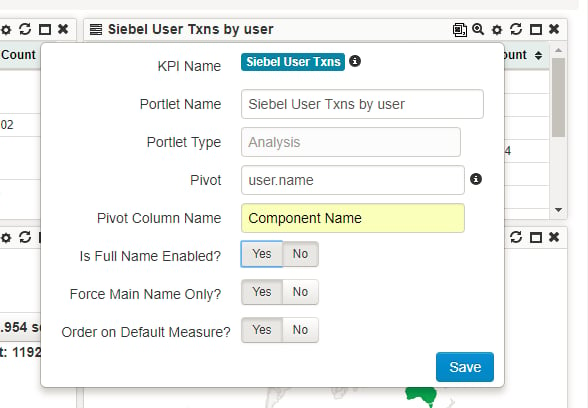
Popover window is now configurable
Description
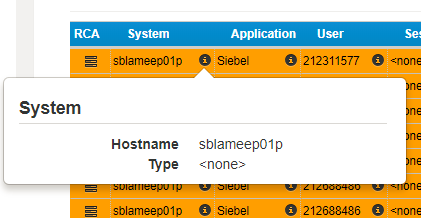
Information available in dimension popover windows is now configurable for any Drillthrough and RCA dashboards.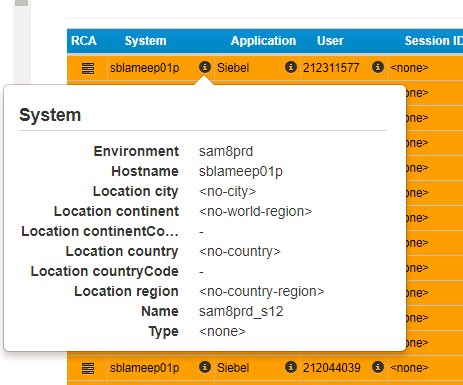
Configuration
Currently you can configure this Popover window only via the config console. example for System column of this drillthrough dashboard: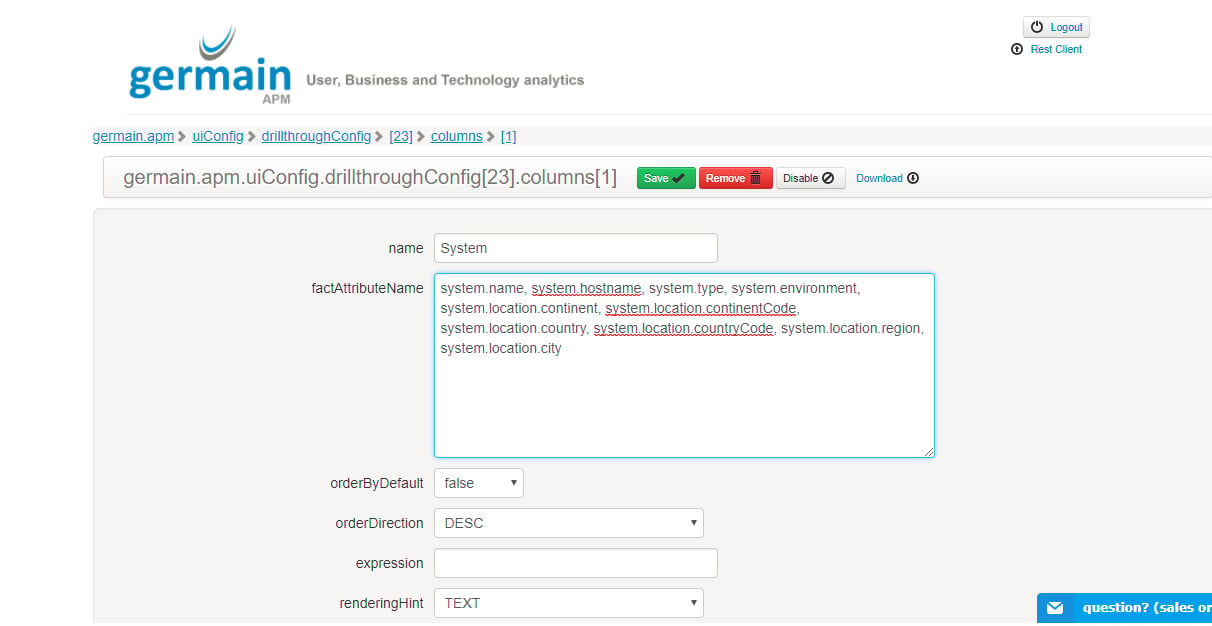
Numbers formatting is now configurable
Description
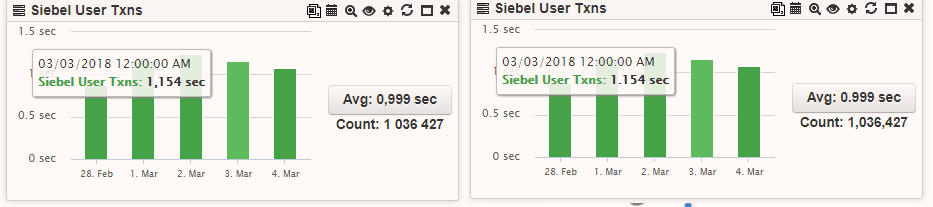
You are now able to configure, per profile, how do you want to show/format numbers in portlets and charts. There 4 options available: COMMAS_WITH_DOT: 1,234,567.89DOTS_WITH_COMMA: 1.234.567,89
SPACES_WITH_DOT: 1 234 567.89
SPACES_WITH_COMMA: 1 234 567,89 example:
Get Help
Contact GermainUX Support
The GermainUX team helps you get up and running faster, empower your team, turn data into actionable insights, and optimize performance to deliver measurable business outcomes.
Can't find what you need?
Search all GermainUX docs with Ctrl + K, or use the feedback buttons at the bottom of this page to tell us what is missing.
The content of this document is proprietary to GERMAIN SOFTWARE.