
New Features and Enhancements available in Germain 2022.5 release
MONITORING AND ANALYTICS ENHANCEMENTS IN 2022.5
Editable Display Name for Pivot and Measure
Customers: General Electric
Description
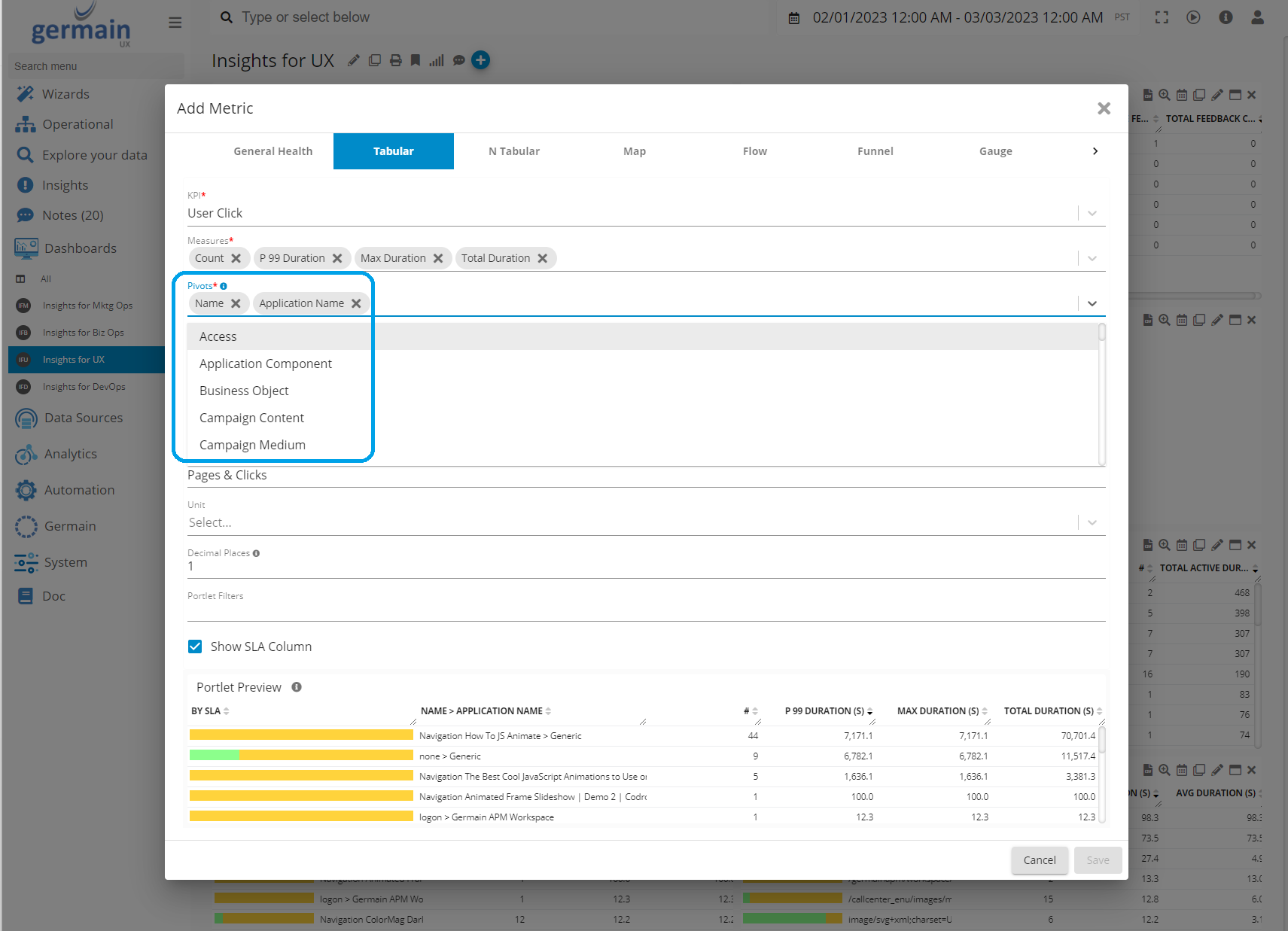
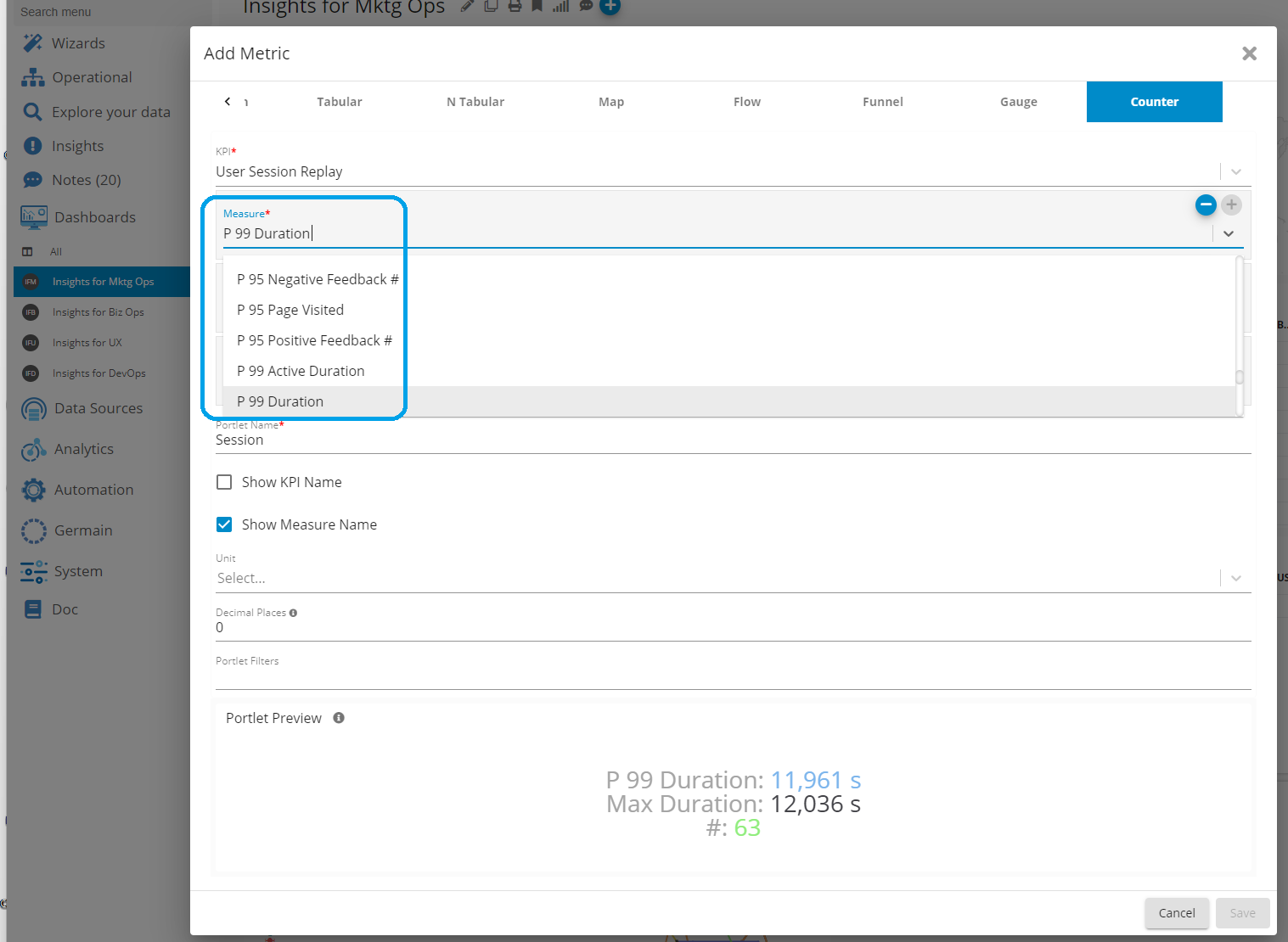
The “Name” of each Pivot and Measure can be changed.
Examples
Pivots
Measures
Configuration
Display Name for KPIs, Pivots & Measures
Dynamic Data Security
Customers: A Large Online Trading Platform (we cannot disclose its name)
Description
Each individual “fact” in Germain data model can be secured following a rule that the Germain Customer provides. That is generally done in Germain RUM JS’s Init Script (for User Session Replay data) or in a Rule (for other data).
Example
This client needed to dynamically set the visibility of the User Session that Germain records, so that a Recorded User Session cannot be replayed by any Team but instead only a dedicated Team is entitled to view them, based on the financial stock(s) that was/were being traded in that recorded user session.
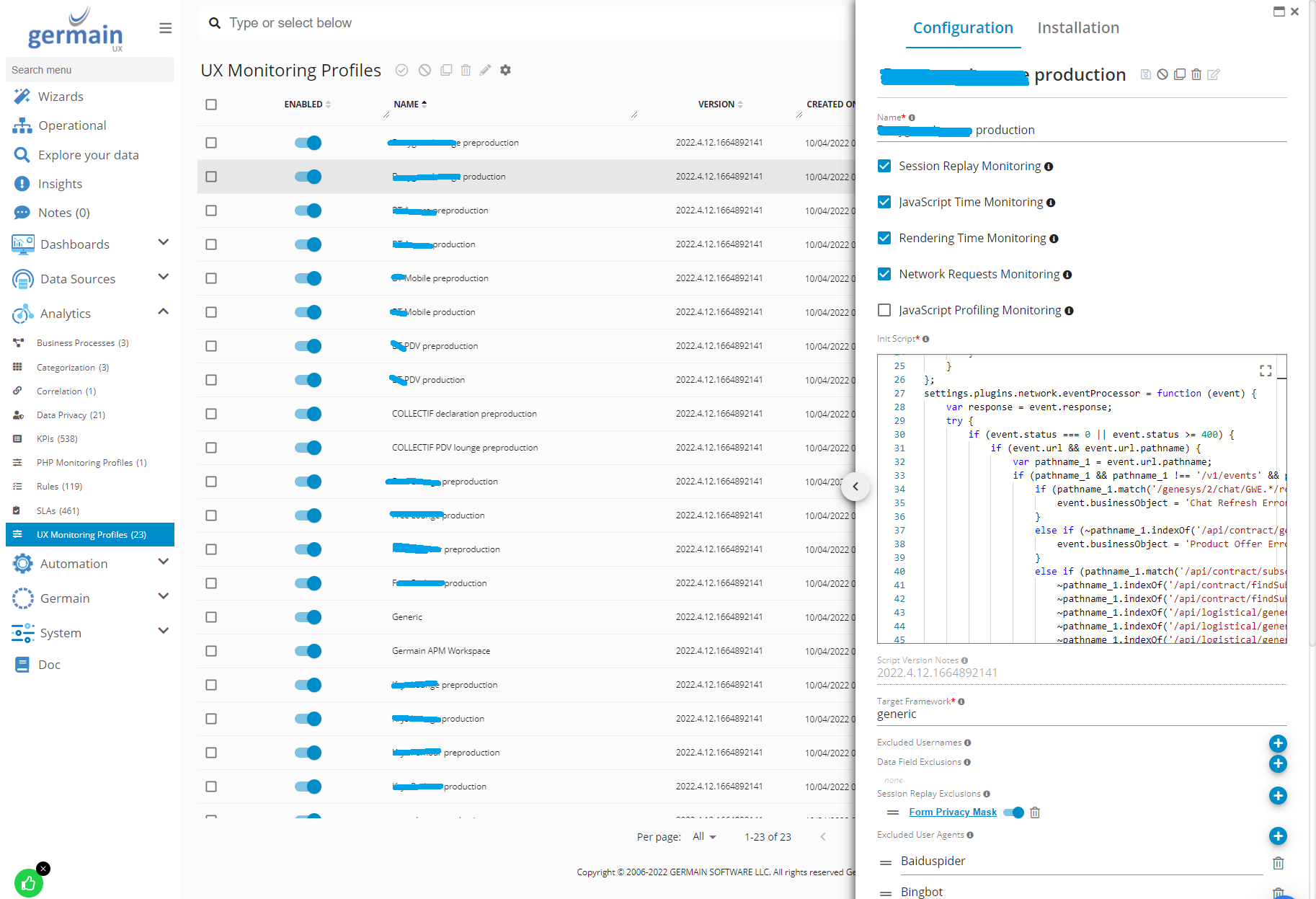
To achieve this, the client customized Germain RUM JS’s init script with its data privacy logic.
Configuration
Data Privacy | Germain RUM JS’s init script:
Easier Filters
Customers: American Airlines, ANZ Bank, General Electric
Description
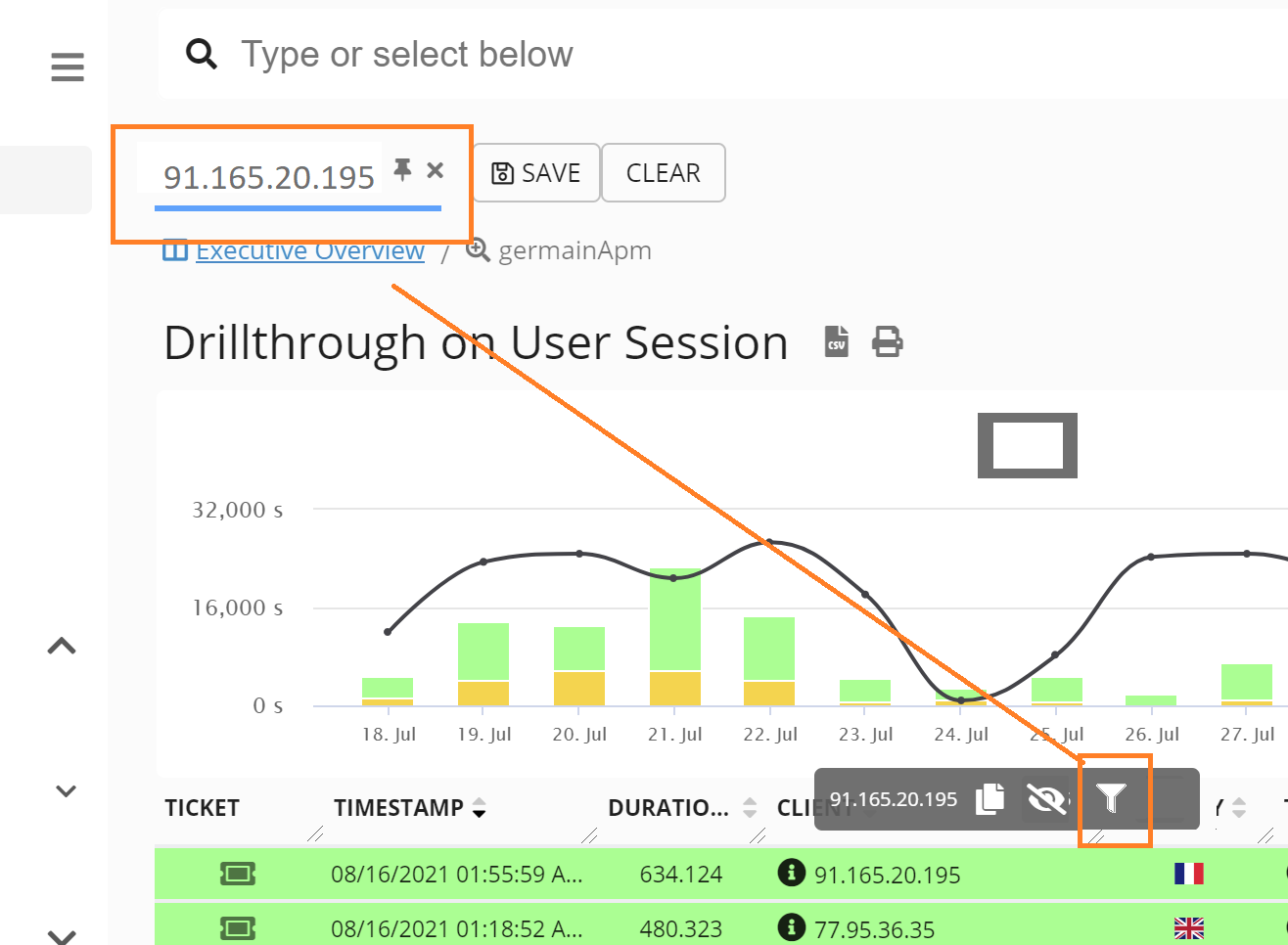
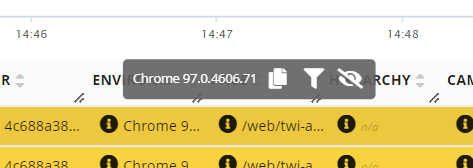
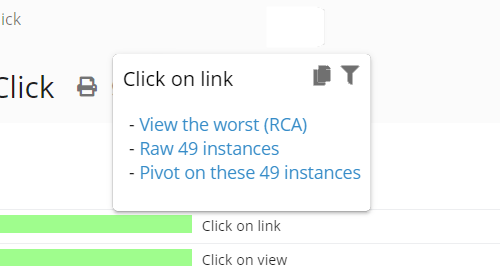
Easier filtering capabilities on all 4 dashboard levels.
Example
Drill-through Dashboard
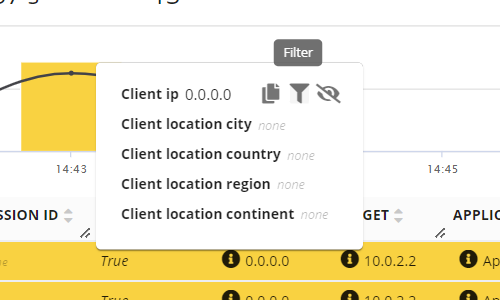
Aggregate and Pivot Dashboards
Waterfall Portlet (RCA Dashboard)

Editable Drill-through Dashboard
Customers: Anz Bank, American Airline, eBay, General Electric
Description
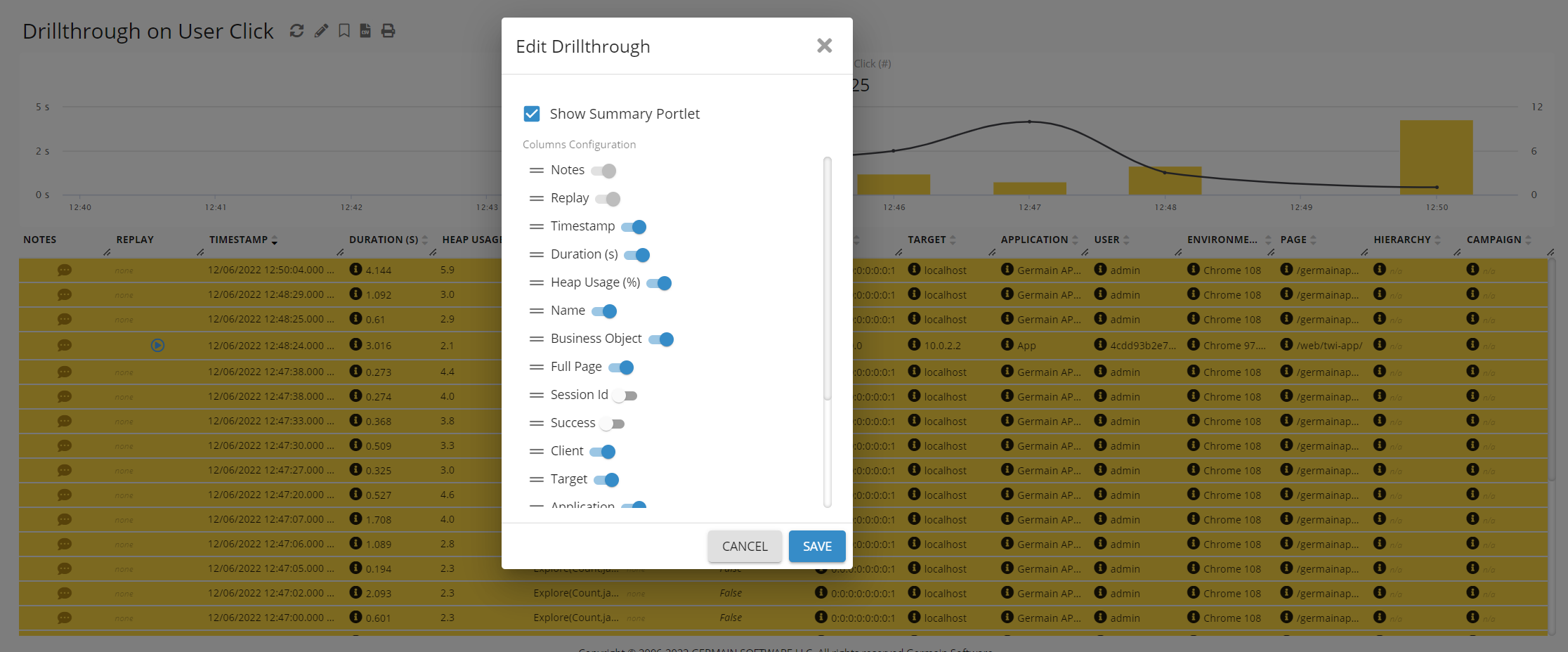
A more customizable Drill-through dashboard
-
Hide/display graph at the top
-
Hide/Display columns
"Out of range" KPI
Customers: Anz Bank
Description
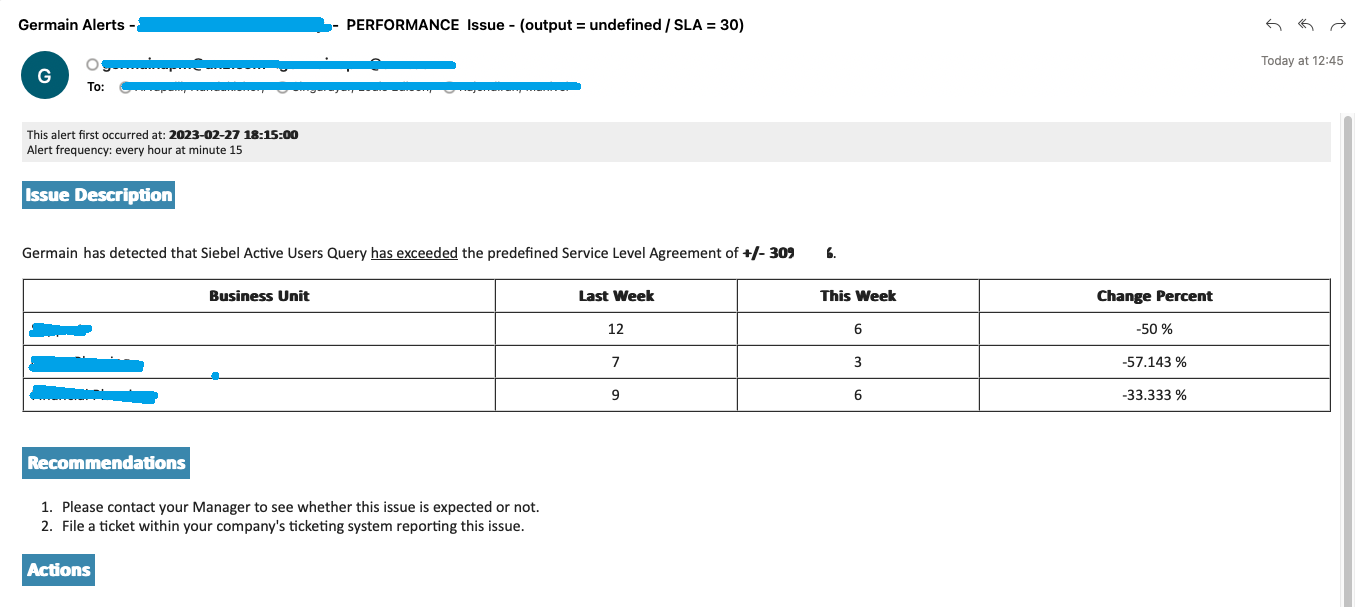
This client needed to be alerted whenever a number of its critical business KPIs are out of its acceptable range. Two ways of doing this in Germain:
Option 1: Smart Insights
Smart Insight is the feature you want to use for this. For this client they had to use the below solution that is available in an older version of germain.
Option 2: “In Range” operator
“In Range” operator can be used with a Percent-change SLA and a Threshold of -/+30%
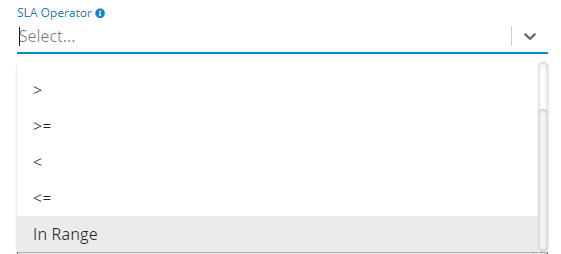
Example
Tag Errors that affect Users (and ignore the million others)
Customers: SPB Insurance
Problem
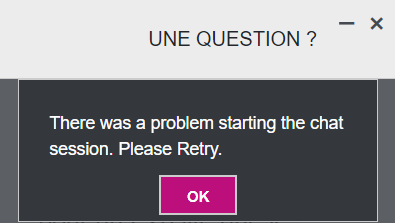
Chat sessions failed at times and no one new about it.
Solution
Germain has the ability to detect in real-time, the errors that affect users, and ignore the ones that don’t.
Errors that are considered critical, can be tagged, analyzed at scale and alert can be sent whenever one occurs, without getting spammed by minor/insignificant errors.
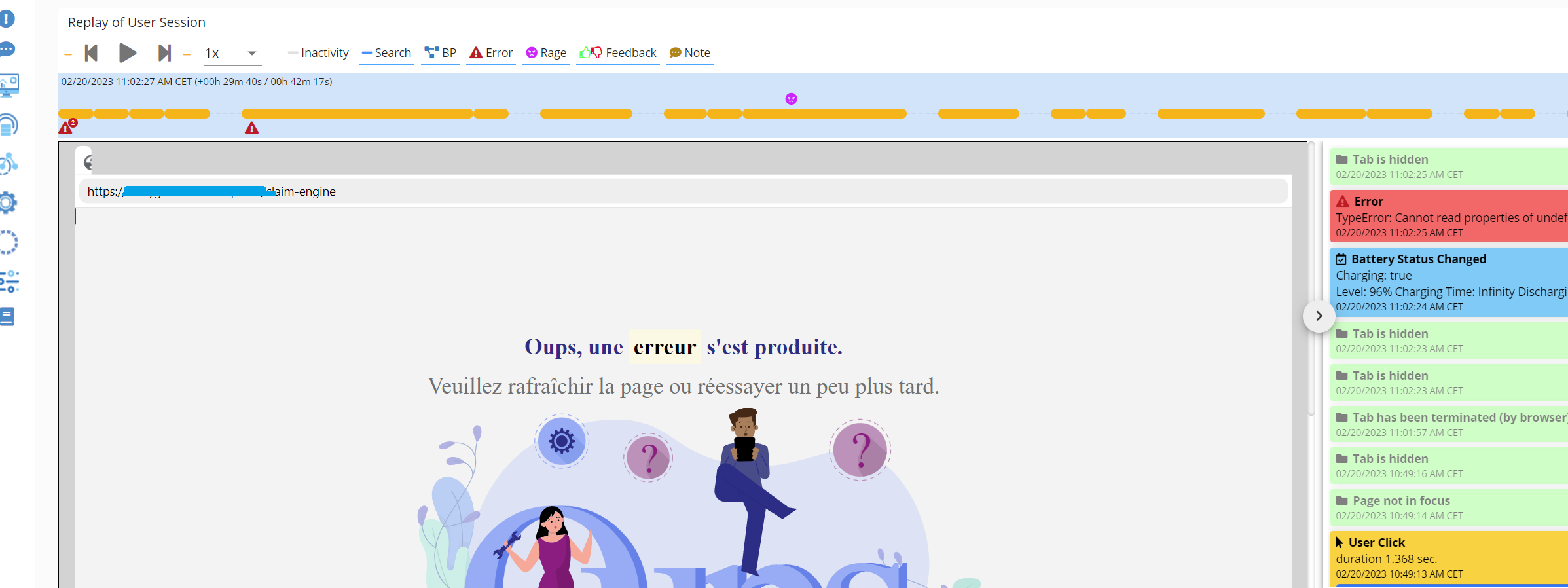
Each User Error can be “replayed” so it is easy to understand what the user did BEFORE experiencing it.
Automatic analysis of the Error is performed and available on the RCA dashboard, with information like stack traces, etc
Configuration
Contact us for details how to configure this monitoring.
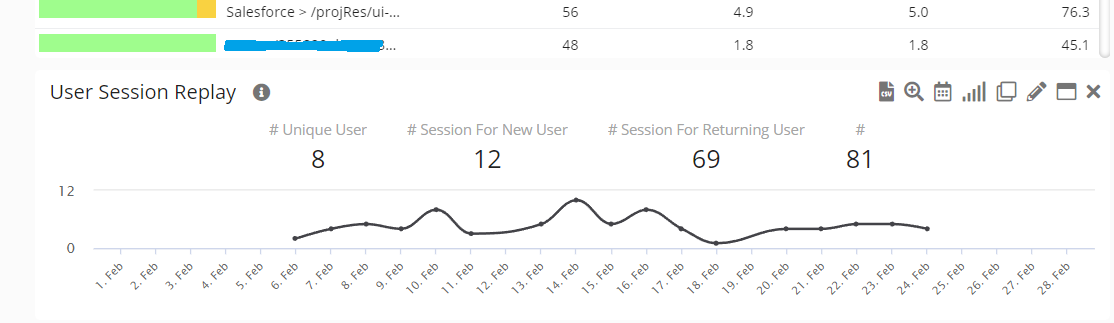
Unique, Returning, New Users
Customers: AllanGray, American Airlines, General Electric, Largest US-Based Healthcare
Description
These features have been available for years but we noticed customers didnt actually know there were there because of the way we named them! so we now have:
-
Unique User
-
New User
-
Returning User
Units
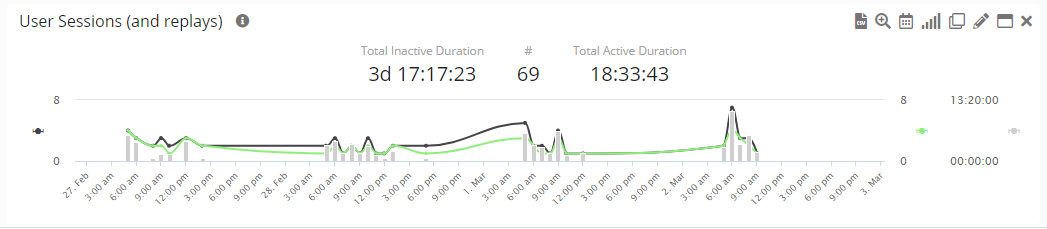
Customers: Ease
Description
Show metrics in appropriate units (rather than showing “seconds” at all times like we used to)
Example

Viewed Metric
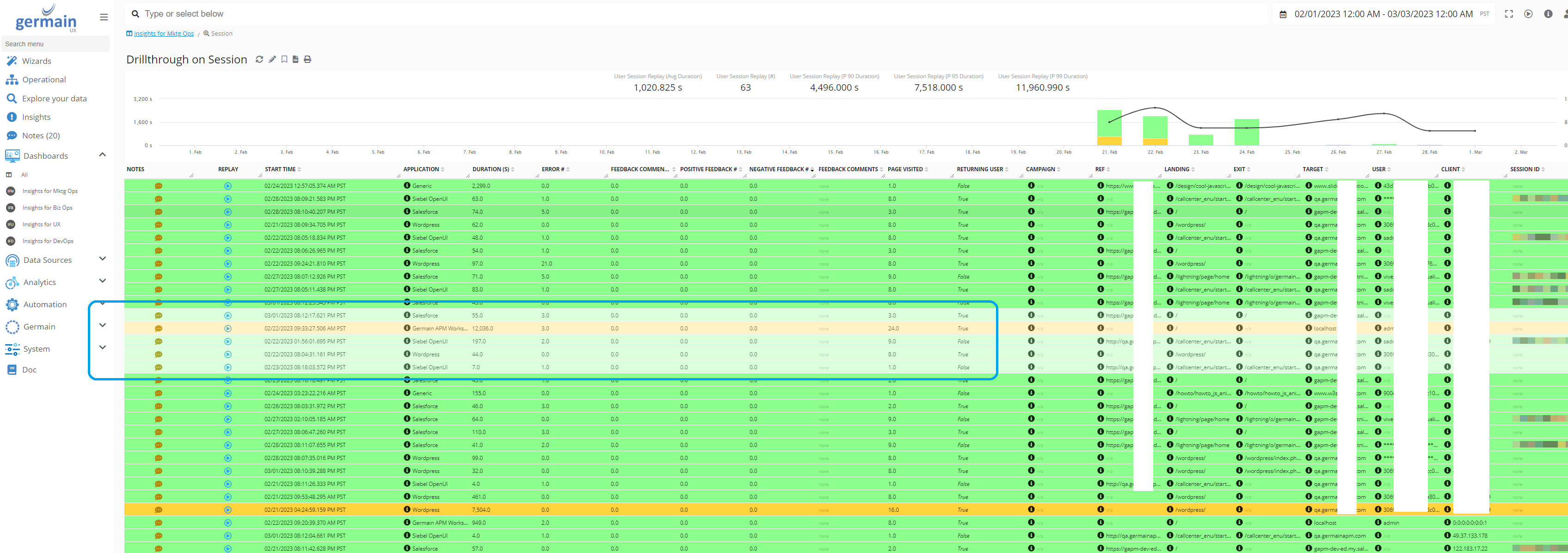
Customers: American Airlines
Description
On Germain Workspace, any metric you have looked at is tinted with a lighter color so it is easier to keep track of which metric(s) you have already looked at.
Example
MAINTENANCE ENHANCEMENTS IN 2022.5
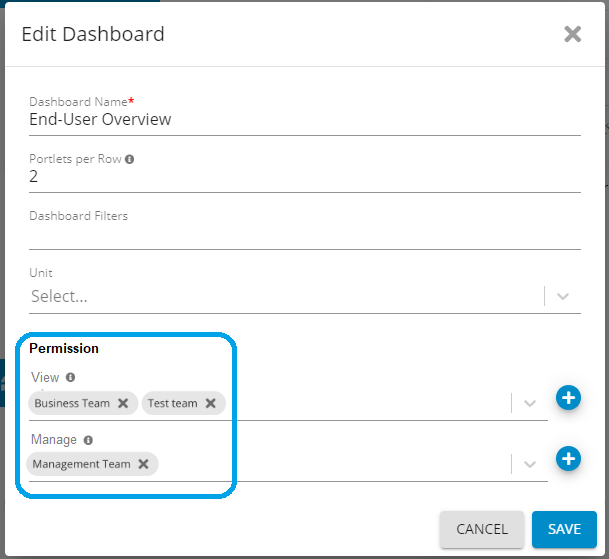
Dashboard Permissions per Team
Customers: American Airlines, eBay, General Electric, Largest US-Based Healthcare
Description
Germain Administrator now has the ability to define which Team(s) has access to which dashboard.
Configuration
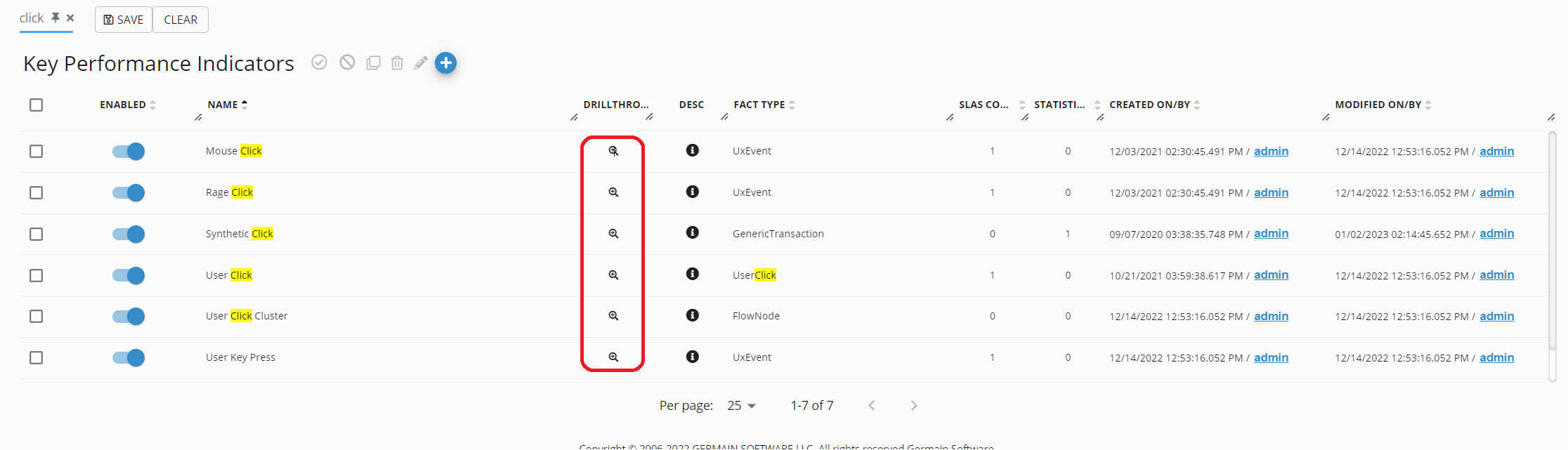
Drill-through from KPI screen
Customers: American Airlines, General Electric, Pepsi
Description
Access the Drillthrough screen from the KPI screen to make it easier to connect the dot between the KPI that is configured and the data it produces.
PingID
Customers: eBay
Description
Germain supports PingID for authentication.
More Details about PingID here: https://www.pingidentity.com/en/platform/capabilities/multi-factor-authentication/pingid.html
Configuration
Configure PingID with OAuth or with OpenID
Run a Component
Customers: Largest US-Based Healthcare
Description
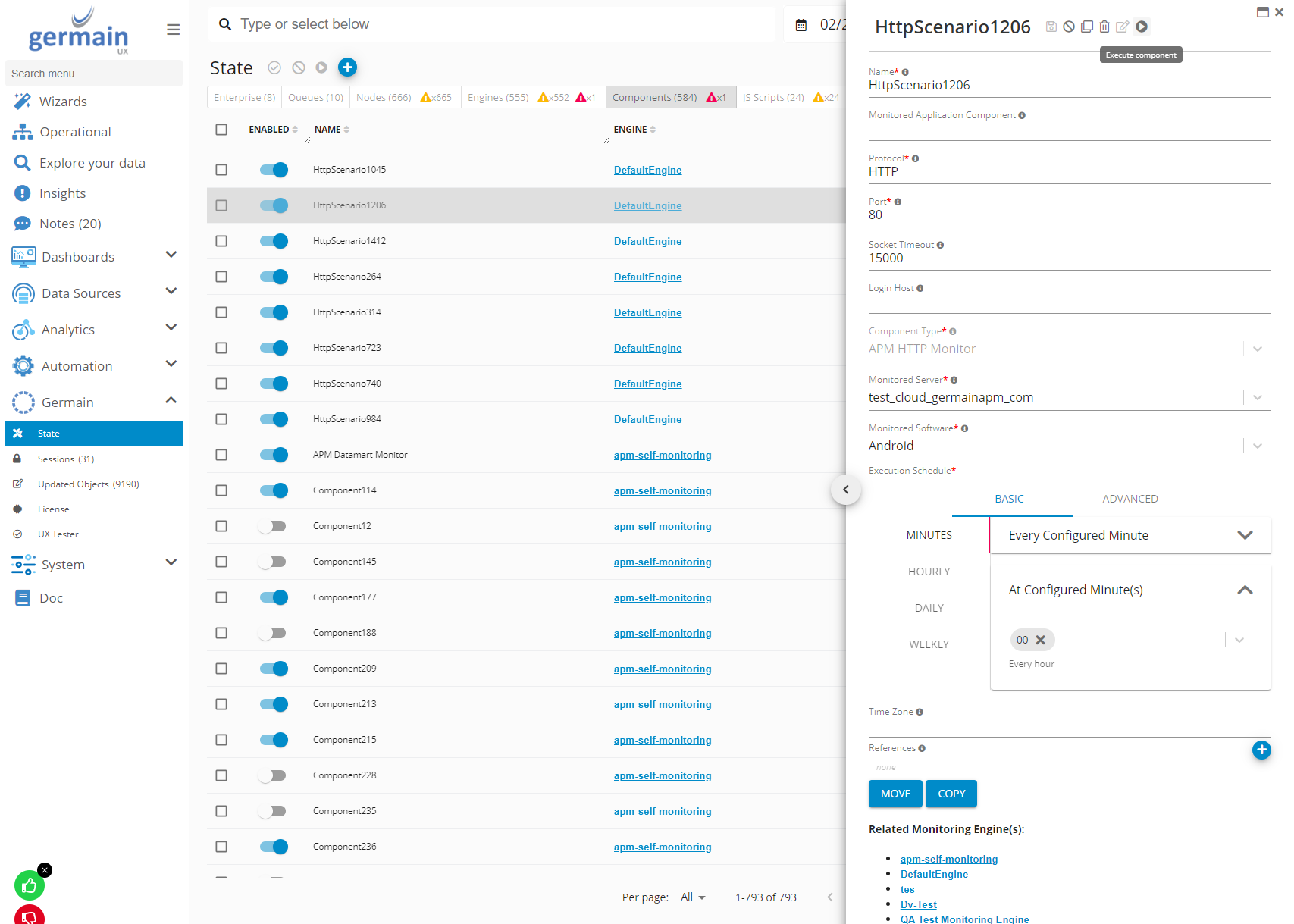
Germain Administrators now have the ability to “run” a component, making it easier to validate that a new component is working
Example
Germain Workspace > Left Menu > Germain > State > RUN button
Security and Vulnerabilities Fixes
Customers: All customers are required to update Germain with the below patches
Description
As part of our SOC2 compliance program, here are the security breaches that have been found in December, and patches to address those. We remain available to help you with these issues. If you have not already, you can create a ticket here: https://germainux.atlassian.net/servicedesk/customer/portal/1 or email us at support@germainux.com.
|
Vulnerability |
Severity |
Scope |
Detected |
Reviewed |
Resolved |
Affected versions |
Fix implemented in |
Link |
|---|---|---|---|---|---|---|---|---|
|
HIGH |
kafka-clients [3.0.2] -> 3.4.0 |
2/12/2023 |
2/13/2023 |
2/13/2023 |
<= 2022.5 |
2022.3, 2022.4, 2022.5 |
Download