

Synthetic User Click Recorder
Automation
Create a Ticket, Post a Comment or Note, Attach a file to any metric
Collaboration
User Session Replay @scale !
Monitoring & Analytics
Data Anonymization, Encryption, Exclusion
Maintenance
ElasticSearch 7.8 (more)
Maintenance
Enhancements to improve UX of germainAPM
Maintenance
OAuth, LDAP and DB Identify Provider support
Maintenance
Multiple Query Per Report
Reporting
Other Enhancements
Maintenance
Automation - Synthetic User Click Recorder
Description
Just a few minutes needed to: record a Synthetic User Click/Scenario, enable it against your web app, set SLA, set automation (alert, script execution, etc), create dashboard (to visualize its execution), all this to start proactively detect issues with your web application. Germain has been integrated with Selenium for over 4 years now, but _before_this enhancement, creating a Selenium script and letting Germain execute it 24x7 wasn’t that easy, required significant knowledge of Selenium, etc. With this new Germain Synthetic User Click Recorder, it is now super easy and only takes a few minutes to record a Synthetic User Scenario and enable it for continuous 24x7 proactive issue detection. The recording process of a Synthetic User Scenario is very similar to what you would experience with Loadrunner, except that loadrunner does not record user click but records http traffic generated by user click(s) i.e. none of the javascript, static content, browser related event get recorded and executed with Loadrunner, yet they do with Germain and Selenium.Example
A video showing that you can record a Synthetic User Scenario and let it run continuously, all this with Germain, injust 2 minutes:https://vimeo.com/478582314Browser Support
Chrome, IE, Edge, Firefox can be used. More details here: Click / Synthetic User ScenarioCollaboration - Create a Ticket, Post a Comment or Note, Attach a file to any metric
Description
You can now add comment on any metric that is visible on Germain dashboards, to help you:- Track issues
- Communicate about what has been done
- Communicate about what needs to be done
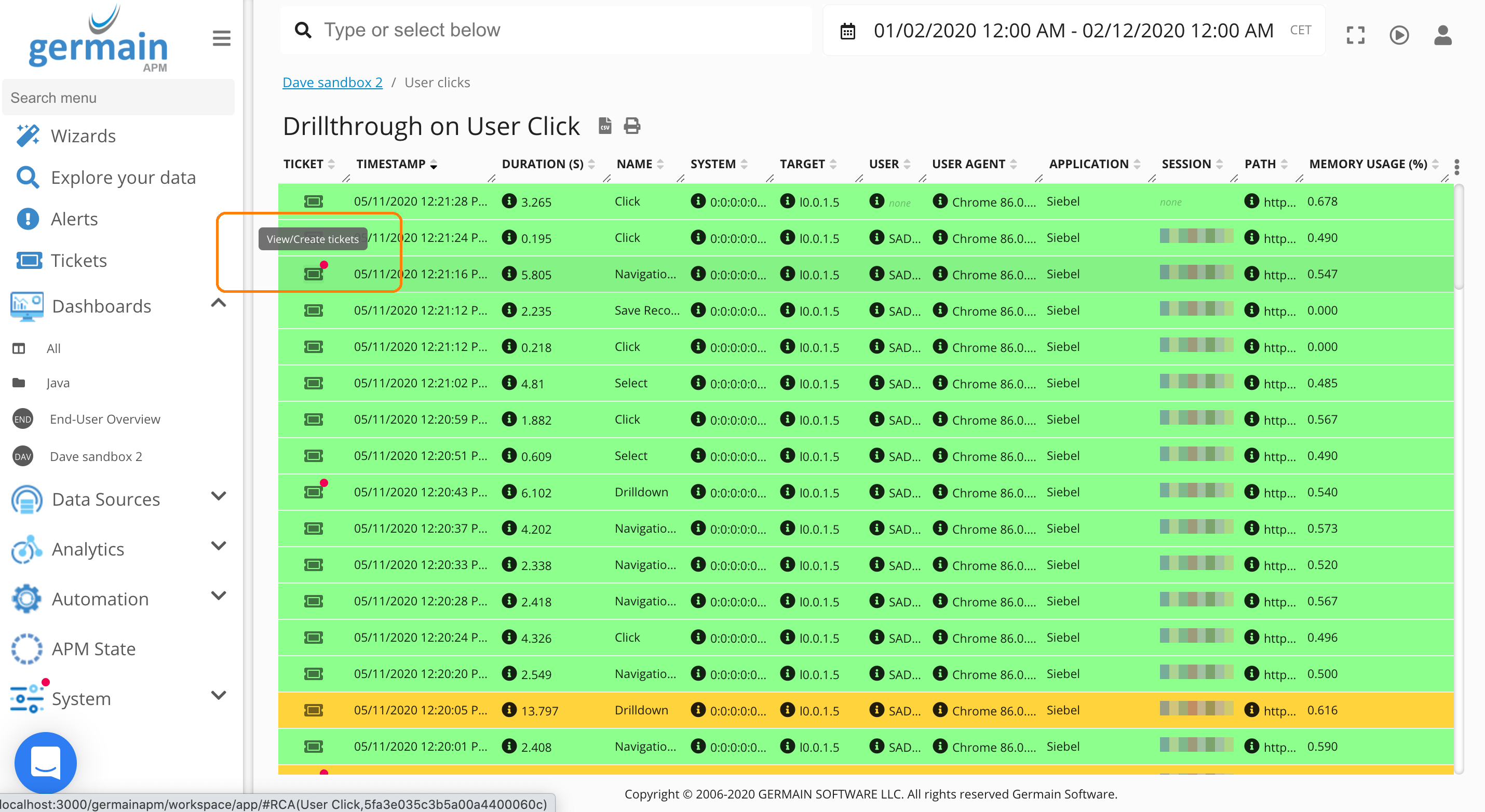
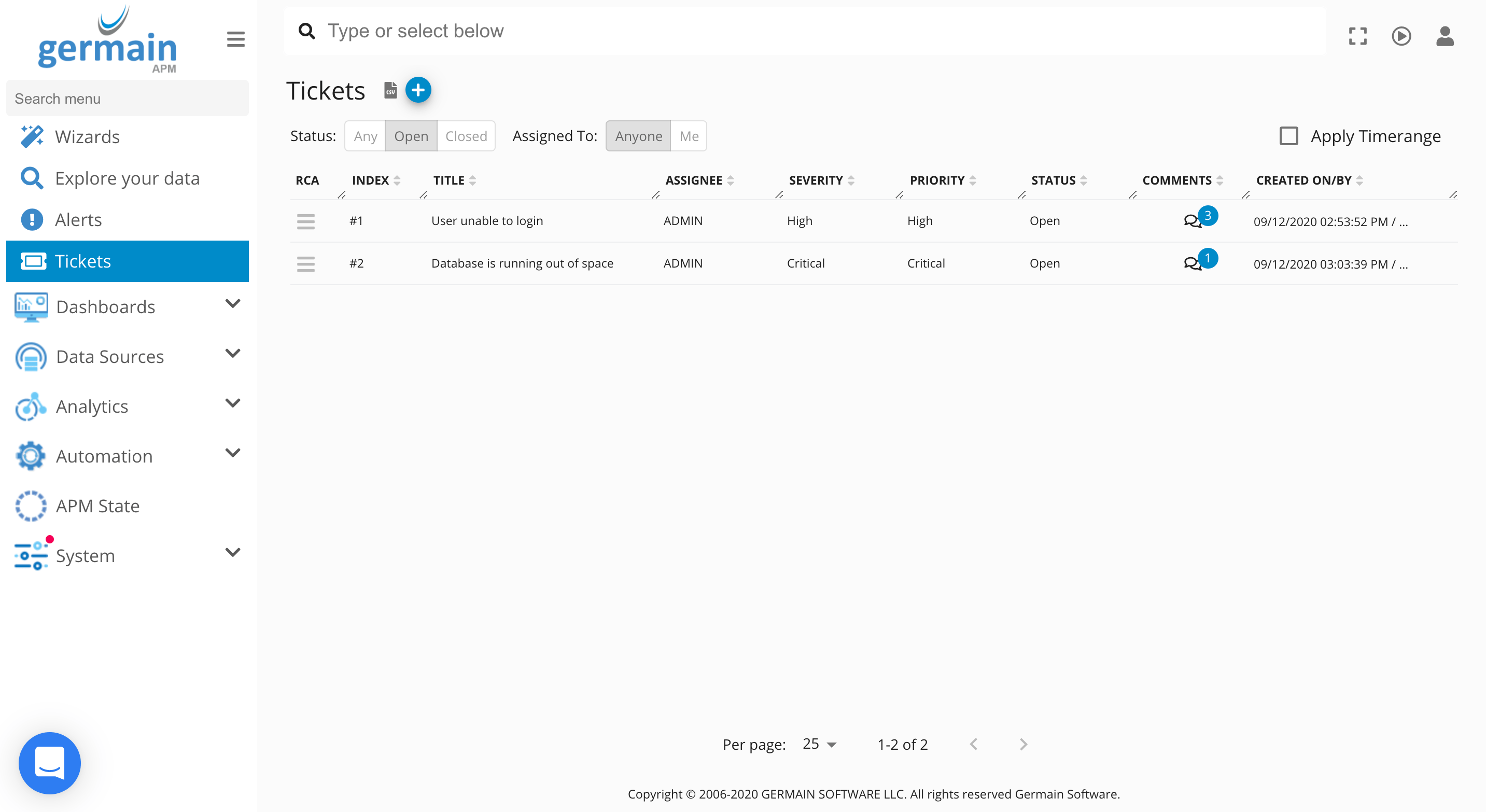
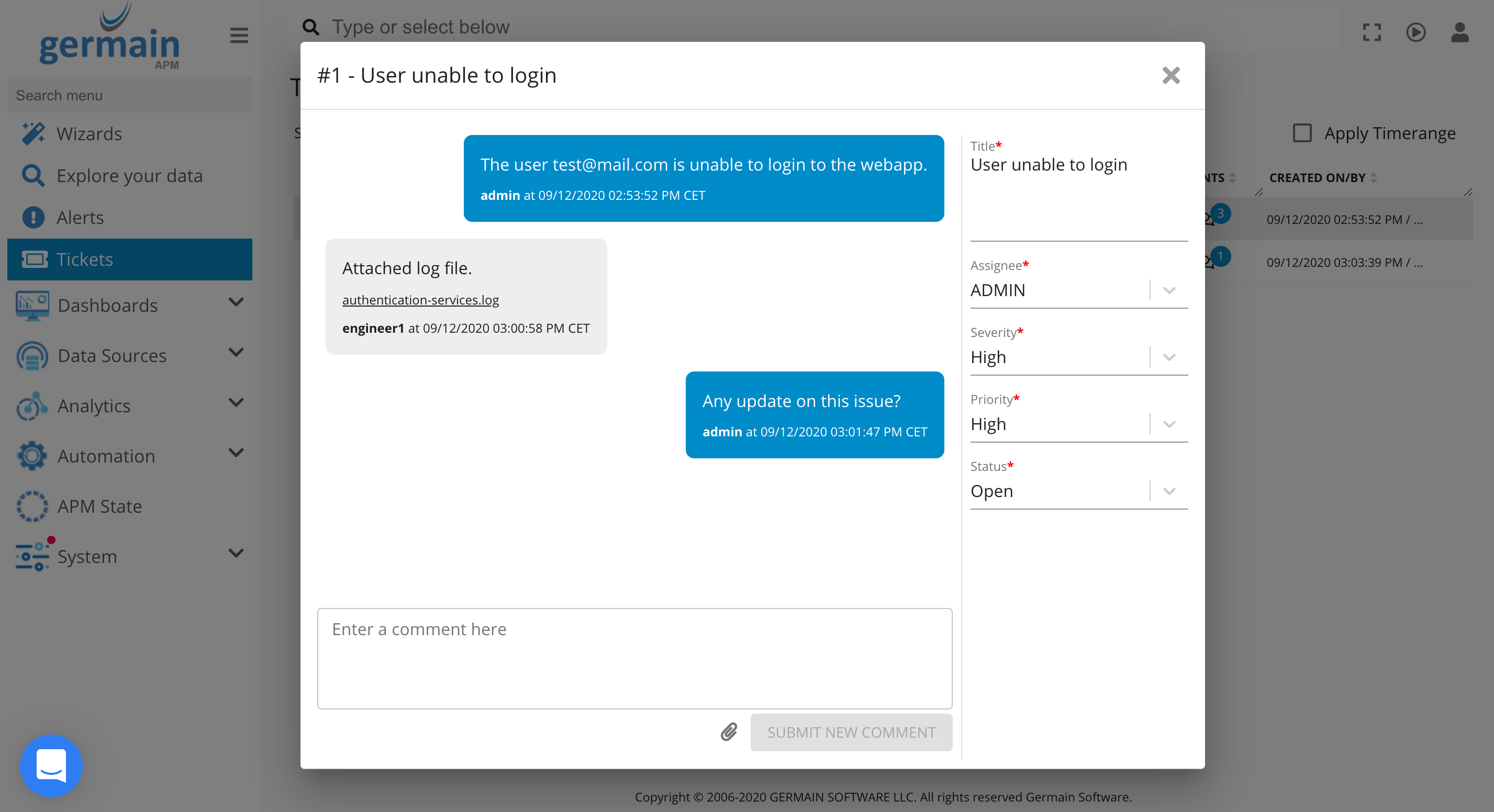
Monitoring & Analytics - User Session Replay @scale !
Description
Not easy to pinpoints issues when you have 100000….session replay videos? no time to watch 100000 videos? These enhancements are significant to any customers wanting to quickly find insights in the UX data they care about Enhancement1: identify the session replays that contain a “set of character” via the SEARCH field on any Germain dashboard Enhancement2: once you found a session replay (using the above search), you can then position the replay right where you need it to be, for a given string, business process milestone, error, … using the below BAR right above each session replay. More details on Germain’s User Monitoring and Session ReplayMaintenance - Data Anonymization, Encryption, Exclusion
Description
Before this enhancement, Data could only be Anonymized, Excluded or Encrypted at the JS script level (Germain component that monitors browser and UX of web application). Now Data can be Anonymized, Excluded or Encrypted at every level/component of Germain. Organizations having to comply with GDPR (or equivalent) will benefit from this.Maintenance - ElasticSearch 7.8 (more)
Description
Last month, we announced support for ElasticSearch 7.8 as a 6th datastore of choice for Germain. This month, we have spent time fine tuning this support, focused on longevity/reliability @ scale. Everything is moving as per our plan, all results are great. A few clients have expressed interest in replacing their existing database by ElasticSearch.Maintenance - Enhancements to improve UX of germainAPM
Description Many enhancements with regards to improving UX of Germain users. This is an ongoing process and clearly scalable because of the launch of our new UI back in march 2020. To name just a few enhancements:- Show Templates only applicable to the context a user is in.
Example: templates are here prefiltered for this SQL report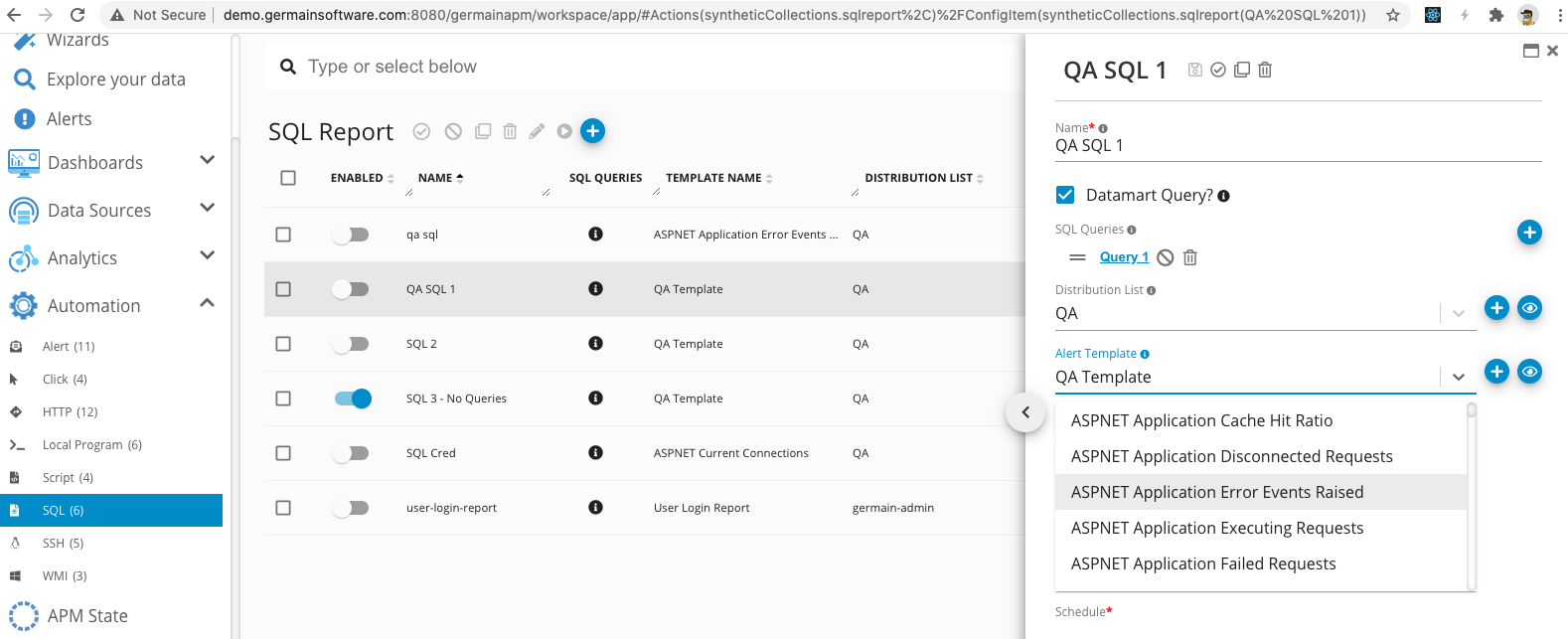
Maintenance - OAuth, LDAP and DB Identify Provider support
Description
Most organizations use different authentication mechanism for their users to log on to their apps. In order to help our these organizations manage the authentication process they have put in place, Germain now supports any OAuth, LDAP or Database authentication or a combination of these.Notes:
- Stateless authentication is now offered (easier to support multiple Germain servers scaling horizontally)
- Standard sessionIds are sent in a cookie; however, Certificates which provide a more secured connection between the engine and Germain is also supported. Both are configurable.
Example
In this example, users can log on to Germain dashboard in 2 separate ways: 1)using Keycloak OAuth security mechanism or 2) using LDAP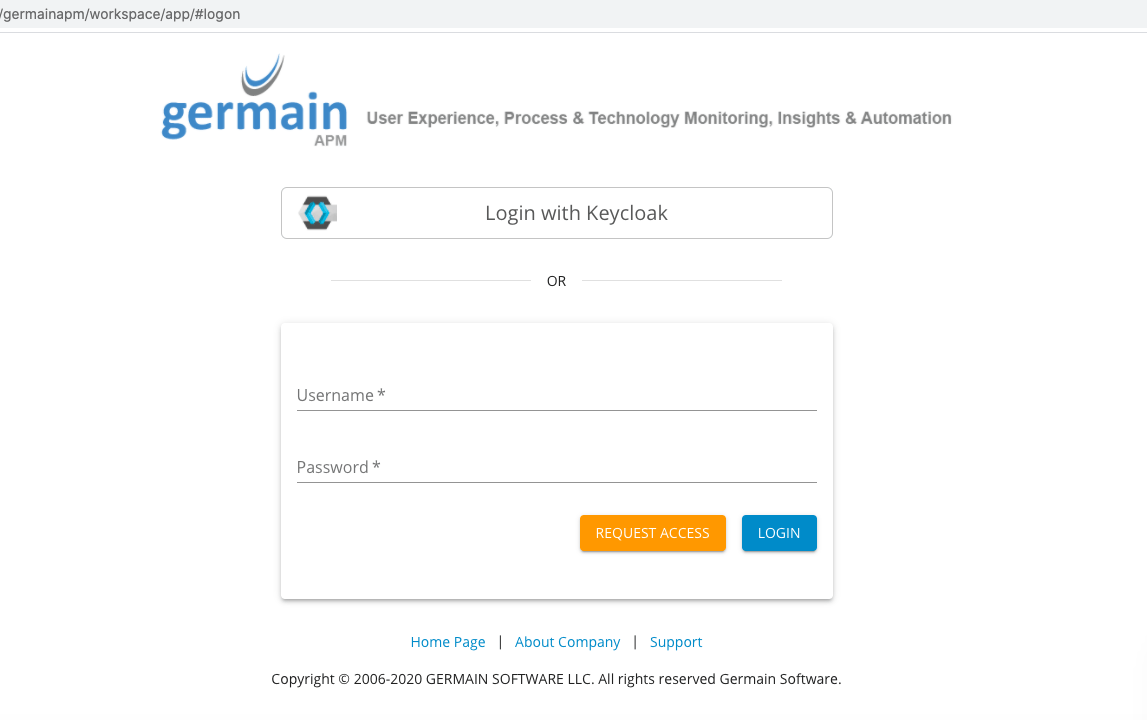
Reporting - Multiple Query Per Report
Description
Ability to generate a report (sent via an email or sms) that contains data from separate SQL queries.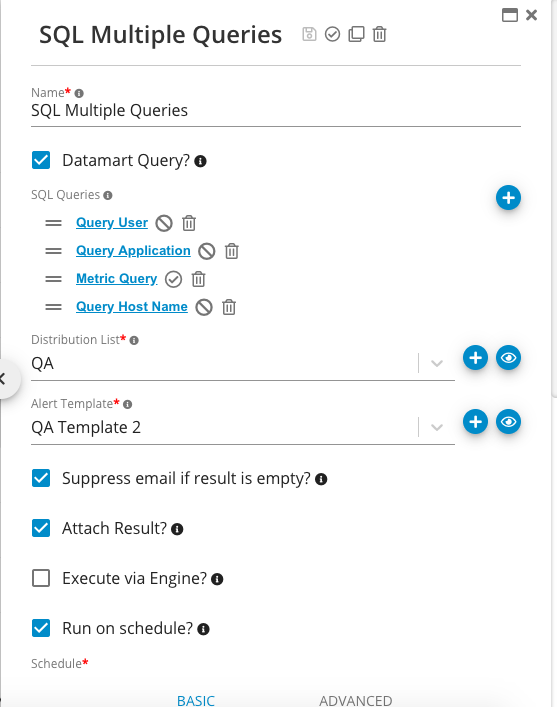
Maintenance - Other Enhancements
Other enhancements we don’t have time to detail but that are significant to Germain and our Clients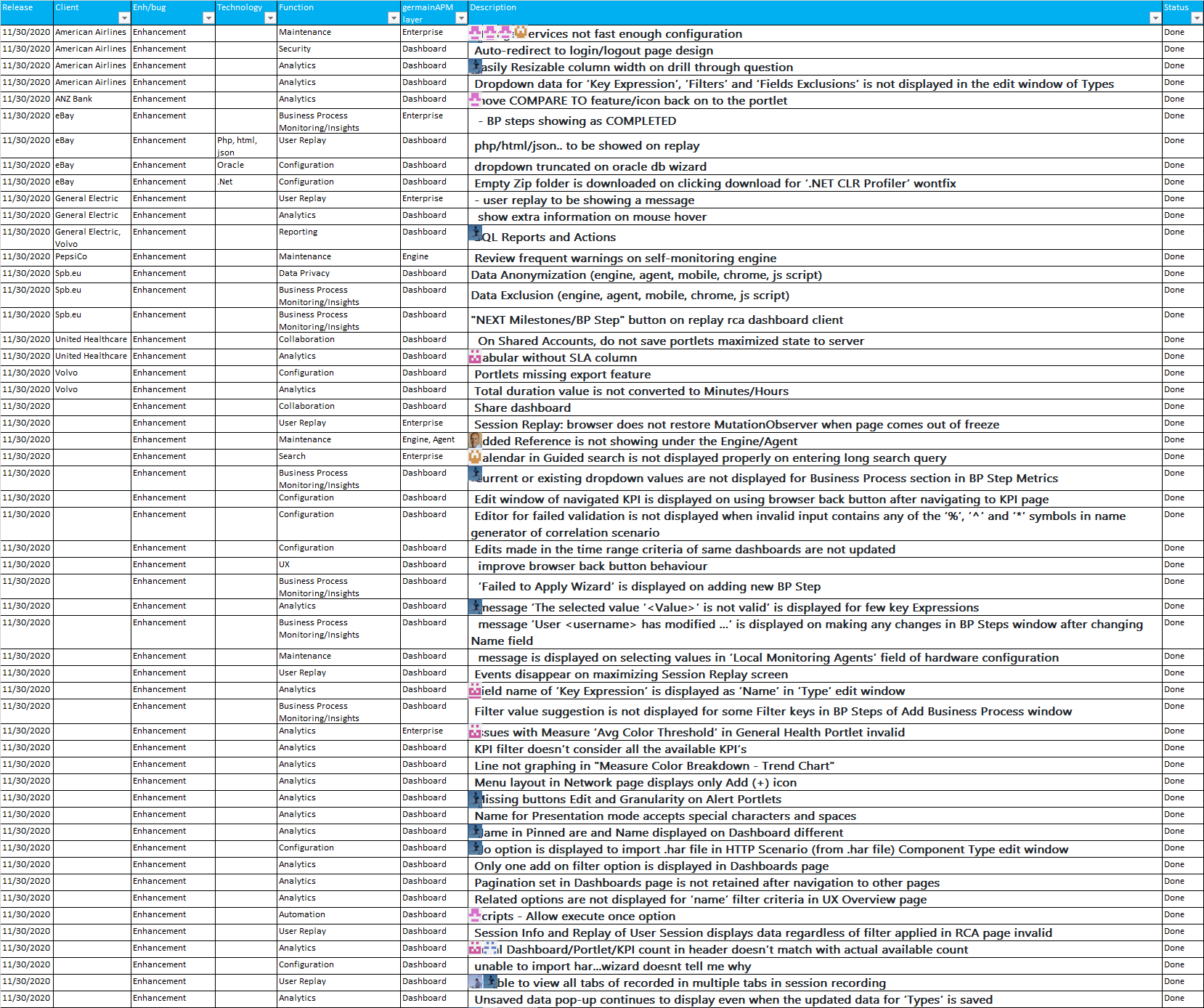
Get Help
Contact GermainUX Support
The GermainUX team helps you get up and running faster, empower your team, turn data into actionable insights, and optimize performance to deliver measurable business outcomes.
Can't find what you need?
Search all GermainUX docs with Ctrl + K, or use the feedback buttons at the bottom of this page to tell us what is missing.
The content of this document is proprietary to GERMAIN SOFTWARE.