

Monitoring And Analytics Features
Maintenance Features
Marketplaces
Security and Vulnerabilities Fixes
Monitoring and Analytics Features
The three biggest monitoring and analytics related features released in 2024.2 are:- Session Replay Player
- Focused Flow (For Behavior Diagnosis)
- Report Editor.
Session Replay Player
Description A brand-new Session Replay Player includes many new features:- Replay Bar Insights: New insights like Dead Click and No Search Results.
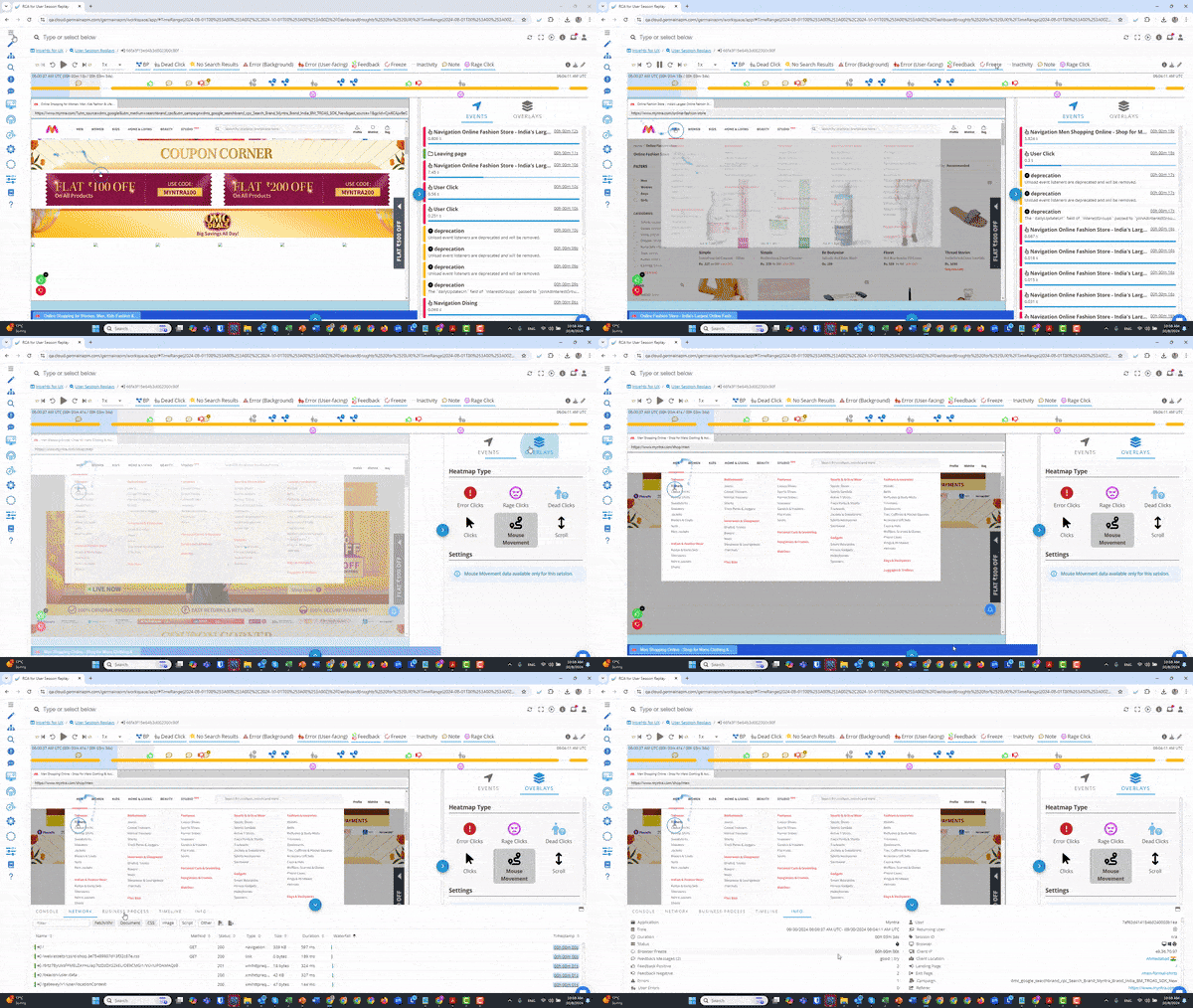
Session Replay Player - GermainUX
- Replay Bar Zoom: Ability to zoom into a window of the replay (click and drag on the timeline).


- Event Section: Improved user click and event visualization.
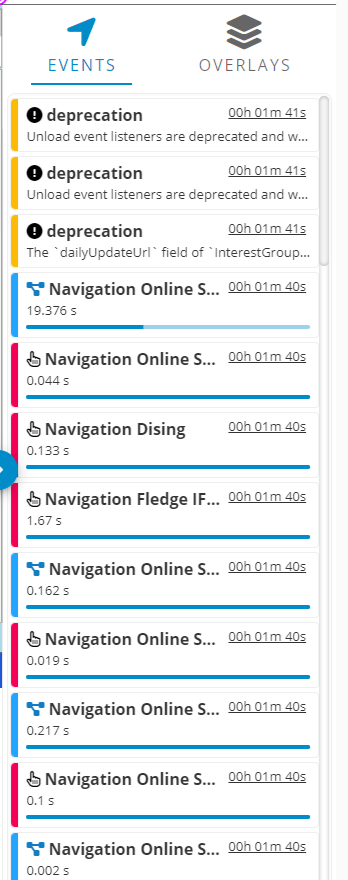
Event section of Session Replay Player - GermainUX
- Heatmaps/Overlays: Insights for error clicks, rage clicks, dead clicks, scrolls, and mouse movements.
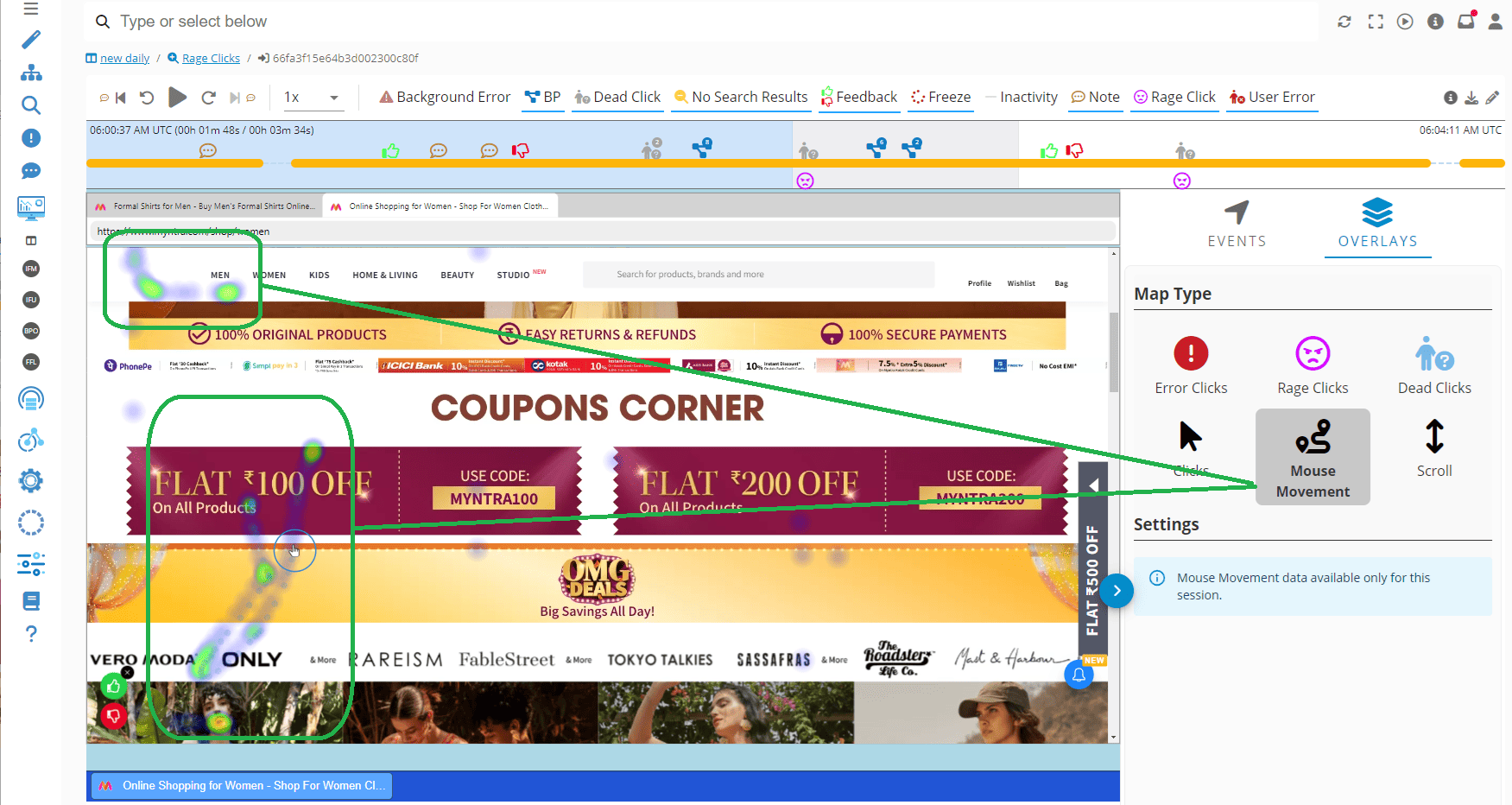
Heatmap for Mouse Movements - GermainUX
- Console Insights, Network Insights, Business Process Insights, Timeline Insights, Info/Session Insights: Enhanced session details and user experience information.
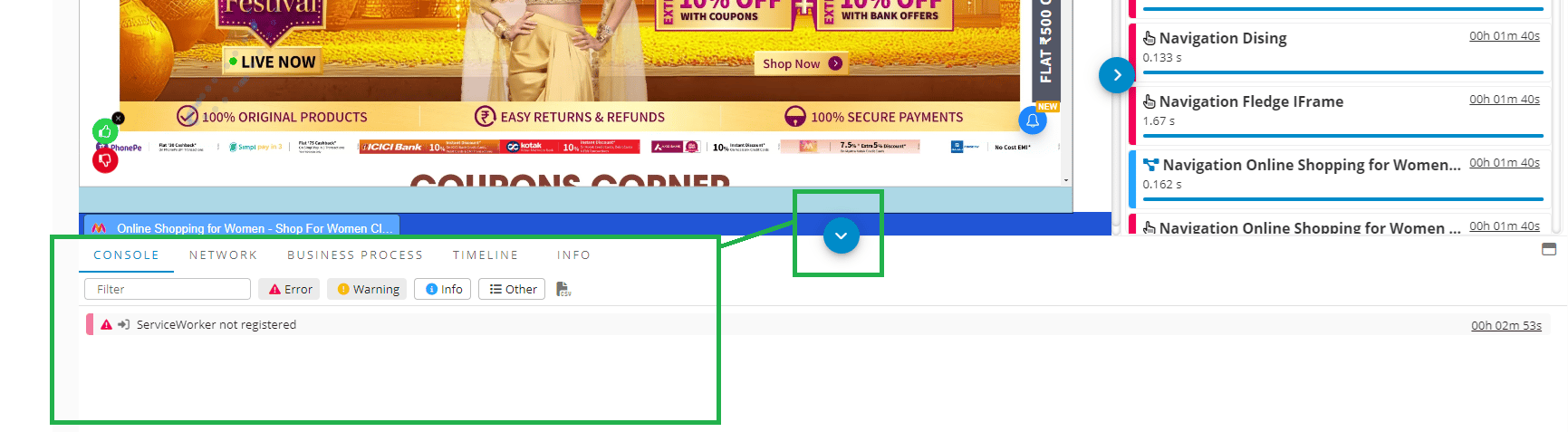
Console on Session Replay Player - GermainUX
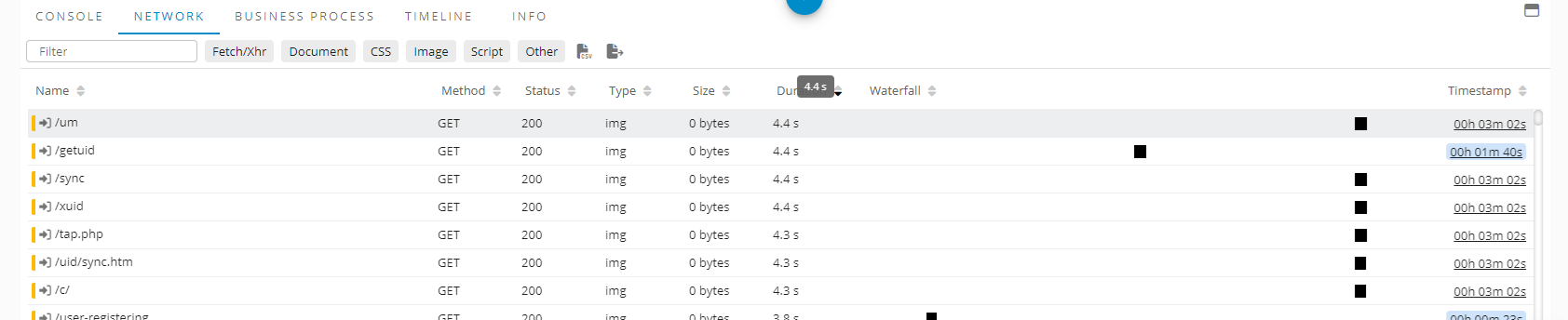
Network on Session Replay Player - GermainUX

Business Process on Session Replay Player - GermainUX

Timeline on Session Replay Player - GermainUX
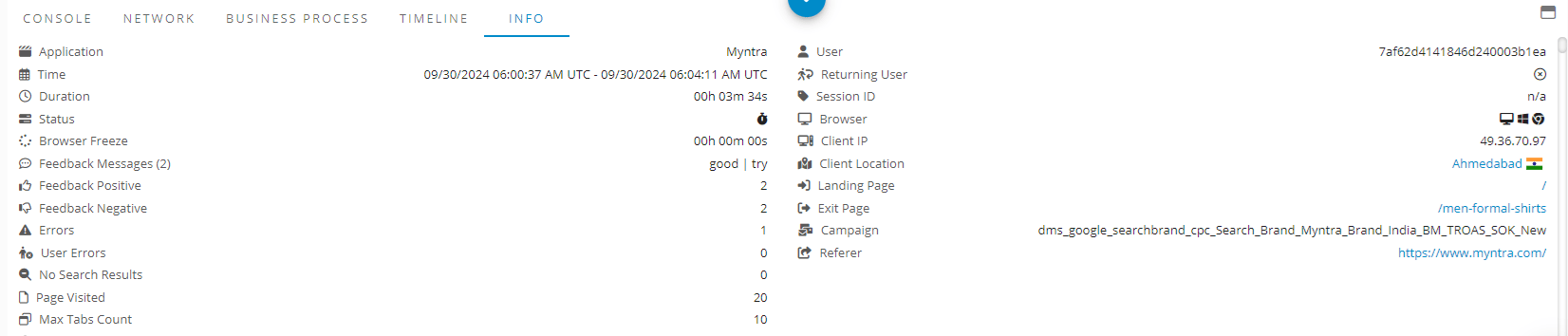
Info on Session Replay Player - GermainUX
Focused Flow (for Behavior Diagnosis)
Description Focused Flow is a new method for diagnosing user behavior and understanding the frictions they encounter. It allows us to break down each milestone in the user journey at scale. More details about Focused Flow.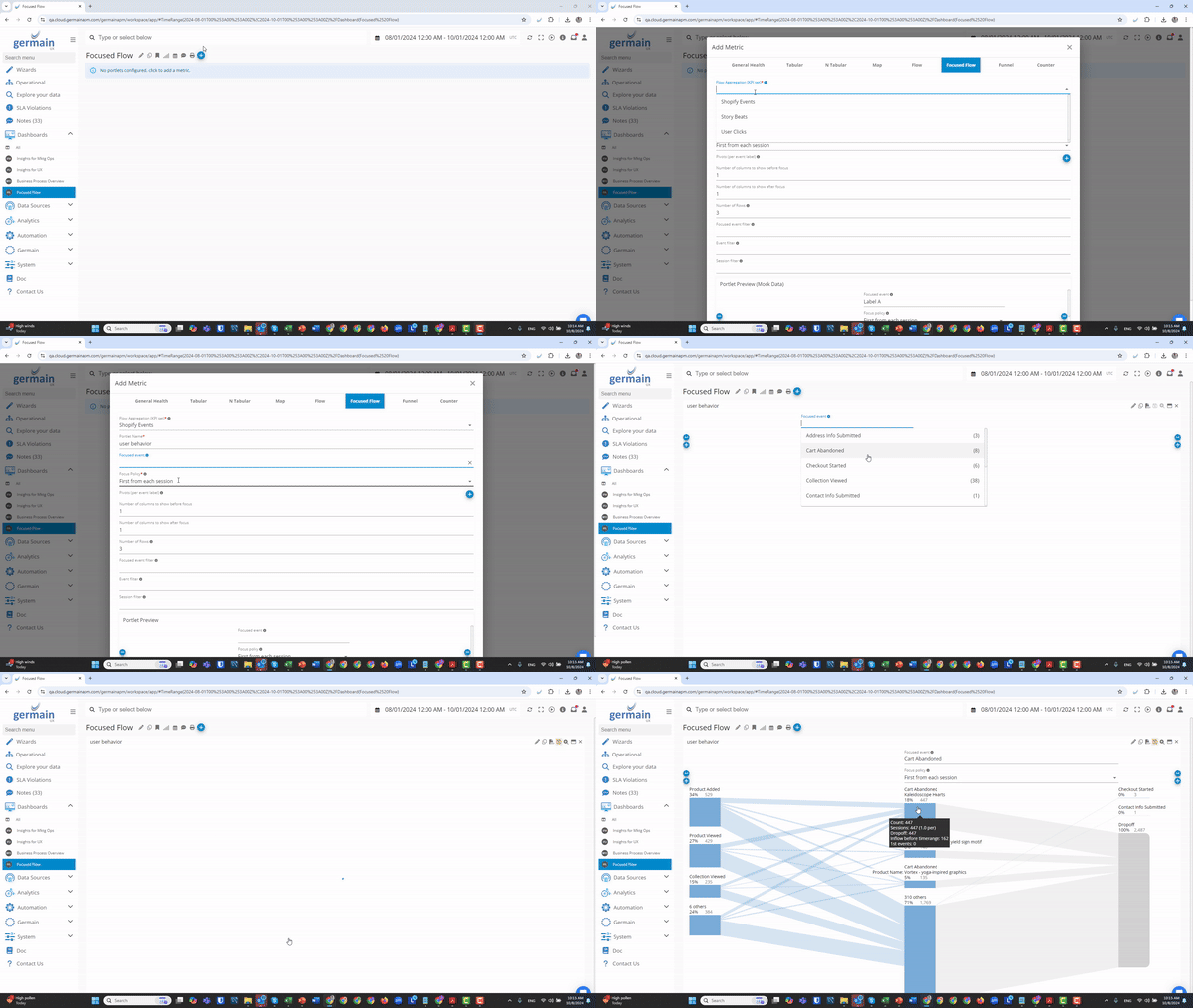
Conversion Analysis on Shopify with GermainUX’s Focused Flow
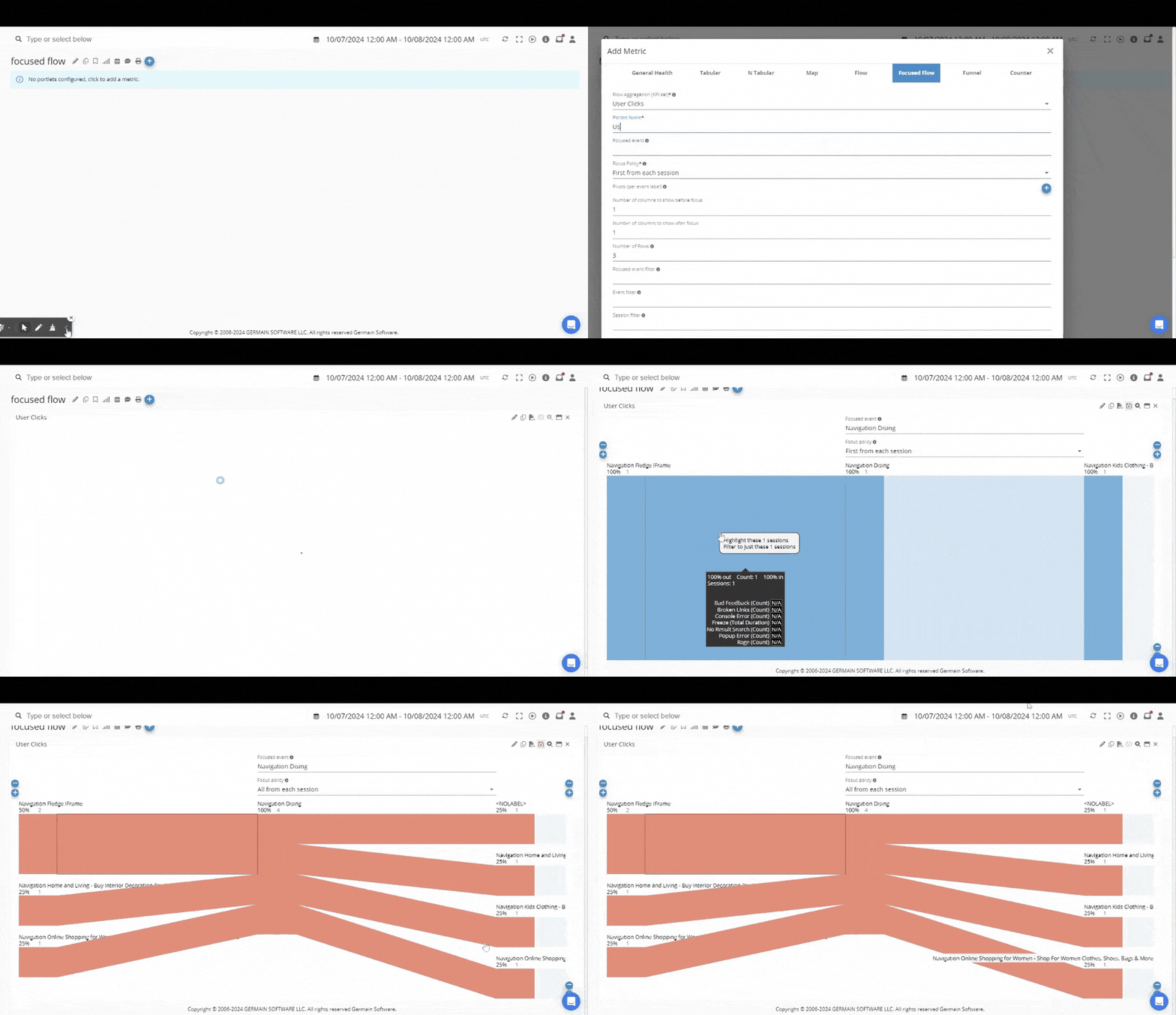
Click Analysis on CRM using GermainUX’s Focused Flow
Report Editor (New)
Description The new Report Editor simplifies the creation of automatic reports without needing knowledge of the data model. More details: Report Editor Documentation.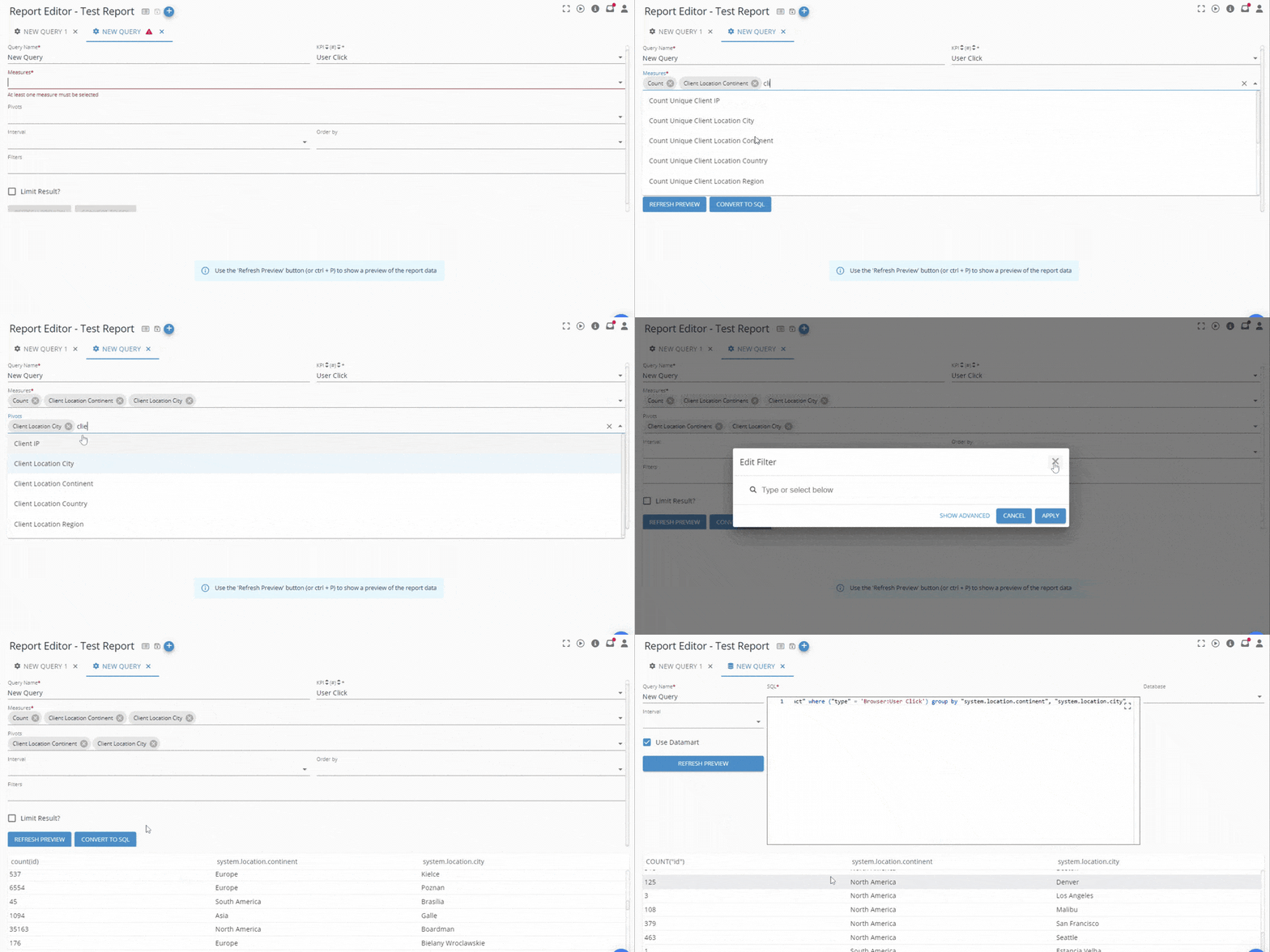
New Report Editor - GermainUX
Broken Campaign/URL detection (enhancement)
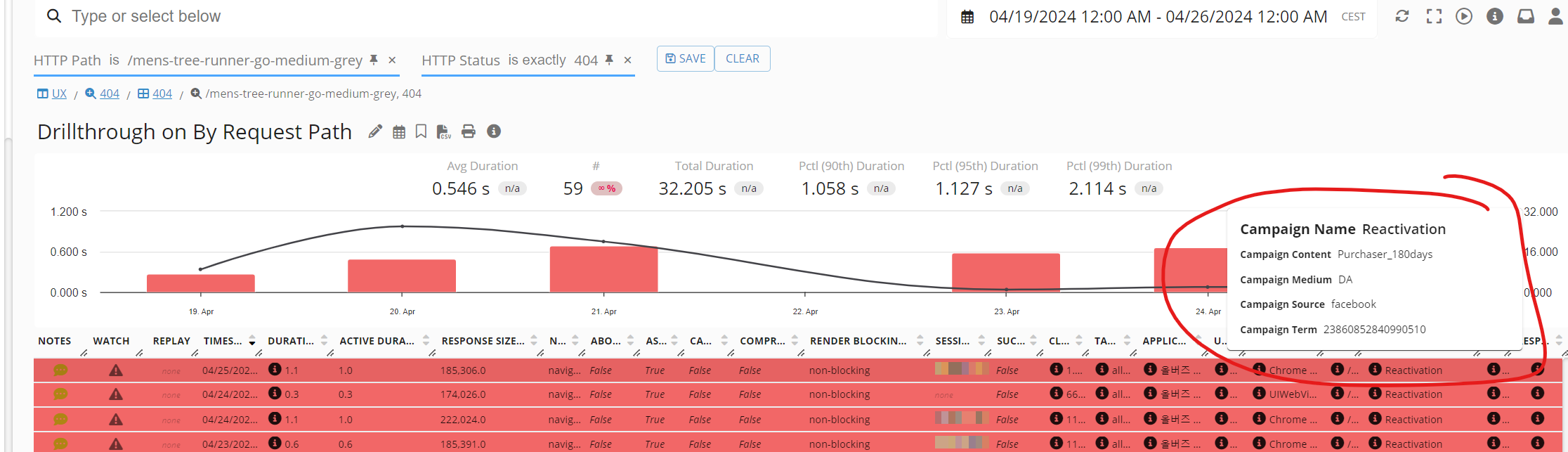
Description This feature allows the detection and alerting of campaigns leading users to non-existent pages via the [Outbound Document Request] KPI. *Important:*GermainUX detects broken links/campaigns/pages both proactively (via a crawler mechanism) and reactively (through real-time analysis of HTTP transactions). Example: An alert can be sent individually or as a report (daily, weekly, etc.):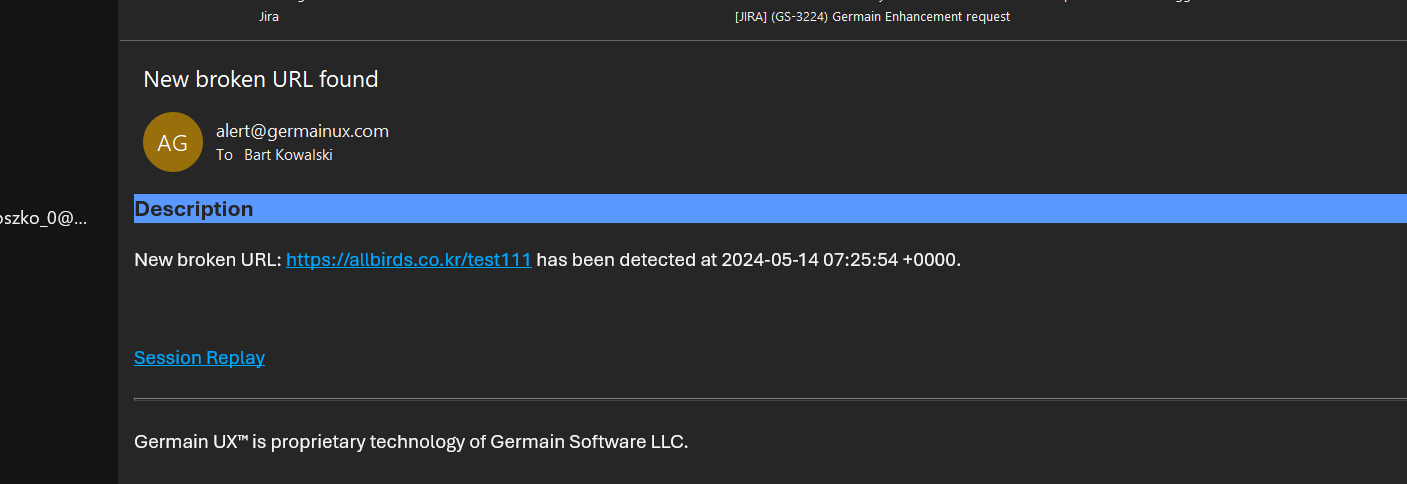
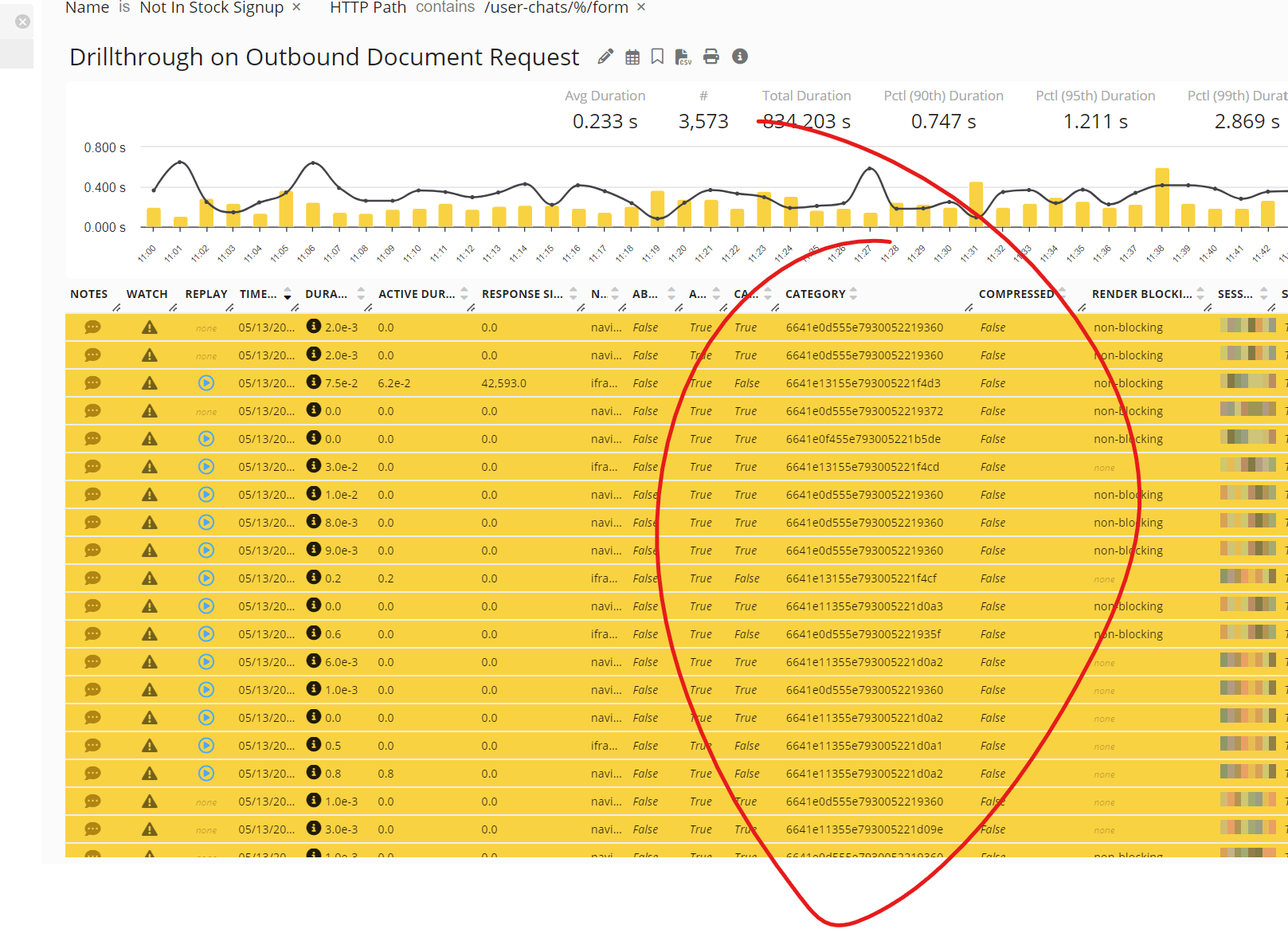
Automatic analysis of Broken URLs - GermainUX
Channel Talk
Description A new integration with Channel Talk! GermainUX now records conversations and influences Channel Talk to provide optimal guidance to users. More details: Channel Talk Monitoring.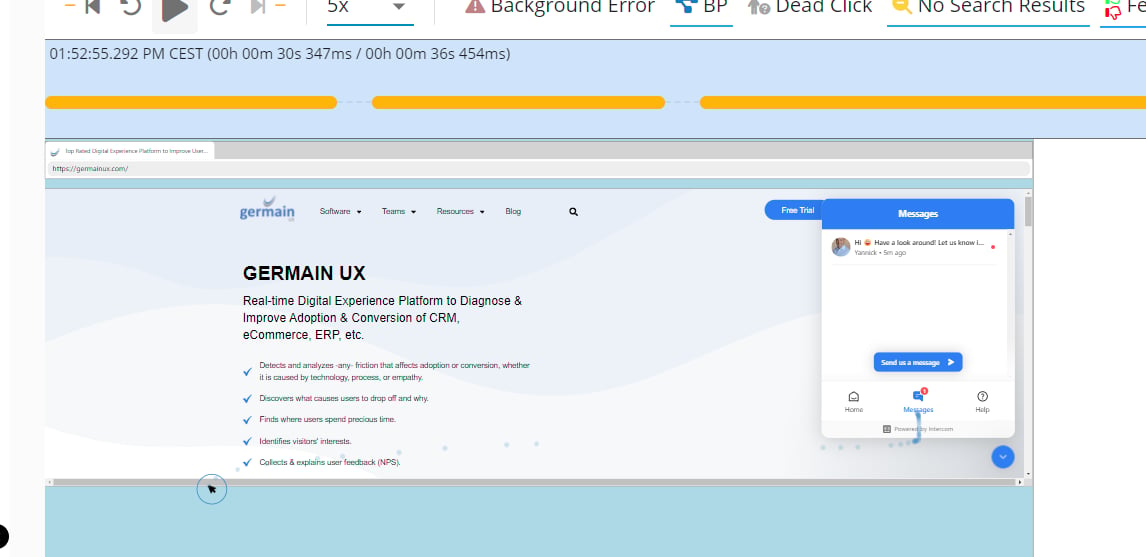
Channel Talk - GermainUX
Custom Insight/Custom Tab
Description Custom Insight or Custom Tab can now be created on the Session Replay Player, helping users quickly identify critical issues during session replay. Configuration Custom Insight (Custom Tab) can be linked via correlation ID, username, or client IP, and can be applied to specific “target frameworks” (e.g., Shopify, Salesforce). More details on how to configure a Custom Insight/Tab. Example The “Sold Out” UX Insight appears in the Session Replay Player when a customer attempts to buy an out-of-stock product, triggering an automatic email notification.
HAR File (enhanced)
Description Additional fields added to the automatically generated HAR file export (Outbound HTTP Requests) include:- Cache info
- Initiator
- Remote Address
- Request and Response Headers
- Server Timing
Note On Configured Object
Description Notes can be added to any configured entity, making it easier for GermainUX administrators to share important information with teammates.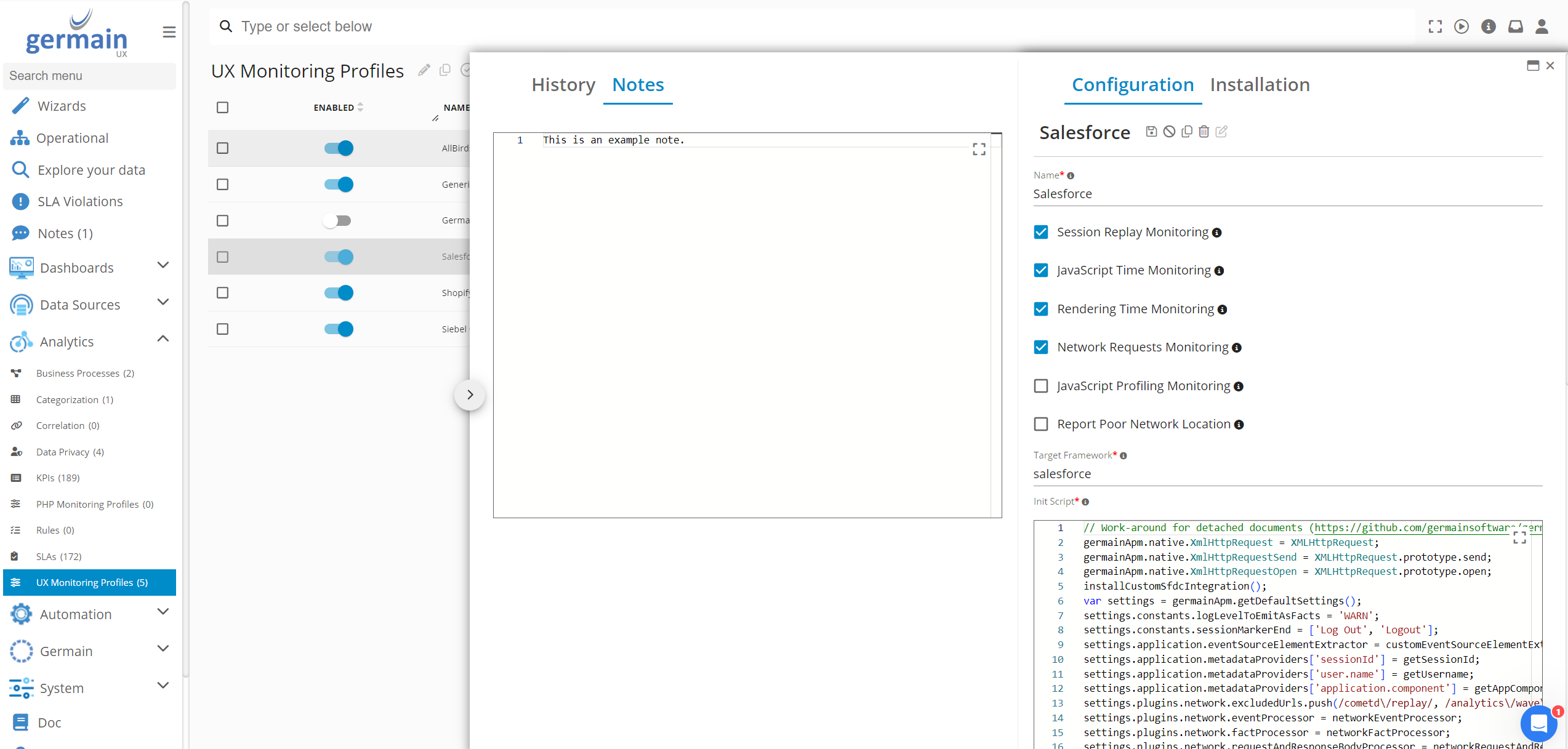
Note on configured object - GermainUX
Note On Recorded Session
Description Users can now add a NOTE by right-clicking on any portion of the Replay section, making it easier to share optimization ideas with others. Previously, users could only add a NOTE on the top horizontal bar of the replay.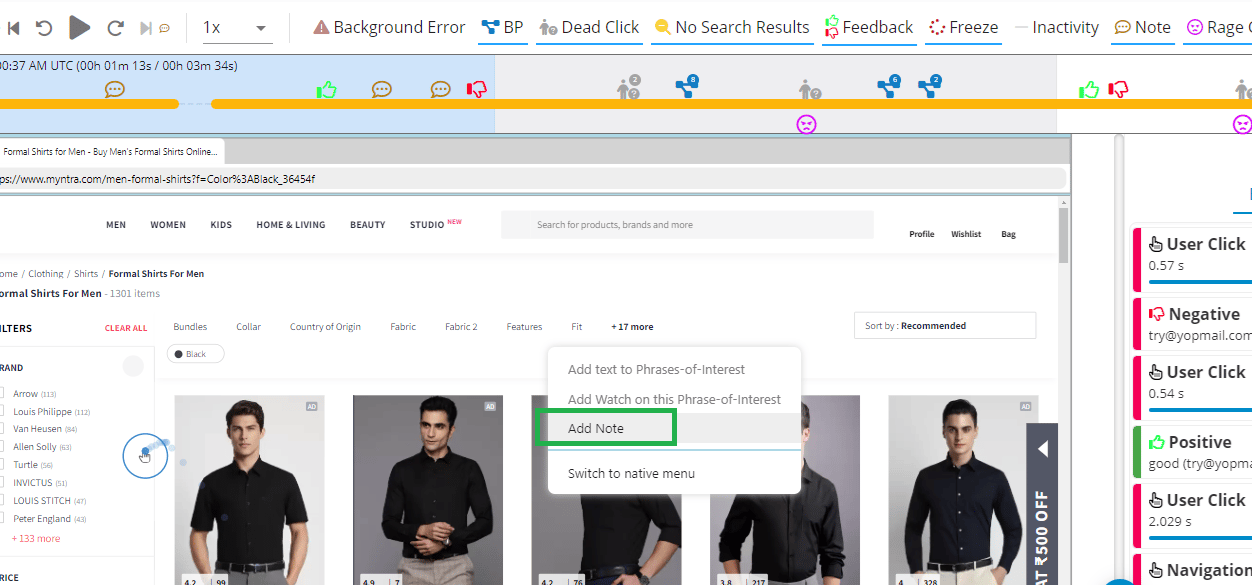
Add note on Session Replay - GermainUX
Notification Silencing (enhancements)
Description Two improvements have been made:- Silence a notification from within an email alert for the individual user only.
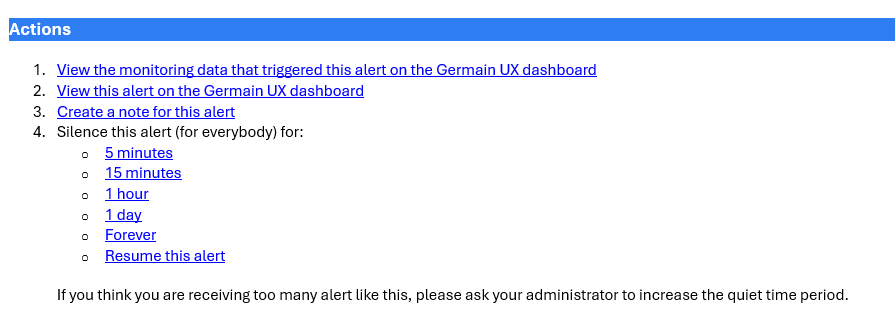
Silence an Email Alert from within the email alert - GermainUX
- Notifications can now be silenced “forever” from either the individual alert or the notification view.
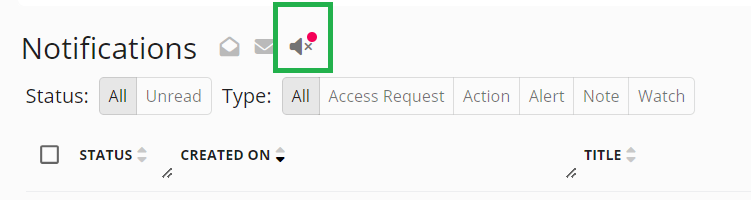
Silenced notification - GermainUX
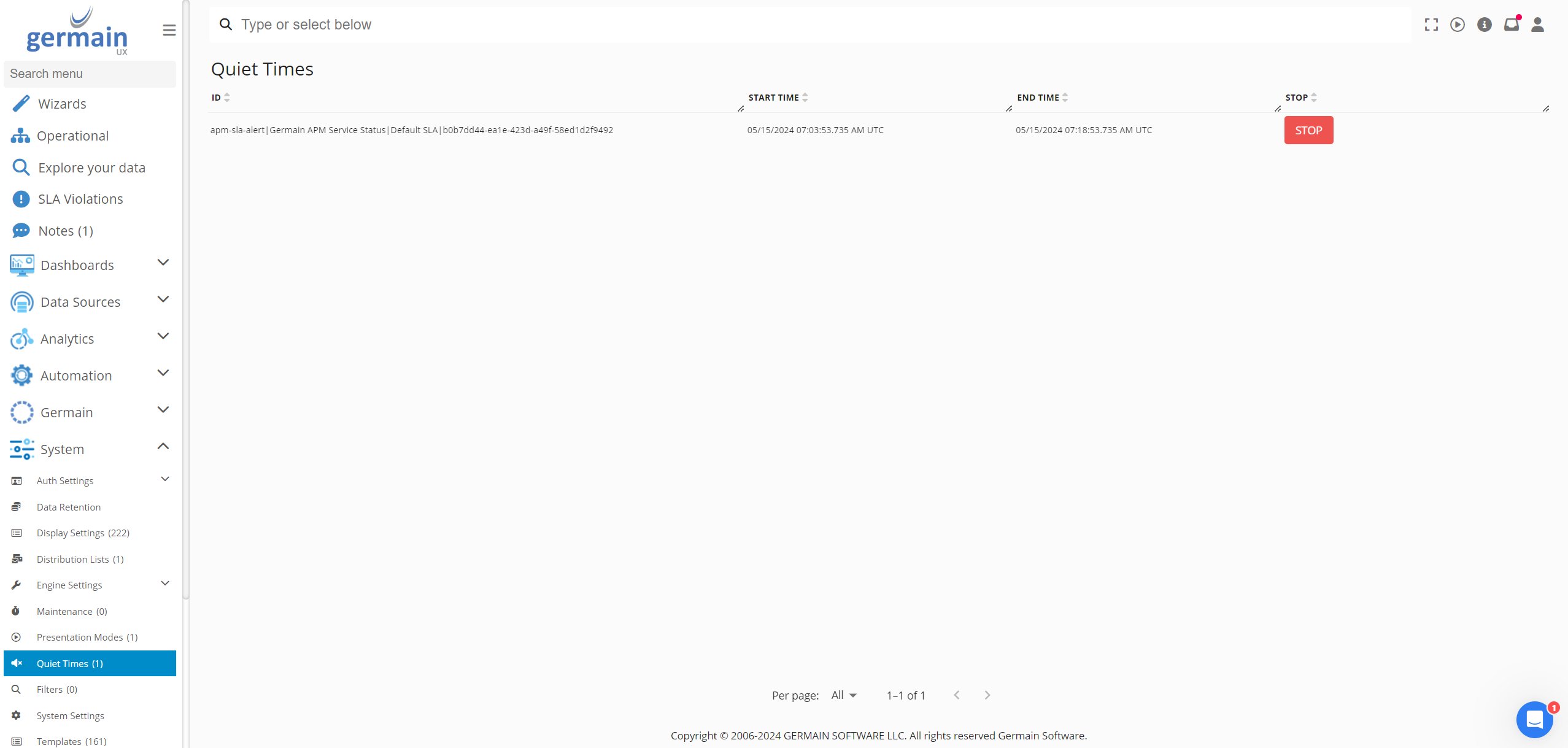
Quiet Time - GermainUX
Phrase of Interest
Description A new mechanism allows administrators to select a “phrase of interest” from within a recorded session (e.g., “Sold Out”). One that Phrase of Interest is set, you can set an alert/watch for you to be notified whenever that sentence shows up next. More details: on phrase of interest.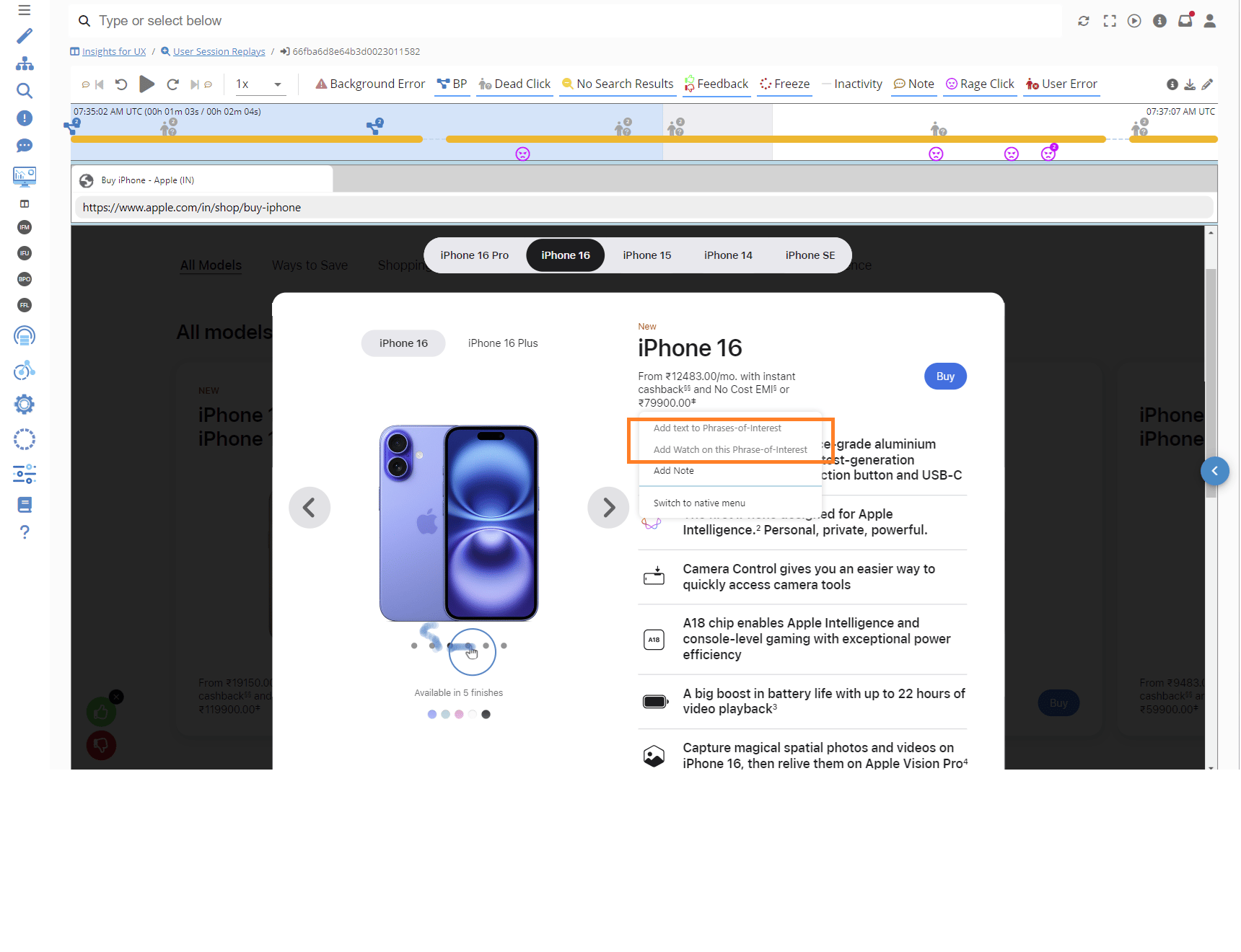
Phrase of interest example - GermainUX
Pivot and Measure Dynamic Selection (for faster data science)
Description Pivots and measures can now be added on the fly, enabling quicker data science analysis. Example: Add a Pivot / Add a Measure - GermainUX.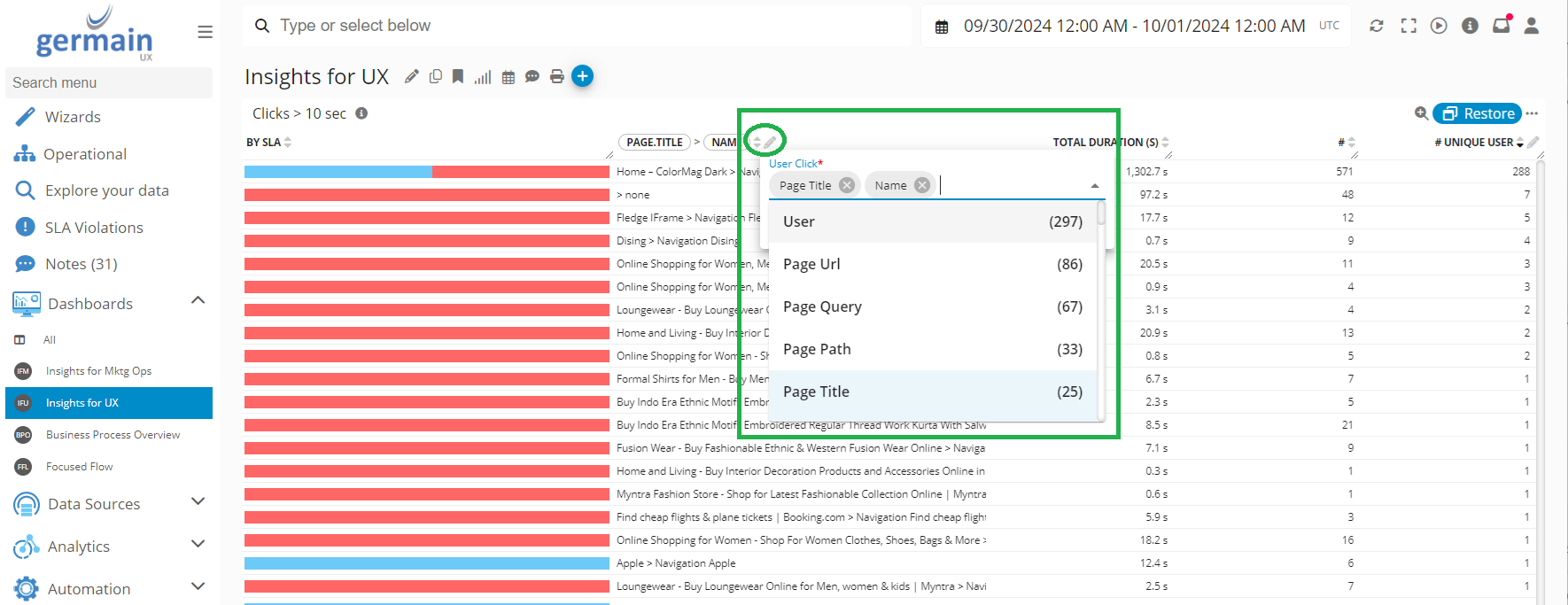
Add a Pivot - GermainUX
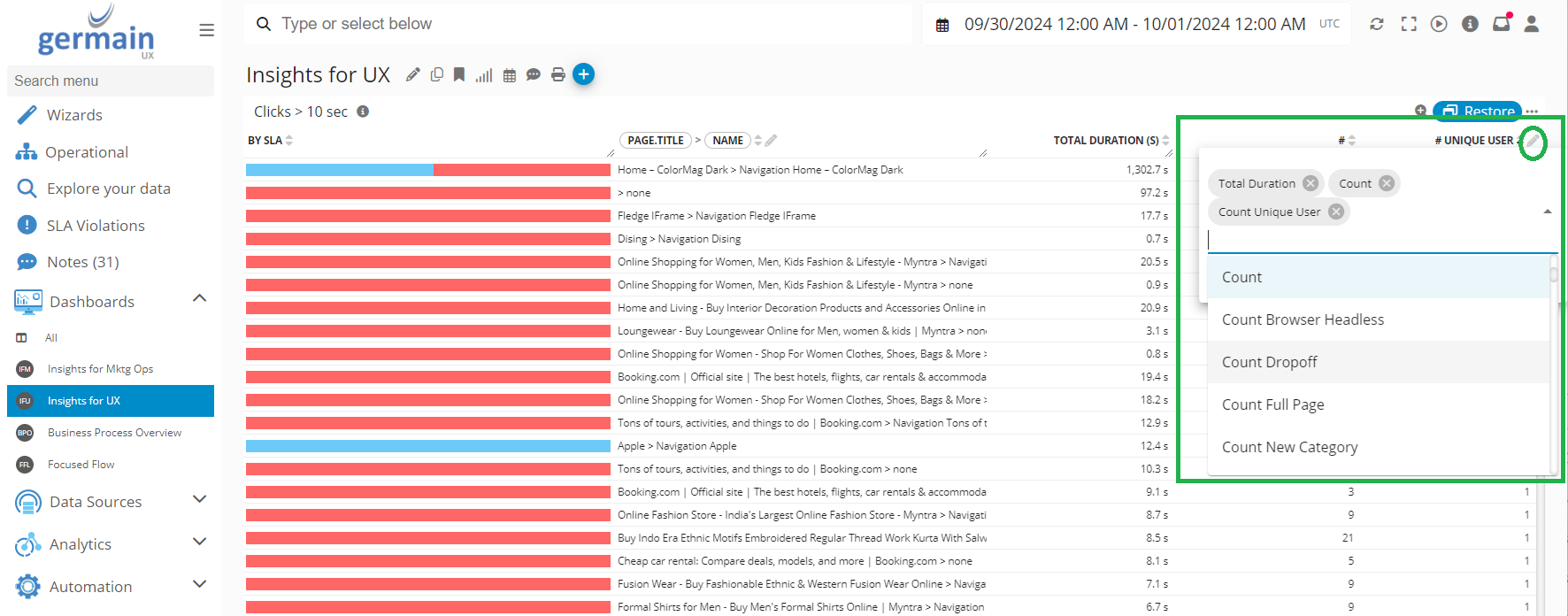
Add a Measure - GermainUX
The Worst
Description “The Worst” option now finds the worst metrics based on multiple criteria for deeper analysis.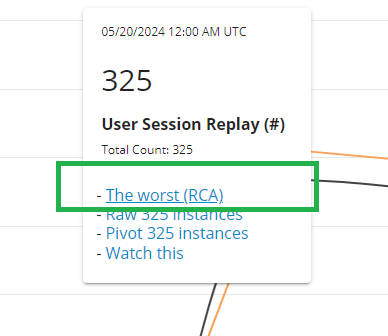
Maintenance Features
Disaster Recovery
Description Details of the disaster recovery approach for clients, including the setup of active and passive instances of GermainUX.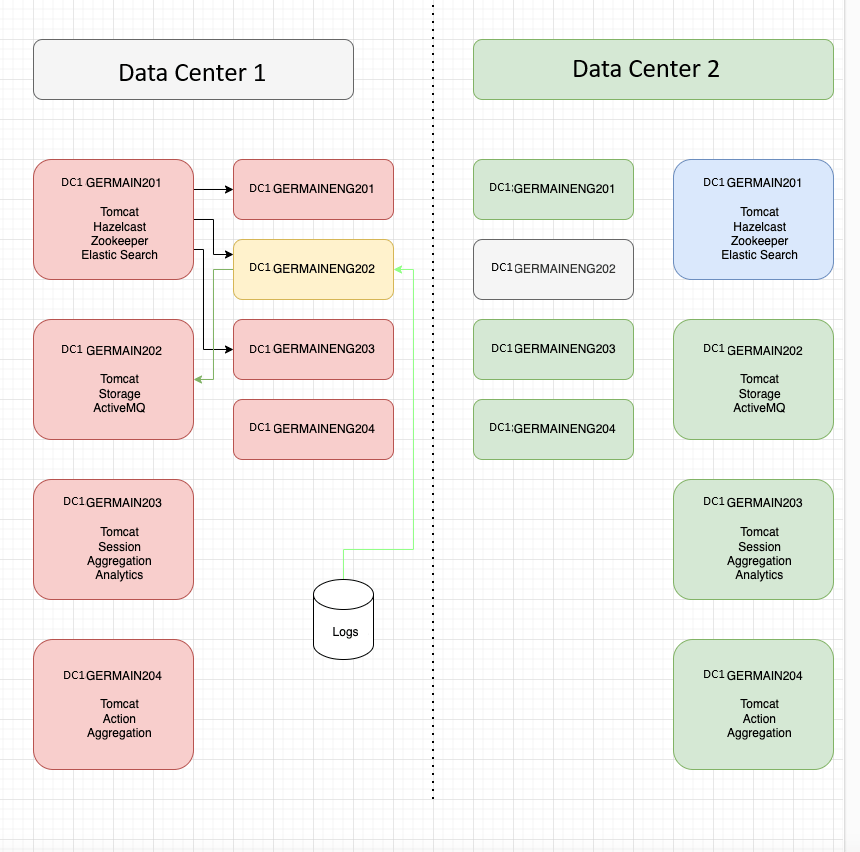
Elasticsearch SaaS
Description GermainUX now supports Elasticsearch SaaS as a datastore option, alongside the on-premise version. More details: Elasticsearch SaaS in GermainUX.Kafka (now replacing ActiveMQ)
Description The transition to Kafka for messaging is complete, and ActiveMQ is no longer supported as of the 2024.2 release. More details about GermainUX’s architecture.Marketplaces
Shopify Marketplace
Description GermainUX is now available on the Shopify Store!Microsoft Marketplace
Description GermainUX is now available on the Microsoft Store!Security and Vulnerabilities Fixes
Get Help
Contact GermainUX Support
Can't find what you need?
The content of this document is proprietary to GERMAIN SOFTWARE.