

BigCommerce
Monitoring & Analytics
Genesys CTI
Monitoring & Analytics
Magento
Monitoring & Analytics
Salesforce Resource Usage & State
Monitoring & Analytics
Salesforce Experience Cloud
Monitoring & Analytics
Shopify (How to improve your Adoption)
Monitoring & Analytics
SquareSpace
Monitoring & Analytics
Wix
Monitoring & Analytics
WooCommerce
Monitoring & Analytics
Running a Component from Workspace
Maintenance
Monitoring & Analytics - BigCommerce
Germain can now monitor, analyze and improve BigCommerce sites in real-time, 24x7. More details about Insights and how to deploy GermainUX for BigCommerce.Monitoring & Analytics - Genesys CTI
Environment
- Custom Genesys CTI (APIs, Workspace Web Edition) and integrated to Salesforce Cloud
https://docs.genesys.com/Documentation/GC/latest/Agent/QuickStart - Salesforce Cloud Lightning
https://www.salesforce.com/campaign/lightning/
Problem with Genesys CTI
The client was experiencing issues with its CTI (Genesys)-Salesforce integration and custom code surrounding it. Initially designed to enhance the user experience for Salesforce (SF) users, the custom code led to numerous issues. Despite significant time spent by SF Users and IT Dev Teams troubleshooting, only a fraction of the issues were resolved, largely due to a lack of insights. While SF logs provide insight into backend operations, they do not illuminate user experiences or the interaction between users and the SF cloud infrastructure. At a high level:- A user logs into WWE (Genesys), and a JS page loads. Telephony events pass through a custom page on Salesforce. Custom code captures call event information, writing it to the browser’s local storage upon a specific event trigger, using the unique prefix “ACME”.
- A user logs into SFDC. The JS page loads, subscribing/posts to the browser local storage with business logic that looks up person details in SFDC. It automatically navigates the user to the Account Detail Page and writes some information in the console using the same prefix “ACME”.
Solution for Genesys CTI
Germain was initially deployed for a few pilot users to evaluate benefits before being further deployed to thousands of SF users. Germain now assists the client in identifying where a CTI transaction becomes disconnected, pinpointing the root cause in real-time. It captures scenarios leading to issues in real-time, saving crucial time for root-cause analysis and validation of fixes. Browser Console Logs (from WWE Genesys) CTI and SF transactions are captured and correlated in real-time by Germain. Errors are proactively identified before they affect SF users, and known/approved solutions are executed automatically via script, at any level of the infrastructure.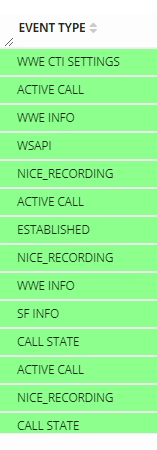
Genesys CTI Events on GermainUX
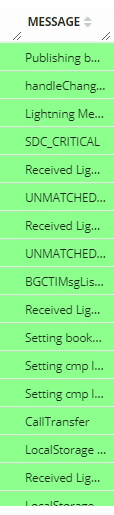
Genesys CTI Messages on GermainUX
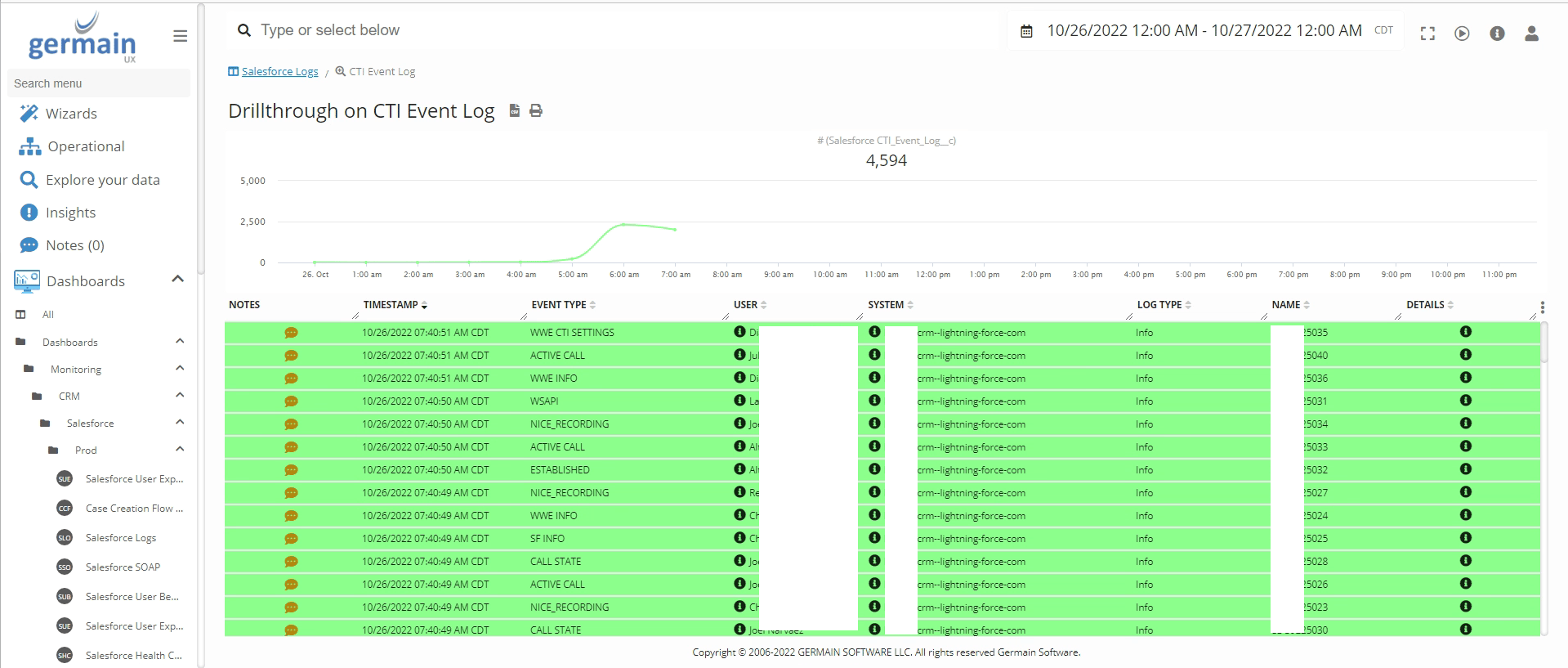
Genesys CTI event log on GermainUX
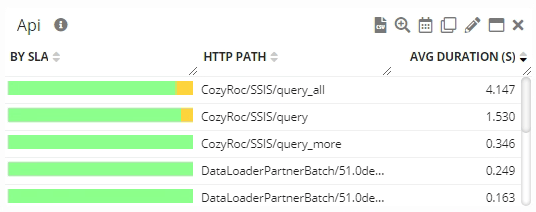
Genesys CTI Api calls on GermainUX
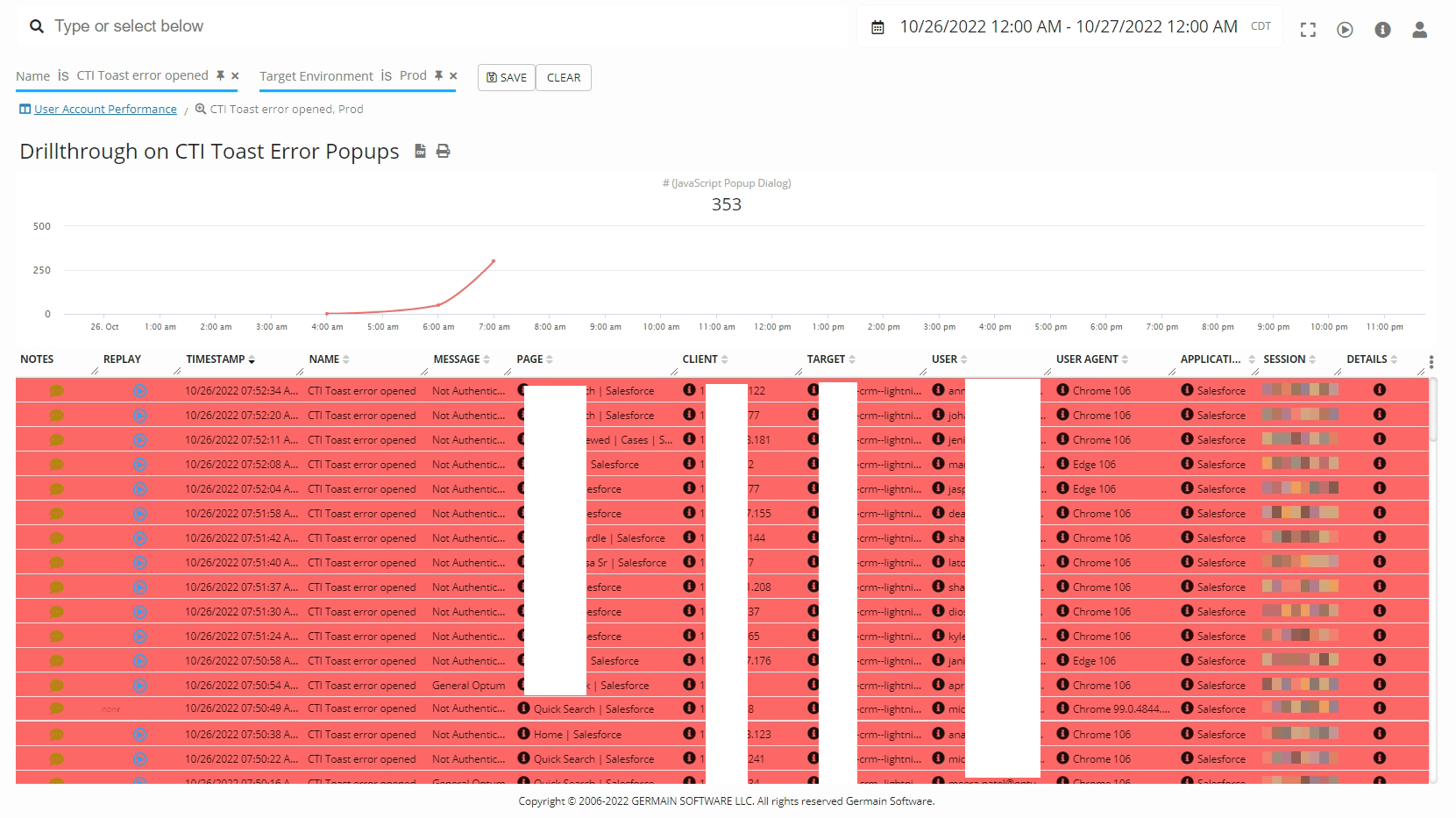
Genesys CTI Toast Errors and Session Replays on GermainUX
Monitoring & Analytics - Magento
Description Germain can now monitor real user experience, website performance, and analyze Magento eCommerce sites in real time, 24/7, with the ability to implement improvements when deemed safe by your organization.Benefits for Magento
Gain real-time, in-depth insights and take immediate action on issues that impact conversion. More details here.Configure GermainUX Monitoring for Magento
Follow these steps to deploy GermainUX monitoring on your Magento site. How to deploy GermainUX for Magento.Monitoring & Analytics - Salesforce Resource Usage & State
Description
The usage of Salesforce Cloud can be monitored in real-time by Germain, and some of the dashboards and metrics appear as follows: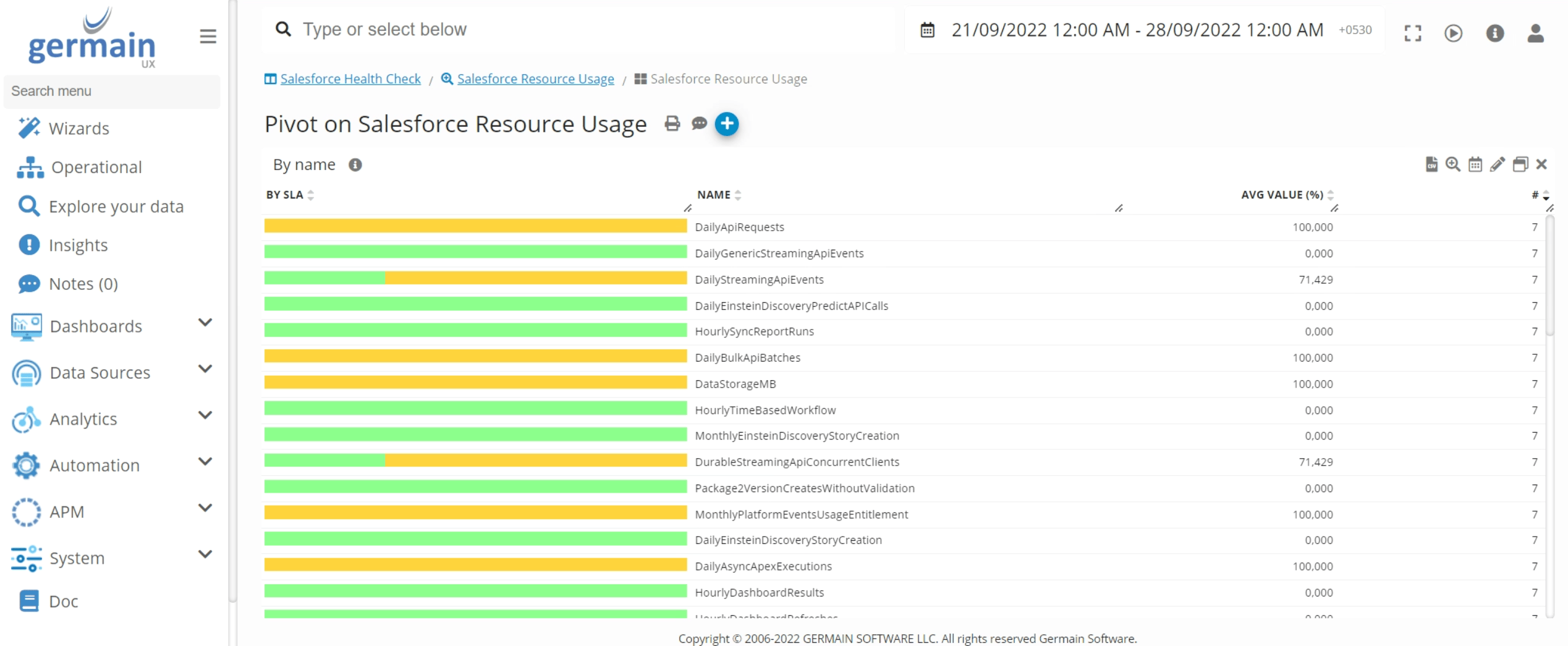
SFDC Resource Usage Insights - GermainUX
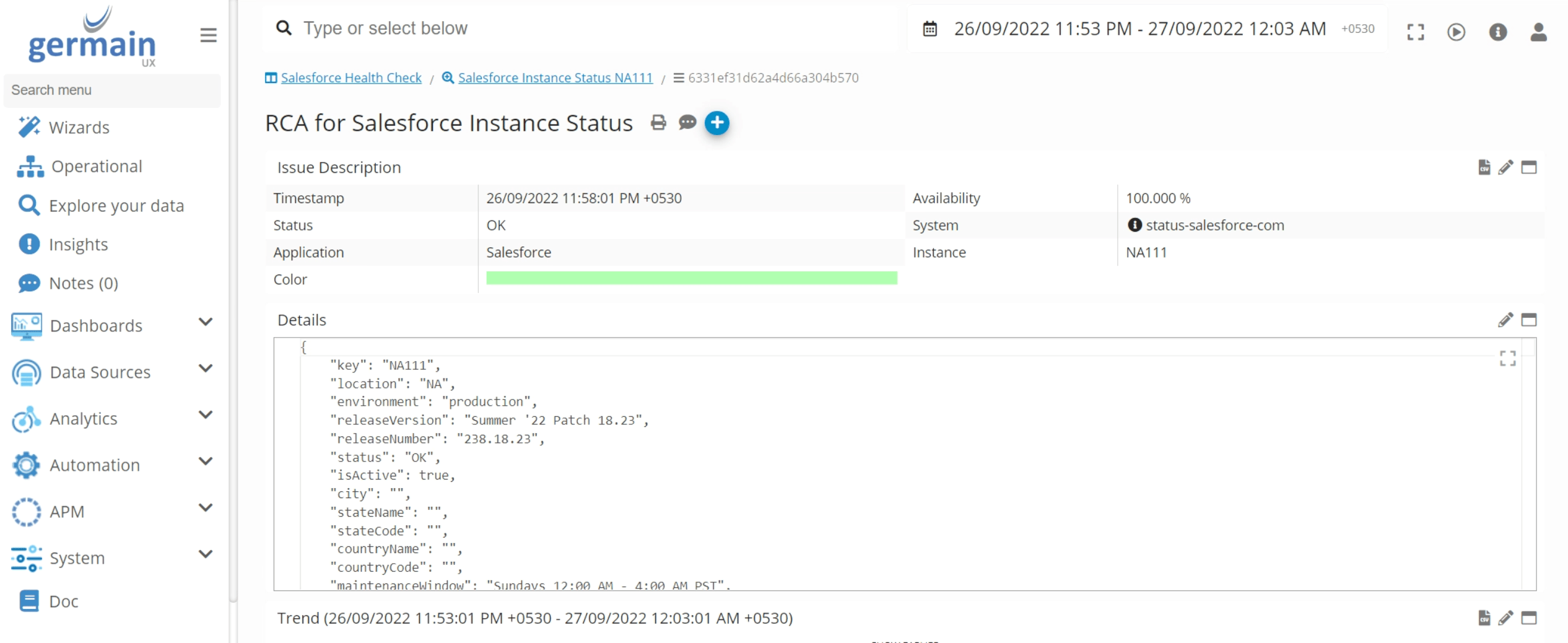
SFDC Instance Status Analysis - GermainUX
Monitoring & Analytics - Salesforce Experience Cloud
Description
Germain can now monitor, analyze, and improve the Salesforce Experience Cloud eCommerce platform in real-time, 24x7. Real Users are monitored through the injection of Germain RUM JS into the Salesforce Experience Cloud site. Additionally, other Germain Components can be used for various monitoring and automation purposes. For eCommerce sites built on the SF Experience Cloud, please refer to: Salesforce Experience Cloud Websites. More details about Insights GermainUX provides while monitoring Salesforce Experience Cloud. Some of the eCommerce sites built on SFDC Experience Cloud: https://trends.builtwith.com/websitelist/Salesforce-Experience-Cloud.Deploy Monitoring for Salesforce Experience Cloud
Here are the details on how to deploy GermainUX monitoring for Salesforce Experience Cloud.Monitoring & Analytics - Shopify (How to improve your Adoption)
Shopify Adoption Insights and Improvement
Here is a blog on how to improve your Shopify Adoption.Monitoring & Analytics - SquareSpace
Description
Germain can now monitor, analyze, and improve SquareSpace sites in real-time, 24x7.Configure Monitoring for SquareSpace
Here are details on how to deploy GermainUX monitoring for SquareSpace.Monitoring & Analytics - Wix
Description
Germain can now monitor, analyze and improve Wix sites in real-time, 24x7.Configure Monitoring for Wix
Here are details on how to deploy GermainUX monitoring for Wix.Monitoring & Analytics - WooCommerce
Description
Germain can now monitor, analyze and improve WooCommerce sites in real-time, 24x7.Configure Monitoring for WooCommerce
Here are details on how to deploy GermainUX for WooCommerce.Maintenance - Running a Component from Workspace
Germain Component can now be started directly from Germain’s workspace. More details about Germain Workspace.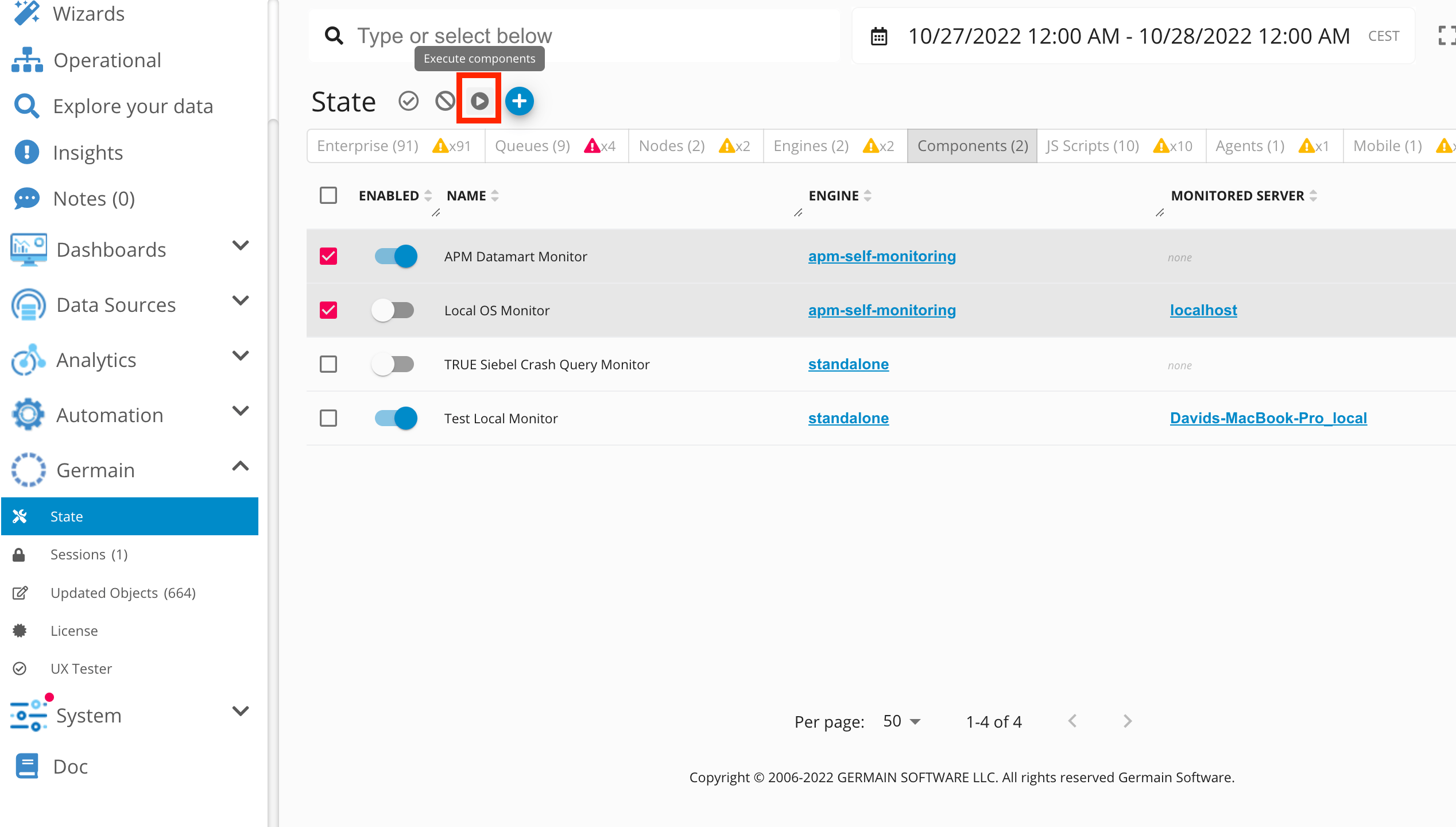
Execute GermainUX Components
Get Help
Contact GermainUX Support
The GermainUX team helps you get up and running faster, empower your team, turn data into actionable insights, and optimize performance to deliver measurable business outcomes.
Can't find what you need?
Search all GermainUX docs with Ctrl + K, or use the feedback buttons at the bottom of this page to tell us what is missing.
The content of this document is proprietary to GERMAIN SOFTWARE.