

NPM package
Maintenance
Bot/Crawler Agent Exclusion (Googlebot, Yandex bot, etc)
Monitoring & Analytics
Disable UX via an IP address
Monitoring & Analytics
SEO/Campaign insights (Google Analytics UTM)
Monitoring & Analytics
User Feedback (NPS)
Monitoring & Analytics
Maintenance - NPM package
Description
Germain is now available as NPM package, to ease integration with reactjs, vuejs, angular, etc. https://www.npmjs.com/package/@germainapm/germain-webux-sdkMonitoring & Analytics - Bot/Crawler Agent Exclusion (Googlebot, Yandex bot, etc)
Description
You can disable User Experience Monitoring for selected user agents. Utilize this feature if you prefer not to gather UX monitoring data from specific bots, crawlers, or end users’ browsers.By default we exclude the following bots:
- Baiduspider
- Bingbot
- DuckDuckBot
- Exabot
- facebot and facebookexternalhit
- Googlebot
Show all 10
Show all 10
- ia_archiver
- Sogou
- Slurp
- YandexBot
Exclude Bot/Crawler Agent
Here are details on how to exclude Bot/Crawler.Monitoring & Analytics - Disable UX via an IP address
Description
Germain now has the ability to disable monitoring of a named user, using that user’s IP address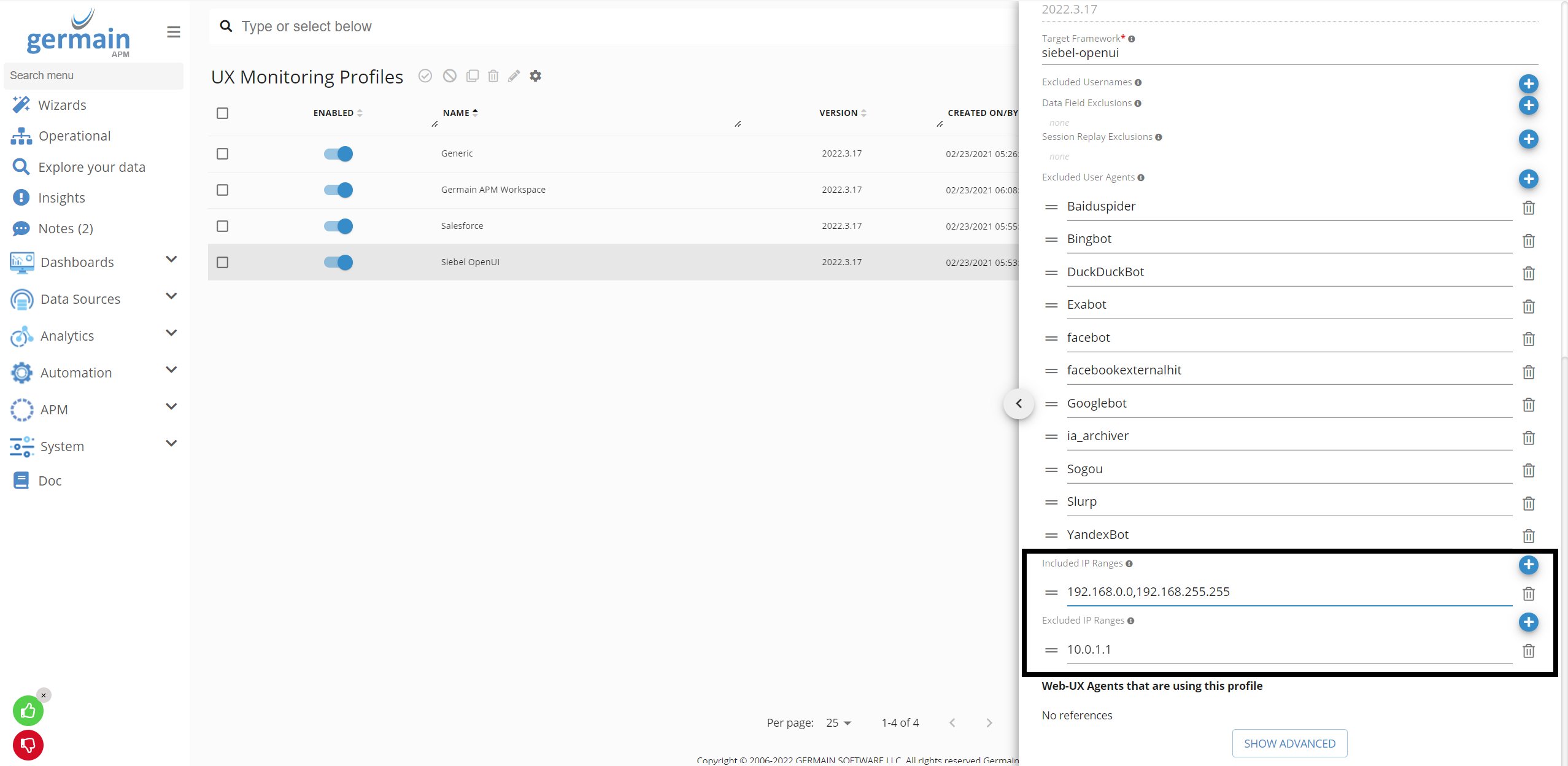
Disable IP address on UX Monitoring Profiles - GermainUX
Disable IP address
Here are details on how to disable IP Address.Monitoring & Analytics - SEO/Campaign insights (Google Analytics UTM)
Description
This enhancement collects Search Engine Optimization (SEO) Campaigndata from the monitored website. You can then identify the User Session Replay(s) that are related to a given marketing campaign, better focus your analysis and ux or other conversion issues (instead of spending hours or days watching replays without knowing whether those replays are directly related to a campaign).Configure Google UTM for SEO Insights
Here are details on how to configure Google UTM.SEO Audit
And details on how to do an SEO Audit with GermainUX.Monitoring & Analytics - User Feedback (NPS)
Description
Germain’s real ux monitoring feature now includes this Real User Feedback feature that allows end-user to share their thought/experience. A few month ago, that feature only allowed user to click Thumb Up/Down, this new enhancement is about letting the user to write a sentence and optionally enter his/her email address. Also note that this user’s feedback goes straight back onto Germain dashboard (on the replay session, aggregate and drill through dashboards)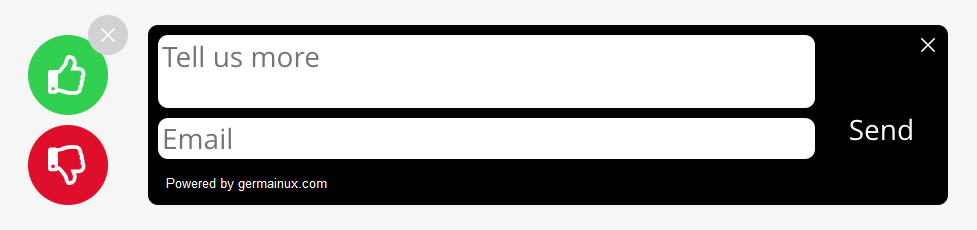
Enable Feedback Popup
Here are details on how to enable GermainUX’s Feedback Popup.Get Help
Contact GermainUX Support
The GermainUX team helps you get up and running faster, empower your team, turn data into actionable insights, and optimize performance to deliver measurable business outcomes.
Can't find what you need?
Search all GermainUX docs with Ctrl + K, or use the feedback buttons at the bottom of this page to tell us what is missing.
The content of this document is proprietary to GERMAIN SOFTWARE.