

Real UX Monitoring, Insights and Replay
Documentation
Audit Trail
Maintenance
Modularized Engine Components
Maintenance
Powershell
Maintenance
Upgrade Mechanism (r&d)
Maintenance
Microsoft Dynamic 365
Monitoring & Analytics
Mulesoft
Monitoring & Analytics
Sprinklr
Monitoring & Analytics
Start/Stop/Uninstall UX api
Monitoring & Analytics
Documentation - Real UX Monitoring, Insights and Replay
Description
Updated online doc of Germain Germain’s Real User Experience Monitoring & Replay: User Session Monitoring, Replay & 6 HeatmapsMaintenance - Audit Trail
Description
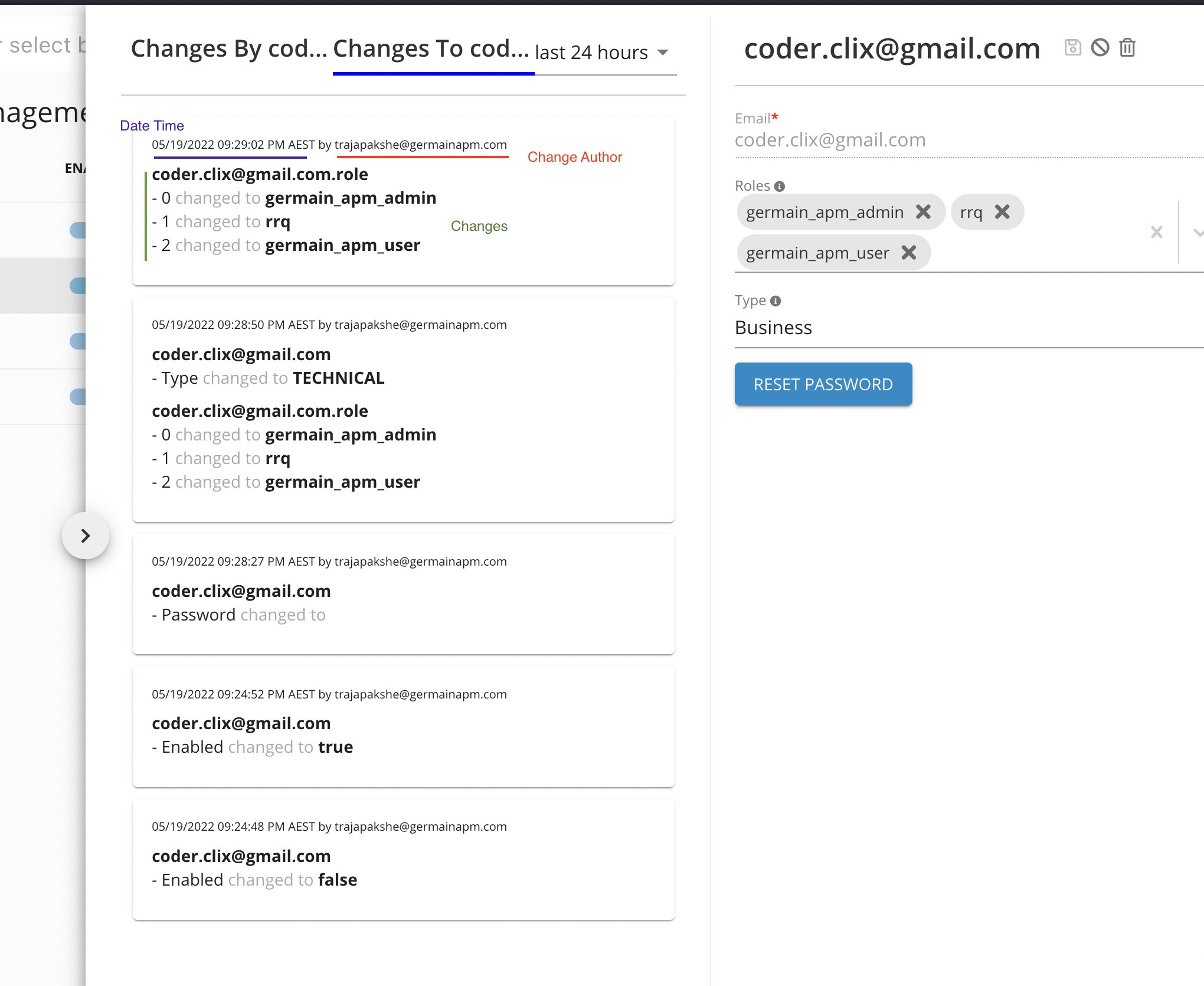
Audit Trail is now available to track changes that are made to any Germain users, such as- Delete user
- Create user
- Update user
- Update email
- Reset Password (or change)
- Enable/Disable user
How-to-use
- Log on to Germain > Left Menu> Systems > Auth settings > users
- Click on a user. The user config panel will open
- Open the History panel by clicking (<)

- Select “Changes to …” tab
Reminder
Audit Trail is available for any other Germain Object that are configurable via the Germain workspace/dashboard, and that Audit Trail is accessible a similar way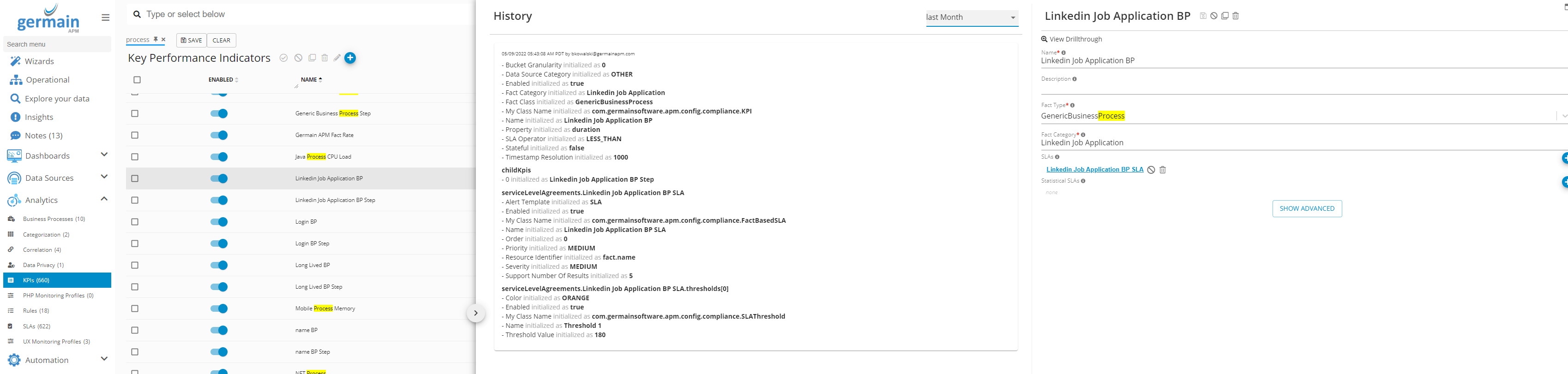
Maintenance - Modularized Engine Components
FYI. This isn’t ready yet but has been is in the work since the start of the month.Problem
- Different monitoring components pull in a lot of 3rd party dependencies. This can expose our engines to vulnerabilities which require a full engine upgrade to resolve
- Because we want to be able to compile / validate rules from our workspace, our server also has a dependency on monitoring components. This means we’re also pulling 3rd party dependencies into our web application / server
Solution
- Break up components core into smaller plugins for specific applications technologies (i.e., Salesforce, Kubernetes, Docker, etc.)
- Each plugin is dependent on a small components-core module which defines interfaces and shared classes
- Plugins can pull in external dependencies as needed (e.g.Apache Camel)
- Plugins can provide custom components and rules (e.g., Salesforce Event Monitor)
- Plugins have their own version independent of Germain engines, so we can deploy patches to just the plugins if necessary
Maintenance - Powershell
Problem
The current Windows OS monitor runs a Powershell process for each of the Germain’s OS commands. The OOTB Windows OS monitor has 16 commands, so this would essentially start 16 Powershell processes each time this component runs. This adds a lot of CPU overhead as the client’s server has multiple Germain engines that run this component every minute.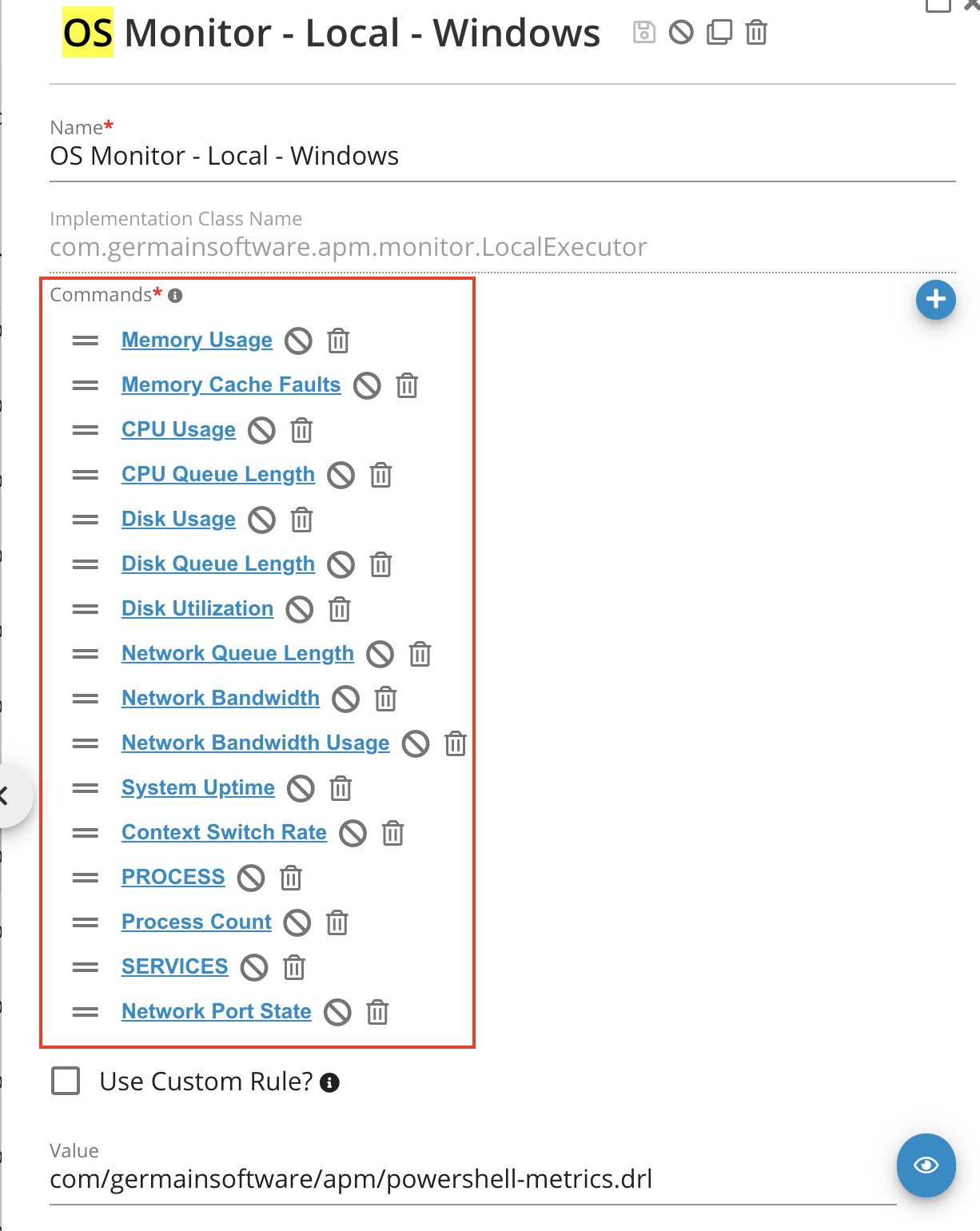
Solution
A single instance of Powershell is now used for all 16 commandsMaintenance - Upgrade Mechanism (r&d)
FYI. This isn’t ready yet but has been is in the work since the start of the month.Problem
It takes between 1 day and 3 weeks to upgrade Germain to a more recent version. Most time is spent on validating that the customer’s customization still work on the latest release.- How to store OOTB config and customizations; OOTB config is updated for each release, often conflicts with customizations
- Monitoring rules are impacted by this - impossible to keep them in config only because we can’t keep track of changes
- Tracking changes to OOTB config is hard / impossible, so not always obvious what to re-import during upgrade
- Possible to create bad config by posting invalid types [not covered below]
- For certain config objects, do not require a fixed schema (monitoring components); use key/value pair or JSON instead [not covered below]
- Automation (email, script exec, sql exec, synthetic click, etc)
- Dashboards
- 4 visualization levels (Aggregate > Pivot > Drill-through > RCA)
- Display hints
- 8 Portlets
- Data Sources (On-premise or Cloud Hardware and Software)
- JS scripts (for UX Monitoring)
- KPIs / SLAs
- Monitoring Components
- Rules (for real-time monitoring or automation)
Solution
Layer approach - store last value for each field; we already store each change as audit records.- Perform the server upgrade
- Screen to upload all OOTB configs in one step
- Automatic “rebase” or all configuration. System compares old OOTB with new OOTB and customized env config
- For each config object that has been changed in OOTB and customizations, user is prompted to pick which version to use -> manual conflict resolution via diff screen
Monitoring & Analytics - Microsoft Dynamic 365
Description
Germain is able to monitor User Experience of Microsoft Dynamic 365 in real-time and 24x7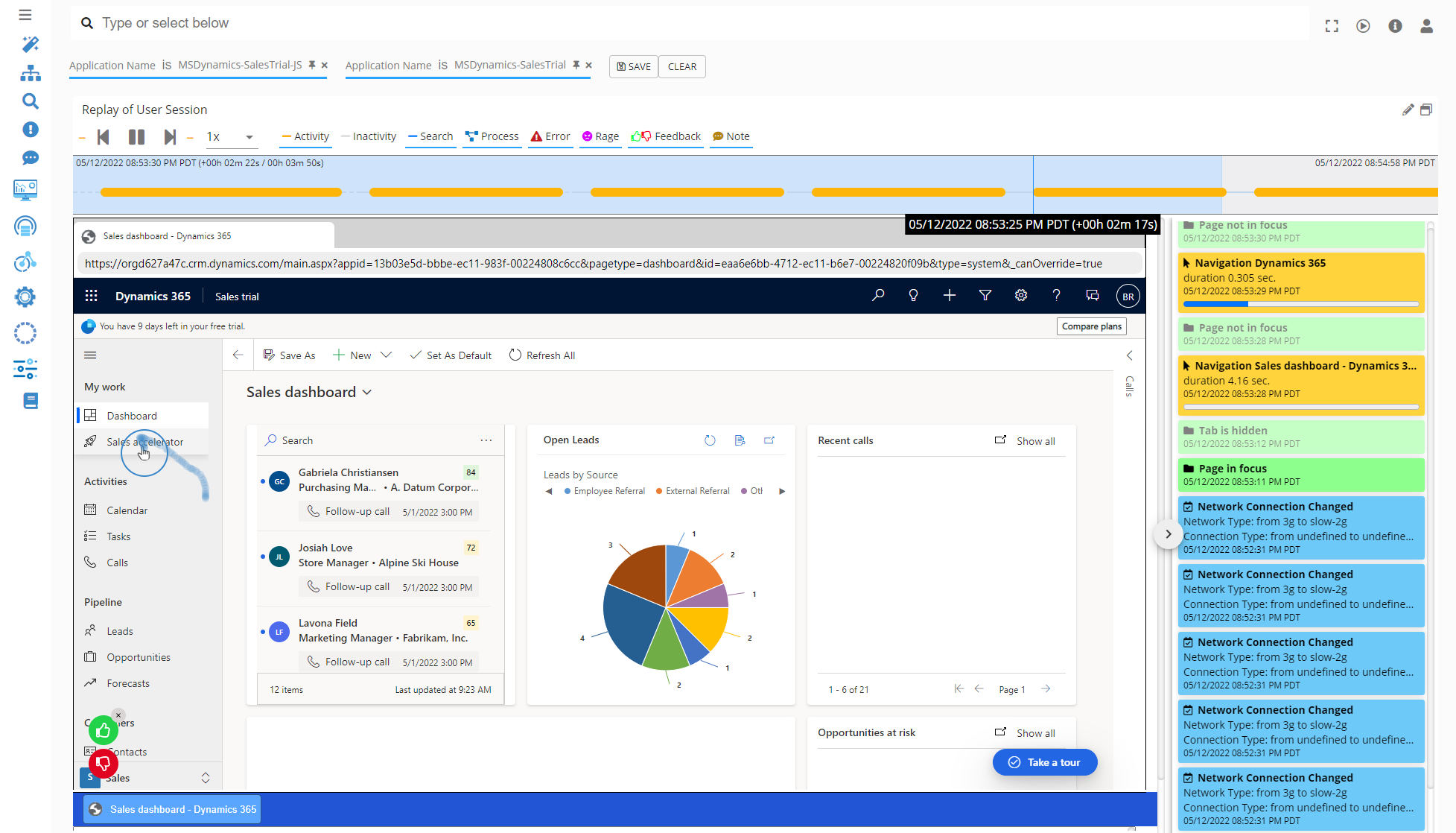
Configure
Microsoft Dynamics 365 Operational Experience IntelligenceMonitoring & Analytics - Mulesoft
Description
Germain is able to- Detect, in real-time, Mulesoft API integration failure or slowdownsthat are “real” (as opposed to receiving false positive alerts)
- Visualize and diagnose Mulesoft performance with all the flexibility they need (as opposed to using Mulesoft’s performance dashboard which does not let them slice and dice the data the way that client wants)
Monitoring & Analytics - Sprinklr
Use Case
Germain is now being used to monitor, in real time, the User Experience of Sprinklr (https://www.sprinklr.com)Monitoring & Analytics - Start/Stop/Uninstall UX api
Description
germain Germain Monitoring can be stopped/started/uninstalled on adhoc basic for named user(s) from within a Browser’s console and as following:- Stopped by calling
germainApm.stop(...) - Started by calling
germainApm.start(...) - Uninstalled by calling
germainApm.uninstall(...)
More Details
Start/StopNote
Germain Germain Monitoring automatically starts oncegermainapm.js script, that is injected on the monitored web application, is downloaded and loaded onto the user’s browser. However those start/stop/uninstall apis become very handy in some cases.
Get Help
Contact GermainUX Support
The GermainUX team helps you get up and running faster, empower your team, turn data into actionable insights, and optimize performance to deliver measurable business outcomes.
Can't find what you need?
Search all GermainUX docs with Ctrl + K, or use the feedback buttons at the bottom of this page to tell us what is missing.
The content of this document is proprietary to GERMAIN SOFTWARE.