

Detected fields and configuration
Reviewing sensitive fields
Access Sensitive-Data Detection
Opening the detection view
Detection of Stored PII
Unprotected personal data fields
Overview
GermainUX uses AI to identify collected fields that may contain sensitive information, including personally identifiable information (PII). This analysis applies across KPIs and helps administrators find potentially sensitive data that has not yet been protected.Detected fields and configuration
Detected fields can be reviewed and configured for:
These controls help organizations support privacy and compliance requirements, including those associated with GDPR, PCI DSS, PII, and other sensitive-data policies.
Access Sensitive-Data Detection
1
Log in to the GermainUX Workspace
2
Go to Analytics > Data Privacy
3
Open Detection of Stored PII
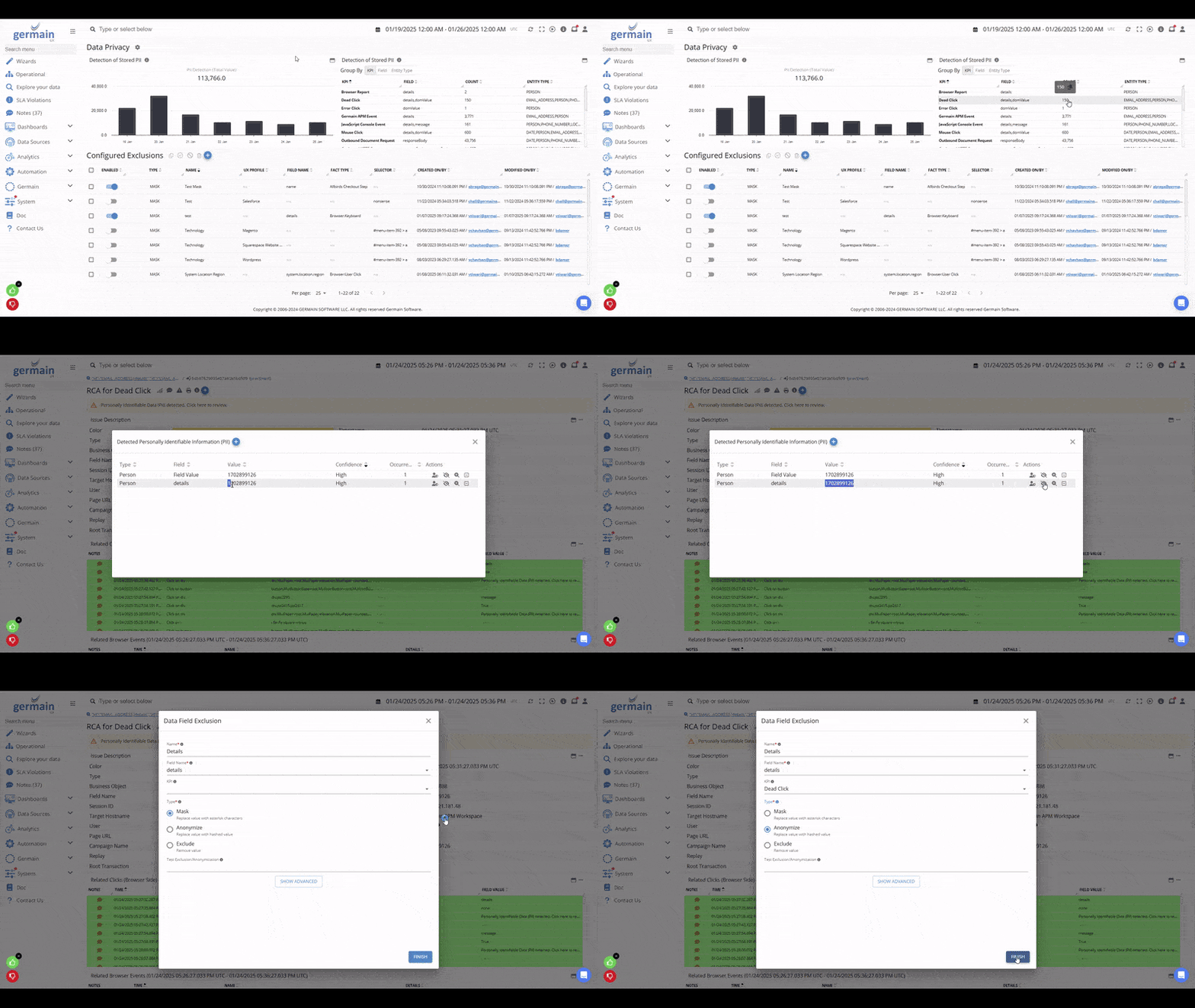
AI Detect & Anonymize Sensitive Data - GermainUX
Detection of Stored PII
This view lists unprotected fields that GermainUX has identified as potentially containing personal or sensitive information.How administrators can use the results
- Review the detected fields.
- Determine whether the information is genuinely sensitive.
- Select the appropriate privacy control.
- Prioritize fields that present the greatest privacy or compliance risk.
- Verify that sensitive information is handled according to organizational policies.
Get Help
Contact GermainUX Support
The GermainUX team helps you get up and running faster, empower your team, turn data into actionable insights, and optimize performance to deliver measurable business outcomes.
Can't find what you need?
Search all GermainUX docs with Ctrl + K, or use the feedback buttons at the bottom of this page to tell us what is missing.
The content of this document is proprietary to GERMAIN SOFTWARE.