

Digital Experience Monitoring, Observability, and Automated Analysis for BigCommerce using GermainUX
BigCommerce Uptime, Performance and User Experience Monitoring by GermainUX. Germain is capable of monitoring the uptime, performance, and user experience of BigCommerce applications. It provides you with the necessary tools to track and analyze various aspects of your BigCommerce storefront, allowing you to optimize its performance and enhance the user experience. With Germain, you can customize the monitoring parameters and configurations based on your specific requirements. This flexibility ensures that the monitoring solution aligns with your unique needs and enables you to focus on the metrics and insights that matter most to your business. Some of the features that Germain offers for BigCommerce include:Store Uptime and Performance
By monitoring the uptime, performance, and user experience of your BigCommerce application with Germain, you can identify potential issues, proactively address them, and make data-driven decisions to improve the overall performance and user satisfaction of your storefront.
Real-time Conversion Dashboard for BigCommerce eCom Top Revenue Loss Drilldown to Root-cause and Recommendations
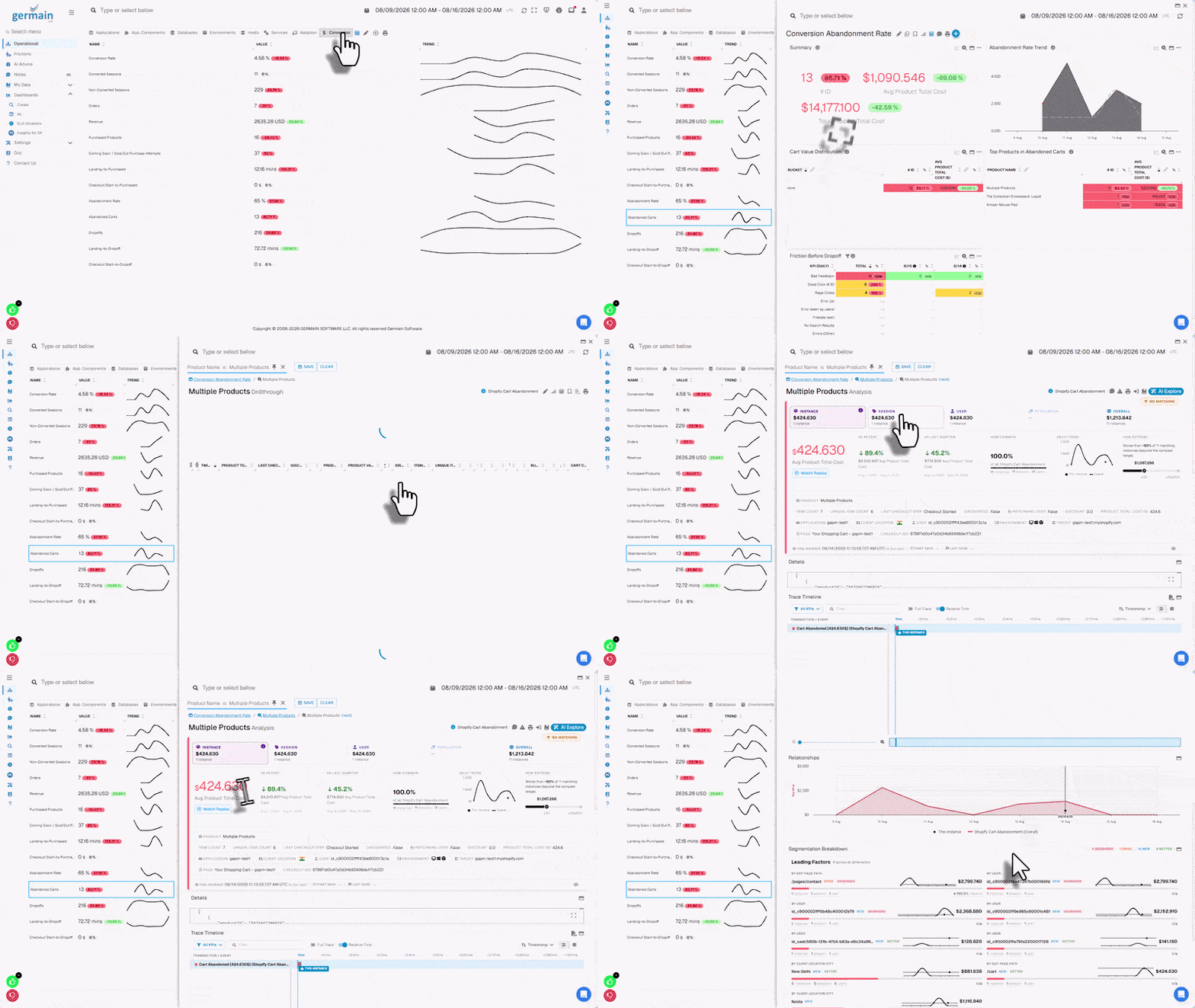
Real-time Conversion Dashboard for BigCommerce eCom → Top Revenue Loss → Drilldown to Root-cause and Recommendations - GermainUX
Website Traffic
Customer Feedback
Monitor customer reviews and ratings to gauge customer satisfaction. Analyze feedback and take necessary actions to address any issues or concerns raised by customers.Workflow
Germain allows you to track and analyze the performance and efficiency of your business processes within the BigCommerce platform. This monitoring helps you gain insights into the flow of activities, identify bottlenecks, and optimize your workflows for better productivity and customer satisfaction. With Germain’s workflow monitoring for BigCommerce, you can:Transaction Performance Comparison
When analyzing a slow or failed BigCommerce transaction, use Comparison to compare its performance with another execution of the same transaction, such as the fastest, slowest, most recent, first seen, or last seen. Comparison can reveal:- Differences in execution time for the same BigCommerce transaction
- Which steps, order-processing stages, or payment integrations caused the slowdown
- Performance differences between successful and failed BigCommerce transactions
- Errors or bottlenecks affecting BigCommerce workflows
- Potential root causes of transaction performance degradation
Additional Resources
Deploy
Monitoring or automation for BigCommerce
AI
Insights & Recommendations
Analytics
More Analytics Features
Automation
More Automation Features
Dashboards
Dashboards and reports overview
Reports
Automatic and scheduled reports
Get Help
Contact GermainUX Support
The GermainUX team helps you get up and running faster, empower your team, turn data into actionable insights, and optimize performance to deliver measurable business outcomes.
Can't find what you need?
Search all GermainUX docs with Ctrl + K, or use the feedback buttons at the bottom of this page to tell us what is missing.
The content of this document is proprietary to GERMAIN SOFTWARE.