

Use Cases
Links to related automation topics
Configure Automation
Wizards or Workspace setup
Operate and Monitor Automation
Monitor component status centrally
Use Cases
See Automated Transactions and Automated Analytics and Insights for additional use cases.
Configure Automation
Automations can be created through the Wizards dashboard or the Automation and Analytics sections of the GermainUX Workspace.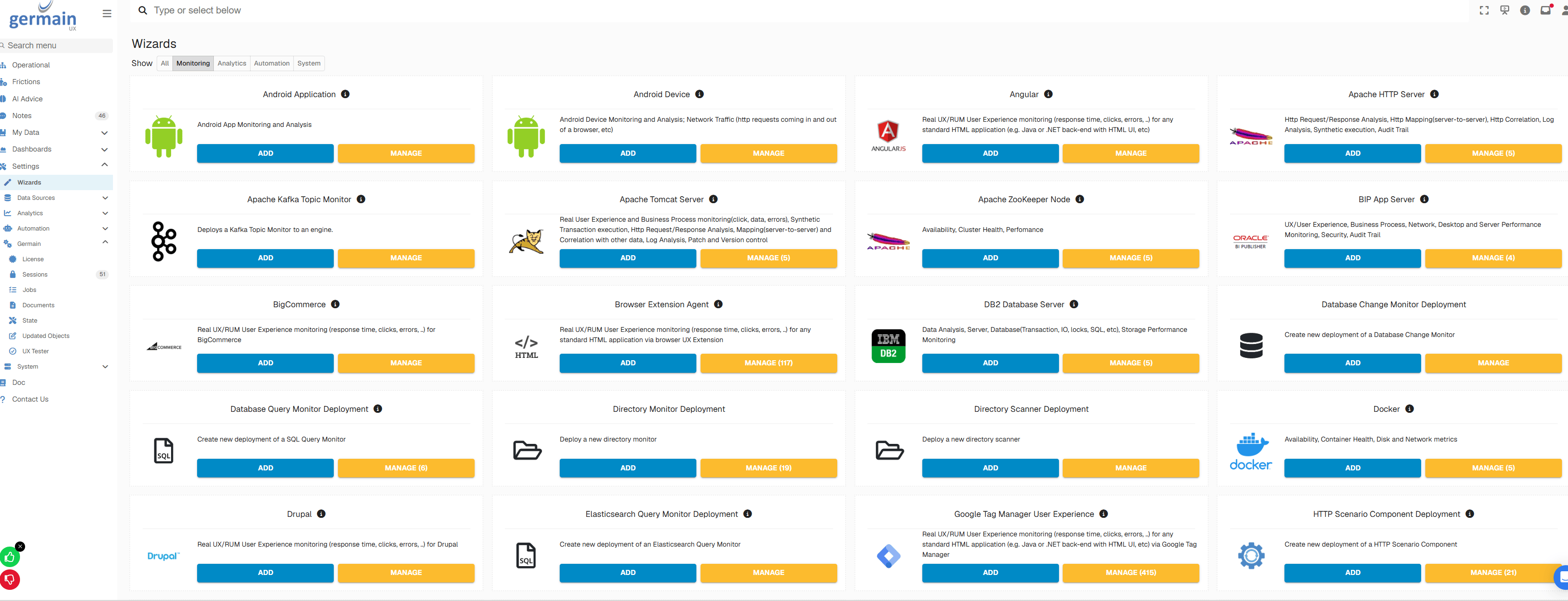
Monitoring Config Wizards - GermainUX
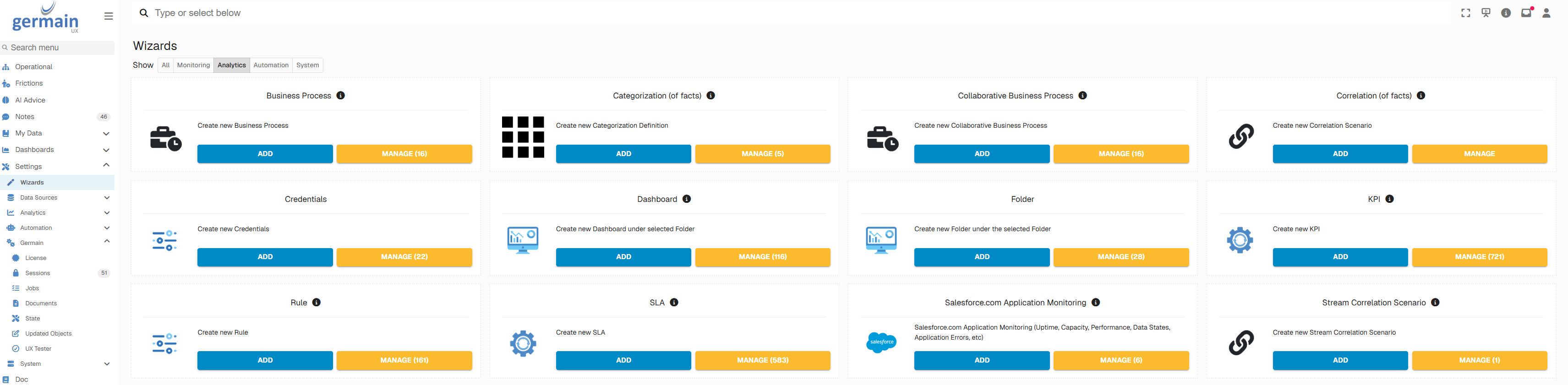
Automated Analytics Config Wizards - GermainUX
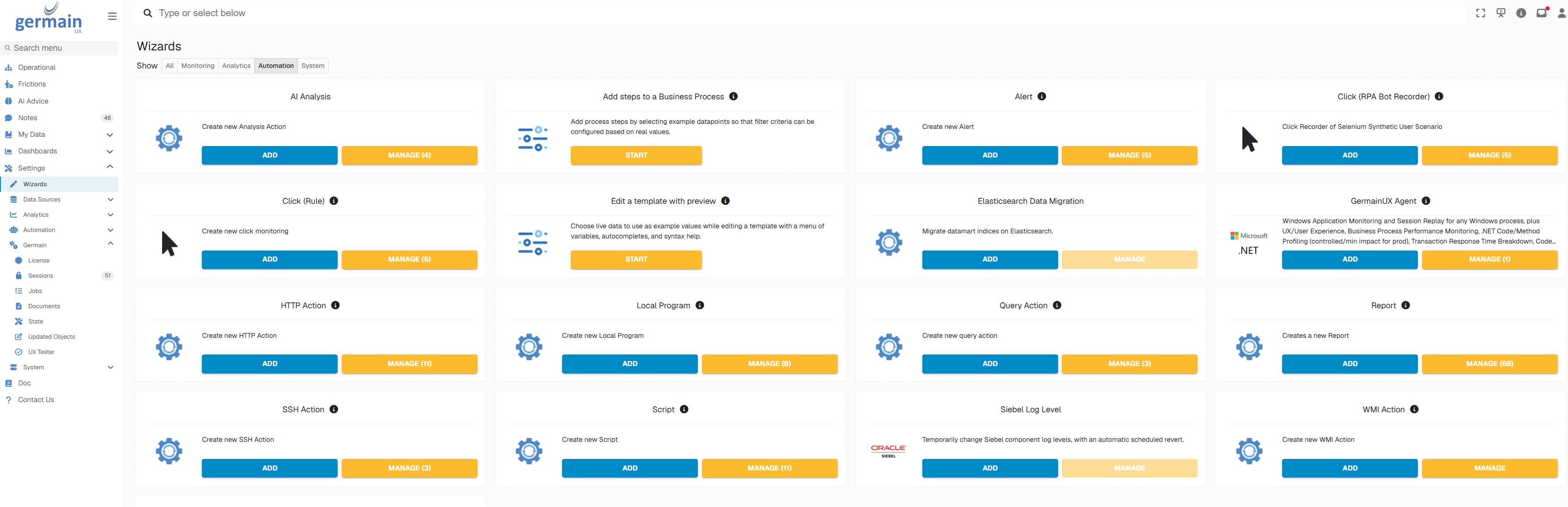
Automated Transaction Config Wizards - GermainUX
- Alerts and reports
- HTTP actions
- Local programs
- Scripts
- SQL queries
- SSH commands
Show all 10
Show all 10
- WMI commands
- Synthetic scenarios
- Rules
- Custom integrations
- Manually
- On a recurring schedule
- At a specific time
- When an SLA condition is met
- In response to another GermainUX event
Operate and Monitor Automation
The GermainUX State dashboard provides a centralized view of the operating status of analytics and automation components. From this view, authorized users can:- Verify whether components are running.
- Review their operating state.
- Inspect execution and monitoring details.
- Start or restart applicable components.
- Manage deployed configurations.
- Investigate failures.
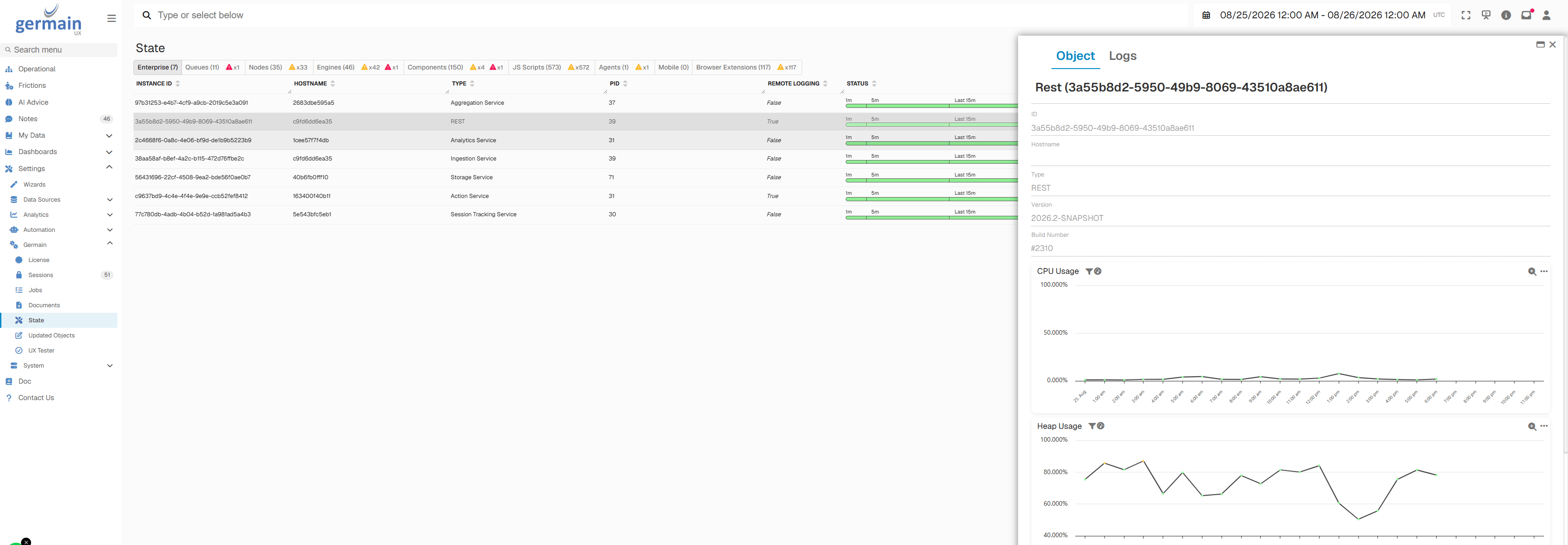
State views of GermainUX
Get Help
Contact GermainUX Support
The GermainUX team helps you get up and running faster, empower your team, turn data into actionable insights, and optimize performance to deliver measurable business outcomes.
Can't find what you need?
Search all GermainUX docs with Ctrl + K, or use the feedback buttons at the bottom of this page to tell us what is missing.
The content of this document is proprietary to GERMAIN SOFTWARE.