

Release Summary
Analysis dashboard and more
Maintenance
Upkeep and reliability work
Security and Vulnerabilities Fixes
Remediation for 2026.1 and earlier
Here is PART 2! (Part 1 was released in 2026.1)
Release Summary
The GermainUX 2026.2 release:
The two highlights of this release are:
Analysis Dashboard
The new Analysis Dashboard, which helps teams resolve adoption, conversion, productivity, and technology issues faster!
Real User Monitoring for Windows Application
GermainUX’s new proprietary Real User Monitoring and Session Replay for Windows applications!
Digital Experience Analytics and Automation Features
Analysis Dashboard
Customers: Most customers have been asking for this
- Reduce analysis time by 30–70%.
- Determine whether an issue is abnormal, seasonal, isolated, or widespread.
- Automatically identify related KPIs and the user segments most affected.
- Diagnose technology, workflow, and user-experience issues in one place.
- Move seamlessly from trends and business impact to individual traces and Session Replay.
- Eliminate manual spreadsheet analysis, guesswork, and switching between tools.
- Prioritize fixes based on the number of users, sessions, journeys, and business outcomes affected.
- Provide developers and business teams with clear evidence for faster resolution.
Ultimately, the Analysis Dashboard helps organizations improve application adoption, e-commerce conversion, and employee productivity by identifying what is hurting performance, why it is happening, who is affected, and what should be fixed first.
Examples:
- Cart Abandon Rate
- User Experience Issue
- Wasted Time on eCommerce
- Slow Click
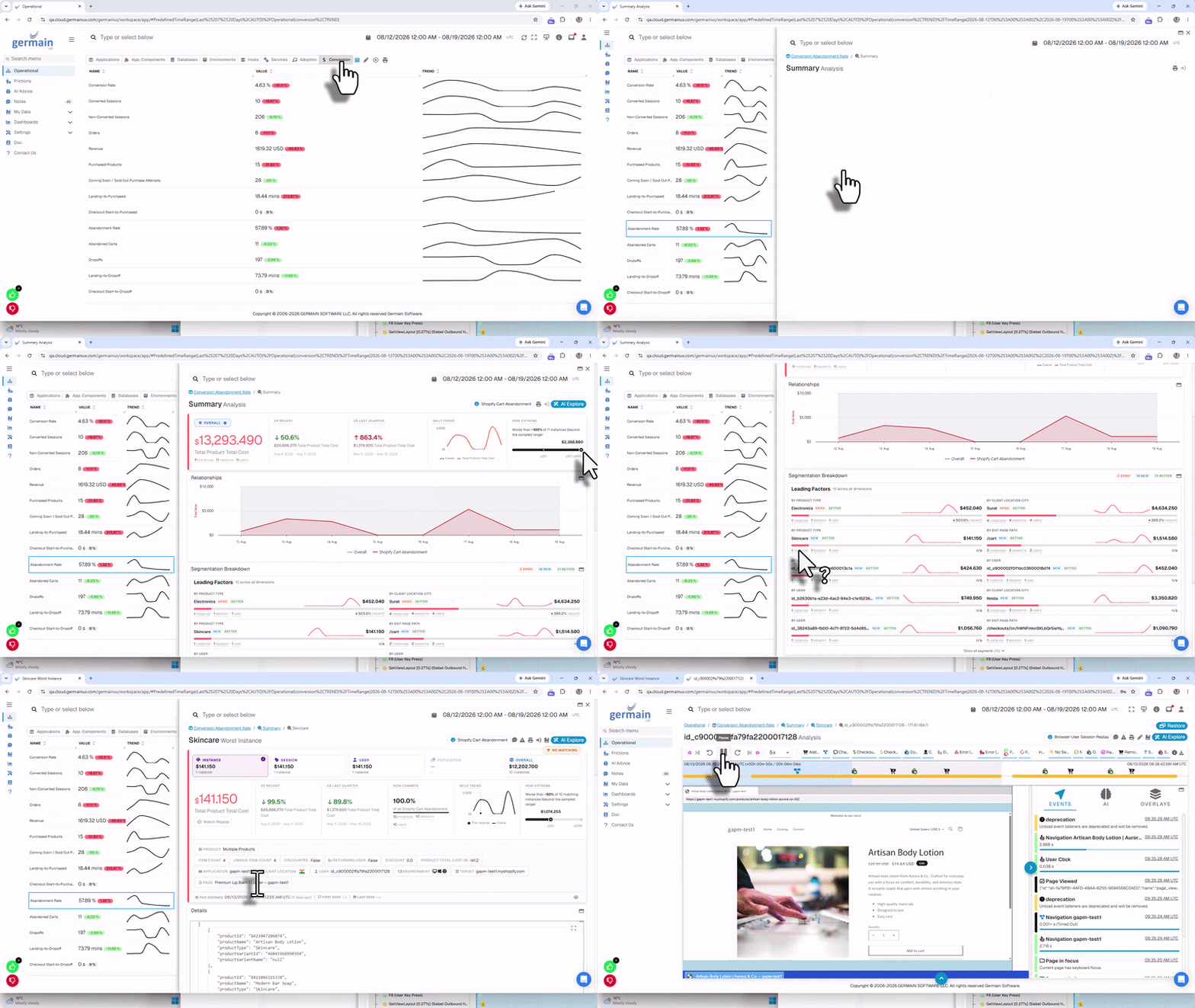
Cart Abandon Rate Analysis on eCommerce - GermainUX
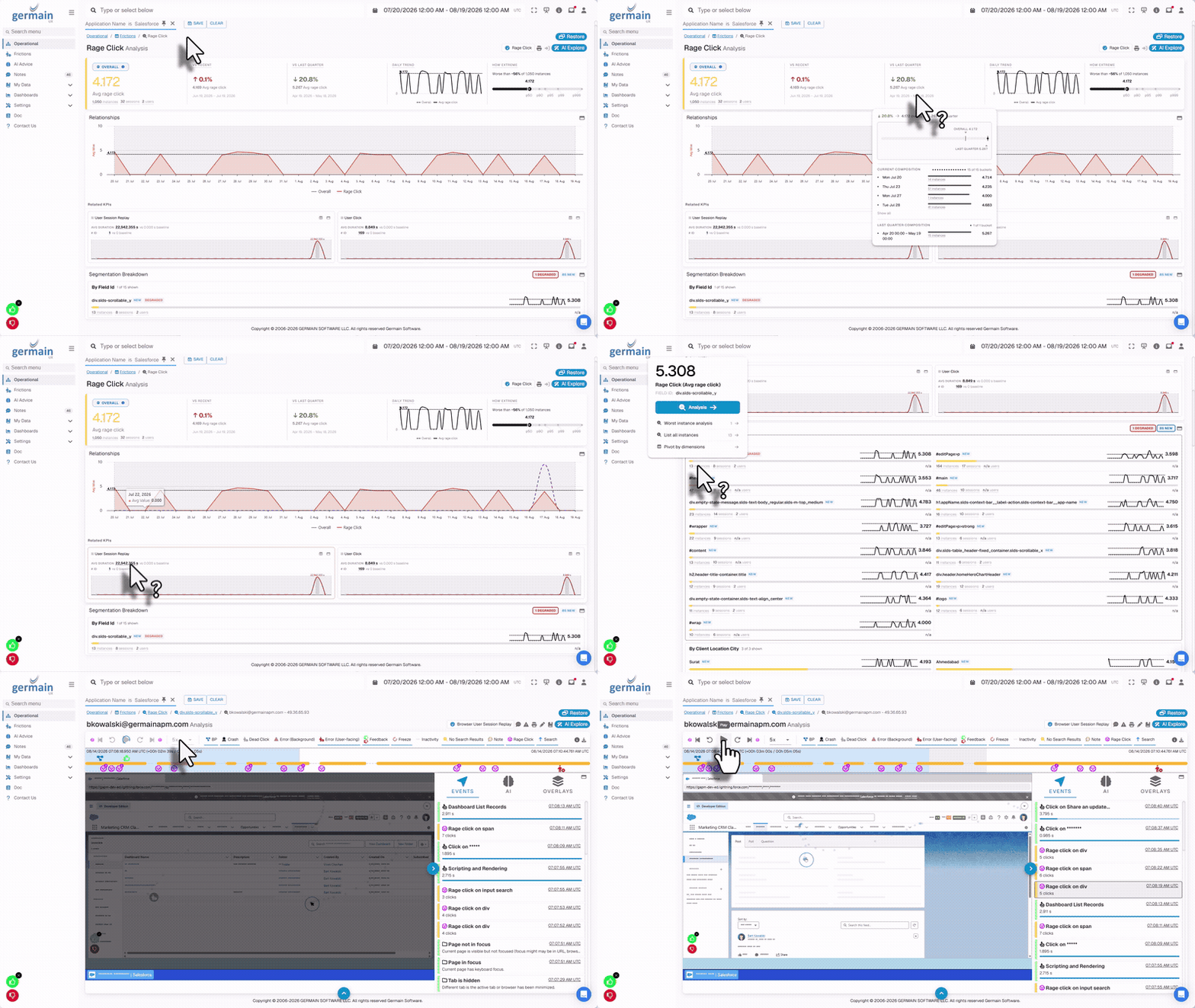
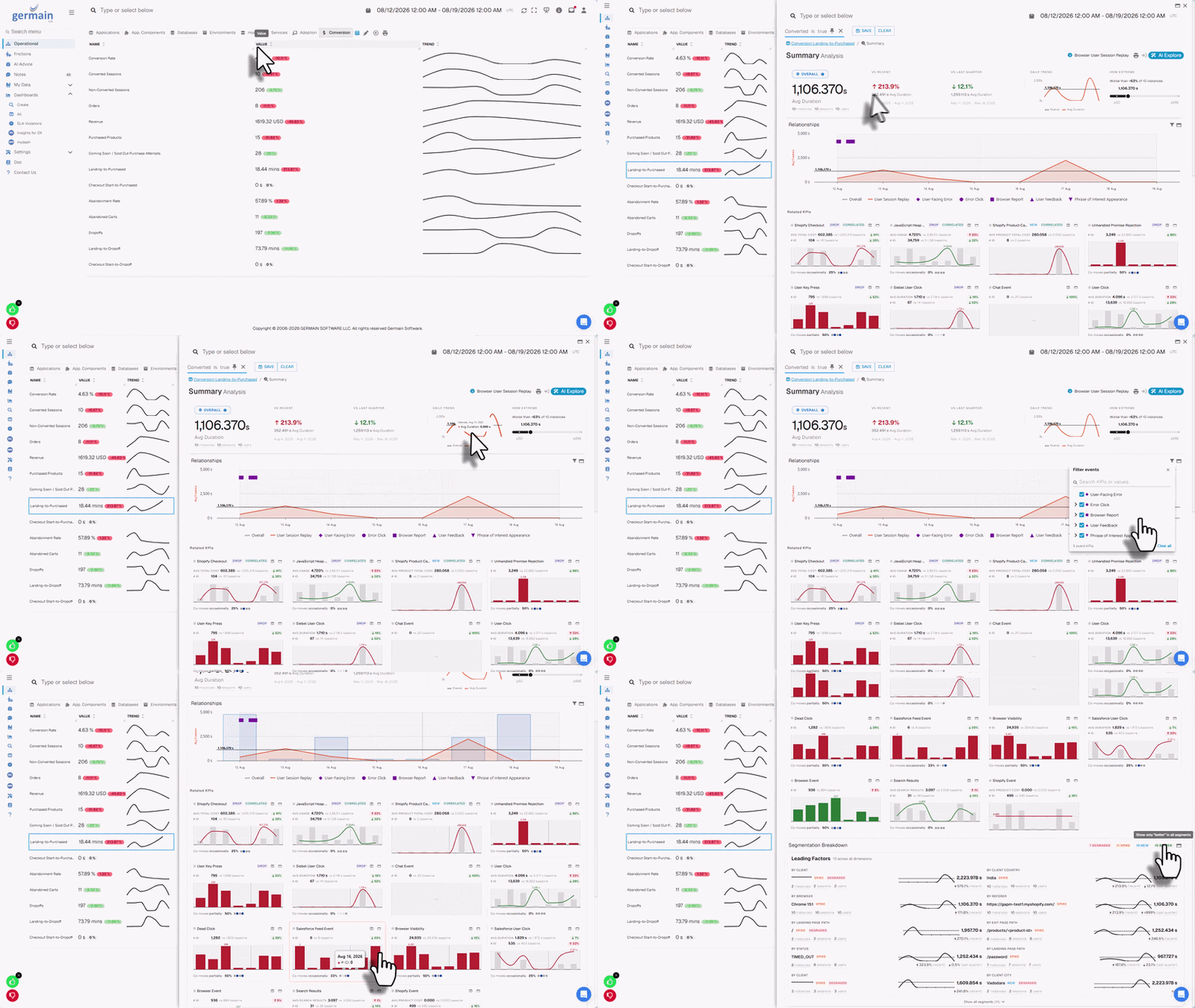
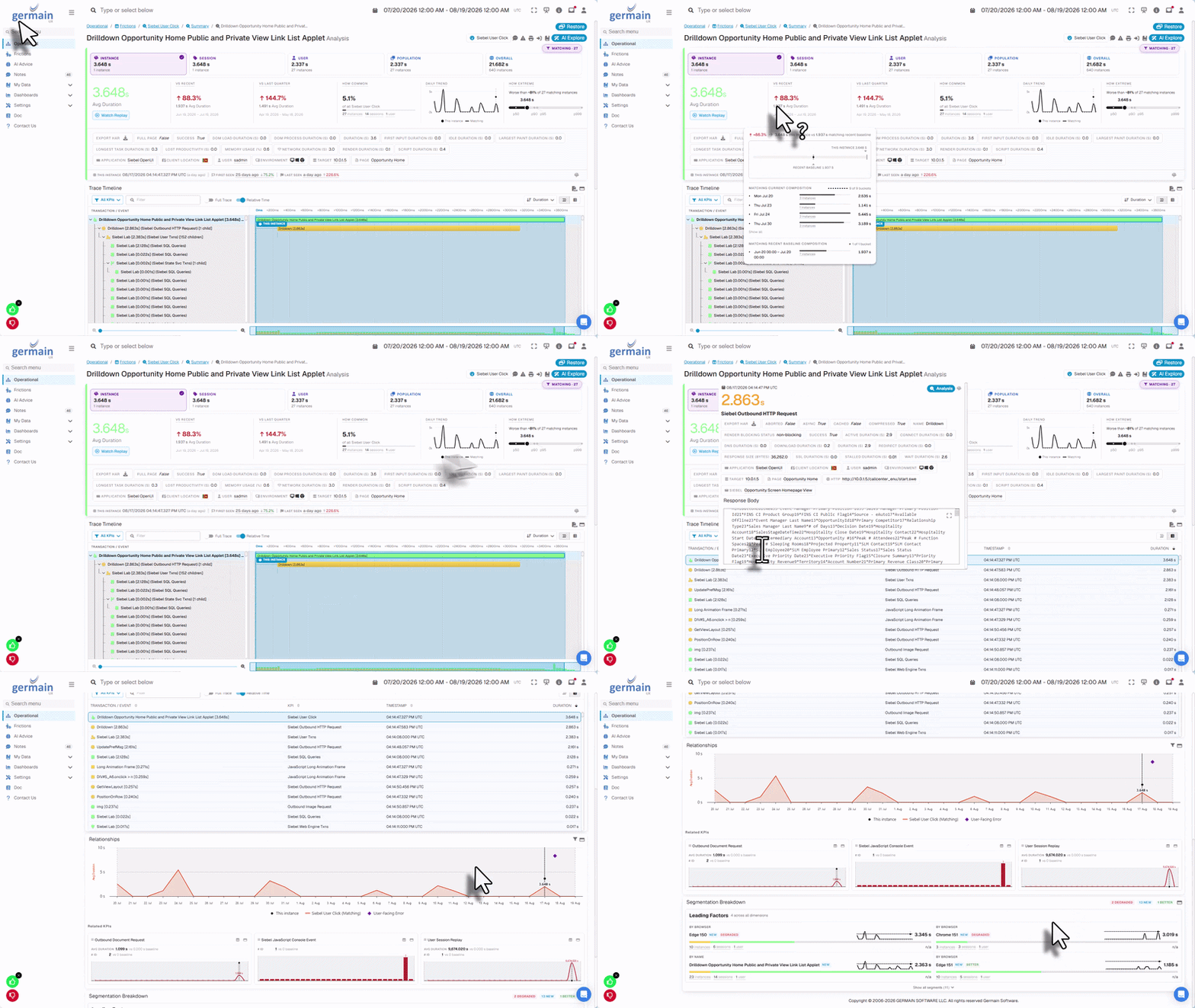
Real User Monitoring & Replay for Windows Apps
Customers: Several customers requested this
- Reduce the time required to investigate and resolve Windows application issues by 50–90%.
- Identify application crashes, freezes, errors, slowness, and unresponsive screens.
- Detect workflow bottlenecks, repeated actions, user confusion, and lost productivity.
- Understand what happened before, during, and after an issue.
- Determine which users, workflows, application versions, or environments are affected.
- Replace difficult-to-reproduce problem reports with clear, replayable evidence.
- Prioritize improvements based on their actual impact on users and business operations.
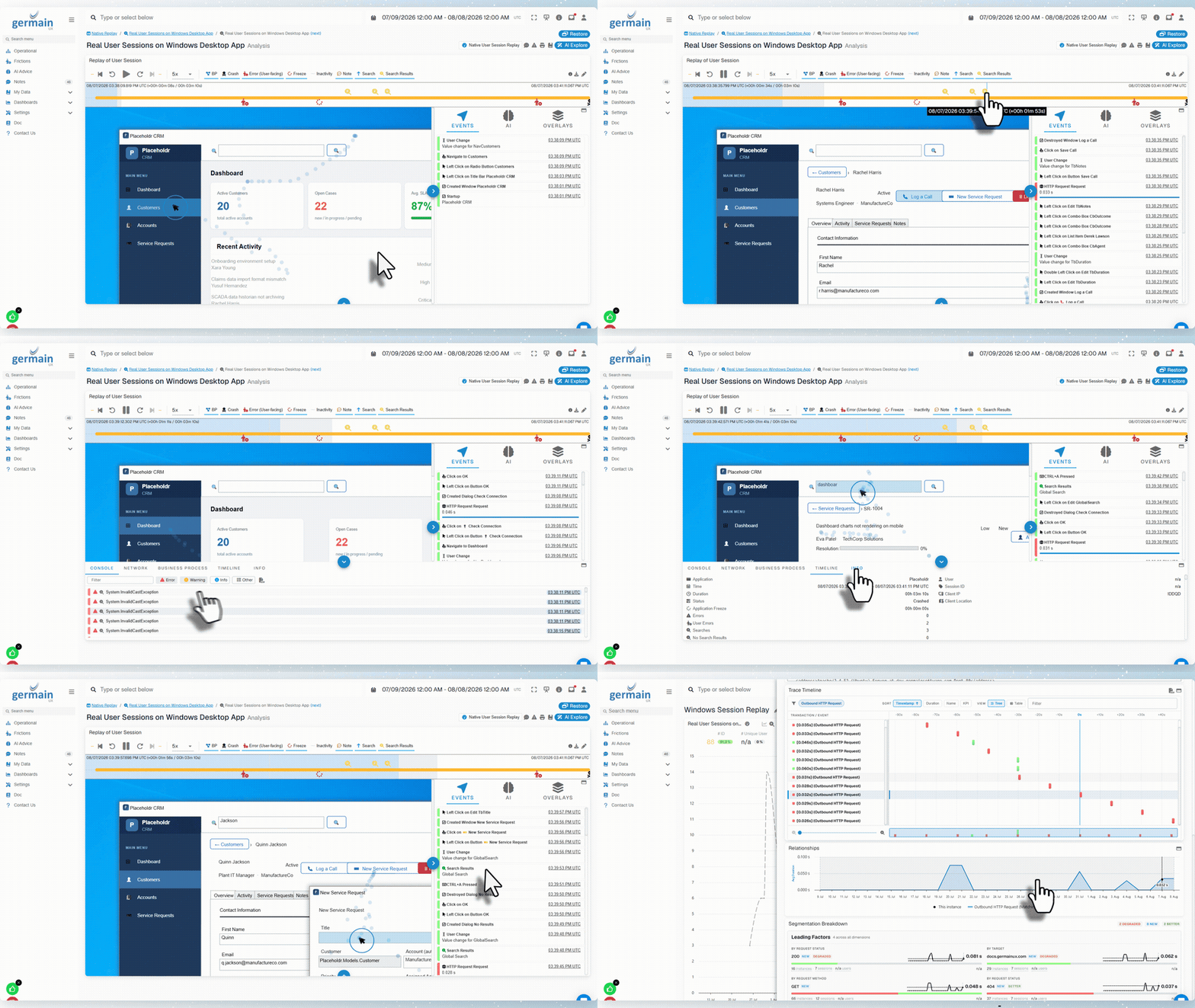
Real User Monitoring And Session Replay for Windows Applications - GermainUX
Alert Enhancements
Five new enhancements to the alert mechanism.
Configurable Summary Measure
Expose summary measures for the current alert via template variables. Example usages:

These queries are available as template variables. Inside the alert template, reference them directly instead of configuring separate queries:
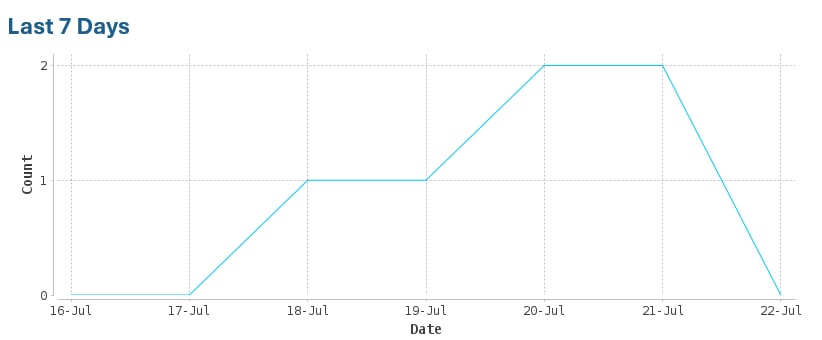
Configurable Trend Graph
Provide a configurable trend result using these parameters:
Example:
Pre-built Links
Provide shared templates for links to reduce the overhead of generating them. Examples: Instead of building links inside each template, include a single shared template:High-Importance Email Alert
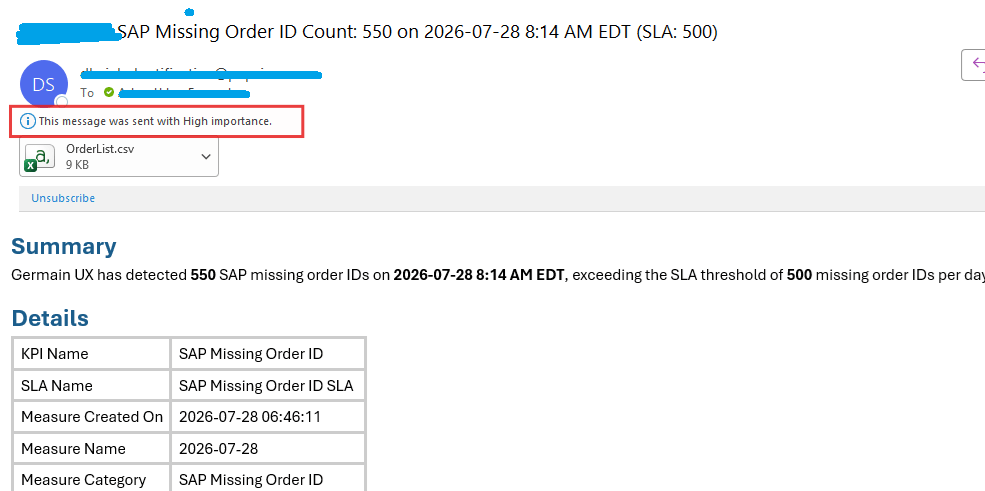
GermainUX email alerts now inherit importance from KPI/SLA priority, giving critical alerts greater visibility in recipients’ inboxes.
Configure each KPI/SLA priority so the most important alerts receive elevated visibility.
Example of an alert sent while monitoring Orders processed by SAP:
Dynamic Action Mechanism
Provide the ability to trigger an action directly from a GermainUX alert (email, SMS, Teams notification, etc.), such as “Unstick a task” or “Kill a long-running process.” Before 2026.2, operators could run a program on a specific server, database, or engine, but alerts could not pass dynamic arguments such as a Process ID or Task ID to the ActionController. Starting with 2026.2, alerts can pass dynamic values to the ActionController so the appropriate action executes automatically. More details on the Alert Mechanism.Sentence-Based Search
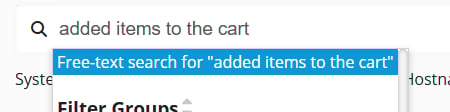
Customers: Most customers have been asking for this
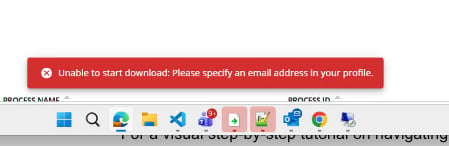
Log File Download
Customers: Most customers have been asking for this
Maintenance
JDK 25 Support
Customers: All Customers
PII/PHI Security Mechanism
Customers: All Customers
Sentinel Self-Monitoring in Kubernetes Environments
Customers: On-premise customers
Security and Vulnerabilities Fixes
In alignment with SOC 2 and HITRUST compliance requirements, patches have been released to remediate vulnerabilities identified in GermainUX version 2026.1 and earlier. Please create a support ticket or contact Germain support for assistance.Get Help
Contact GermainUX Support
The GermainUX team helps you get up and running faster, empower your team, turn data into actionable insights, and optimize performance to deliver measurable business outcomes.
Can't find what you need?
Search all GermainUX docs with Ctrl + K, or use the feedback buttons at the bottom of this page to tell us what is missing.
The content of this document is proprietary to GERMAIN SOFTWARE.