

Monitoring components
Continuous monitoring
Integration
Collected Data
Overview
GermainUX monitors Vercel activity within a web application and correlates customer, agent, and bot conversations with the surrounding digital experience.Monitoring components
Capabilities
GermainUX can collect and analyze:- Supported Vercel events.
- Messages exchanged between customers, agents, and bots.
- Generic chat events and transactions.
- Customer interactions before, during, and after a conversation.
- The page and customer journey in which the conversation occurred.
- Available agent, bot, conversation, and session context.
Show all 10
Show all 10
- Browser and application errors affecting the conversation.
- Network requests and performance associated with Vercel.
- User-session evidence, including Session Replay when enabled.
- Conversation and application behavior at individual-session and aggregate levels.
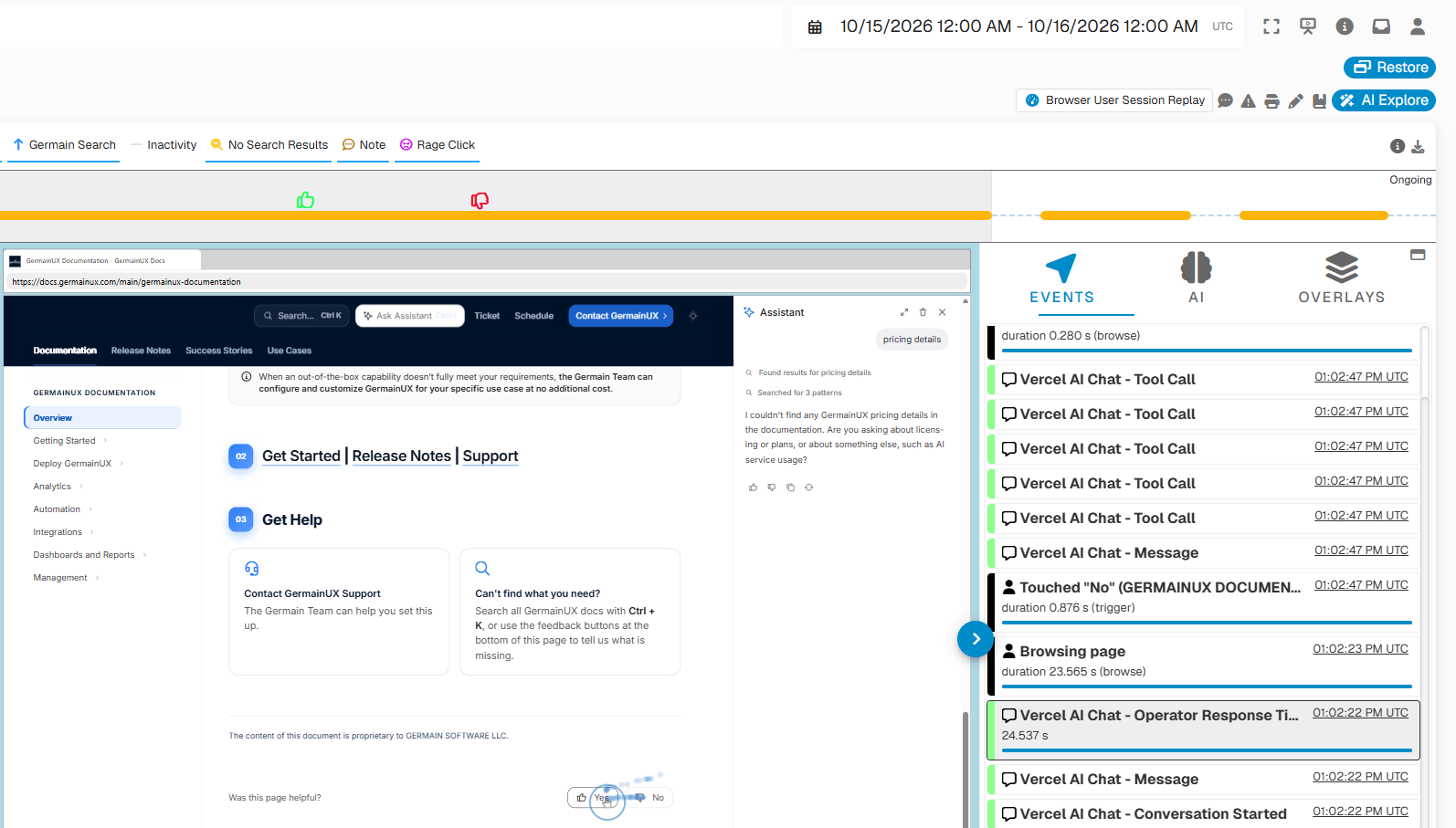
Collected data
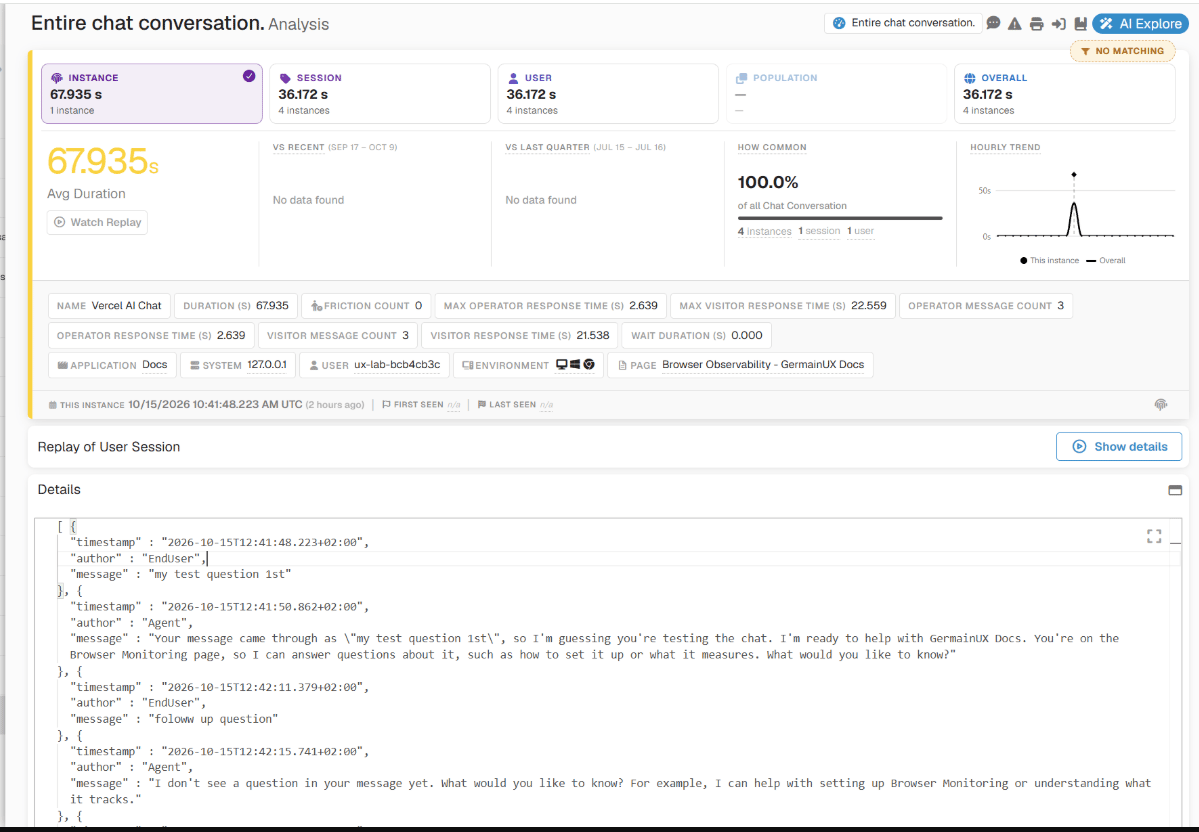
Business outcomes
Vercel Monitoring helps organizations improve:Customer, agent, and bot analysis
GermainUX can help answer questions such as:- Which customer journeys generate the most conversations?
- Which pages or workflow steps cause customers to request help?
- Are customers reaching an agent or remaining with a bot?
- Which conversations are associated with application errors?
- Are slow responses caused by Vercel, the surrounding application, or another dependency?
- Which issues affect the most customers?
Show all 9
Show all 9
- Do conversations contribute to conversion, abandonment, or workflow completion?
- What did the customer do before and after the conversation?
- Which technical problems prevent messages or conversation events from operating correctly?
Continuous monitoring
GermainUX RUM JS or the GermainUX RUM Extension monitors Vercel activity during real user sessions. Use:- RUM JS when the GermainUX monitoring script can be deployed directly in the application.
- RUM Extension when direct script deployment is unavailable or the application’s security architecture prevents access to the required browser context.
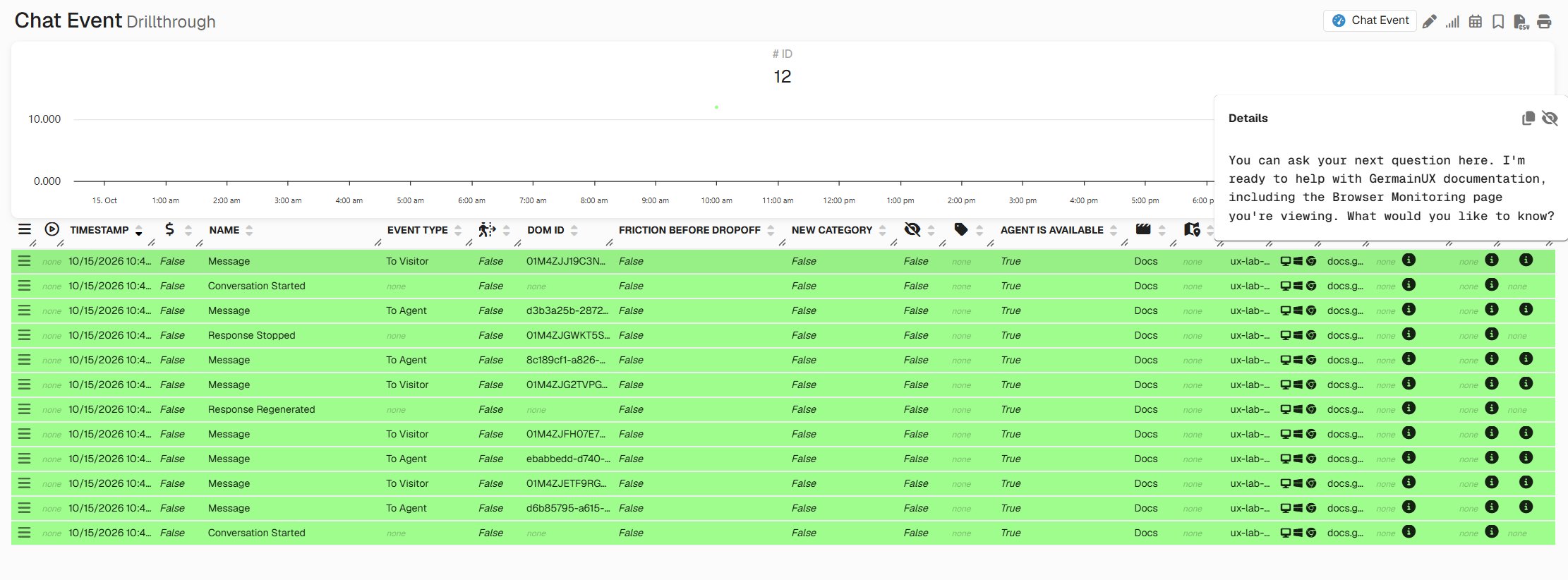
Technical investigation with JS Profiler
When a Vercel problem requires deeper investigation, the GermainUX JS Profiler can provide evidence such as:- JavaScript function execution.
- Function duration.
- JavaScript errors and stack traces.
- Vercel-related network requests.
- Resource loading.
- Browser events and user interactions.
Show all 9
Show all 9
- Long-running browser tasks.
- DOM activity.
- Page and session context.
Session Replay
When Session Replay is enabled, teams can review the user’s experience surrounding a Vercel conversation, subject to the configured privacy controls. Session Replay can help show:- What the customer was doing before opening the chat.
- Which page or workflow generated the need for assistance.
- Whether the chat interface appeared and operated correctly.
- What application errors or delays occurred.
- Whether the user abandoned or completed the workflow afterward.
Analytics
GermainUX can analyze Vercel data through KPIs, measures, pivots, trends, drill-through views, and user-session context.KPIs
Vercel data can contribute to browser and chat analytics such as:Automated analysis and notification
GermainUX can apply its analytics to the collected Vercel evidence to:- Categorize recurring conversation or technical conditions.
- Identify outliers and abnormal trends.
- Quantify the users and sessions affected by an issue.
- Correlate conversations with application behavior and business outcomes.
- Detect configured phrases or messages of interest.
- Surface conversation-related events on the Session Replay timeline.
- Notify GermainUX users through Watches when existing insights meet conditions of interest.
Integration
GermainUX relies on the supported Vercel Web API to receive Vercel events available within the monitored application. The application must:- Have Vercel deployed and operating correctly.
- Load Vercel within a context accessible to the applicable GermainUX browser component.
- Permit the required Vercel and GermainUX scripts under its security policies.
- Allow the browser to communicate with the Vercel and GermainUX endpoints.
- Expose the supported events required by the monitoring use case.
Configuration
Vercel Monitoring requires application-specific integration with the supported Vercel Web API. Configuration typically includes:Deploy RUM JS or the RUM Extension for the application
Confirm that normal browser-monitoring data reaches GermainUX
Confirm that Vercel is available in the monitored browser context
Enable the required Vercel event listeners
Map the supported Vercel events to GermainUX chat events or transactions
Add approved conversation, participant, and application metadata
Configure masking, exclusions, and retention
Validate customer, agent, and bot scenarios
Confirm that Vercel evidence is associated with the correct user session
Privacy and security
Vercel conversations can contain personal, confidential, financial, health, authentication, or other sensitive information. Before enabling monitoring:- Define which messages and events may be collected.
- Mask or exclude sensitive message content.
- Avoid collecting passwords, access tokens, payment credentials, or secrets.
- Apply consent requirements.
- Restrict access to conversations and Session Replay.
- Apply role-based access and appropriate retention.
Show all 9
Show all 9
- Validate customer, agent, and bot data separately.
- Review the integration after Vercel or application changes.
- Obtain approval from the organization’s privacy, security, and compliance owners.
Validation
After deployment:Open the monitored application with an authorized test user
Start a Vercel conversation
Exchange controlled messages with a bot or agent
Complete or close the conversation
Confirm that supported events and messages reach GermainUX
Verify the customer, agent, bot, page, and session associations
Review the corresponding browser and Session Replay evidence
Confirm that masking and exclusions work as intended
Generate a controlled error or failure when safe
Verify the expected KPIs and analytics
Deployment and configuration
- Deploy and validate Vercel within the monitored web application.
- Review Browser Monitoring.
- Review the Browser Monitoring Deployment Overview.
- Deploy GermainUX RUM JS when the monitoring script can be added to the application.
- Deploy the GermainUX RUM Extension when direct script deployment is unavailable or access to the complete browser-page context requires an extension.
- Deploy the GermainUX JS Profiler for deeper JavaScript, browser, and network diagnostics.
Show all 12
Show all 12
- Configure the supported Vercel Web API events required by the monitoring use case.
- Review Chat and CTI Monitoring.
- Review Chat Analysis.
- Configure Metadata Extractors when additional approved user, conversation, or application context is required.
- Review the KPIs for Browser Monitoring.
- Review the KPIs for User Monitoring and Replay.
Collected Data
This data will include:Get Help
Contact GermainUX Support
Can't find what you need?
The content of this document is proprietary to GERMAIN SOFTWARE LLC.