

The Save This for Later feature allows you to bookmark an insight so you can quickly find, review, and act on it later.
What you can save
Bookmarking findings to revisit
Save an Insight
Adding items to My Data
View Saved Insights
Reopening items in My Data
Example
Saving a session for follow-up
What you can save
- User sessions and Session Replays
- Errors or performance issues
- Business-process insights
- Other investigation results
Save an Insight
- Open the insight you want to bookmark.
- Select Save This for Later.
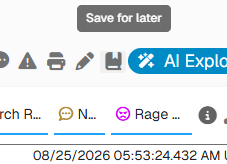
- GermainUX adds the item to your My Data page.
View Saved Insights
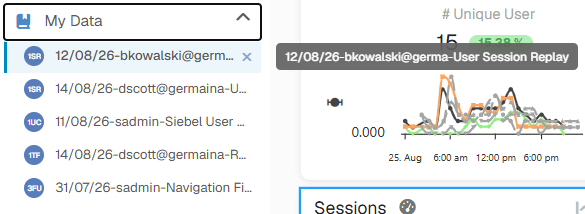
Go to Germain Workspace > Left Menu > My Data to review your saved items. Select an item to return directly to the corresponding insight, user session, or Session Replay.Example
During an investigation, you can save a link to a relevant user session or Session Replay. You can then open it later from My Data to continue your analysis or take corrective action.Get Help
Contact GermainUX Support
The GermainUX team helps you get up and running faster, empower your team, turn data into actionable insights, and optimize performance to deliver measurable business outcomes.
Can't find what you need?
Search all GermainUX docs with Ctrl + K, or use the feedback buttons at the bottom of this page to tell us what is missing.
The content of this document is proprietary to GERMAIN SOFTWARE.