

Session Replay
Conversion
Journeys
Errors
Overview
What GermainUX Does
By combining Real User Monitoring, Session Replay, conversion analytics, customer journey analysis, process monitoring, technical observability and automation, GermainUX helps teams understand not only what happened, but also why it happened, how much revenue was affected and what action should be taken. When appropriate and considered safe, remediation can also be automated.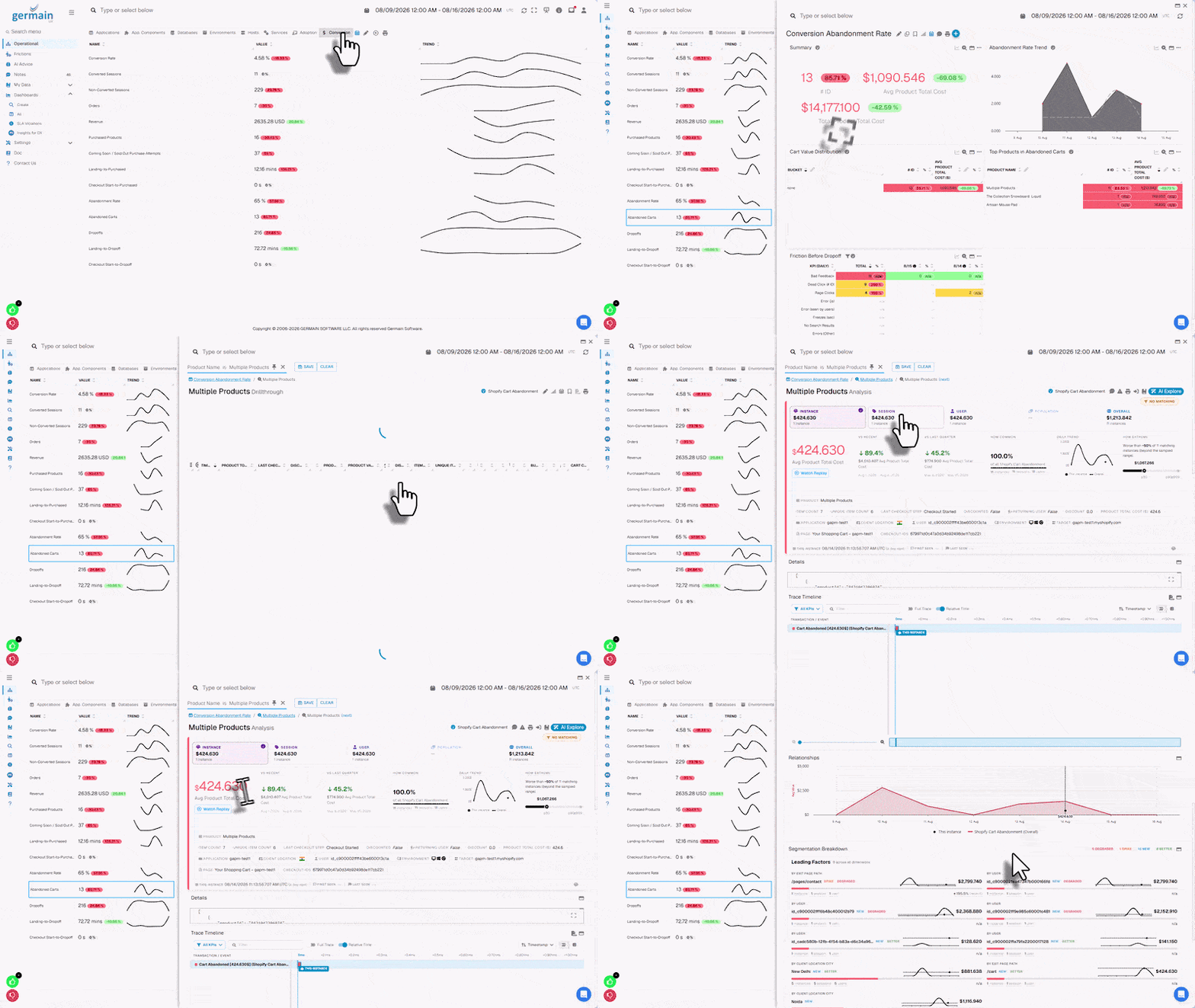
Conversion Operational Dashboard for Shopify and other eCommerce - GermainUX
Business Outcomes
GermainUX helps organizations using Shopify: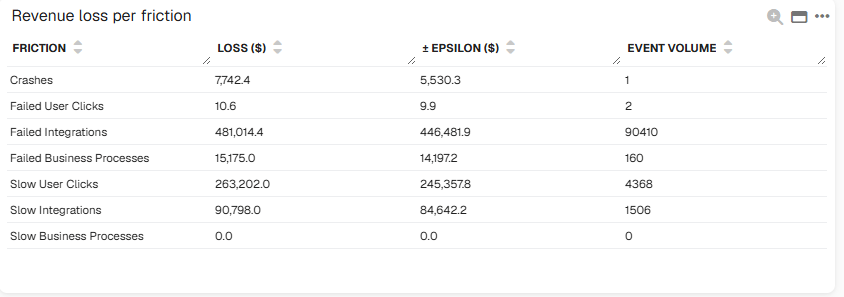
Revenue loss per friction type - GermainUX
What GermainUX Monitors
GermainUX provides visibility across the complete Shopify customer journey and supporting technology.How It Works
GermainUX collects Shopify data from up to three sources:- When checkout completes, GermainUX marks the session’s Shopify events as converted.
- When a cart with products sees no activity for 12 hours, GermainUX records it as abandoned, with every product left in it. See How Abandonment and Conversion Are Detected.
Ready-to-Use Dashboards, Business Processes and Reports
Dashboards
In the left menu, go to Dashboards > All and open the Shopify folder. It contains:- Conversion Analyzer
- Engagement
- Insights for Biz Ops
- Insights for Dev Ops
- Insights for Mktg Ops
- Insights for UX
Business Processes
Reports
Real User Monitoring and Session Replay
GermainUX records real Shopify shopper activity with millisecond-level timing precision, helping teams quickly understand what shoppers experienced and why a conversion or journey issue occurred. Instead of reviewing hours of recordings, teams can search for specific shoppers, actions, products, errors, pages, performance conditions or business events and replay the moments that matter. Session data and related commerce metadata remain searchable both across the shopper population and within individual sessions. Capabilities include:
Session friction analysis with average duration comparison - GermainUX
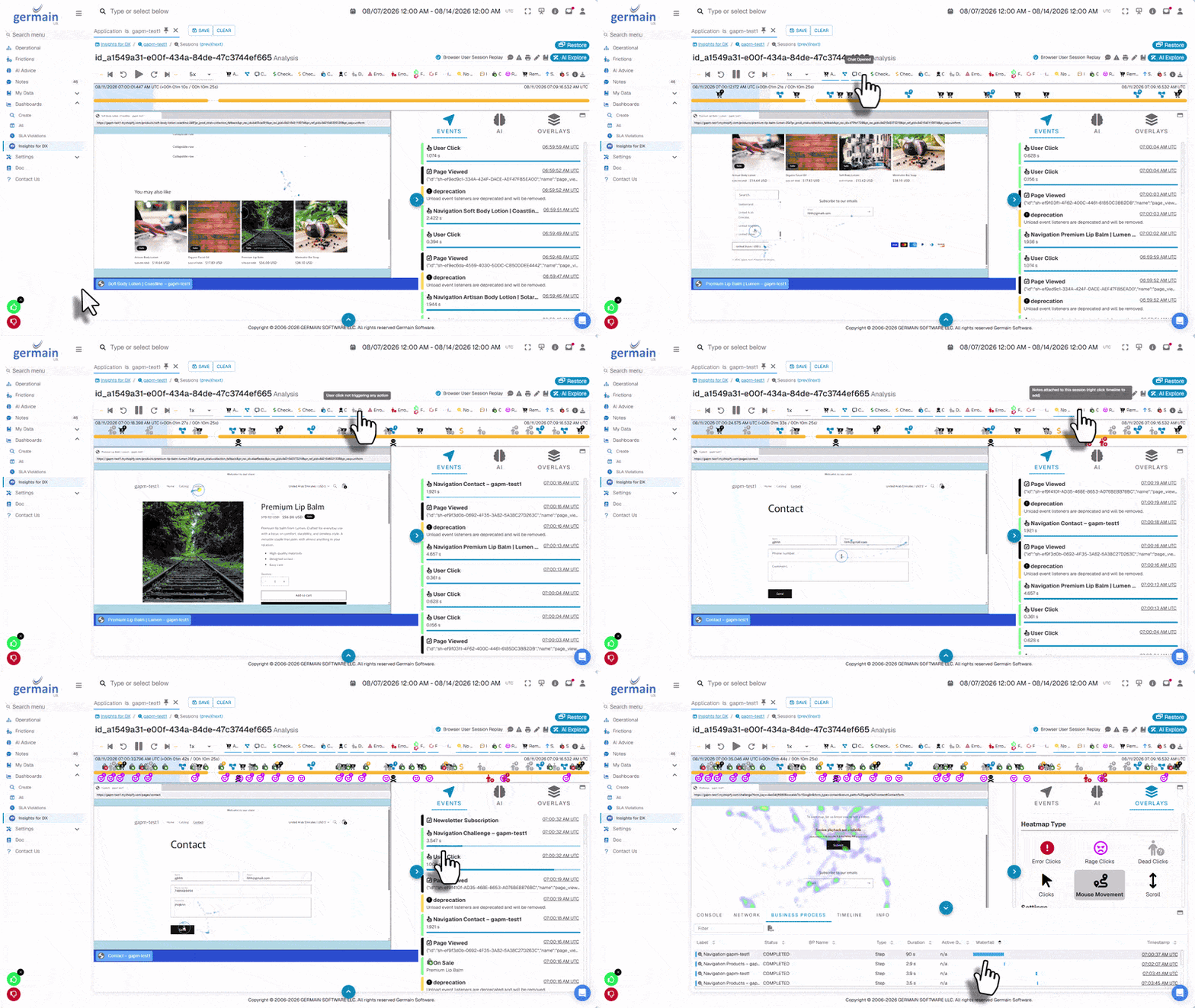
Replay and Understand a Shopify User Experience - GermainUX
AI-Generated Session Summaries
GermainUX can summarize an individual shopper session so teams can quickly understand what the shopper attempted to accomplish, where friction occurred and what may have prevented conversion. AI Summary of Real Shopify User Session: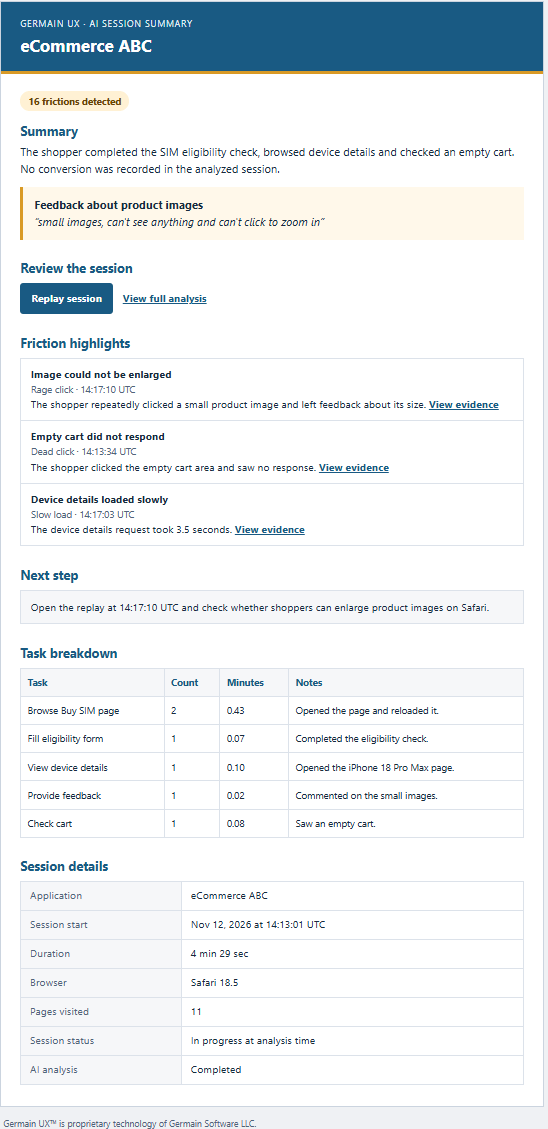
AI Summary of Real Shopify User Session - GermainUX
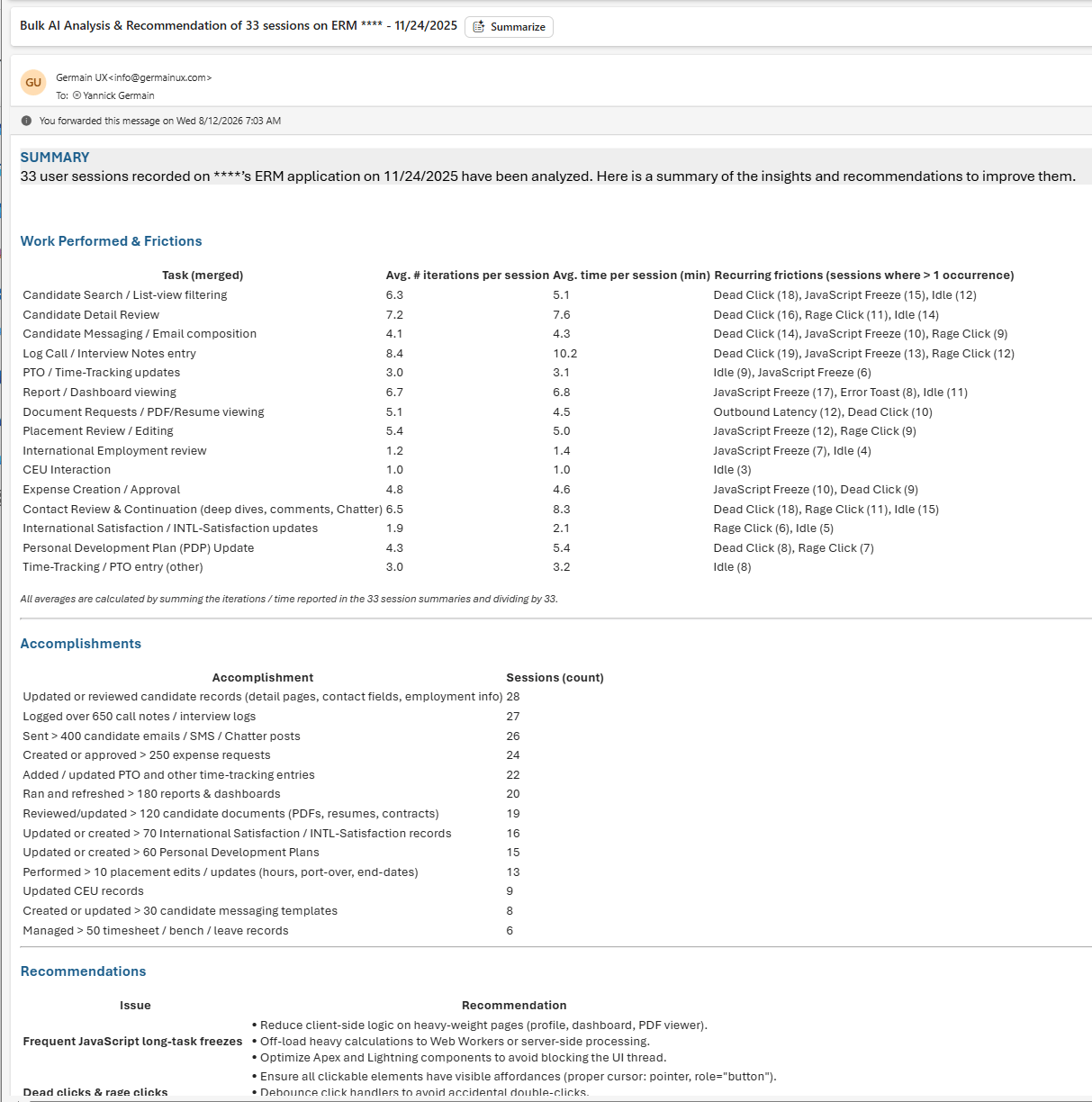
Scheduled AI summary of multiple visitor sessions - GermainUX
Heatmaps
Six heatmap types help teams understand how individual shoppers and larger audiences interact with pages, product content, navigation and calls to action.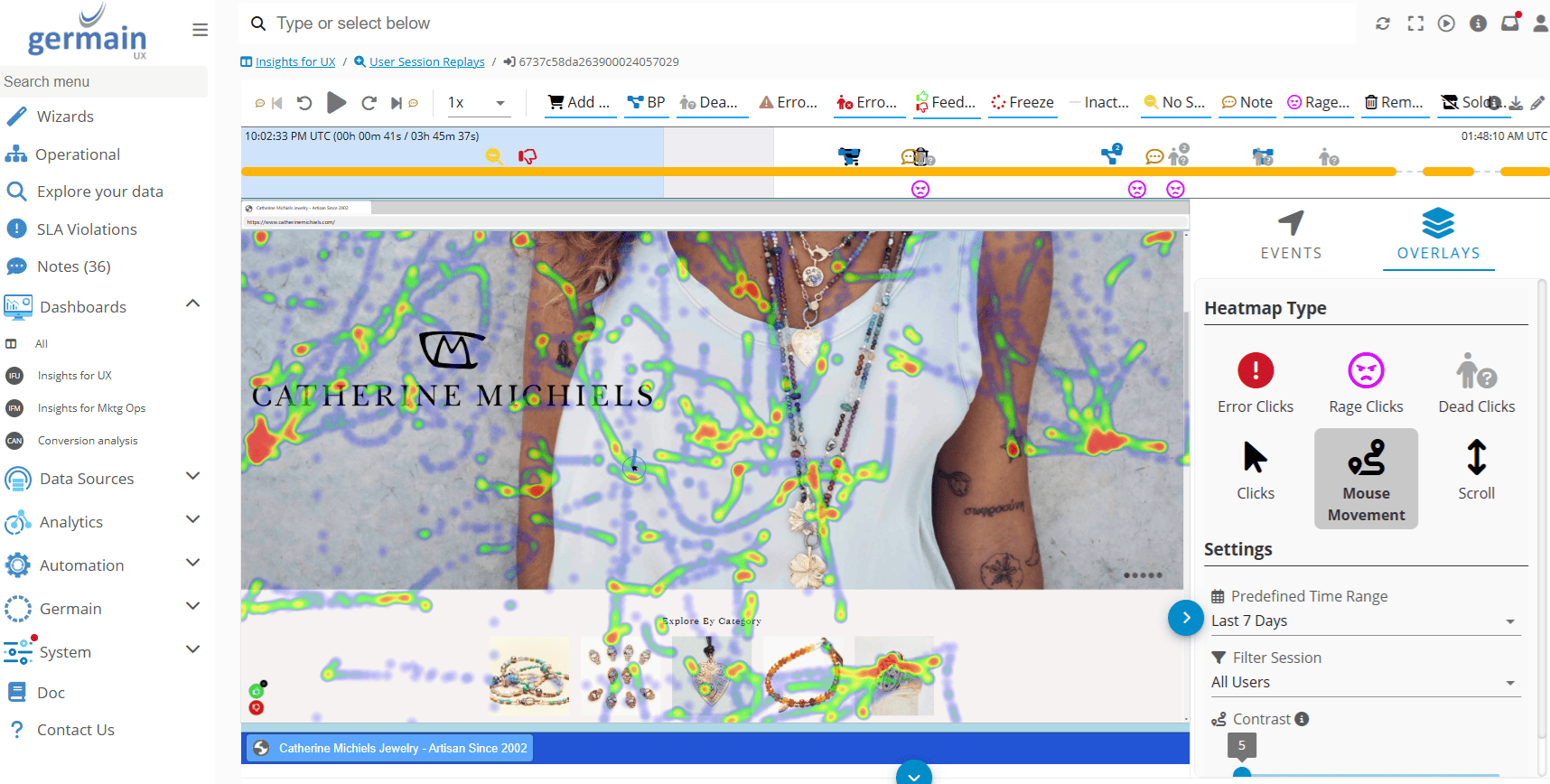
6 Heatmaps for Shopify - GermainUX
Shopper Feedback
The GermainUX Feedback Popup allows shoppers to provide feedback directly within the Shopify storefront. Responses can be analyzed across dashboards and alongside the corresponding recorded session, providing the behavioral and technical context needed to understand dissatisfaction and act before revenue is lost. Teams can alert on high-risk feedback, investigate the associated session and aggregate recurring themes across the shopper population.
Shopper provides feedback - GermainUX
Conversion Analytics and Revenue Impact
GermainUX helps teams identify where conversion is breaking, why shoppers abandon and how much revenue is affected. Conversion analysis can segment outcomes by dimensions such as: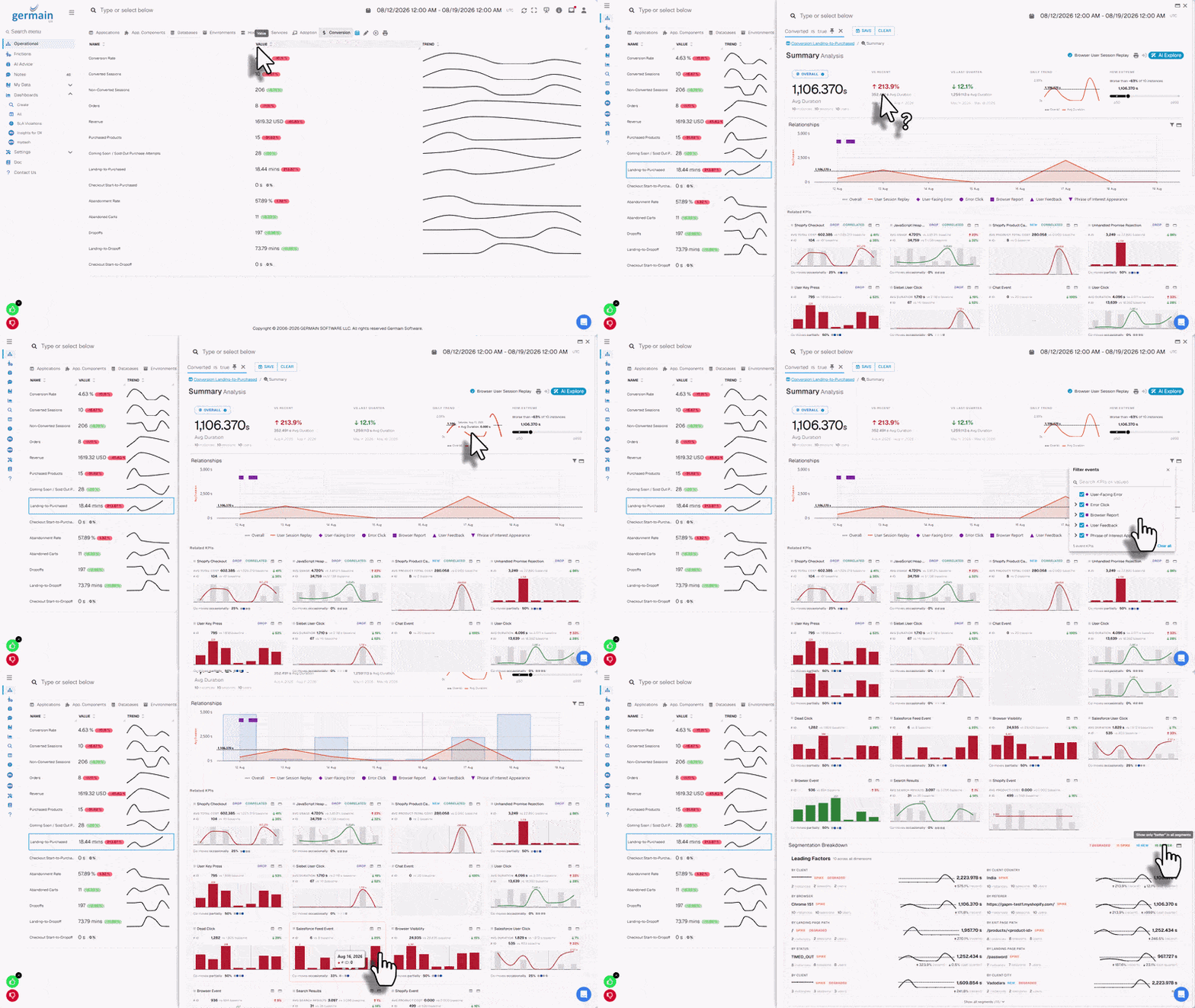
Shopify Conversion Analysis - GermainUX
Cart Abandonment Analysis
GermainUX correlates abandoned carts with the business, UX and technology conditions surrounding them. Analysis can reveal:Checkout and Payment Analysis
GermainUX monitors the journey from checkout initiation through payment and purchase. Shopify Pixel data and configured checkout instrumentation can provide visibility into checkout milestones that are not captured through storefront JavaScript alone. Teams can identify checkout errors, payment failures, unexpected delays and drop-off patterns and correlate them with shopper behavior, technical evidence and revenue impact.Product Availability and Inventory Impact
GermainUX can capture and analyze product availability states such as:- Available
- Limited availability
- Out of stock
- Coming soon
- Other custom availability states
Funnel Analysis
Funnel and Focused Flow visualizations analyze progression and drop-off across key commerce milestones. Teams can compare overall journey health with the friction affecting each phase, then drill into the contributing products, shoppers, errors and sessions. Funnel telemetry: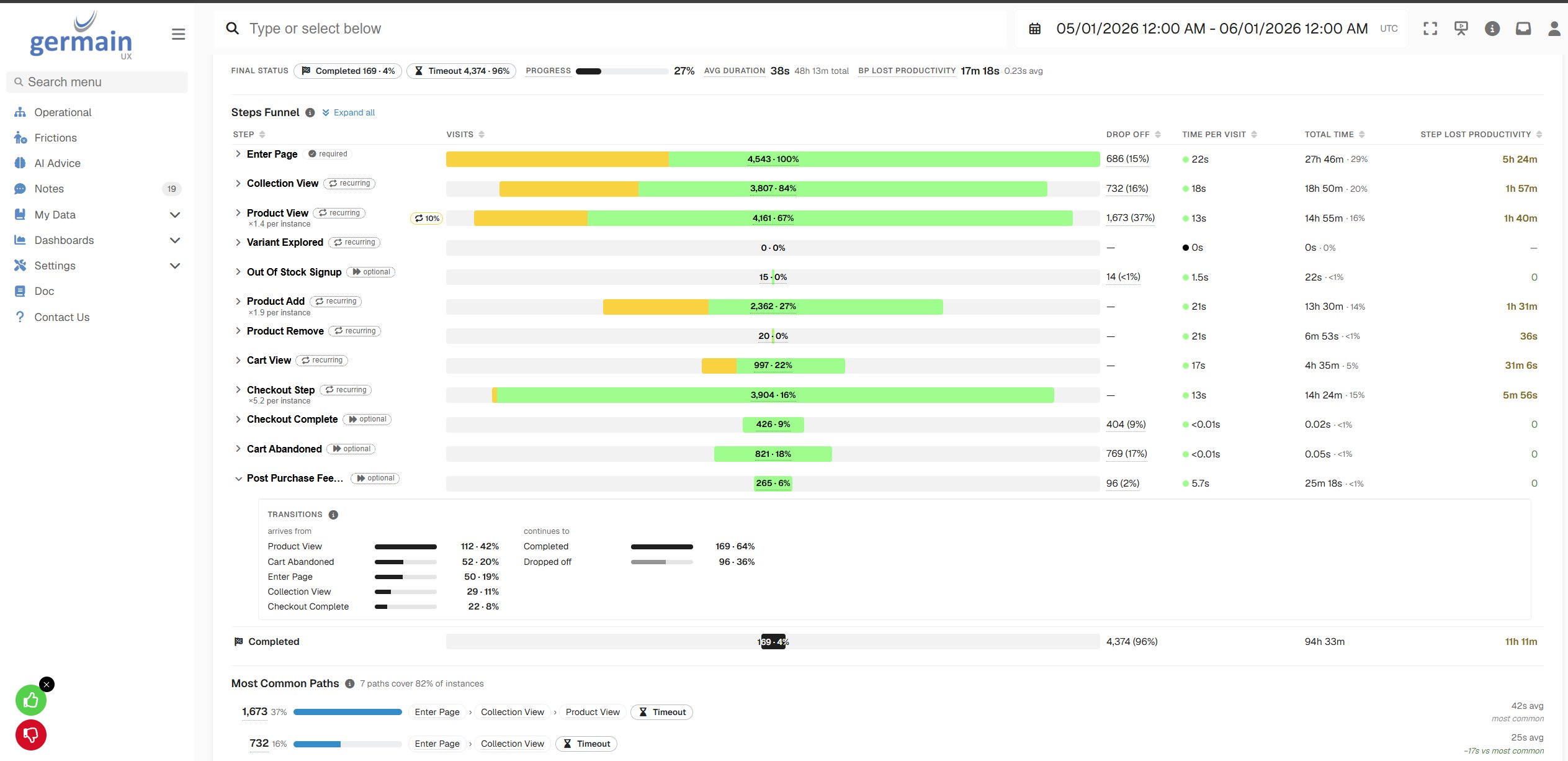
Funnel Telemetry Portlet - GermainUX
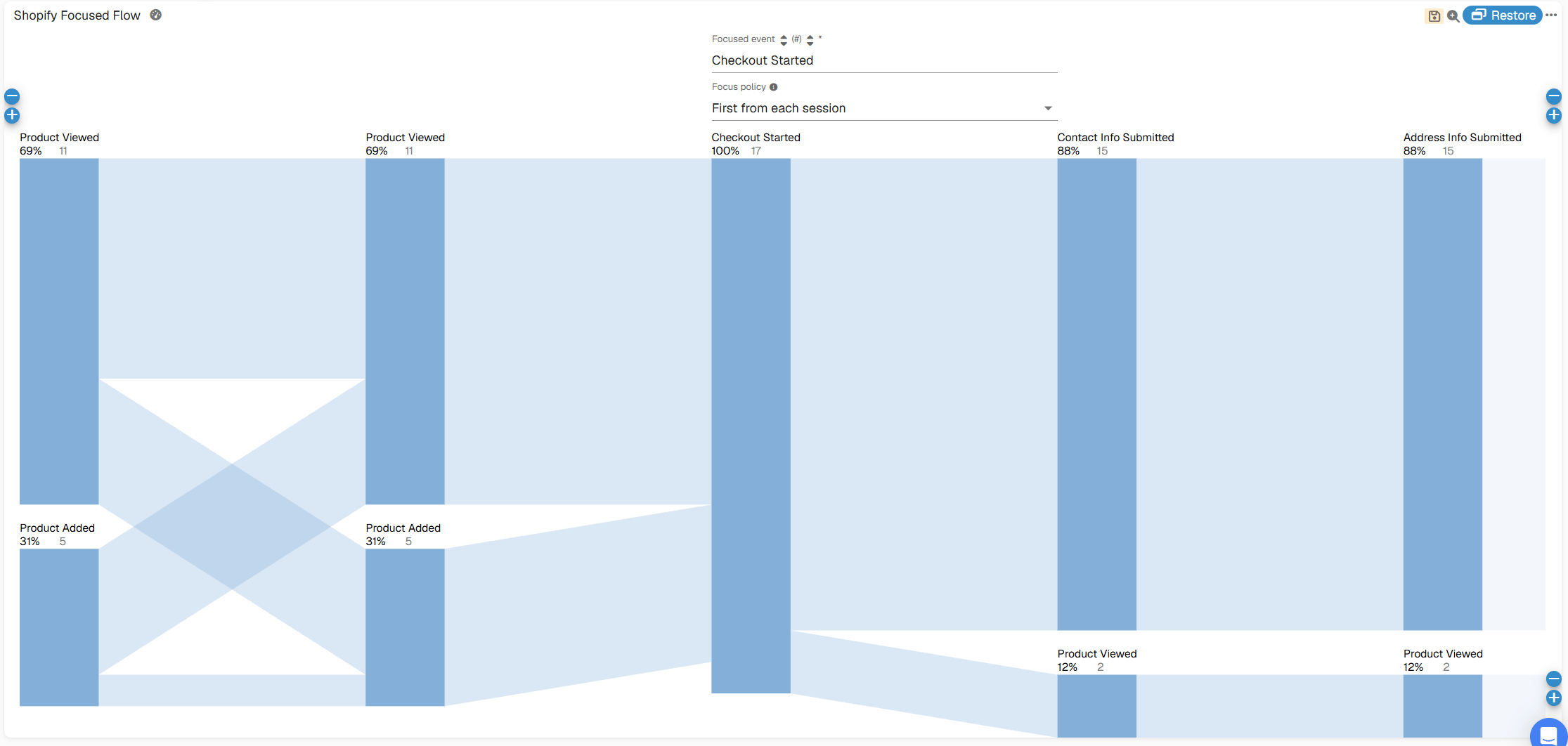
Shopify Focused Flow centered on Checkout Started - GermainUX
Product Discovery and Search Analysis
GermainUX helps eCommerce teams understand whether shoppers find the right products and how search quality affects conversion. Analysis can include:- Search usage and search terms
- Searches producing no results
- Search-to-product-detail-page success
- Product views originating from search
- Products removed from the cart after discovery
- Search-provider errors and performance
- Conversion and revenue associated with search journeys
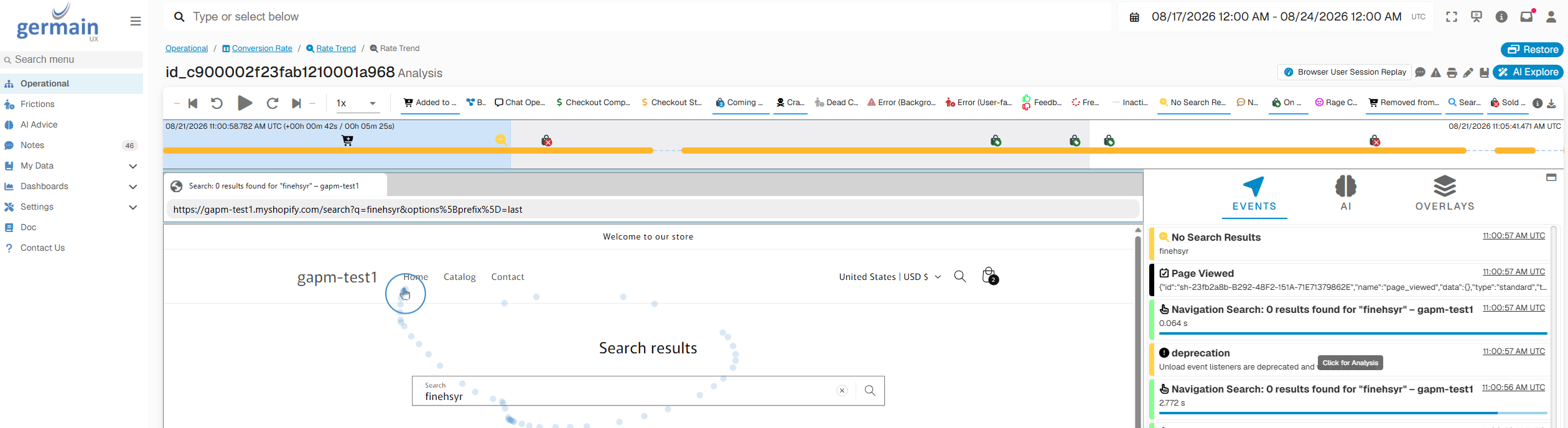
Detect Shoppers Not Finding What They Need - GermainUX
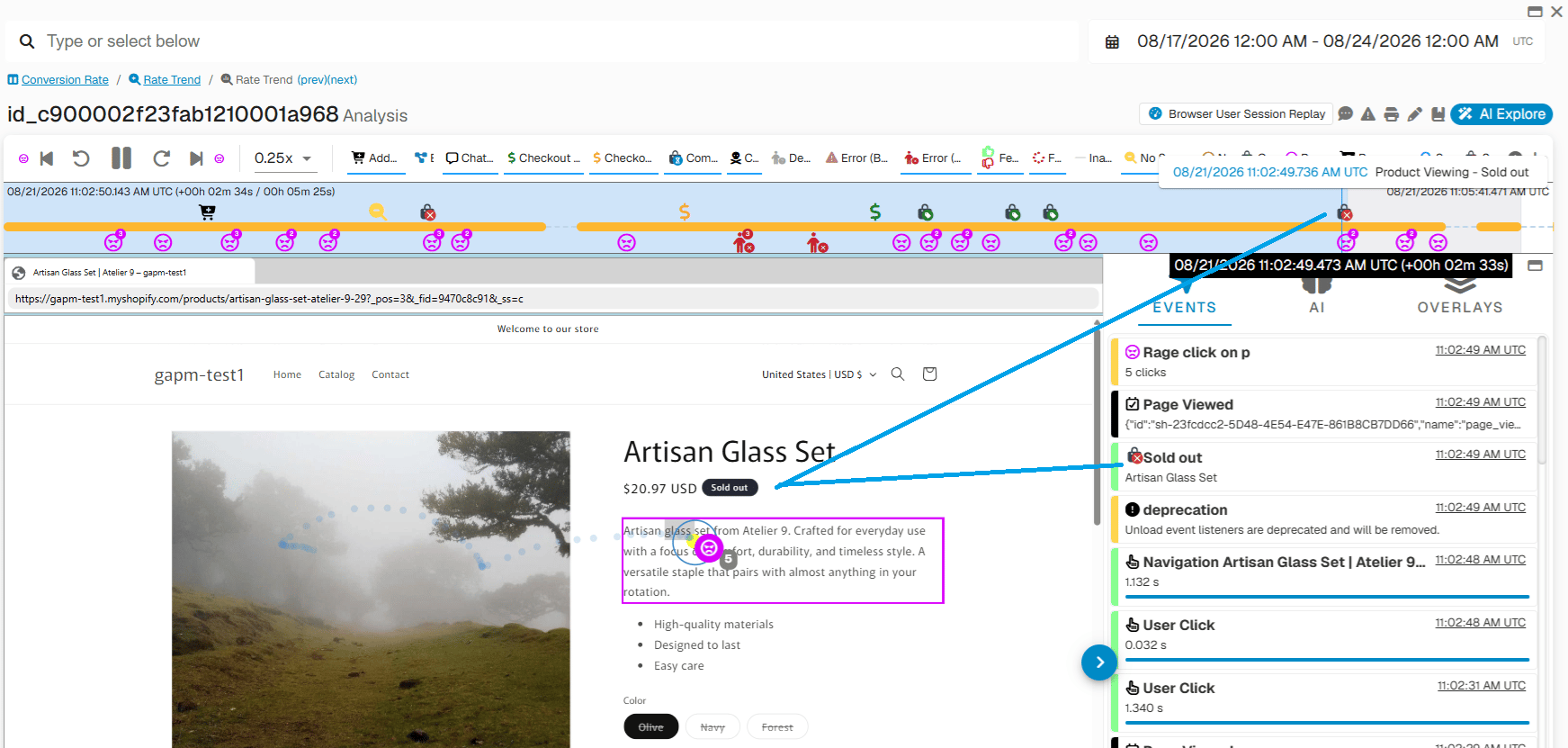
Detect Shoppers Wanting a Sold-out Product - GermainUX
Customer Journey and Process Analysis
GermainUX monitors customer journeys within and beyond the Shopify storefront. A journey can begin with a marketing campaign, continue through product discovery, cart and checkout, and extend into inventory, fulfillment, delivery, support and repeat purchase. It automatically identifies:- Ineffective or incomplete journeys
- Bottlenecks and unexpected delays
- Excessive journey complexity
- Repeated or unnecessary actions
- Time lost during product discovery, checkout or payment
- Shopper groups, products or milestones disproportionately affected
Commerce Process Monitoring
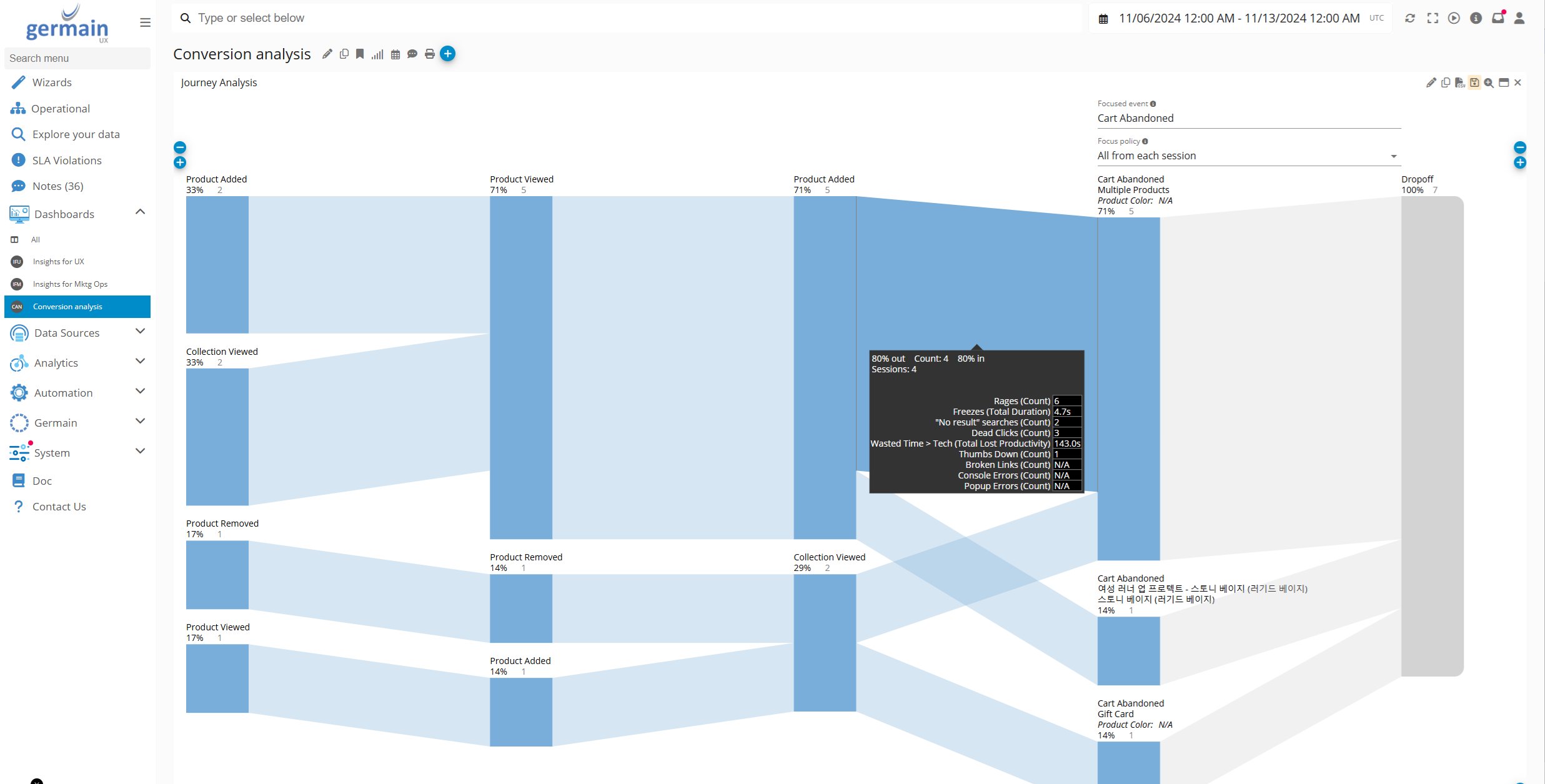
Journey Analyzer - GermainUX
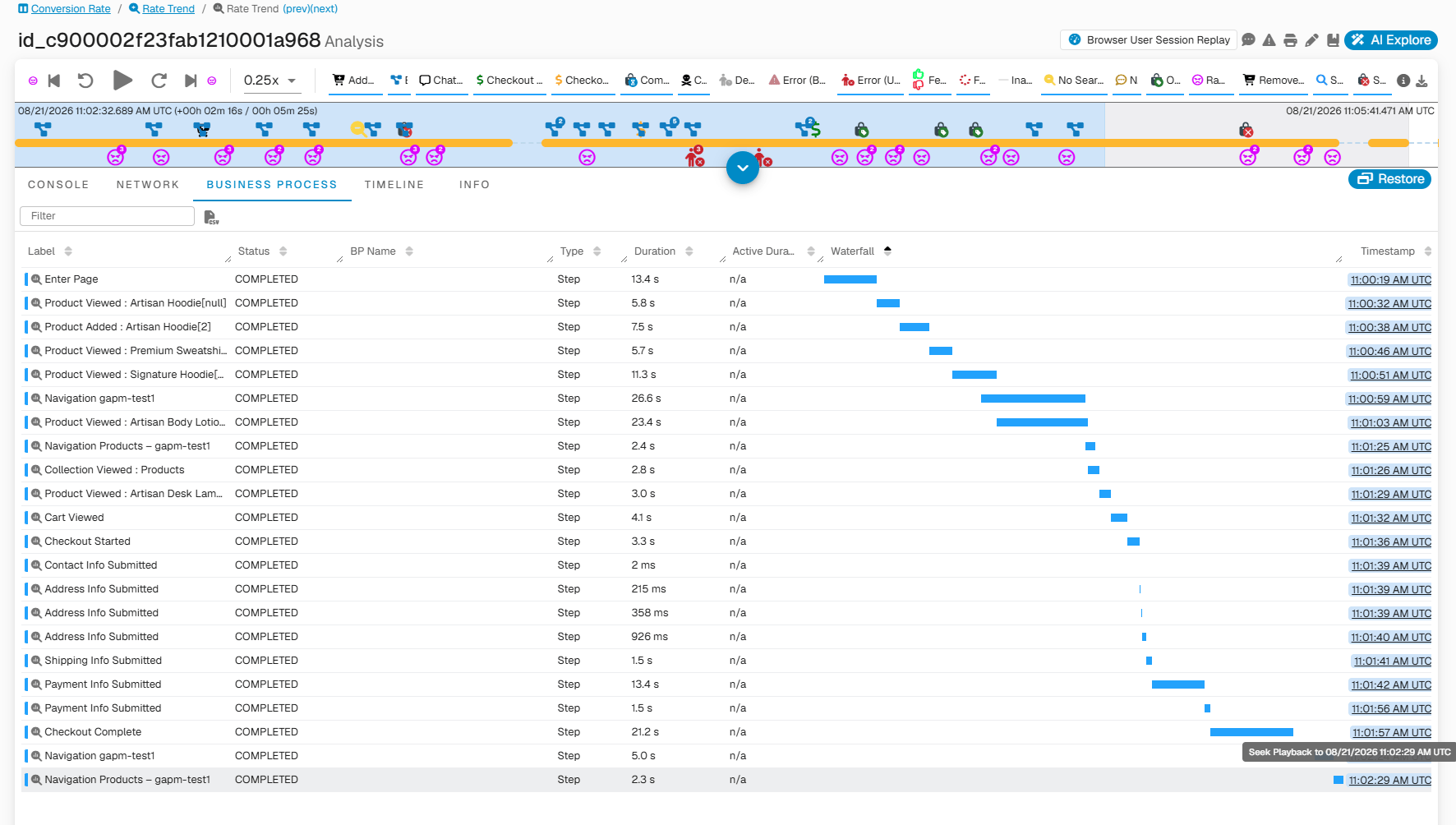
Shopify Process Mining - GermainUX

Most common paths to conversion or drop-off - GermainUX
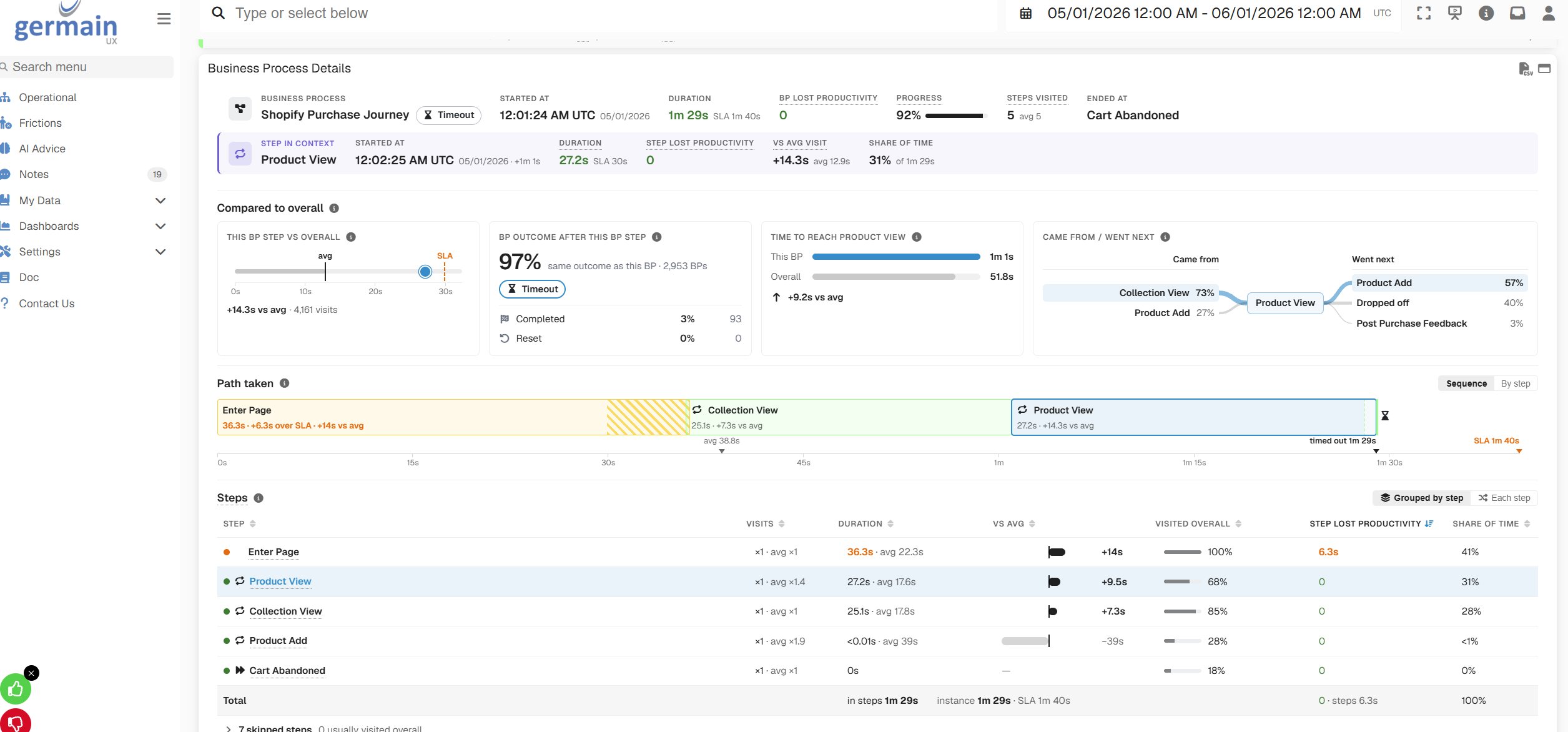
Purchase Journey Analysis - GermainUX
Chat and Conversation Analysis
GermainUX analyzes shopper conversations occurring through chatbots, live-chat systems and other integrated communication channels to identify the friction that prevents conversion or damages retention. Conversation analysis can help determine: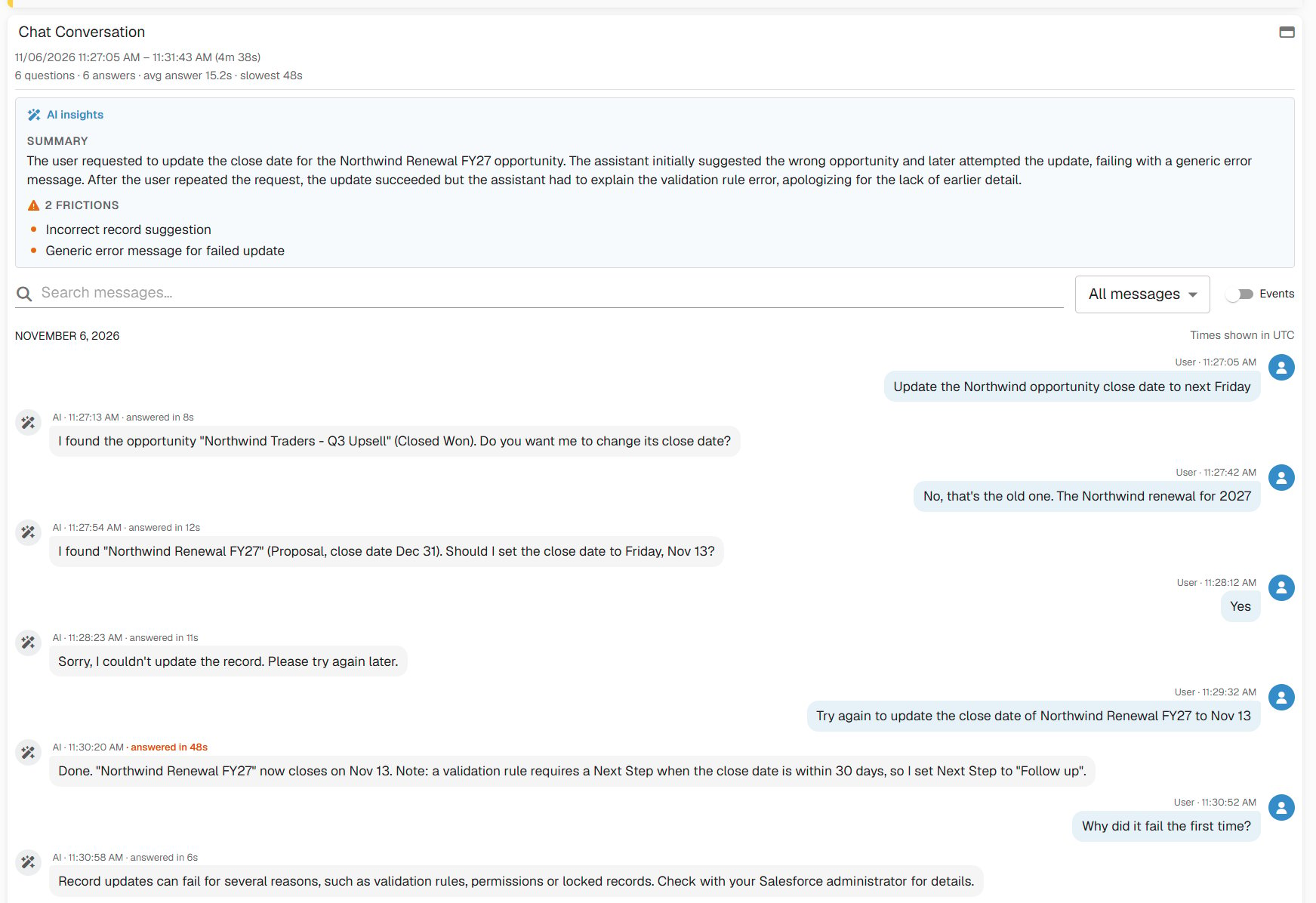
Chat Conversation with AI Summary and Frictions (example) - GermainUX
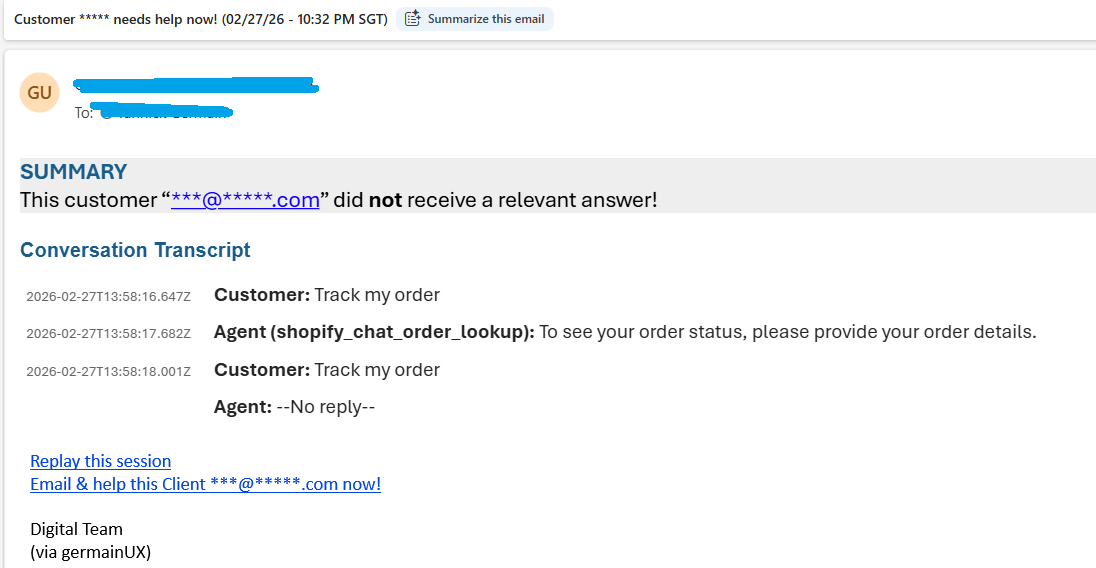
Email alert: a shopper needs help now - GermainUX
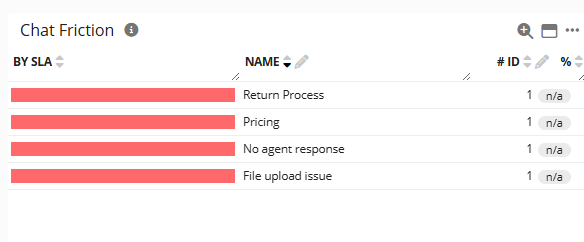
Chat Analysis at Scale - GermainUX
Shopify Chat
When your store uses Shopify Chat, RUM JS records the conversations automatically. It reads the Shopify Chat API and records these events in the Chat Event KPI:- Chat Opened and Chat Started
- Instant answers the shopper picks
- Every message from the shopper and from your team, with its text
- Order lookups
- File uploads
Marketing and Campaign Analytics
GermainUX connects campaign traffic with the Shopify behavior, conversion and revenue that follow. This helps marketing and growth teams determine which campaigns attract valuable shoppers, where those shoppers encounter friction and which experiences convert. Analysis can include:Consent Tracking
GermainUX can integrate with Shopify’s consent-tracking mechanisms to align eligible storefront data collection with the shopper’s consent choices. Consent implementation and data handling should be configured according to the organization’s legal, privacy and Shopify requirements.Storefront Performance, Availability and Technology Analysis
GermainUX monitors the browser experience and observable technology supporting a Shopify storefront. This helps teams identify whether slow pages, failed requests, third-party services or Shopify events are affecting shoppers and revenue.Website Availability
GermainUX can monitor storefront and page availability and validate critical links or commerce journeys. Alerts notify the appropriate teams when a storefront, page or essential workflow becomes unavailable.Page and Resource Performance
Performance monitoring can include: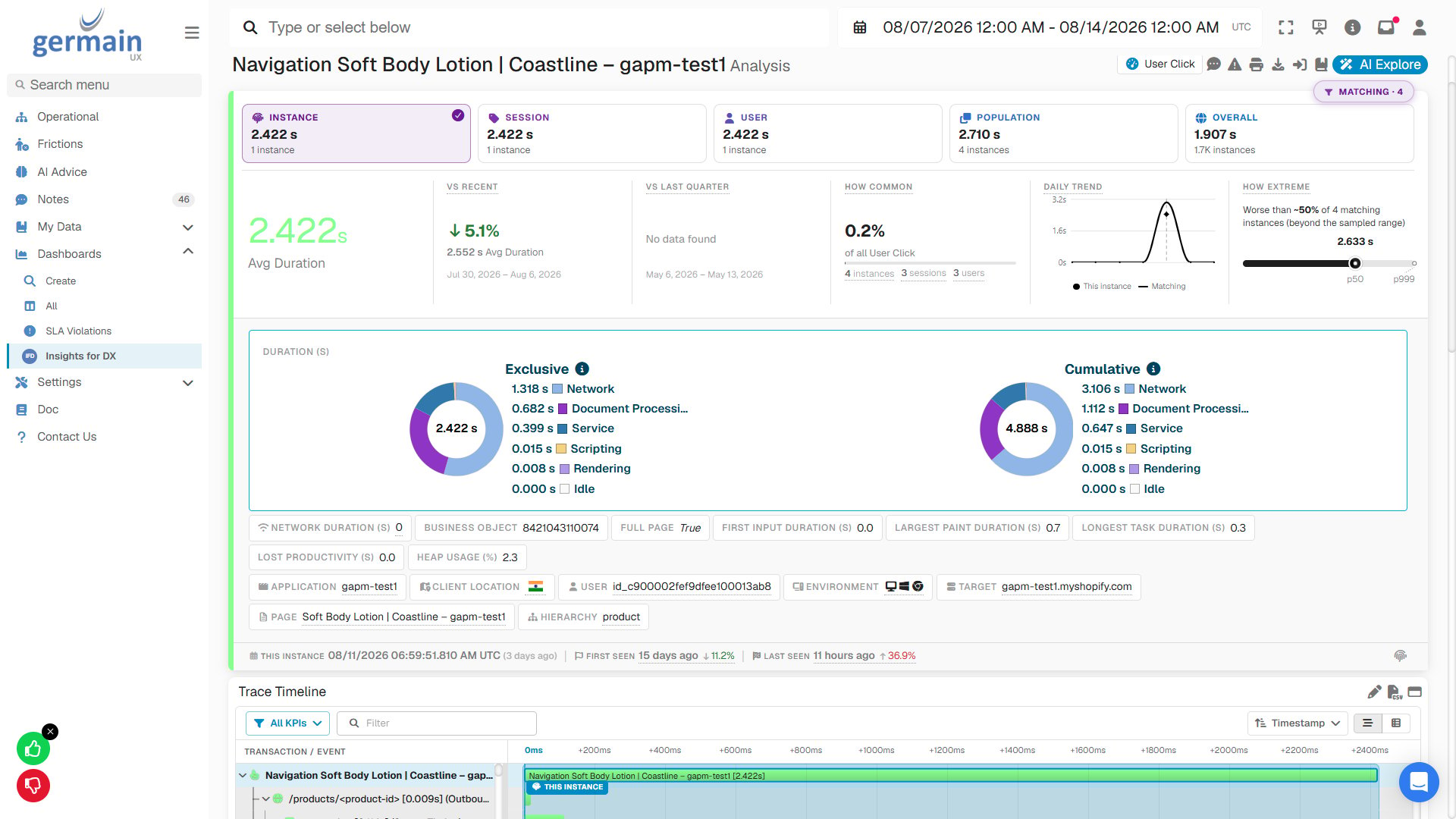
Shopify Page Performance - GermainUX
Transaction Performance Comparison
When analyzing a slow or failed Shopify transaction, use Comparison to compare its performance with another execution of the same transaction, such as the fastest, slowest, most recent, first seen, or last seen. Comparison can reveal:- Differences in execution time for the same Shopify transaction
- Which steps, checkout stages, or integrations caused the slowdown
- Performance differences between successful and failed Shopify transactions
- Errors or bottlenecks affecting Shopify checkout and payment
- Potential root causes of transaction performance degradation
Mobile Experience
GermainUX can segment performance, errors, behavior and conversion by device and screen characteristics. This helps teams identify experiences that work on desktop but create friction for mobile shoppers.Integration Monitoring
Shopify journeys commonly depend on third-party systems. GermainUX can monitor observable integration activity to identify failures and latency involving:- Search providers
- Payment gateways
- Inventory and order-management systems
- Fulfillment and shipping services
- Chatbots and customer-service platforms
- Marketing, personalization and guidance tools
Error Analysis and Business Impact
GermainUX continuously monitors errors affecting Shopify shoppers, journeys, integrations and business operations. Analysis helps teams distinguish: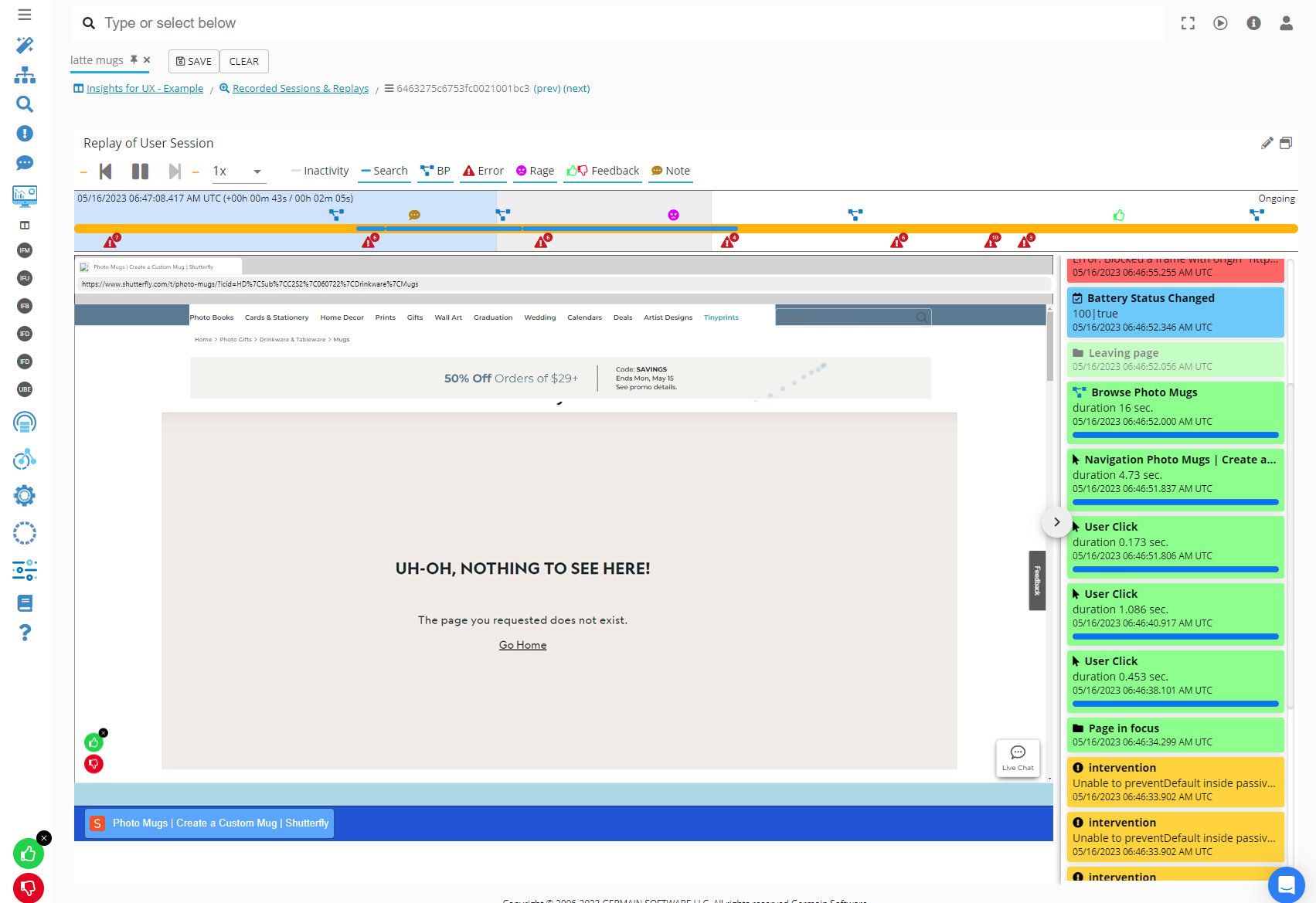
Detect, Analyze Quickly Resolve Shopify Error - GermainUX
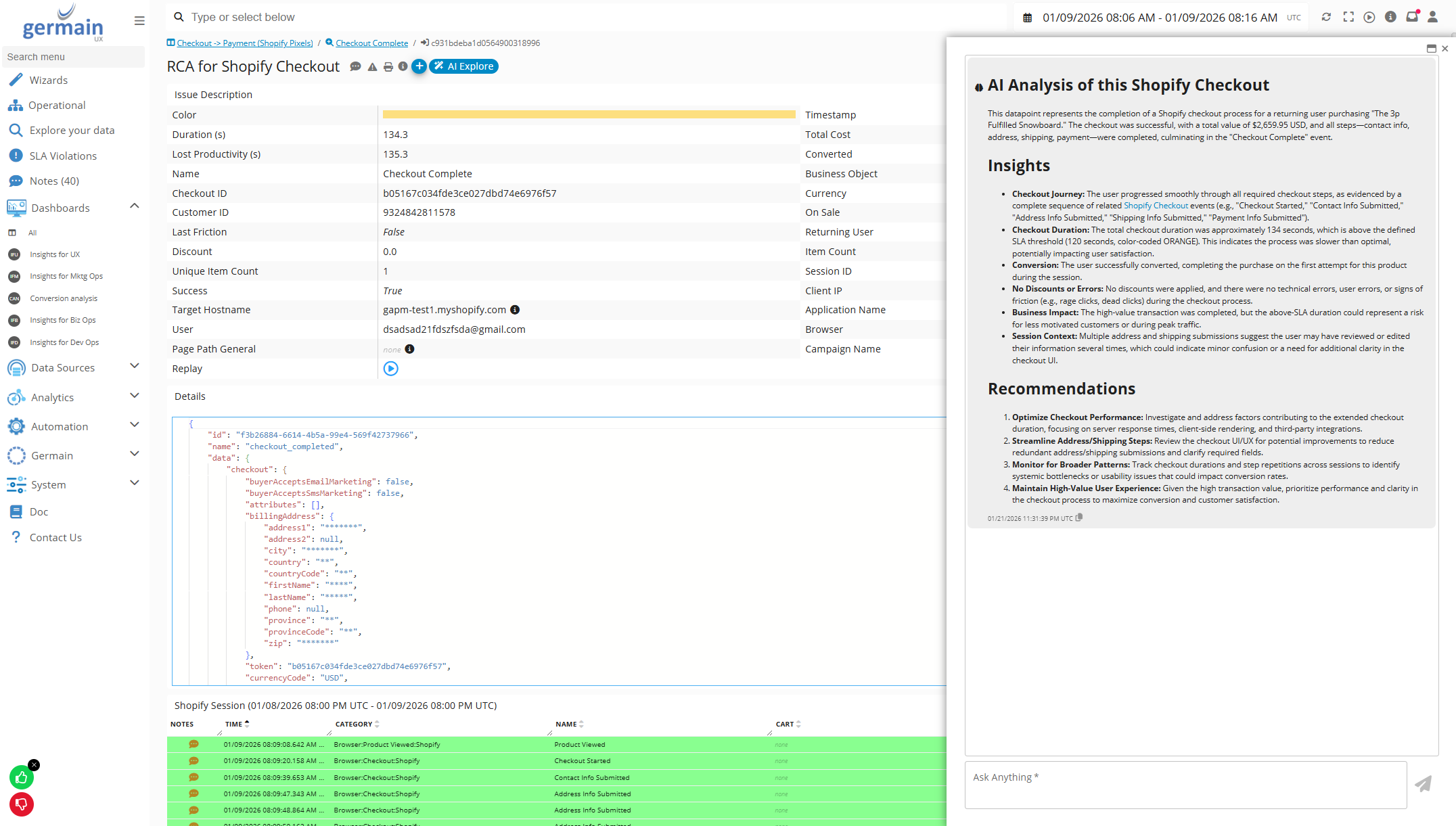
AI Assistance to better understand Shopify Conversion Issues - GermainUX
AI-Assisted Analysis
AI Explore allows teams to ask natural-language questions about shopper experience, conversion, products, journeys, conversations and technology issues. It is available across preconfigured and custom Shopify KPIs and can analyze relationships across multiple KPIs. GermainUX also assists teams by:
AI-powered summary analysis of Shopify cart abandonment - GermainUX
Ask Your AI Assistant With the MCP Server
The GermainUX MCP Server lets you ask your own AI assistant questions about your Shopify store’s monitoring data. Watch how it works with Shopify:Alerts, Proactive Detection and Automated Remediation
GermainUX can turn monitoring and analysis into action through:Automated Reports
GermainUX can generate and distribute scheduled reports according to the urgency of the issue and the needs of each stakeholder. Report layouts, included KPIs, AI prompts, recommendations and calls to action are configurable. Examples include:| Report | Purpose |
|---|---|
| Weekly Conversion Report | 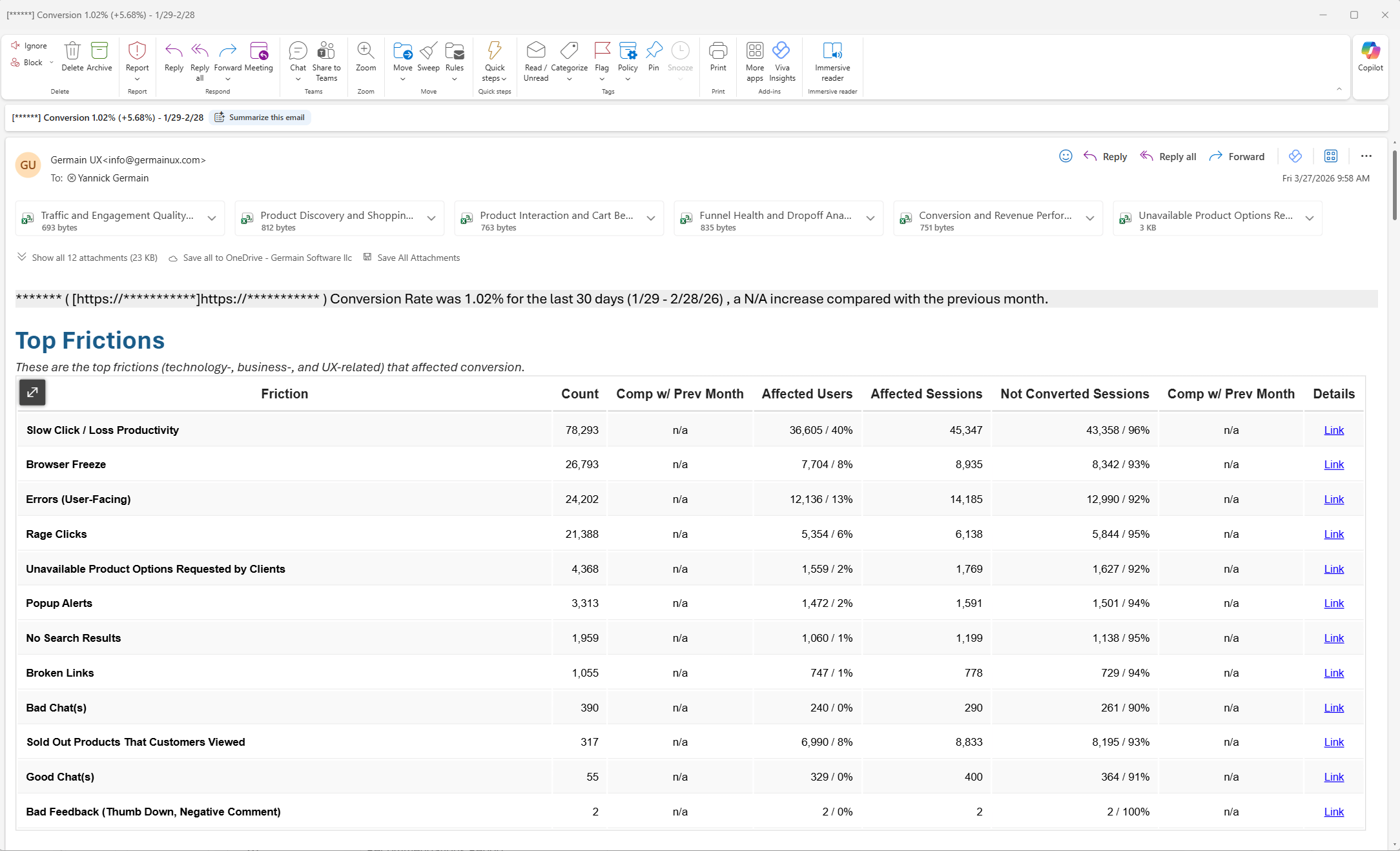 |
| Top Conversion Issues and Recommendations Report | 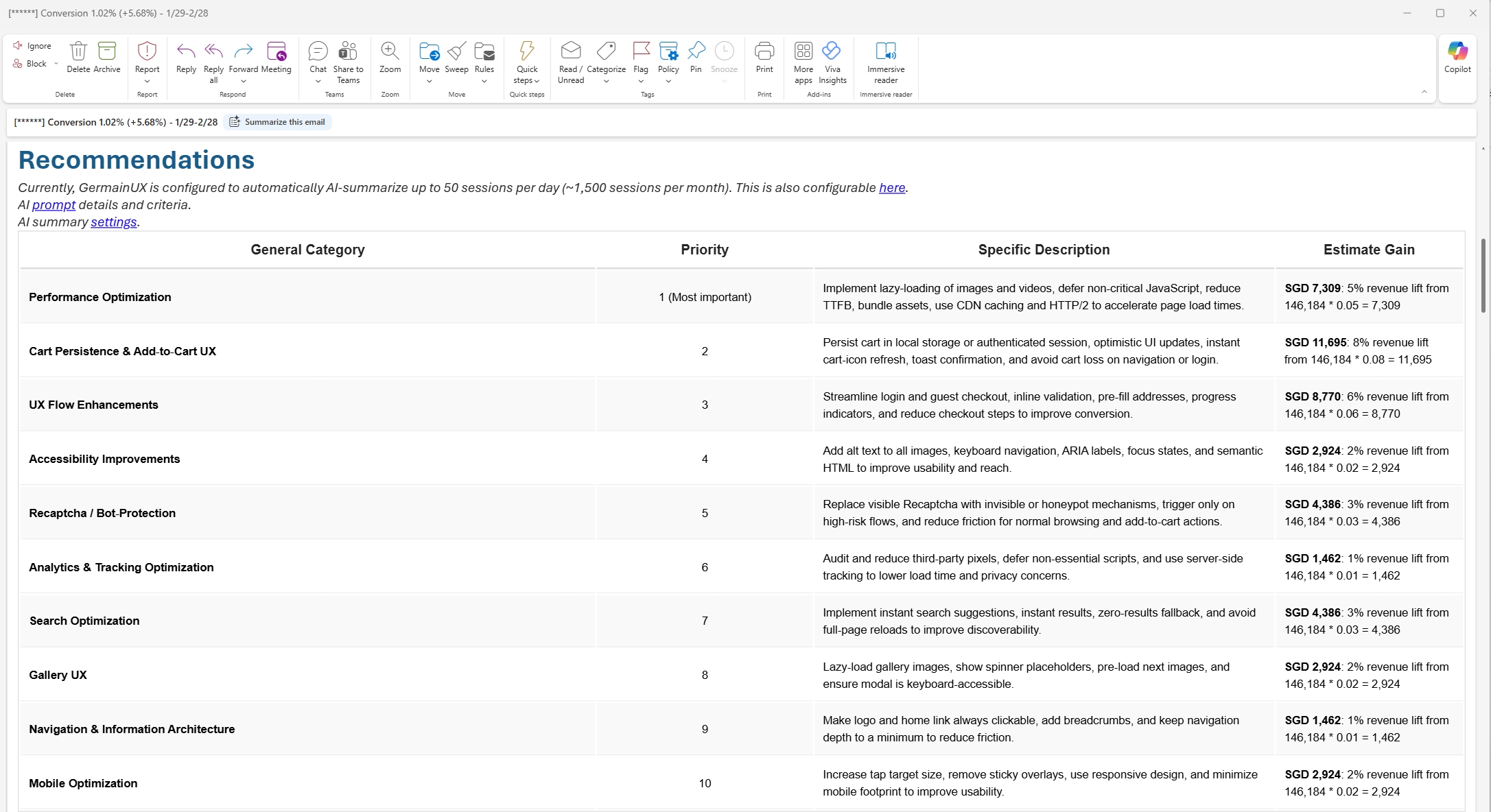 |
| Cart Abandonment Report | 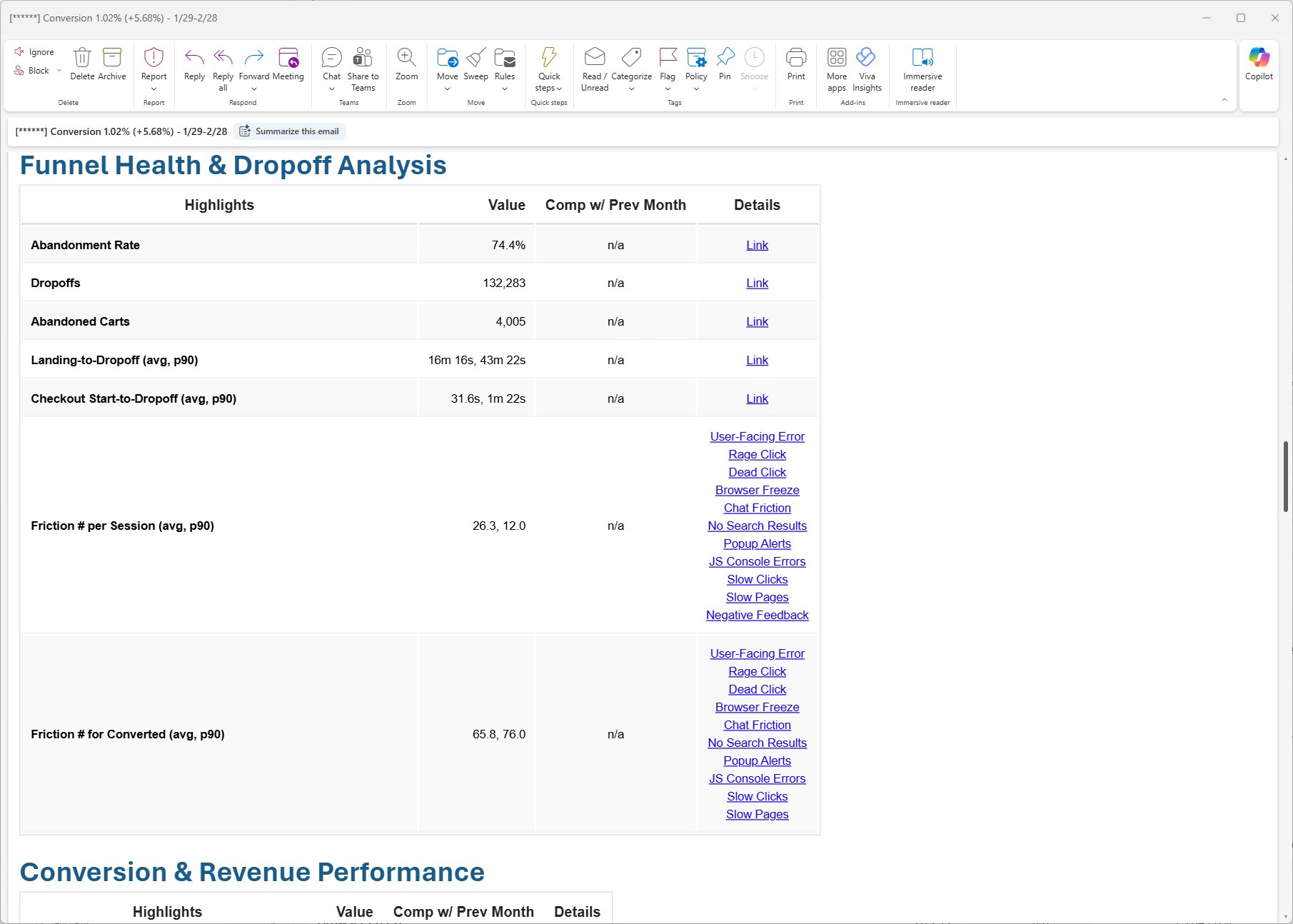 |
| Customer Satisfaction and NPS Report | 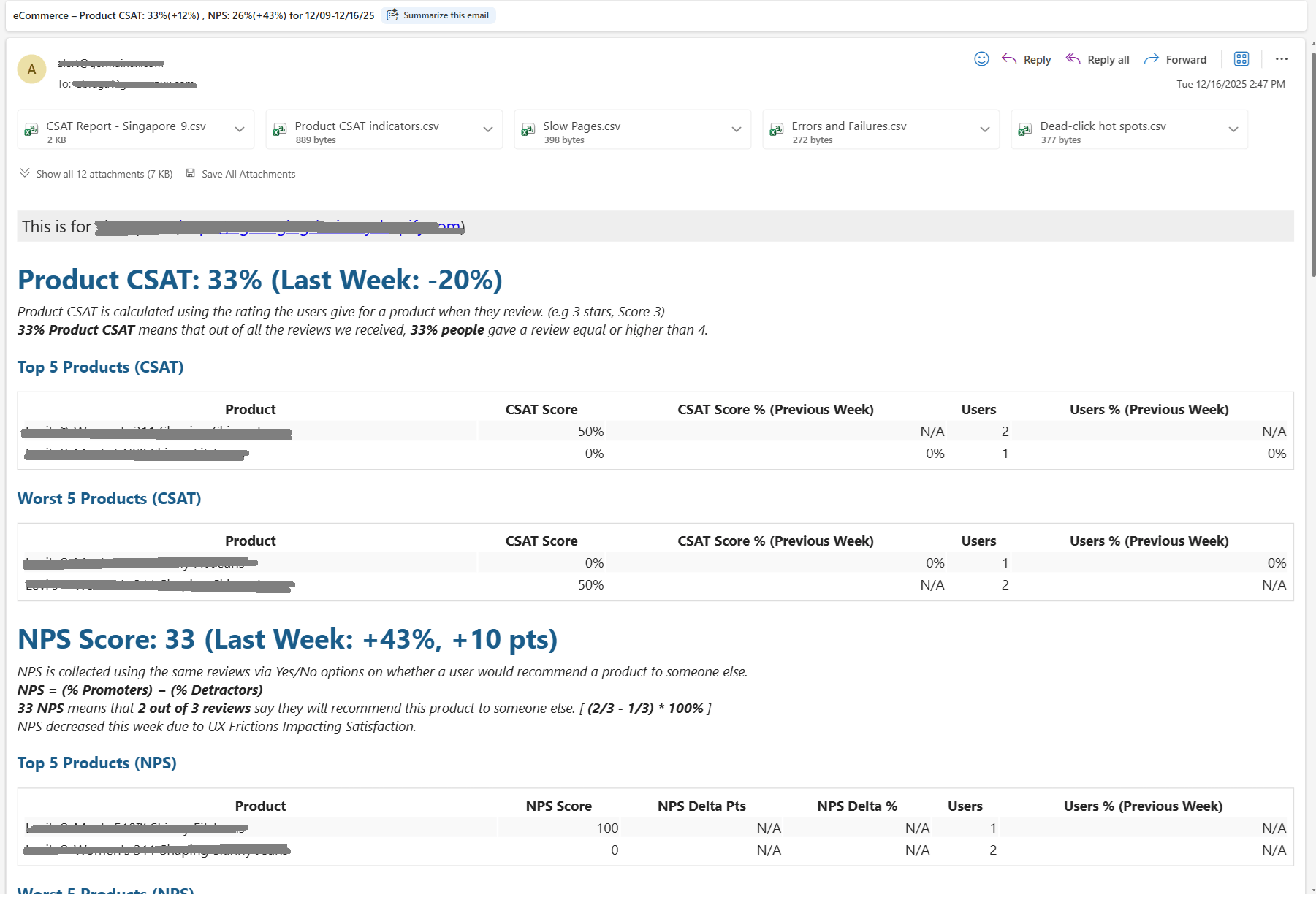 |
| AI Summary of Multiple Shopper Sessions | 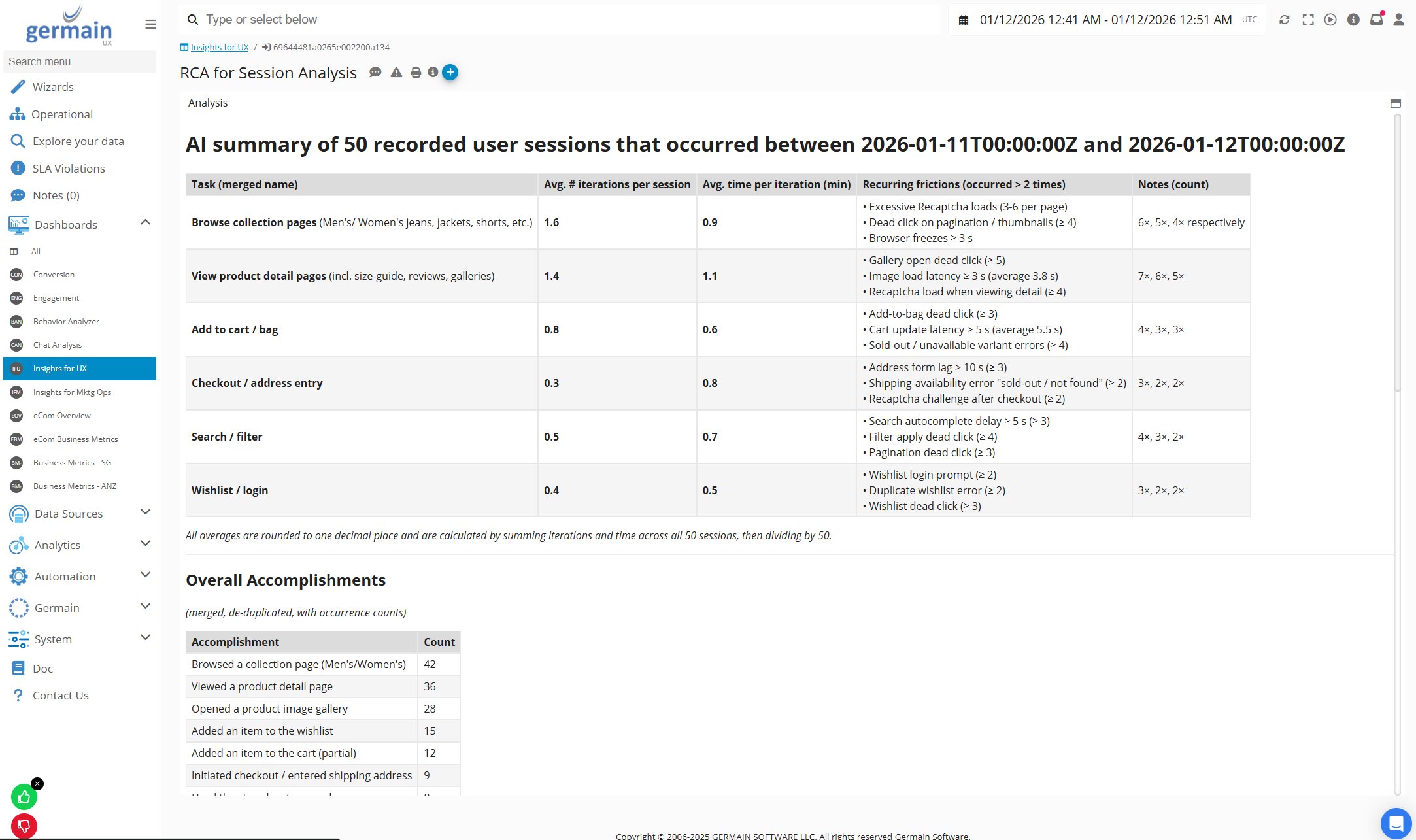 |
Security and Privacy
Security and privacy controls help restrict access to sensitive Shopify data and support organizational requirements such as GDPR. Depending on the deployment, sensitive information can be masked, anonymized or excluded from collection. The monitoring of conversations, personal information, payment-related journeys and authenticated customer activity depends on the organization’s permissions, retention policies, consent requirements and configured privacy controls.Availability
GermainUX is available in the Shopify App Store. See what Shopify merchants say in their App Store reviews.Deployment and Configuration
- Deploy GermainUX for Real User Monitoring, Session Replay, customer-journey analysis, heatmaps, errors, and performance monitoring.
- Configure Shopify Events for product views, searches, add-to-cart, remove-from-cart, checkout, and other customer actions.
- Configure business-process and conversion monitoring for product discovery, cart, checkout, payment, order confirmation, abandonment, and funnel drop-off.
- Configure Third-Party Checkout Monitoring when checkout or payment steps occur outside the monitored Shopify browser context.
- Configure Error Monitoring for Shopify.
- Configure User Feedback for Shopify.
- Deploy the GermainUX Engine for various other real-time automation e.g. when Shopify APIs, authoritative order data, integrations, logs, synthetic monitoring, reports, or automation are required.
- Deploy the GermainUX RPA Bot Recorder to create synthetic browse, search, cart, login, and checkout scenarios.
- Review the available Shopify Monitoring KPIs.
Additional Resources
AI
Analytics
Automation
Find Why Conversion Dropped
Dashboards
Reports
Get Help
Contact GermainUX Support
Can't Find What You Need?
The content of this document is proprietary to GERMAIN SOFTWARE.