

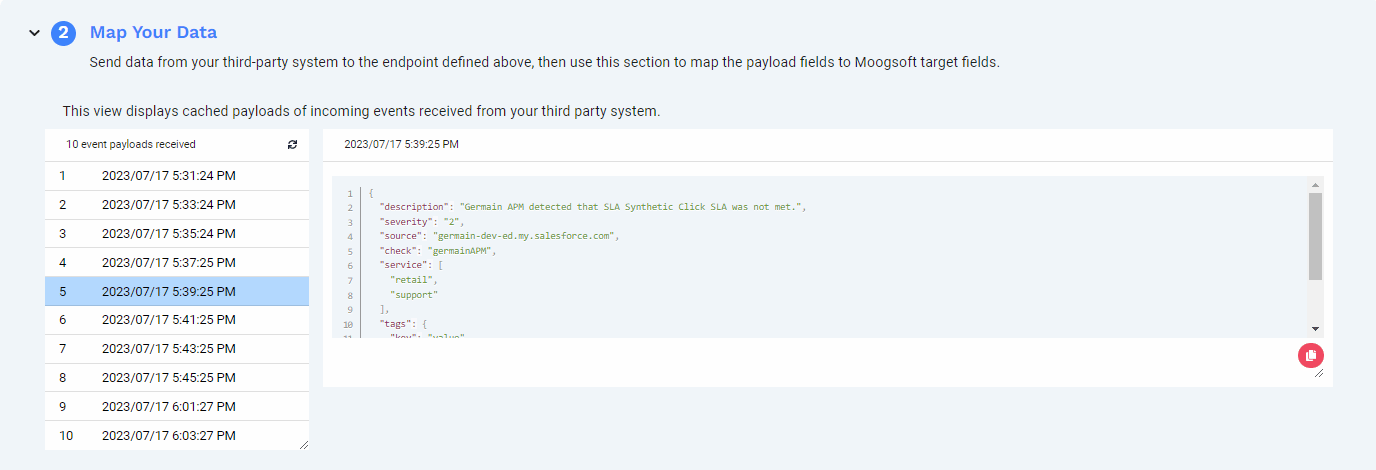
Moogsoft Map Your Data showing GermainUX event payloads - GermainUX
Integrate GermainUX Alerts with Moogsoft
Sending alerts over HTTP
Create a Custom Integration in Moogsoft
Setting up the endpoint
Recommended Event Fields
Context for responders
Security and Operational Considerations
Credentials and operating safeguards
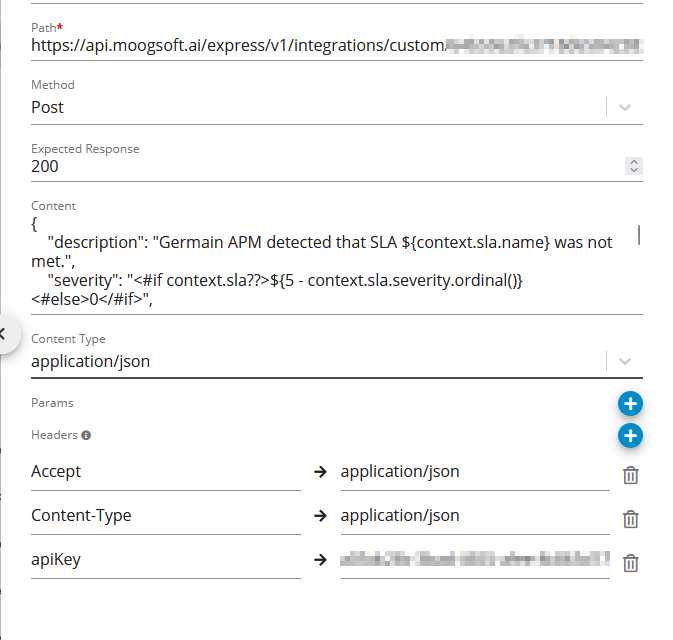
HTTP Action request configuration with Moogsoft endpoint and JSON payload - GermainUX
Get Help
Contact GermainUX Support
The GermainUX team helps you get up and running faster, empower your team, turn data into actionable insights, and optimize performance to deliver measurable business outcomes.
Can't Find What You Need?
Search all GermainUX docs with Ctrl + K, or use the feedback buttons at the bottom of this page to tell us what is missing.
The content of this document is proprietary to GERMAIN SOFTWARE.