

Architecture
How it fits
When to Use
Typical cases
Deploy
Step by step
Security
Least access
Overview
GermainUX Engine executes monitoring, diagnostic, integration, and automation components close to the systems being monitored. It retrieves its configuration from GermainUX Enterprise, executes the assigned monitoring components, and sends the resulting telemetry to GermainUX for analysis, alerts, reports, and automation.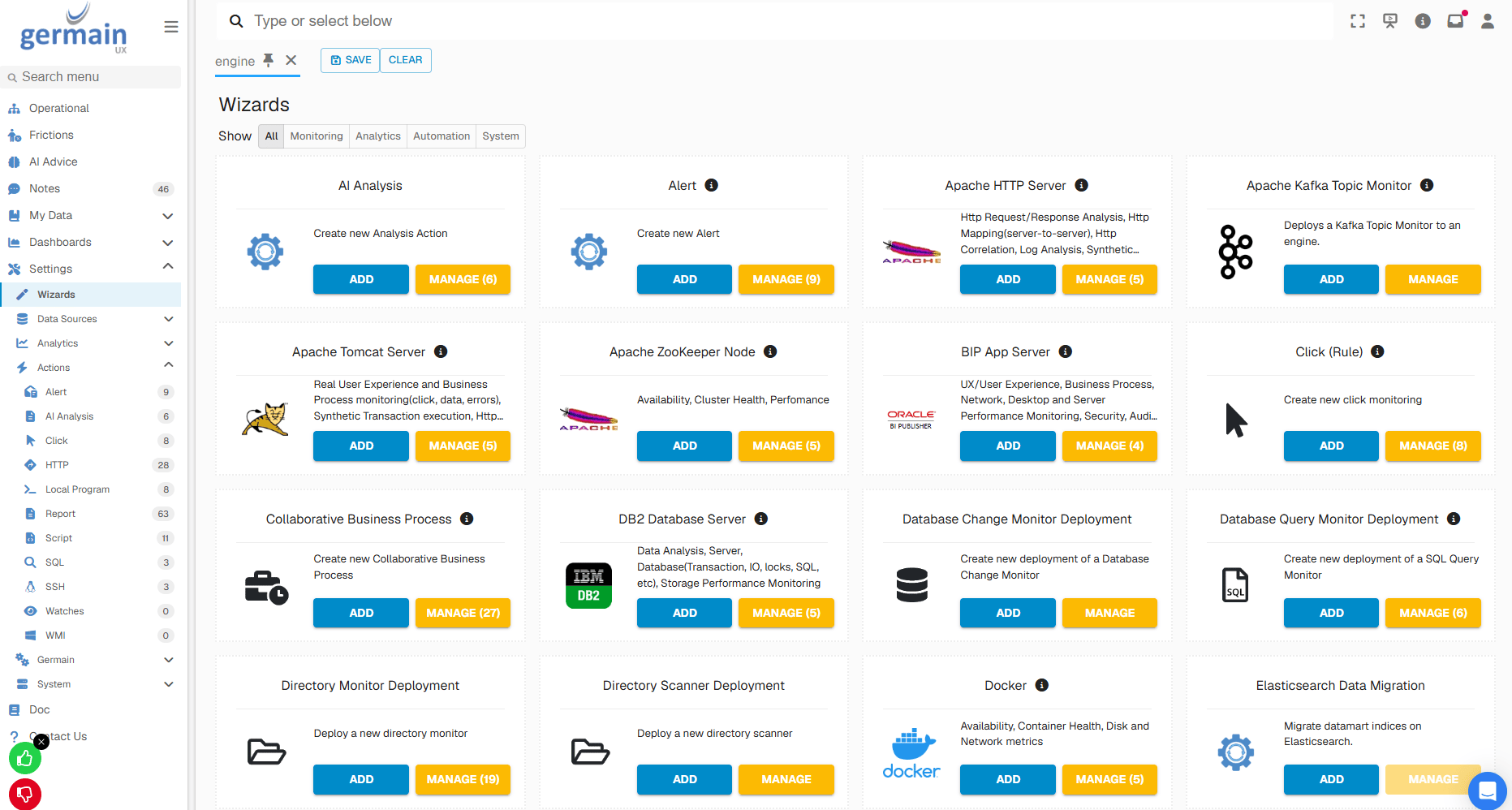
Engine-related wizards under Settings > Wizards in the GermainUX Workspace
What the Engine Can Access
Use GermainUX Engine when monitoring or automation requires access to resources such as:- Applications
- APIs
- Databases
- Servers
- Operating systems
- Logs
- Files
- Networks
- Messaging systems
- Cloud services
- Enterprise applications
- Third-party integrations
Architecture
A typical architecture is: Monitored System → GermainUX Engine → GermainUX Enterprise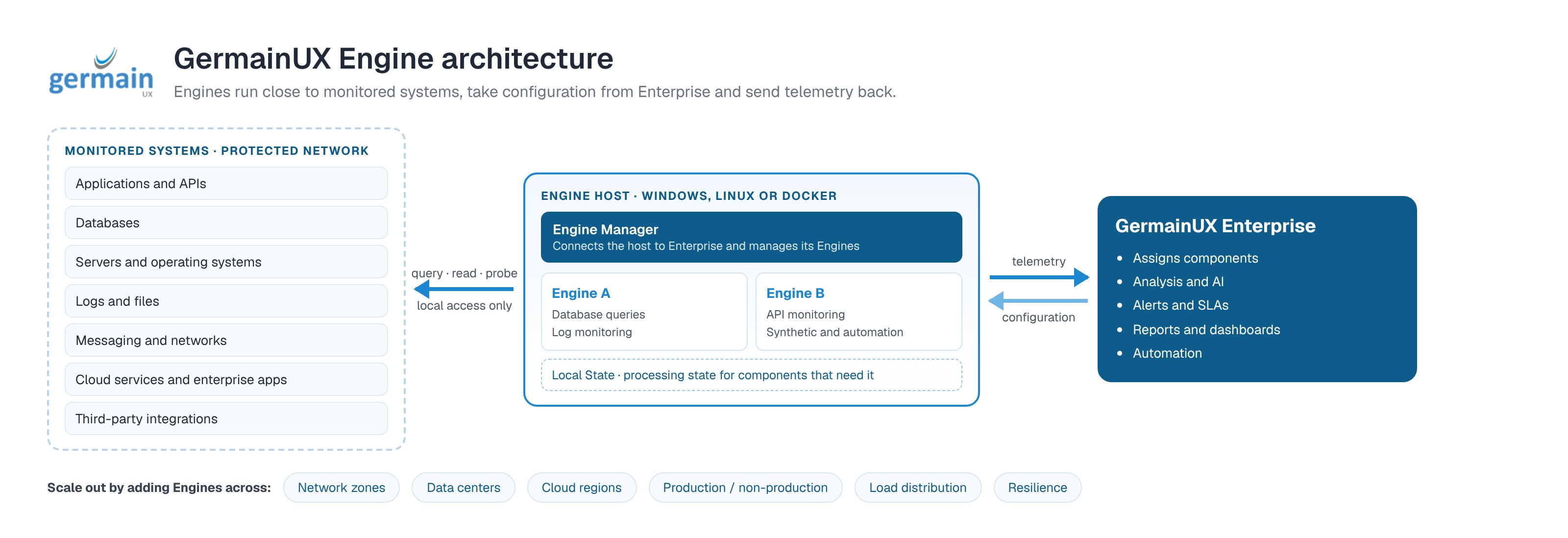
GermainUX Engine architecture: Engines run close to monitored systems, receive configuration from Enterprise, and send telemetry back
Multiple Engines can run on the same host and can be distributed across:
- Network zones
- Data centers
- Cloud regions
- Production environments
- Non-production environments
When to Use GermainUX Engine
Deploy an Engine when:- A monitored resource is not directly accessible from GermainUX Enterprise.
- Monitoring must execute within a protected network.
- Workloads need to be distributed.
- Separate production and non-production monitoring is required.
- Monitoring must operate close to a database, application, service, or infrastructure resource.
- Synthetic or automation tasks need to execute from a particular environment.
Deployment Options
GermainUX Engine can be deployed on supported:- Windows systems
- Linux systems
- Docker environments
Requirements
At a high level, an Engine host requires:- A supported operating system or container environment
- Required Java runtime
- Network connectivity to GermainUX Enterprise
- Network access to monitored resources
- Required credentials and permissions
- Appropriate CPU, memory, disk, and network capacity
Deployment Overview
A typical deployment consists of:1
Select the Engine host
2
Review network and software requirements
3
Deploy Engine Manager
4
Connect the host to GermainUX Enterprise
5
Create or enable the required Engines
6
Assign monitoring components
7
Validate connectivity to monitored resources
8
Confirm that monitoring data reaches GermainUX
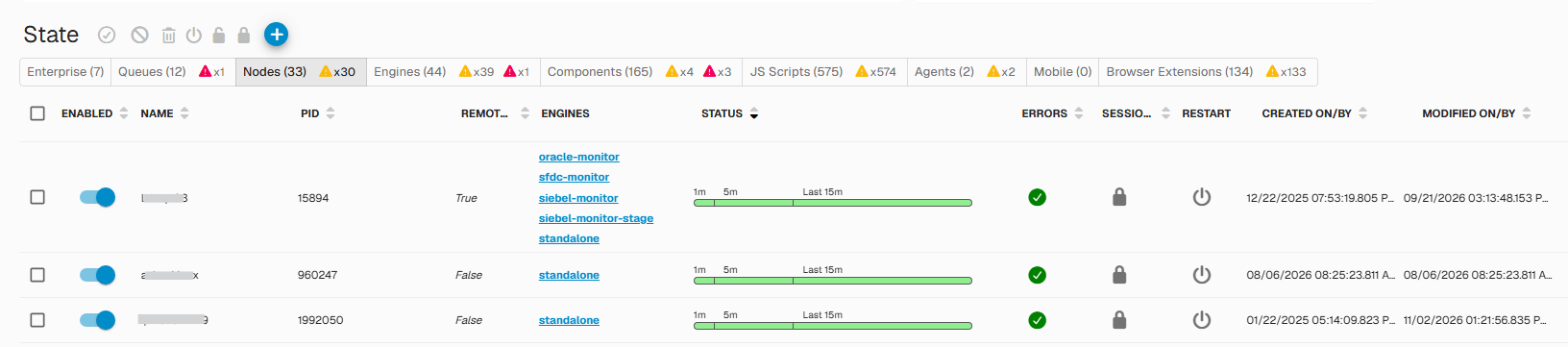
The Nodes tab of Settings > Germain > State, showing connected Engine hosts and their assigned Engines
Deployment and Configuration Guides
Scaling
Additional Engines can be deployed when required to:- Reach isolated network zones
- Separate environments
- Distribute monitoring workloads
- Reduce resource contention
- Improve resilience
- Meet regional or data-access requirements
Security
Use only the connectivity and permissions required by the monitoring components assigned to each Engine. Consider:- Network segmentation
- Service-account permissions
- Credential management
- TLS
- Proxy configuration
- Access to databases and APIs
- Access to files and logs
Validate
After deployment, confirm:- Engine Manager is connected to GermainUX Enterprise.
- The expected Engine instances are available.
- Assigned monitoring components are running.
- The Engine can reach the monitored resources.
- Monitoring data is transmitted successfully.
- CPU, memory, and disk utilization are appropriate.
Get Help
Contact GermainUX Support
The GermainUX team helps you get up and running faster, empower your team, turn data into actionable insights, and optimize performance to deliver measurable business outcomes.
Can't Find What You Need?
Search all GermainUX docs with Ctrl + K, or use the feedback buttons at the bottom of this page to tell us what is missing.
The content of this document is proprietary to GERMAIN SOFTWARE.