

Common Outliers
Configuration Guidelines
SAP Commerce Cloud
Investigation
Overview
GermainUX identifies unusual behavior in monitored SAP Commerce Cloud applications by comparing current activity with historical patterns or configured thresholds. Outlier detection can be applied to telemetry collected from:- SAP Fiori, SAPUI5, Web GUI, and compatible web applications
- SAP Commerce Cloud storefronts
- User sessions and business processes
- APIs and integrations
- Application logs
- Hosts, services, processes, and databases
- Synthetic transactions
Prerequisites
Before configuring outlier detection:- Deploy the required GermainUX monitoring components.
- Verify that the relevant telemetry is being collected.
- Configure the SAP Commerce Cloud application, business process, or infrastructure KPIs.
- Collect enough representative data to establish normal behavior.
- Exclude maintenance, testing, and other nonrepresentative periods.
Common Outliers
GermainUX can detect unusual changes in:Configure Outlier Detection
Open the GermainUX configuration for the relevant KPI, application, or business process
Select the measurement to analyze
Define the application, environment, transaction, or other dimensions used to group the data
Select the evaluation and comparison periods
Configure the sensitivity and minimum data volume
Exclude maintenance, testing, and known nonproduction activity
Save and enable the configuration
Configuration Guidelines
Use Meaningful Dimensions
Create separate baselines for workloads that behave differently, such as:- Production and test environments
- SAP Commerce Cloud storefronts
- Other SAP applications
- Business processes
- Pages, routes, APIs, or transactions
- Regions and device types
Require Sufficient Volume
Configure a minimum number of requests, sessions, errors, or process executions before evaluating an outlier. This prevents low-volume fluctuations from generating misleading results.Account for Recurring Patterns
SAP Commerce Cloud activity may vary by hour, day, business schedule, or batch-processing window. Compare similar operating periods when the workload has predictable patterns.Combine Outliers with Thresholds
Use outlier detection to identify unexpected changes and fixed thresholds to enforce known service objectives. For example, alert when checkout time is significantly above its normal range or exceeds the maximum acceptable duration.SAP Commerce Cloud
For SAP Commerce Cloud, GermainUX can identify unusual changes in:- Storefront performance
- Product searches and no-result searches
- Product and cart activity
- Checkout duration and failures
- Cart and checkout abandonment
- Conversion rates
- JavaScript and network errors
- API and third-party service performance
- Synthetic browse, login, cart, and checkout transactions
Business-Process Outliers
GermainUX can analyze configured SAP Commerce Cloud business processes when their steps are observable through browser events, logs, APIs, custom events, or synthetic transactions. Examples include:- Login
- Order creation
- Approval workflows
- Purchase-to-pay activities
- Customer-service workflows
- Browse-to-purchase journeys
- Cart and checkout
Investigation
When an outlier is detected, correlate it with available evidence such as:- Affected users and sessions
- Session Replay
- User actions
- Browser and JavaScript errors
- Network requests
- Application logs
- API and integration performance
- Host, process, and database metrics
- Synthetic transaction results
- Business-process steps
- Recent deployments
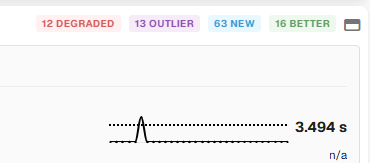
Degraded, Outlier, New and Better flags - GermainUX
Alerts
Configure alerts for sustained or significant outliers. Include:- Application and environment
- Affected transaction or process
- Current and expected values
- Number of affected users or transactions
- Duration and severity
- Related errors
- Link to the relevant GermainUX analysis
Validation
After enabling outlier detection:Confirm that the selected KPI receives data
Verify the filters and grouping dimensions
Check that the comparison period represents normal activity
Confirm that low-volume periods do not create false positives
Validate maintenance and test exclusions
Review detected outliers and adjust sensitivity as needed
Verify that alerts reach the correct recipients
Troubleshooting
No Outliers Are Detected
Verify that:- The KPI contains sufficient data.
- The rule is enabled.
- Filters are not excluding all telemetry.
- Minimum-volume requirements can be met.
- Sensitivity is appropriate.
Too Many Outliers Are Detected
Verify that:- Different applications and transactions have separate baselines.
- Recurring daily or weekly patterns are considered.
- Maintenance and test activity are excluded.
- Minimum-volume requirements are configured.
- Sensitivity is not too high.
- Alerts require the condition to persist.
Privacy
Do not collect passwords, authentication tokens, payment information, or unnecessary personal data. Apply GermainUX masking, exclusion, access-control, and retention settings to all monitored SAP Commerce Cloud telemetry.Get Help
GermainUX can help determine which monitoring, analytics and automation capabilities are appropriate for your SAP Commerce Cloud environment.Contact GermainUX Support
Can't Find What You Need?
The content of this document is proprietary to GERMAIN SOFTWARE.