

What it is
Scores for every datapoint
The formula
SLA thresholds applied in order
Configurable inputs
Edit KPI and SLA settings
Notable edge cases
Unusual scoring situations explained
What it is
Every ingested monitoring datapoint (“Fact” — a transaction, metric, event, alert, etc.) receives a numericscore as part of standard data ingestion. This score represents SLA (Service Level Agreement) non-compliance: how far, and how severely, the fact breached the SLA thresholds an admin configured for it.
This score is not related to anomaly detection, statistical baselines, or AI-driven insights — it is a straightforward, deterministic measure of SLA breach severity computed at ingest time for every fact.
On GermainUX workspace, when you mouse over any metric, one of the options is to view the “Worst Instance Analysis” of that metric. The Score is used to determine what insights to show when selecting “Worst Instance..”.
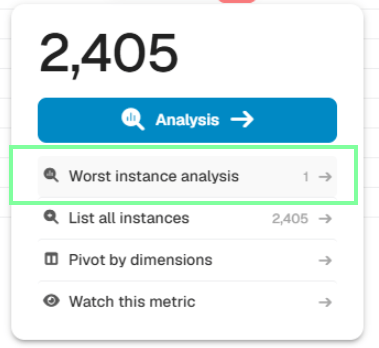
Worst Instance Analysis - GermainUX
The formula
For each KPI, admins define one or more SLAs, and each SLA has an ordered list of thresholds. When a fact matches an SLA:Contribution by threshold type
There is no cap or normalization — the score is an unbounded, unitless number, not a percentage or a fixed 0–100 scale. Its magnitude is only meaningful relative to the threshold’s own units and its configured coefficient (e.g., a score of 70 on a duration threshold with coefficient 1.0 means the value was 70 units over budget).
Separately from score, a violated threshold also assigns a color (
GREEN / ORANGE / RED) to the fact. Color escalation is one-directional — a fact’s color can only get worse, never better, as multiple checks are applied.
Configurable inputs
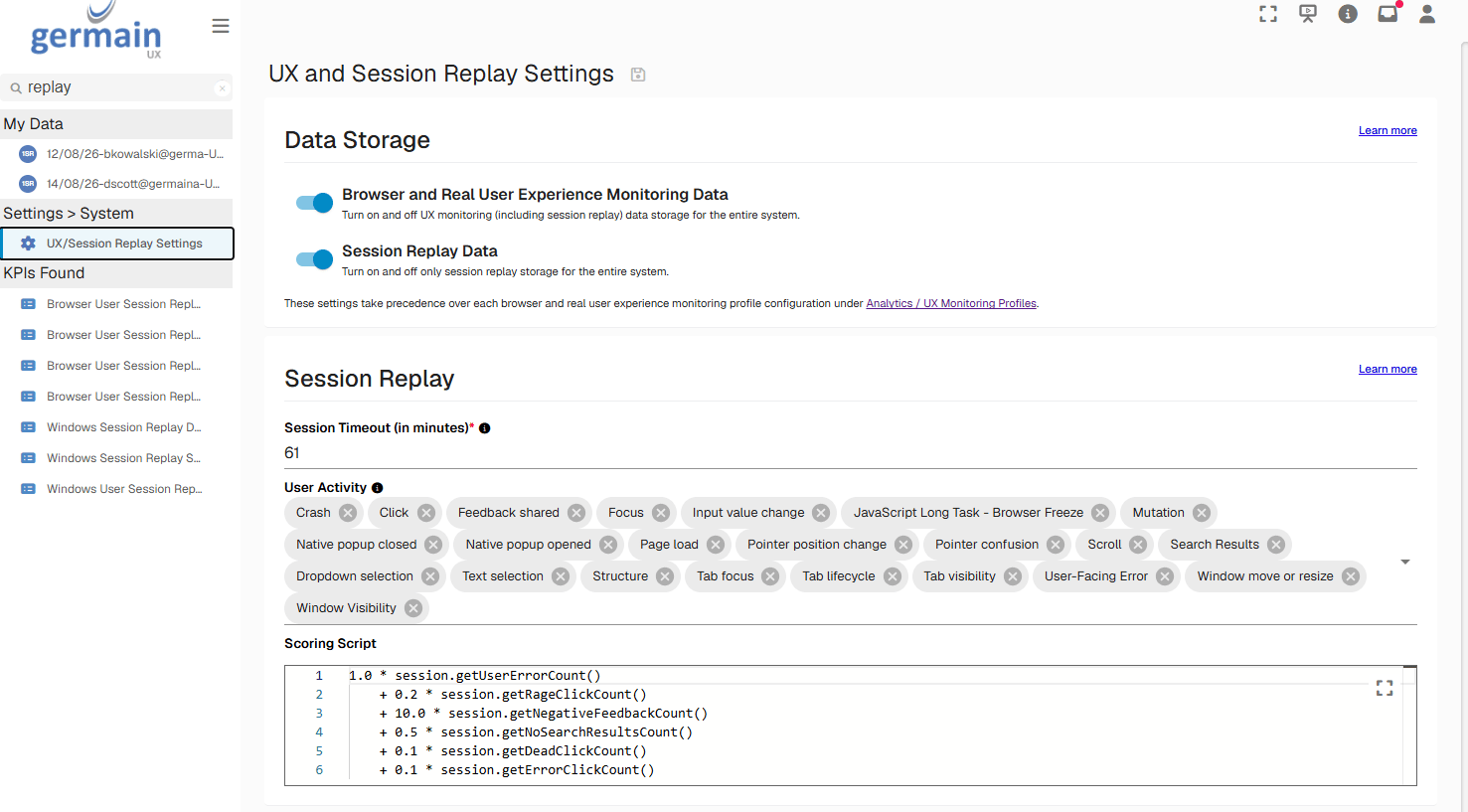
Scoring Configuration for Worst Instance Analysis - GermainUX
Notable edge cases
Component Internal: Workspace
Get Help
Contact GermainUX Support
The GermainUX team helps you get up and running faster, empower your team, turn data into actionable insights, and optimize performance to deliver measurable business outcomes.
Can't find what you need?
Search all GermainUX docs with Ctrl + K, or use the feedback buttons at the bottom of this page to tell us what is missing.
The content of this document is proprietary to GERMAIN SOFTWARE.