

Key Insights
Adoption trends and gaps
Investigate Adoption
Locate where adoption drops
Adoption Dashboard: Real-Time Monitoring of Employee and Partner-based Applications (CRM, ERP, etc)
Overview
The Adoption Dashboard provides a real-time view of how successfully users are adopting an application, feature, or business process. It helps teams identify where users struggle, avoid functionality, abandon workflows, or require more effort than expected.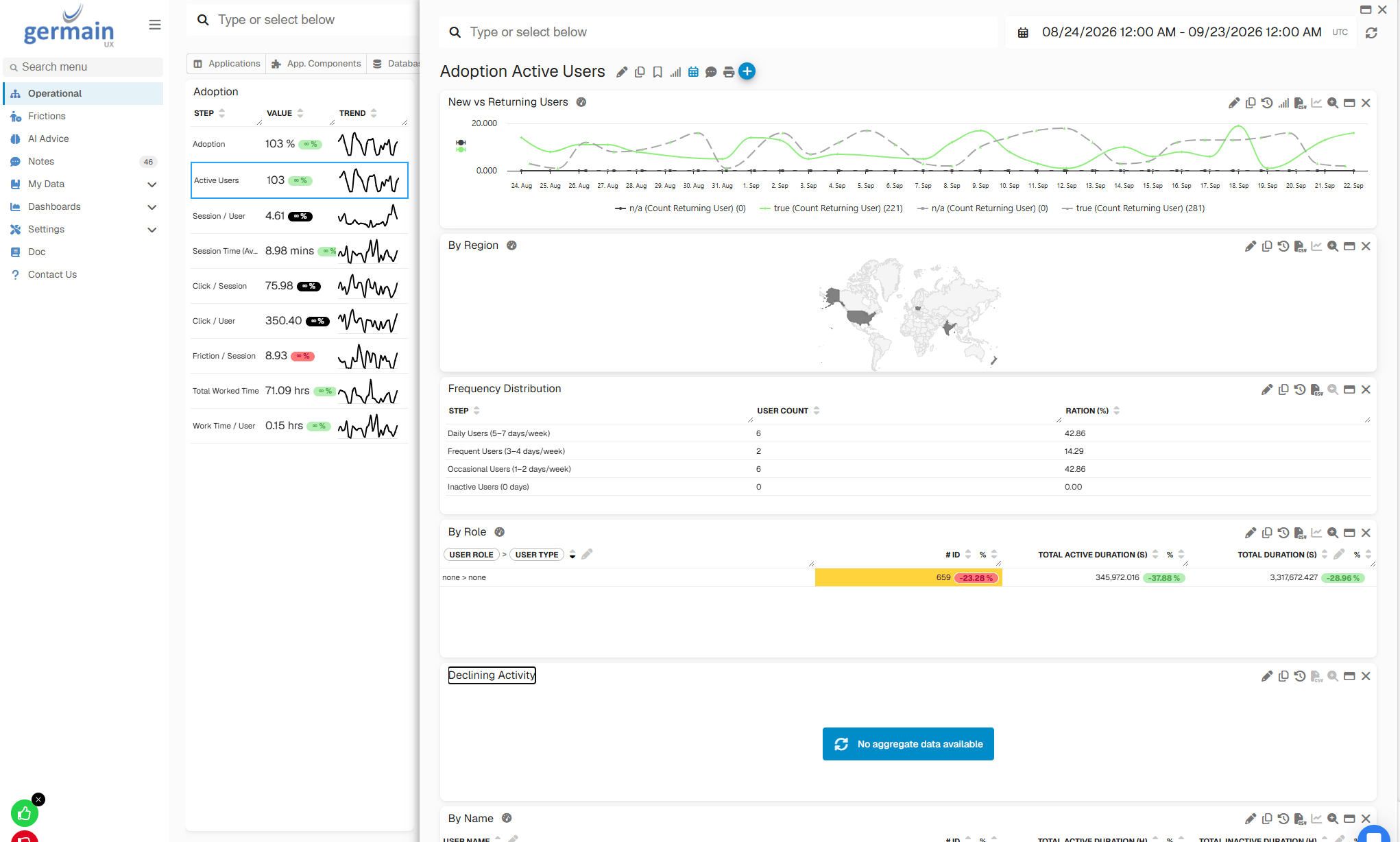
Adoption Tab in Operational Dashboard - GermainUX
Key Insights
Use the Adoption Dashboard to understand:Investigate Adoption
When an adoption issue is identified, drill into the relevant KPI to determine where the issue is concentrated and why it may be occurring.Adoption IssueFrictionsAffected PopulationAnalysisIndividual SessionsLikely Contributing Factors
Where Session Replay is available, review representative sessions to see what affected users actually experienced.
Additional Resources
AI
Insights & Recommendations
Analytics
More Analytics Features
Automation
More Automation Features
Dashboards
Dashboards and reports overview
Reports
Automatic and scheduled reports
Management
More Management Features
Get Help
Contact GermainUX Support
The GermainUX team helps you get up and running faster, empower your team, turn data into actionable insights, and optimize performance to deliver measurable business outcomes.
Can't find what you need?
Search all GermainUX docs with Ctrl + K, or use the feedback buttons at the bottom of this page to tell us what is missing.
The content of this document is proprietary to GERMAIN SOFTWARE.