
📊 Monitor tablespaces and datafiles
Monitor the usage and growth of tablespaces and datafiles within the Oracle database. Track free space, growth rate, and ensure that tablespaces are properly managed to prevent space-related issues.
For basic monitoring of a single instance, Germain uses a regular database user account with CONNECT permissions. In the case of Oracle RAC, it is possible to monitor the status of the cluster as a whole or individual instances. To perform more in-depth monitoring, the database user needs to be granted additional permissions to execute queries against a series of system views.
Please note that Germain can monitor any other Oracle tables, whether they are system tables or data tables. The requirements mentioned below are the bare minimum, but they can be extended to include monitoring of any other tables as well.
📚 Required Views and Permissions
|
View (Single Instance) |
View (Multi-Instance / RAC) |
Permission |
|---|---|---|
|
V$SYSSTAT |
GV$SYSSTAT |
SELECT |
|
V$SYSTEM_EVENT |
GV$SYSTEM_EVENT |
SELECT |
|
V$SESSION |
GV$SESSION |
SELECT |
|
V$SQL |
GV$SQL |
SELECT |
|
V$SQLTEXT |
GV$SQLTEXT |
SELECT |
|
V$SYSTEM_PARAMETER |
GV$SYSTEM_PARAMETER |
SELECT |
|
V$RESOURCE_LIMIT |
GV$RESOURCE_LIMIT |
SELECT |
|
V$SQLSTATS |
GV$SQLSTATS |
SELECT |
|
V$SESSTAT |
GV$SESSTAT |
SELECT |
|
V$STATNAME |
GV$STATNAME |
SELECT |
|
V$DIAG_ALERT_EXT |
GV$DIAG_ALERT_EXT |
SELECT |
|
V$LOCKED_OBJECT |
GV$LOCKED_OBJECT |
SELECT |
|
V$LOG |
V$LOG |
SELECT |
|
V$RECOVERY_FILE_DEST |
V$RECOVERY_FILE_DEST |
SELECT |
|
DBA_DATA_FILES |
DBA_DATA_FILES |
SELECT |
|
DBA_TABLESPACE_USAGE_METRICS |
DBA_TABLESPACE_USAGE_METRICS |
SELECT |
|
DBA_TEMP_FILES |
DBA_TEMP_FILES |
SELECT |
|
DBA_TEMP_FREE_SPACE |
DBA_TEMP_FREE_SPACE |
SELECT |
⚙️ Setup in Germain Workspace
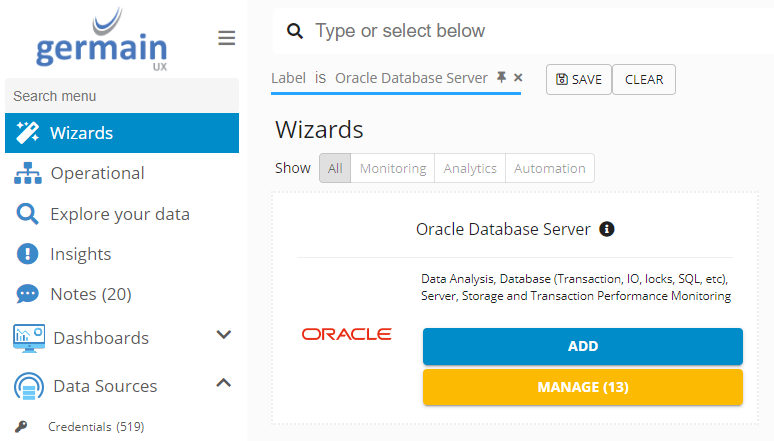
Log on to Germain Workspace > left menu > Wizards > Oracle Database Server
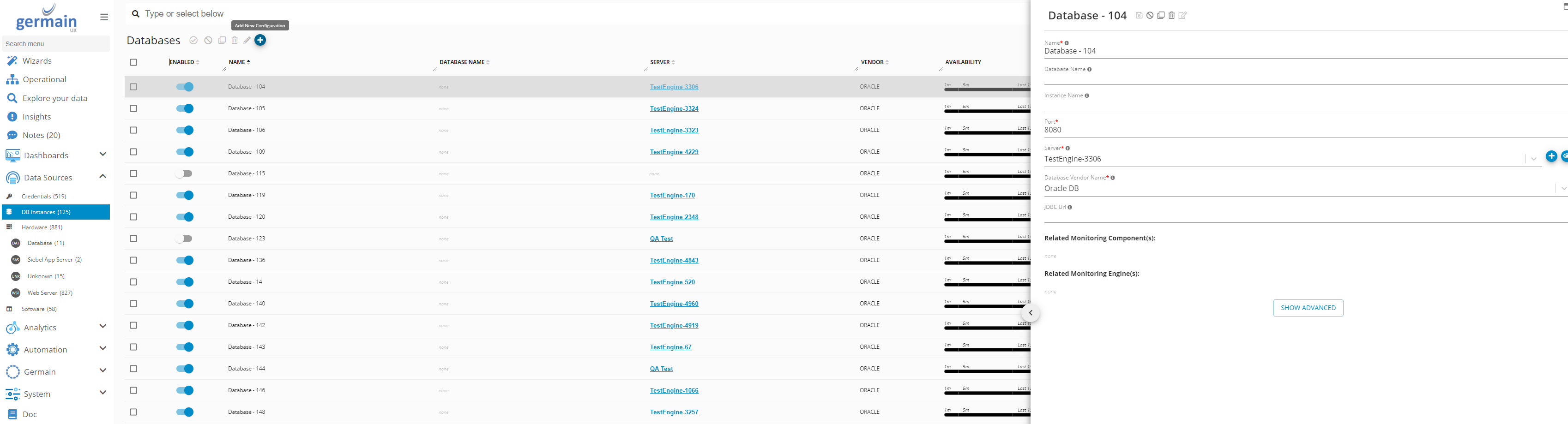
 Add Database as Data Source
Germain workspace > Left Menu > Data Sources > Database > Add New Configuration
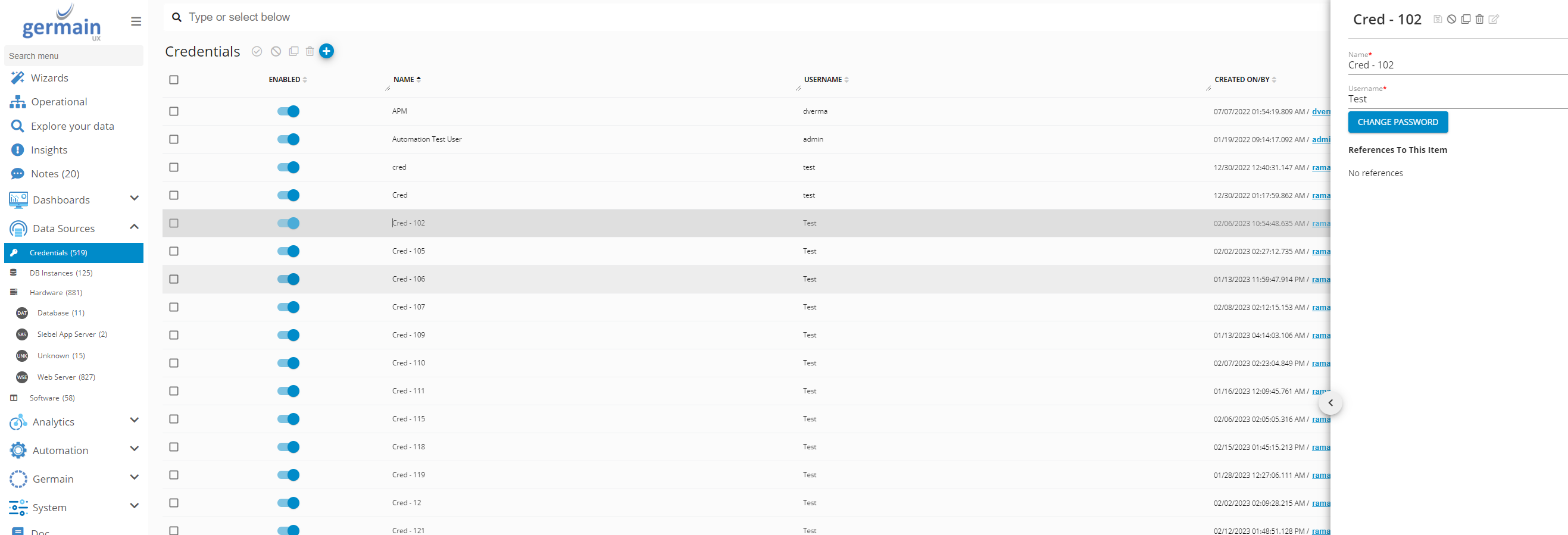
🔑 Add DB Credentials
Germain Workspace > Left Menu > Data Sources > Credentials
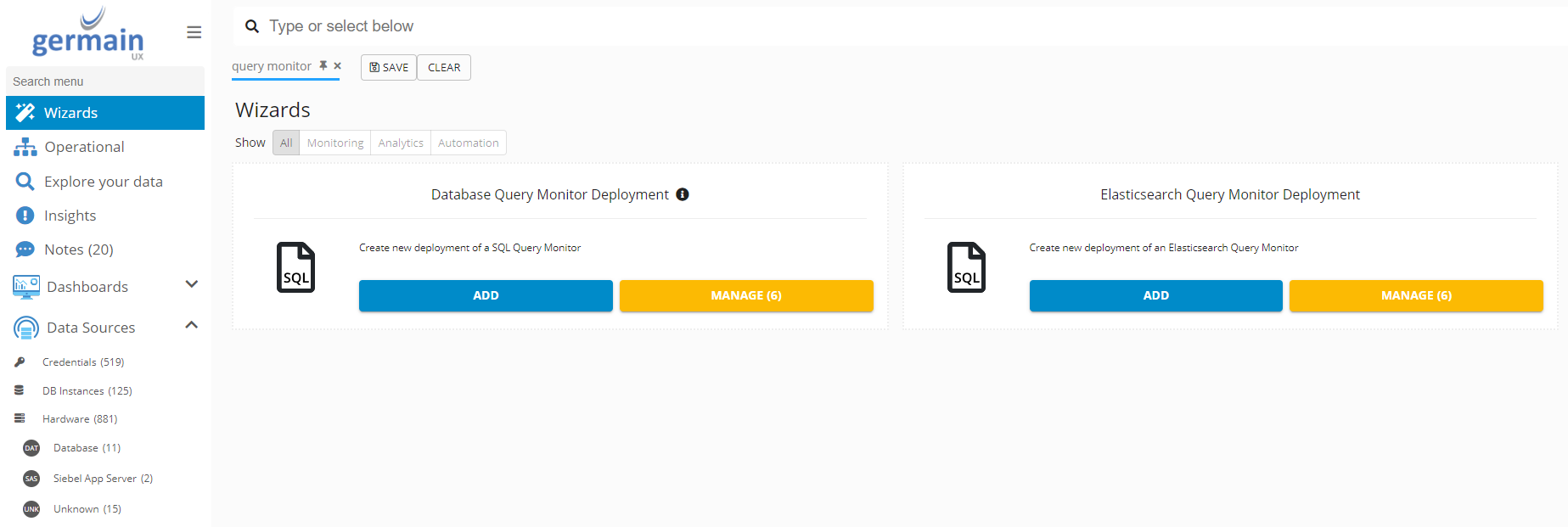
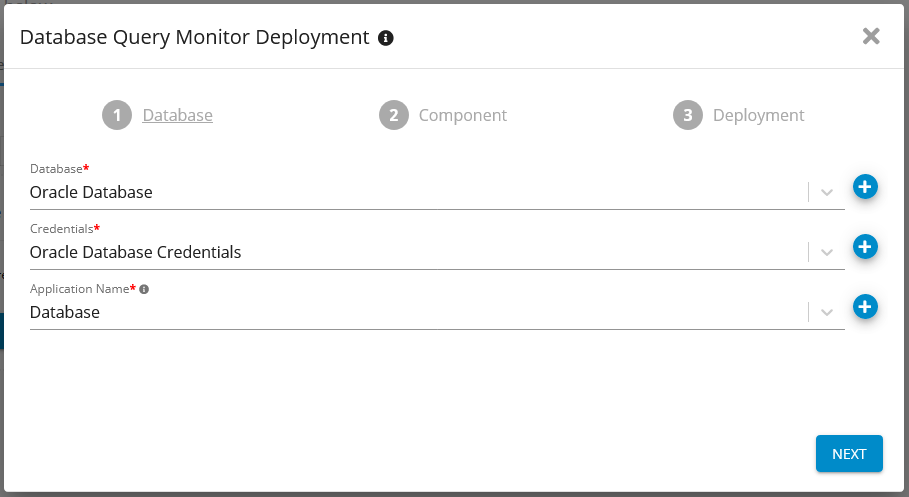
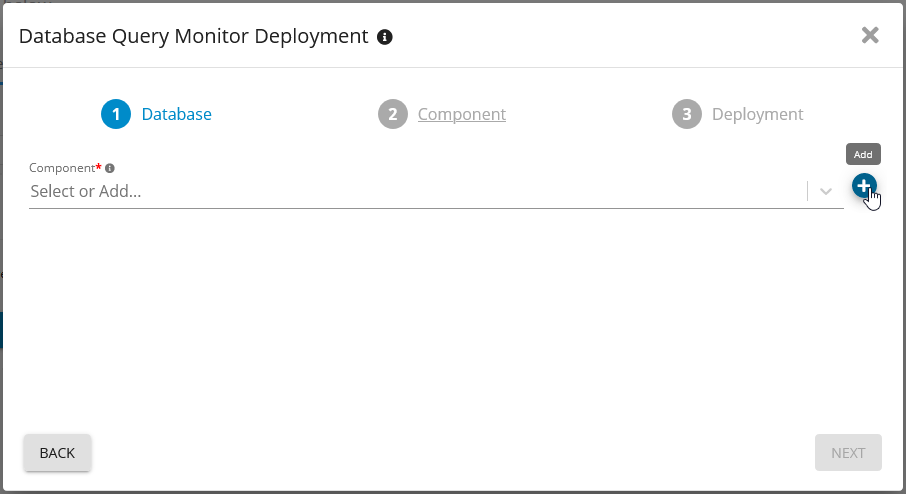
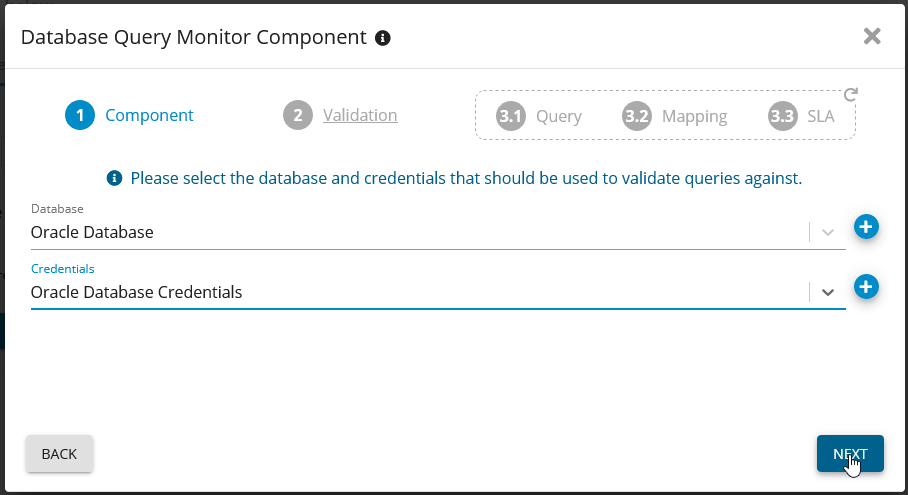
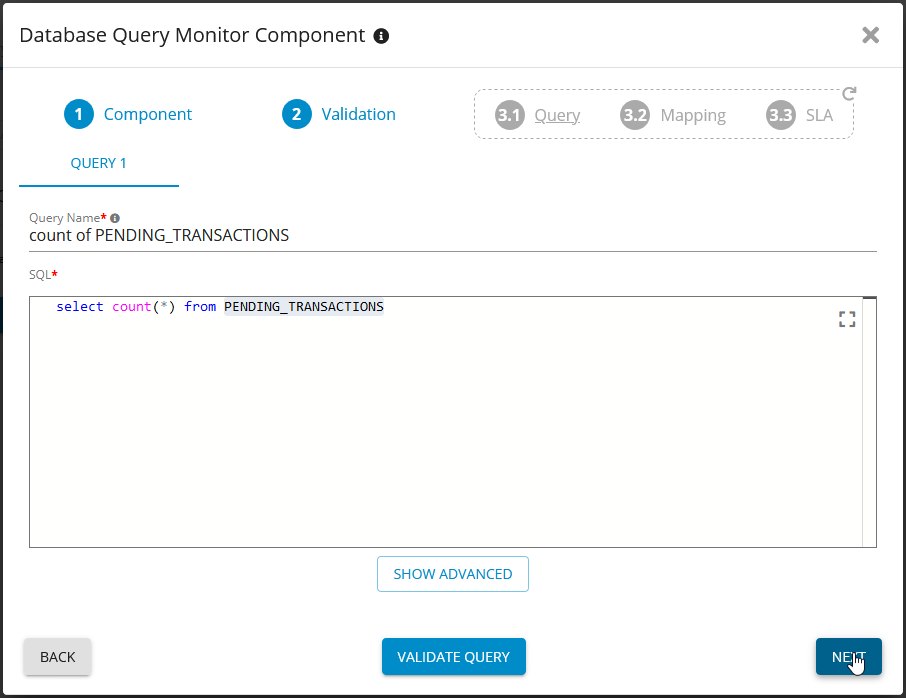
📡 Add Database Query Monitor
Germain Workspace > Left Menu > Wizards > Database Query Monitor Deployment
ℹ️ Enter Database details
📈 Add KPI
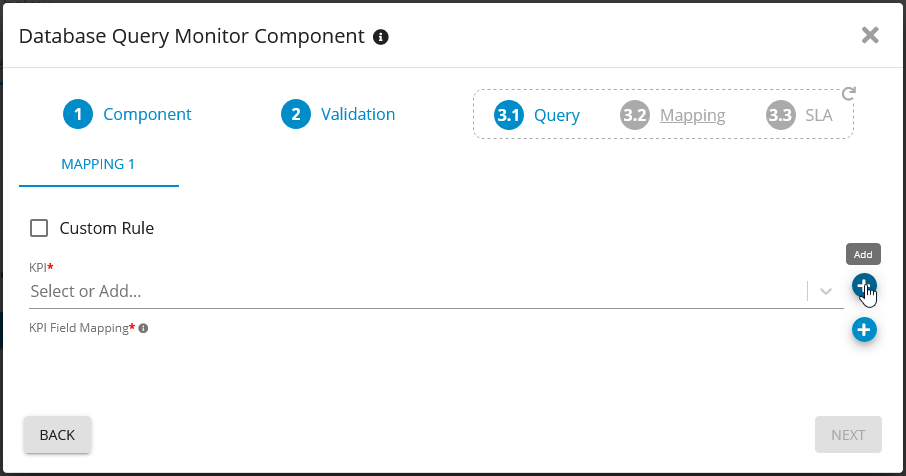
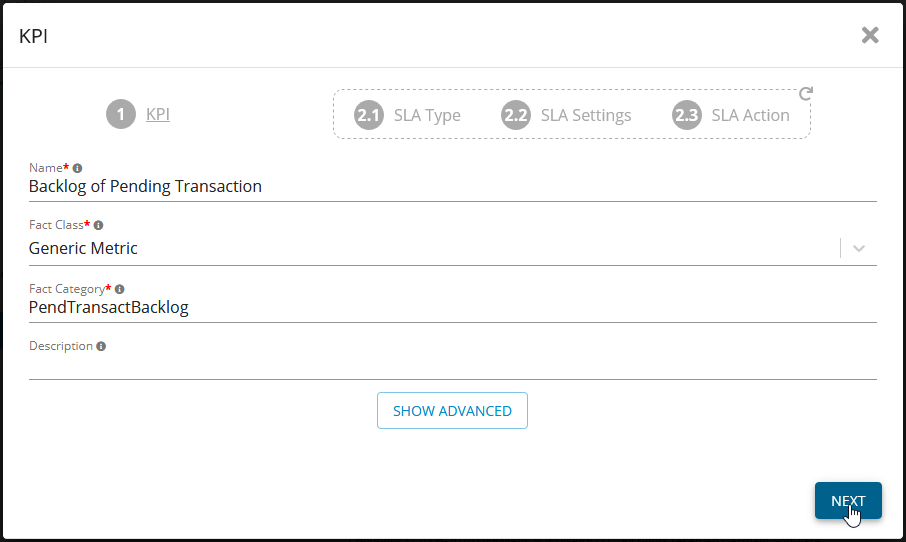
Create the base SLA for the new KPI. Choose Fact-based SLA
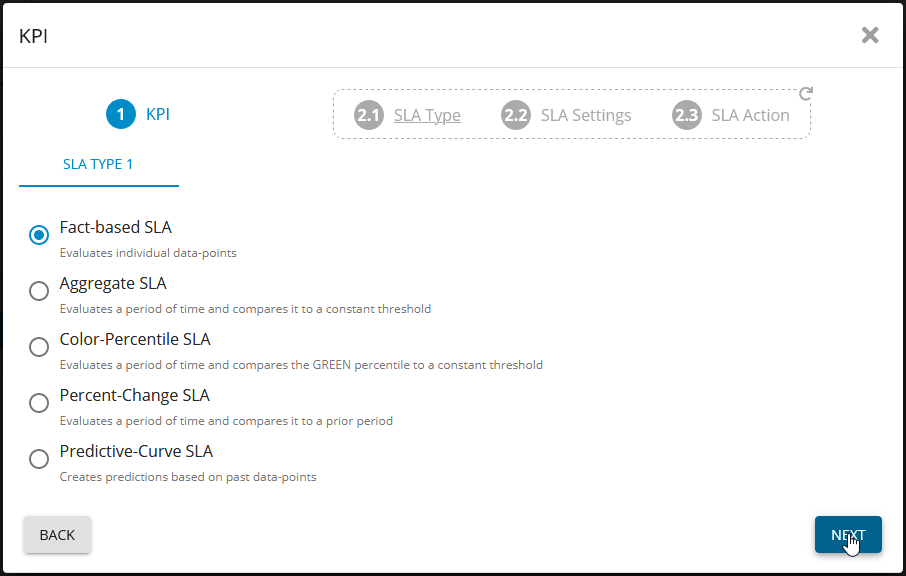
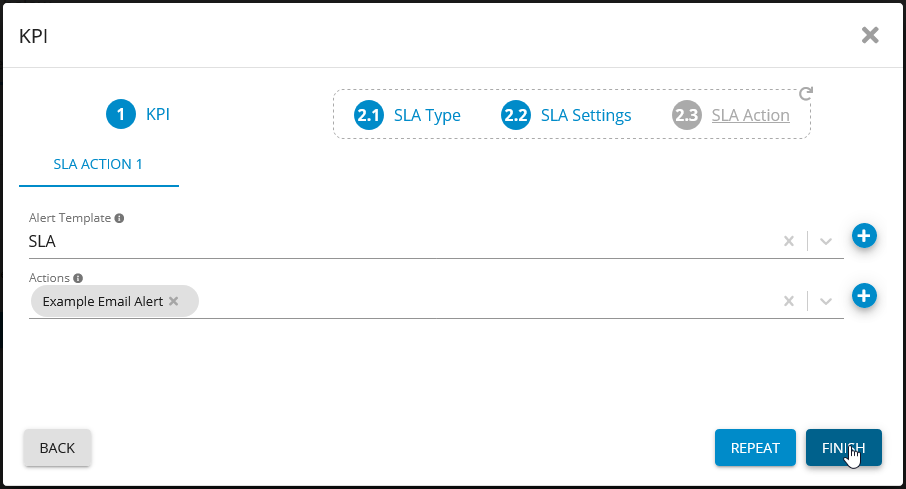
🔔 Add SLA
Alert Template: SLA.
Choose one or more of your actions (Alerts, Reports, Scripts, ect..)
🔧 Set KPI
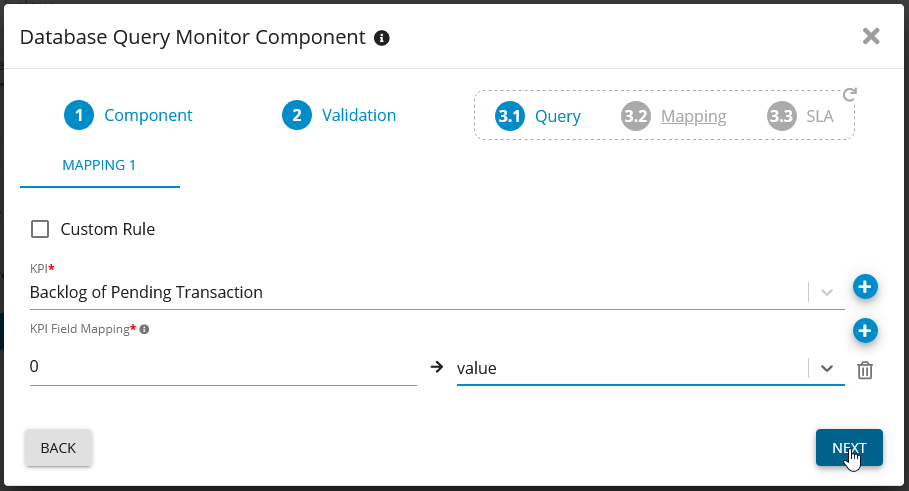
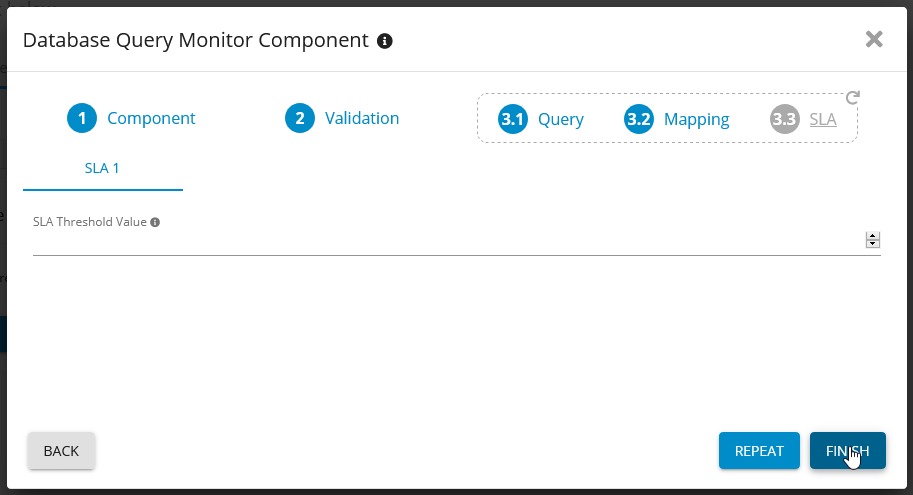
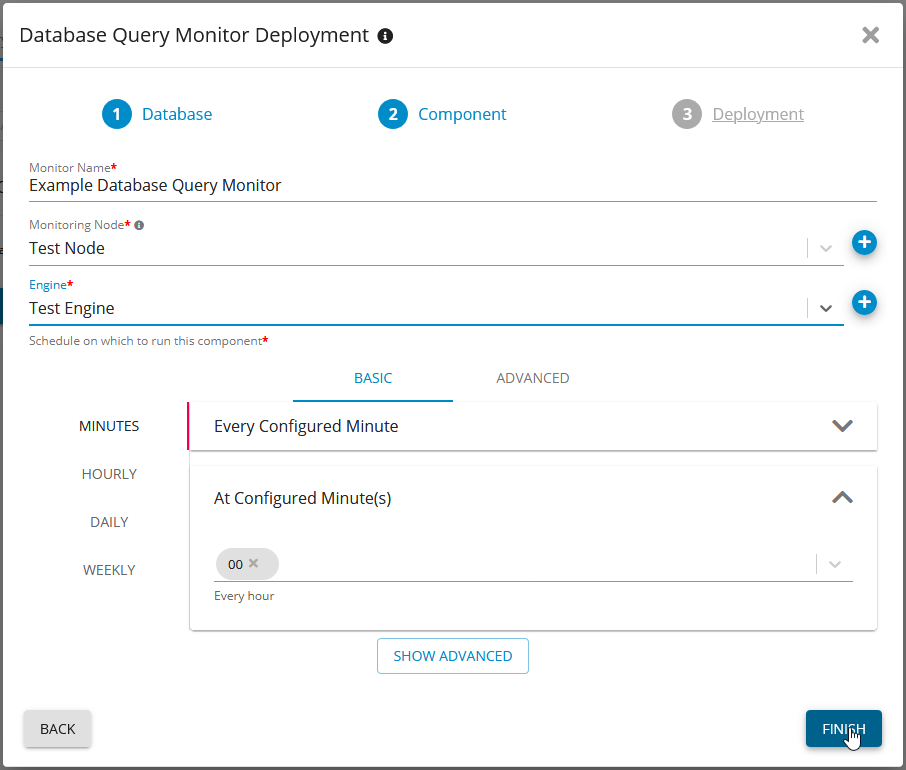
🚀 Deployment details
Monitoring Node: The Node that the Engine runs from
Engine: The engine you want to run the Monitor on
Fill in the schedule you would like the Monitor to run on
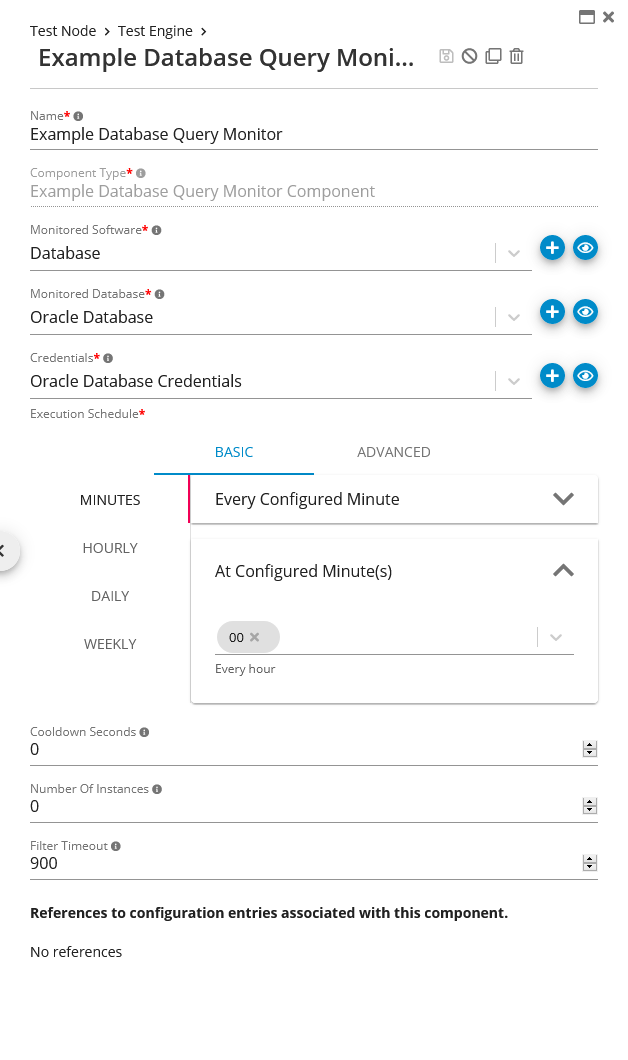
✅ Verify the Monitor
Verify the Monitor by finding in “Germain State”
For more detailed information, please reaching out to us. We will provide you with further guidance and assistance tailored to your needs.
ℹ️ Get Help
The Germain Team can help you set this up. Contact GermainUX Support.
Component: Engine
Feature Availability: 2014.1 or later