

Select the Required Deployment
4 Deploy RUM JS in Wix
6 Configure Wix Events
10. Validate the Deployment
Overview
Deploy GermainUX monitoring on Wix to capture real-user experience, Session Replay, customer journeys, conversions, performance, browser errors, user feedback, and third-party service activity. GermainUX can also execute synthetic scenarios and monitor customer-accessible Wix APIs, webhooks, and integrations.Select the Required Deployment
Prerequisites
- An authorized Wix administrator can manage custom code and publish the website.
- The Wix plan and site configuration support custom JavaScript.
- The GermainUX environment is accessible through HTTPS.
- Visitor browsers can download RUM JS and send monitoring data to GermainUX.
- Wix permits custom code on the pages that need to be monitored.
- Consent requirements have been defined.
- Sensitive pages, fields, URLs, and user attributes have been identified.
- Required GermainUX domains and connections are authorized.
1. Open the Wix Wizard
In the left menu, go to Settings > Wizards > Wix. Start the Wix Wizard.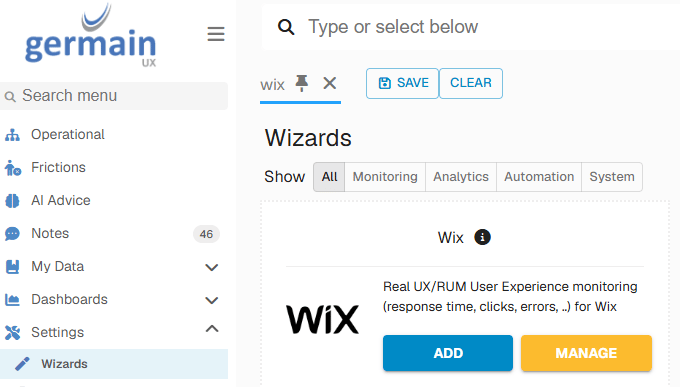
Wix wizard in GermainUX - GermainUX
2. Configure the Wix Application
Configure the required application information, including:- Application Name
- Website URL
- Environment
- UX Monitoring Profile
- Privacy configuration
- Bot and crawler handling
- Allowed domains
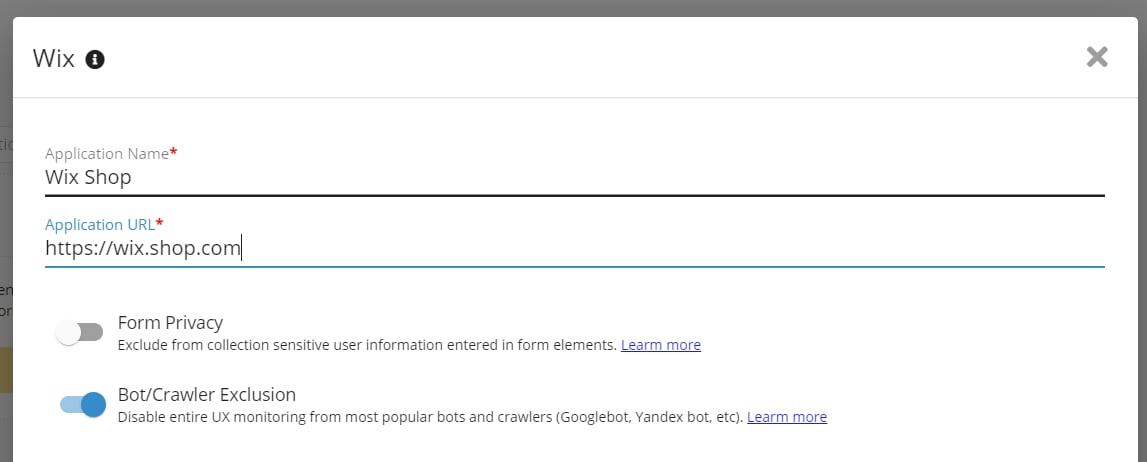
Wix wizard details - GermainUX
3. Complete the Wizard
Complete the Wizard and obtain the generated GermainUX RUM JS snippet. Use the snippet generated specifically for the customer’s:- GermainUX environment
- Wix application
- UX Monitoring Profile
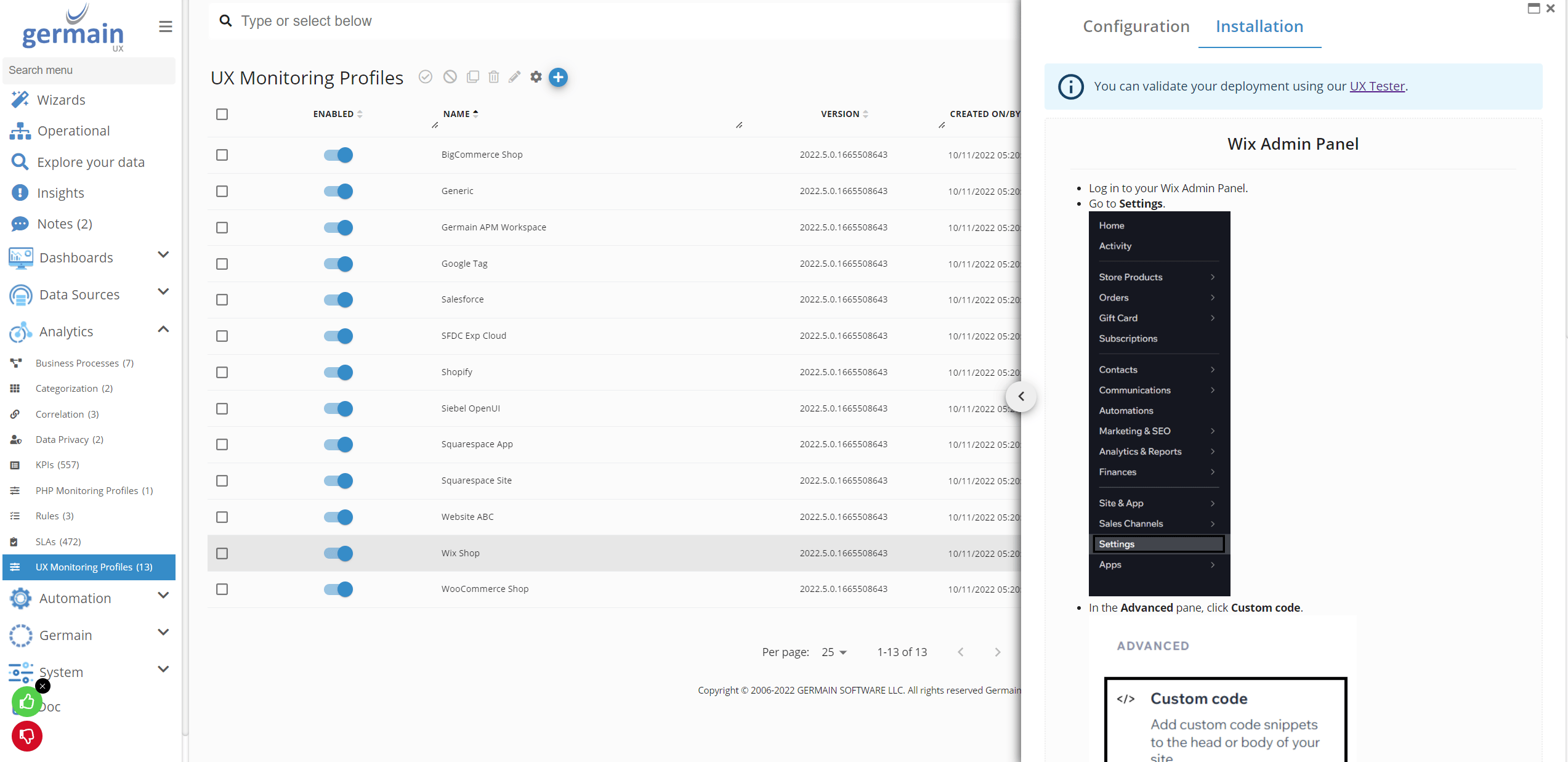
Wix admin panel details view - GermainUX
4. Deploy RUM JS in Wix
Sign in to Wix as an authorized administrator. Select the website to monitor and open the website settings. Open: Custom Code under the applicable advanced or developer settings. Then:Select Add Custom Code
Paste the RUM JS snippet generated by GermainUX
Enter a recognizable name such as GermainUX RUM
Configure the code to load in the Head
Apply it to all supported pages that must be monitored
Select the option that loads the code once per page when available
Save the configuration
Publish the Wix website
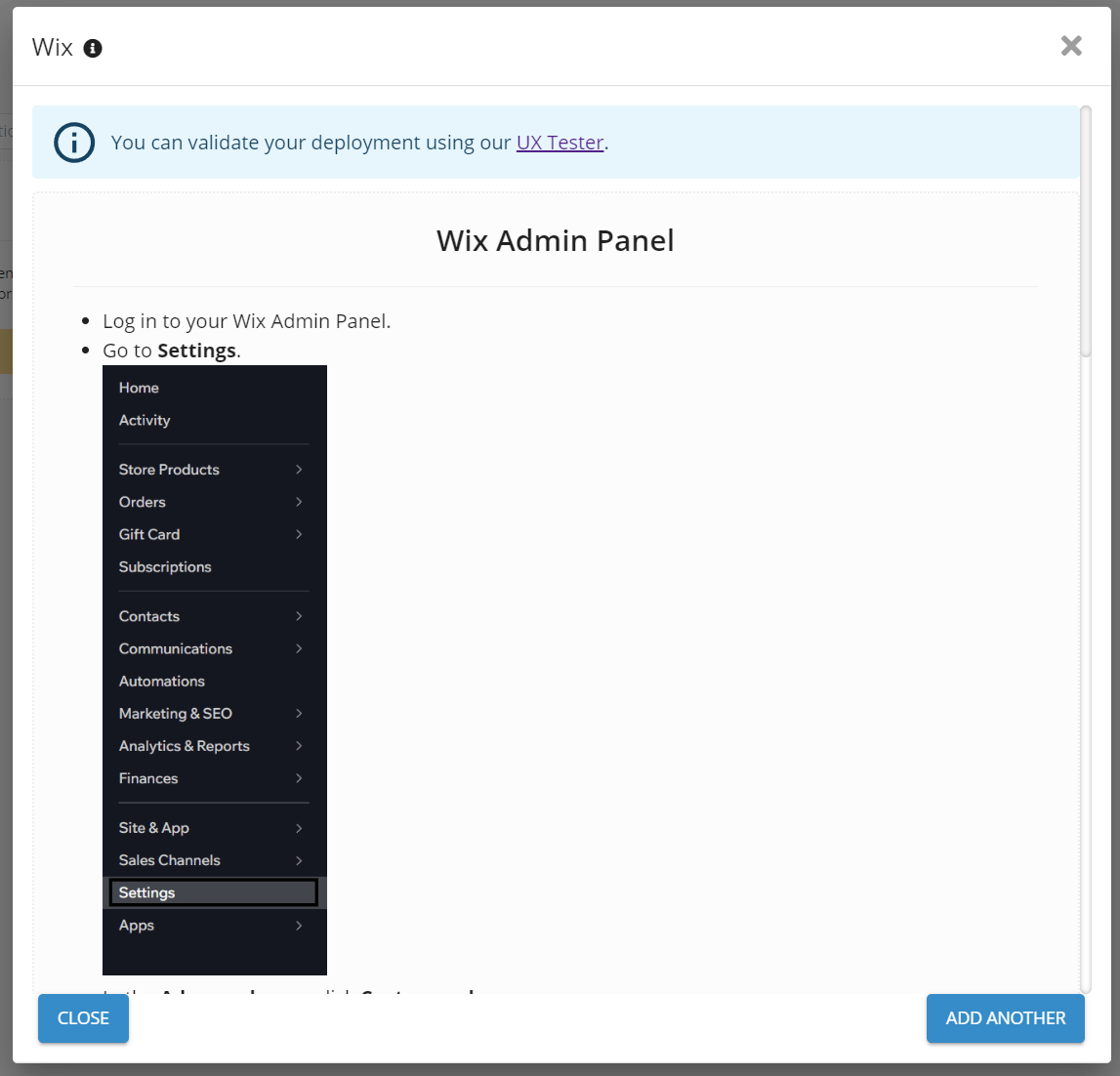
Wix admin panel - GermainUX
5. Select the Monitored Pages
Apply RUM JS to supported pages involved in important visitor journeys, including:- Home and landing pages
- Content and service pages
- Search results
- Forms
- Registration and login
- Member pages
- Booking pages
- Event-registration pages
- Product and collection pages
- Cart
- Customer-controlled checkout pages
- Confirmation and success pages
Account for Wix-Managed Pages
Wix can prevent customer code from running in certain:- Platform-managed pages
- Payment interfaces
- Applications
- Cross-origin iframes
- Entry and return navigation
- Browser-visible success or failure
- API responses
- Webhooks
- Integration data
- Synthetic transaction results
Configure Consent
Coordinate GermainUX monitoring with the site’s consent configuration. Depending on organizational requirements, configure RUM JS to:- Start after required consent is granted
- Respect consent withdrawal
- Avoid starting when applicable consent is rejected
- Apply appropriate rules by geography or website
- Avoid collecting visitor identifiers before authorization
- Accepted
- Rejected
- Withdrawn
Configure Privacy Before Production
Before enabling Session Replay in production, configure appropriate masking, anonymization, and exclusions. Protect information such as:- Passwords
- Authentication tokens
- Payment information
- Names
- Contact information
- Addresses
- Account information
- Sensitive form fields
- URL parameters containing identifiers
- Restricted member content
- Regulated information
6. Configure Wix Events
After RUM JS is collecting data, configure the events required for customer-journey and conversion analysis. Examples include:General Website
- Page view
- Navigation
- Call-to-action click
- Content interaction
- File download
Forms
- Form start
- Validation
- Submission
- Success
- Failure
Member Area
- Registration
- Login
- Account access
- Target activity
Wix Bookings
- Service view
- Date selection
- Booking start
- Booking confirmation
Wix Events
- Event view
- Registration start
- Payment
- Confirmation
Wix Stores
- Search
- Product view
- Add to cart
- Remove from cart
- Checkout start
- Order confirmation
7. Deploy API and Integration Monitoring — Optional
Deploy a GermainUX Engine when monitoring needs to extend to customer-accessible Wix APIs, webhooks, or integrations. Depending on the available interfaces, monitor: Wix’s private infrastructure is outside the monitoring boundary unless Wix exposes an authorized interface.8. Deploy JS Profiler — Optional
Deploy GermainUX JS Profiler on selected diagnostic browsers when deeper analysis is required. Use it for:- JavaScript exceptions
- Browser console events
- Slow network requests
- Failed network requests
- Third-party scripts
- Browser freezes
- Long-running JavaScript
- Velo browser code
- Client-side performance bottlenecks
9. Deploy Synthetic Monitoring — Optional
Use GermainUX RPA Bot Recorder to record representative Wix scenarios. Examples include:- Open website
- Navigate to critical page
- Search for content or products
- Submit test form
- Register or sign in
- Book a service
- Register for an event
- Add product to cart
- Begin checkout
- Complete an approved test transaction
- Verify expected result
10. Validate the Deployment
After publishing the website:Open it in a supported browser
Confirm that RUM JS loads
Confirm that monitoring requests reach GermainUX
Navigate through representative pages
Perform representative user actions
Verify sessions, pages, clicks, events, errors, and performance data
Open Session Replay
Verify that sensitive information is protected
Test consent behavior
Validate desktop and mobile layouts
Test synthetic transactions when enabled
Test API monitoring when enabled
Verify alerts when configured
Get Help
GermainUX can help determine which monitoring, analytics and automation capabilities are appropriate for your Wix environment.Contact GermainUX Support
Can't Find What You Need?
The content of this document is proprietary to GERMAIN SOFTWARE.