

Monitoring Components
Components by architecture
Database Monitoring
Query and index analysis
Business Benefits
Operational value for teams
Privacy and Security
Checks before enabling
Overview
GermainUX monitors the availability, performance, user experience, adoption, and business processes of Drupal websites and applications. It combines Real User Monitoring, Session Replay, browser diagnostics, synthetic monitoring, server and log monitoring, database monitoring, and automated analysis to show what users experience and why an issue occurs. Drupal Commerce journeys can also be monitored when Drupal Commerce is installed and the relevant customer, order, payment, and fulfillment events are available.Monitoring Components
The required components depend on the Drupal architecture and desired monitoring depth.
Real User Monitoring
GermainUX monitors how real users experience Drupal through RUM JS or the RUM Extension. Standard browser monitoring can include: Most standard browser capabilities are available after the User Monitoring Profile is deployed. Customization is needed only for application-specific metadata, business events, privacy requirements, or workflows.Session Replay
Session Replay provides authorized teams with a video-like reconstruction of what users experienced while interacting with Drupal. It can help teams understand:- What the user did before an error.
- Which page or component failed.
- Whether content displayed correctly.
- Where users became confused or abandoned a workflow.
- Whether clicks produced the expected result.
- How a browser, network, or JavaScript issue affected the experience.
- Whether a correction resolved the problem.
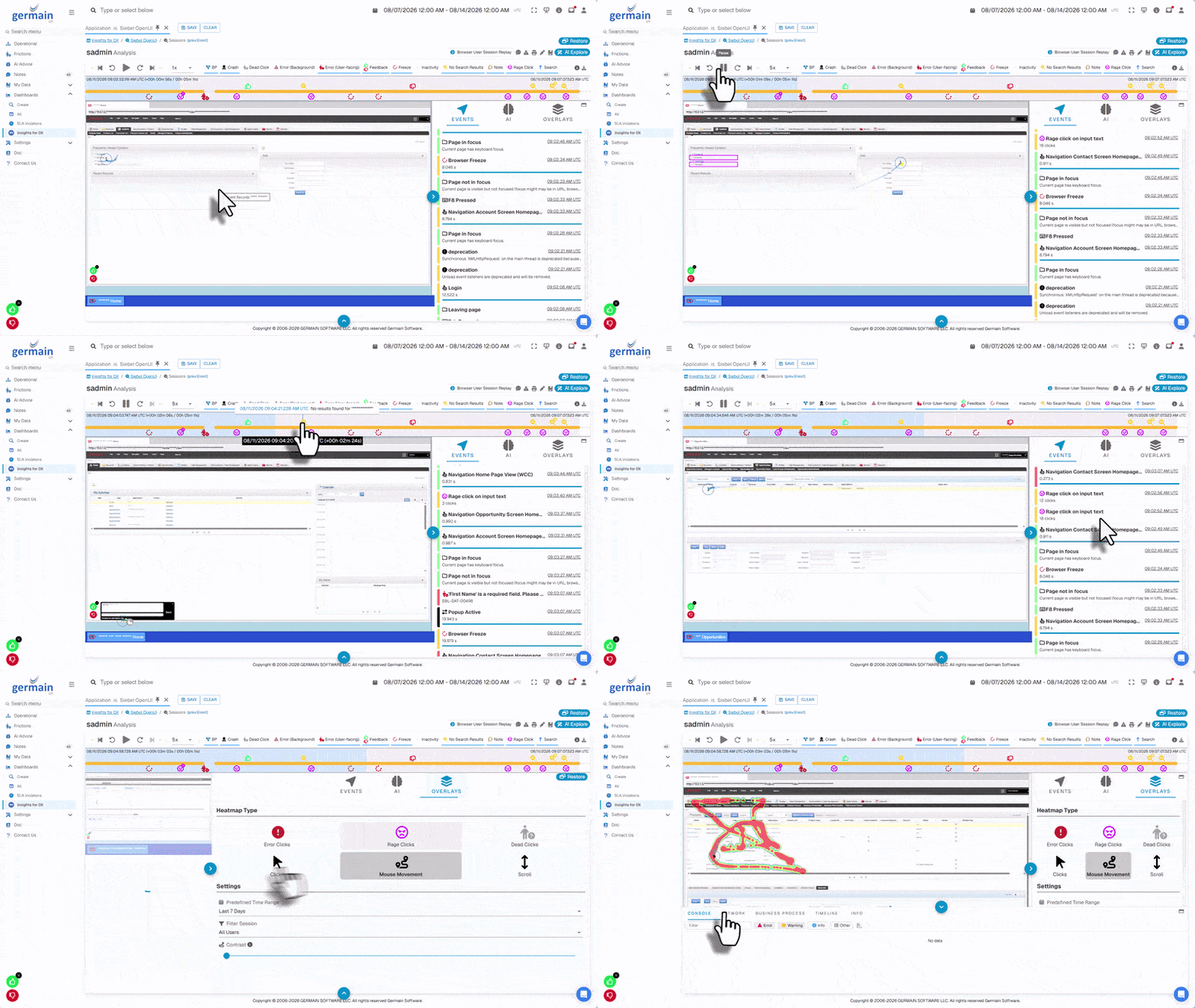
Session Replay (example) - GermainUX
Website Availability and Performance
GermainUX can monitor Drupal availability and performance from real-user and synthetic perspectives.
This helps distinguish a complete Drupal outage from a problem affecting a specific page, browser, region, user population, or workflow.

Operational Dashboard (example) - GermainUX
Drupal Page and Content Monitoring
GermainUX can analyze the usage and performance of Drupal pages and content, including:- Landing pages.
- Content pages.
- Search.
- Navigation.
- Forms.
- Registration and login.
- Account-management pages.
- Authenticated portals.
- Custom Drupal modules and components.
- Embedded third-party services.
- Drupal Commerce pages when applicable.
JavaScript and Front-End Diagnostics
Standard RUM identifies JavaScript errors, long tasks, slow requests, and other front-end conditions affecting users. Deploy the GermainUX JS Profiler when deeper evidence is required, including:- JavaScript function execution.
- Exclusive and cumulative function duration.
- JavaScript errors and stack traces.
- Long-running browser tasks.
- DOM and rendering activity.
- Network requests.
- Resource loading.
- User interactions.
- Page and session context.
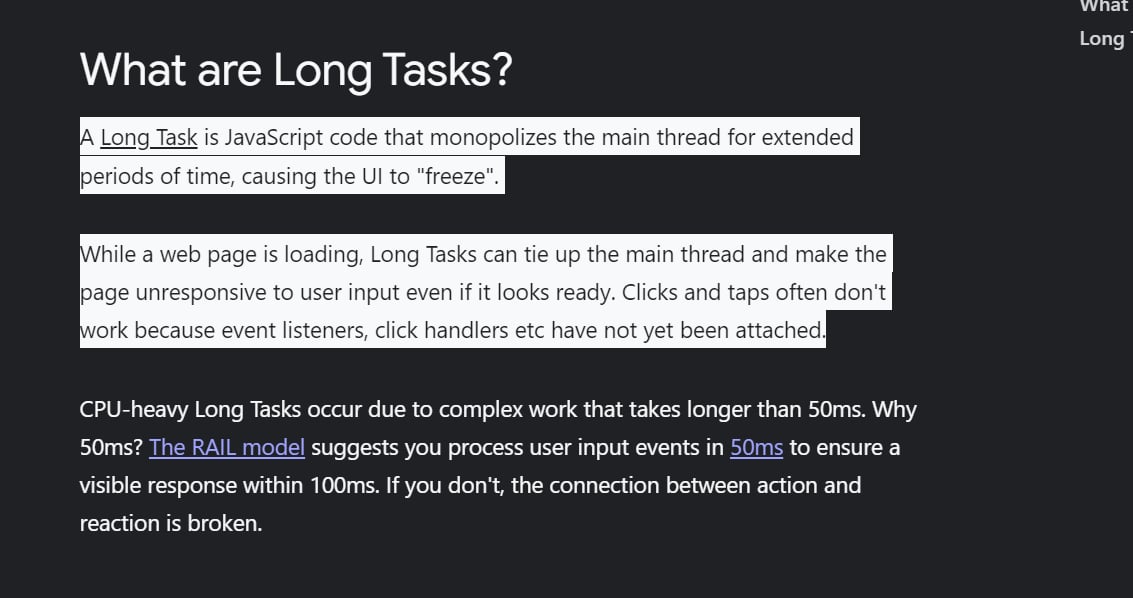
Browser Performance Analysis (example) - GermainUX
Drupal Errors and Logs
The GermainUX Engine can monitor accessible Drupal, PHP, web-server, and operating-system logs. Depending on the environment, this can include:- Drupal application errors.
- PHP errors and warnings.
- Web-server errors.
- Authentication failures.
- Database connection failures.
- Module or theme errors.
- Integration failures.
- Infrastructure and operating-system events.
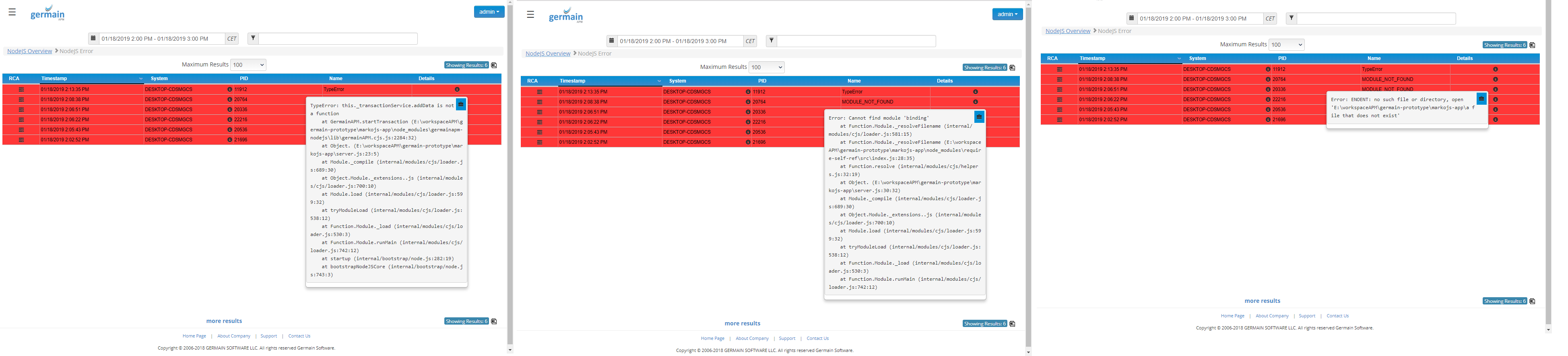
Error Analysis (example) - GermainUX
Server and Infrastructure Monitoring
The GermainUX Engine can monitor the infrastructure supporting Drupal.
The exact metrics depend on the infrastructure, permissions, and configured GermainUX monitors.
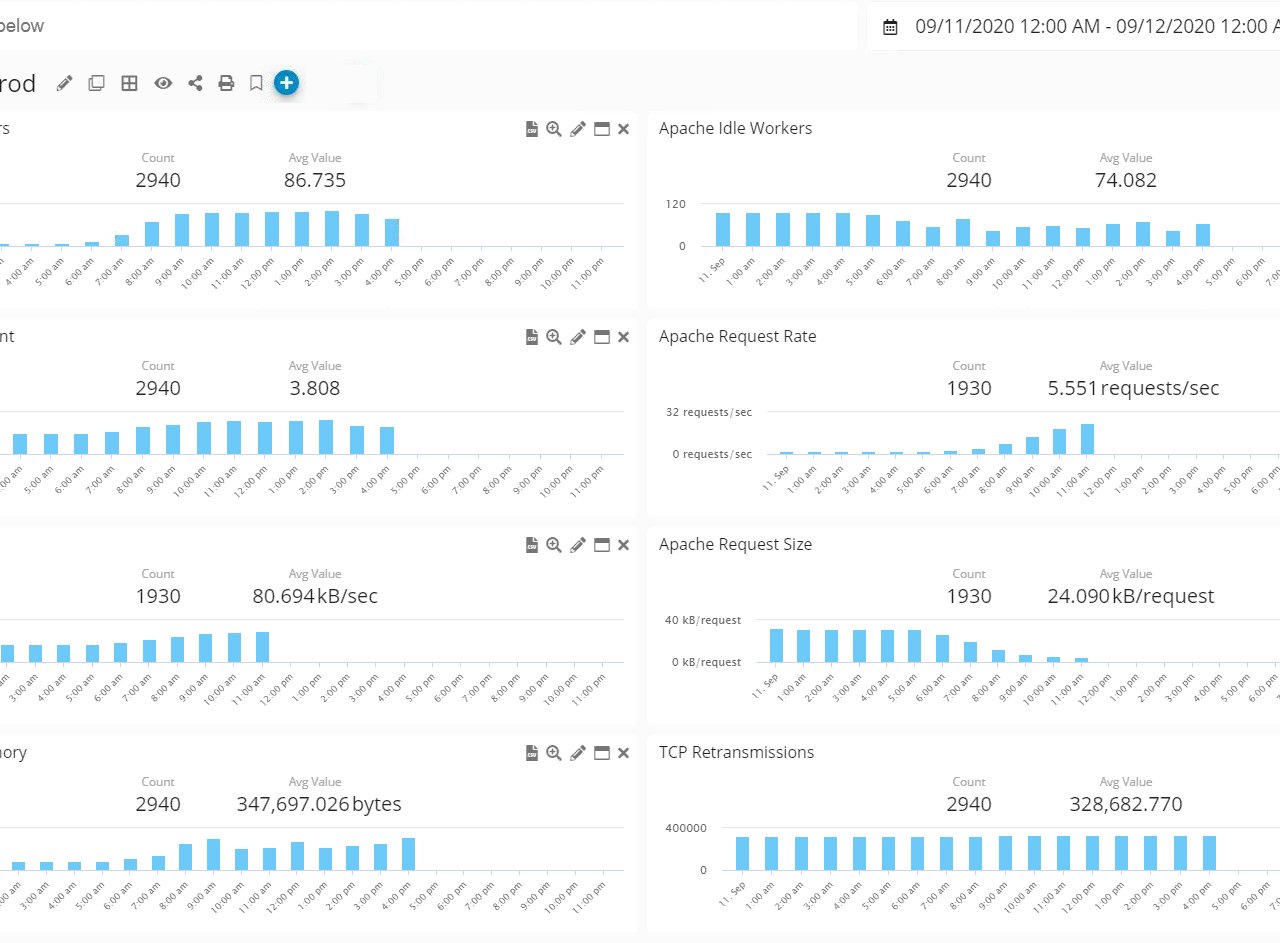
Server Monitoring Data (example) - GermainUX
Database Monitoring
Drupal commonly uses MySQL, MariaDB, PostgreSQL, or another supported database. GermainUX can monitor the selected database for:- Availability.
- Connection performance.
- Query duration.
- Long-running queries.
- Connection volume.
- Capacity and storage.
- Locks or contention when available.
- Errors and logs.
- Approved Drupal or business data through custom read-only queries.
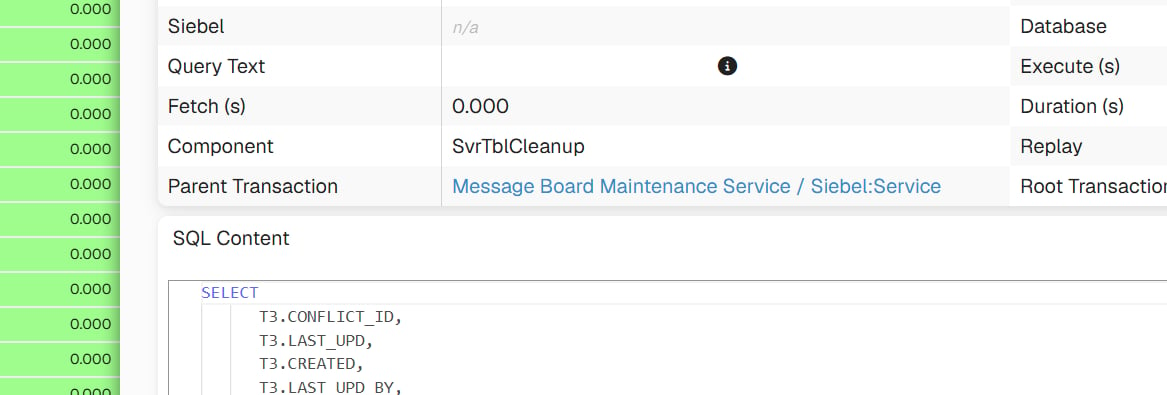
SQL Query Insights (example) - GermainUX
Integration Monitoring
Drupal applications often depend on external services. GermainUX can monitor supported:- Authentication and identity providers.
- Payment services.
- Search platforms.
- Content-delivery networks.
- Marketing and analytics services.
- CRM and ERP integrations.
- APIs and web services.
- Email and notification services.
- Drupal Commerce services.
- Custom integrations.
Business-Process Monitoring
GermainUX can monitor application-specific Drupal workflows when their steps and outcomes are defined. Examples include:
GermainUX can analyze:
- Completion.
- Duration.
- Drop-off.
- Repeated steps.
- Errors.
- Lost productivity.
- Conversion.
- Affected users.
- Technical conditions associated with the workflow.
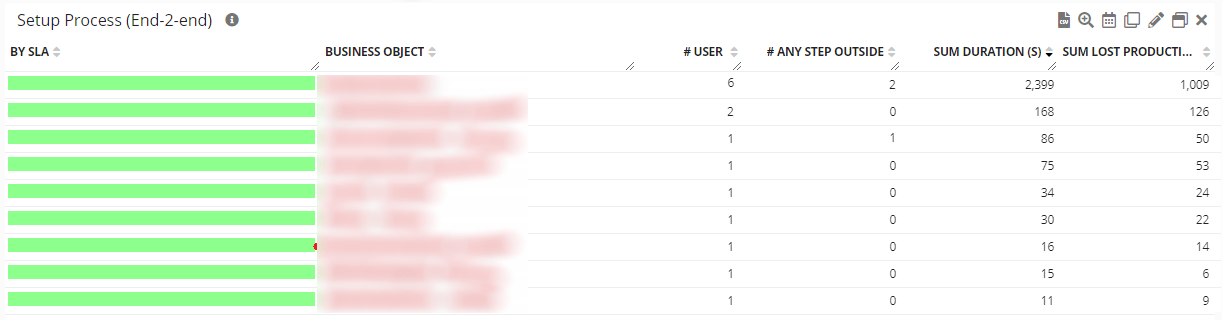
Business Workflow Analysis (example) - GermainUX
Transaction Performance Comparison
When analyzing a slow or failed Drupal workflow, use Comparison to compare its performance with another execution of the same workflow, such as the fastest, slowest, most recent, first seen, or last seen. Comparison can reveal:- Differences in execution time for the same Drupal workflow
- Which steps, forms, or database queries caused the slowdown
- Performance differences between successful and failed Drupal workflows
- Errors or bottlenecks affecting Drupal business processes
- Potential root causes of workflow performance degradation
Conversion and Adoption
GermainUX can help organizations analyze:- Content engagement.
- Search effectiveness.
- Form completion.
- Registration and login success.
- Feature and page adoption.
- Workflow completion.
- Funnel progression.
- Drop-off and abandonment.
- Campaign and referral performance.
- Drupal Commerce conversion when applicable.
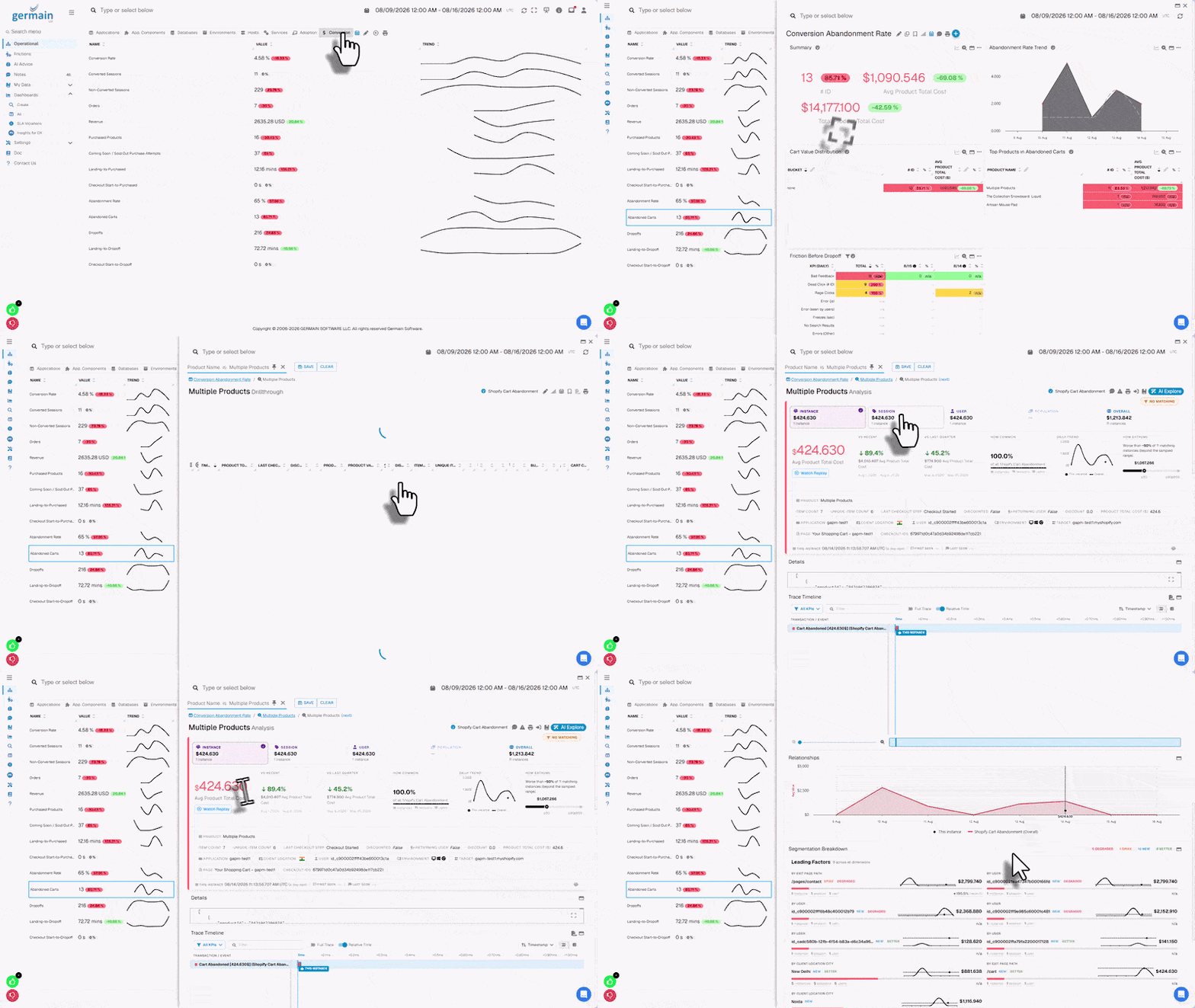
Conversion Dashboard (example) - GermainUX
Synthetic Monitoring
The GermainUX RPA Bot Recorder can record critical Drupal workflows as Selenium-based synthetic scenarios. Examples include:- Open the website.
- Search for content.
- Sign in.
- Submit a form.
- Access an authenticated portal.
- Complete a registration.
- Add a product to a cart.
- Complete a test checkout in an approved environment.
- Validate a critical administrative workflow.
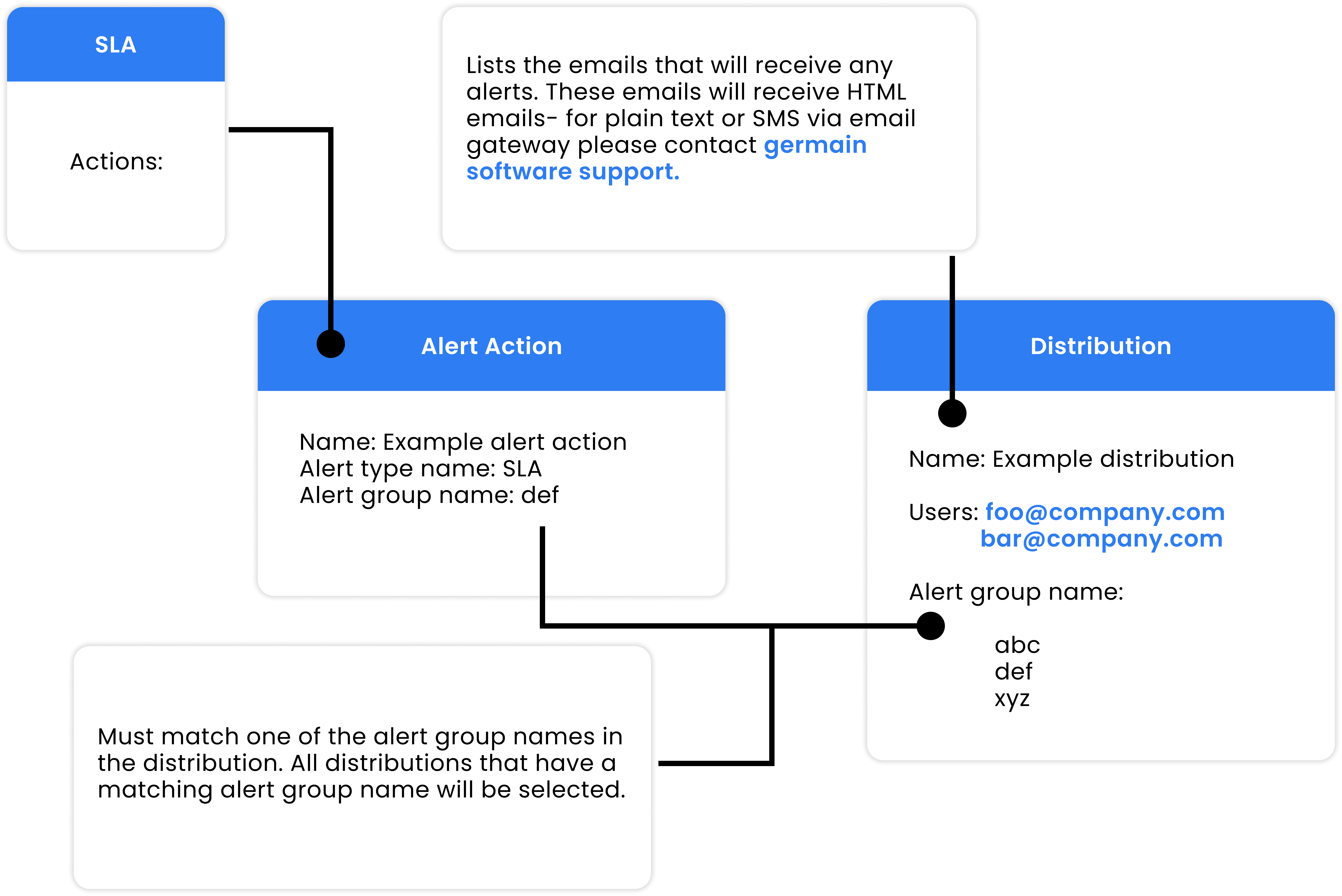
Alerting (example) - GermainUX
Business Benefits
Drupal Monitoring helps organizations:- Detect outages and degradation before more users are affected.
- Identify the pages and workflows producing the most user friction.
- Determine whether an issue originates in Drupal, JavaScript, a module, the database, infrastructure, or a third-party service.
- Reduce the time required to reproduce intermittent problems.
- Improve content engagement, application adoption, and workflow completion.
- Improve conversion for Drupal Commerce sites.
- Quantify the users and business processes affected by an issue.
- Validate Drupal, module, theme, infrastructure, and content-release changes.
- Automate approved notifications, diagnostics, and corrective actions.
Analytics
GermainUX can analyze Drupal data through KPIs, measures, pivots, trends, drill-through views, Session Replay, correlations, and outlier detection.Automated Analysis
GermainUX can automatically:- Detect outliers and abnormal trends.
- Categorize recurring errors.
- Identify new errors or conditions.
- Quantify the impact of an issue at scale.
- Correlate user experience with technical evidence.
- Detect configured phrases or messages of interest.
- Identify workflow drop-off.
- Compare performance across pages, browsers, releases, and user populations.
Notifications and Automation
GermainUX users can create Watches to receive notifications when existing Drupal insights meet conditions of interest. Detected conditions can trigger approved actions such as:- Email or other configured notifications.
- Reports.
- HTTP requests or webhooks.
- Diagnostic scripts.
- Database queries.
- Incident-management integrations.
- Cache or service diagnostics.
- Approved corrective workflows.
Deployment Options
RUM JS
Deploy RUM JS through an approved Drupal theme, module, tag manager, or page-template mechanism when the monitoring script can be added to the application. Ensure the script is loaded on every intended page and environment.RUM Extension
Use the RUM Extension when:- Direct script deployment is unavailable.
- A managed application prevents page modification.
- Monitoring is required only for an approved internal user population.
- Access to the complete browser-page context requires an extension.
GermainUX Engine
Deploy the Engine where it can reach the required:- Drupal servers.
- Logs.
- Databases.
- Application endpoints.
- Integrations.
- Container or cloud platforms.
- GermainUX Enterprise services.
JS Profiler
Deploy the JS Profiler for selected users or sessions when deeper browser and JavaScript diagnostics are required.RPA Bot Recorder
Use the RPA Bot Recorder to create approved synthetic scenarios, then deploy them through a GermainUX Engine.Privacy and Security
Before enabling Drupal monitoring:- Define which environments, pages, users, and workflows may be monitored.
- Configure consent when required.
- Mask sensitive form fields.
- Exclude passwords, authentication tokens, payment data, personal information, and secrets.
- Restrict access to Session Replay and detailed technical evidence.
- Use least-privilege credentials for servers, databases, and APIs.
- Apply appropriate retention.
- Validate third-party integrations.
- Review the monitoring configuration after Drupal, module, theme, or application changes.
Additional Resources
Deploy
Monitoring and automation for Drupal
AI
Insights & Recommendations
Analytics
More Analytics Features
Automation
More Automation Features
Dashboards
Dashboards and reports overview
Reports
Automatic and scheduled reports
Get Help
Contact GermainUX Support
The GermainUX team helps you get up and running faster, empower your team, turn data into actionable insights, and optimize performance to deliver measurable business outcomes.
Can't Find What You Need?
Search all GermainUX docs with Ctrl + K, or use the feedback buttons at the bottom of this page to tell us what is missing.
The content of this document is proprietary to GERMAIN SOFTWARE.