

Create a MySQL Monitoring Account
Least-privilege database account
Add MySQL as a Data Source
Connect MySQL instance
Configure the Monitoring Schedule
Set check frequency
MySQL / RDS Requirements
Check RDS prerequisites
Overview
Deploy GermainUX monitoring for MySQL to monitor database availability, performance, queries, connections, storage, errors, and application-specific database conditions.MySQL monitoring is executed by the GermainUX Engine using a database connection to the monitored MySQL instance.
1. Create a MySQL Monitoring Account
Create or select a database account for GermainUX monitoring.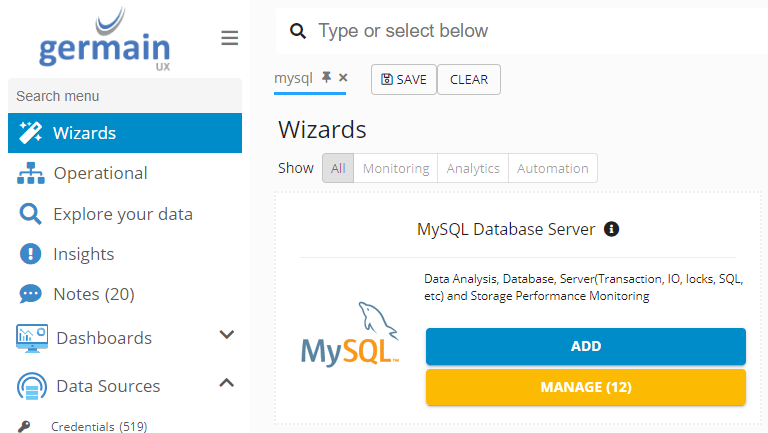
Creating a MySQL monitoring account in GermainUX - GermainUX
- MySQL system tables
- Performance information
- Application tables
- Business data
- Custom database conditions
2. Add the Database Credentials
In the left menu, go to Settings > Data Sources > Credentials. Add the credentials used by GermainUX to connect to MySQL. These credentials will be referenced by the MySQL database data source.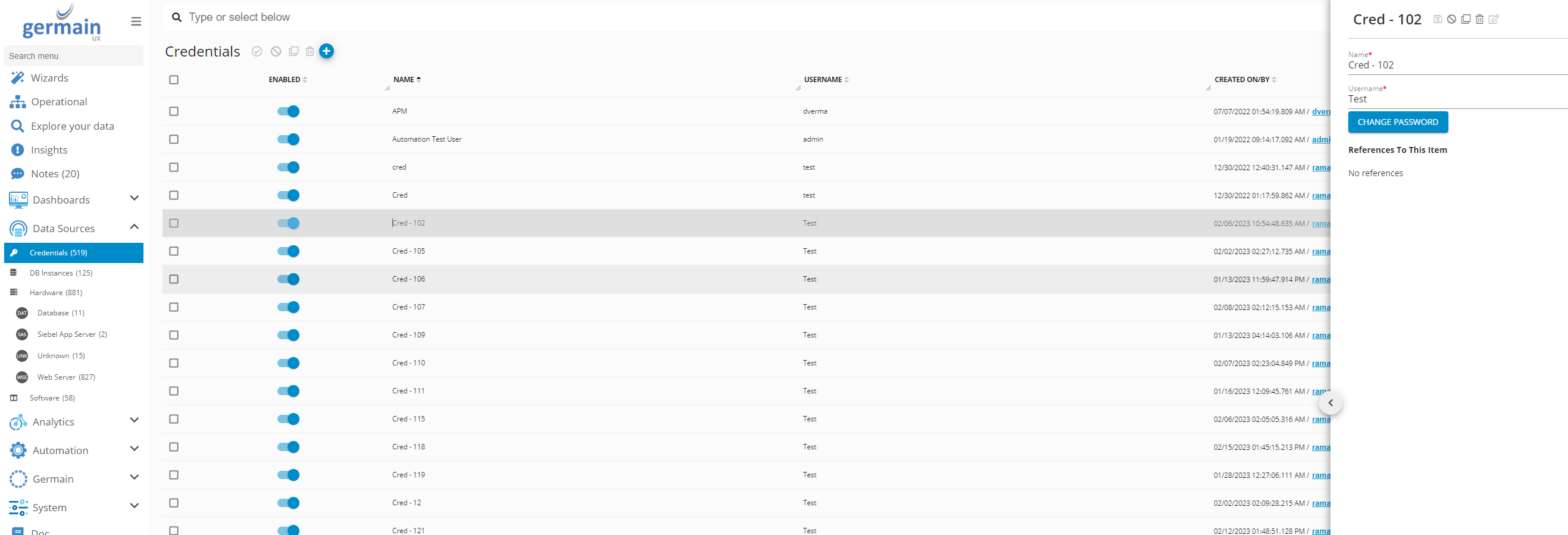
Adding database credentials for MySQL data source in GermainUX - GermainUX
3. Add MySQL as a Data Source
In the left menu, go to Settings > Data Sources > Database, and then click Add New Configuration. Configure the connection to the MySQL instance. Enter the connection information required for your environment and associate the appropriate database credentials.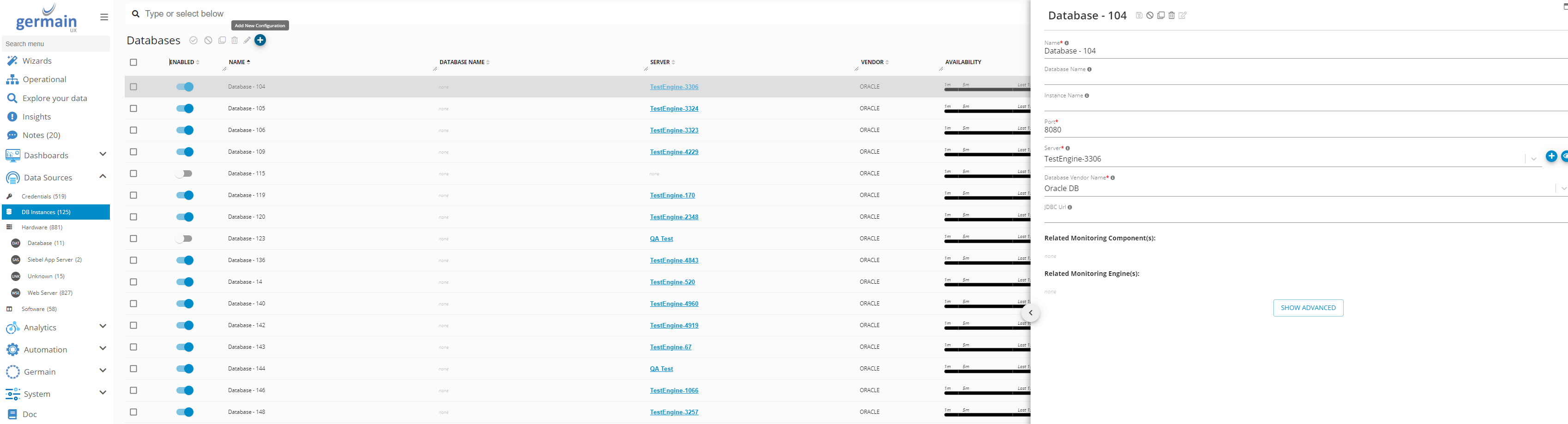
Adding MySQL as a data source in GermainUX - GermainUX
4. Validate Database Connectivity
Verify that GermainUX can connect to the MySQL instance using the configured data source and credentials. Confirm that the monitoring account can access the database tables or system information required for the monitoring capabilities you intend to enable. Resolve connectivity, authentication, or permission issues before configuring individual monitors.5. Select the Monitoring Node & Engine
MySQL monitoring executes from a GermainUX Engine. When deploying a monitor, configure: Monitoring NodeThe GermainUX Node from which the Engine operates. Engine
The GermainUX Engine that will execute the monitor. Ensure that the selected Engine has network connectivity to the MySQL instance.
6. Configure the Monitoring Schedule
Define how frequently the MySQL monitor should execute. Choose a monitoring frequency appropriate for:- The condition being monitored
- Required detection speed
- Database workload
- Query complexity
- Operational requirements
7. Validate the Deployment
After deployment, confirm that:- GermainUX can connect to MySQL
- Credentials are valid
- Required permissions are available
- The selected Engine can execute the monitor
- Monitoring executes according to schedule
- Expected telemetry is received
Next Steps
Once the MySQL connection is operational, configure the metrics and conditions relevant to your environment. For example:- Database availability
- Query performance
- Connections
- Storage utilization
- Backup status
- Errors
- Custom SQL queries
- Application-specific database KPIs
- SLAs and alerts
MySQL / RDS Requirements
Some MySQL environments may require additional database or platform configuration before all monitoring information is accessible. For example, managed MySQL services such as Amazon RDS may restrict access to certain system information or require platform-specific settings. Configure only the permissions and platform settings required for the monitoring capabilities being deployed.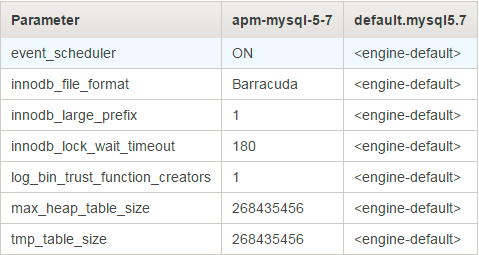
MySQL and RDS requirements configuration in GermainUX - GermainUX
Get Help
The required MySQL permissions depend on the database information and application data you choose to monitor. The GermainUX team can help determine the appropriate database account permissions, data source configuration, monitoring Engine, and deployment architecture for your environment.Contact GermainUX Support
The GermainUX team helps you get up and running faster, empower your team, turn data into actionable insights, and optimize performance to deliver measurable business outcomes.
Can't Find What You Need?
Search all GermainUX docs with Ctrl + K, or use the feedback buttons at the bottom of this page to tell us what is missing.
The content of this document is proprietary to GERMAIN SOFTWARE.