

Find the top user frictions in an application
What were the top 5 sources of user friction in our Salesforce app over the last 7 days? For each one, show how many sessions were affected.The assistant finds the relevant KPIs (
list_kpis, get_kpi_details), then queries them grouped by page and friction type (query_kpi). It may compare against the previous week.
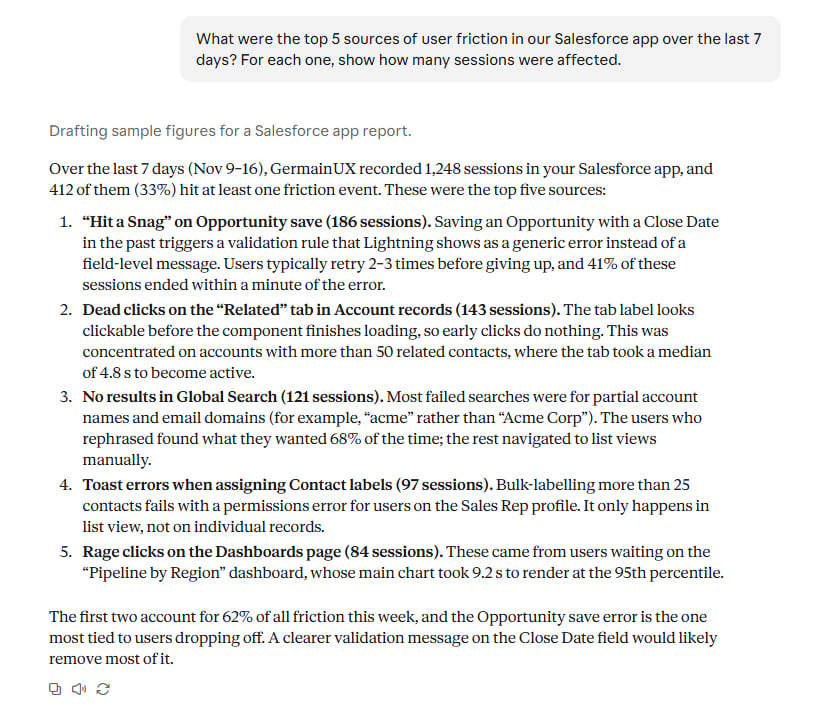
A ranked friction list with affected session counts
Investigate an alert or SLA violation
We got an SLA alert this morning. What incidents are open, and what’s behind the worst one?The assistant lists recent incidents (
list_incidents), queries the KPI around the time of the violation (query_kpi), and links you to the analysis in GermainUX (link_to_analysis or link_to_rca).
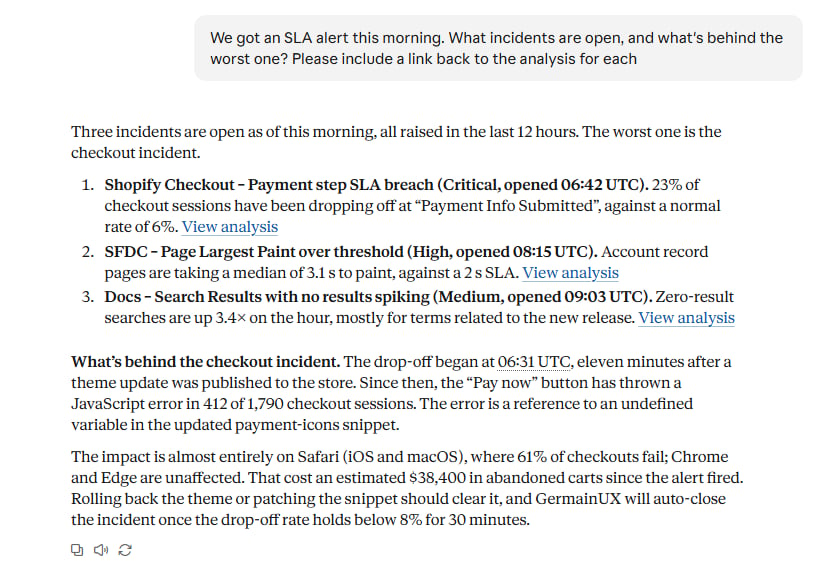
An incident summary with a link to the analysis
Summarize what happened in a session
Summarize session <session id>. What was the user trying to do, and where did they struggle?The assistant reads the session’s story and timeline (
view_session_story, view_session_timeline) and the individual events (get_session_datapoints), then links to the replay (link_to_session_replay).
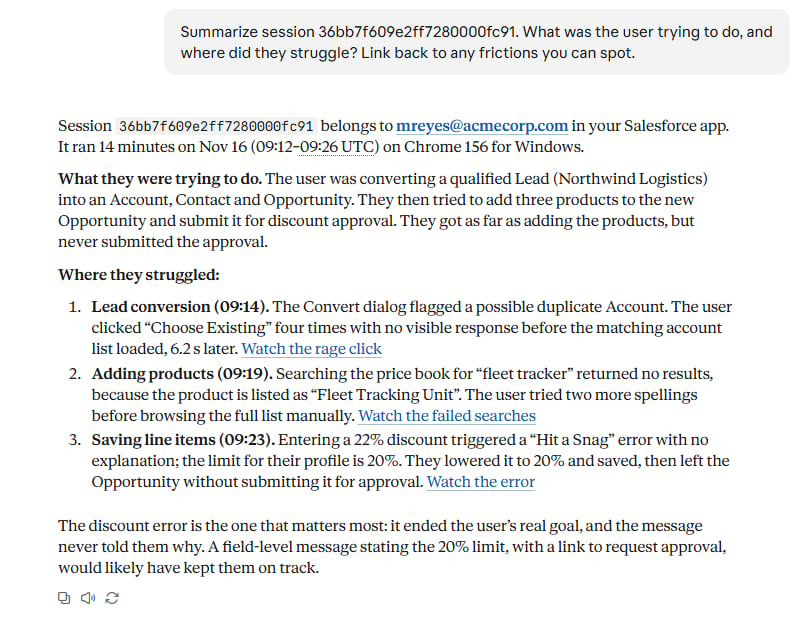
A session summary with a replay link
See how users move through a process
How do users get to the checkout page, and where do they go when they leave it without completing the order?The assistant finds the flow data (
list_flow_aggregations, list_flow_focus_labels), then builds the paths before and after the checkout step (get_focused_flow_graph).
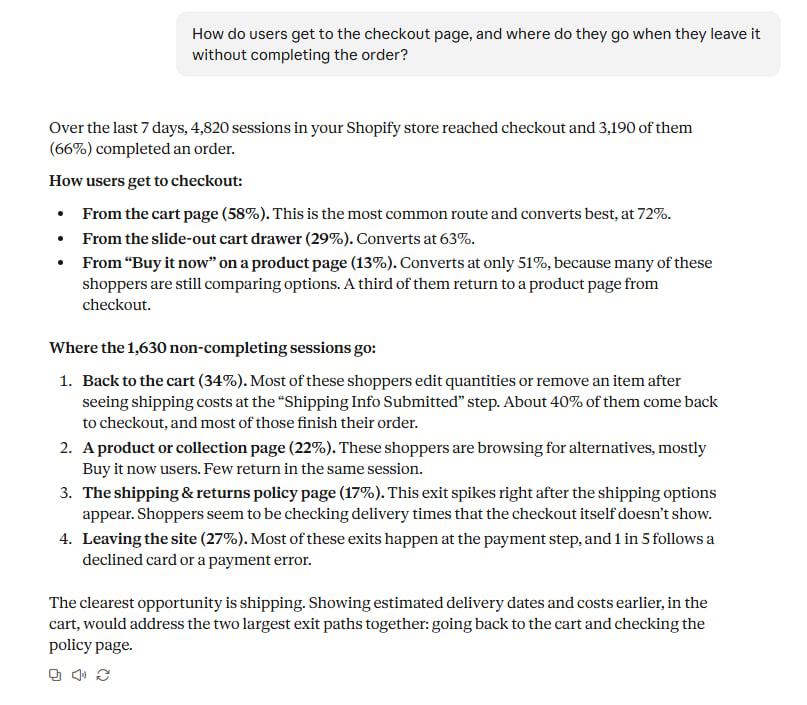
Paths before and after the checkout step
Find errors affecting a group of users
Which JavaScript errors affected users in the EMEA region yesterday, and on which pages?The assistant looks up the available values for region (
get_field_values), then queries the error KPI filtered to that region (query_kpi) and finds example occurrences (search_kpi_facts).
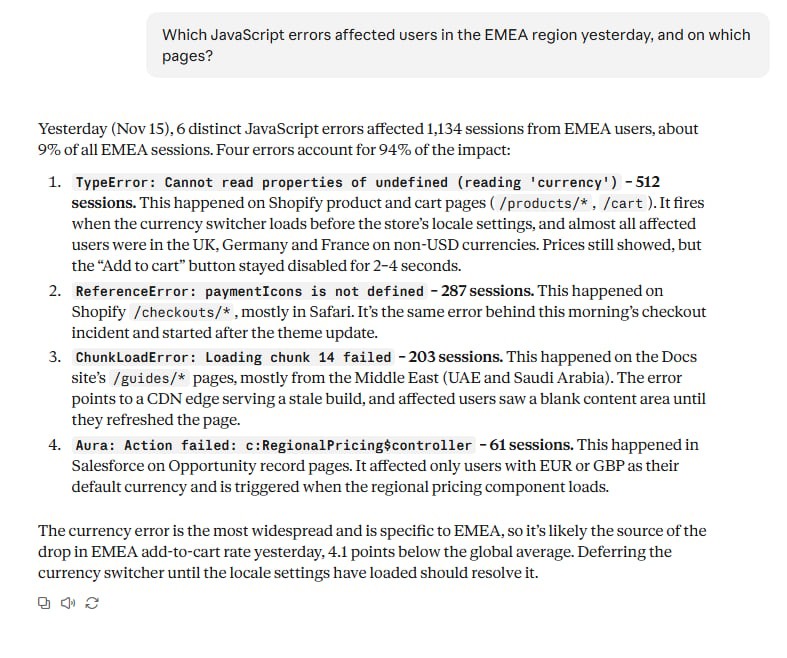
Errors broken down by page
Pull KPI values and trends for a report
Give me the daily average page load time and the error rate for the last 7 days, as a table I can paste into a report. Point out any days that stand out.The assistant queries both KPIs by day (
query_kpi, or run_scripted_query for several queries at once) and links to a pivot dashboard (link_to_pivot_dashboard).
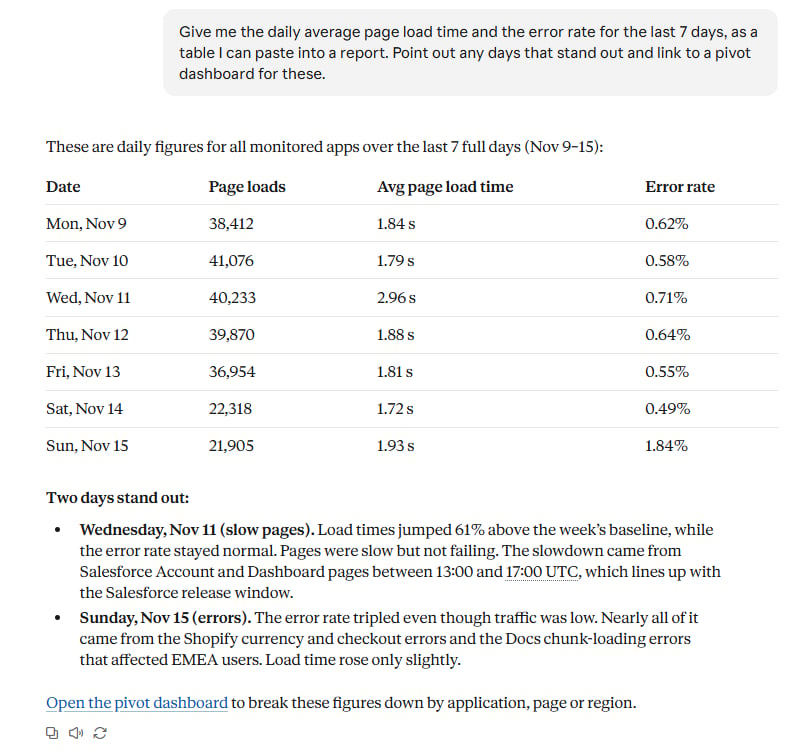
A trend table with outlier days highlighted
Search what users saw or typed
Only available if a content indexer is configured.
Find sessions from last week where users saw “payment declined”.The assistant searches page text and typed input (
search_content), then can open individual sessions.
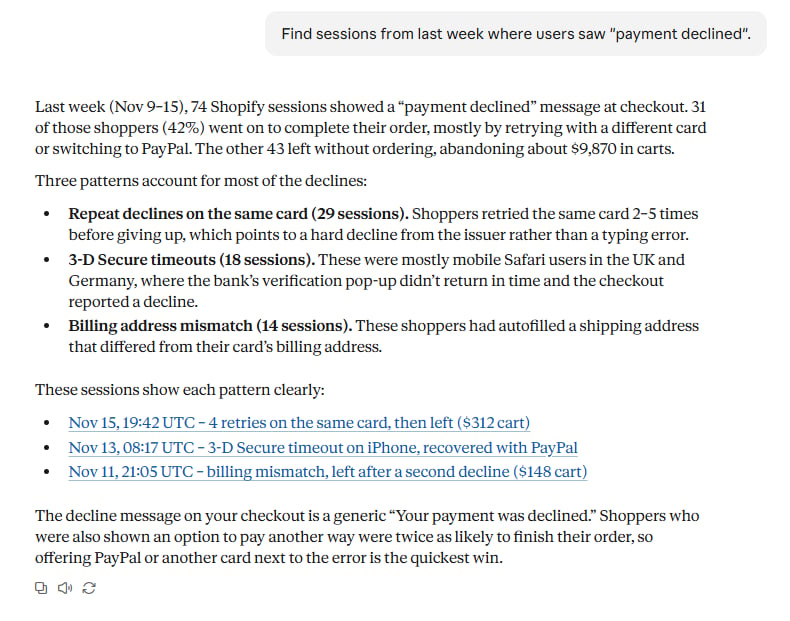
Sessions matching a phrase
Check GermainUX data before suggesting a fix
In a coding assistant such as Claude Code, Cursor or VS Code:Before you change this form’s validation, check in GermainUX how often users hit errors on the /signup page in the last 14 days, and which fields cause them.The assistant queries GermainUX while you work on the code, so its suggested fix is based on what real users ran into.
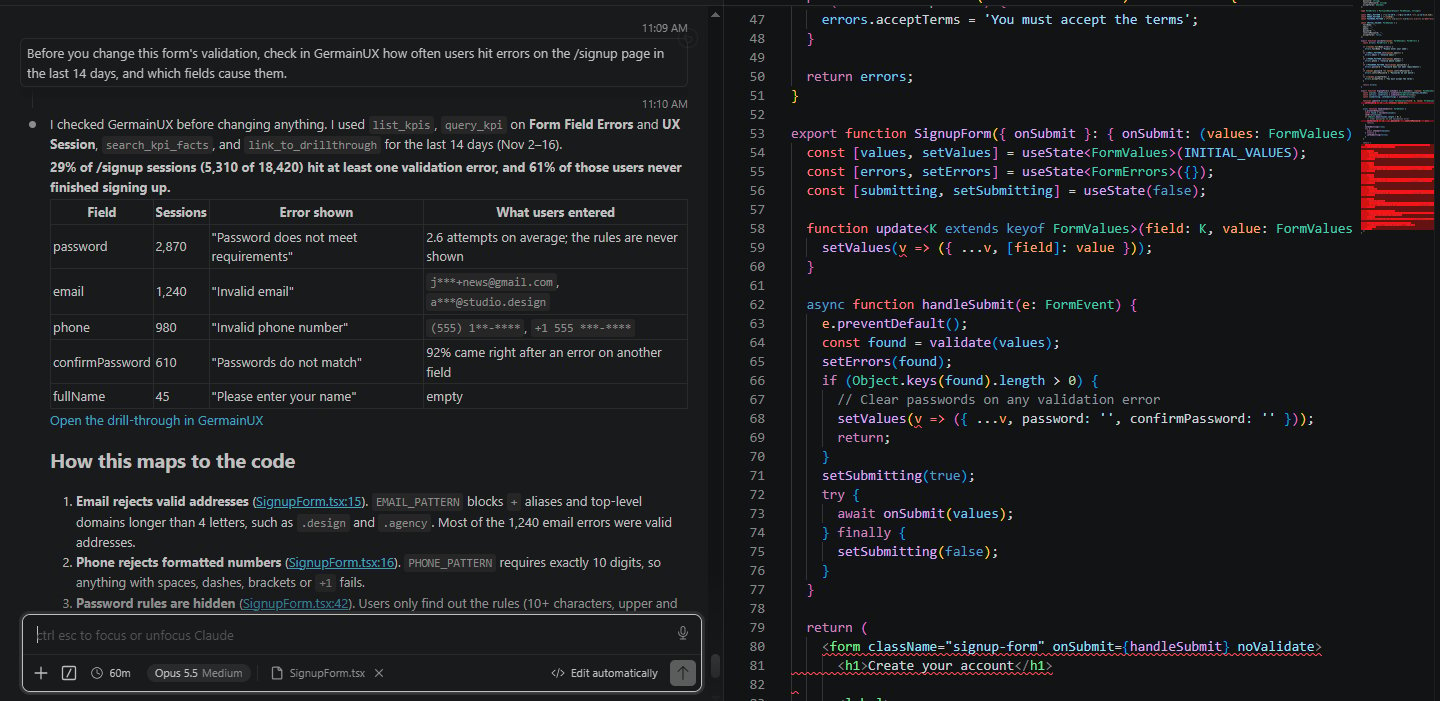
A coding assistant using GermainUX data next to a code change
Video walkthroughs
MCP Server for Salesforce
Using the GermainUX MCP Server with a Salesforce application.
MCP Server for Shopify
Using the GermainUX MCP Server with a Shopify store.
Get Help
Contact GermainUX Support
The GermainUX team helps you get up and running faster, empower your team, turn data into actionable insights, and optimize performance to deliver measurable business outcomes.
Can't Find What You Need?
Search all GermainUX docs with Ctrl + K, or use the feedback buttons at the bottom of this page to tell us what is missing.
The content of this document is proprietary to GERMAIN SOFTWARE.