

Wizards
Automation
System
Typical Uses
Configuration & Customization of GermainUX Analytics and Automation
GermainUX provides centralized management capabilities for configuring and administering its monitoring, analytics, automation, AI, data sources, security, user access, Session Replay, and platform operations. Most configuration is performed from the Settings area of Germain Workspace. An additional Config Console is available for advanced or legacy configurations that are not yet accessible from Workspace. Together, Workspace and the Config Console provide the controls required to configure, operate, and maintain a GermainUX environment.Settings
The Settings menu is the primary interface for configuring GermainUX. It is organized into six areas:- Wizards
- Data Sources
- Analytics
- Actions
- Germain
- System
Wizards
Wizards guide administrators through the configuration of GermainUX features and supported technologies.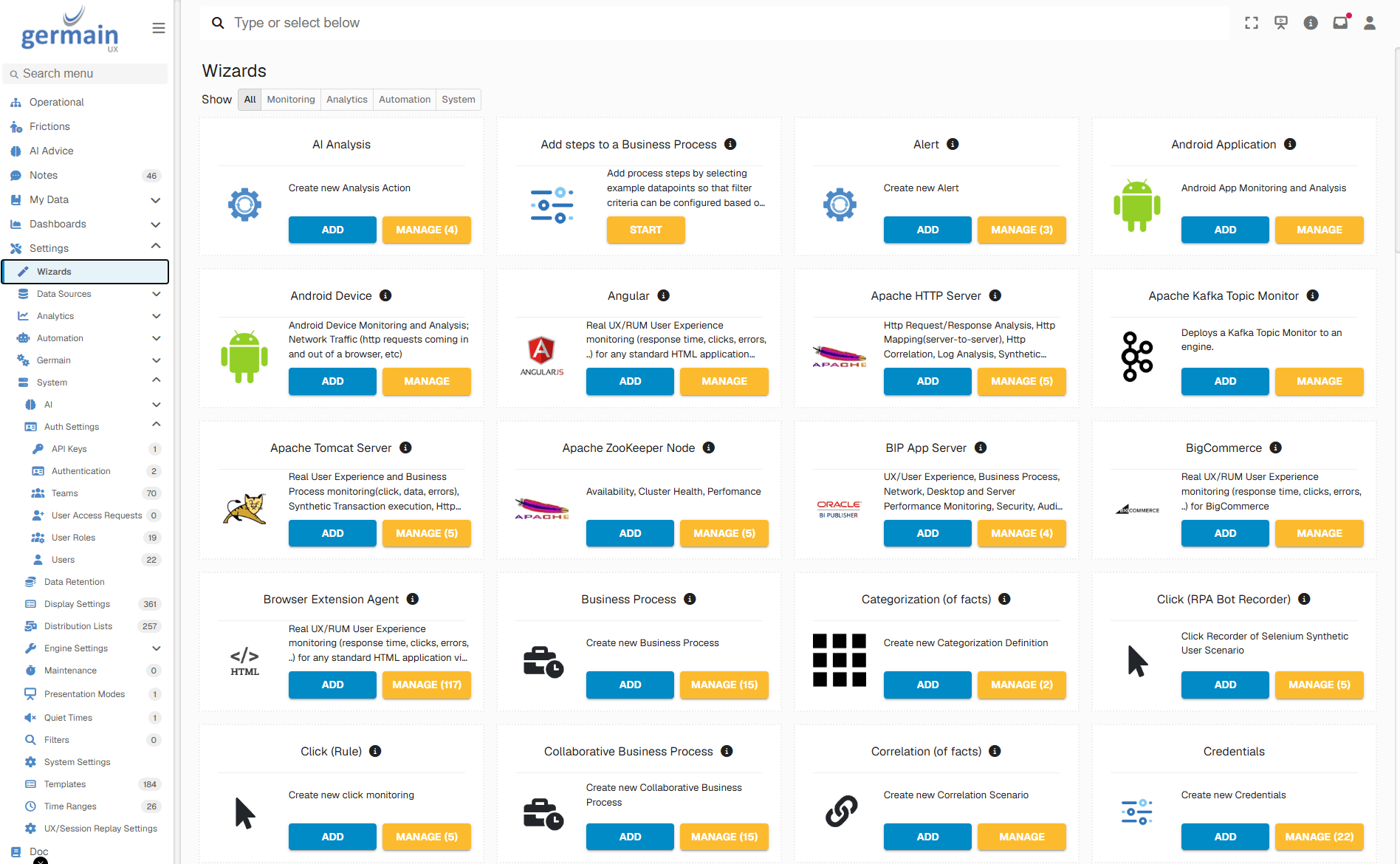
Wizards -GermainUX
Data Sources
Data Sources represent the applications, systems, services, infrastructure, and other resources from which GermainUX collects data or against which it executes transactions.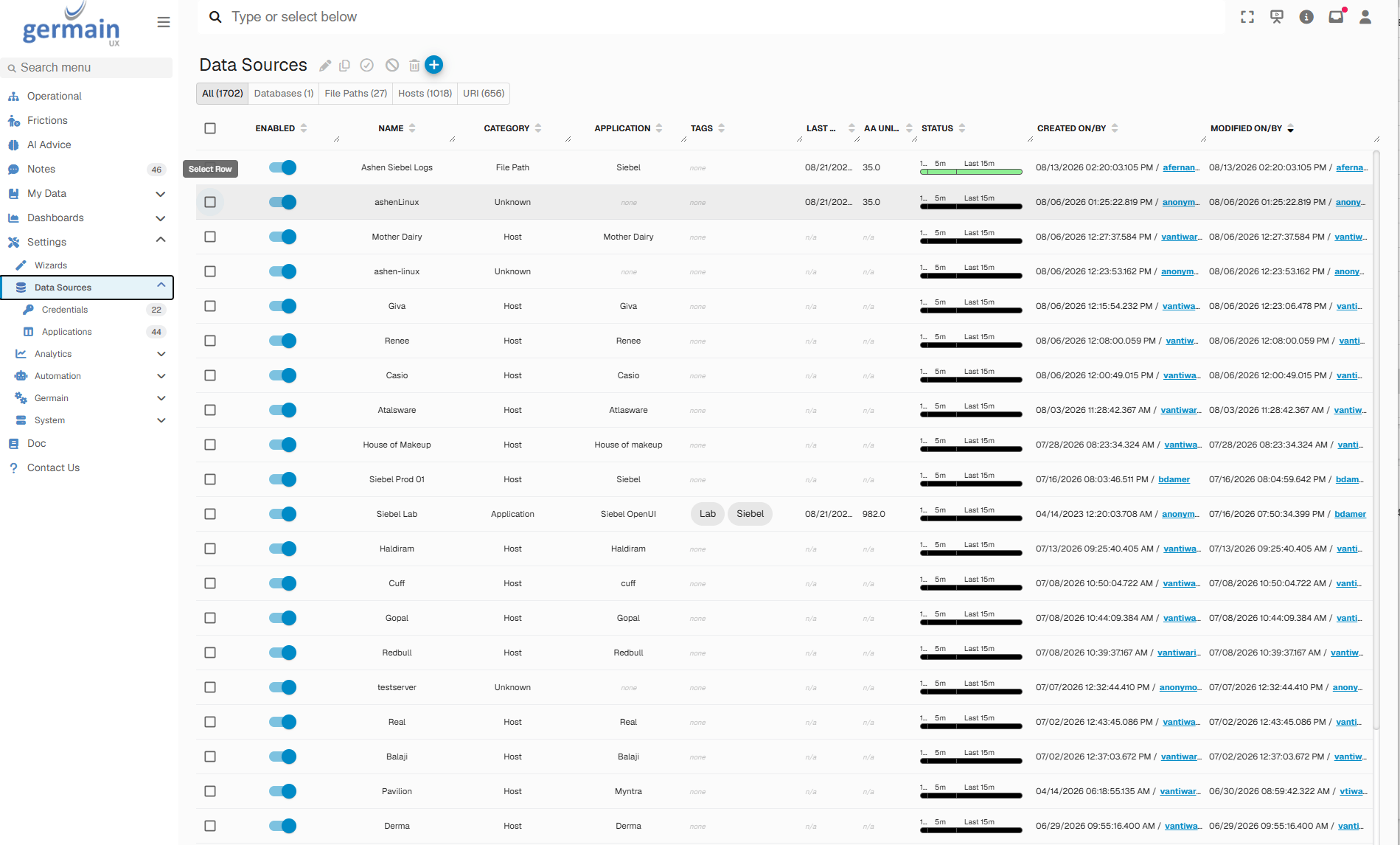
Data Sources -GermainUX
- Web, mobile, or native applications
- CRM, ERP, and eCommerce platforms
- Application servers
- Databases
- APIs and web services
- Log files
- Cloud services
- Hosts, containers, and infrastructure
- Third-party systems
Credentials
Manage the credentials GermainUX uses to connect to monitored systems or execute transactions. Credentials may be used for:- Application authentication
- API access
- Database connections
- SSH connections
- WMI connections
- Synthetic transactions
- Other authenticated monitoring or automation operations
Applications
Define and manage the applications associated with monitored data sources.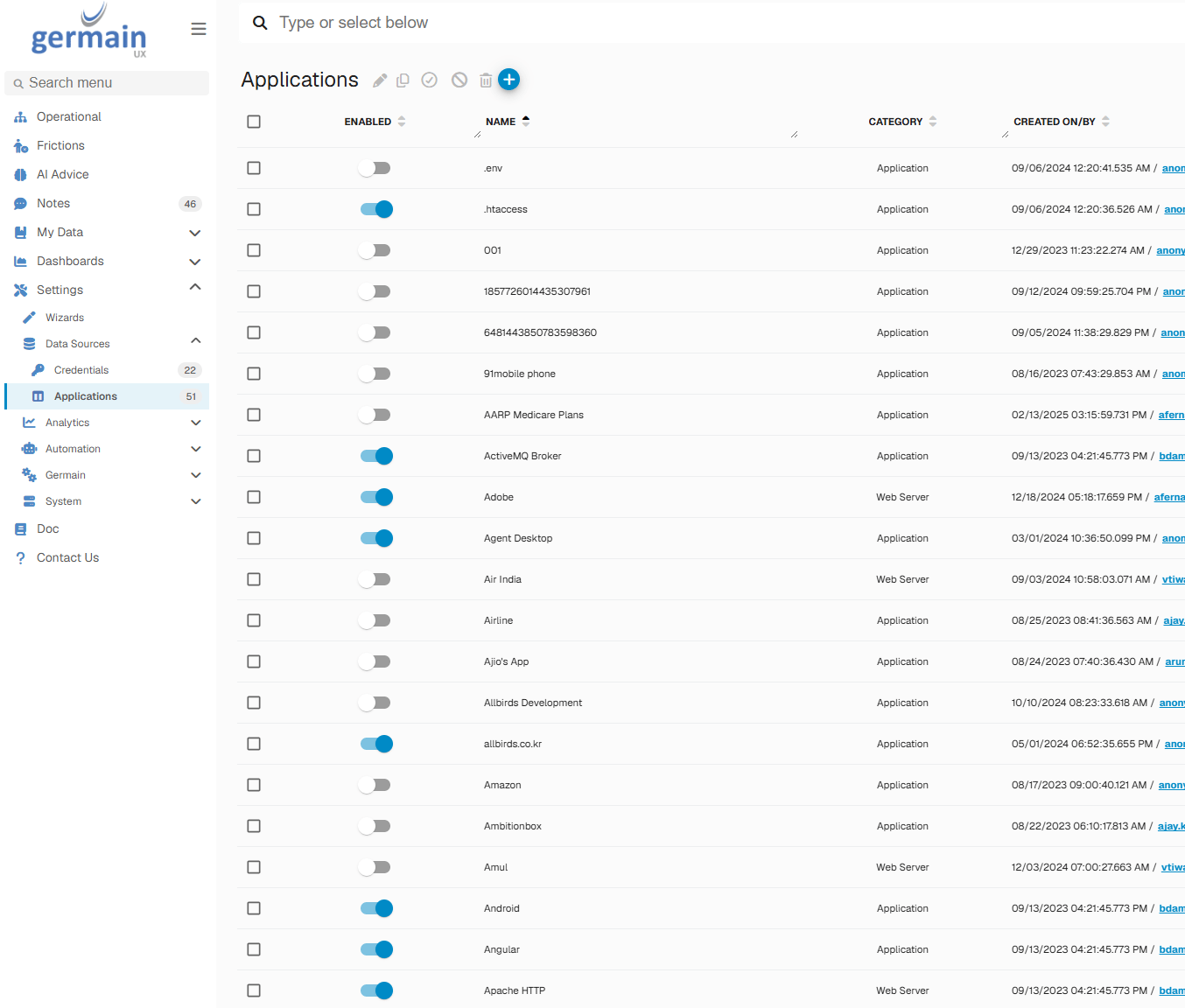
Applications -GermainUX
- Application
- Environment
- Business function
- Technology
- Owner
- Other organization-specific classifications
Analytics
Analytics settings determine how GermainUX interprets, organizes, correlates, evaluates, and protects collected data. Use this area to configure the KPIs, SLAs, business processes, monitoring profiles, correlations, rules, privacy policies, and other definitions used by GermainUX automatic analytics.Business Processes
Define multi-step business processes, workflows, and user journeys. Business Process configuration allows GermainUX to:- Track progress across process milestones
- Measure completion and abandonment
- Detect drop-offs and stalled processes
- Identify workflow bottlenecks
- Calculate processing time and lost productivity
- Analyze adoption and conversion
- Determine which steps contribute most to business loss
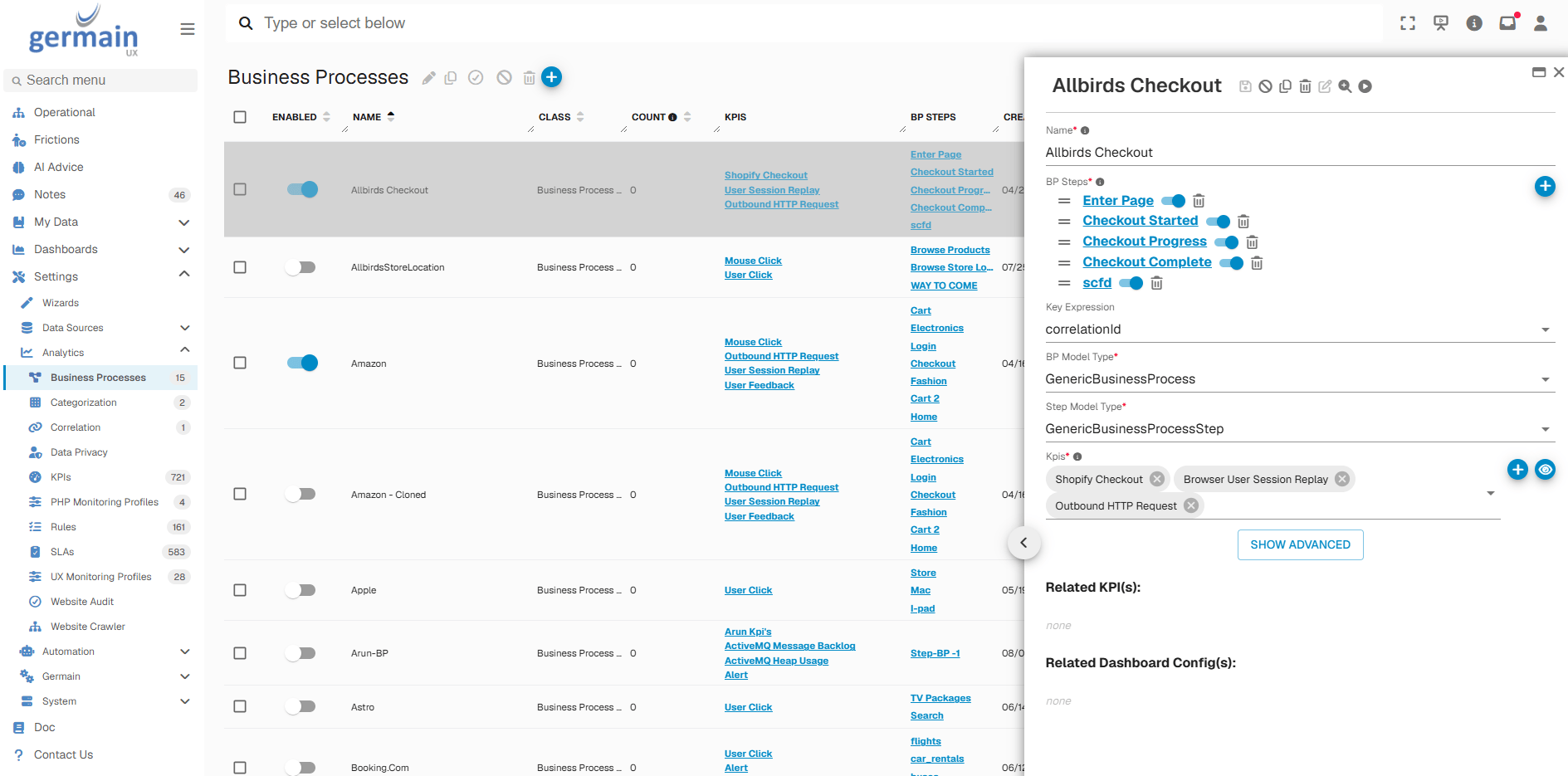
Business Processes -GermainUX
Categorization
Convert raw values into meaningful categories that are easier to analyze. See Data Categorization. Categorization can group errors, pages, user actions, products, workflows, technologies, or other values into business- or technology-relevant segments. These categories can then be used in dashboards, filters, pivots, analytics, alerts, and reports.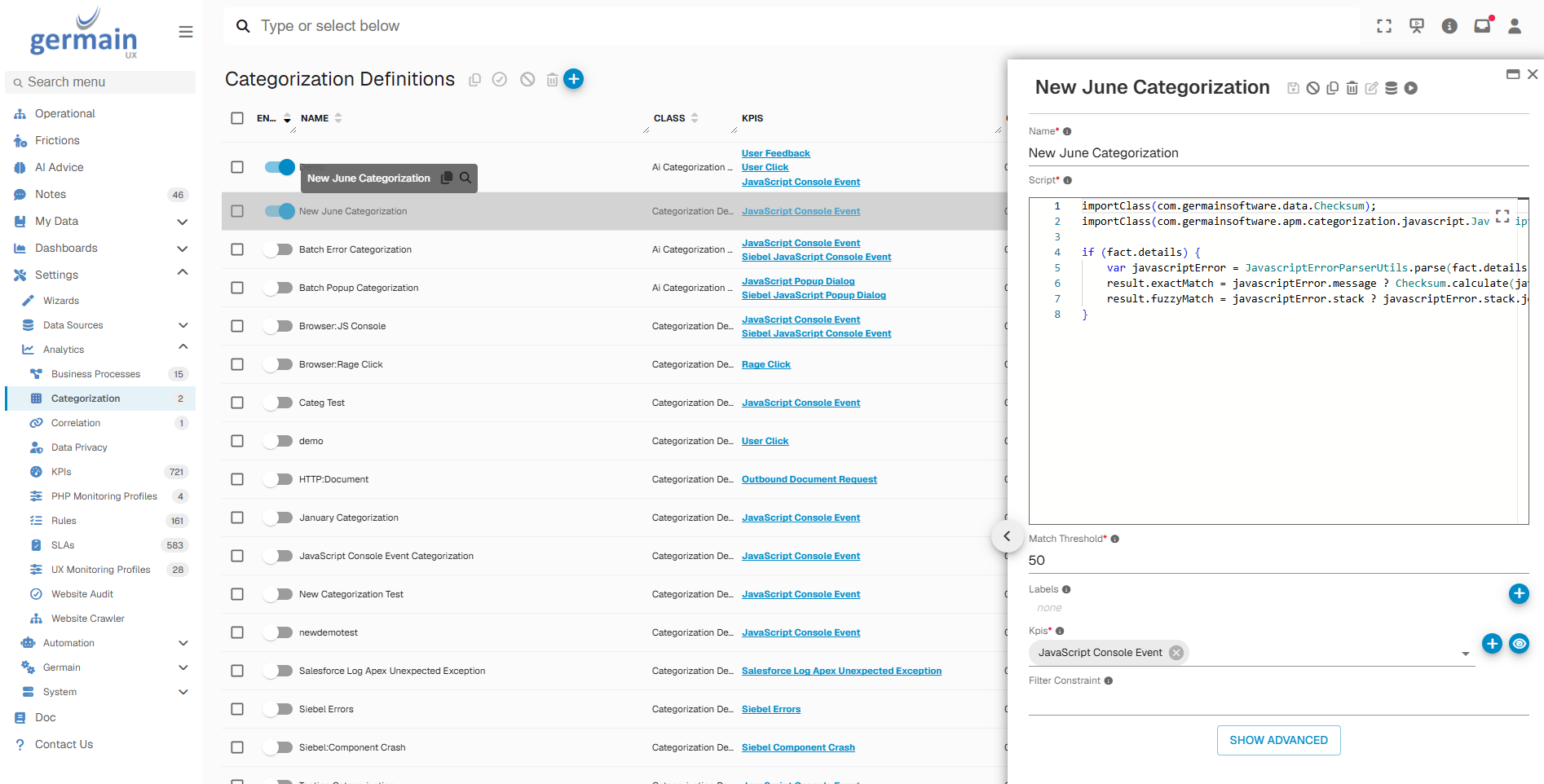
Categorization - GermainUX
Correlation
Configure how GermainUX connects related events and KPIs. See Correlation and Tracing. Correlation enables GermainUX to associate user actions, requests, errors, transactions, services, workflows, and other activity across an investigation. It supports capabilities such as:- End-to-end transaction tracing
- Related KPI analysis
- Root-cause investigation
- Cross-component analysis
- User-session reconstruction
- Business-impact attribution
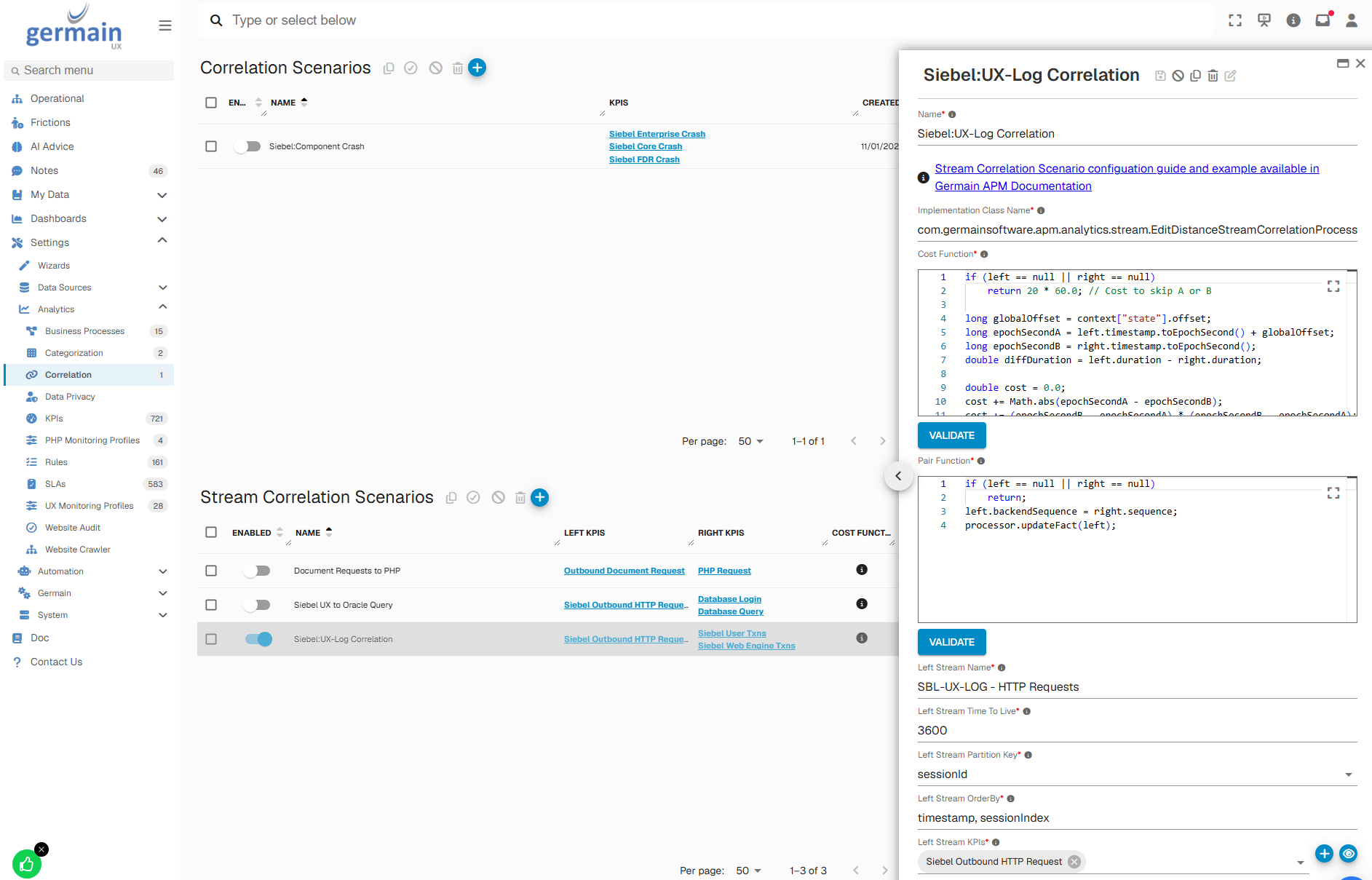
Correlation - GermainUX
Data Privacy
Configure how GermainUX protects sensitive information collected through monitoring, analytics, and Session Replay. See Data Privacy. Data Privacy settings can be used to:- Mask sensitive values
- Anonymize personal information
- Exclude fields or elements from collection
- Redact captured content
- Apply application-specific privacy rules
- Protect data displayed in Session Replay and technical traces
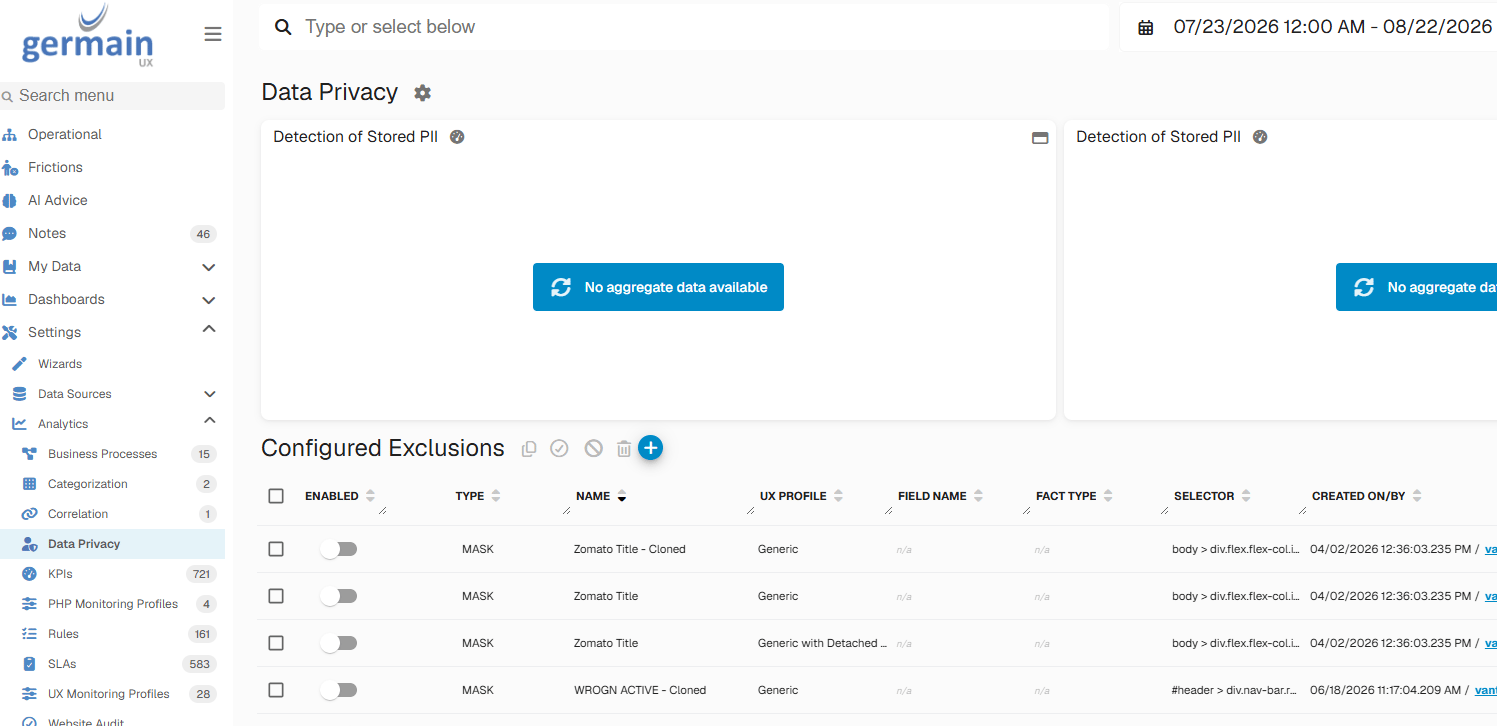
data privacy - GermainUX
KPIs
Define the Key Performance Indicators analyzed and displayed by GermainUX. See also Manage KPIs. A KPI can represent:- A business outcome
- A user action
- A workflow milestone
- A conversion
- An error
- A transaction
- A performance measurement
- A system metric
- An alert
- Another measurable event or condition
- Name and description
- Fact type and category
- Measures
- Dimensions
- Display names
- SLAs
- Statistical SLAs
- Relationships
- Matching fields
- Scoring and visualization behavior
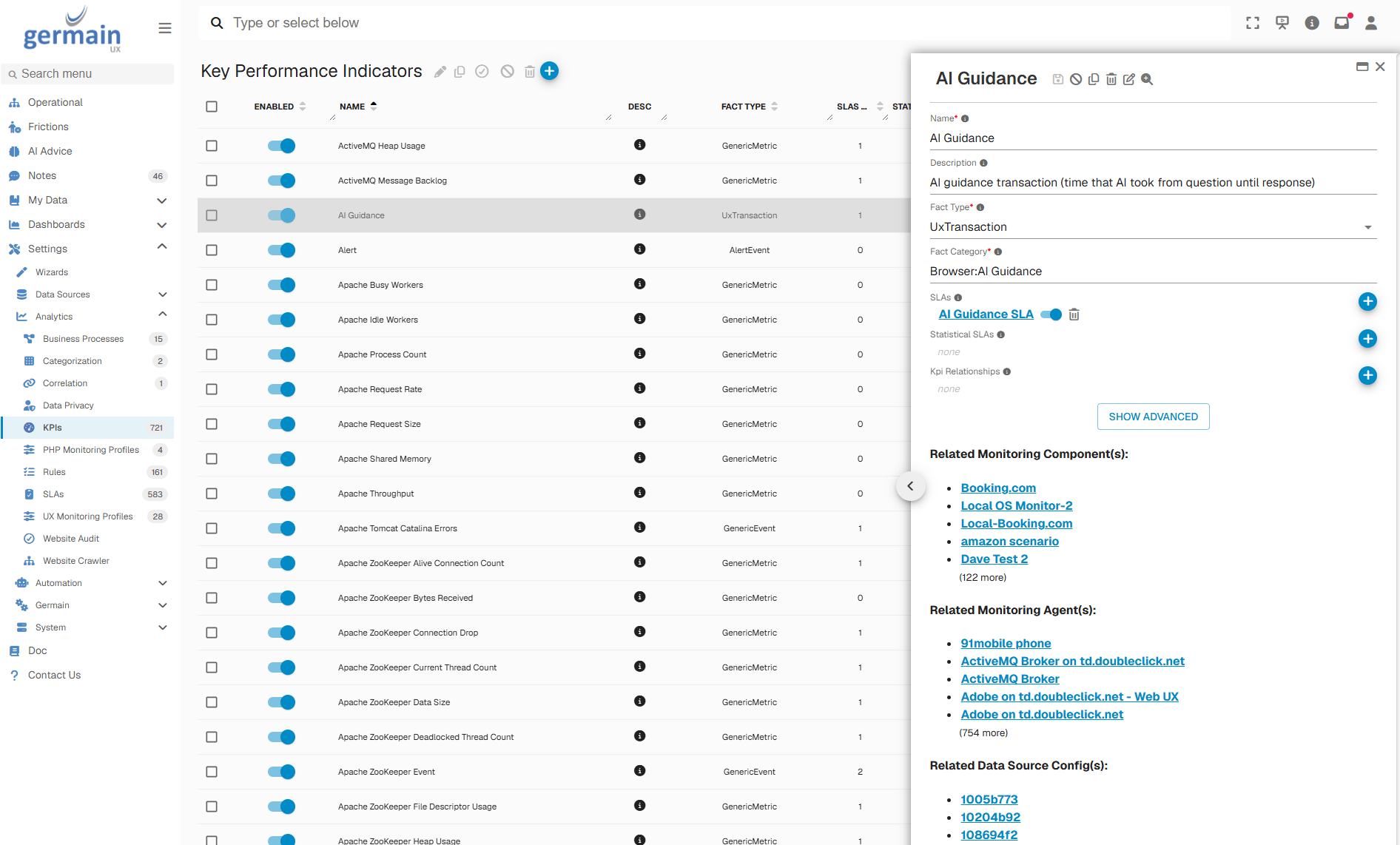
KPI - GermainUX
PHP Monitoring Profiles
Configure how GermainUX monitors PHP applications. See PHP Monitoring. PHP Monitoring Profiles determine which PHP activity, transactions, performance data, errors, and related technical information GermainUX collects and analyzes.Rules
Define conditions used to identify, classify, or process monitored data. See Rules: Advanced Automated Analytics. Rules can support:- Issue and friction detection
- Data enrichment
- Categorization
- Alerting
- Automation
- KPI generation
- Business-process analysis
- Other configurable analytics behavior
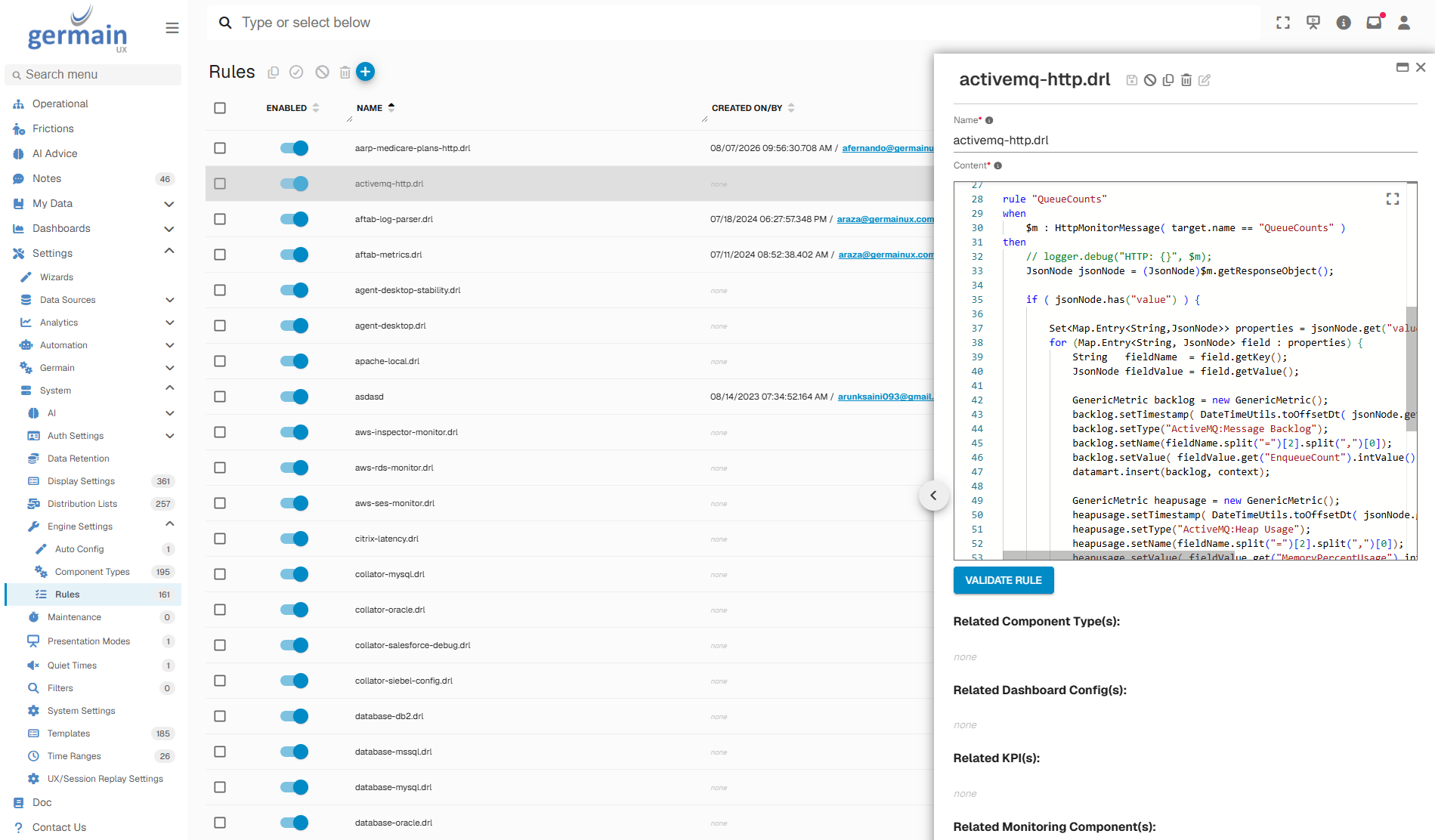
Rules - GermainUX
SLAs
Define the thresholds and conditions GermainUX uses to determine whether a KPI is performing as expected. See SLAs. SLAs can specify:- Acceptable and unacceptable values
- Severity and priority
- Fixed thresholds
- Statistical or baseline-relative thresholds
- Violation conditions
- Email priority
- Actions triggered when a violation occurs
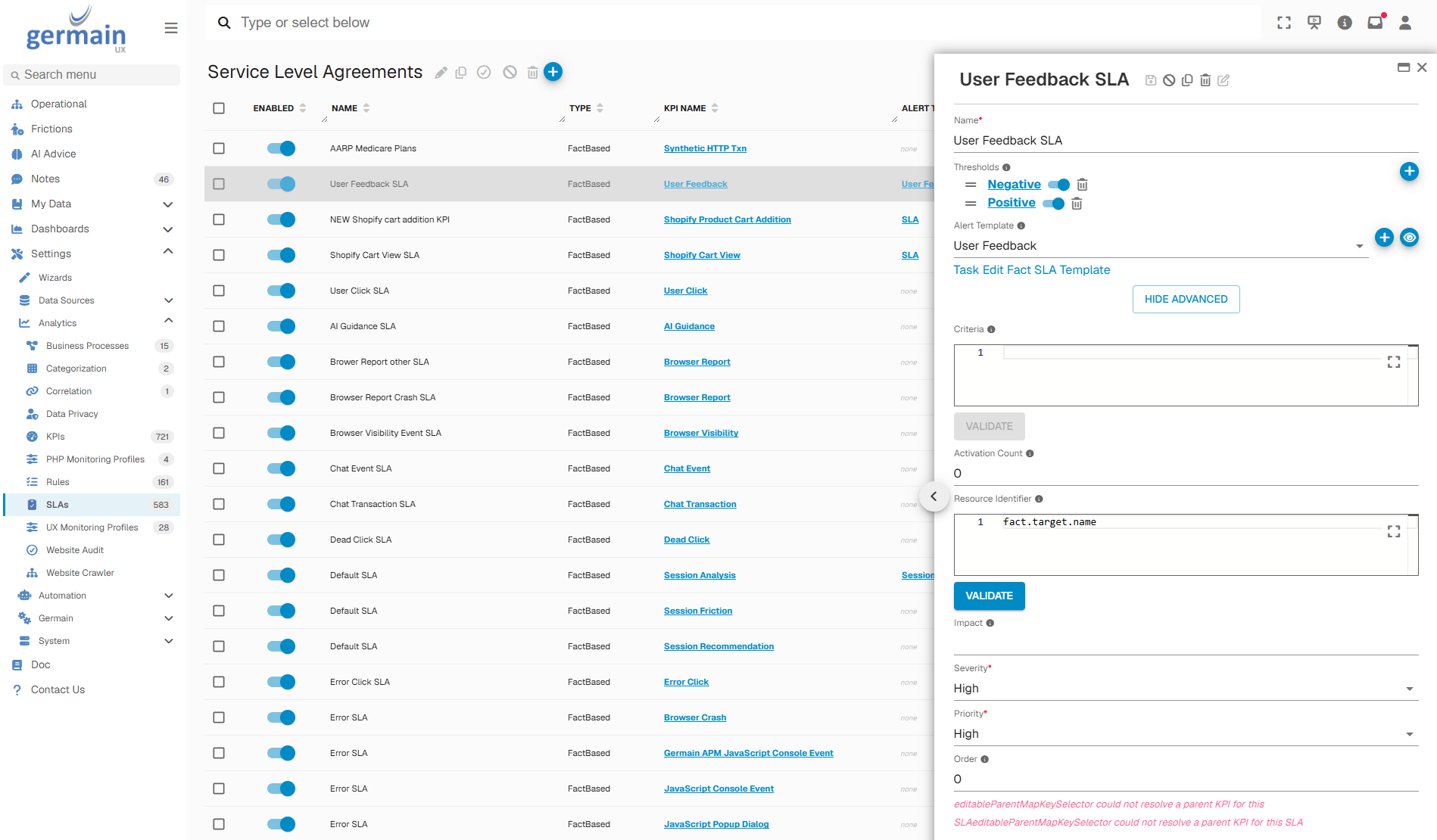
SLA Configuration - GermainUX
UX Monitoring Profiles
Configure the user-experience data GermainUX collects from web or native applications. See User Monitoring and Replay Configuration and Form Privacy and UX Monitoring Profile. Depending on the monitored technology, a UX Monitoring Profile can control the collection of:- User actions
- Clicks and key presses
- Page and screen changes
- Navigation
- Errors
- Rage clicks and dead clicks
- Search activity
- Performance measurements
- User sessions
- Session Replay
- Other UX-related events
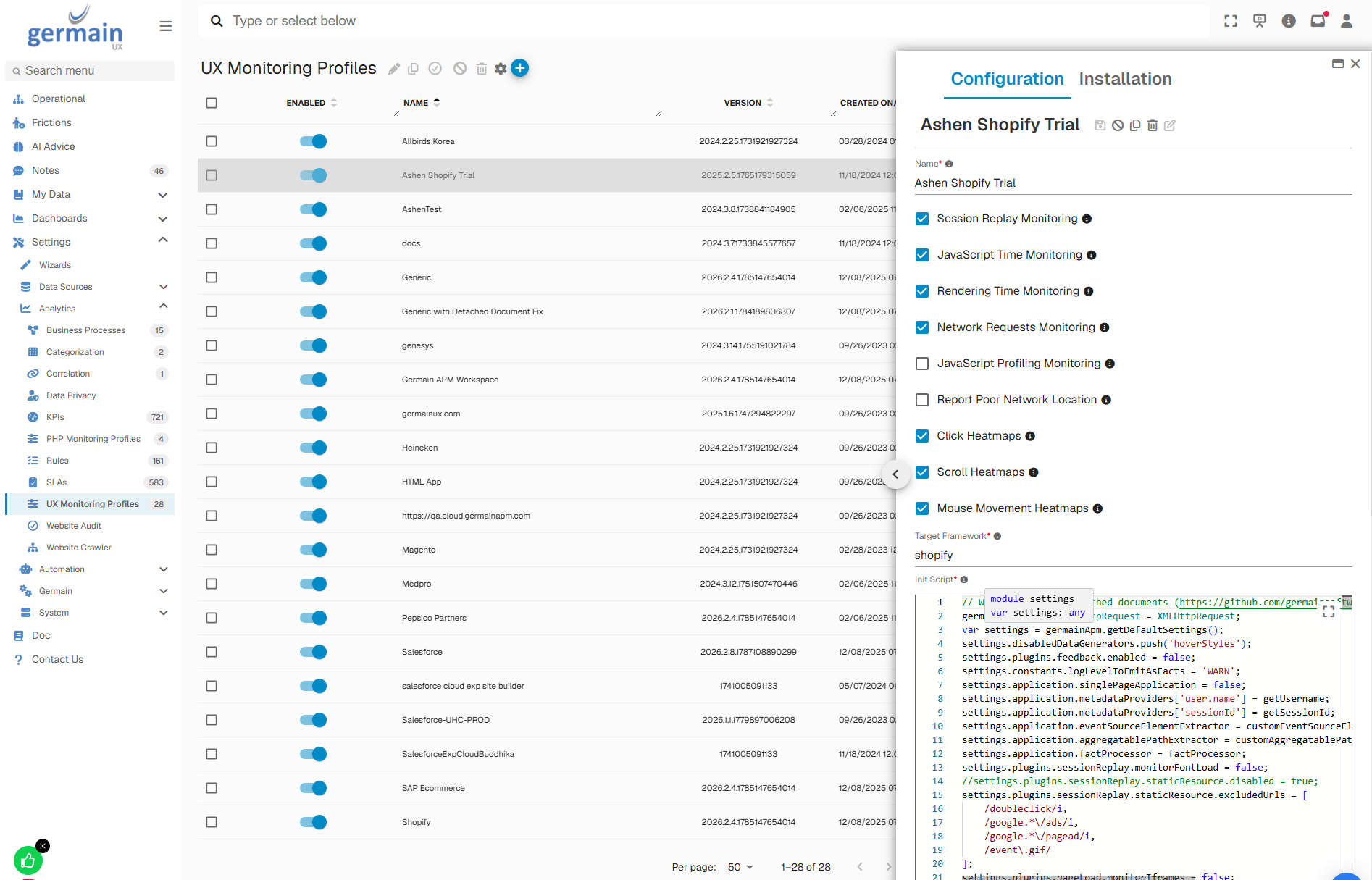
UX Monitoring Profiles - GermainUX
Website Audit
Configure automated website quality and performance assessments. See Website Audit (SEO). Website Audit can evaluate areas such as:- Performance
- Accessibility
- Search-engine optimization
- Website quality
- Technical best practices
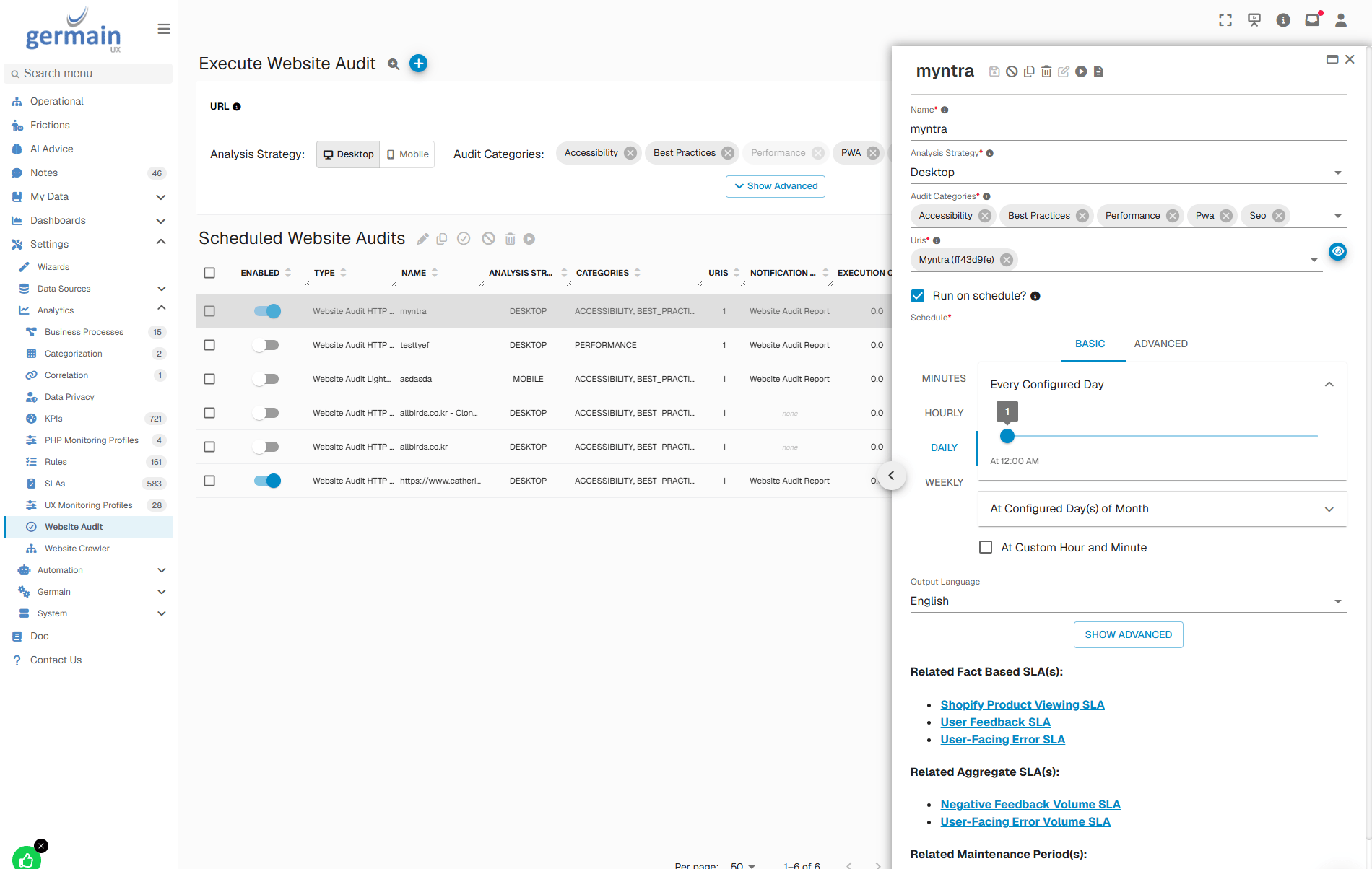
Website Audit Settings - GermainUX
Website Crawler
Configure automated crawling of websites and web applications. See Crawler. The Website Crawler can discover and inspect pages, links, resources, and structural website issues. It can be used to support website audits, availability checks, and other automated analysis.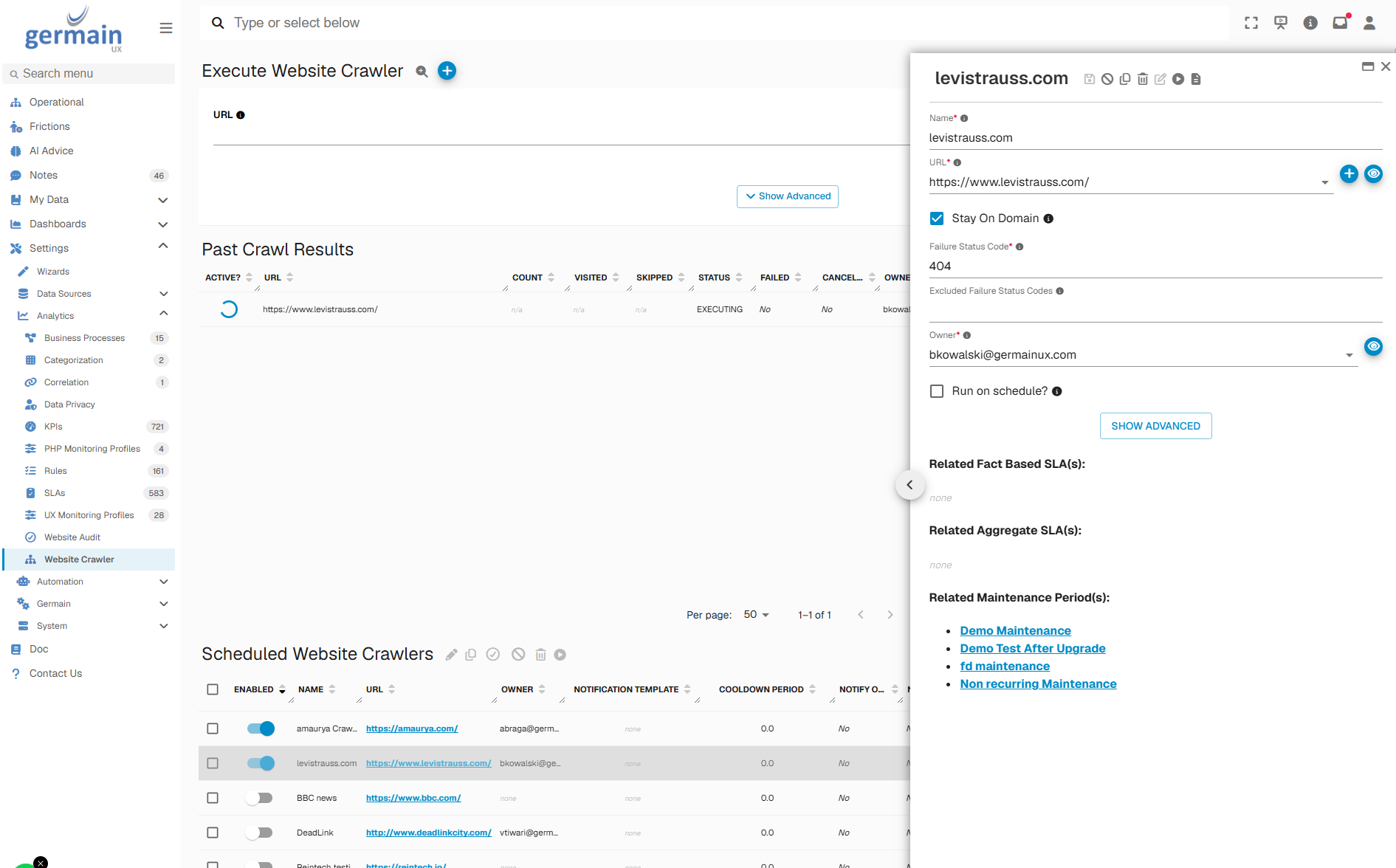
Website Crawler Settings - GermainUX
Automation
Automation settings define the actions GermainUX can execute automatically or on demand. Automations can be triggered by:- SLA violations
- Detected issues or frictions
- Monitoring events
- Watches
- Schedules
- User actions
- Other configured conditions
Alert
Configure alerts and notifications generated when specified conditions occur. See Create an Alert. Alerts can communicate:- SLA violations
- Performance regressions
- Errors
- Availability problems
- Business-process issues
- User-experience frictions
- Other monitored conditions
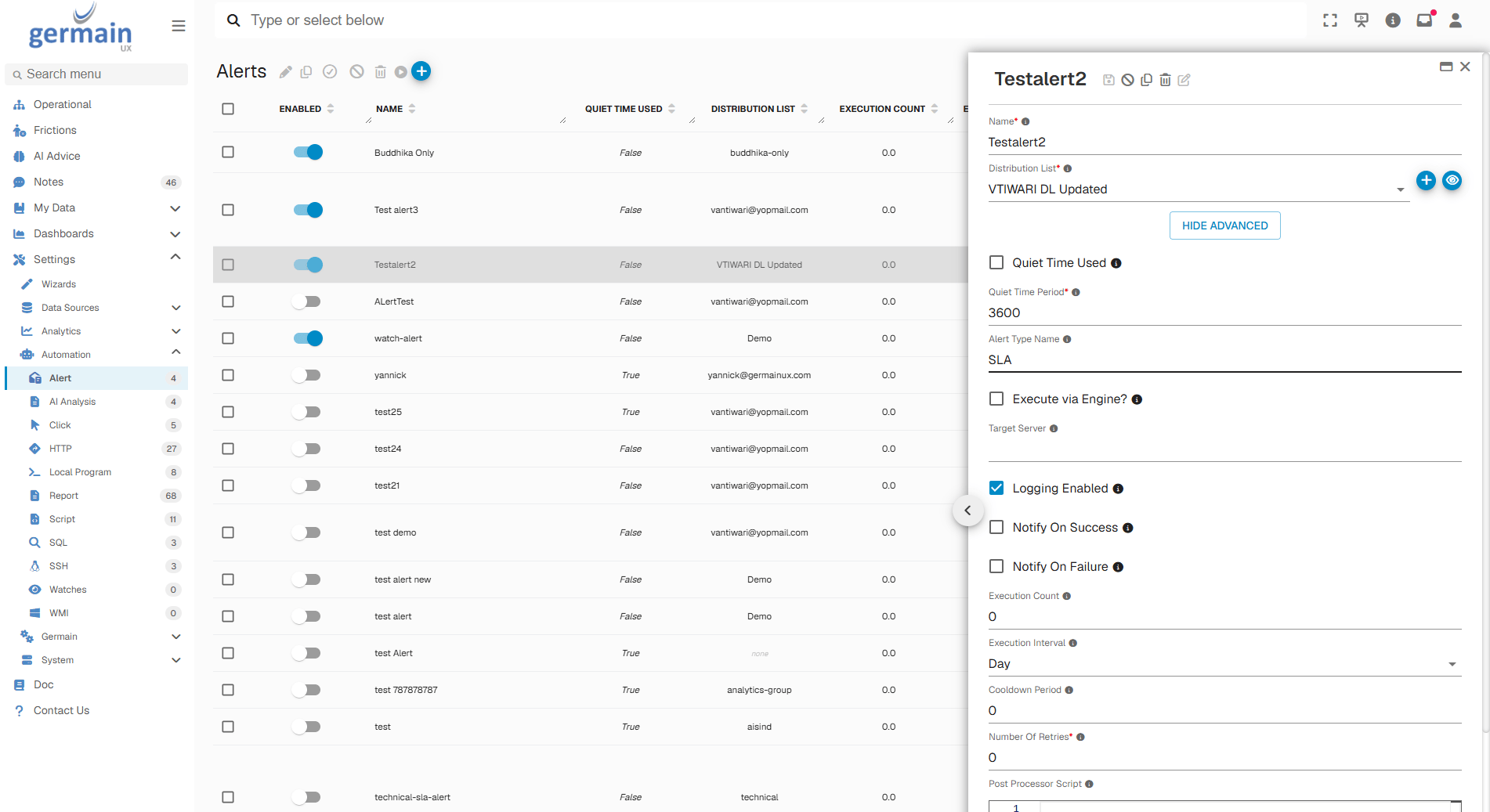
Alert Configuration - GermainUX
AI Analysis
Configure AI-powered analysis as an automated action. AI Analysis can evaluate selected data or detected conditions and generate an explanation, summary, classification, or recommendation based on the configured prompt and AI settings. See Configure AI Services & Prompts for Automated Actions.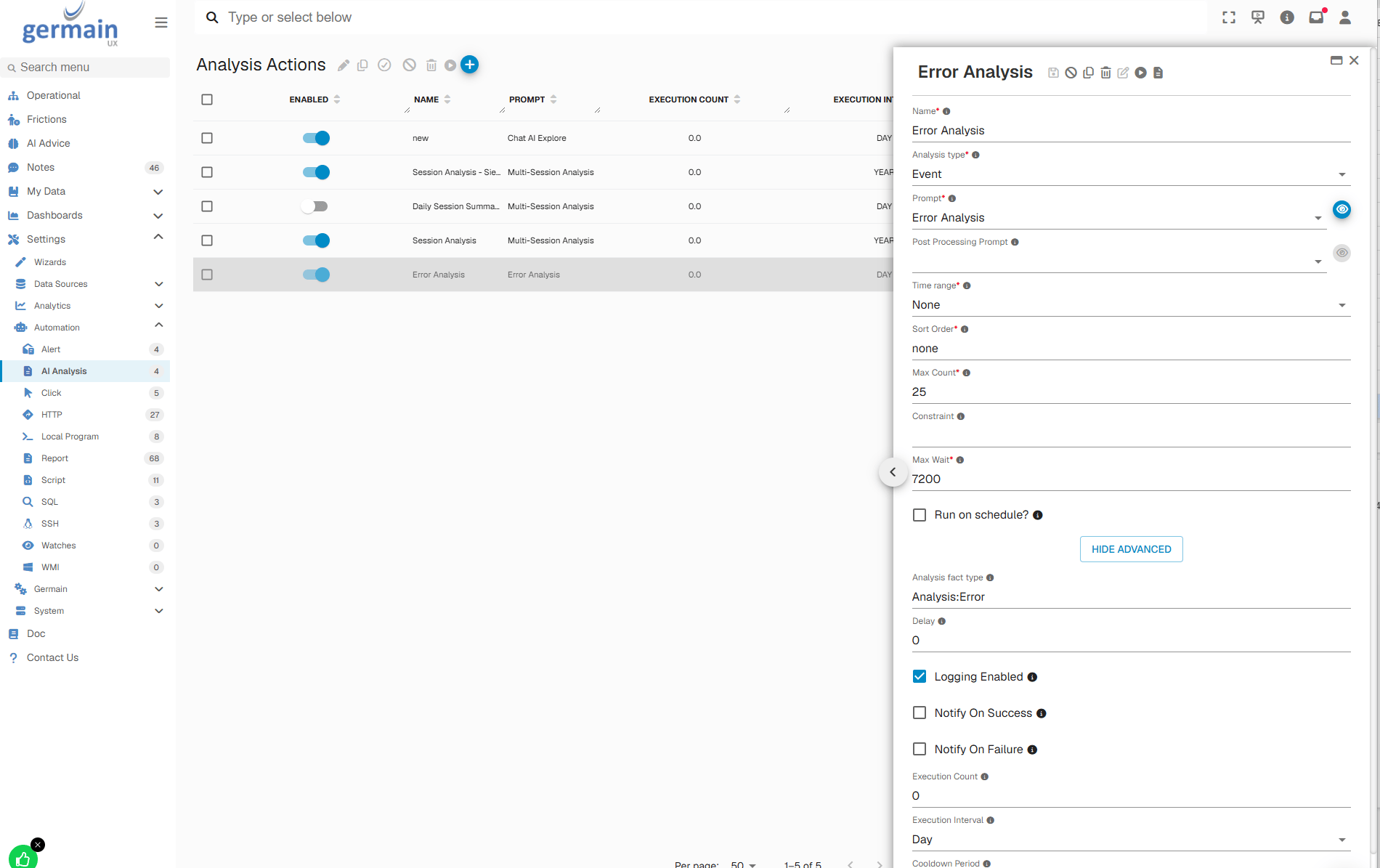
AI Analysis Configuration - GermainUX
Click
Configure an automated click action as part of a synthetic transaction or automated workflow. See User Click Synthetic Scenario.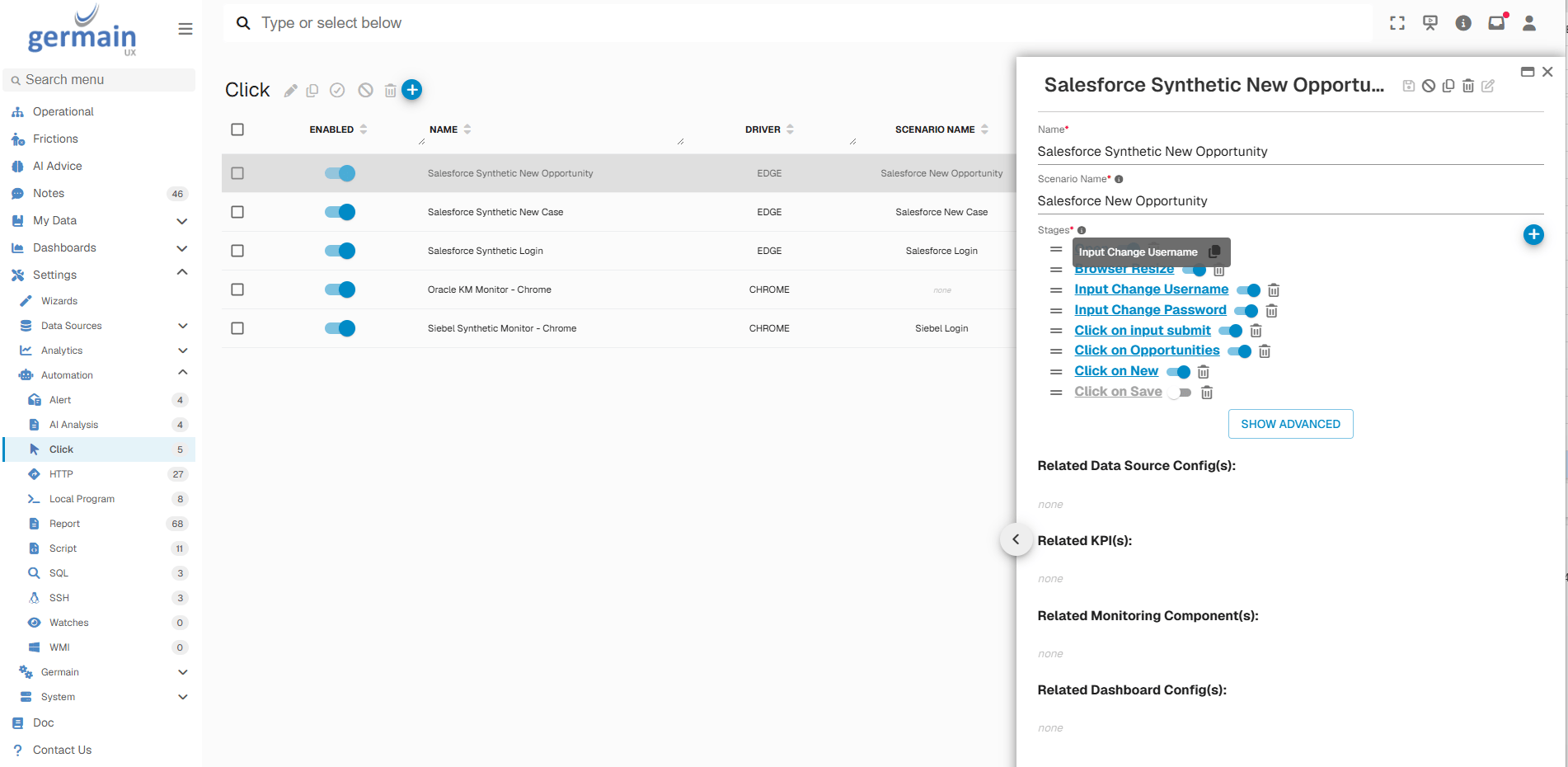
Click Automation Configuration - GermainUX
HTTP
Configure GermainUX to send an HTTP request. See Synthetic HTTP Execution. HTTP actions can be used to:- Call an API
- Trigger a webhook
- Execute a remote operation
- Validate an endpoint
- Integrate GermainUX with another system
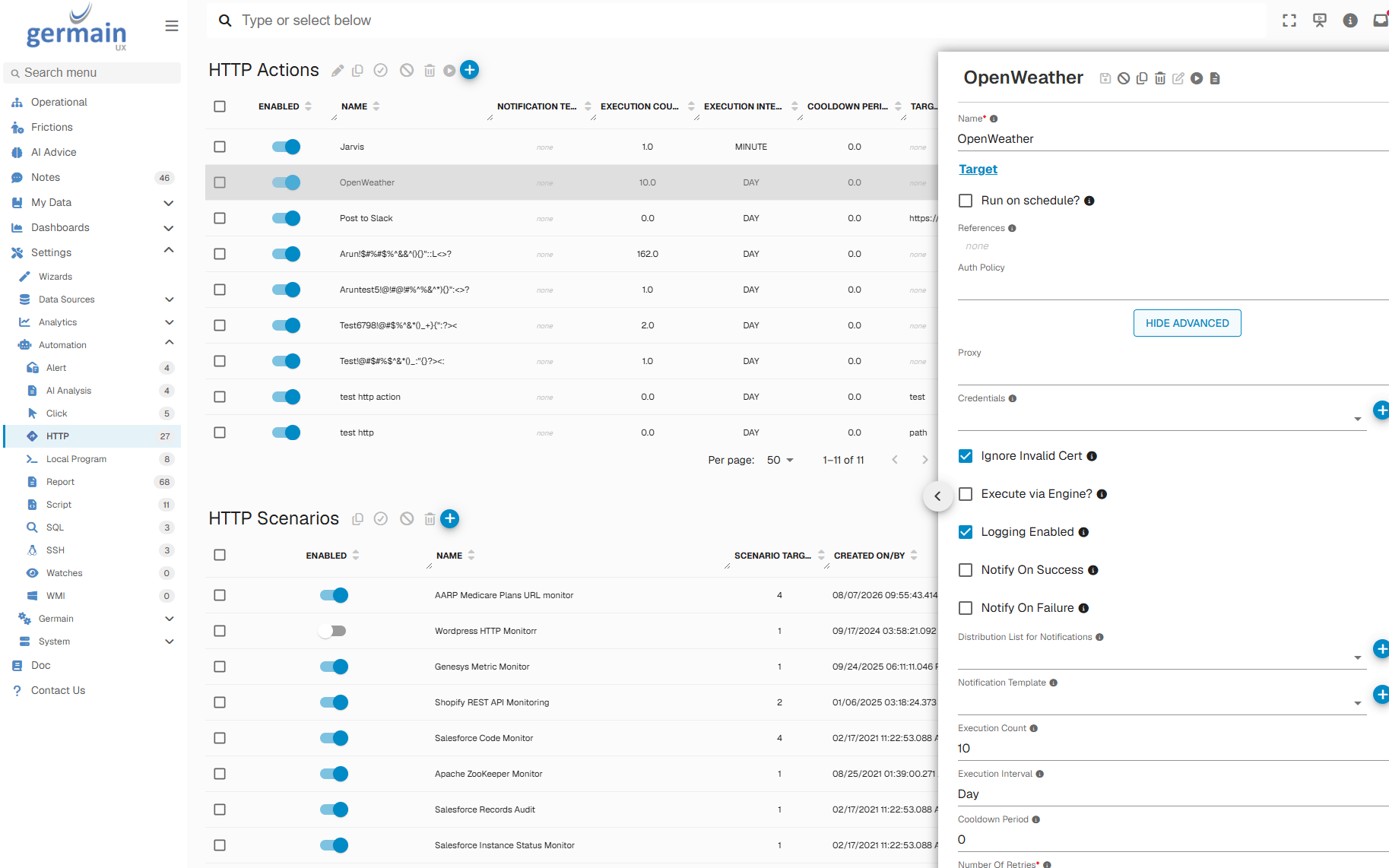
HTTP Action Configuration - GermainUX
Local Program
Configure the execution of a program on an authorized local system. See Local Program Execution. This action can support custom integrations, administrative operations, validation, or remediation workflows.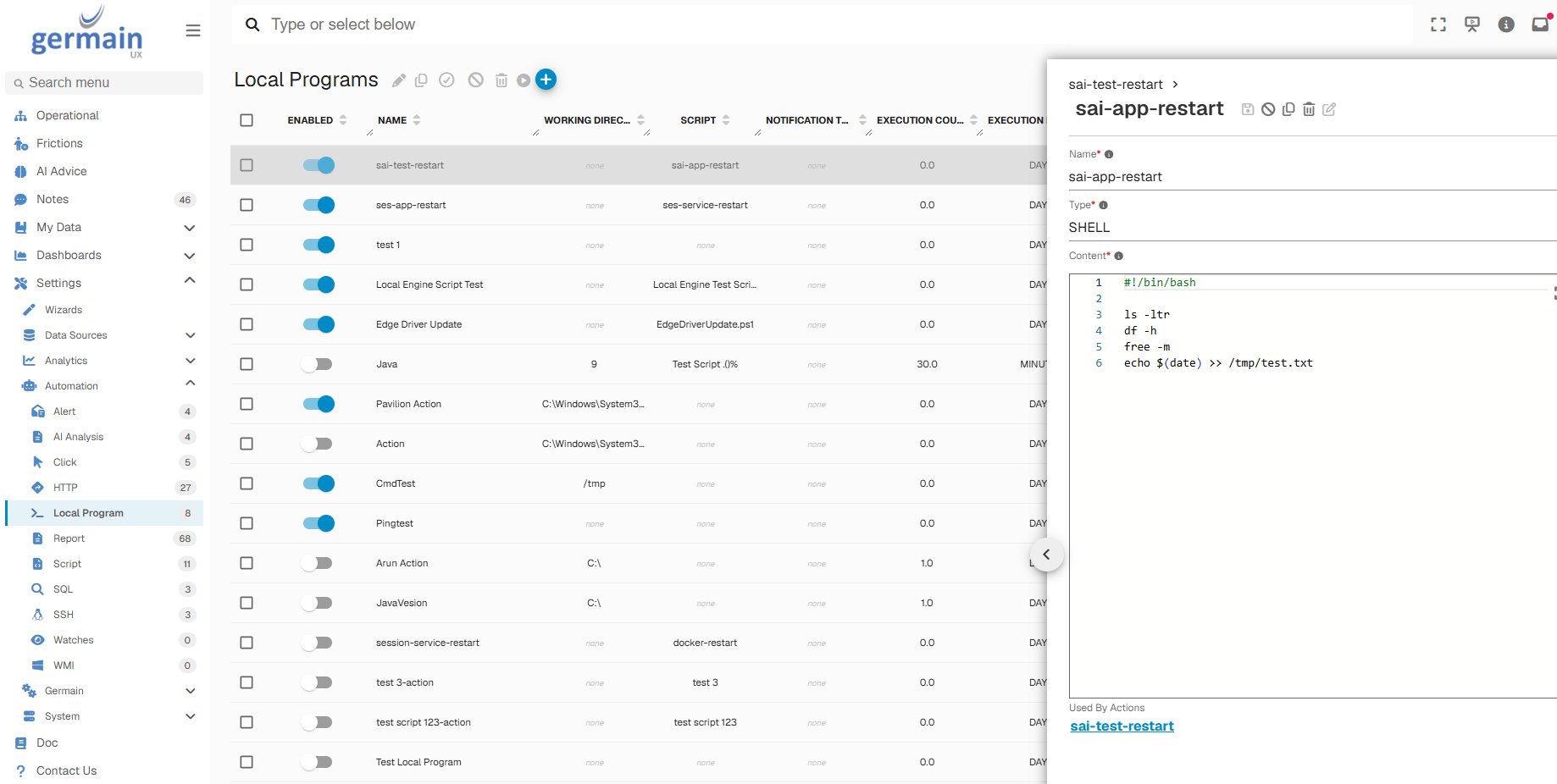
Local Program Configuration - GermainUX
Report
Configure the automatic generation or distribution of a GermainUX report. See Reports (Automatic, Scheduled) and Create a Report. Reports can be created or delivered according to a schedule or in response to a monitored condition.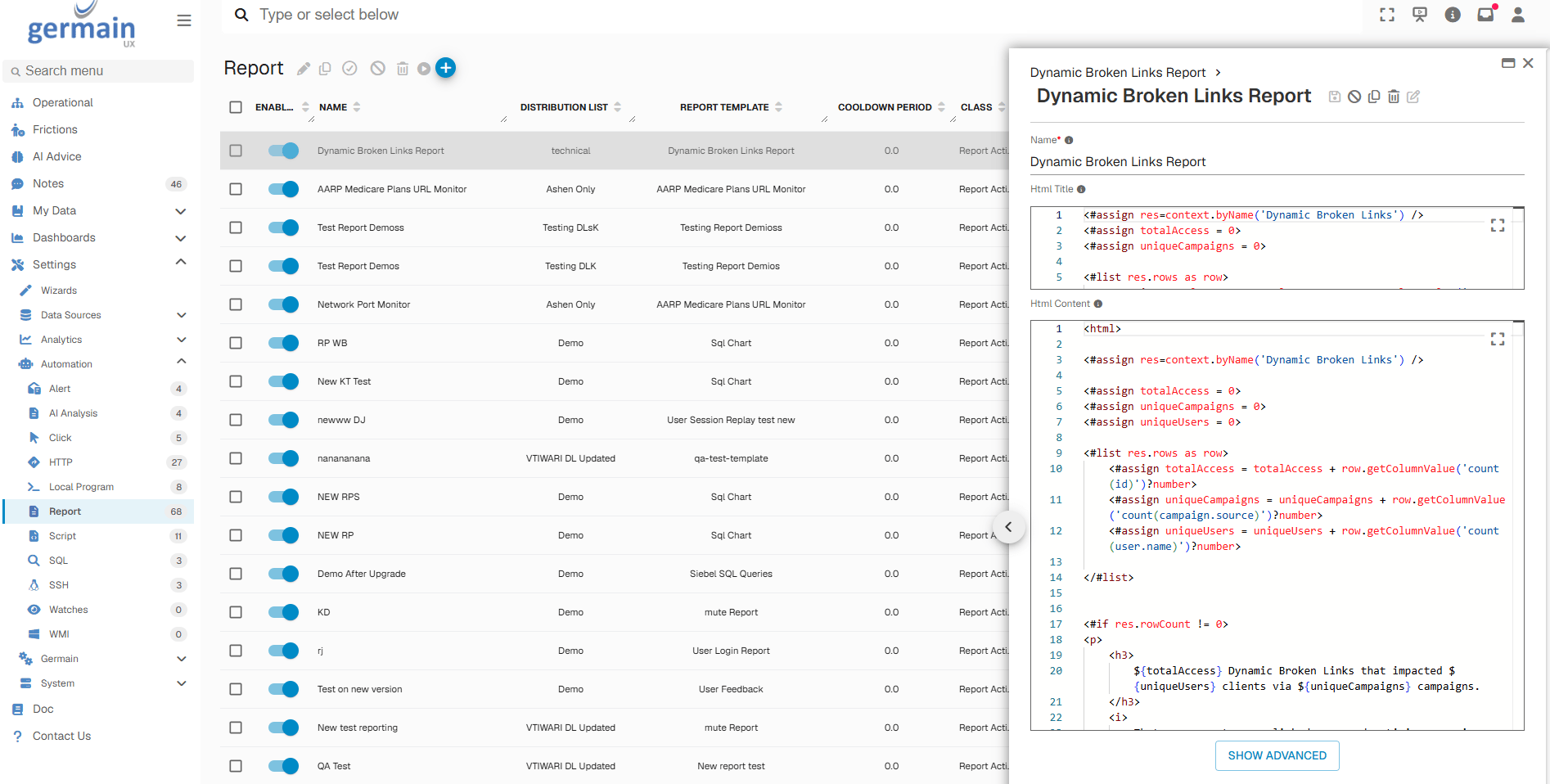
Report Automation Configuration - GermainUX
Script
Configure the execution of a script. See Script. Scripts can support custom processing, integrations, validation, enrichment, or remediation.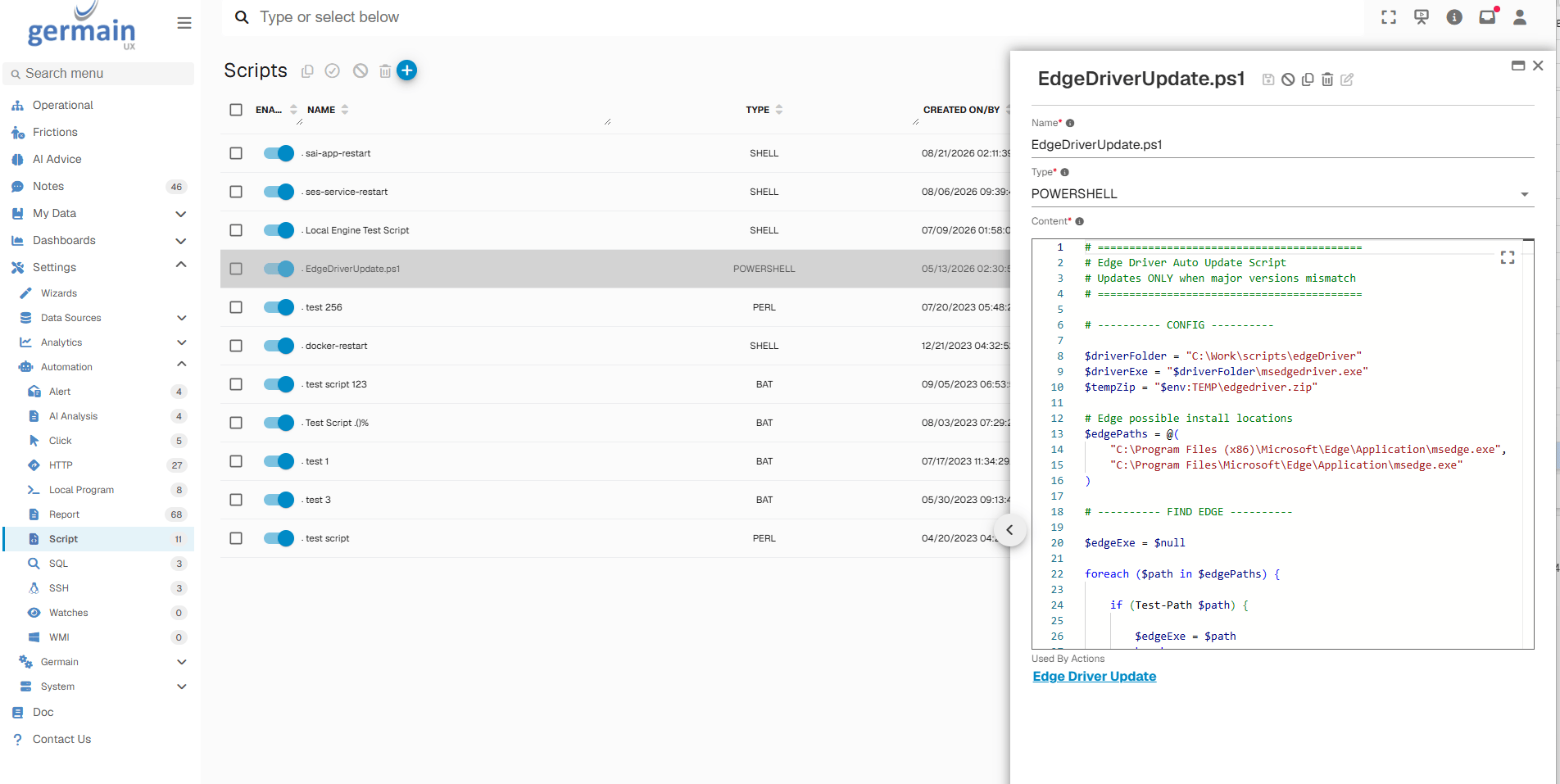
Script Execution Configuration - GermainUX
SQL
Configure GermainUX to execute a SQL statement against an authorized database. See SQL Execution. SQL actions can be used for:- Data retrieval
- Validation
- Updates
- Automated remediation
- Integration with business systems
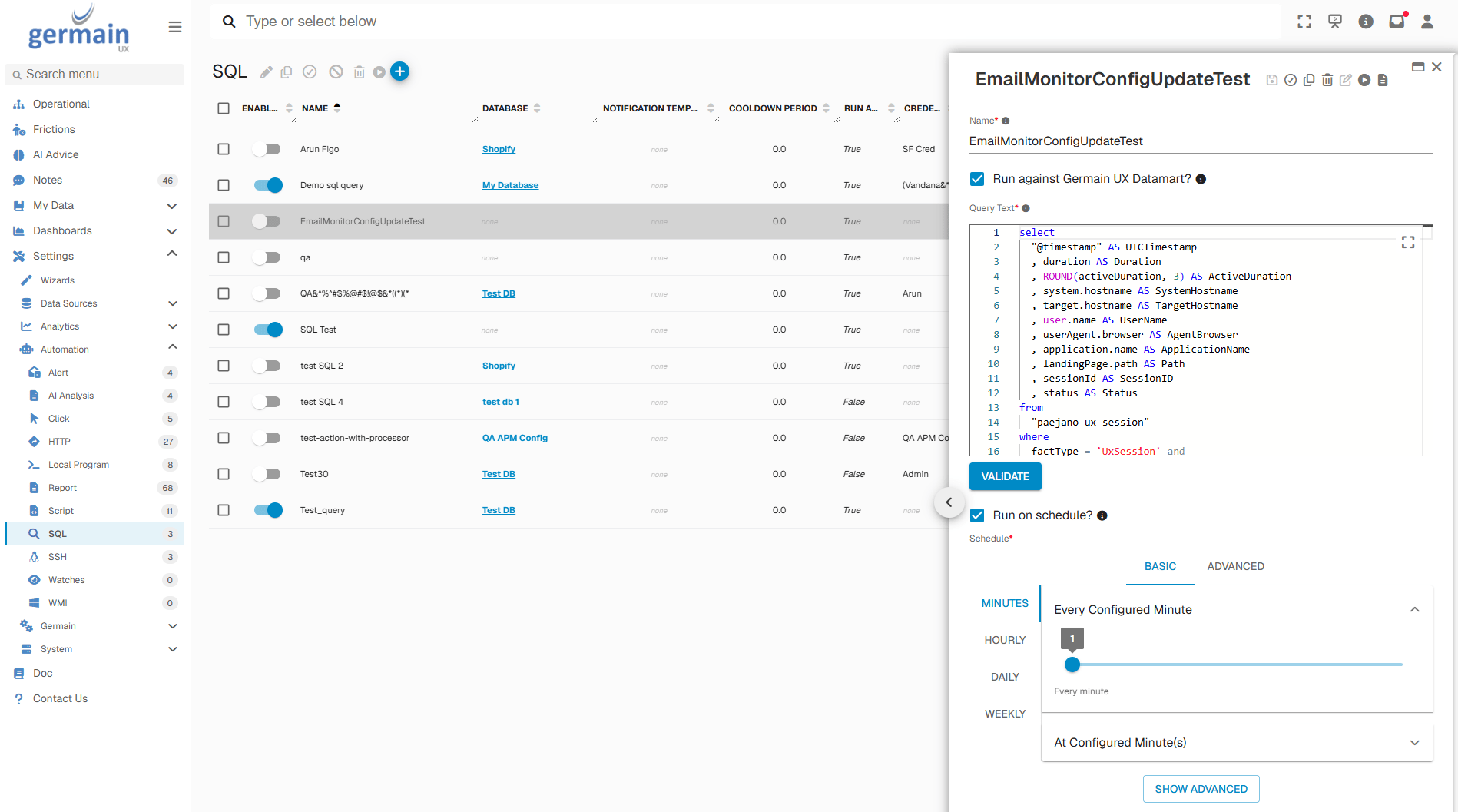
SQL Action Configuration - GermainUX
SSH
Configure a command to be executed remotely through SSH. See SSH Execution. SSH actions can support system checks, administrative operations, automation, and remediation on authorized hosts.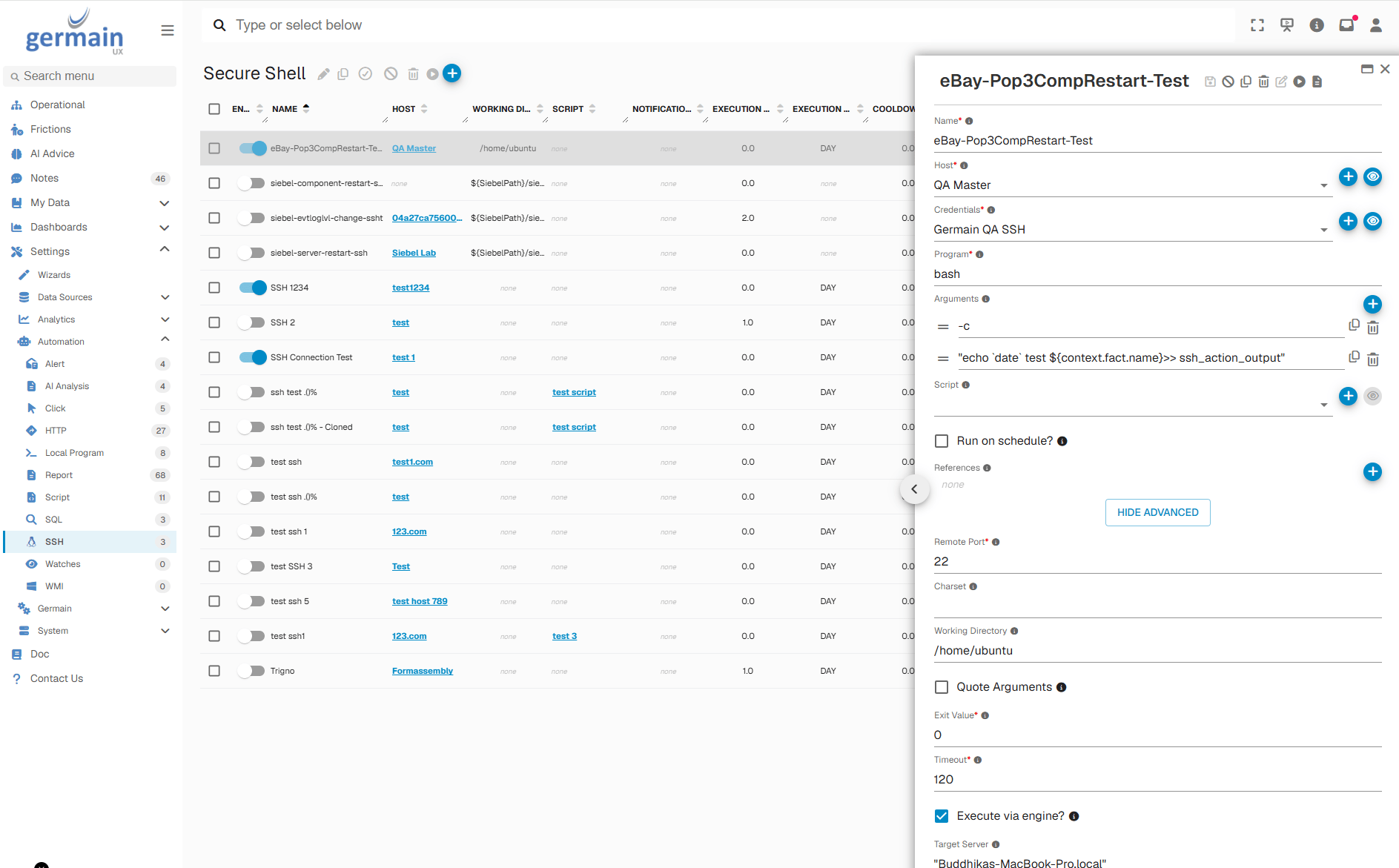
SSH Action Configuration - GermainUX
Watches
Configure a Watch for a KPI and condition. See Watch. A Watch can monitor a metric continuously and initiate an alert or another action when its configured condition is met.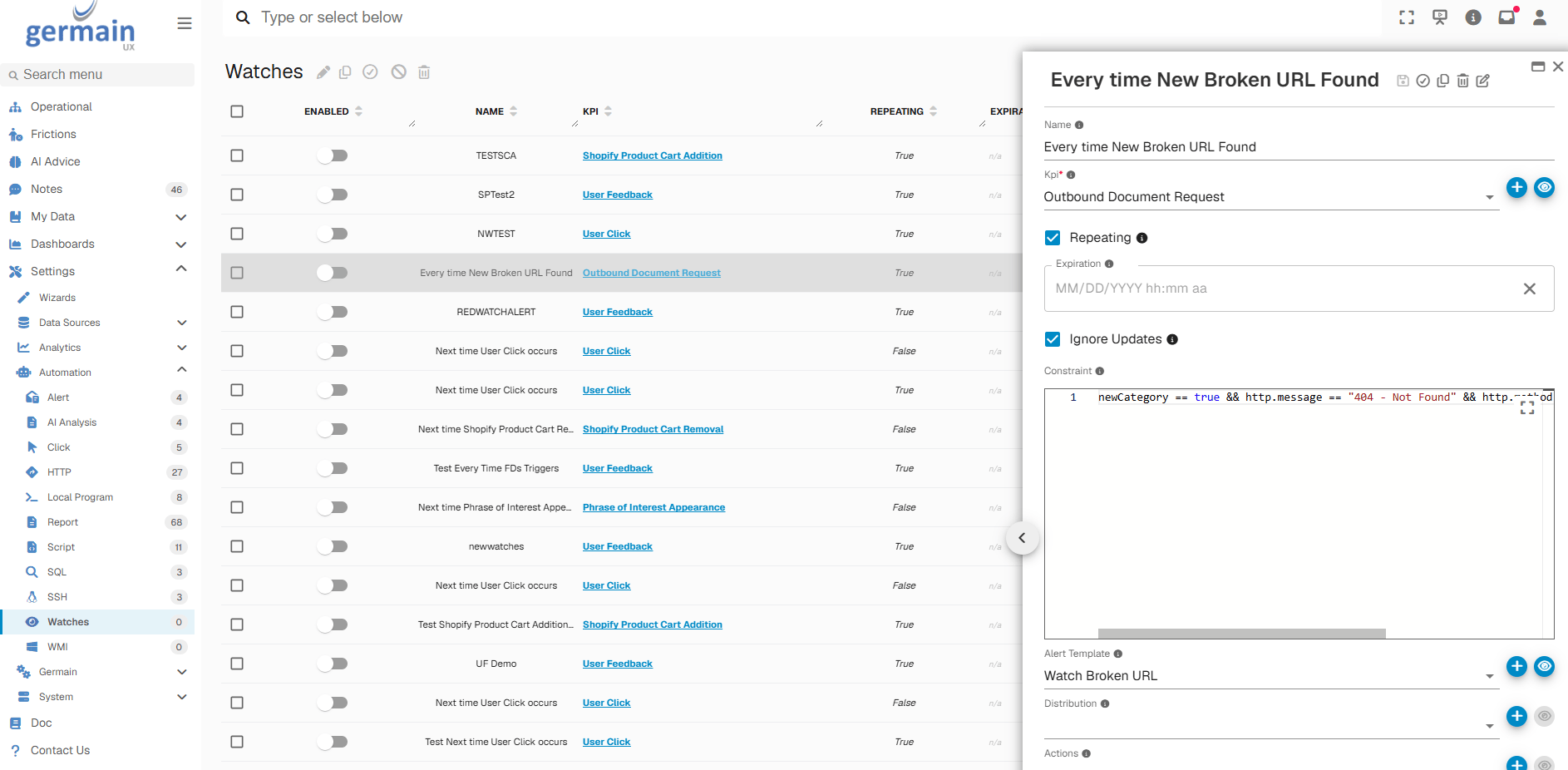
Watch Configuration - GermainUX
WMI
Configure Windows Management Instrumentation operations for authorized Windows systems. See WMI Execution. WMI actions can be used to query or manage Windows resources as part of monitoring, automation, or remediation.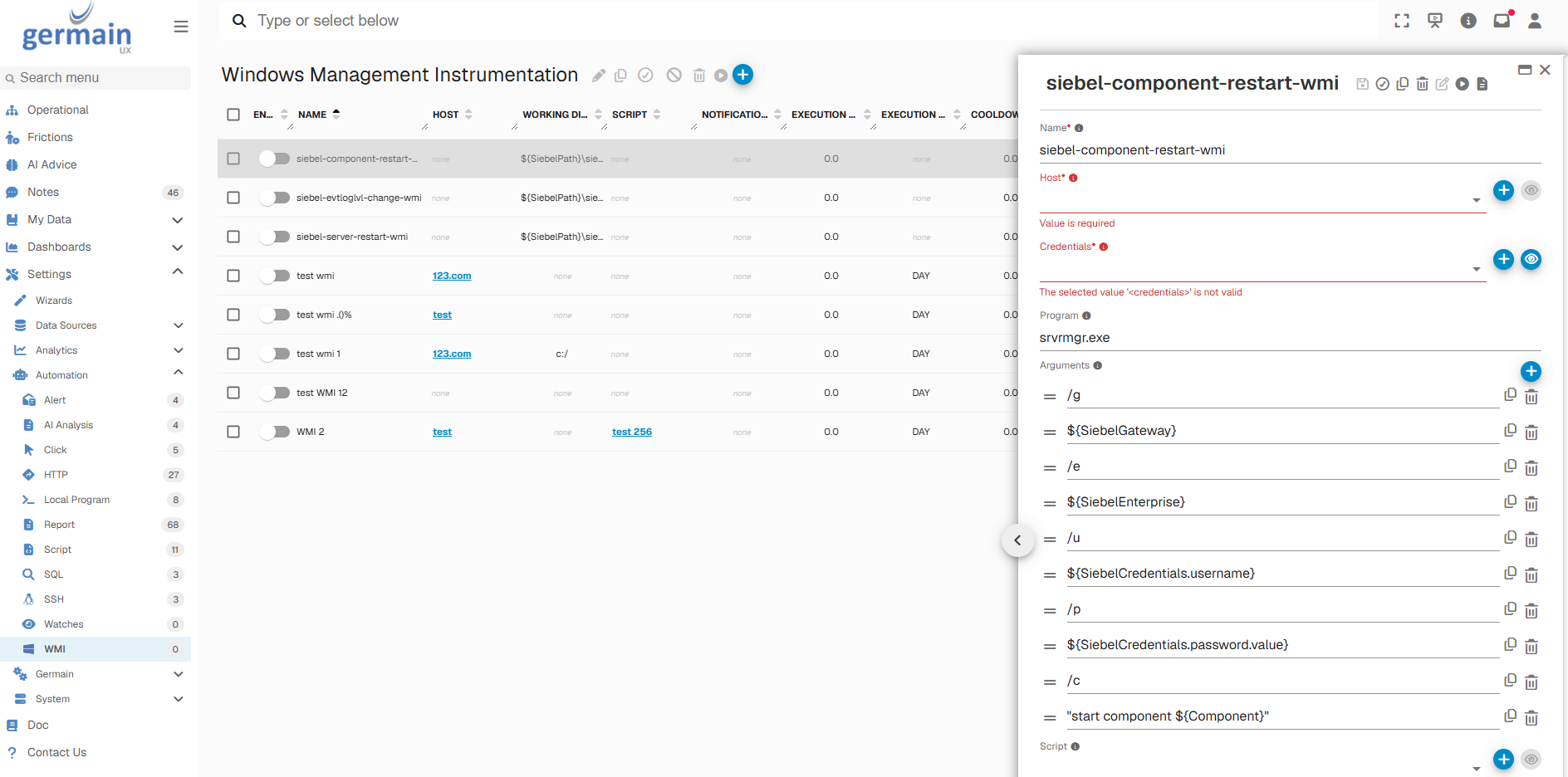
WMI Action Configuration - GermainUX
Germain
The Germain settings area manages the operation and internal state of the GermainUX platform. See also Germain Health.License
View and manage the GermainUX license and enabled platform capabilities.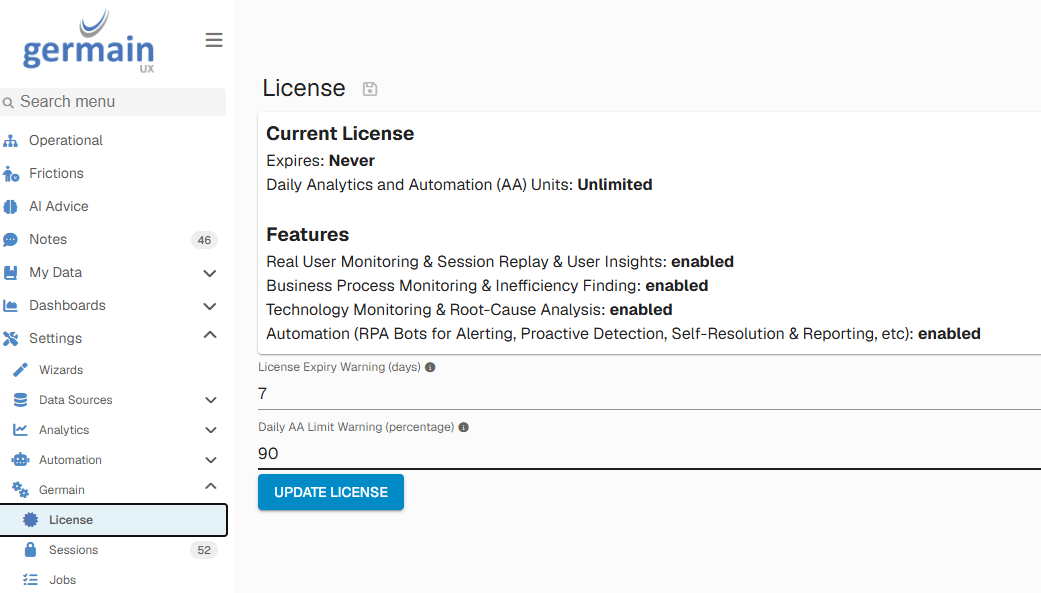
License Management - GermainUX
Sessions
View and manage active GermainUX platform sessions. These are administrative platform sessions and should not be confused with the monitored user sessions displayed in UX analytics and Session Replay.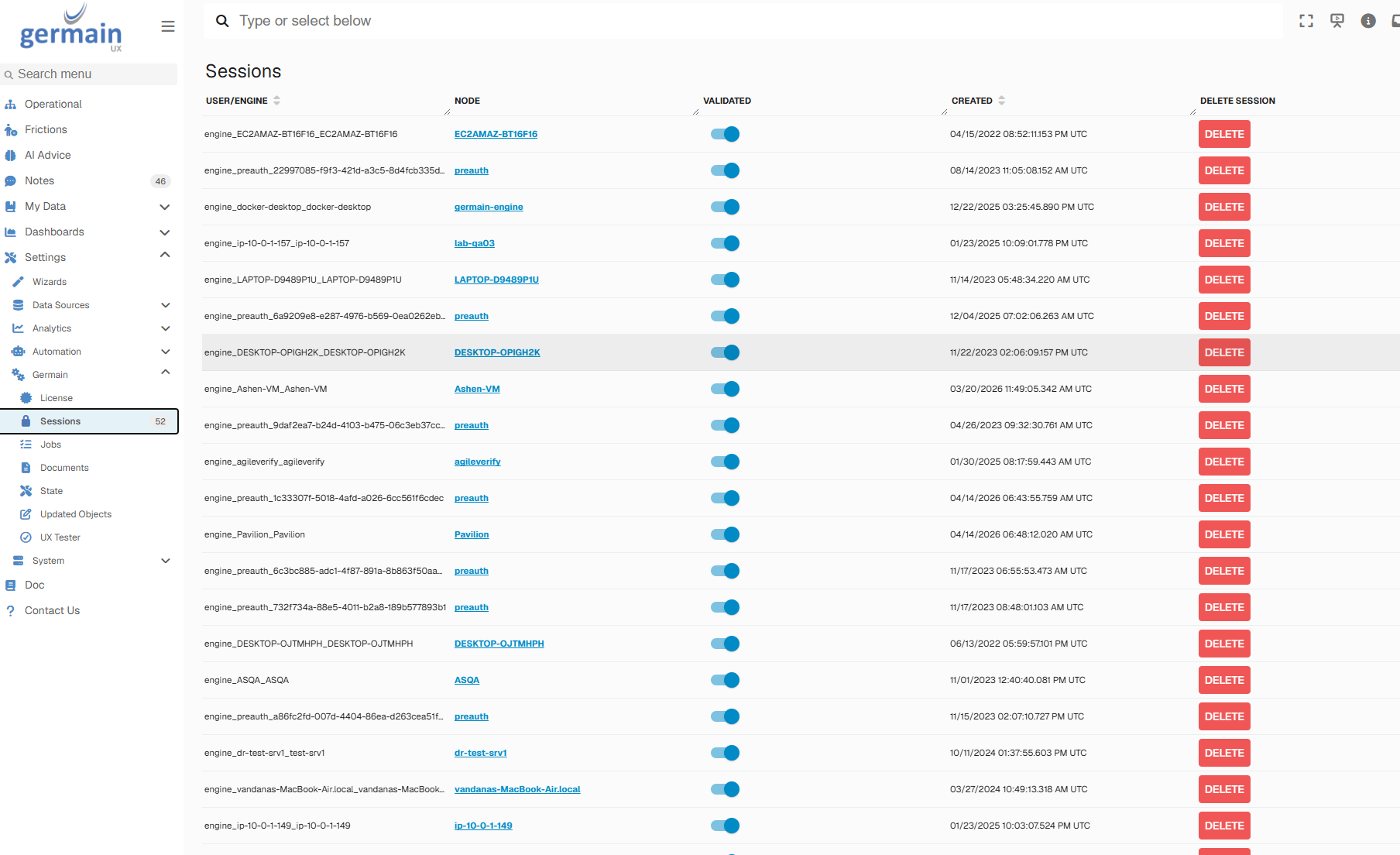
Platform Sessions - GermainUX
Jobs
View and manage GermainUX background jobs and scheduled processing activity. Use Jobs to inspect execution status and identify failed, delayed, or long-running platform operations.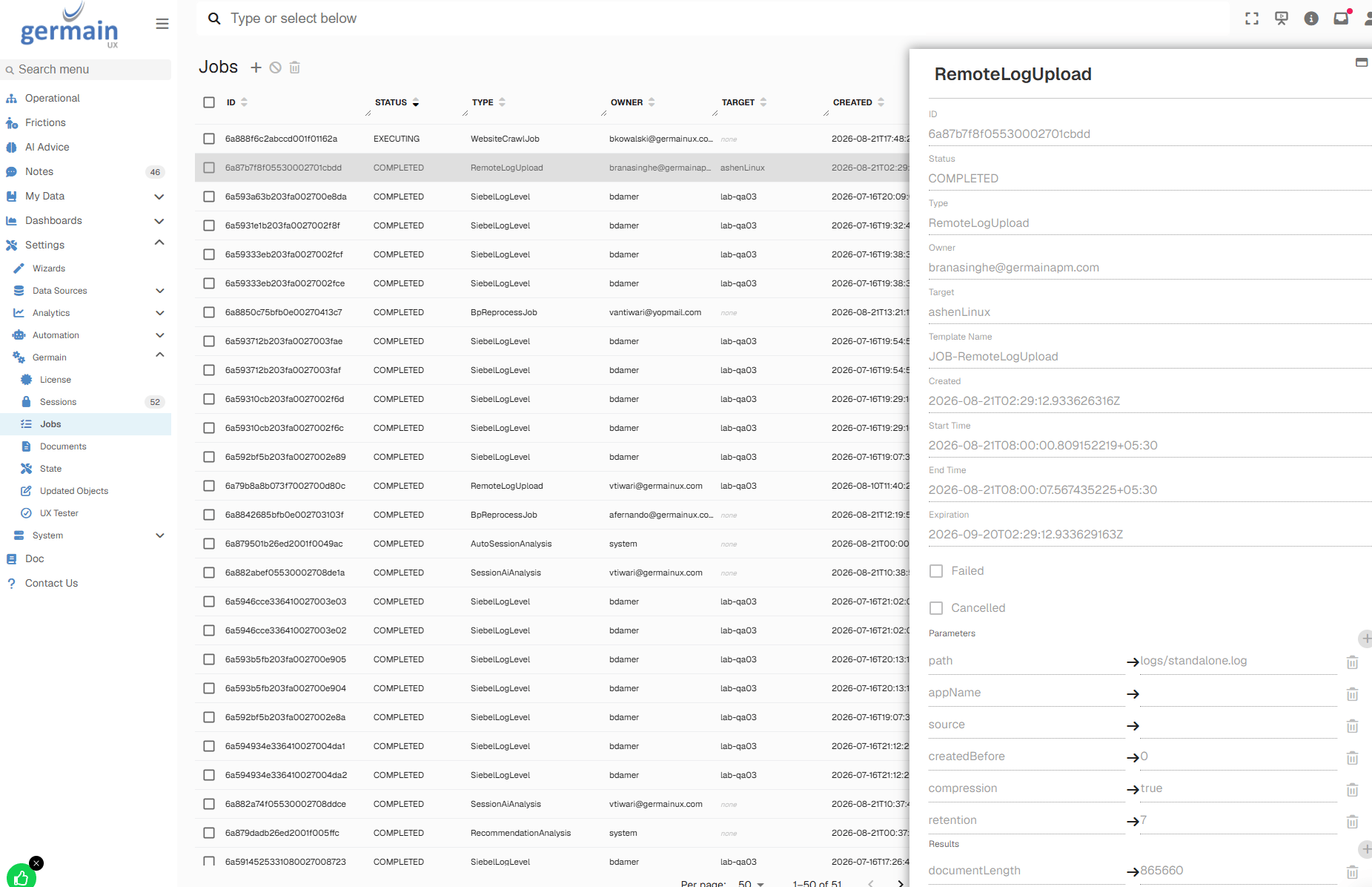
Background Jobs - GermainUX
Documents
View and manage documents generated, stored, or used by GermainUX features.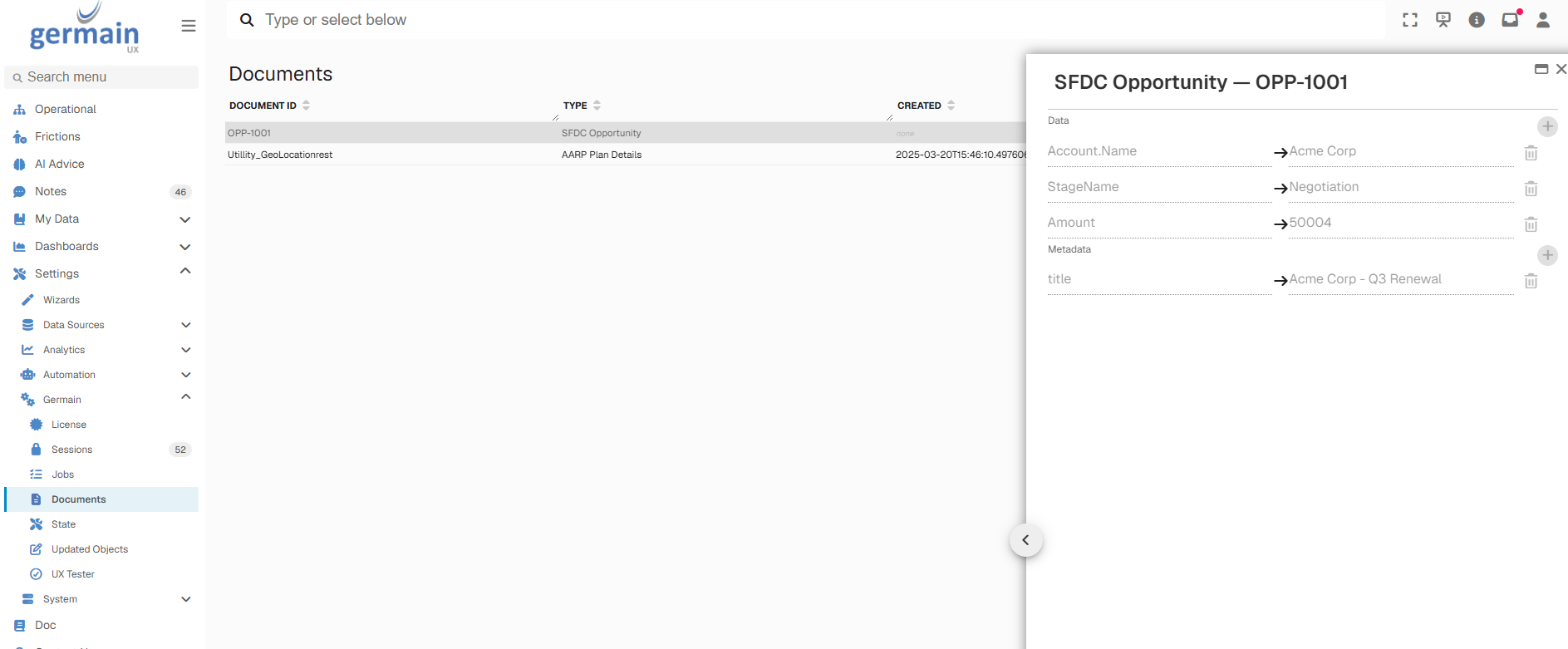
Document Management - GermainUX
State
Review the current operational state of GermainUX components and services. This helps administrators confirm that the platform is operating correctly and identify components requiring attention.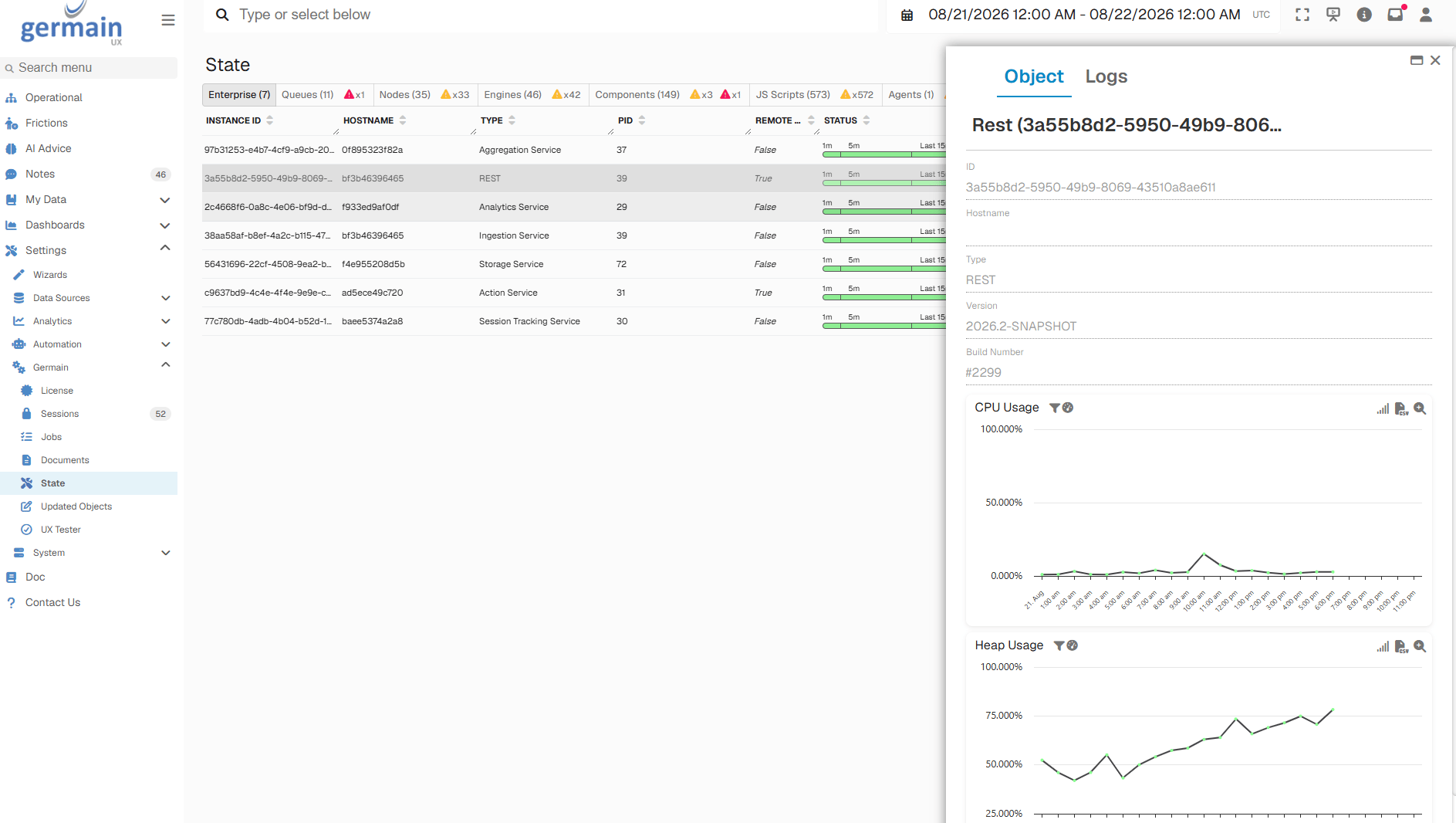
Platform State - GermainUX
Updated Objects
Review objects that have recently been created or modified within the GermainUX configuration. This can help administrators understand configuration changes and identify recently updated items during troubleshooting.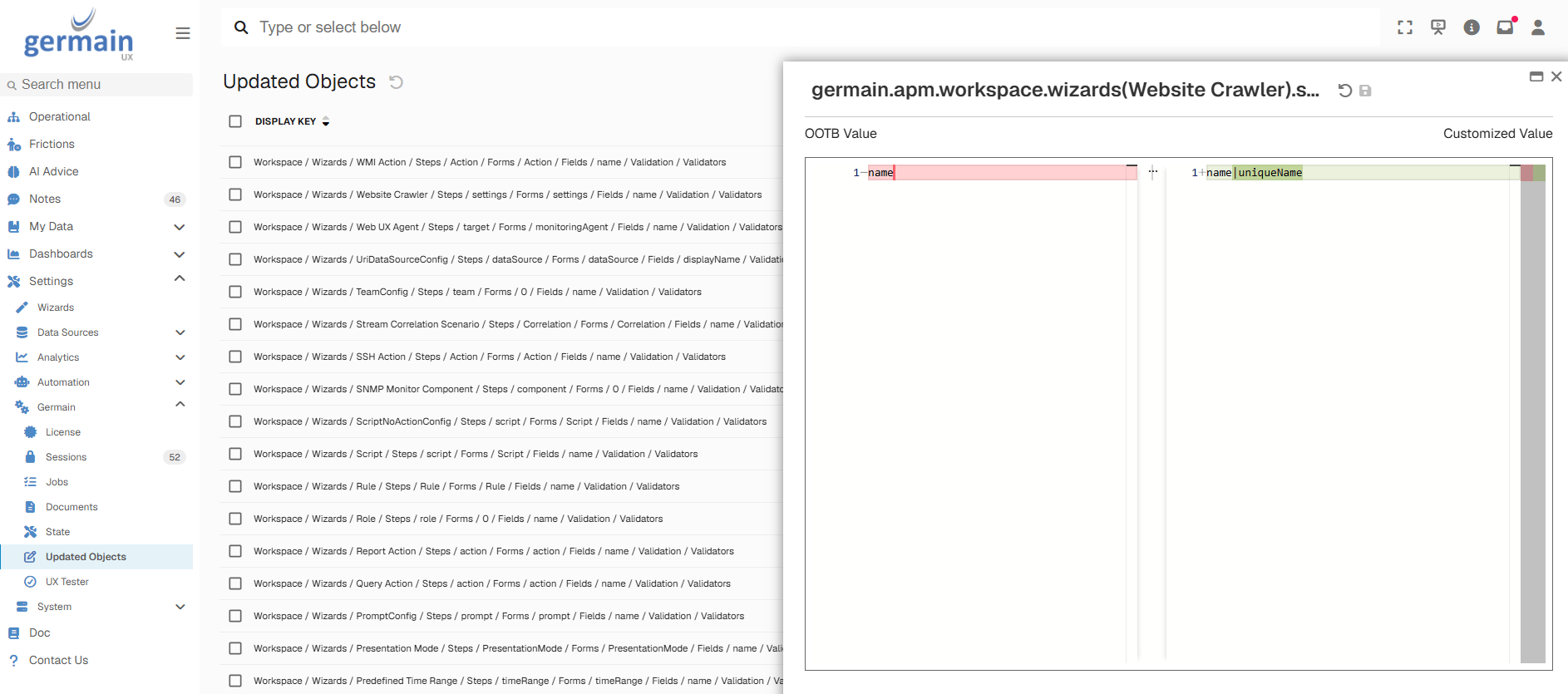
Updated Objects - GermainUX
UX Tester
Use UX Tester to validate applicable UX monitoring and configuration behavior. It can help administrators confirm that monitored user actions and UX data are being captured and processed as expected.System
System settings control platform-wide behavior, access, retention, display, maintenance, AI, and other shared configuration.AI
Configure the artificial-intelligence capabilities used by GermainUX. See AI Settings and AI-Driven Insights.Prompts
Create and manage prompts used by AI-powered features such as automated analysis, explanations, classification, and recommendations. See Configure AI Services & Prompts.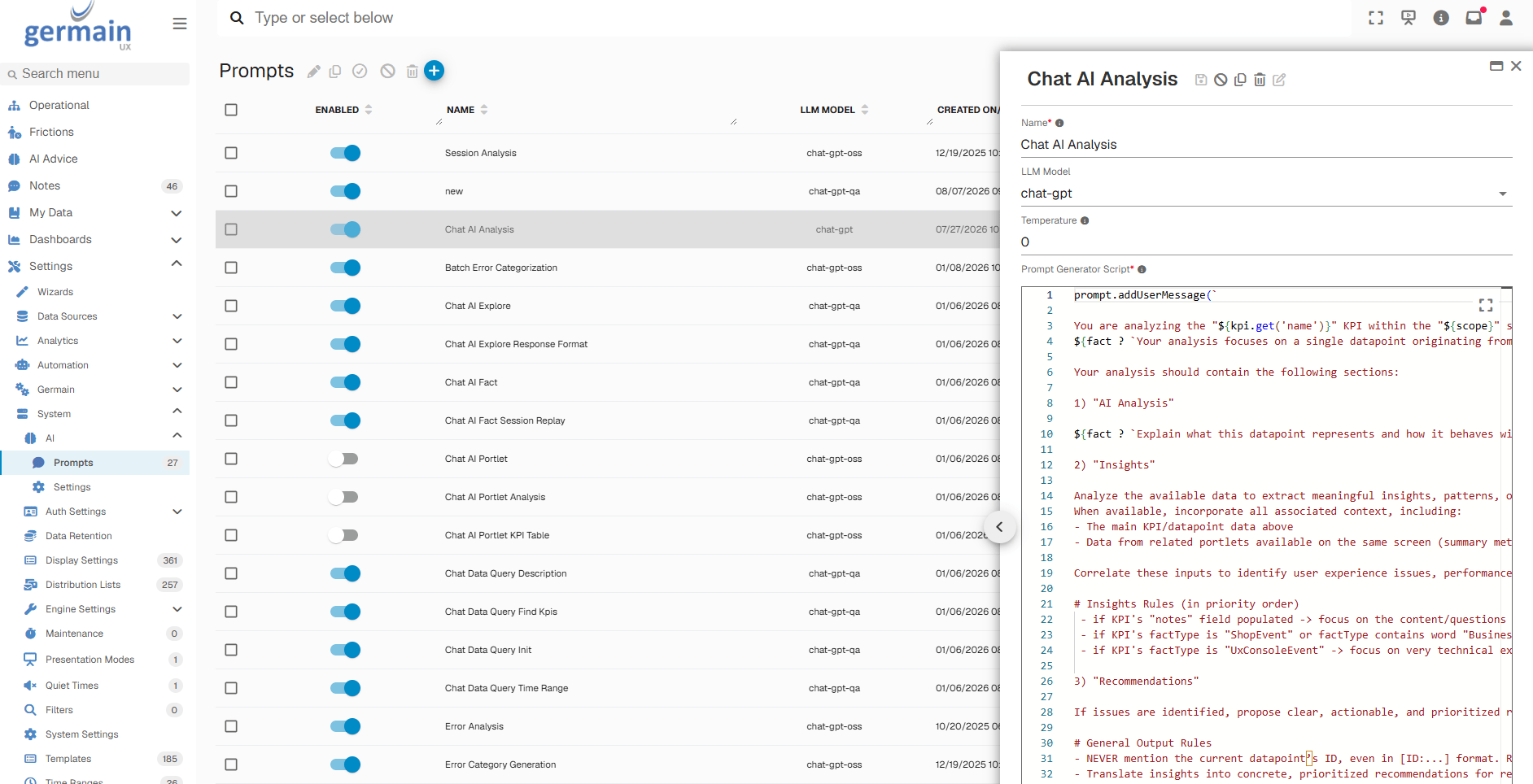
AI Prompts Management - GermainUX
Settings
Configure the AI services, models, parameters, and other settings used by GermainUX AI capabilities.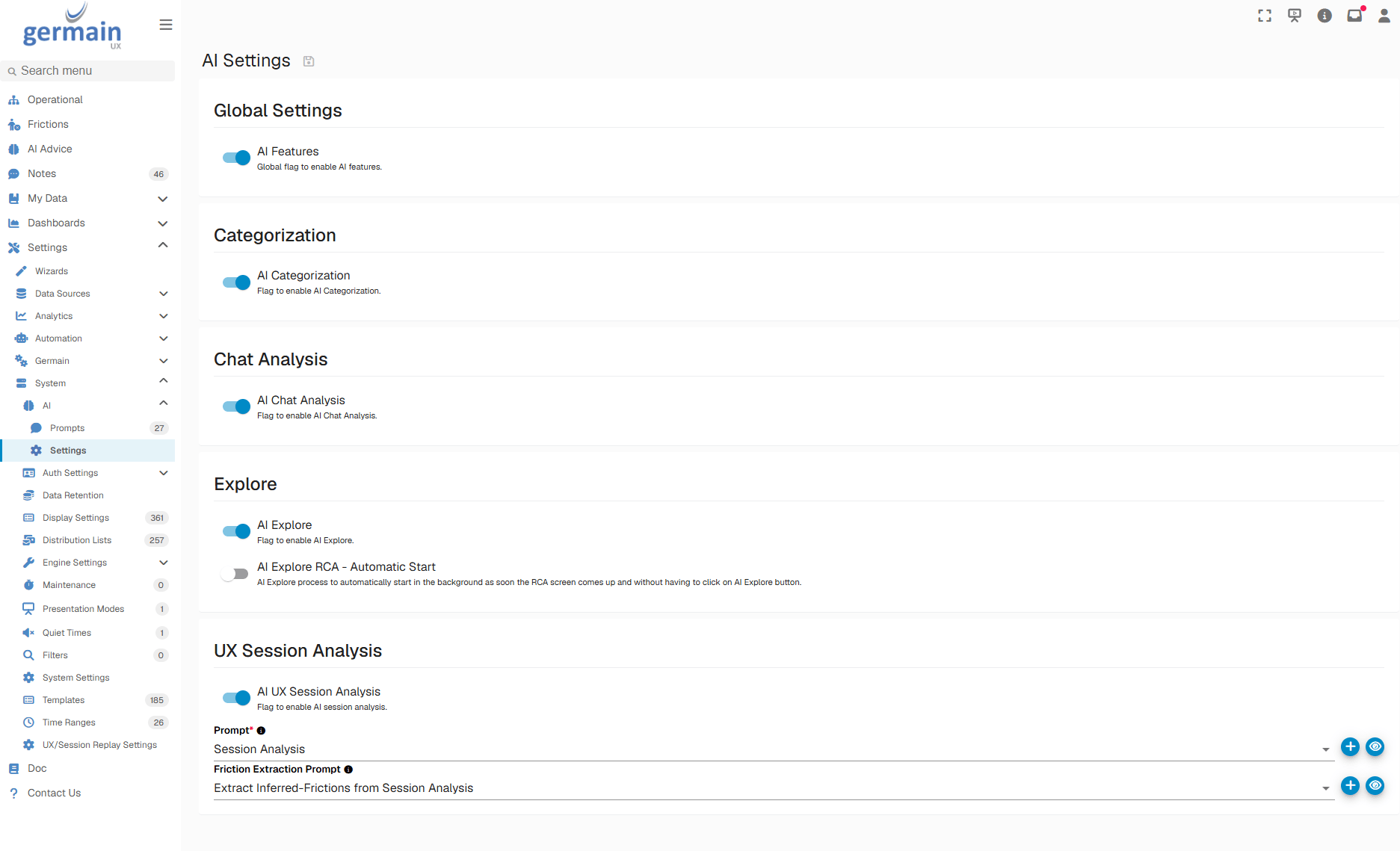
AI Settings - GermainUX
Authentication Settings
Configure how users and systems authenticate with GermainUX and what they are authorized to access. See User Management.API Keys
Create and manage API keys used by authorized applications, integrations, or services.Authentication
Configure authentication methods and identity-provider settings, such as database, LDAP, Windows Active Directory, or OAuth.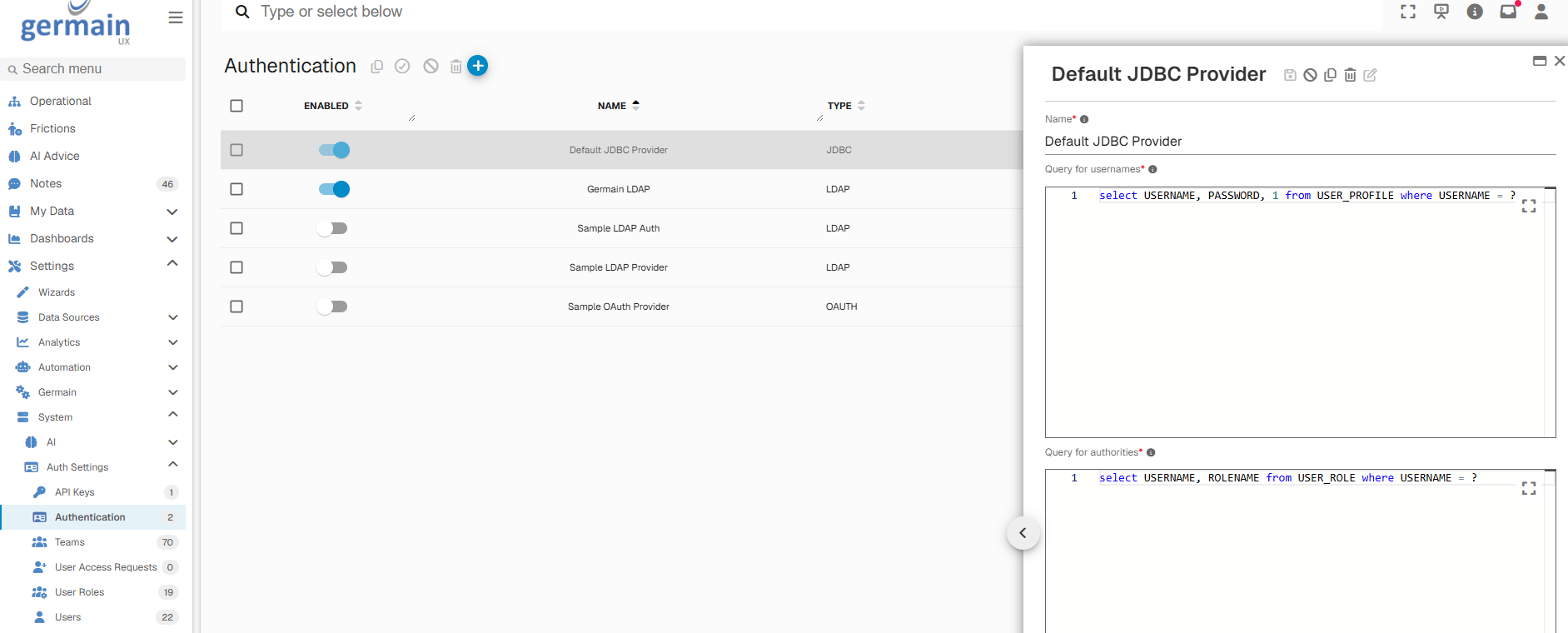
Authentication Settings - GermainUX
Teams
Create and manage teams used to organize users, permissions, dashboard visibility, and access to business or technical capabilities.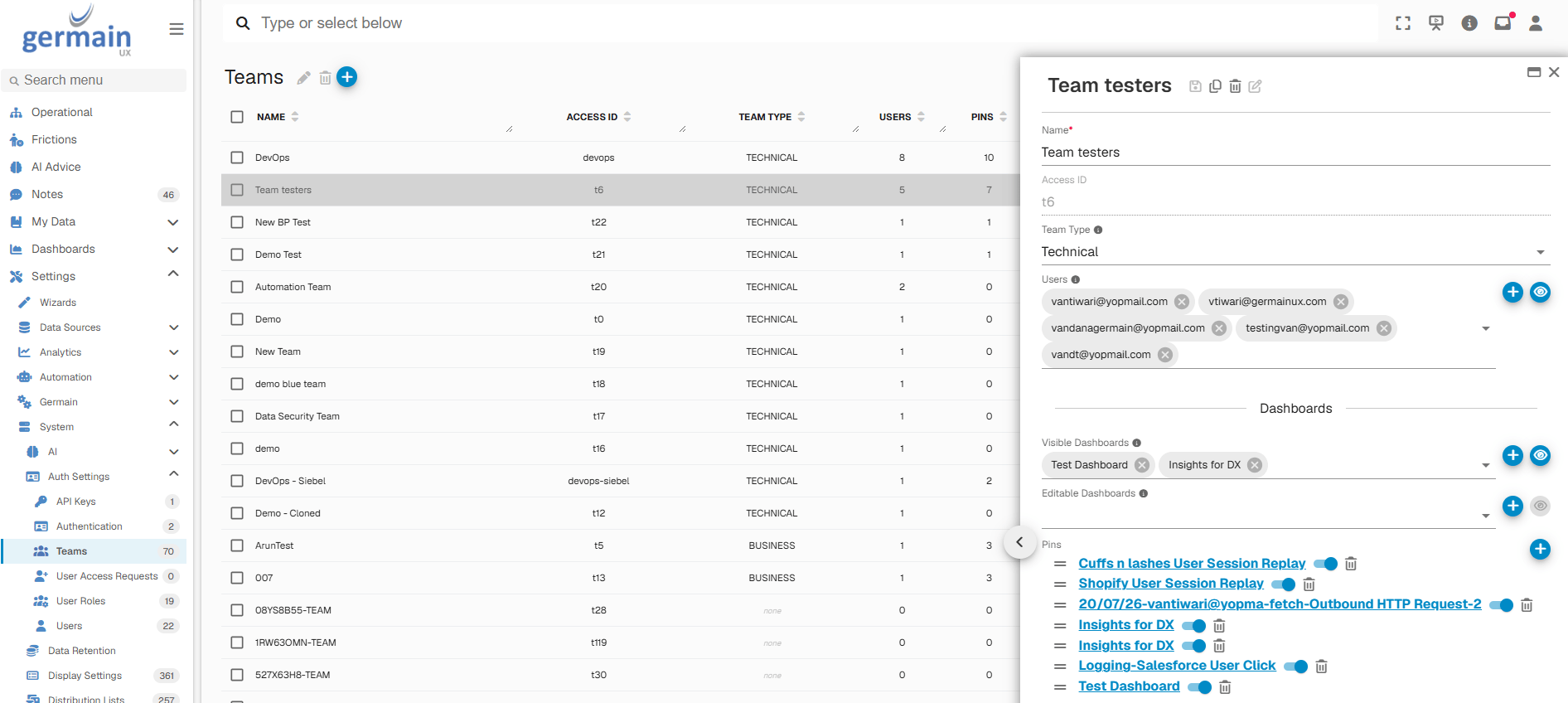
User Access Requests
Review and manage requests from users who need access to GermainUX.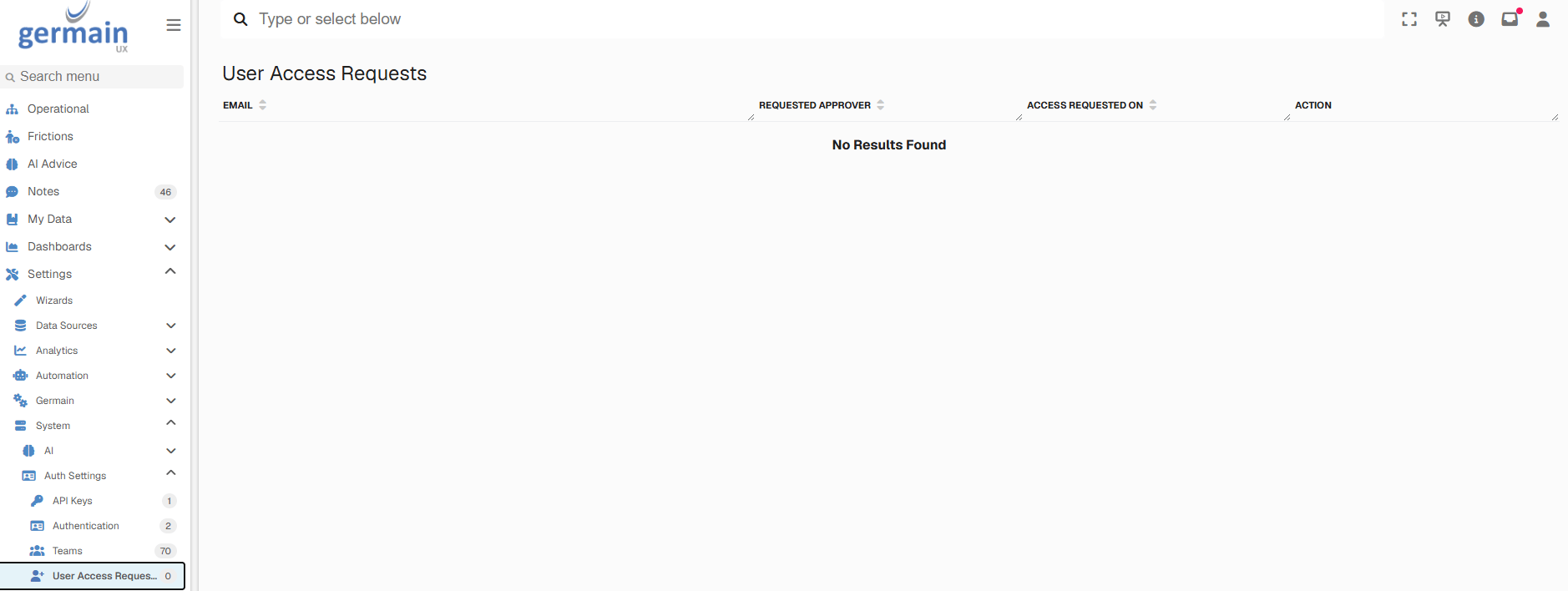
User Roles
Define roles and their associated permissions.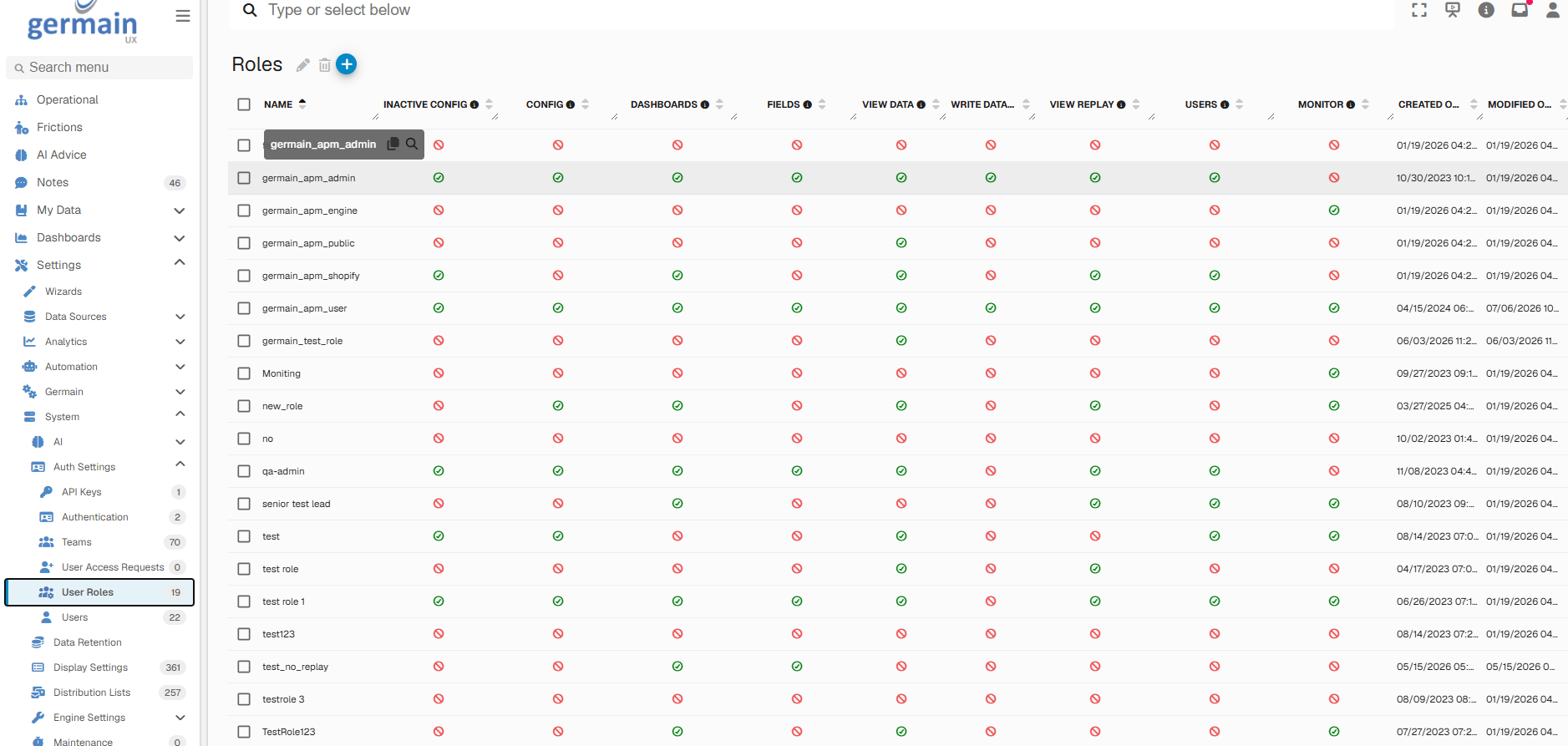
Users
Create, update, disable, and manage GermainUX user accounts.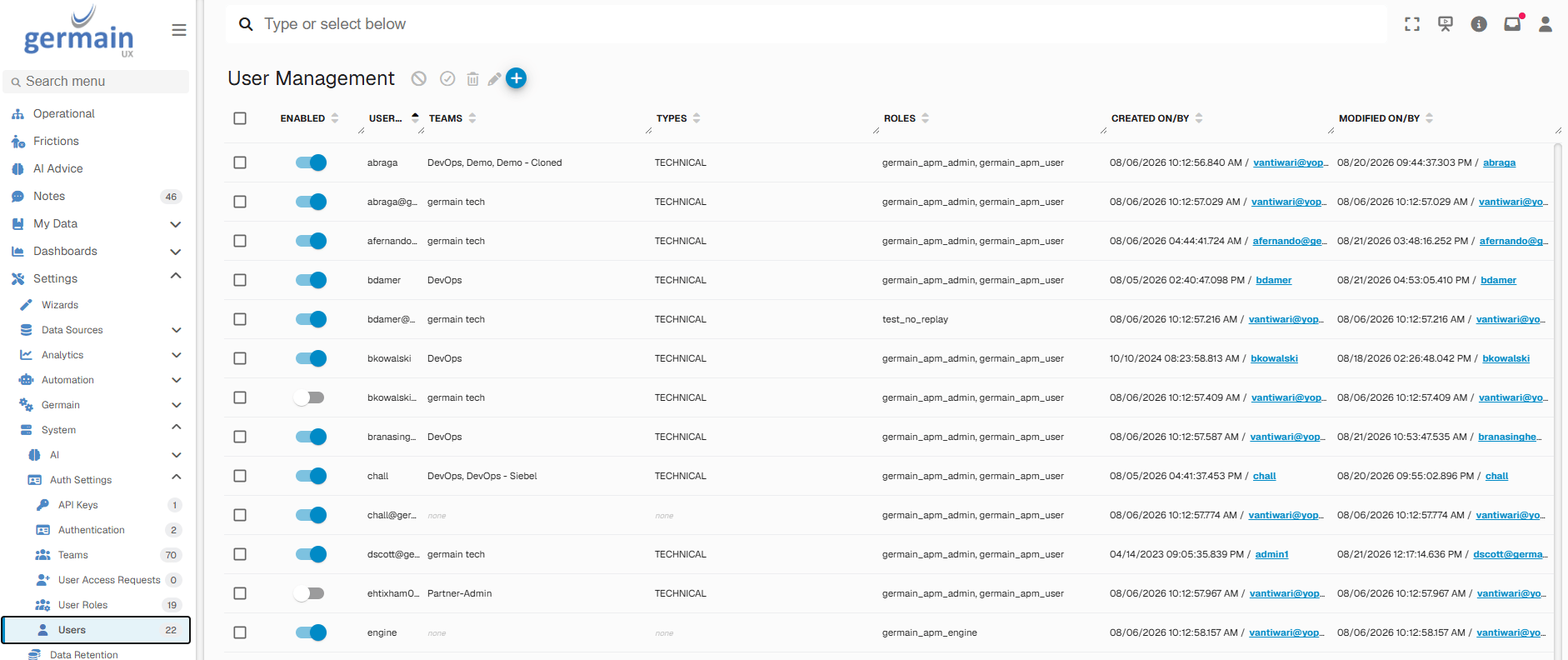
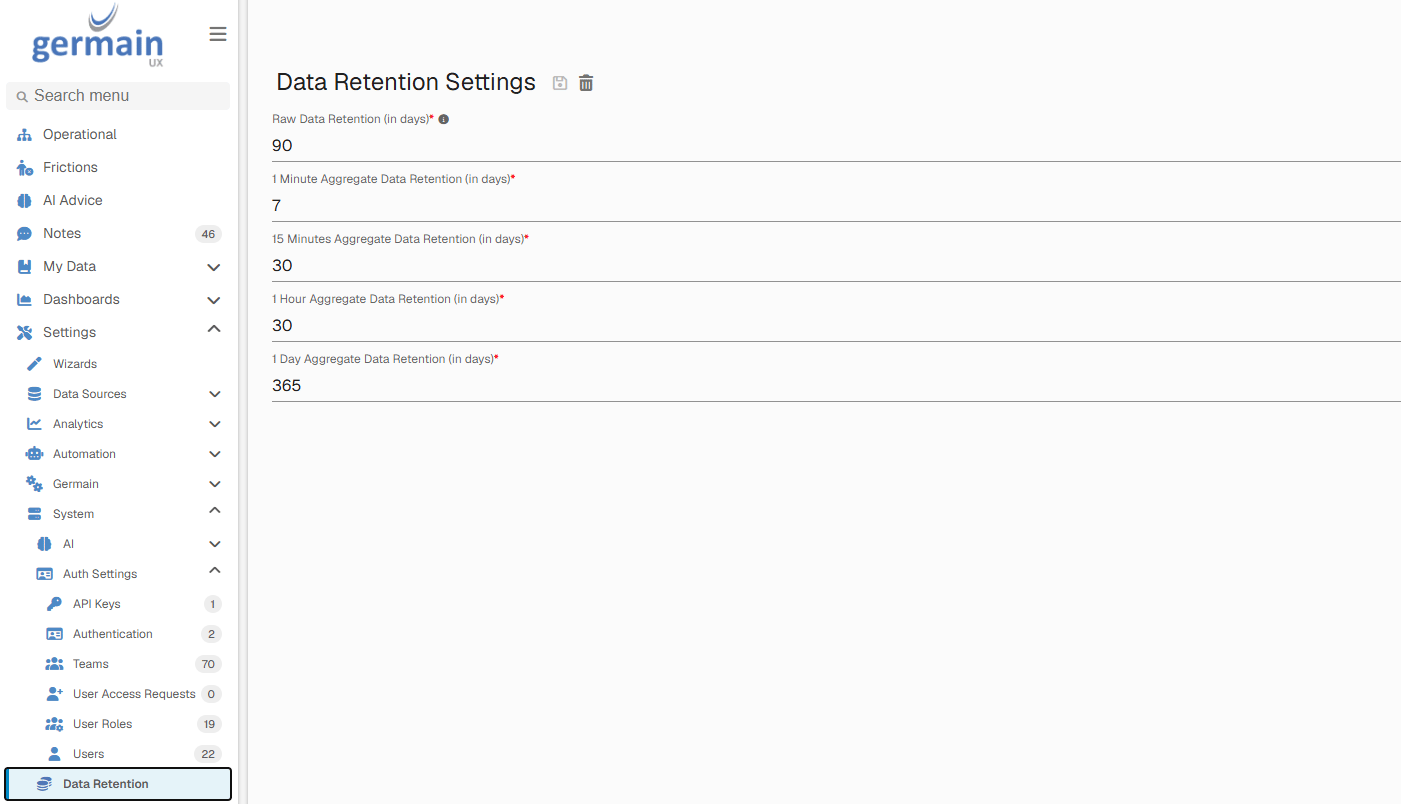
Data Retention
Configure how long GermainUX retains different categories of data. See Data Retention. Retention can affect:- Aggregated KPI data
- Raw instances
- User sessions
- Session Replay
- Traces
- Logs
- Other monitored information
Display Settings
Configure Workspace display preferences and default visualization behavior. See Display Settings.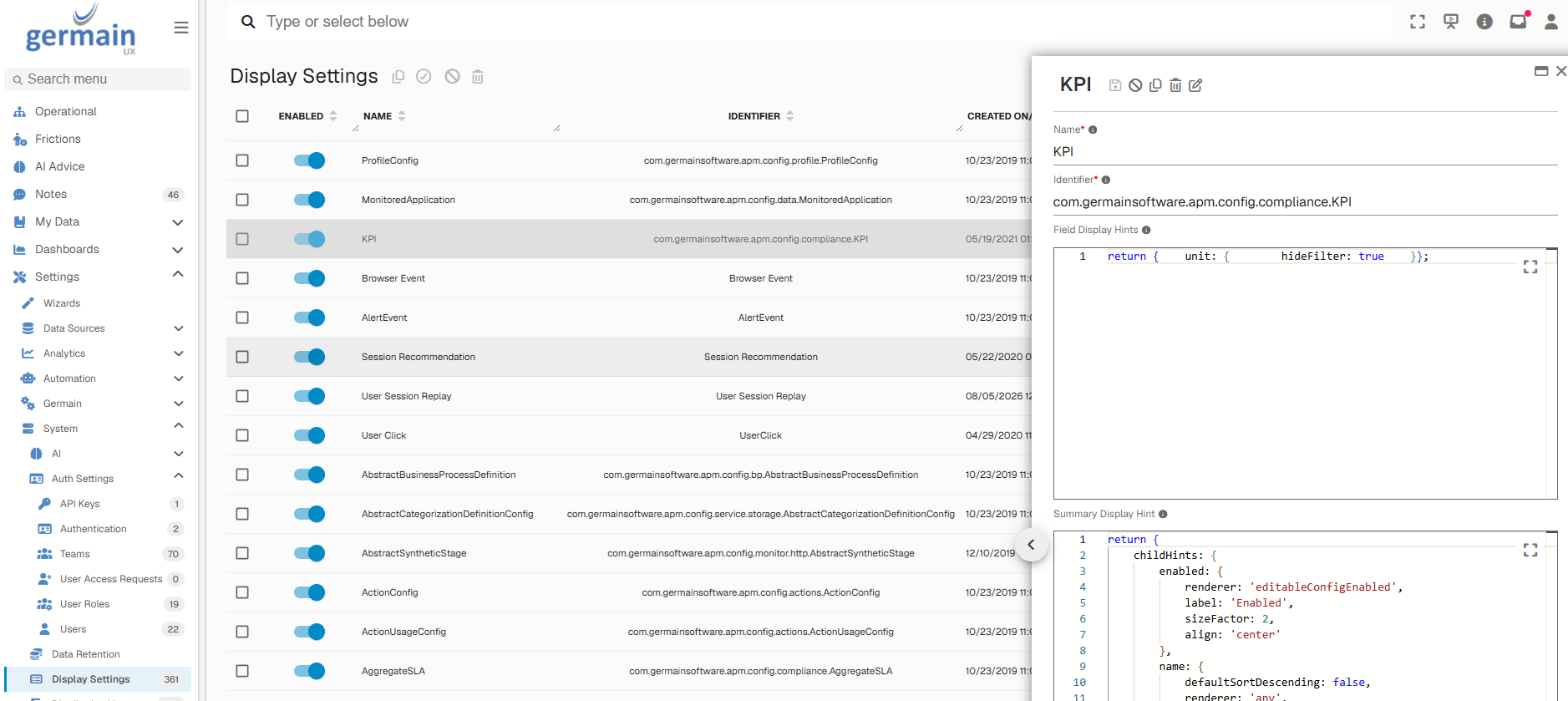
Distribution Lists
Create and manage recipient lists used for alerts, reports, notifications, and other communications.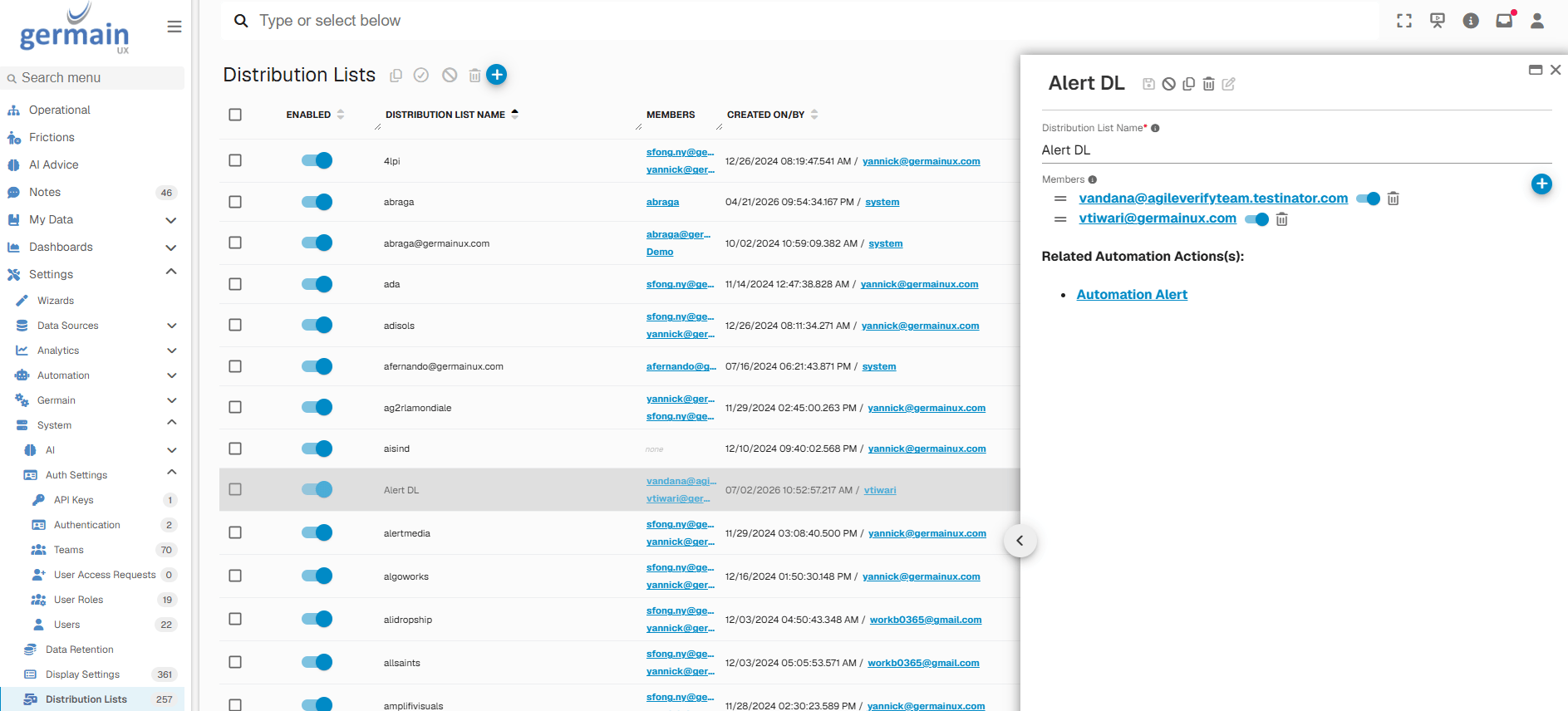
Engine Settings
Configure the behavior and operating parameters of GermainUX Engines. See Engine Configuration. Changes to Engine Settings should be performed by authorized administrators who understand their effect on data collection and processing.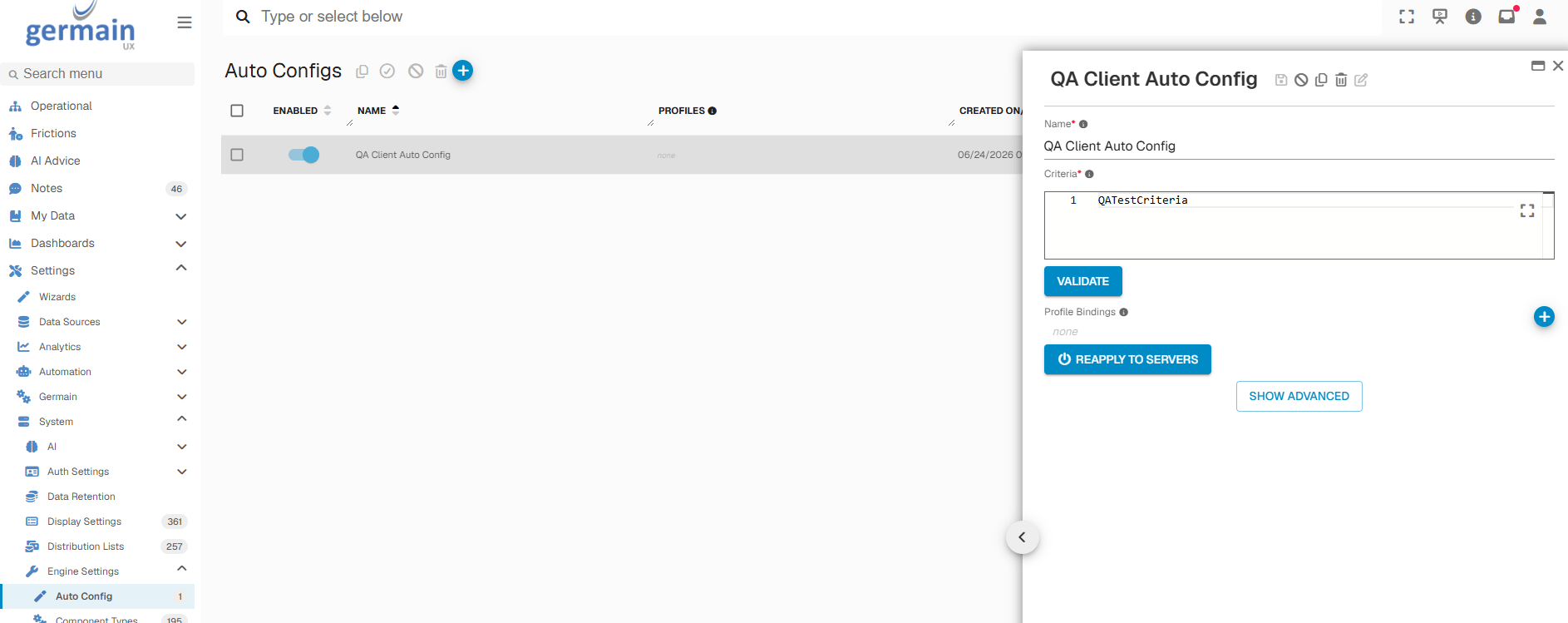
Maintenance
Configure and manage platform or monitored-system maintenance periods. See Maintenance Window. Maintenance settings can prevent expected maintenance activity from being treated as an unexpected incident or SLA violation.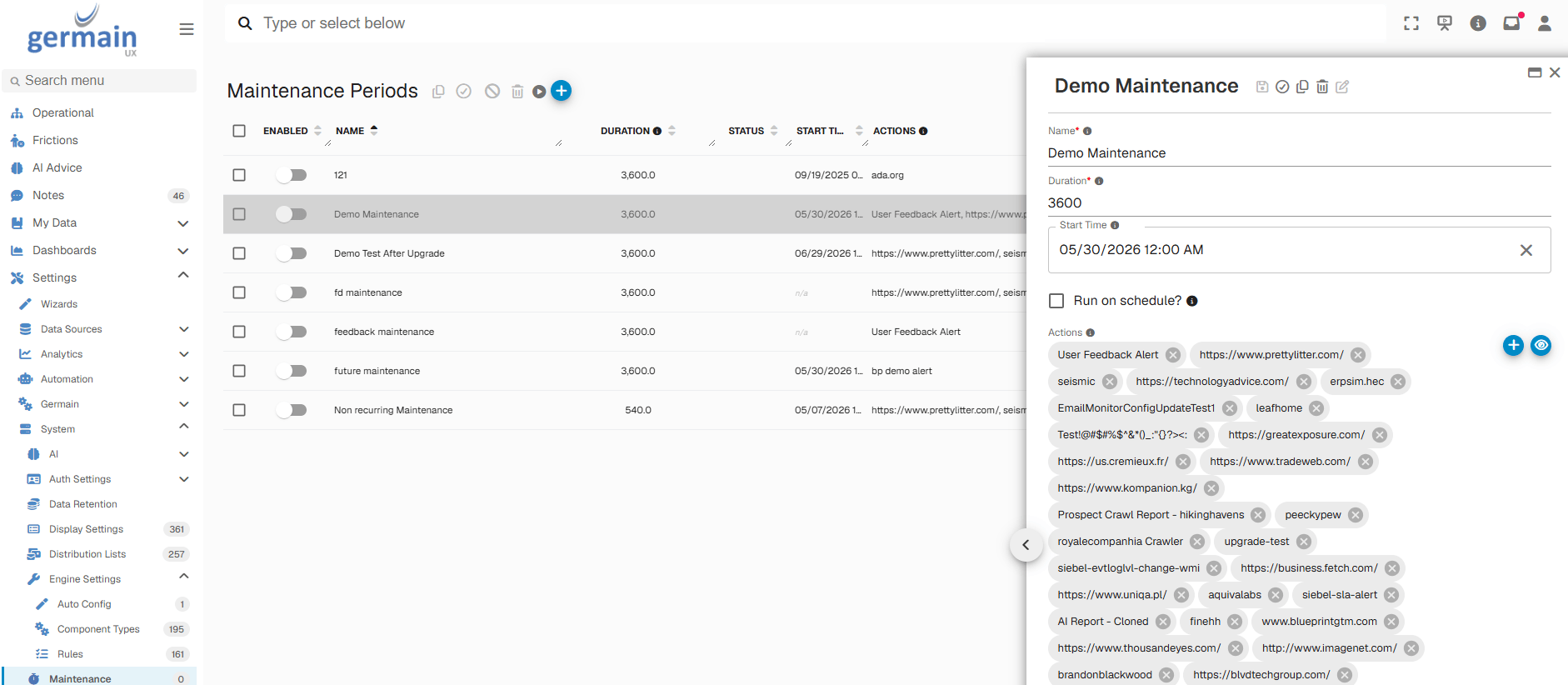
Presentation Modes
Configure how GermainUX information is displayed for different presentation or viewing scenarios. See Presentation Mode.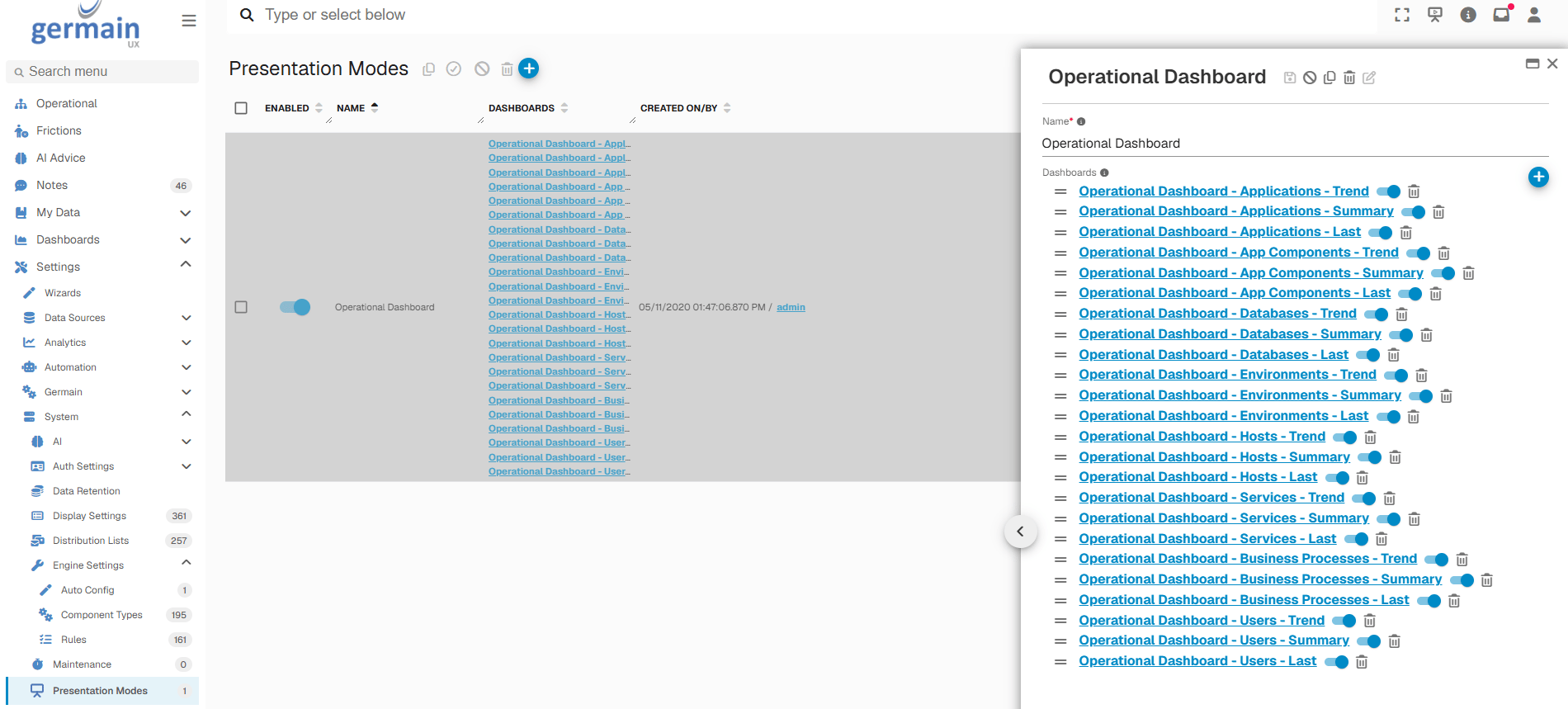
Quiet Times
Lists the active quiet times, both the ones GermainUX starts after an alert fires and the ones users start from an alert or report email, and lets you stop them. See Quiet Times.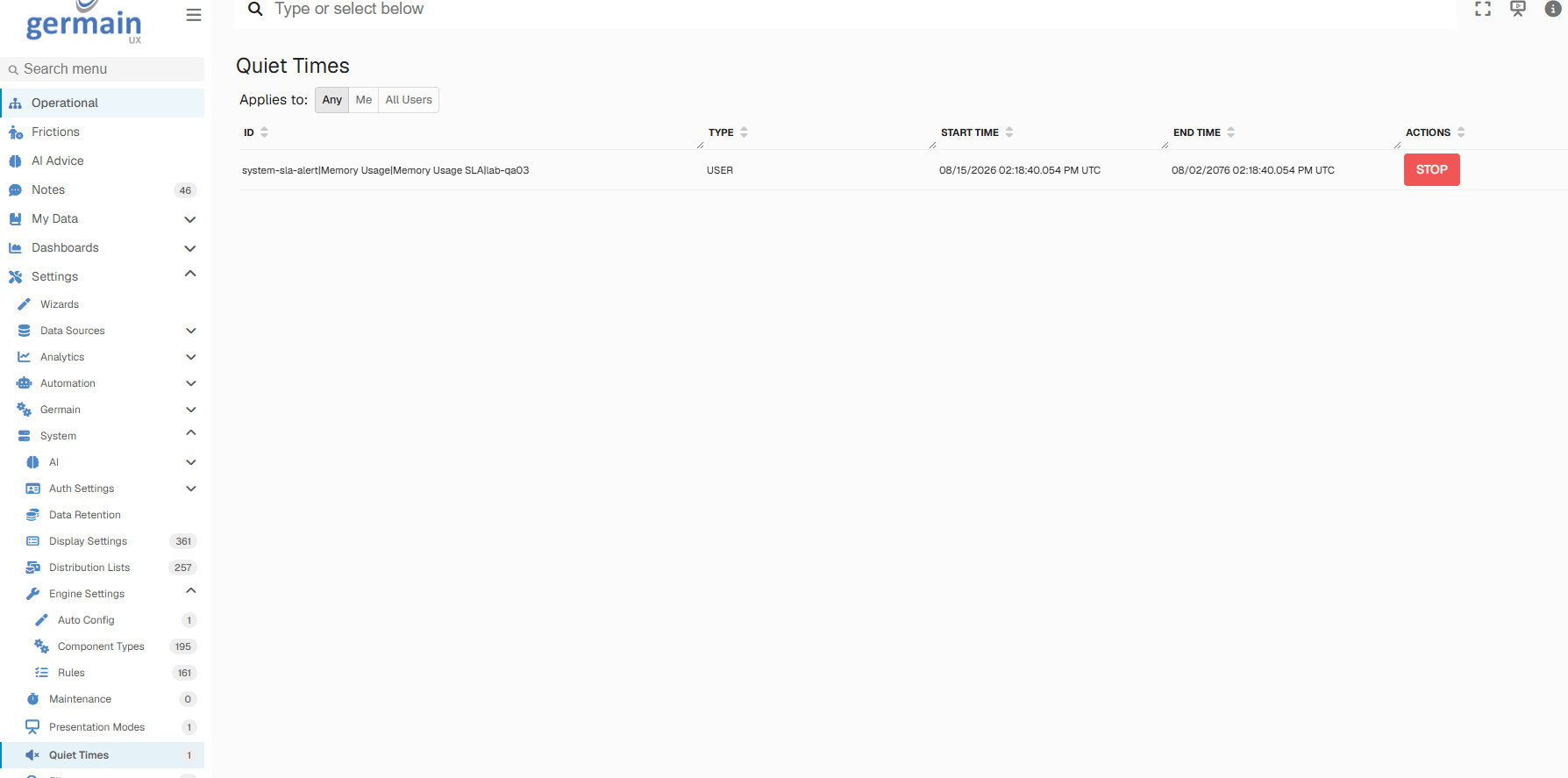
Filters
Create and manage reusable filters that can be applied across GermainUX features. See Search and Filters.System Settings
Configure general platform-wide settings that do not belong to another dedicated management area.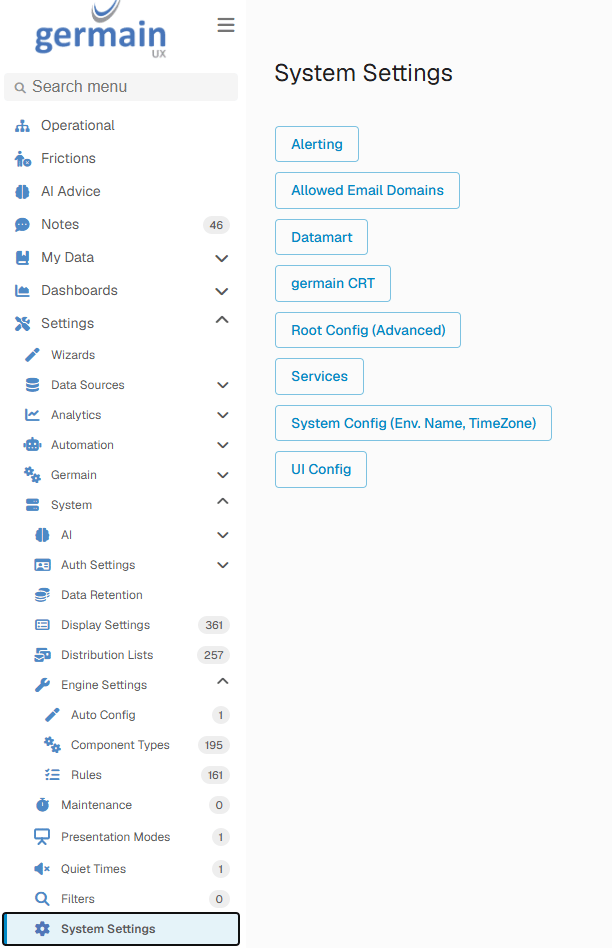
Templates
Create and manage reusable templates for supported GermainUX configurations and outputs. See Templates.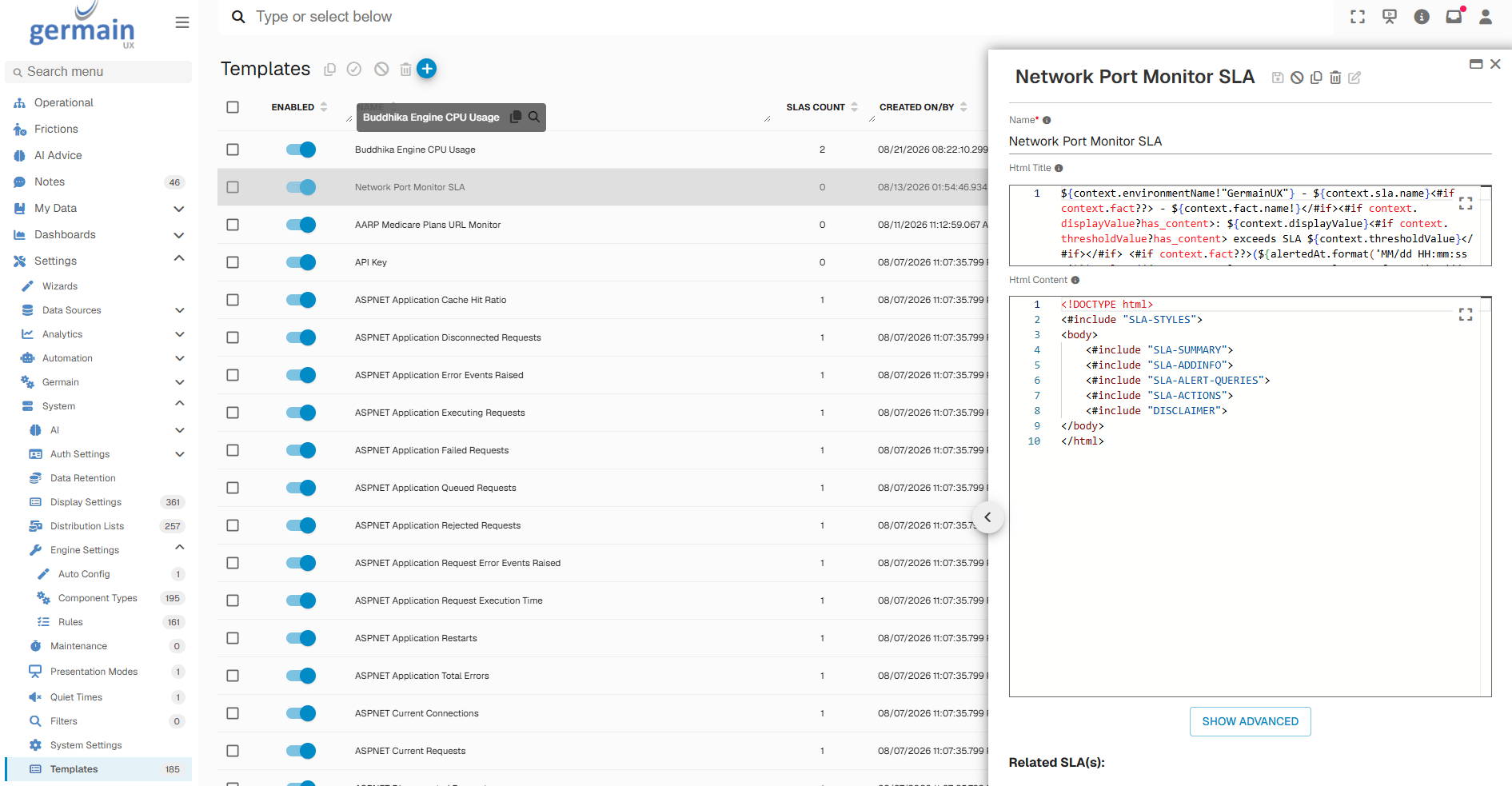
Time Ranges
Configure the time ranges available for dashboards, analysis, reports, and other time-based views. See Time Ranges.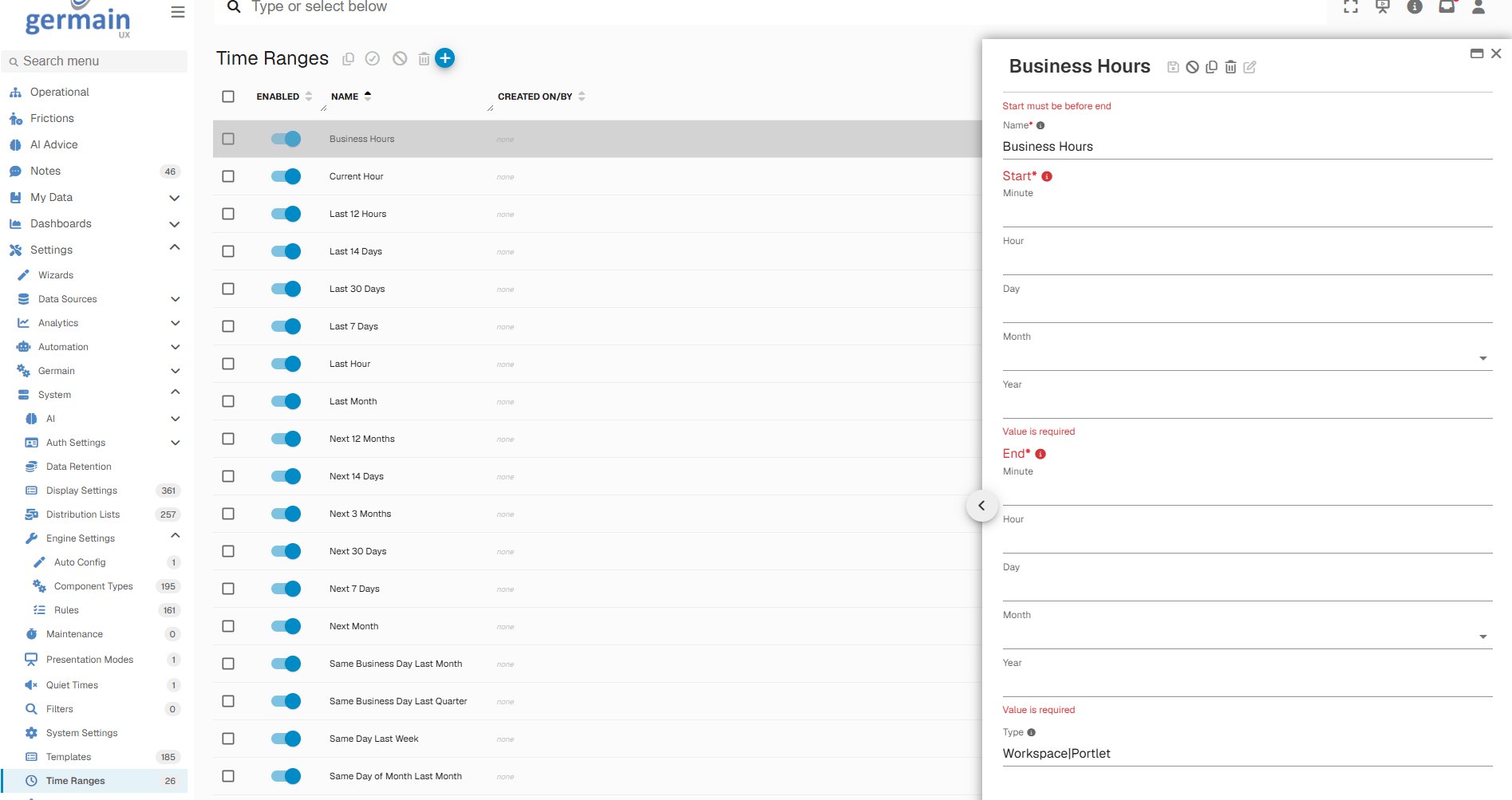
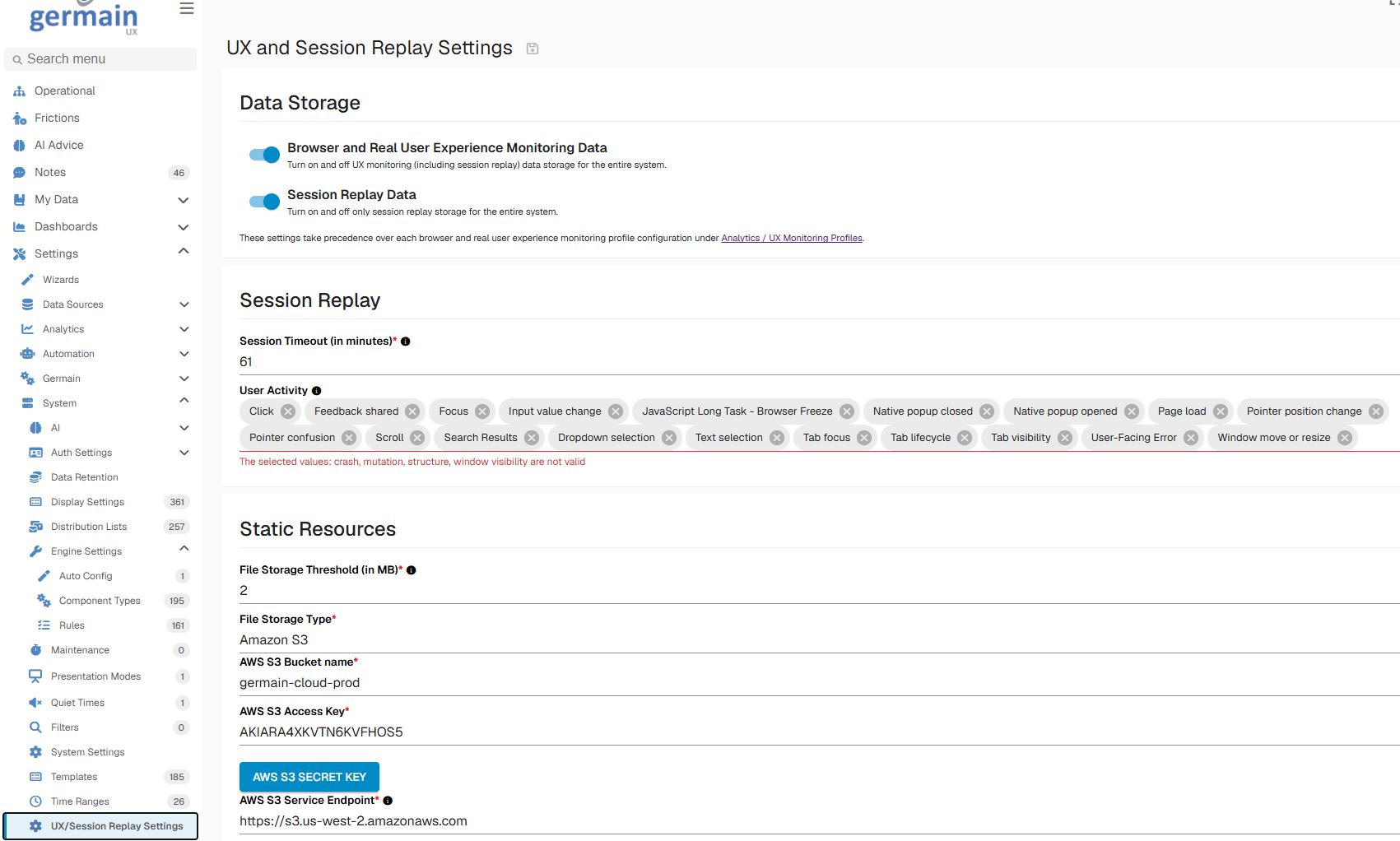
UX/Session Replay Settings
Configure platform-wide settings for user-experience monitoring and Session Replay. See Configure Session Replay Player. These settings can control:- Session capture and processing
- Replay behavior
- Privacy and masking
- Retention
- Access
- Display
- Other UX and Session Replay options
Config Console
The Config Console is the advanced configuration interface for GermainUX. It provides access to detailed or legacy settings that may not yet be available in Workspace. It is primarily intended for GermainUX administrators, implementation specialists, and support personnel handling advanced configuration scenarios. Use Workspace whenever the required setting is available there. Use the Config Console only when the configuration cannot be completed through Workspace or when directed by GermainUX Support.Access the Config Console
Open:System Settings - GermainUX
Request Access
Contact your GermainUX administrator to request access. See Request Access. Config Console access should not normally be provided to regular users because it exposes advanced settings that can affect monitoring, analytics, automation, security, and the overall GermainUX environment.Typical Uses
Authorized administrators can use the Config Console to:- Configure features not yet exposed in Workspace
- Access advanced or legacy settings
- Configure monitoring, analytics, alerts, and automation
- Manage dashboards and reports
- Diagnose configuration problems
- Perform advanced platform administration
Get Help
Contact GermainUX Support
Can't Find What You Need?
The content of this document is proprietary to GERMAIN SOFTWARE.