

Report Types
Report Examples
Report Editor
Create a Report
Overview
GermainUX reports can be generated in CSV, PDF, or HTML, making them easy to distribute and integrate with existing tools and workflows.Report Types
Report Examples
Clients can create custom reports in minutes for a wide range of business and technology use cases.Adoption and Productivity
Adoption Report
Adoption Report
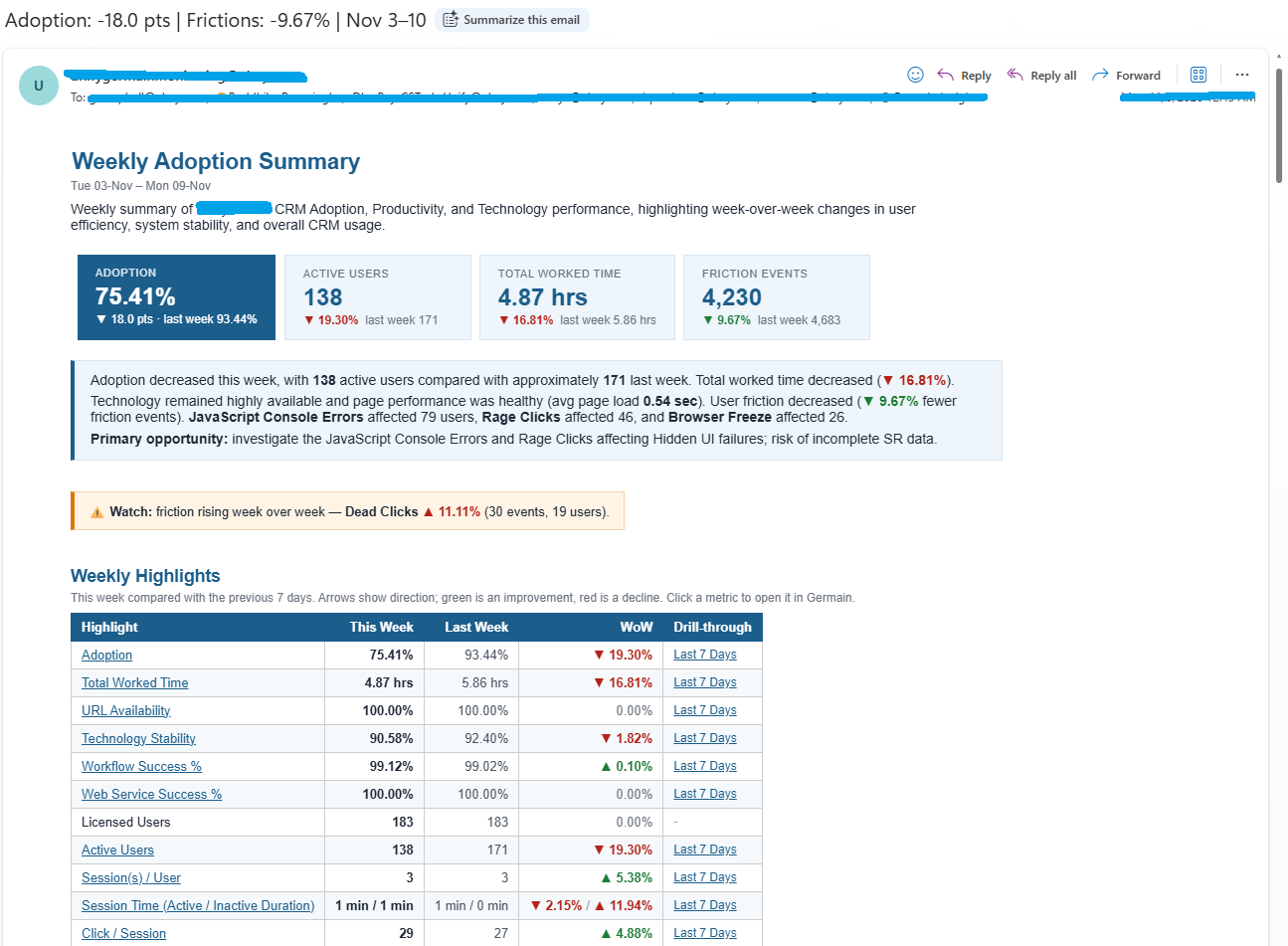
Weekly Adoption Summary report - GermainUX
Top Active Users
Top Active Users
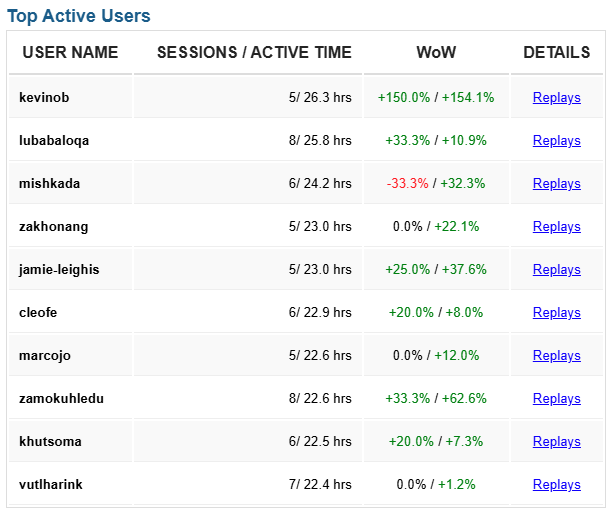
Top Active Users - GermainUX
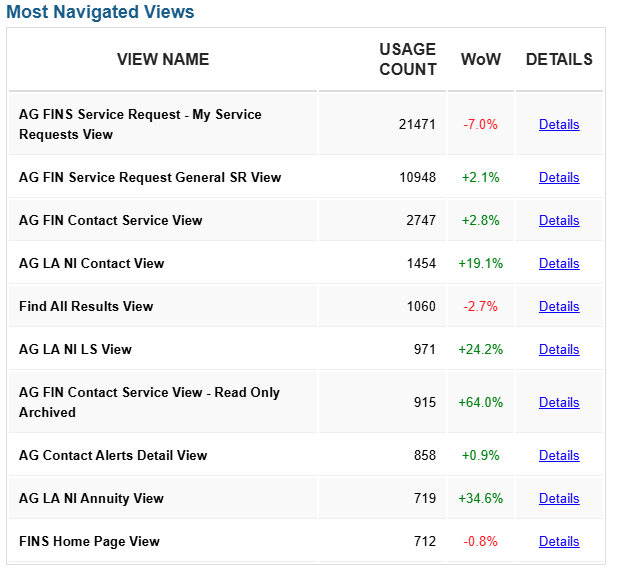
Most Navigated Views - GermainUX
Top Searches
Top Searches
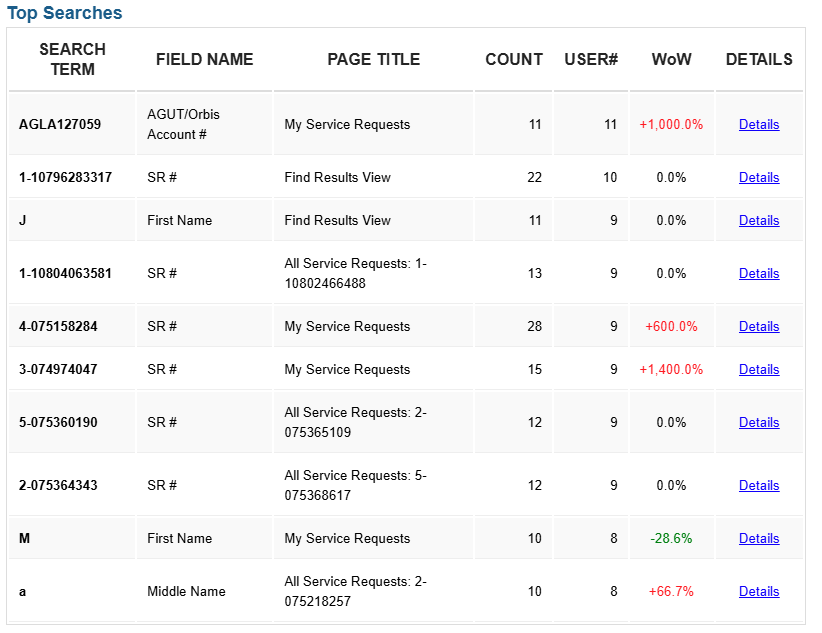
Top Searches - GermainUX
Service Request Report
Service Request Report
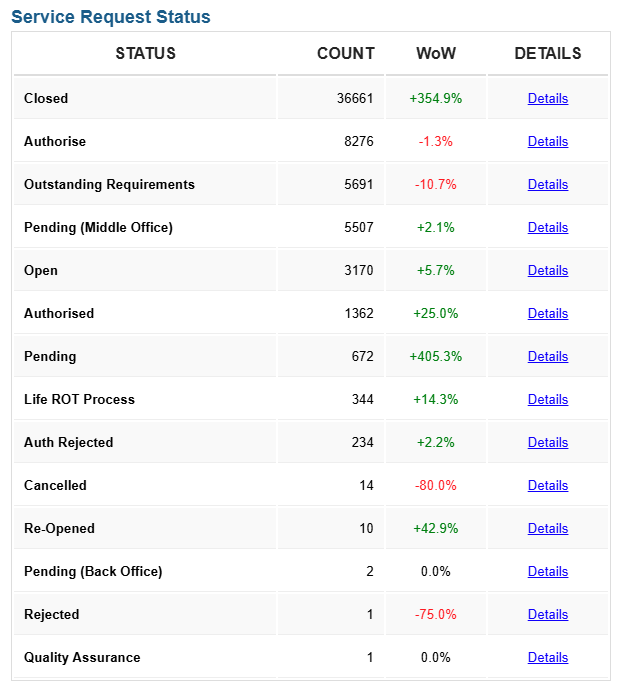
Service Request Report - GermainUX
Conversion and eCommerce
Conversion and Revenue Report
Conversion and Revenue Report
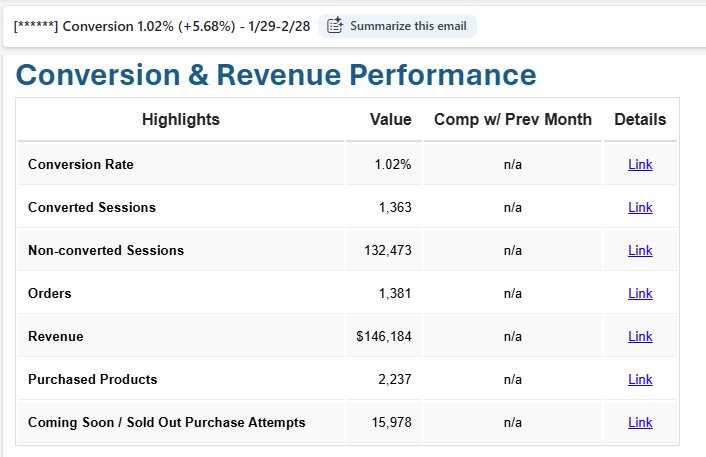
Conversion and Revenue Report - GermainUX
Conversion Funnel Report
Conversion Funnel Report
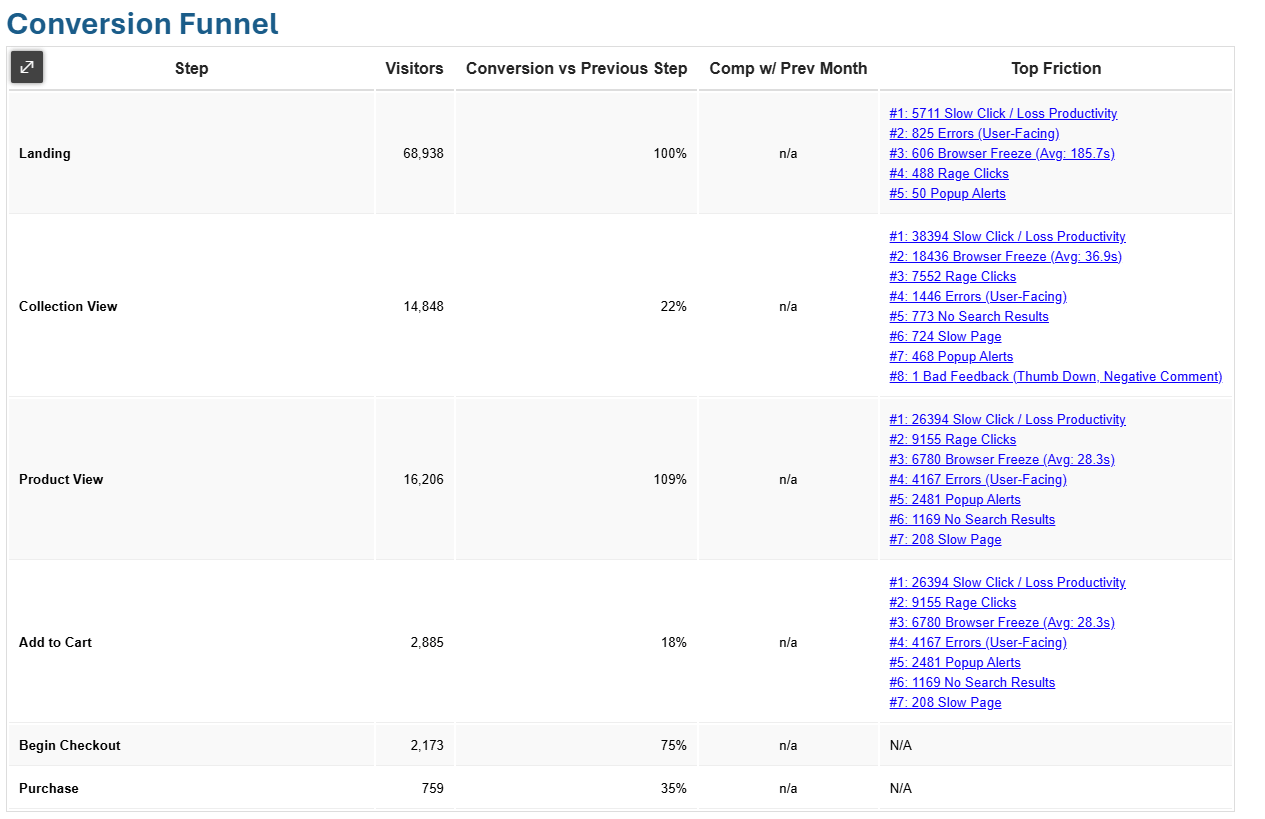
Conversion Funnel Report - GermainUX
Traffic and Engagement Quality Report
Traffic and Engagement Quality Report
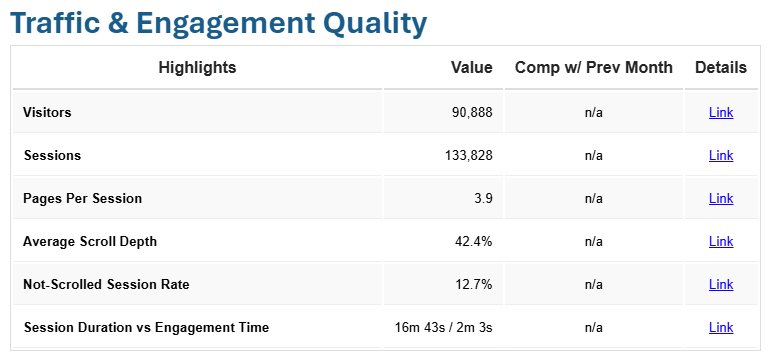
Traffic and Engagement Quality Report - GermainUX
Product Discovery and Shopping Intent Report
Product Discovery and Shopping Intent Report
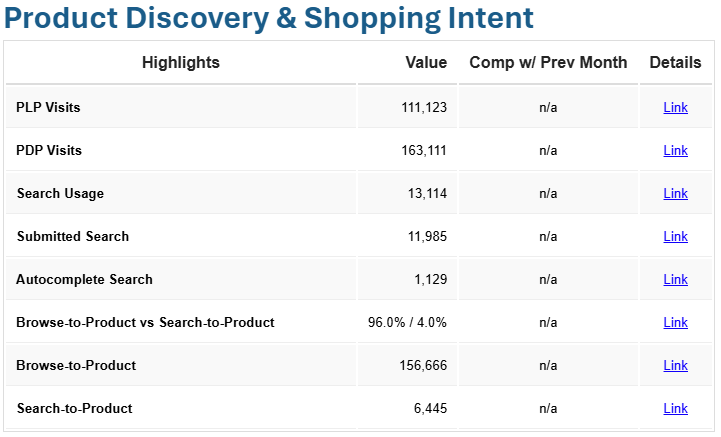
Product Discovery and Shopping Intent Report - GermainUX
Product Interaction and Cart Behavior Report
Product Interaction and Cart Behavior Report
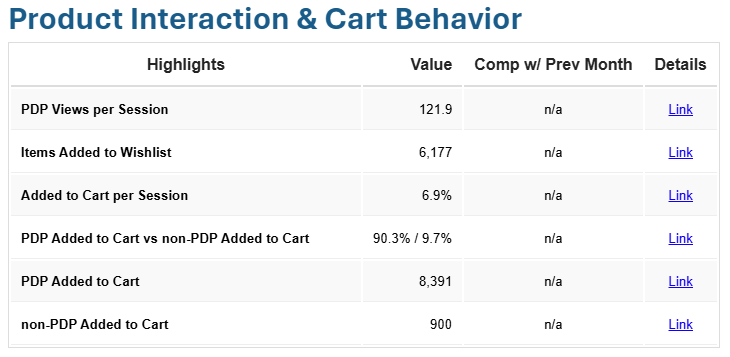
Product Interaction and Cart Behavior Report - GermainUX
Order Insights Report
Order Insights Report
Out-of-Stock Product Report
Out-of-Stock Product Report
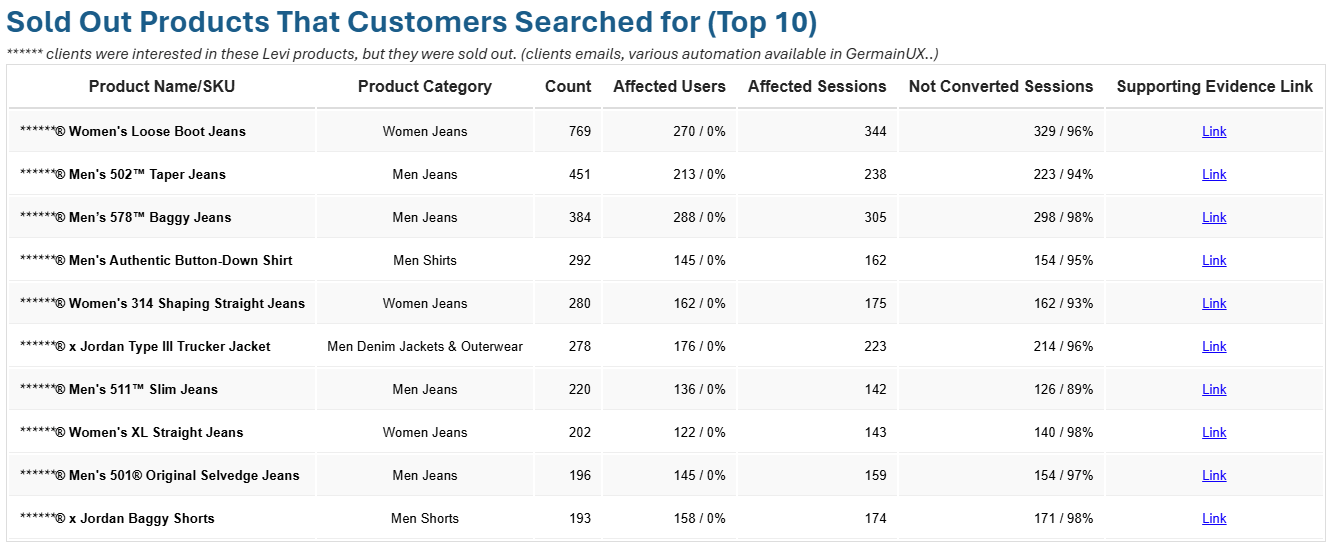
Out-of-Stock Product Report - GermainUX
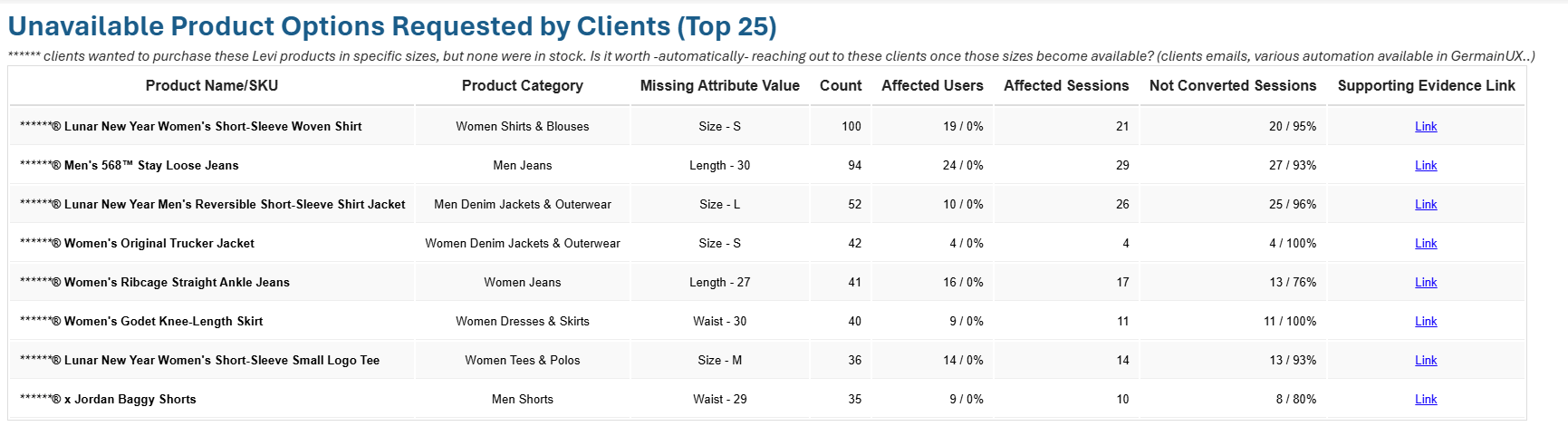
Unavailable Product Options Report - GermainUX
Recommendations Report
Recommendations Report
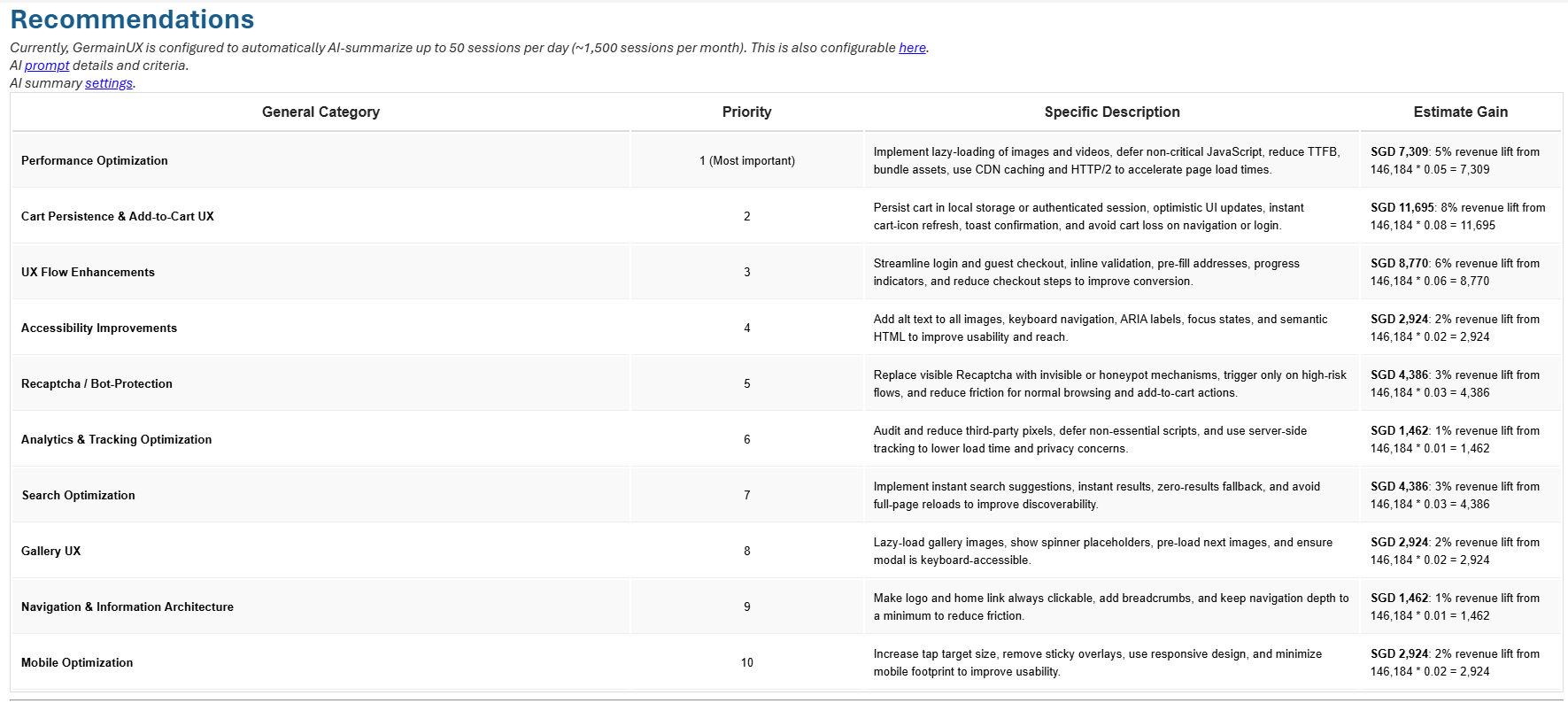
Recommendations Report - GermainUX
User Experience and Friction
eCommerce Friction Report
eCommerce Friction Report
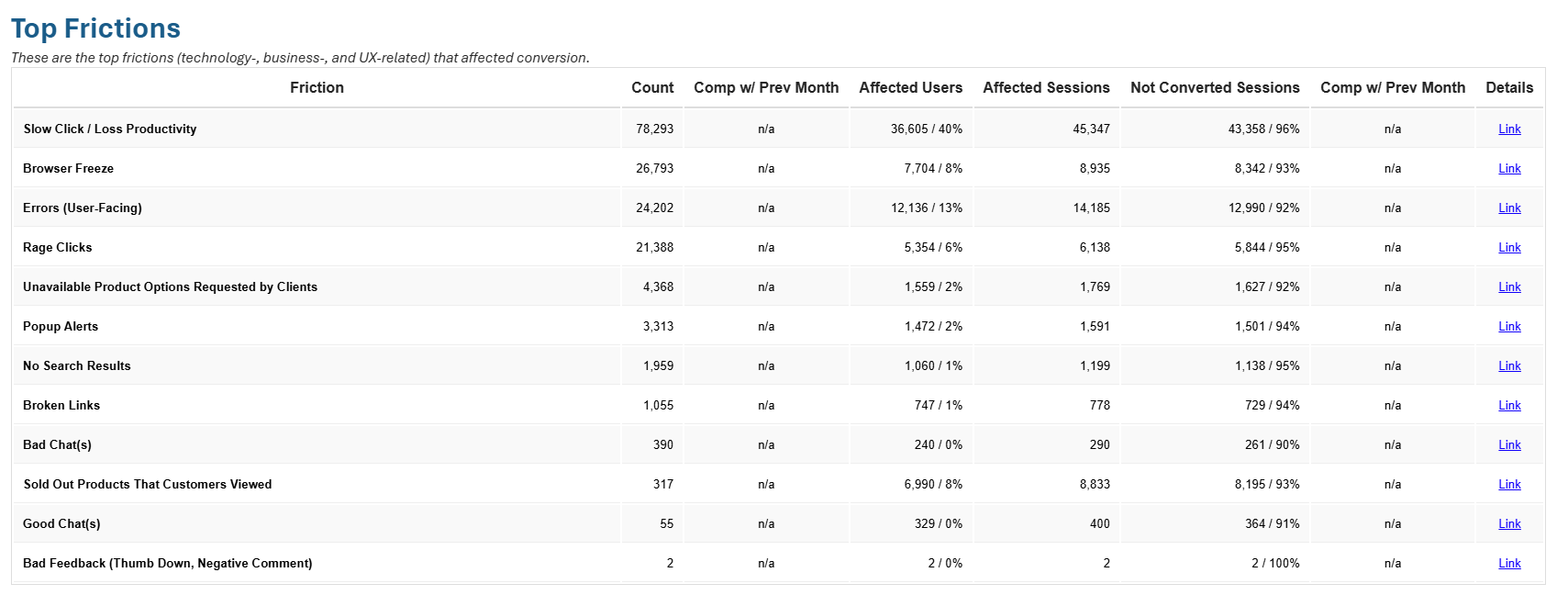
eCommerce Friction Report - GermainUX
CRM Friction Report
CRM Friction Report
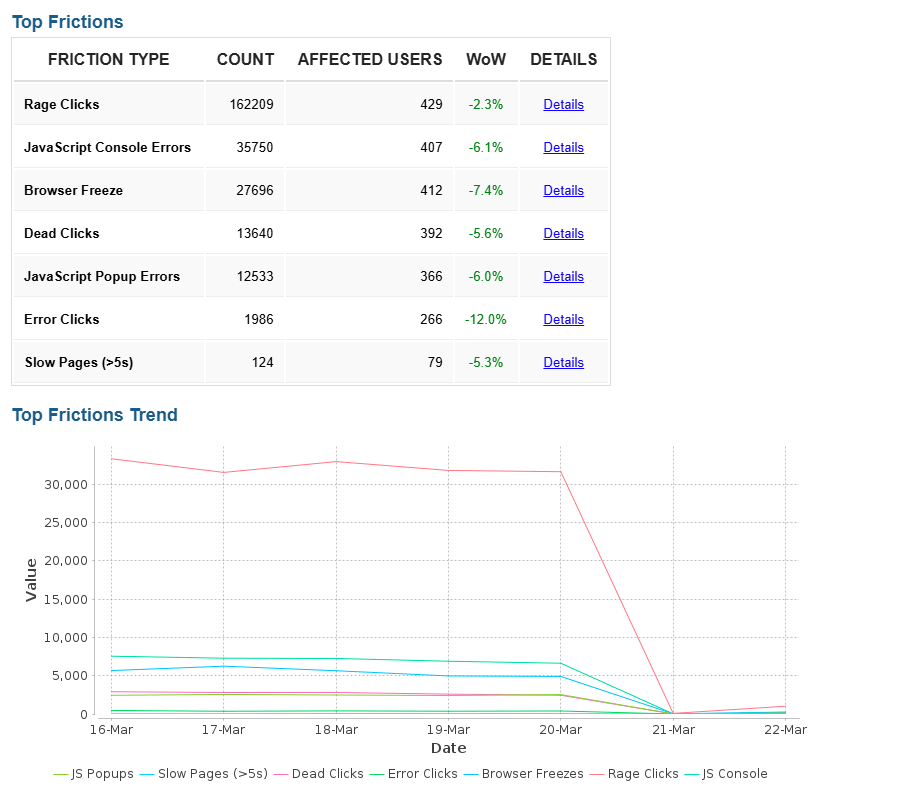
CRM Friction Report - GermainUX
User-Facing Error Report
User-Facing Error Report
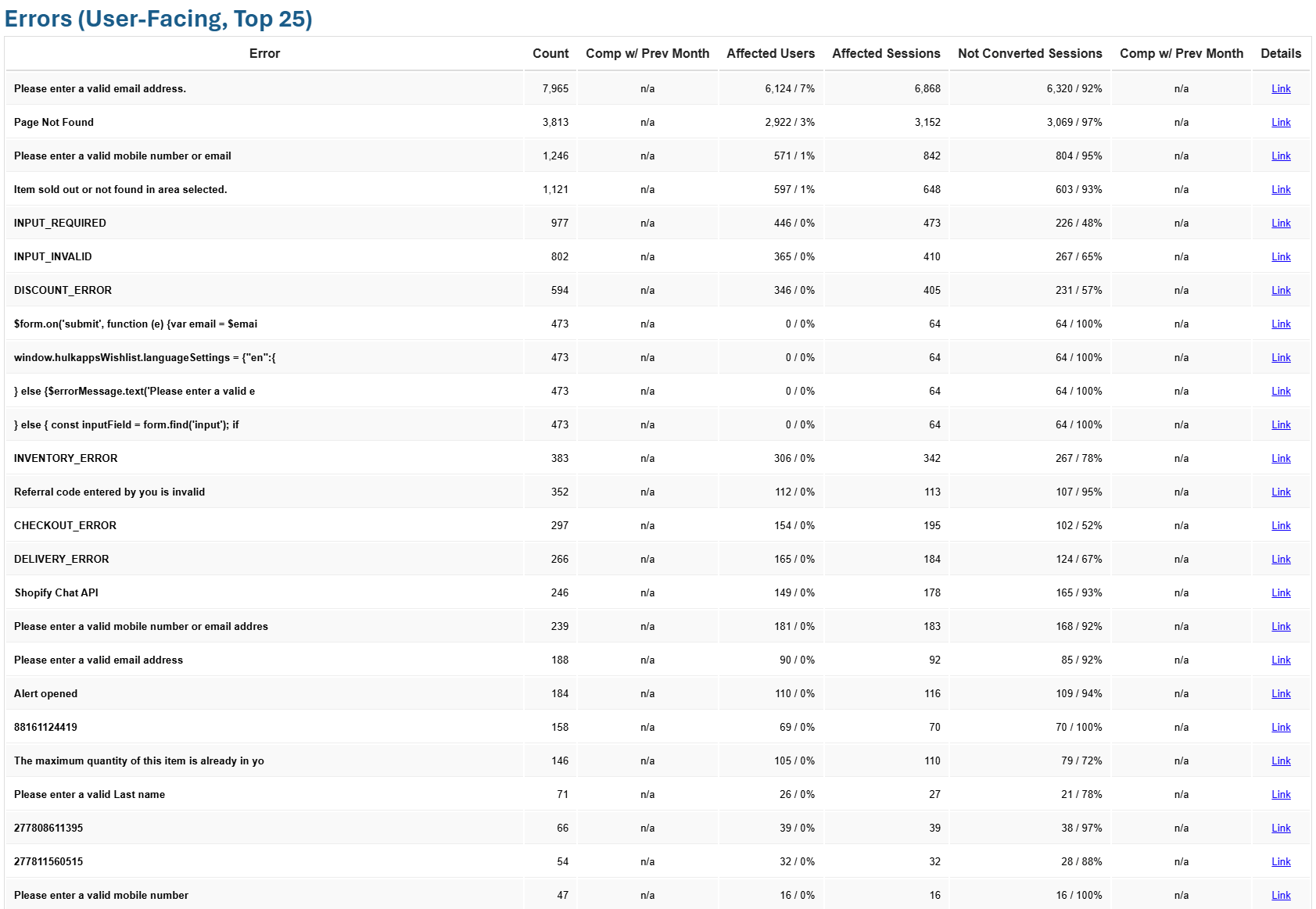
User-Facing Error Report - GermainUX
Technology
Technology Report
Technology Report
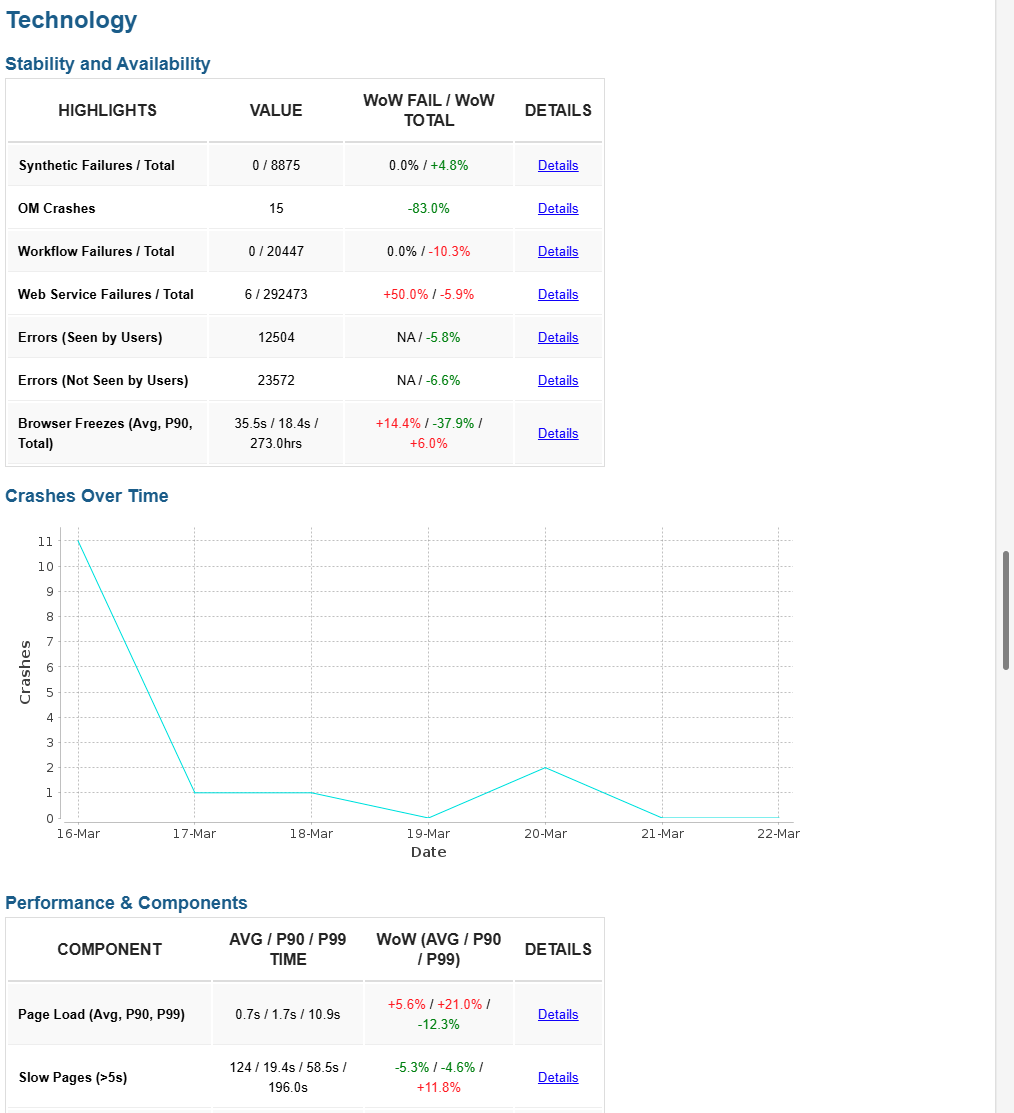
Technology Report - GermainUX
SMTP Timeout Report
SMTP Timeout Report
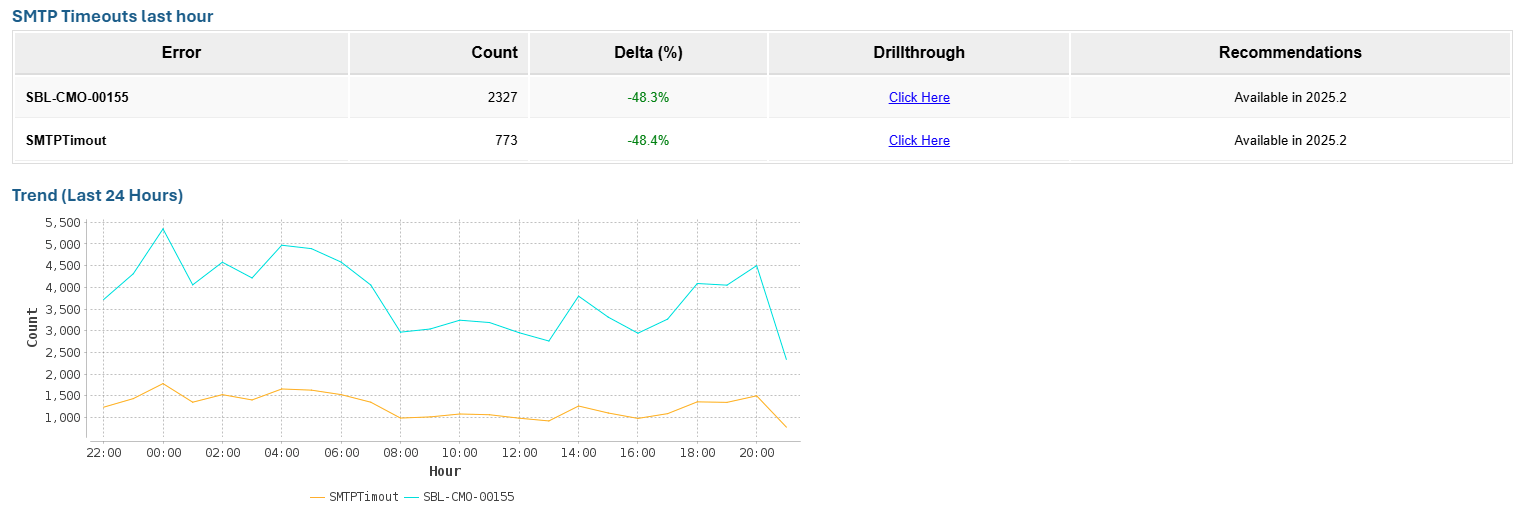
SMTP Timeout Report - GermainUX
Report Editor
The Report Editor provides the tools required to build and maintain reports.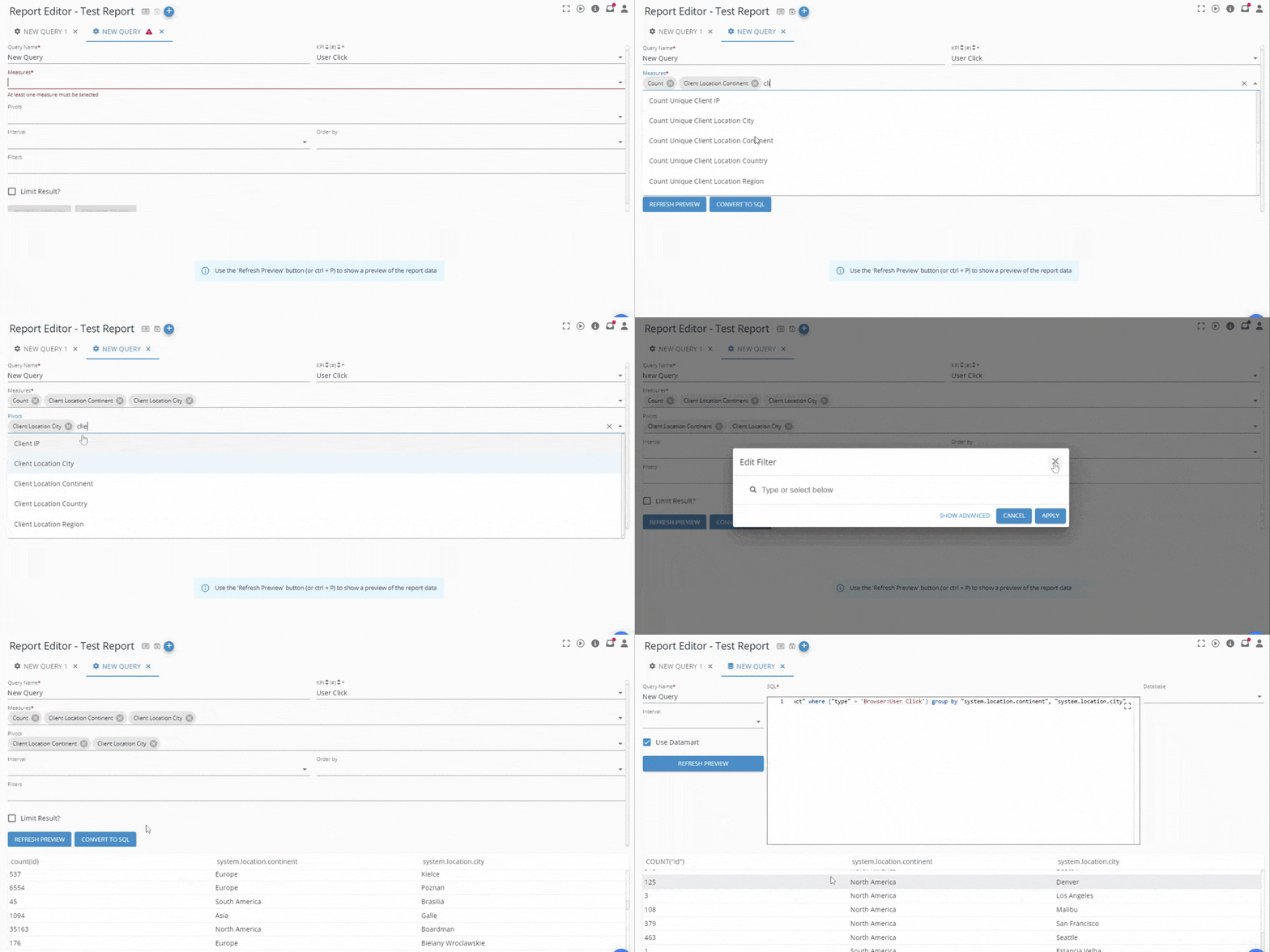
Report Editor to quickly enable a report - GermainUX
Create a Report
See Create a Report for configuration instructions.Links to Accelerate Collaboration and Resolution
Reports can contain actionable links that help users collaborate or initiate remediation directly from the report.
Actionable links in a report - GermainUX
Get Help
Contact GermainUX Support
Can't Find What You Need?
The content of this document is proprietary to GERMAIN SOFTWARE.