

Access Display Settings
Open the settings dashboard
Fields
Rename data field labels
Tooltips
Add contextual user guidance
Overview
Display Settings control how fields and tooltips appear throughout the GermainUX Workspace. Use this section to customize displayed information so that field names and contextual guidance are clear and meaningful to GermainUX users.Access Display Settings
In the left menu, go to Settings > System > Display Settings.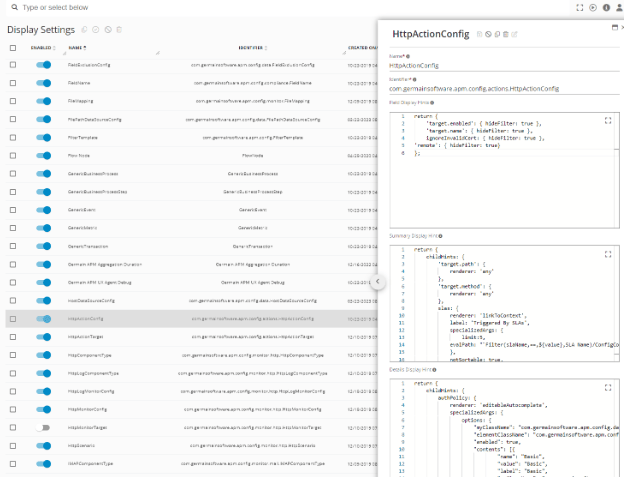
Display Settings - GermainUX
Fields
Use Fields to customize how data fields are presented to users. This can help make technical or generic field names easier to understand or align terminology with your organization’s applications and processes. Changes affect how the applicable fields are displayed in the GermainUX Workspace.Tooltips
Use Tooltips to customize the contextual guidance users see for supported interface elements. Tooltips can help explain:- What a field or metric represents
- How information should be interpreted
- Organization-specific terminology
- How a particular setting or capability is used
Get Help
Contact GermainUX Support
The GermainUX team helps you get up and running faster, empower your team, turn data into actionable insights, and optimize performance to deliver measurable business outcomes.
Can't Find What You Need?
Search all GermainUX docs with Ctrl + K, or use the feedback buttons at the bottom of this page to tell us what is missing.
The content of this document is proprietary to GERMAIN SOFTWARE.