

Key Benefits
Outcomes across the platform
From Detection to Resolution
The continuous operational loop
AI-Powered Analytics
AI with real-time analytics
Customized for You
Tailored configuration support
What Is GermainUX?
Overview
GermainUX is an AI-powered Operational Experience Intelligence platform that helps organizations improve conversion, application adoption, and employee productivity by connecting three dimensions that are usually analyzed separately:
By correlating these dimensions in real time, GermainUX helps teams identify what is happening, who or what is affected, why it is happening, and what should be improved first.
Examples:
- Cart Abandon Rate
- User Experience Issue
- Wasted Time on eCommerce
- Slow Click
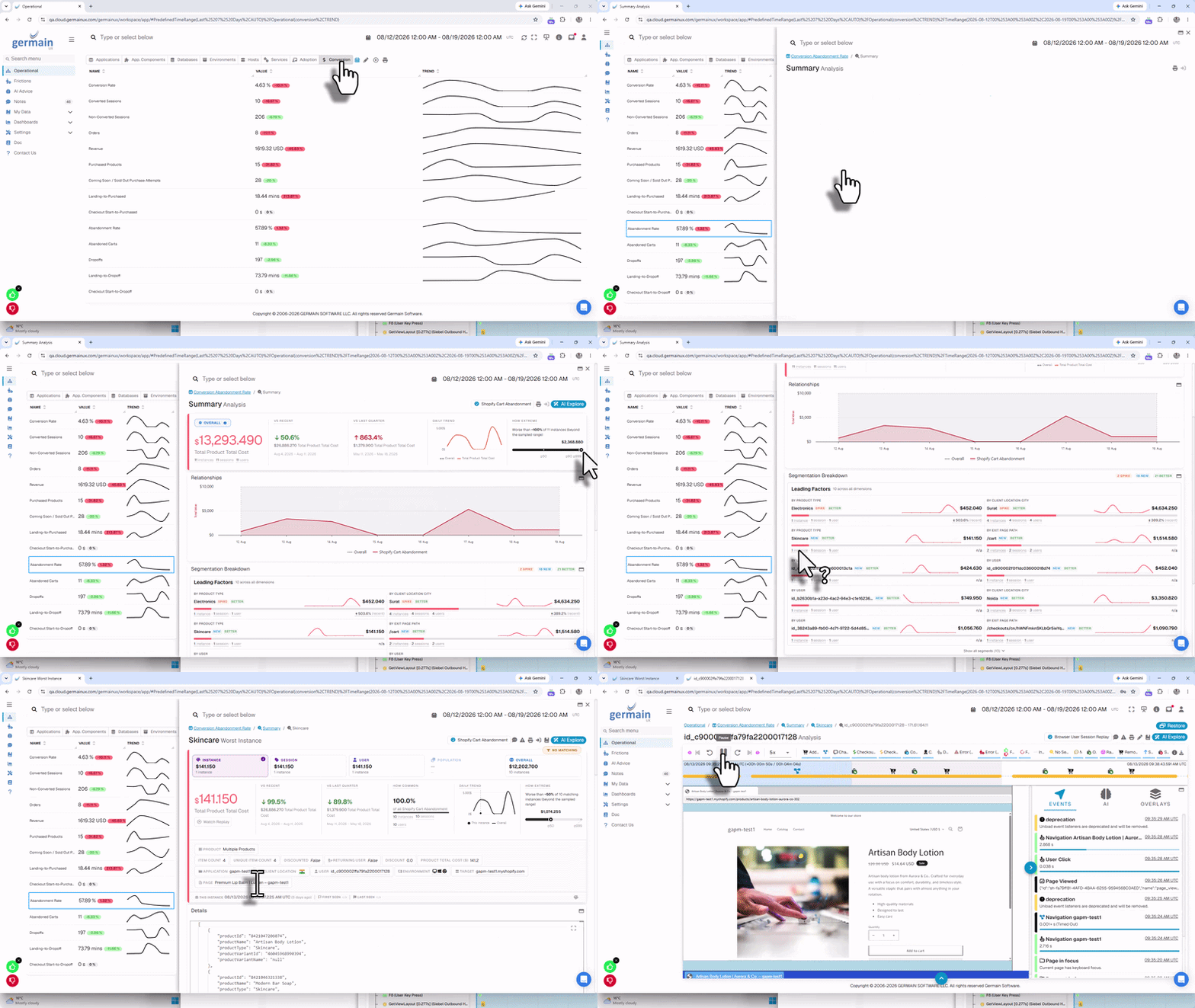
Cart Abandon Rate Analysis on eCommerce - GermainUX
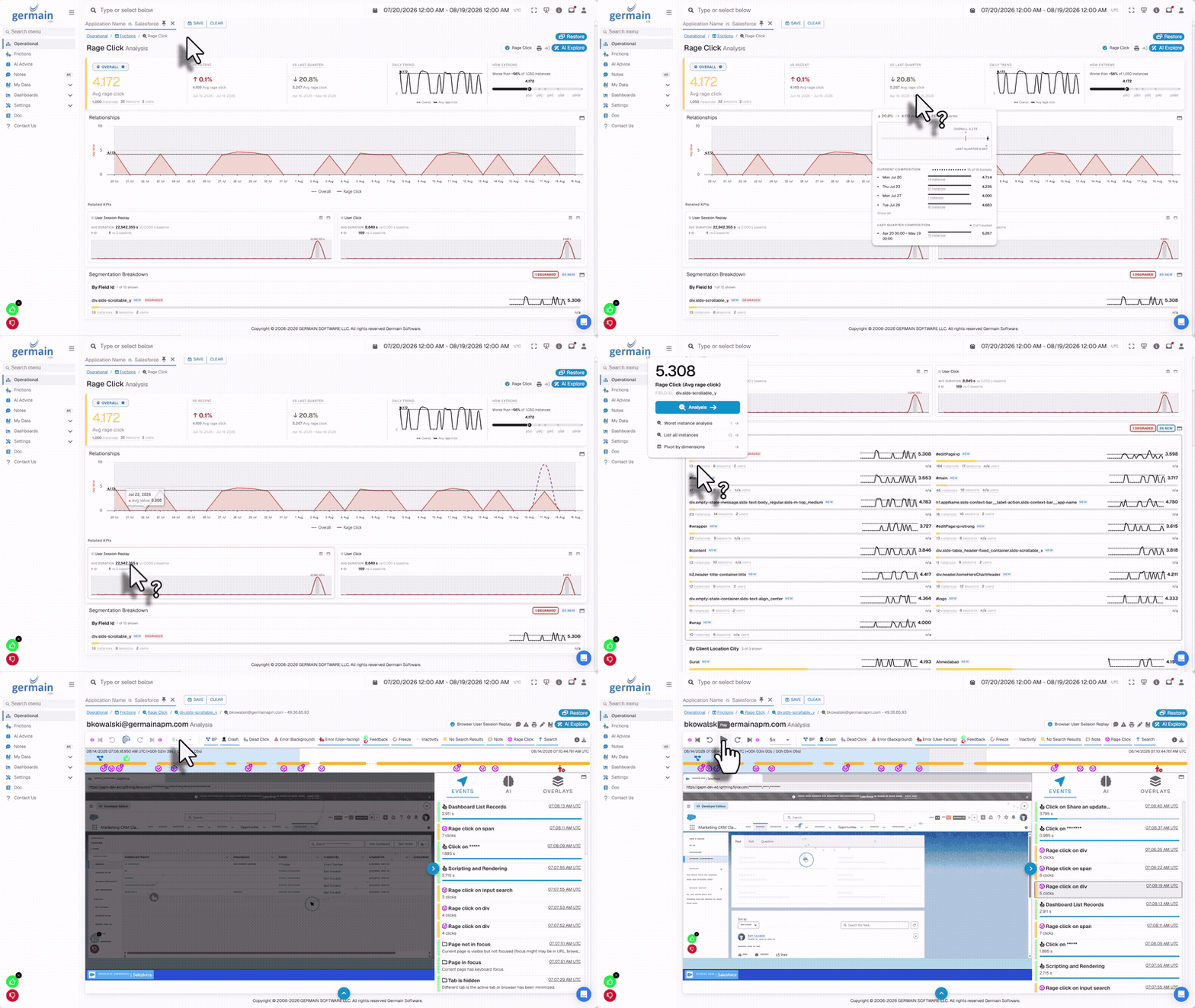
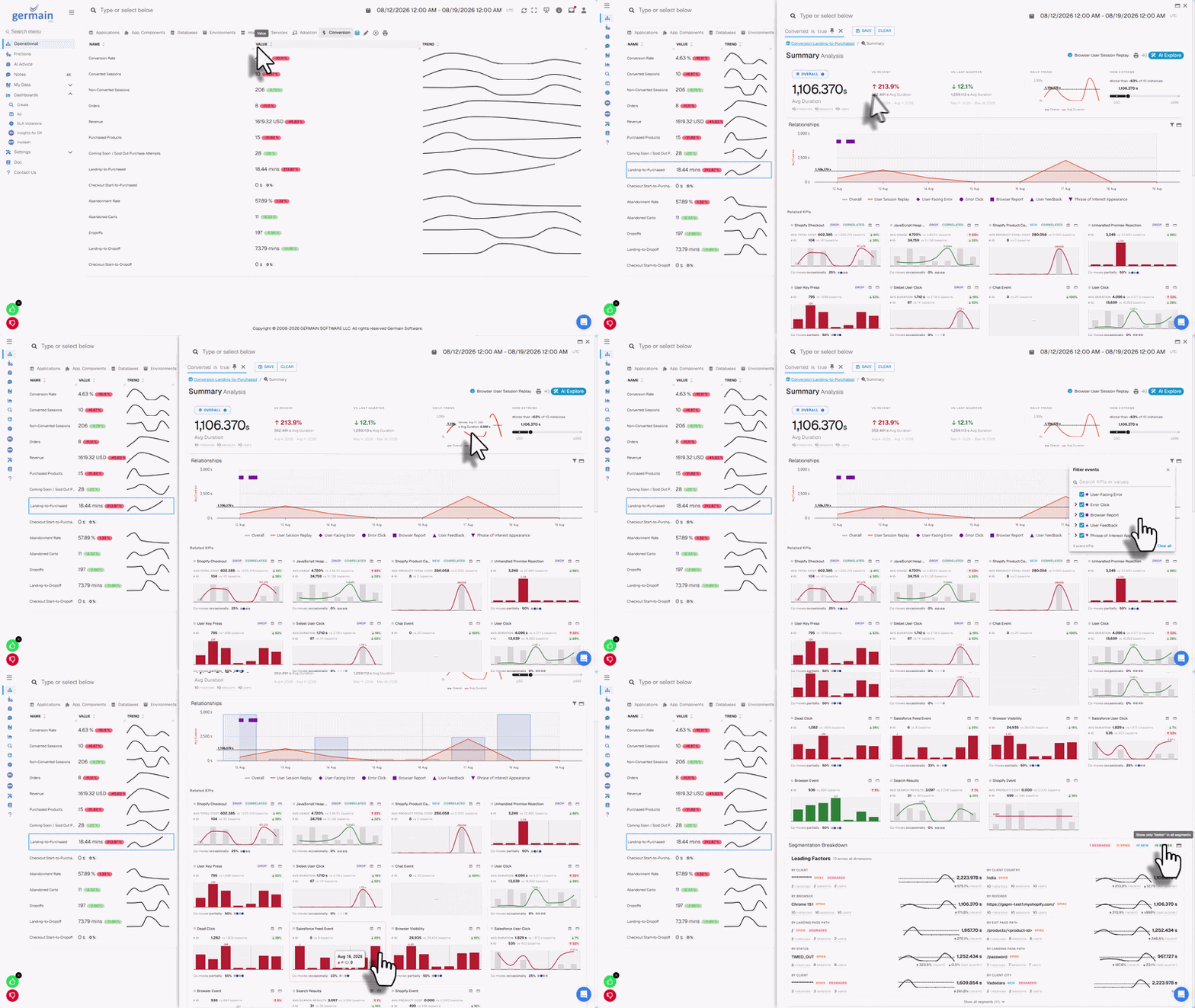
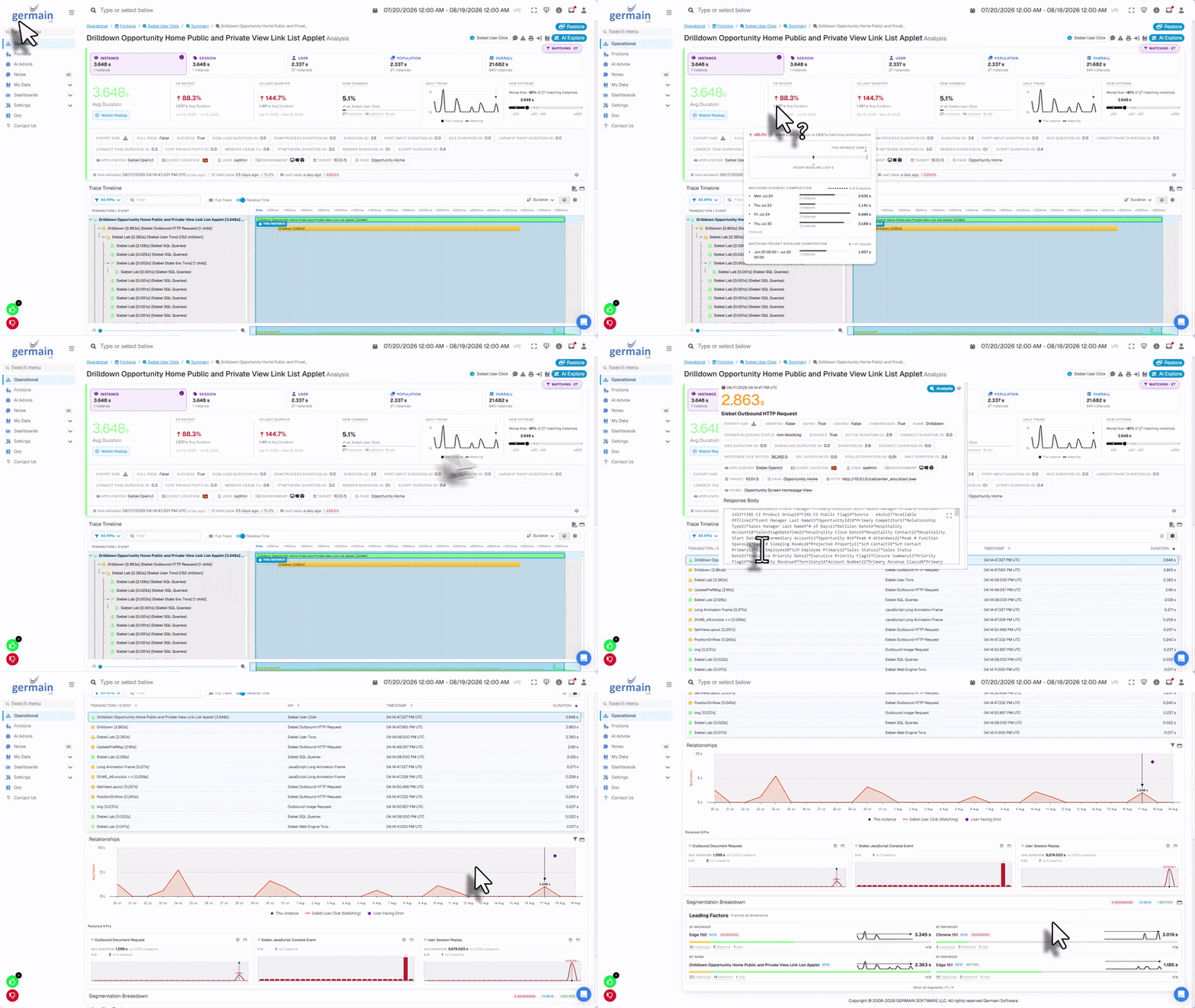
Key Benefits
GermainUX helps organizations:| Goal | How GermainUX Helps |
|---|---|
| Increase Conversion | Identify friction, errors, performance issues, and workflow failures that cause customers to abandon digital journeys |
| Improve Adoption | Understand how applications and features are actually used and identify barriers preventing successful adoption |
| Increase Productivity | Identify slow applications, inefficient workflows, repeated actions, errors, and technology issues that waste employee time |
| Reduce Resolution Time | Correlate user experience, workflows, and technology evidence to identify causes faster |
| Prevent Issues | Continuously detect conditions, alert teams, run synthetic checks, and trigger automated actions |
| Prioritize Improvements | Focus teams on issues affecting the greatest number of users or having the greatest business impact |
Operational Experience Intelligence
Traditional tools typically specialize in one area—digital experience, product analytics, process mining, APM, observability, or automation. But many business problems cross several of these layers. A checkout abandonment may involve user friction, a failed API, slow JavaScript, or a backend error. A CRM productivity problem may involve an inefficient workflow, application latency, repeated user actions, or an integration failure. GermainUX connects these perspectives through Operational Experience Intelligence so teams can understand the complete operational experience rather than investigating each layer separately.From Detection to Resolution
GermainUX brings synthetic and real monitoring, analytics, AI, and automation together in a continuous operational loop:ObserveAnalyzePrioritizeActValidate
Observe
- Real users and sessions
- Customer and employee journeys
- Business processes
- Application adoption
- Conversion
- Application and code performance
- Errors and failures
- APIs and integrations
- Databases
- Infrastructure
- Networks
- Logs and other technology signals
Analyze
GermainUX Analytics and AI continuously analyze collected data to identify:- User friction
- Conversion barriers
- Adoption issues
- Productivity loss
- Application errors
- Performance degradation
- Process inefficiencies
- Anomalies and patterns
- Root causes
- Opportunities for improvement
Prioritize
Not every issue has the same impact.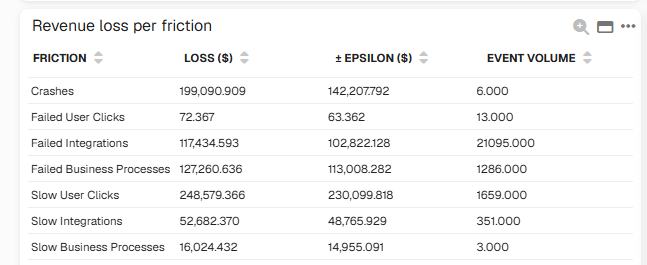
Revenue Loss per Friction - GermainUX
- Number of affected users
- Frequency
- Severity
- Conversion impact
- Productivity impact
- Process impact
- Application or technology impact

Landing-to-Dropoff Trend Analysis - GermainUX
Act
Insights can trigger automated actions such as: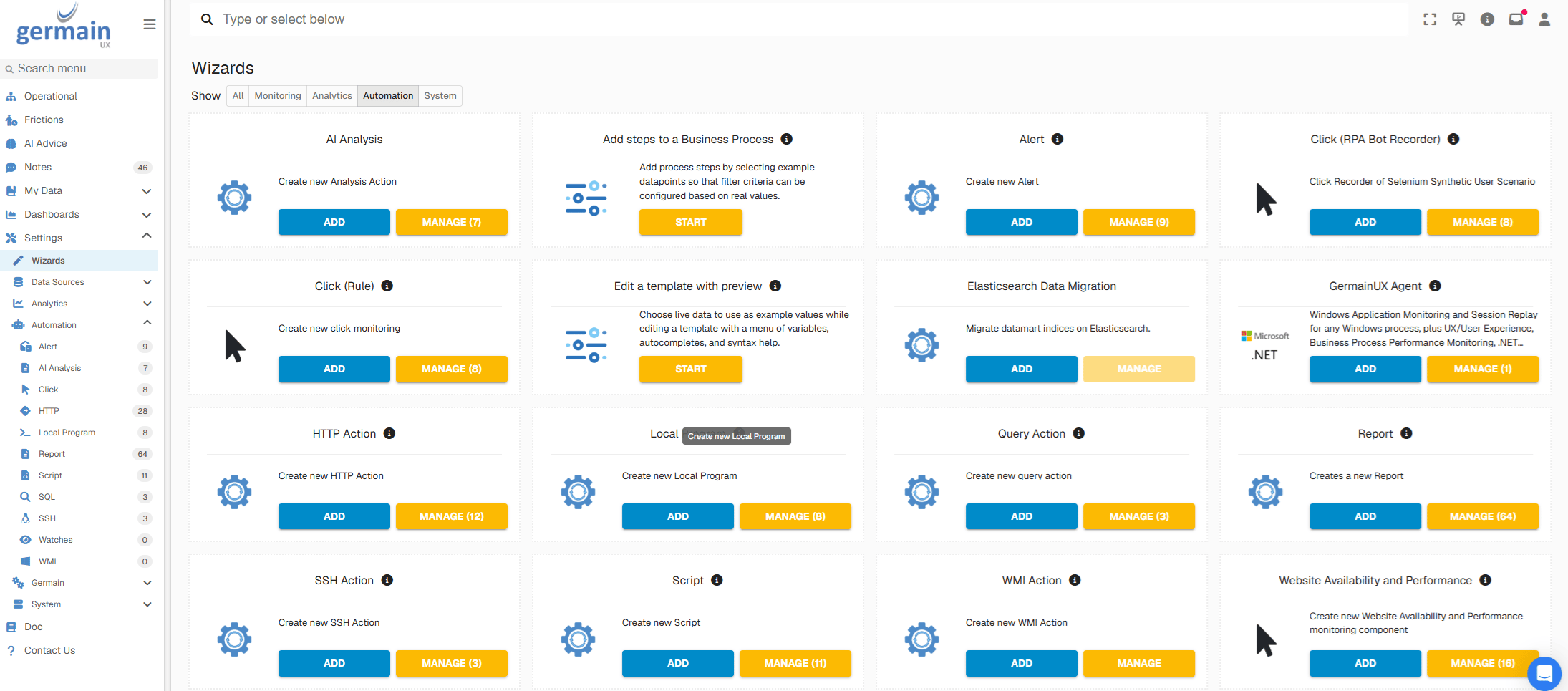
Automation Wizards - GermainUX
Validate
GermainUX continues monitoring after an action or change so teams can determine whether the issue was resolved and whether user experience, conversion, adoption, productivity, or technology performance improved.Session Replay
GermainUX Session Replay provides detailed, searchable replay of real user sessions across supported web and native Windows applications. It helps teams see exactly what a user experienced. This helps move investigations from “What happened?” to “Why did it happen?”.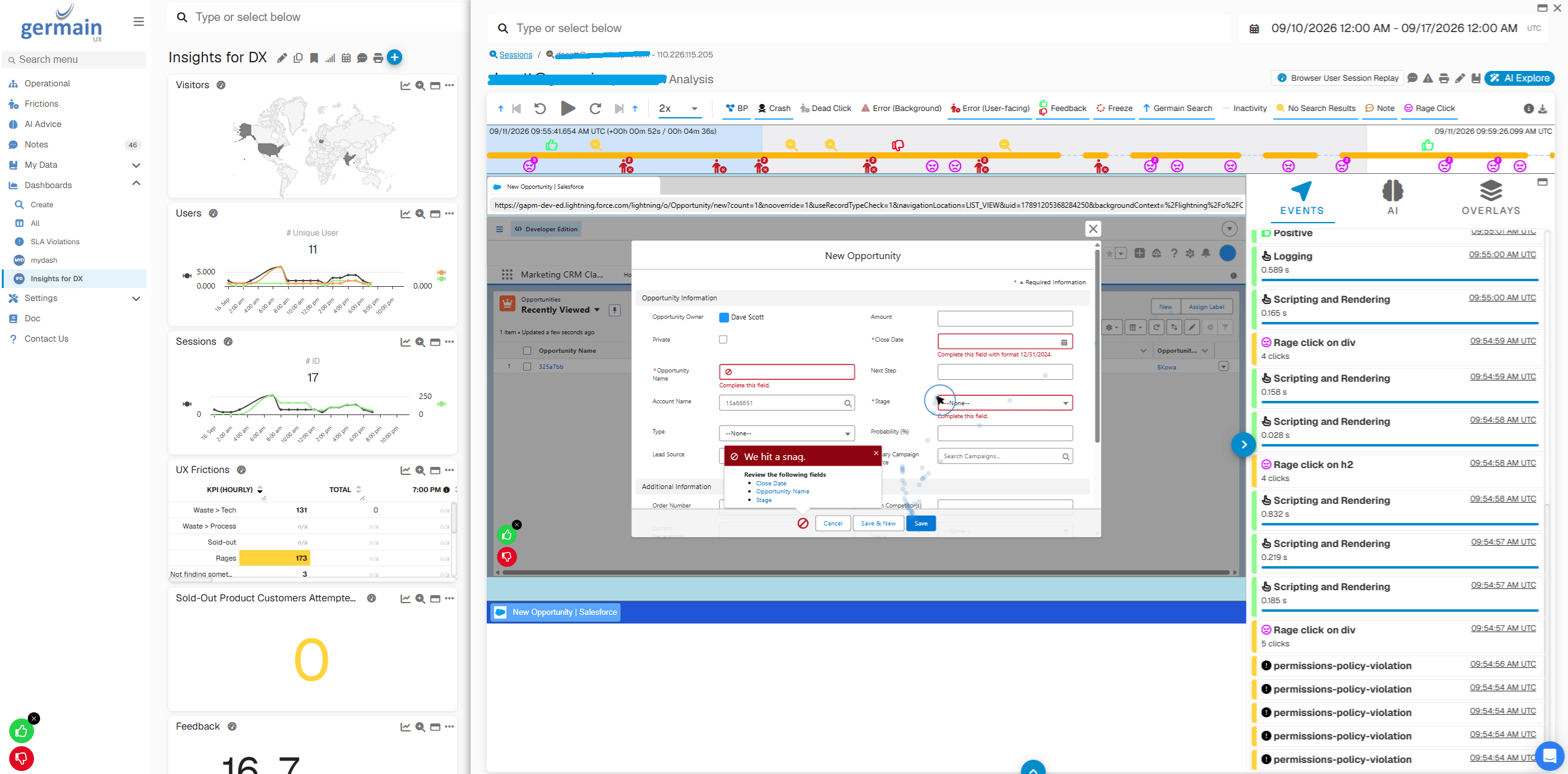
Session Replay of Salesforce Session Example - GermainUX
AI-Powered Analytics
GermainUX uses AI to help analyze large volumes of user, workflow, application, and technology data.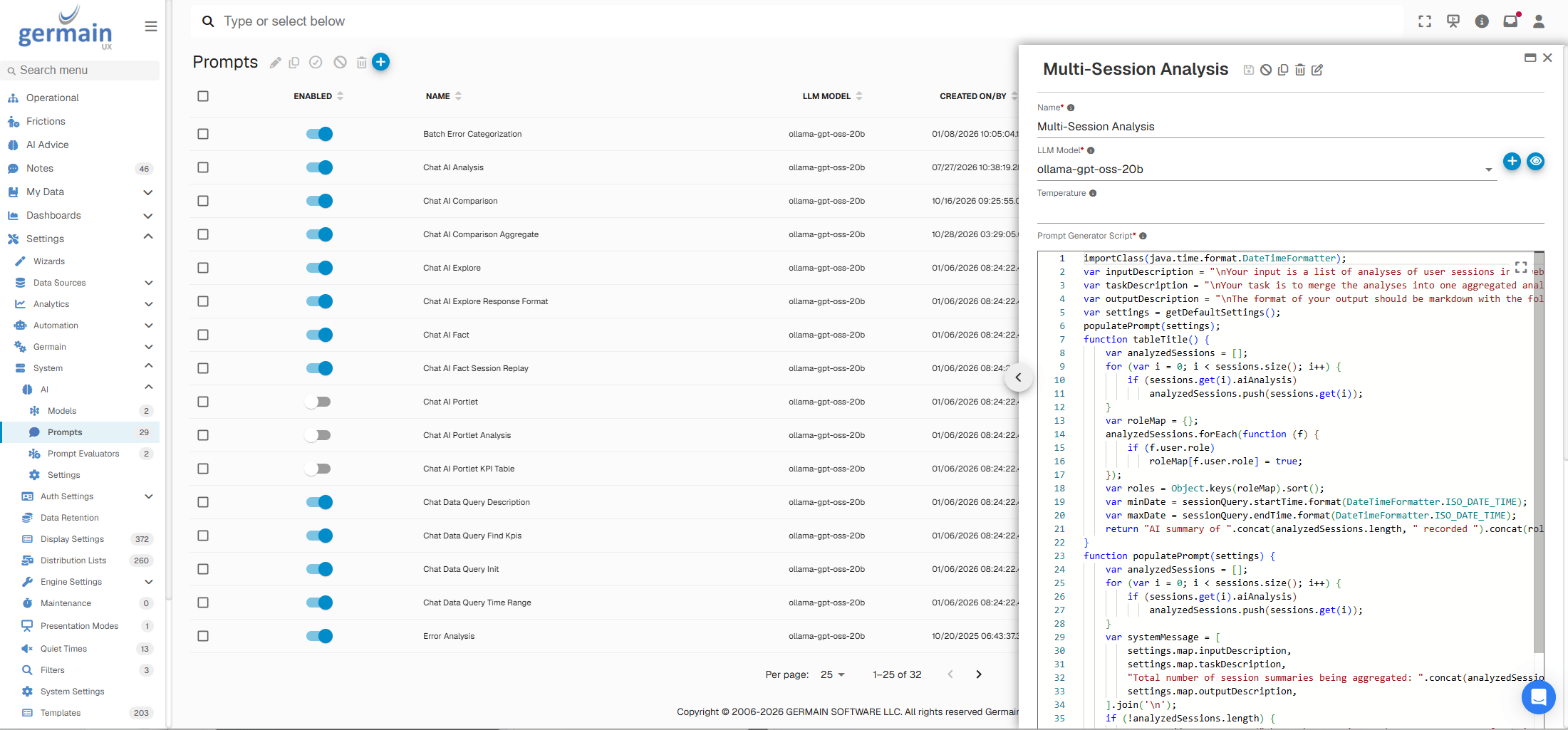
AI Prompts Configuration - GermainUX
- Identify top 10 frictions
- Identify new errors and ignore others
- Understand poor sales or service interactions
- Explain findings
- Surface likely causes
- Make recommendations
Complements Your Existing Platforms
GermainUX does not have to replace your existing monitoring, analytics, automation, or digital-experience platforms. Organizations often use GermainUX to complement larger platforms and fill specific gaps where they need greater flexibility, deeper correlation, or a highly customized monitoring, analytics, or automation solution.Customized for You
GermainUX is highly customizable. When an out-of-the-box capability does not fully address your requirement, the Germain Team can configure and customize GermainUX for your specific use case at no additional cost. This can include:- Integrating new data sources
- Monitoring additional technologies
- Creating custom KPIs
- Building dashboards
- Creating analytics
- Configuring alerts
- Developing reports
- Building automation
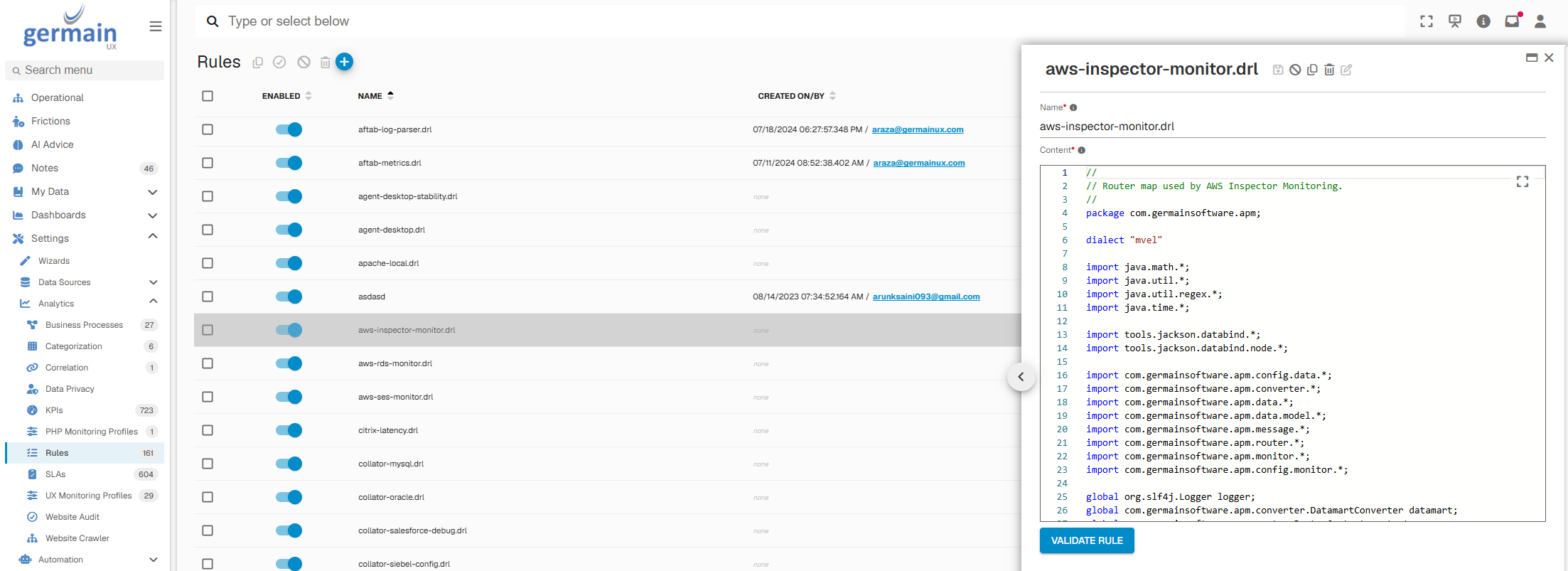
Custom Rules Configuration - GermainUX
Next
Read what Salesforce CRM and eCommerce customers say in their GermainUX reviews on Salesforce AppExchange, and what Shopify merchants say in their reviews on the Shopify App Store. You can also read verified user reviews of GermainUX on G2.Get Help
Contact GermainUX Support
The GermainUX team helps you get up and running faster, empower your team, turn data into actionable insights, and optimize performance to deliver measurable business outcomes.
Can't Find What You Need?
Search all GermainUX docs with Ctrl + K, or use the feedback buttons at the bottom of this page to tell us what is missing.