

What Can Be Monitored
Apps, integrations and components
SLA Monitoring
Thresholds and automated responses
Validate the Result
Confirming actions took effect
Security and Control
Access and data controls
Overview
GermainUX Monitoring continuously observes users, business processes, applications, and technologies to detect conditions that may require attention or action. Within Automation, Monitoring provides the Observe part of the operational workflow:ObserveAnalyzeDecideActValidate
Monitoring can run continuously, on a schedule, or through synthetic transactions, depending on the monitored system and configured GermainUX components.
What Can Be Monitored
Depending on the application, technology, integration, and deployed GermainUX components, monitoring can include: Collected data is converted into GermainUX KPIs, Measures, Pivots, events, transactions, and other monitored facts that can be analyzed and used by Automation.Real-Time Monitoring
GermainUX can continuously monitor incoming data and evaluate it against configured conditions. For example:- Application Error Detected
- Analyze frequency and impact
- Identify affected users and sessions
- Create or update a ticket
- Notify the responsible team
- Execute an approved action
- Continue monitoring to validate the resolution
SLA Monitoring
SLAs define conditions used to determine whether a monitored KPI is operating within expected limits. SLAs can be configured for conditions such as:- Error volume or rate
- Transaction failures
- Response time
- Availability
- Business-process failures
- User-experience friction
- Infrastructure conditions
- Other KPI thresholds
Watch Specific Activity
A Watch can be created when a user wants GermainUX to monitor for a specific piece of data or condition. Examples include:- A particular error or exception
- A specific user
- A failed transaction
- A server or application
- A Phrase of Interest
- Another data condition relevant to an investigation
Synthetic Monitoring
GermainUX can proactively execute recorded user scenarios to validate that critical applications and business processes continue to work as expected. Synthetic monitoring can be used to:- Execute critical user journeys
- Validate application availability
- Validate transactions
- Detect failures before real users report them
- Measure transaction performance
- Verify critical workflows on a schedule
Monitoring + AI Analysis
Monitoring can automatically initiate AI Analysis when a condition requiring investigation is detected. For example:- New Error Detected
- Collect occurrences
- Analyze affected users and sessions
- AI analyzes available evidence
- Summarize the issue
- Recommend next steps
- Notify the appropriate team
Monitoring + Automated Action
A monitored condition can trigger one or more configured actions. Depending on the environment and configuration, GermainUX actions can include: Actions can be fully automated or require human review and approval, depending on the organization’s requirements.Validate the Result
Monitoring can continue after an action has been executed. This allows GermainUX to determine whether the monitored condition:- Returned to normal
- Continues to occur
- Affects additional users or systems
- Requires another action
- Requires escalation
DetectAnalyzeActMonitorValidate
Configure Monitoring
The way monitoring is configured depends on what needs to be monitored. GermainUX provides preconfigured monitoring for supported applications, technologies, and integrations. Custom monitoring can also be configured using KPIs, SLAs, Rules, Watches, scripts, synthetic transactions, and other GermainUX capabilities. When a dedicated GermainUX Integration is available, use its deployment and configuration documentation to configure the appropriate monitoring. The Germain Team can also help determine which monitoring and automation capabilities are appropriate for your environment and configure them for you.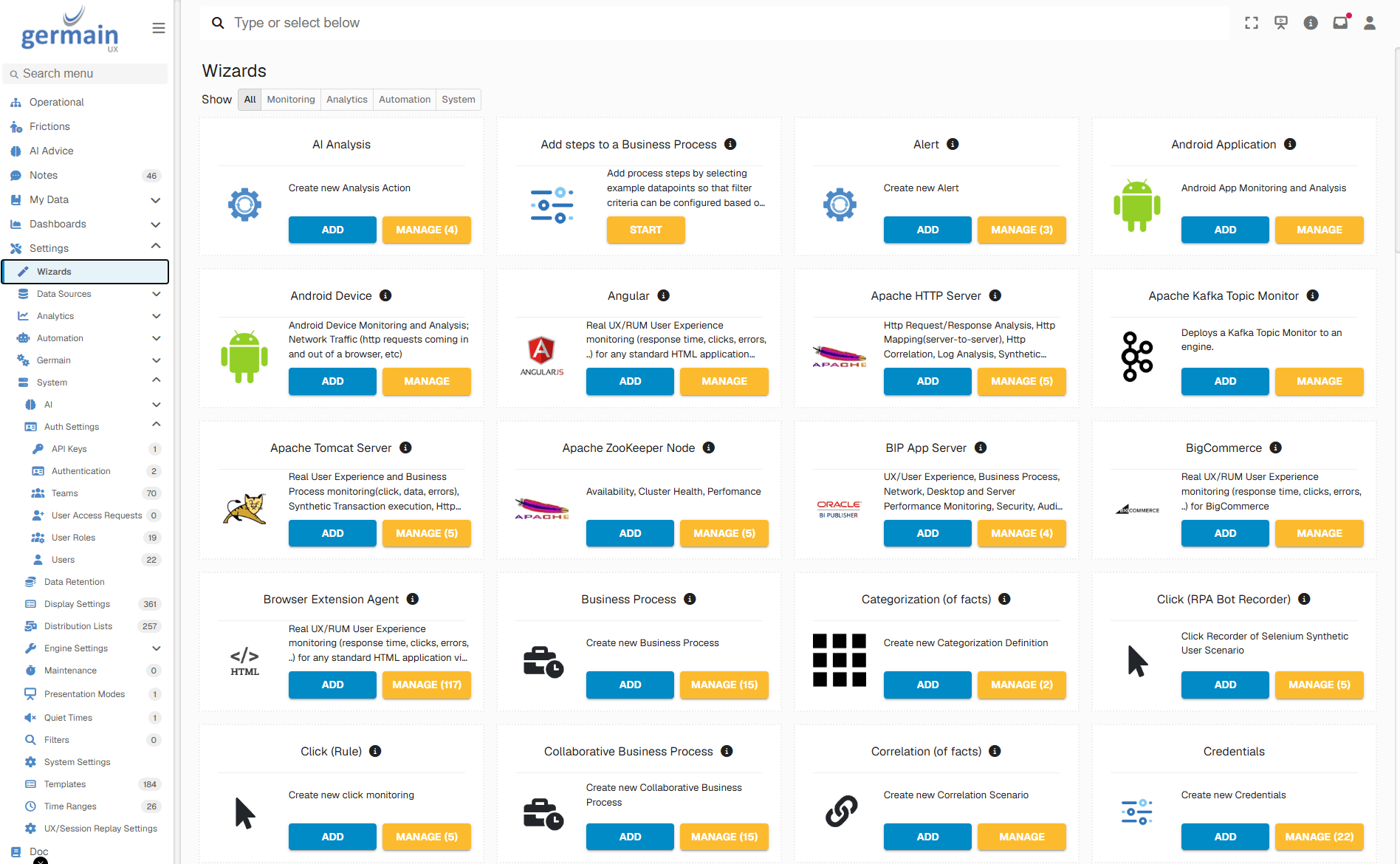
GermainUX Wizards page showing monitoring, analytics, and automation configuration options - GermainUX
Security and Control
Automated monitoring and actions operate according to the permissions, credentials, network access, rules, and GermainUX components configured for the environment. Actions that change data, applications, infrastructure, or customer-facing systems should use appropriate permissions, safeguards, validation, and organizational approval.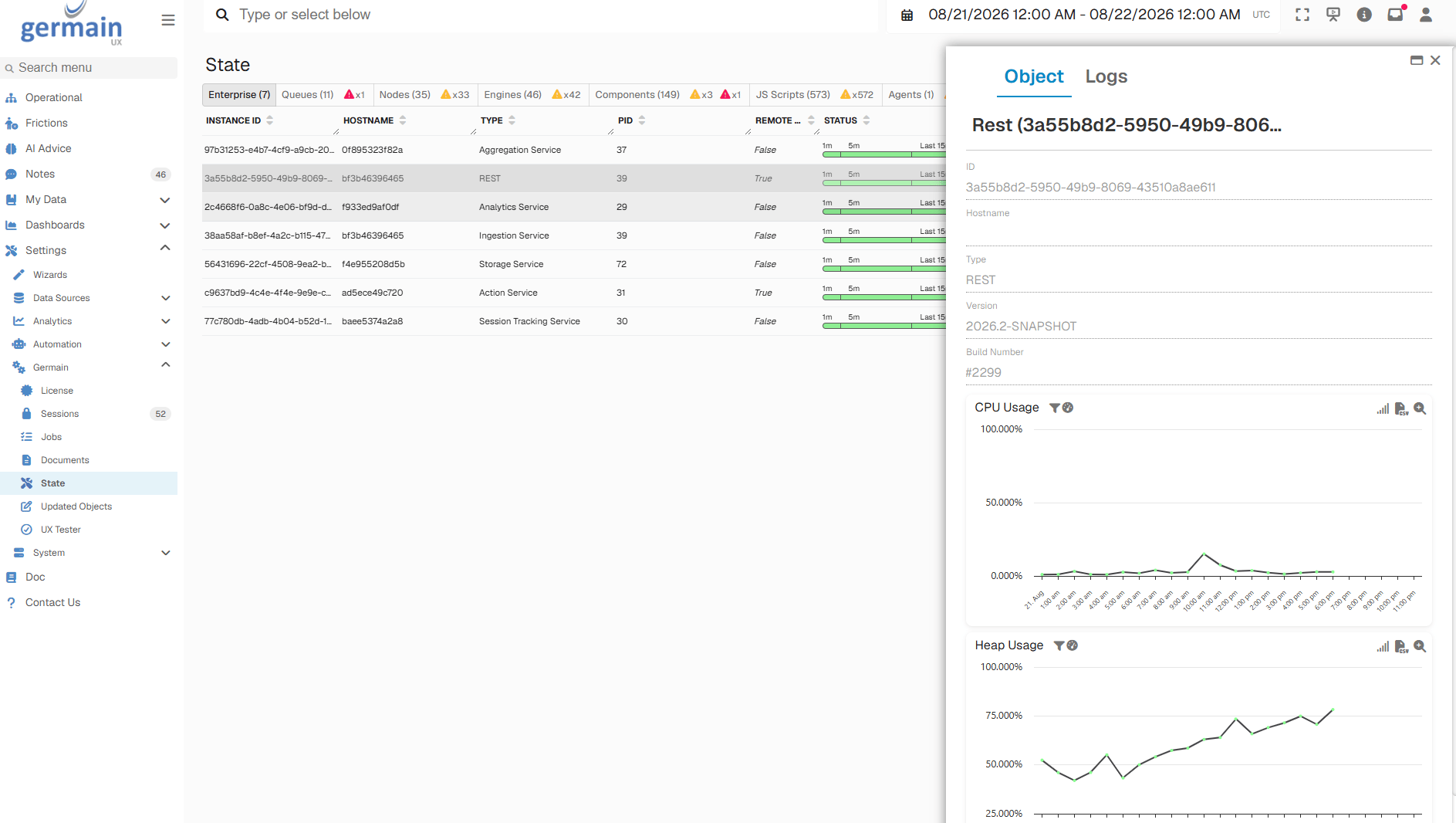
GermainUX Platform State dashboard showing system health and automation status - GermainUX
Related Documentation
Get Help
Contact GermainUX Support
The GermainUX team helps you get up and running faster, empower your team, turn data into actionable insights, and optimize performance to deliver measurable business outcomes.
Can't Find What You Need?
Search all GermainUX docs with Ctrl + K, or use the feedback buttons at the bottom of this page to tell us what is missing.
The content of this document is proprietary to GERMAIN SOFTWARE.