

Configure an HTTP Action
Single request to an endpoint
Configure an HTTP Scenario
Multi-step API request workflows
Configure Execution Notifications
Status alerts for requests
Validate the Configuration
Test before recurring runs
Overview
GermainUX can execute HTTP or HTTPS requests manually, on a schedule, or through an automated trigger.Requests Can Be Configured As:
Configure an HTTP Action
Use an HTTP Action when GermainUX needs to execute one request against an endpoint. In the left menu, go to Settings > Wizards > HTTP Action.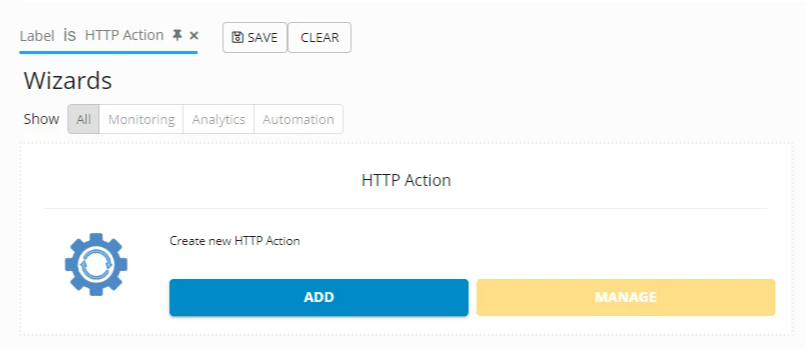
Wizards page showing HTTP Action - GermainUX
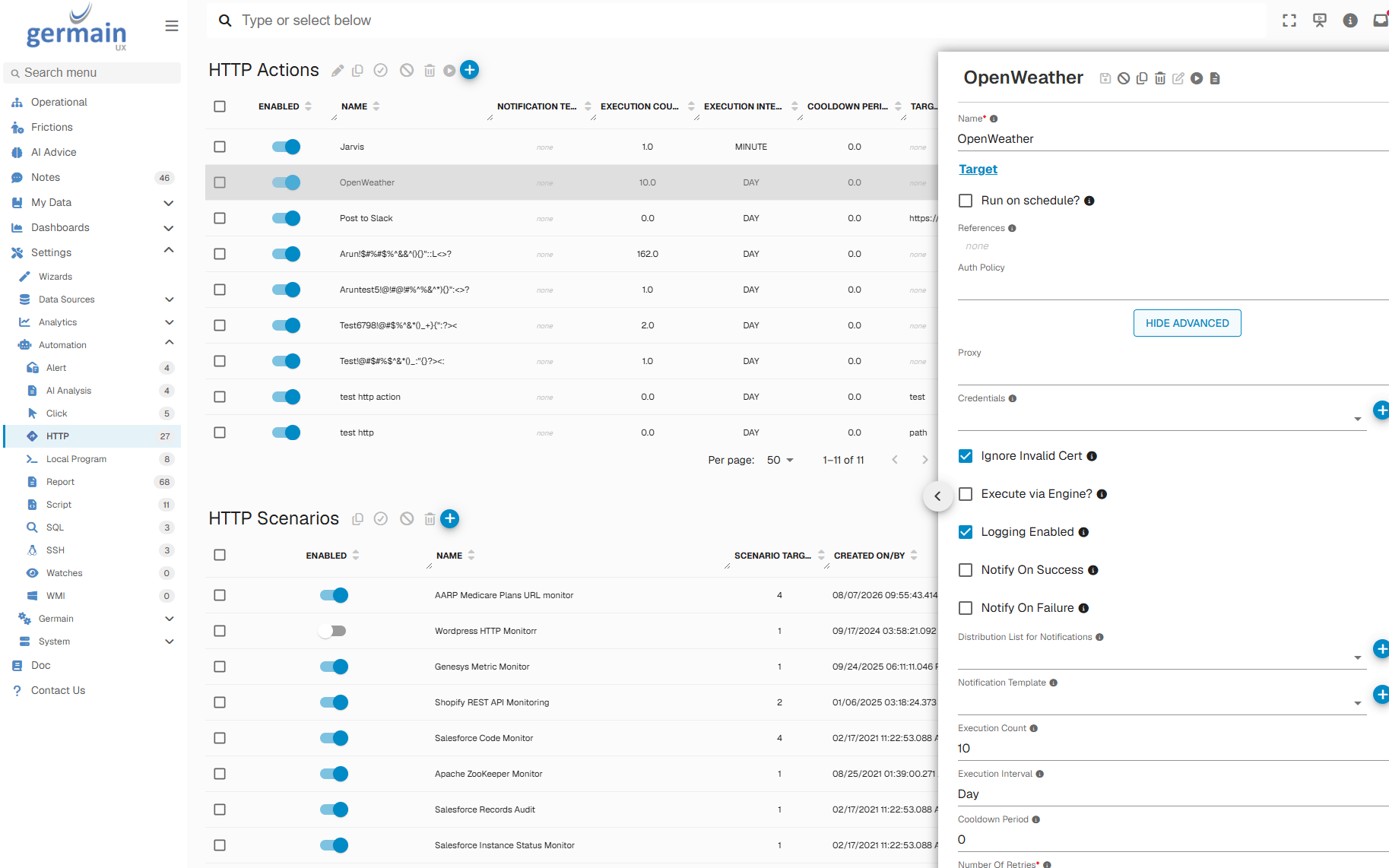
HTTP Actions list with OpenWeather action details panel - GermainUX
- Action name
- URL and protocol
- HTTP method
- Headers
- Query parameters
- Request body, when applicable
- Authentication or credential reference
- Timeout
- Expected response or success criteria
- Monitoring Node and Engine
- Manual, scheduled, or event-driven execution
Configure an HTTP Scenario
Use an HTTP Scenario when the workflow requires multiple requests—for example, authentication followed by one or more API transactions. In the left menu, go to Settings > Wizards > HTTP Scenario Component Deployment. In Component Type, create a new component type to open the HTTP Scenario wizard. Configure:- The scenario name and target application.
- The Monitoring Node and Engine.
- Each HTTP or HTTPS request in its execution order.
- Authentication and credential references.
- Values that must be passed between requests.
- Response validations and failure conditions.
- Optional SLA thresholds.
- The execution schedule.
Schedule Execution
An HTTP Action or Scenario can run:- Manually
- At a specific time
- At a recurring interval
- In response to an SLA, rule, insight, or automation condition
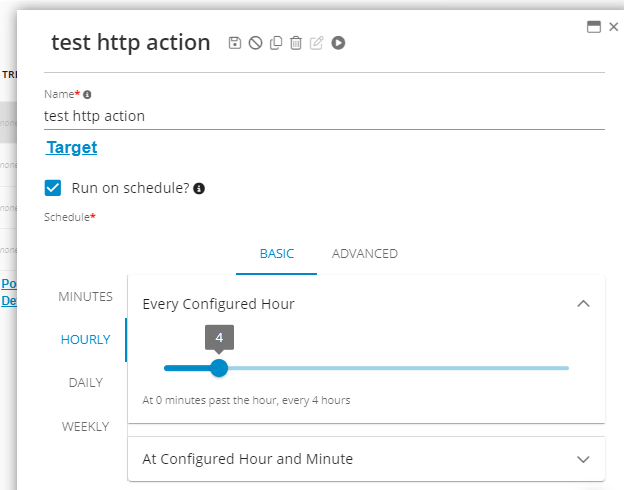
HTTP Action schedule configuration with hourly recurrence - GermainUX
Configure Execution Notifications
Use the following options to receive status notifications:
Enable both options during initial testing. In production, enable the notifications required by your operational policies.
Validate the Configuration
Before enabling recurring execution: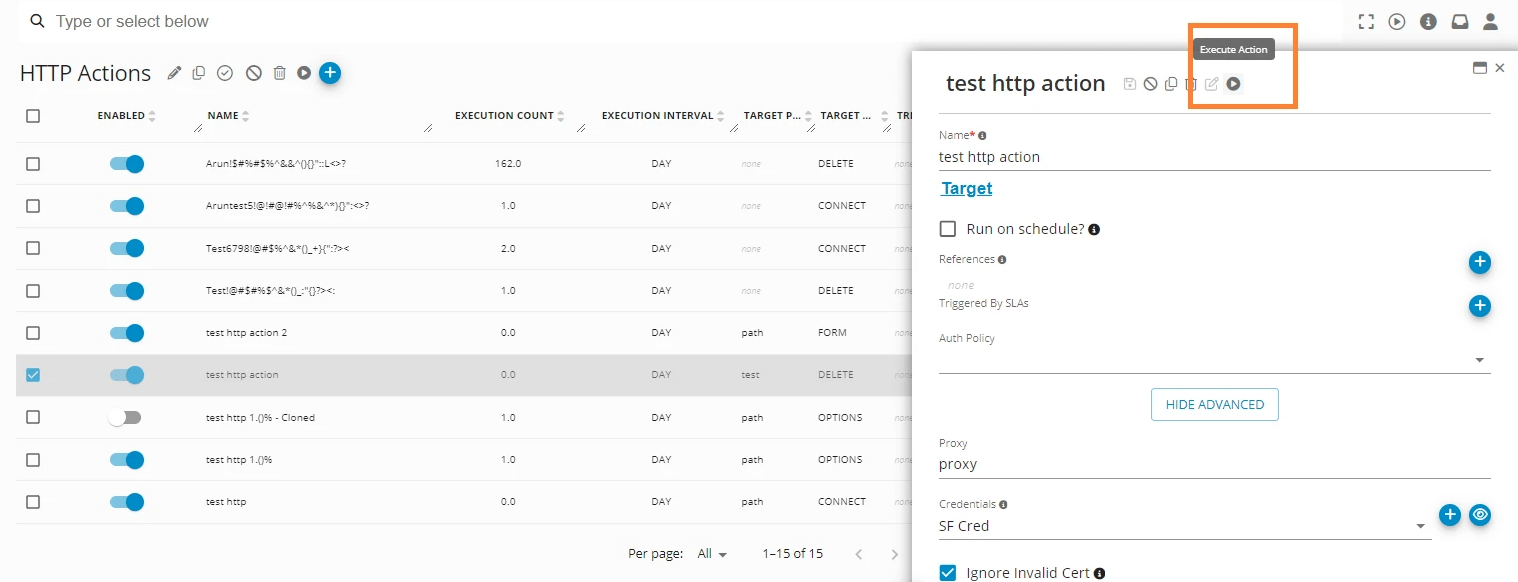
HTTP Actions list with Execute Action button highlighted for validation - GermainUX
Get Help
Contact GermainUX Support
The GermainUX team helps you get up and running faster, empower your team, turn data into actionable insights, and optimize performance to deliver measurable business outcomes.
Can't Find What You Need?
Search all GermainUX docs with Ctrl + K, or use the feedback buttons at the bottom of this page to tell us what is missing.
The content of this document is proprietary to GERMAIN SOFTWARE.