

Deploy a Purge Monitor
Set up file cleanup monitoring
Verify the Deployment
Test on a sandbox directory
Review or Update the Configuration
Edit in Workspace or Console
Safety Checklist
Checks before recurring purges
Overview
GermainUX can automatically delete files that exceed a configured age. This is commonly used to prevent application and log directories from consuming excessive disk space.Deploy a Purge Monitor
Step 1: Open the Deployment Wizard
- In the left menu, go to Settings > Wizards > Purge Monitor Deployment.
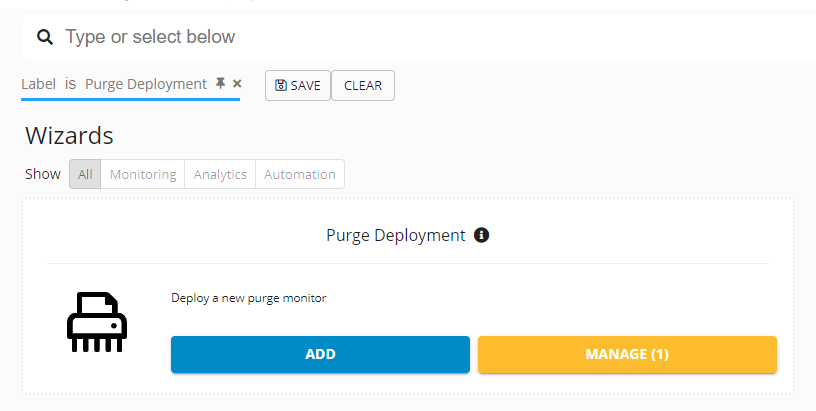
Purge Deployment wizard with Add and Manage buttons - GermainUX
- Select Add.
Step 2: Configure the Purge Target
Enter the following information:
Select Next.
Step 3: Configure the Deployment
Select Finish, then Close.
Verify the Deployment
After deployment:- Go to Settings > Germain > State.
- Select the configured Monitoring Node.
- Select the Engine.
- Locate the deployed purge component.
- Confirm that it is enabled and running.
- Review its configuration in the right-side Details panel.
If files must be retained, use file archiving before deletion.
Review or Update the Configuration
Purge-monitor settings can be reviewed from either GermainUX Workspace or the Configuration Console.GermainUX Workspace
In the left menu, go to Settings > Germain > State, and then open the Monitoring Node, its Engine, and the purge component.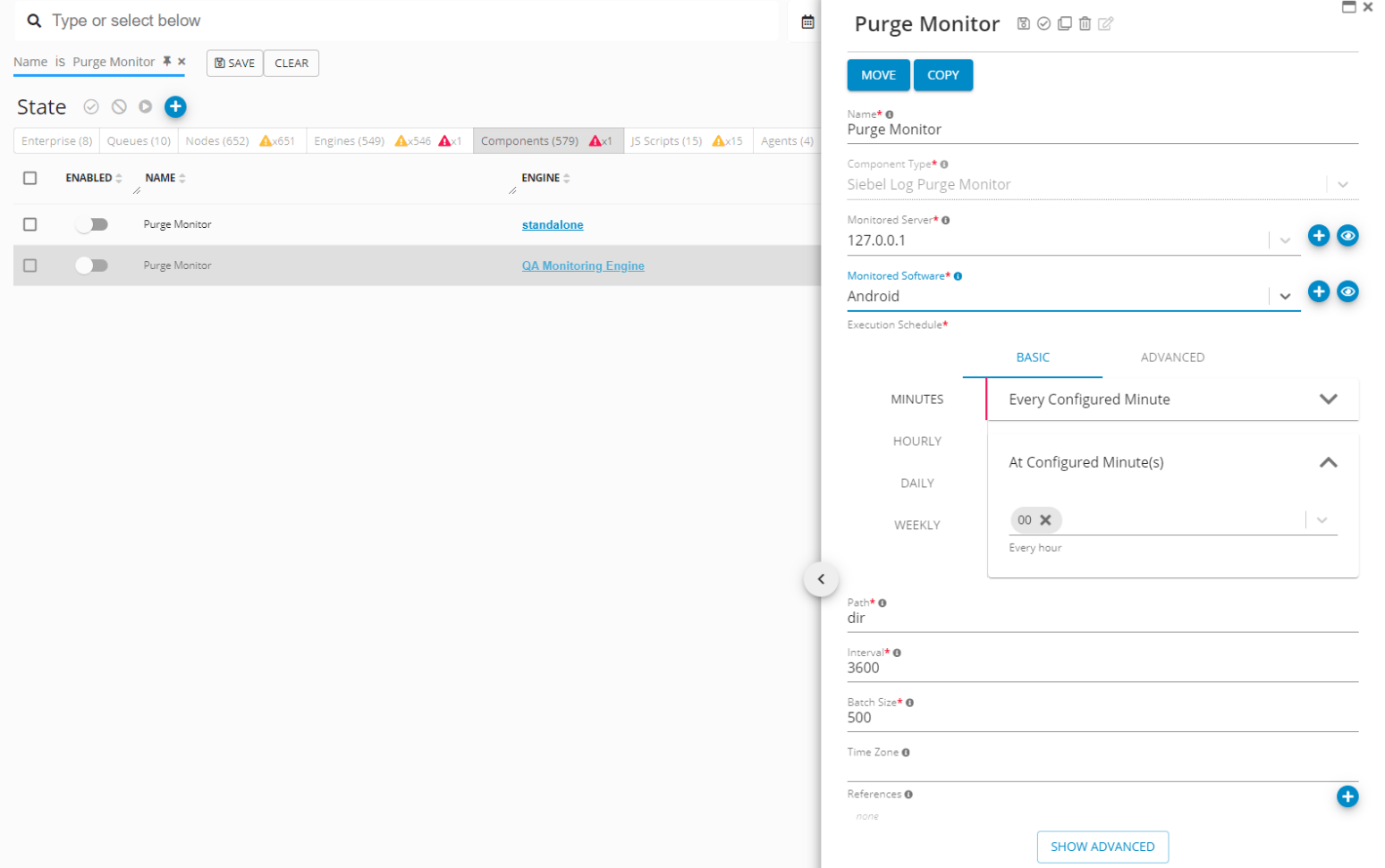
Purge Monitor component settings in State view - GermainUX
Configuration Console
Open:Safety Checklist
Before enabling a recurring purge:Get Help
Contact GermainUX Support
The GermainUX team helps you get up and running faster, empower your team, turn data into actionable insights, and optimize performance to deliver measurable business outcomes.
Can't Find What You Need?
Search all GermainUX docs with Ctrl + K, or use the feedback buttons at the bottom of this page to tell us what is missing.
The content of this document is proprietary to GERMAIN SOFTWARE.