

Configuration
Archive schedule and paths
Safety and Validation
Preview files before deleting
Overview
GermainUX can archive files automatically on a configured schedule. For example, an Executor component can compress log files older than a specified number of days, move the archives to another location, and remove the original files after successful archival. Executor components can run commands locally or through a remote GermainUX Engine. Their output can also be processed by a Drools rule when additional analysis, validation, or data extraction is required.Configuration
Step 1: Create a Local Executor Component
Create a component of type Local Executor and configure the archive command.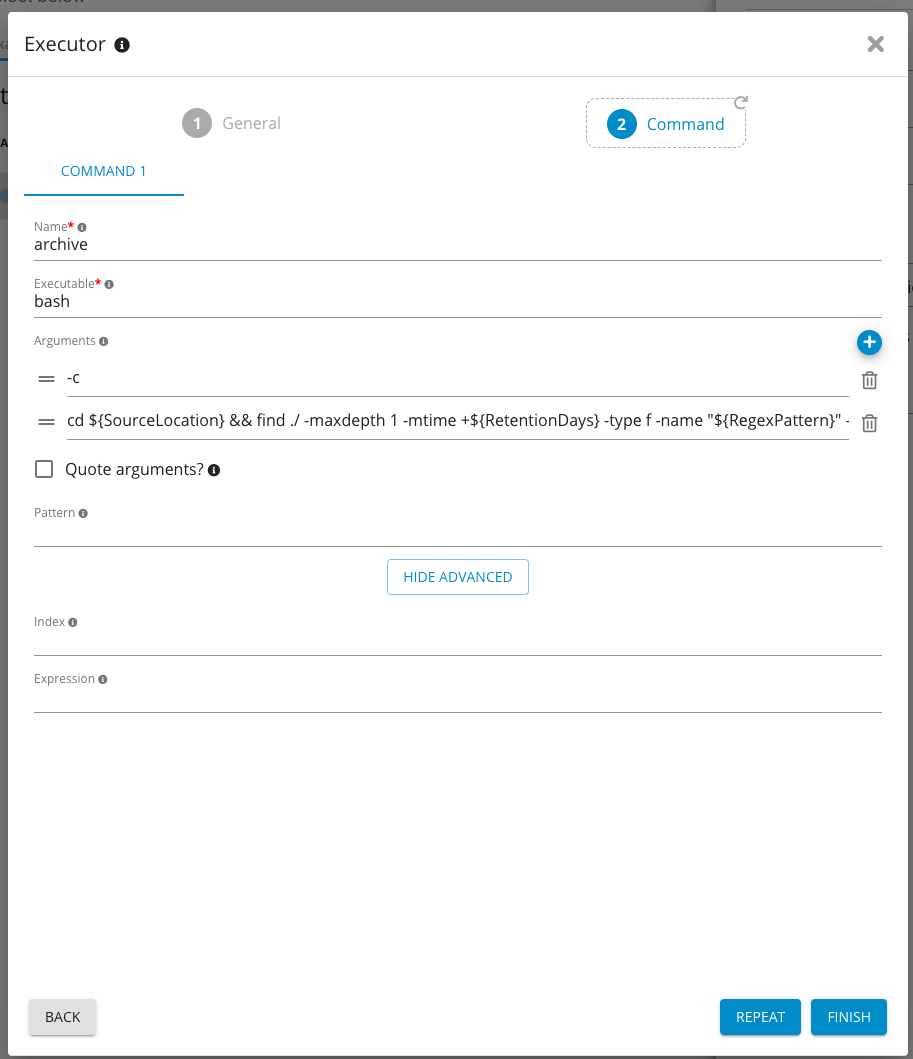
Local Executor component configuration for file archiving - GermainUX
- Searches the source directory.
- Selects files matching the configured filename pattern.
- Selects files older than the retention period.
- Compresses each file as a
.tar.gzarchive. - Moves the archive to the target directory.
- Removes the original file only after the archive has been created and moved successfully.
Deployment References
Configure the following values as references when deploying the component:FilePattern uses shell wildcard matching rather than a regular expression.
Example Values
Step 2: Deploy the Component
Deploy the Local Executor component to the required GermainUX Engine:- Select the target Monitoring Node and Engine.
- Configure the deployment references.
- Set the execution interval.
- Deploy the component.
- Run it manually once to validate the configuration.
- Confirm that the archives were created and moved successfully.
- Enable the recurring schedule.
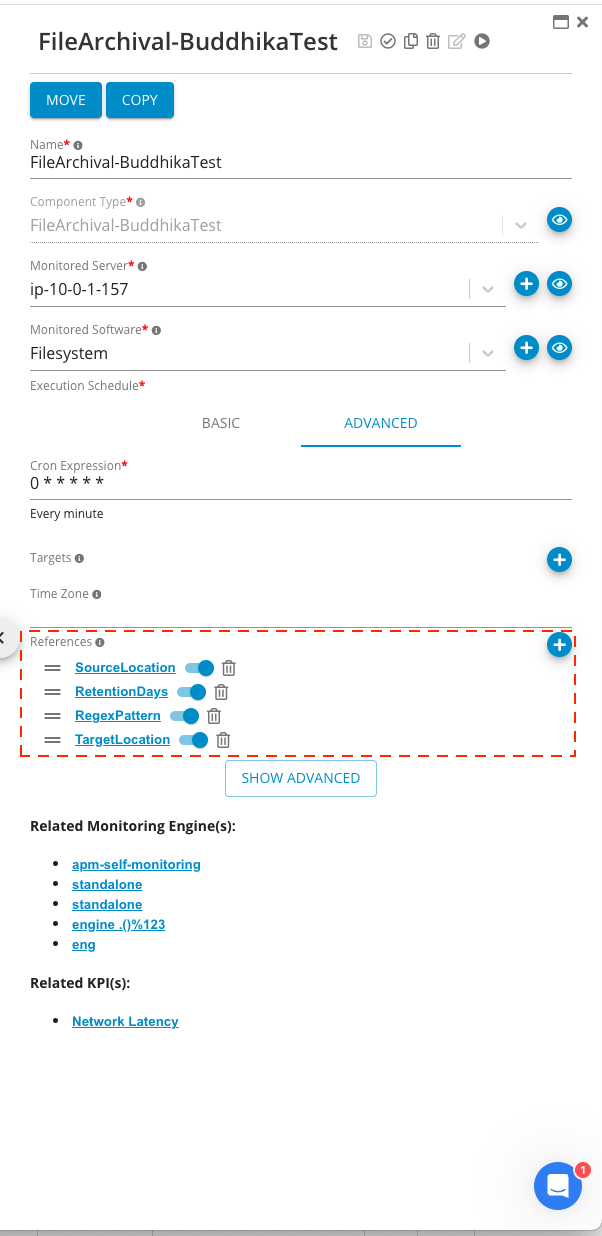
Deployed FileArchival component with references and schedule - GermainUX
Safety and Validation
This automation deletes source files after successful archival. Before enabling the schedule:- Confirm that
SourceLocationandTargetLocationresolve to the intended directories. - Confirm that the target directory exists and is writable.
- Test the filename pattern with
findbefore enabling deletion. - Use a nonproduction directory for the first test.
- Confirm that generated archives can be opened.
- Verify available disk space in both locations.
- Ensure that no application still requires access to the selected files.
- Run the Engine under an account with only the permissions required for this task.
Get Help
Contact GermainUX Support
The GermainUX team helps you get up and running faster, empower your team, turn data into actionable insights, and optimize performance to deliver measurable business outcomes.
Can't Find What You Need?
Search all GermainUX docs with Ctrl + K, or use the feedback buttons at the bottom of this page to tell us what is missing.
The content of this document is proprietary to GERMAIN SOFTWARE.