

About HAR Files
What HAR files contain
Import a HAR File into GermainUX
Turn traffic into scenarios
Export a HAR File from GermainUX
Save captured session traffic
Security Considerations
Handle HAR data carefully
Overview
An HTTP Archive—or HAR—file is a JSON-formatted record of the HTTP and HTTPS requests exchanged between a browser and a web application. HAR files typically use the.har extension.
Importing a HAR file is one of the fastest ways to create a GermainUX synthetic HTTP scenario from an existing user journey.
A HAR-based scenario reproduces the journey at the HTTP protocol level. It does not reproduce browser rendering, clicks, JavaScript behavior, or visual interactions. Use a Click-based synthetic scenario when those browser-level behaviors must be tested.
About HAR Files
A HAR file can contain details such as:- Request URLs
- HTTP methods
- Request and response headers
- Query parameters
- Request payloads
- Response status codes
- Timing information
- Resource types
- Cookies and authentication data, when captured
Create a HAR File from a Browser Session
Follow these steps to export a HAR file from a browser:1
Open the target web application
Navigate to the application you want to record.
2
Open the browser’s developer tools
Use the browser menu or press F12 to open developer tools.
3
Select the Network tab
Click the Network tab to view HTTP requests.
4
Confirm that network recording is enabled
Ensure the recording button is active in the Network tab.
5
Clear any unrelated requests
Clear existing requests to avoid capturing unnecessary traffic.
6
Perform the workflow you want GermainUX to reproduce
Complete the user journey or transaction steps.
7
Export the captured network activity as a .har file
Use the export option in the Network tab to save the HAR file.
8
Review and sanitize the file before importing it into GermainUX
Remove sensitive data such as credentials and tokens before importing.
Import a HAR File into GermainUX
A HAR file can be imported to generate an executable HTTP scenario.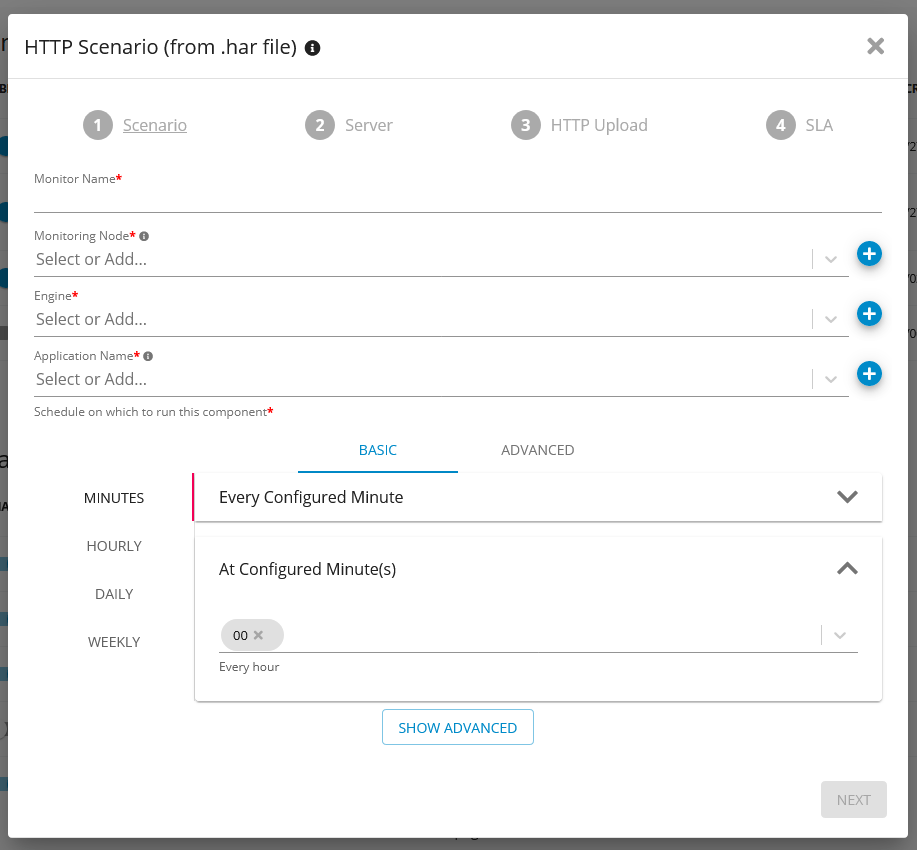
HTTP Scenario from HAR file wizard with scenario, server, upload, and SLA steps - GermainUX
- Open the GermainUX HTTP configuration page.
- Select the Add icon above HTTP Scenarios.
- Choose HTTP Scenario (from .har file).
- Select where the scenario will execute, including the Monitoring Node and Engine.
- Select Next.
- Configure the protocol and target server.
- Select the Import icon.
- Choose the
.harfile. - Review the number of HTTP requests generated from the file.
- Remove requests that should not be included in the synthetic scenario.
- Configure authentication, variables, validations, and request dependencies as required.
- Optionally configure an SLA for the complete scenario.
- Configure the execution schedule.
- Finish the wizard to create and deploy the HTTP scenario.
- Each request reaches the correct endpoint.
- Authentication works.
- Dynamic tokens and session values are handled correctly.
- Responses meet the expected conditions.
- The total duration and SLA are calculated correctly.
Export a HAR File from GermainUX
To export the HTTP and HTTPS requests captured during a monitored user session:- Open the applicable session or transaction in the GermainUX Analysis Dashboard.
- Locate the network or issue-details section.
- Select Export.
- Choose the HAR format.
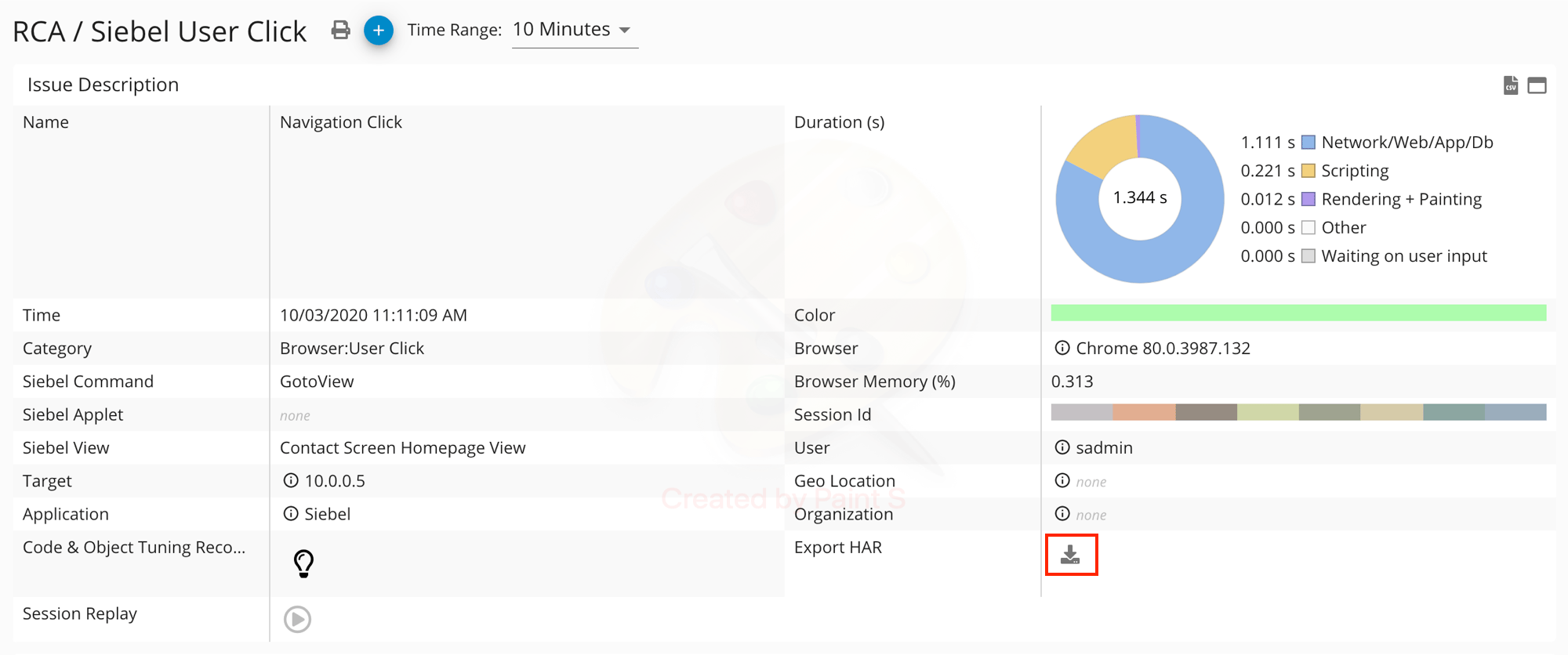
Analysis Dashboard showing Export HAR button for a Siebel User Click session - GermainUX
- Save the generated
.harfile.
Security Considerations
HAR files can contain sensitive information, including:- Cookies
- Authorization headers
- Session tokens
- Query-string values
- Form submissions
- API payloads
- Personal or business data
- Remove credentials, tokens, and unnecessary cookies.
- Replace production secrets with secure GermainUX credential references.
- Restrict access to authorized users.
- Apply the organization’s retention and data-handling policies.
- Avoid committing HAR files containing sensitive data to source control.
- Confirm that the synthetic scenario targets an authorized environment.
HAR-Based vs. Click-Based Scenarios
Get Help
Contact GermainUX Support
The GermainUX team helps you get up and running faster, empower your team, turn data into actionable insights, and optimize performance to deliver measurable business outcomes.
Can't Find What You Need?
Search all GermainUX docs with Ctrl + K, or use the feedback buttons at the bottom of this page to tell us what is missing.
The content of this document is proprietary to GERMAIN SOFTWARE.