

Configure ZooKeeper
Prepare ZooKeeper for GermainUX
Run ZooKeeper as a Windows Service
Install as Windows service
Bootstrap the GermainUX Configuration
Create required configuration paths
Troubleshooting
Fix ZooKeeper startup problems
Overview
Apache ZooKeeper is a centralized coordination service used by GermainUX to store configuration, synchronize distributed components, manage naming, and coordinate services.Supported Version
GermainUX supports Apache ZooKeeper3.6.3 or later.
Use the ZooKeeper version approved for your GermainUX release. Download it from the Apache ZooKeeper website.
Prerequisites
Before installing ZooKeeper, confirm that:
The instructions below configure a single ZooKeeper instance. For production environments requiring high availability, deploy a ZooKeeper ensemble according to your organization’s infrastructure standards.
Install ZooKeeper
Extract the ZooKeeper archive to the desired directory. Example installation locations: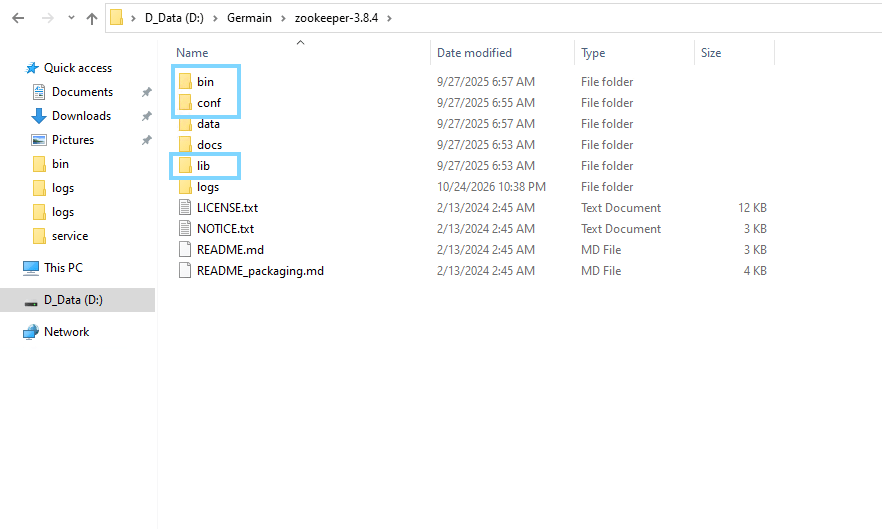
Extracted ZooKeeper installation folder
Configure ZooKeeper
1. Create the Configuration File
ZooKeeper includes a sample configuration. Copy it tozoo.cfg:
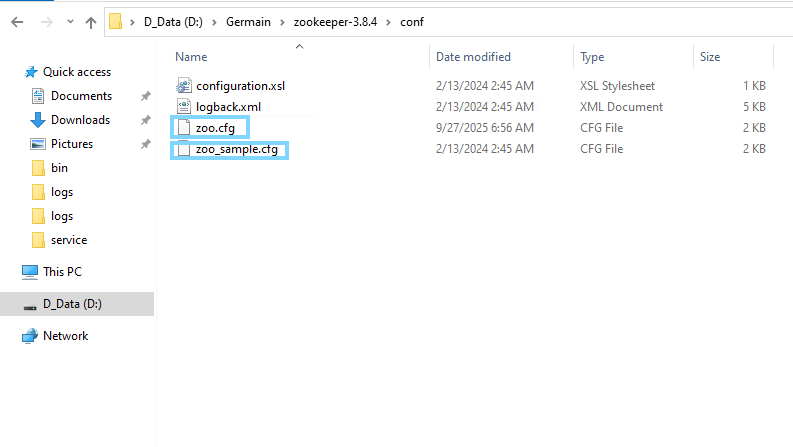
The zoo.cfg file created from zoo_sample.cfg in the conf directory
Configure the Data Directory
Openzoo.cfg and set:
Disable the ZooKeeper AdminServer
Add the following entries tozoo.cfg:
Verify the Client Port
The standard ZooKeeper client port is: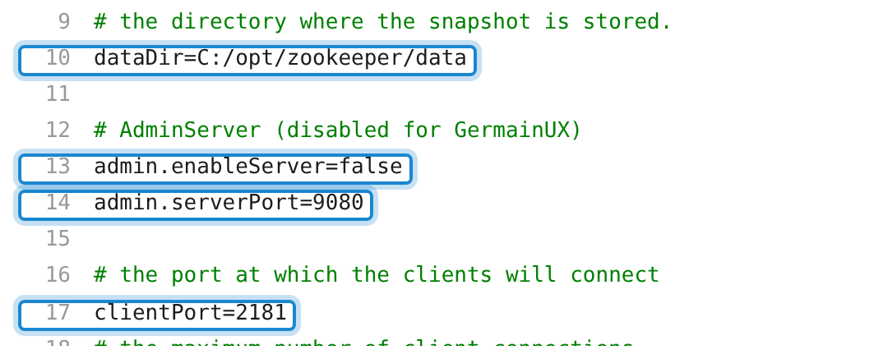
ZooKeeper settings configured in zoo.cfg
Start ZooKeeper Manually
Manual startup is suitable for development, testing, and initial validation. Run ZooKeeper as an operating-system service in production.Linux
Start ZooKeeper: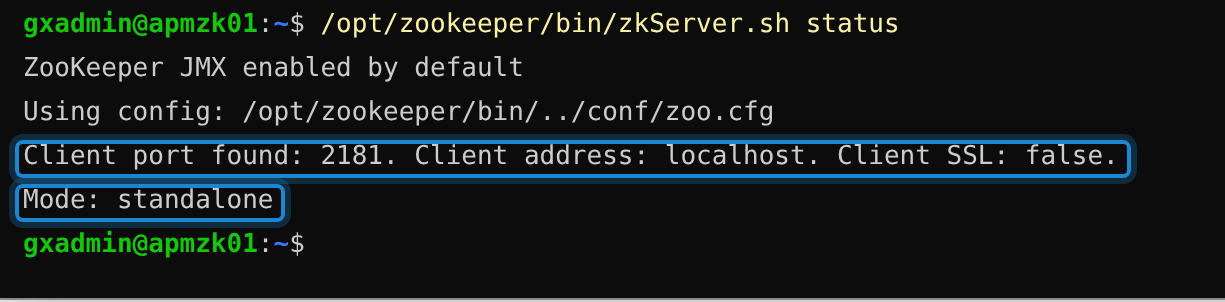
Checking the ZooKeeper server status
Windows
Open Command Prompt and run:Run ZooKeeper as a Windows Service
GermainUX provides the files required to install ZooKeeper as a Windows service.1. Copy the Service Files
Copy the following files from:bin directory:
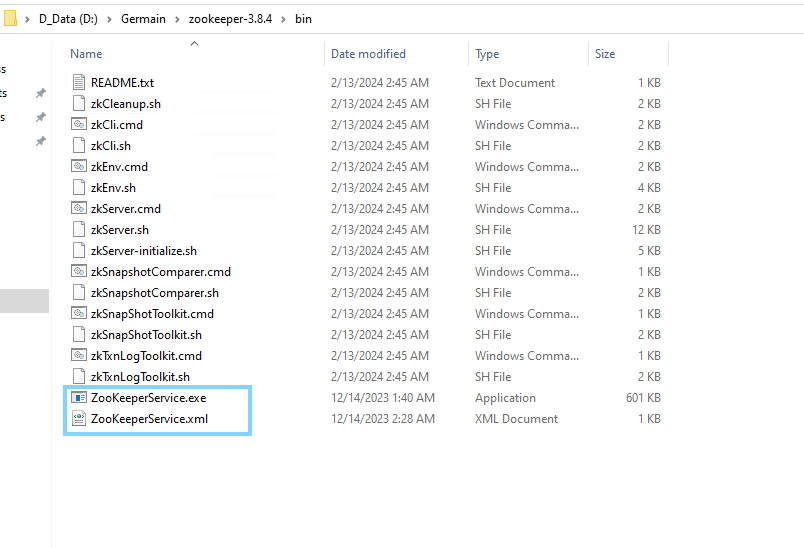
ZooKeeperService.exe and ZooKeeperService.xml copied into the ZooKeeper bin directory
Review the Service Configuration
Before installing the service, verify the following settings inZooKeeperService.xml:
- ZooKeeper installation directory
- Java executable or Java home
zoo.cfglocation- JVM memory settings
- Log directory
- Windows service name
- Service account, when applicable
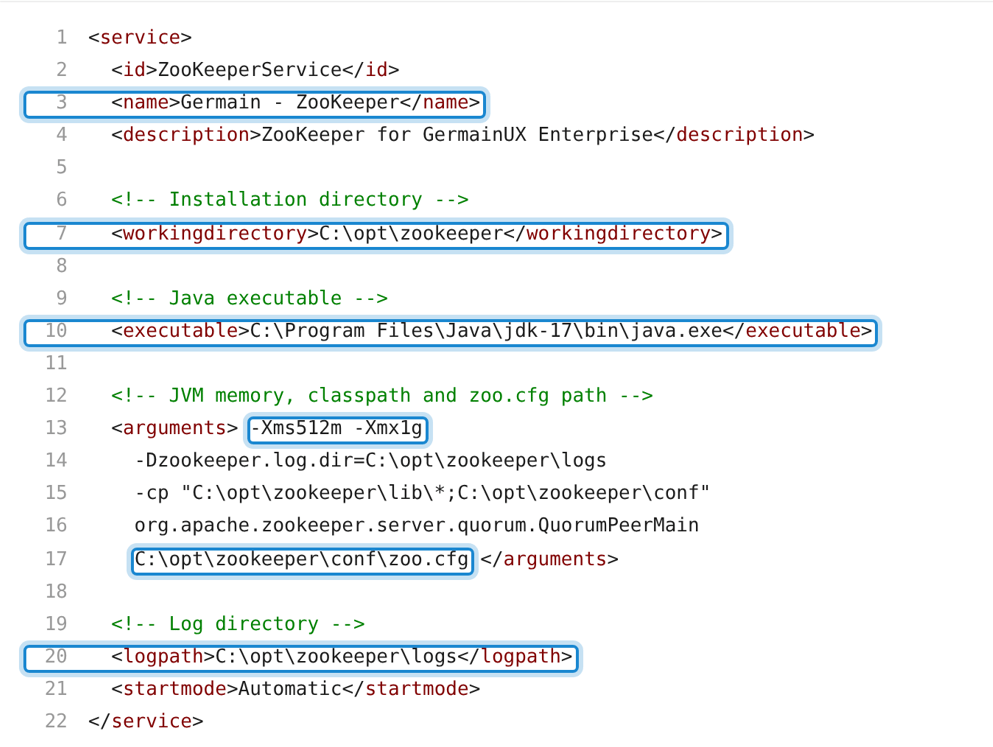
Service settings to review in ZooKeeperService.xml
Install the Service
Open Command Prompt as an administrator, navigate to the ZooKeeperbin directory, and run:

Installing the ZooKeeper Windows service
Start the Service
Start the Apache ZooKeeper Windows service using the Windows Services console or your organization’s service-management process. Configure the startup type asAutomatic when ZooKeeper must start with Windows.
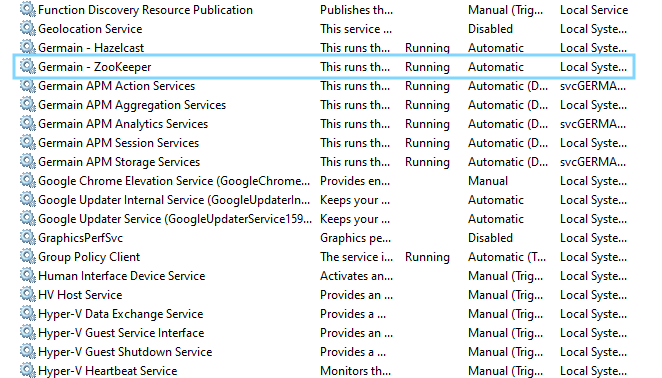
The Germain - ZooKeeper service running with the Automatic startup type in the Windows Services console
Bootstrap the GermainUX Configuration
After starting ZooKeeper, create the configuration paths required by GermainUX.1. Open the ZooKeeper CLI
On Linux:2. Create the Required Paths
Run the following commands inside the ZooKeeper CLI:germain is the environment name.
Change it only when multiple GermainUX environments share the same ZooKeeper cluster. For example:
Import an Existing common.properties File
Existing settings can be imported using the GermainUX ZkConfig utility from:
- The ZooKeeper hostname and port
- The ZooKeeper path under which the settings will be stored
- The path to the
common.propertiesfile
Startup Order
Use the following startup sequence:Validate the Deployment
Test the ZooKeeper Connection
Open the ZooKeeper CLI:Verify the GermainUX Configuration
From the ZooKeeper CLI, run:Verify the Listening Port
On Linux: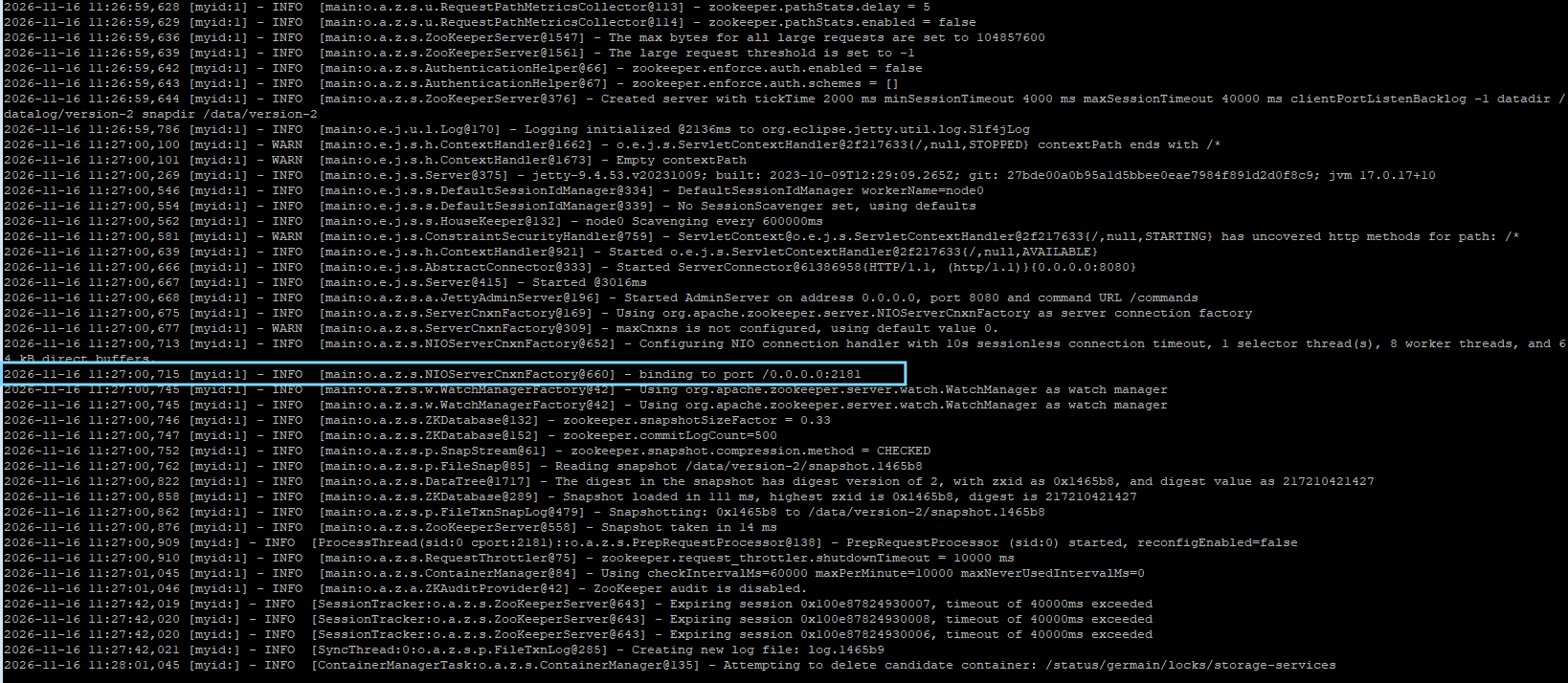
ZooKeeper startup log confirming the server is binding to client port 2181
Production Considerations
For production deployments:- Run ZooKeeper as an operating-system service.
- Configure automatic startup and restart.
- Use a three- or five-member ensemble when high availability is required.
- Store ZooKeeper data on reliable, dedicated storage.
- Monitor disk usage, JVM memory, latency, and ensemble health.
- Restrict port
2181to authorized systems. - Configure authentication and access-control lists where required.
- Protect configuration values containing credentials or secrets.
- Back up ZooKeeper configuration and data.
- Keep all ensemble members on compatible ZooKeeper versions.
Troubleshooting
ZooKeeper Does Not Start
Check for:- Missing or incompatible Java runtime
- Invalid
zoo.cfgsettings - An unavailable data directory
- Incorrect directory permissions
- A port conflict on
2181 - Insufficient disk space
- Incorrect Windows service paths or arguments
GermainUX Cannot Connect
Verify that:- ZooKeeper started before GermainUX.
- The configured hostname resolves correctly.
- The client port is listening.
- Firewalls permit the connection.
- GermainUX uses the correct environment root.
- ZooKeeper is listening on an interface reachable from the GermainUX hosts.
- Authentication settings match on both sides.
Bootstrap Commands Fail
If a command reports that a node already exists, inspect its value before changing or deleting it:Get Help
Contact GermainUX Support
The GermainUX team helps you get up and running faster, empower your team, turn data into actionable insights, and optimize performance to deliver measurable business outcomes.
Can't Find What You Need?
Search all GermainUX docs with Ctrl + K, or use the feedback buttons at the bottom of this page to tell us what is missing.
The content of this document is proprietary to GERMAIN SOFTWARE.