

Requirements
What you need first
Obtain the Package and License
Match the exact release version
Installation
Download, extract and start
Overview
Use Quick Start for: evaluation, initial configuration, demonstrations, development, and functional testing.Requirements
Hardware
The host must provide at least:
Additional storage may be required depending on monitoring volume, Session Replay, and retention.
Software
Install:- Docker
- Docker Compose
wgetor another file-download utilityunzip

Docker and Docker Compose versions confirm that both are installed and running.
docker compose with docker-compose in the commands below.
Access and Network
You also need:- Administrator or root access to the host
- Outbound access to download the GermainUX packages
- A valid GermainUX license
- Access to the GermainUX Workspace port
- SMTP connectivity if email alerts or reports will be tested
Obtain the Package and License
See the links below to download the current GermainUX Quick Start package and the optional GermainUX Engine distribution files. Contact Germain Software to obtain a license key to evaluate GermainUX.Installation
Download and extract the GermainUX package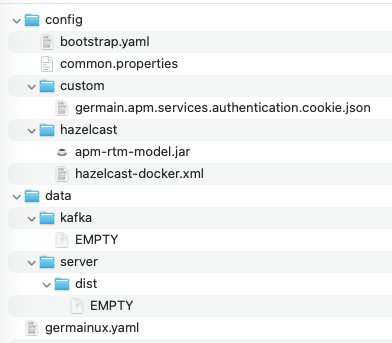
The extracted germainux folder contains the config and data directories and the germainux.yaml file.

Update Email Settings (Optional)
Update the email settings in the included common.properties file to match your SMTP server: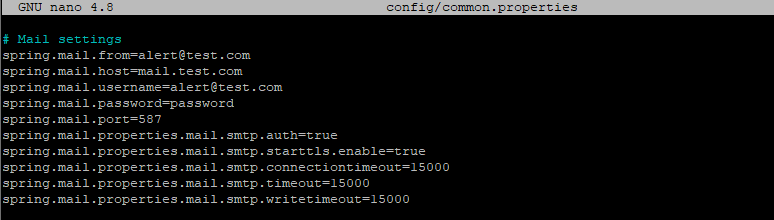
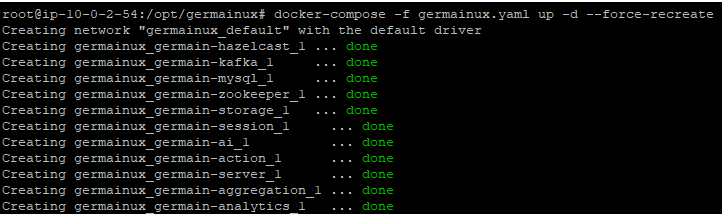

docker ps
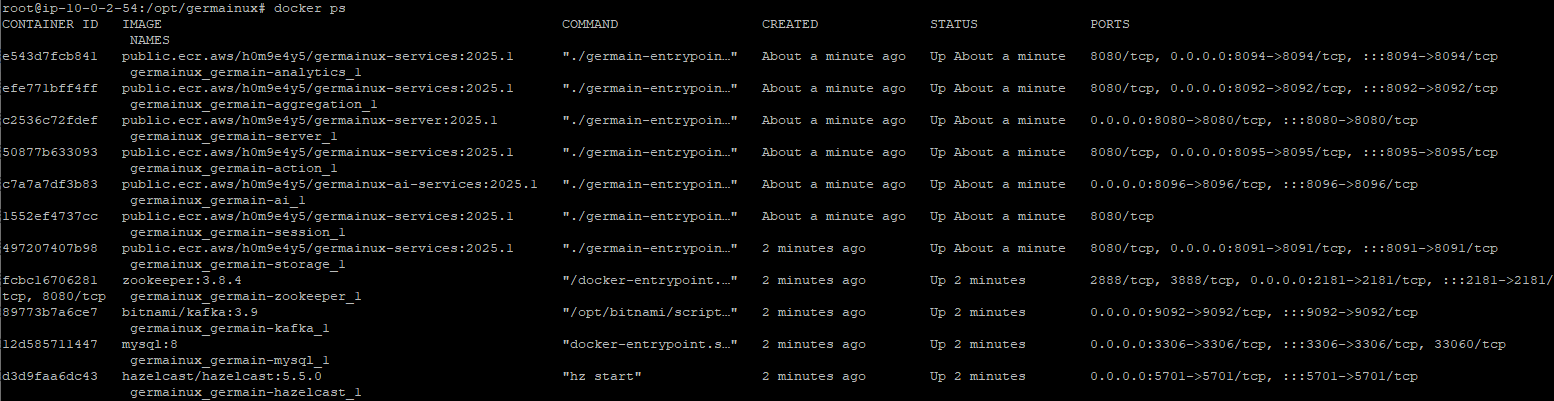
docker-compose -f germainux.yaml down
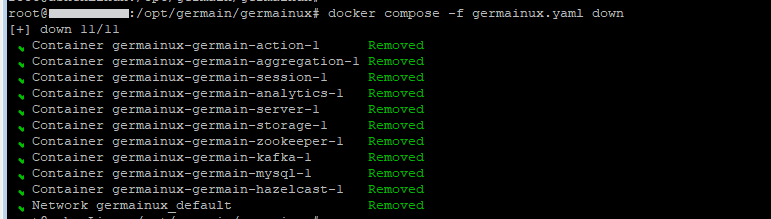
Stopping the containers with docker-compose down removes each GermainUX container.
Next Steps
After validating the Quick Start environment:- Change all default credentials.
- Configure users and access permissions.
- Configure a monitored application.
- Deploy the required GermainUX Engine, Agent, profiler, or RUM component.
- Validate data collection and dashboards.
- Configure data privacy and retention.
- Plan a production architecture before expanding monitoring.
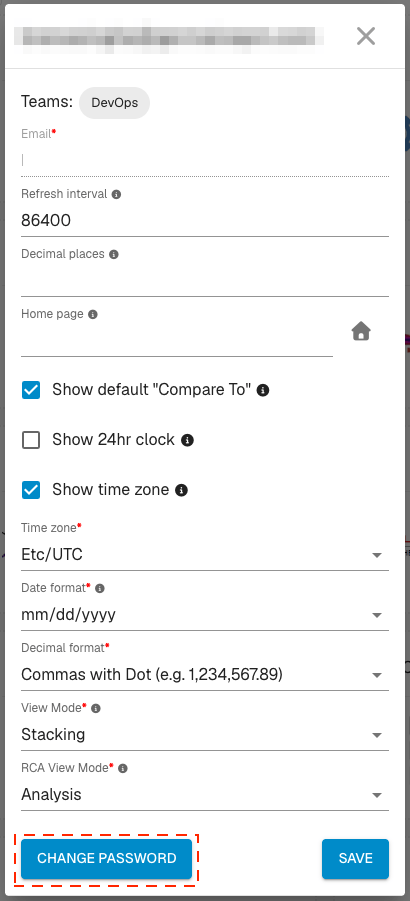
Change the default admin credentials in the GermainUX Workspace after the first sign-in. Click on the User icon in the top right corner and click on Settings.
Get Help
Contact GermainUX Support
The GermainUX team helps you get up and running faster, empower your team, turn data into actionable insights, and optimize performance to deliver measurable business outcomes.
Can't Find What You Need?
Search all GermainUX docs with Ctrl + K, or use the feedback buttons at the bottom of this page to tell us what is missing.
The content of this document is proprietary to GERMAIN SOFTWARE.