

Charts and Graphs
Render results as charts
Tables
Formatted report tables
Calls to Action
Trigger actions from alerts
Template Context Data
Objects available to templates
Overview
The GermainUX Template Editor defines the content, formatting, charts, tables, links, and actions included in alerts and reports.Open a Template
You can open a template in three ways.From an SLA
In the left menu, go to Settings > Analytics > SLAs, select an SLA, and click Edit Template.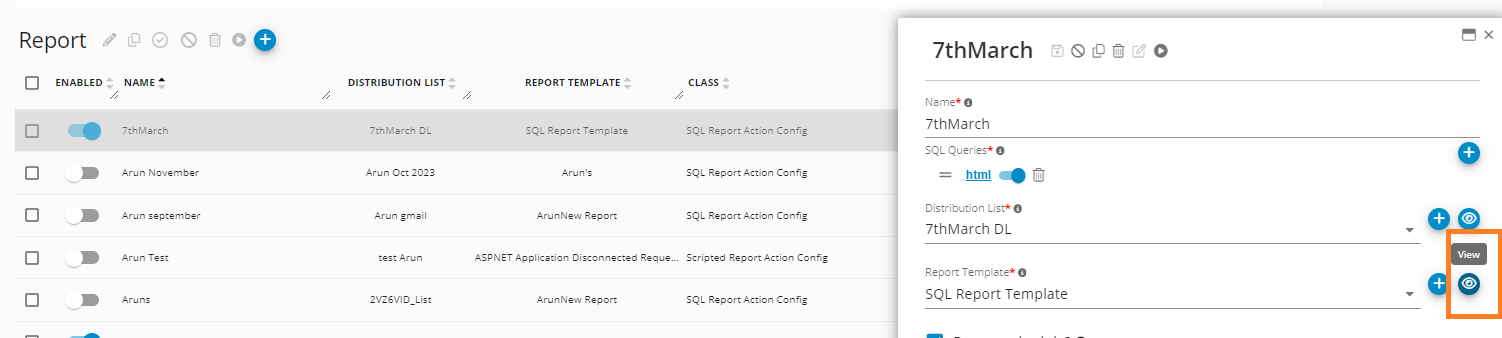
Edit Template from an SLA - GermainUX
From the Templates page
In the left menu, go to Settings > System > Templates and select a template.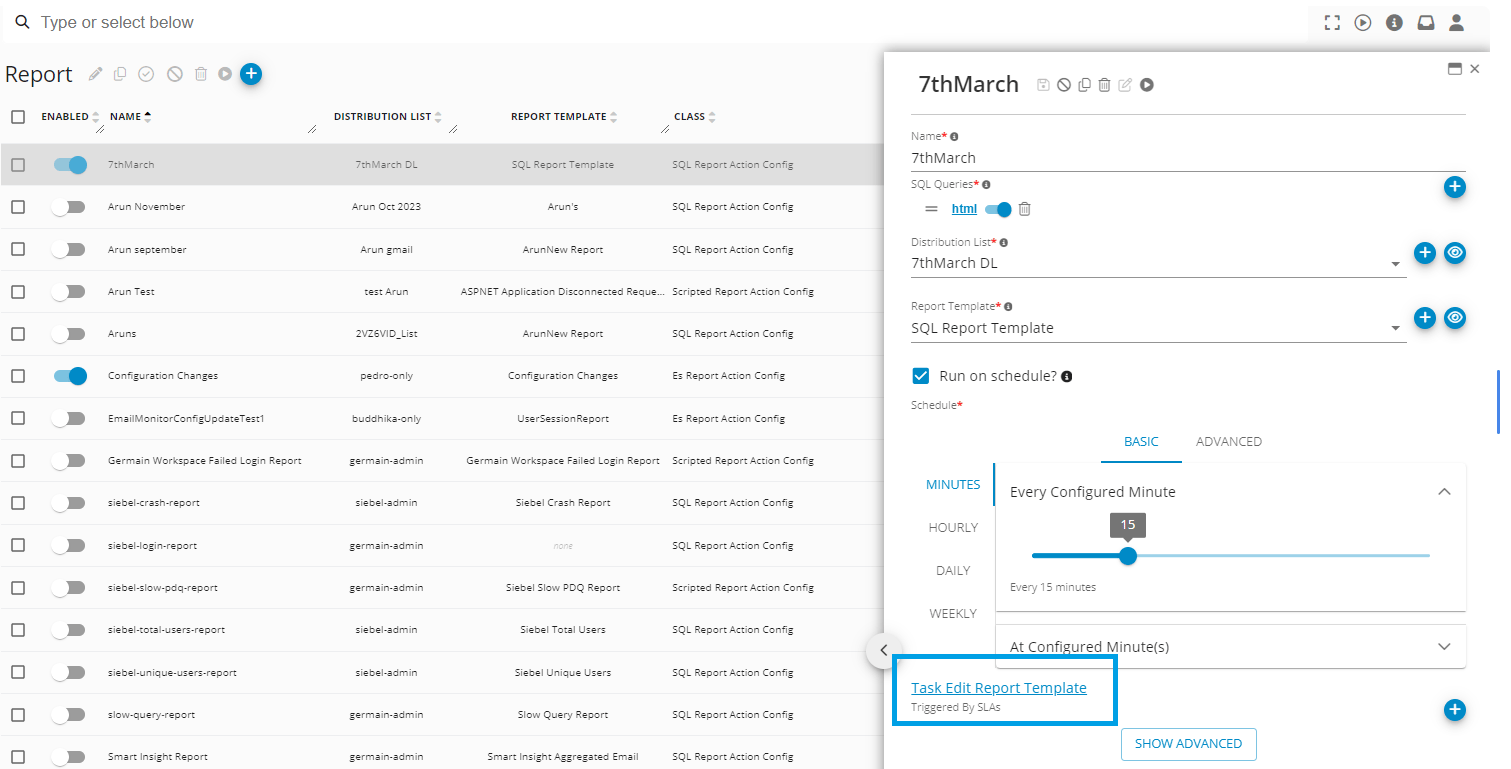
Templates Page - GermainUX
From a report
In the left menu, go to Settings > Actions > Report, select a report, and click Edit Template or View Template. When editing a report template, use View to preview the generated report and verify the result.Charts and Graphs
Report templates can render query results as charts. In these examples,context.at(0) refers to the first report result set. The .inline(800, 400) method embeds a chart at 800 × 400 pixels.
Area Chart
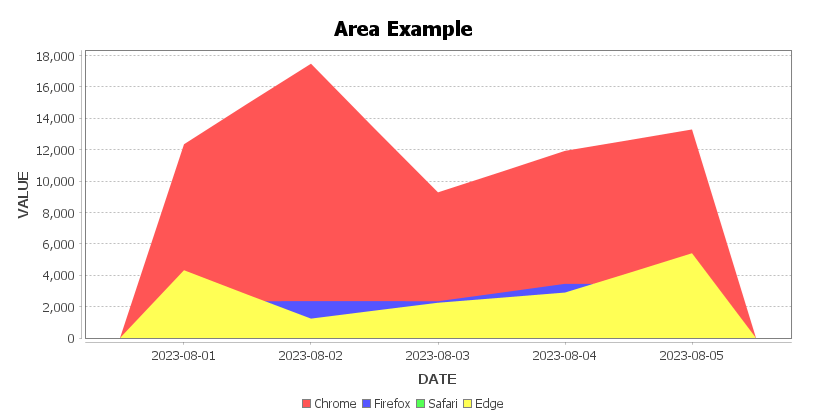
Use
DATE for the horizontal axis, VALUE for the vertical axis, and NAME to identify each series:
Bar Chart
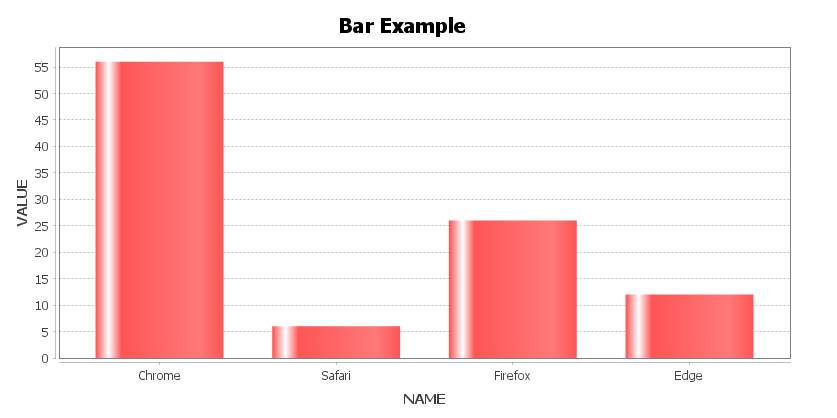
Histogram
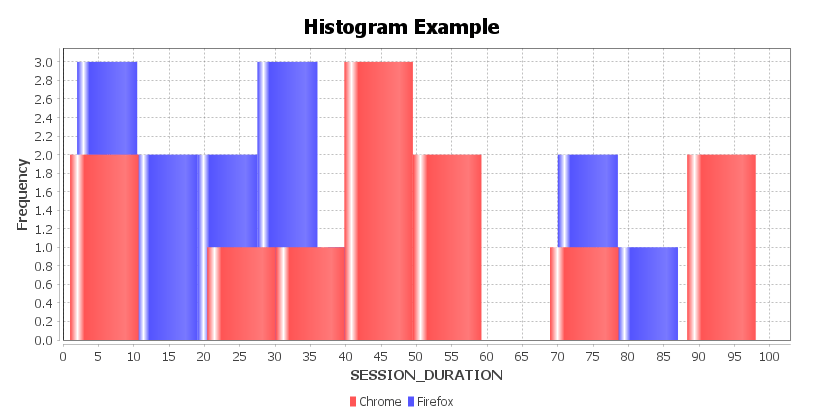
SESSION_DURATION with a bucket size of 10 and uses BROWSER to identify the series:
Pie Chart
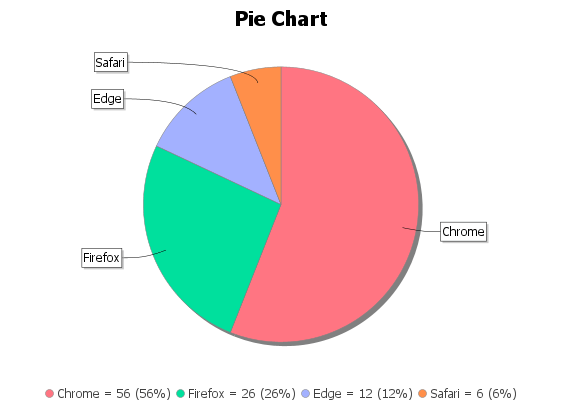
Ring Chart
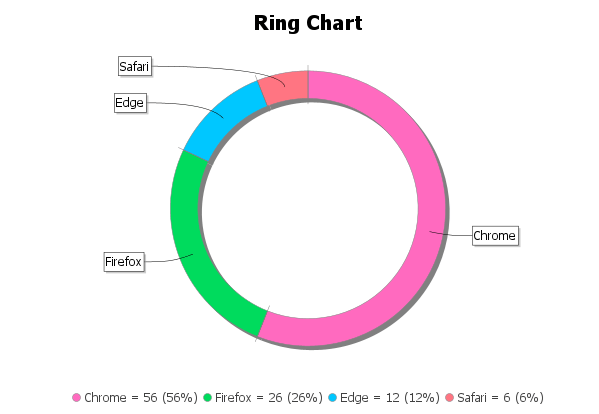
Trend Chart
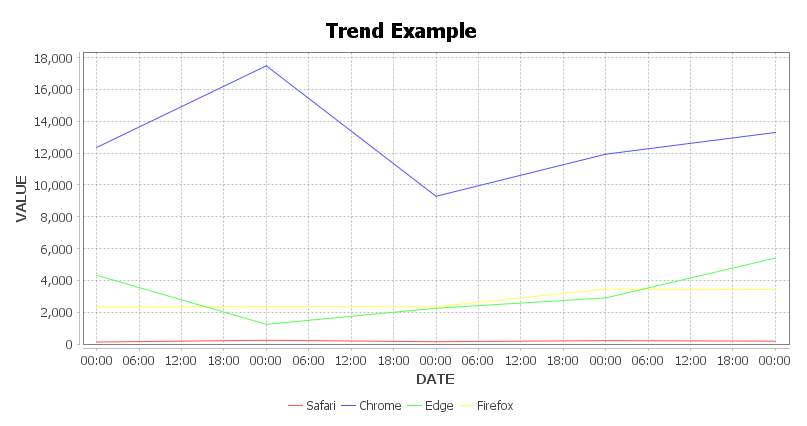
DATE, VALUE, and NAME. The trend chart automatically fills gaps in the timeline:
Links to GermainUX
Use the${links} shortcut variable to direct recipients to a GermainUX dashboard, drill-through view, or Analysis screen.
Dashboard with a Predefined Time Range
Drill-Through for a KPI and Time Range
Analysis Screen for a Specific Data Point
Link-Building Order
Build methods in the same order as the corresponding GermainUX navigation path:Tables
GermainUX provides utility functions for generating formatted tables from report results.Simple Result Table
Custom Table Styles
Custom Column Labels
Number Formatting
This example limits the fractional part to three digits and appends a percent sign:Date and Time Formatting
Duration Formatting
Drill-Through Link with a Custom Time Range
Drill-Through Link with a Custom Filter
Microsoft Teams Templates
To post an alert or report to a Microsoft Teams channel, the template needs a Teams version. In the template editor, switch to the Teams tab. In the template wizard, use the Teams Template step. The default SLA and SLA-RECOVERY templates already have one, and the out-of-the-box test-report template is a working report example. Teams templates differ from email templates:- They are FreeMarker that outputs only an Adaptive Card (
"type": "AdaptiveCard"with a"version"), not the Teams message wrapper. There’s no title field. - Escape every value inside a JSON string with
?json_string, for example"text": "${kpi.name?json_string}". One unescaped quote or newline breaks the whole card. - Use
cards.table()for tables.tablesandchartsproduce HTML and don’t work in Teams.cards.table()shows 20 rows by default; change it withmaxRows(n). <#include>loads the Teams version of the included template. The shared SLA blocks (SLA-SUMMARY, SLA-ADDINFO, and others) don’t have one, so Teams templates must be self-contained.- Cards are limited to about 28 KB. The preview warns at 75% of the limit, and larger cards aren’t posted.
Calls to Action
A call to action (CTA) allows an alert recipient to trigger a configured GermainUX action by clicking a link. Examples include:- Starting, stopping, or restarting an application, service, server, or database
- Creating a ticket in an external system
- Updating a database
- Executing SQL, a script, an SSH command, or a local program
- Generating a report
Action-Link Parameters
Service-Restart Example
This example executes the
restartservice action and passes the service name through app and the hostname through server.
The <#if> condition prevents GermainUX from generating the link when any required value is missing. It checks:
context.factcontext.fact.namecontext.fact.systemcontext.fact.system.hostname
Template Context Data
Templates can reference the following root objects:
The structure of
context depends on alertType. Each alert type can expose different objects, but the structure remains consistent for alerts of the same type.
SLA Alert Context
For SLA alerts,context.fact can contain one of these fact types:
Note: Statistical SLA alerts do not provide a
fact object.Fact Definitions
See Data Model and Facts for the fields available to each fact type.Get Help
Contact GermainUX Support
The GermainUX team helps you get up and running faster, empower your team, turn data into actionable insights, and optimize performance to deliver measurable business outcomes.
Can't Find What You Need?
Search all GermainUX docs with Ctrl + K, or use the feedback buttons at the bottom of this page to tell us what is missing.
The content of this document is proprietary to GERMAIN SOFTWARE.