

Use Cases
Links to related automation topics
Configure Automation
Wizards or Workspace setup
Operate and Monitor Automation
Monitor component status centrally
Overview
In GermainUX, Automation refers to the execution of an action, task, or transaction—manually, on a schedule, or automatically when a monitored condition occurs. Automation helps teams detect issues, execute remediation, and perform recurring operational tasks without manual intervention.Use Cases
| Use case | Example |
|---|---|
| Data updates | Automatically update or synchronize data across systems. |
| Service recovery | Restart a failed or degraded service when an SLA is breached. |
| Proactive issue detection | Execute synthetic scenarios or diagnostic checks before users are affected. |
| Incident response | Create a ticket, notify a team, or initiate remediation when an issue occurs. |
| Operational maintenance | Archive files, purge logs, execute database queries, or run administrative scripts. |
| Business transactions | Trigger an API request, workflow, or other business operation. |
Configure Automation
Automations can be created through the Wizards dashboard or the Actions and Analytics sections of the GermainUX Workspace. The Wizards dashboard groups wizards into three categories.Monitoring Config Wizards
Wizards for configuring monitoring of applications and technologies.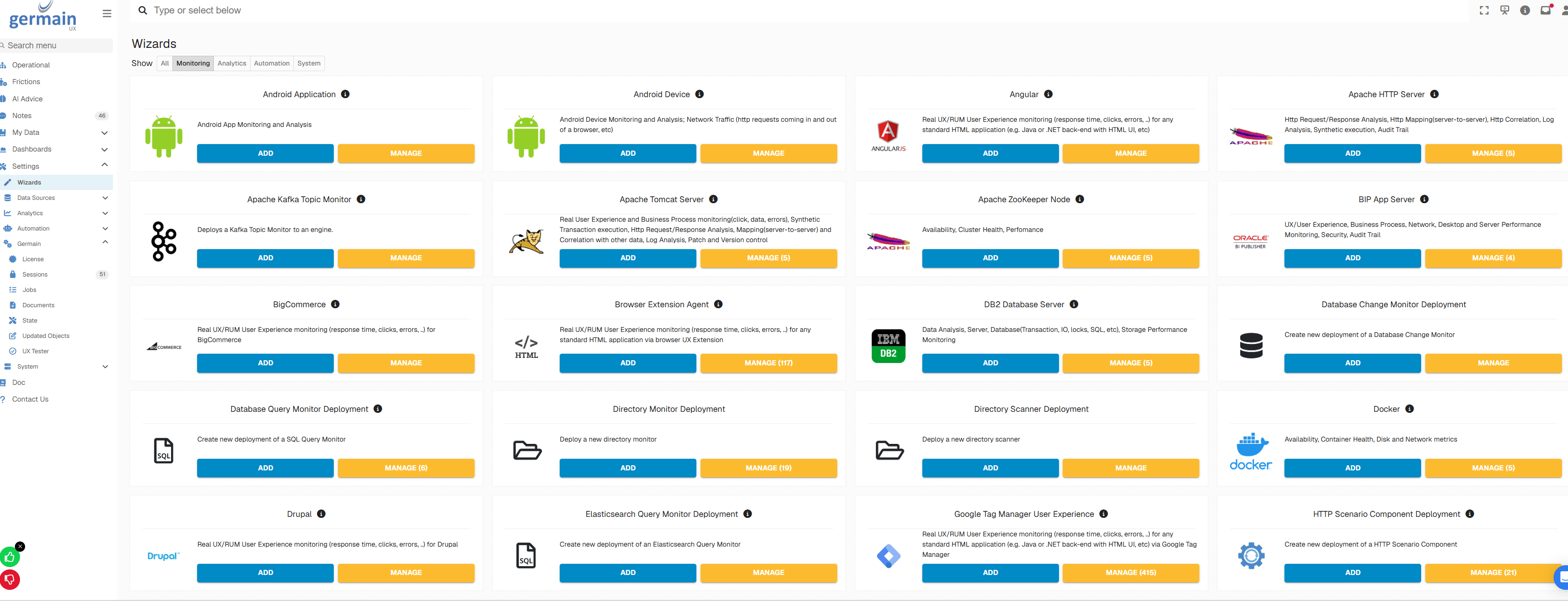
Monitoring Config Wizards - GermainUX
Automated Analytics Config Wizards
Wizards for configuring automated analytics and insights.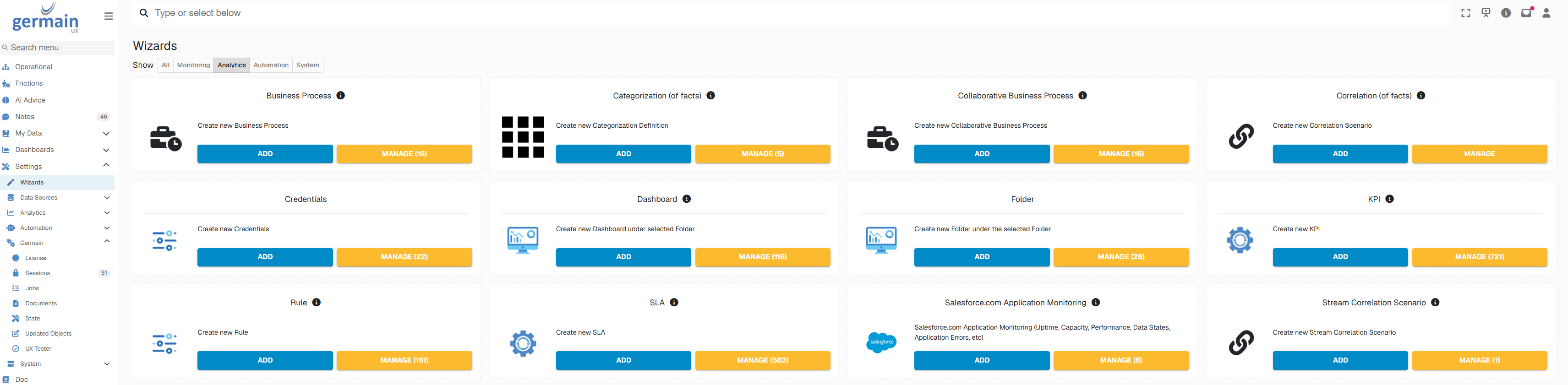
Automated Analytics Config Wizards - GermainUX
Automated Action Config Wizards
Wizards for configuring automated transactions and actions.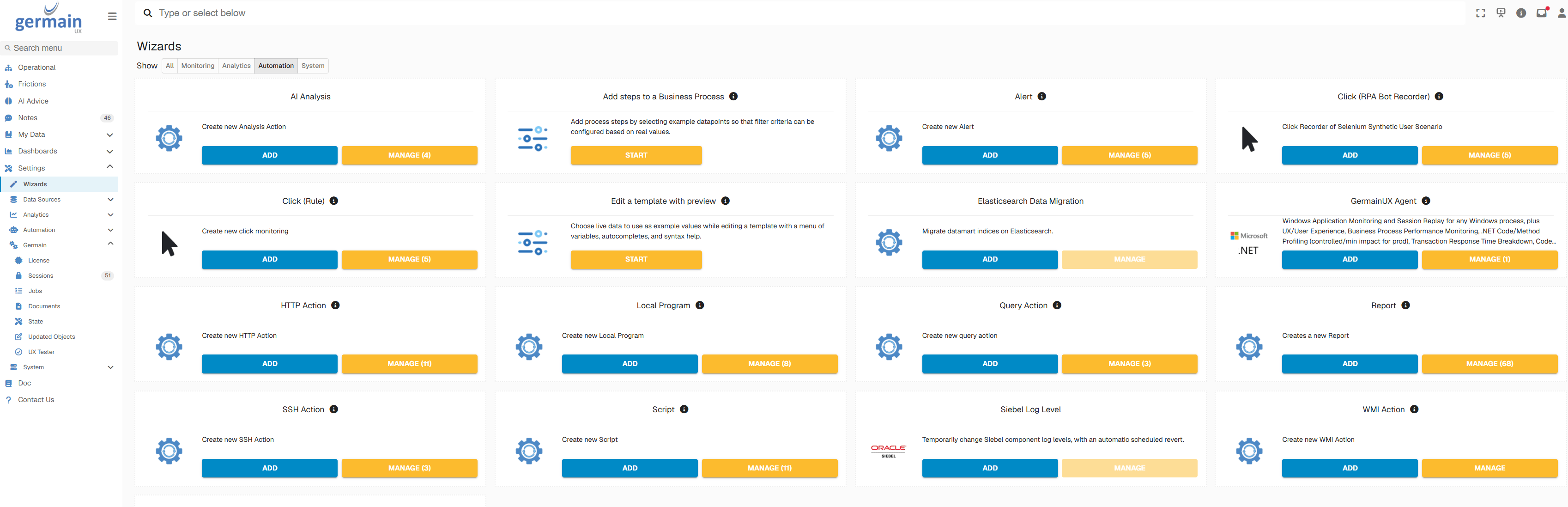
Automated Transaction Config Wizards - GermainUX
- Alerts and reports
- HTTP actions
- Local programs
- Scripts
- SQL queries
- SSH commands
- WMI commands
- Synthetic scenarios
- Rules
- Custom integrations
- Manually
- On a recurring schedule
- At a specific time
- When an SLA condition is met
- In response to another GermainUX event
Operate and Monitor Automation
The GermainUX State dashboard provides a centralized view of the operating status of analytics and automation components. From this view, authorized users can:- Verify whether components are running.
- Review their operating state.
- Inspect execution and monitoring details.
- Start or restart applicable components.
- Manage deployed configurations.
- Investigate failures.
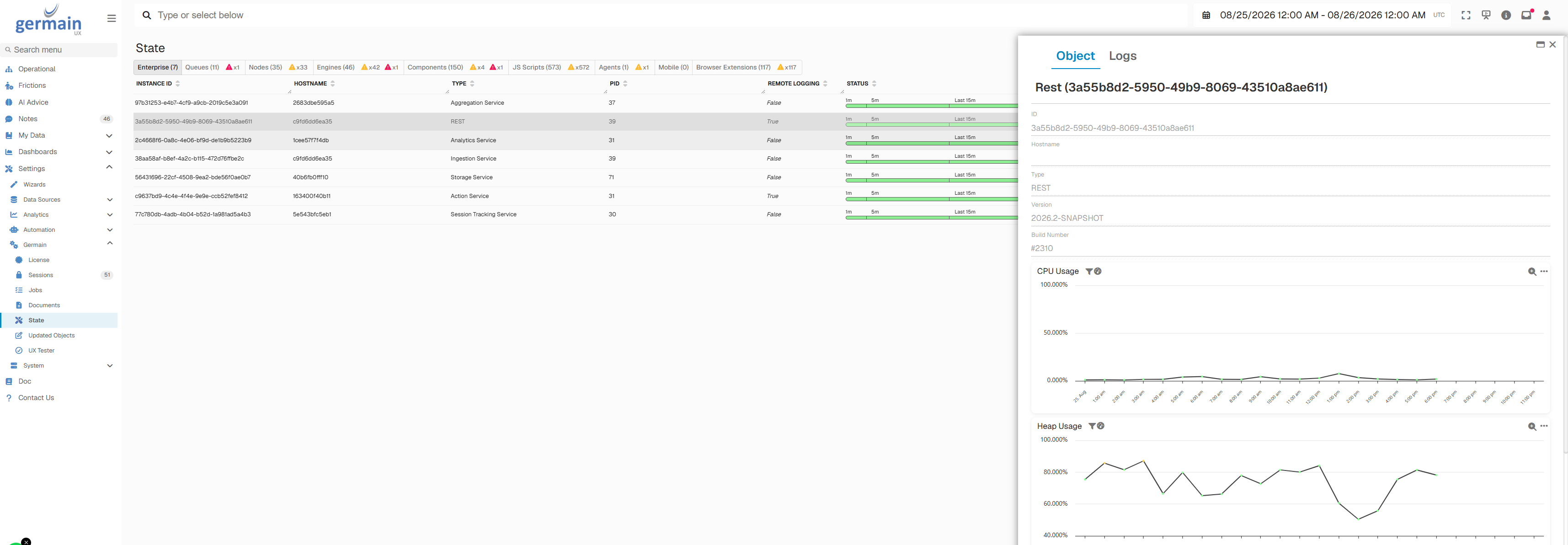
State views of GermainUX
Get Help
Contact GermainUX Support
The GermainUX team helps you get up and running faster, empower your team, turn data into actionable insights, and optimize performance to deliver measurable business outcomes.
Can't Find What You Need?
Search all GermainUX docs with Ctrl + K, or use the feedback buttons at the bottom of this page to tell us what is missing.
The content of this document is proprietary to GERMAIN SOFTWARE.