

Secure Elasticsearch and Kibana
Harden a self-managed stack
Before You Begin
Requirements before hardening
Prepare Certificates
Create and place TLS certificates
Configure Elasticsearch Security
Restrict access to the cluster
Overview
This guide explains how to secure a self-managed Elasticsearch and Kibana deployment used by GermainUX. It covers:- Authentication and authorization
- TLS between Elasticsearch nodes
- HTTPS between GermainUX and Elasticsearch
- HTTPS between users and Kibana
- Certificate trust
- Secure credential storage
- Deployment validation
- Rollback planning
Use the Elasticsearch and Kibana versions supported by your GermainUX release. Do not copy version numbers from an older example configuration.
Communication to Secure
Do not expose ports
9200, 9300, or 5601 to untrusted networks.
Security Requirements
Before production use:- Enable Elasticsearch security.
- Encrypt node-to-node transport.
- Encrypt Elasticsearch HTTP traffic.
- Encrypt browser traffic to Kibana.
- Validate certificate chains and hostnames.
- Use dedicated service accounts.
- Apply least-privilege roles.
- Store passwords in keystores or an approved secret manager.
- Restrict access through firewalls or security groups.
- Monitor certificate expiration.
- Configure backups and test recovery.
elastic superuser as the permanent GermainUX or Kibana service account.
Before You Begin
Confirm Compatibility
Confirm with Germain Software:- Supported Elasticsearch version
- Supported Kibana version
- Compatible GermainUX Elasticsearch plugin
- Required TLS settings
- Required GermainUX index permissions
- Supported authentication methods
- Required restart sequence
Prepare a Maintenance Window
Securing an existing unsecured cluster changes its endpoints from HTTP to HTTPS and may restart or replace nodes. Before proceeding:- Schedule a maintenance window.
- Take a current Elasticsearch snapshot.
- Verify that the snapshot completed.
- Record the current configuration.
- Back up Docker Compose files.
- Back up Elasticsearch and Kibana configuration.
- Export or record GermainUX connection settings.
- Prepare and validate a rollback plan.
- Stop monitoring ingestion during the final cutover when required.
Obtain Certificates
Use certificates issued by:- Your organization’s internal certificate authority
- A trusted public certificate authority
- Elastic’s certificate utility, when approved
- Elasticsearch transport TLS
- Elasticsearch HTTP TLS
- Kibana HTTPS
Prepare Certificates
Convert a PKCS#12 File—When Required
If your organization provides a.pfx or .p12 file, extract the private key and certificate only when the target configuration requires PEM files:
-nodes for production private keys unless the deployment requires an unencrypted key and compensating protections are in place.
Restrict private-key permissions:
Import the Certificate Authority into Java
GermainUX Enterprise must trust the certificate authority that signs the Elasticsearch HTTPS certificate. Import the CA certificate—not merely an individual leaf certificate—into the Java truststore used by GermainUX: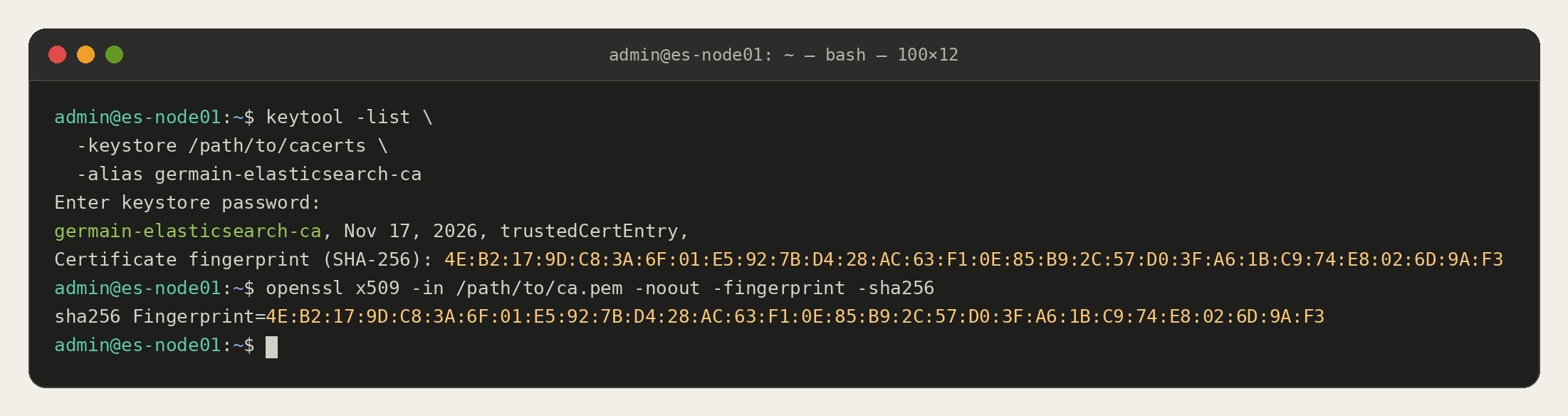
keytool -list output confirms that the Elasticsearch CA certificate is in the truststore, with its SHA-256 fingerprint.
Configure Elasticsearch Security
Enable Authentication
Enable Elasticsearch security using the supported configuration for your Elasticsearch version:Configure Transport TLS
Multi-node production clusters require encrypted and authenticated node-to-node communication. Example:Configure HTTP TLS
Enable HTTPS for GermainUX, Kibana, and other Elasticsearch clients:required only when mutual TLS has been designed and configured for every client.
Store Certificate Passwords Securely
Add PKCS#12 passwords to the Elasticsearch keystore rather than placing them in Docker Compose. For each Elasticsearch node:Mount Security Files
Example:Configure Accounts and Roles
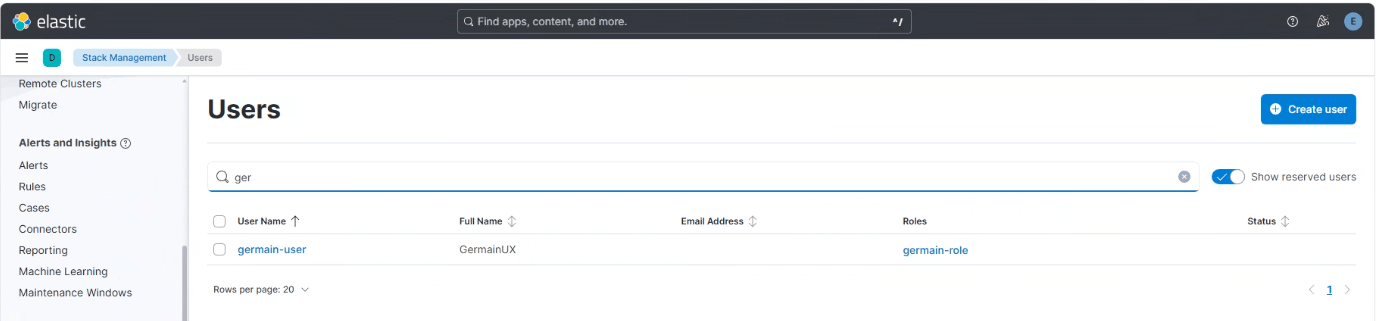
A dedicated user account in Kibana with only the roles required for its purpose.
Apply only the cluster and index permissions required by each function.
Do not configure Kibana or GermainUX to use the
elastic superuser permanently.
Configure Kibana
Connect Kibana to Elasticsearch Securely
Inkibana.yml:
kibana.yml.
Enable HTTPS for Browsers
Configure Kibana’s public HTTPS endpoint:Restrict Network Access
Recommended firewall rules:
Do not publish the Elasticsearch transport port publicly.
If ports are published by Docker, bind them to the appropriate internal interface rather than all interfaces whenever possible.
CORS
Do not configure:Configure GermainUX
Update GermainUX to use the secured Elasticsearch endpoint:- Elasticsearch HTTPS URL
- GermainUX runtime username
- GermainUX runtime password or approved token
- Indexer username
- Indexer password or approved token
- Trusted certificate authority
- Environment-specific index prefix
Deployment Sequence
For an existing unsecured environment:- Stop GermainUX Engines or pause data collection.
- Stop GermainUX services that write to Elasticsearch.
- Stop Kibana.
- Stop Elasticsearch according to the cluster’s controlled shutdown procedure.
- Back up the current configuration.
- Mount certificates and keystores.
- Enable Elasticsearch authentication and TLS.
- Start Elasticsearch.
- Validate cluster health and TLS.
- Create the dedicated GermainUX and Kibana identities.
- Configure Kibana.
- Start Kibana and validate HTTPS access.
- Update GermainUX connection and trust settings.
- Start GermainUX storage and core services.
- Validate Elasticsearch connectivity.
- Start remaining GermainUX services.
- Start GermainUX Engines.
- Validate ingestion, dashboards, analyses, and Session Replay.
Validate the Secured Environment
Elasticsearch
Confirm that:- The cluster is healthy.
- The HTTP endpoint accepts HTTPS only.
- An unauthenticated request is rejected.
- The certificate is trusted.
- Hostname verification succeeds.
- Node-to-node transport uses TLS.
- Only authorized cluster nodes can join.
- The GermainUX account has only its required permissions.
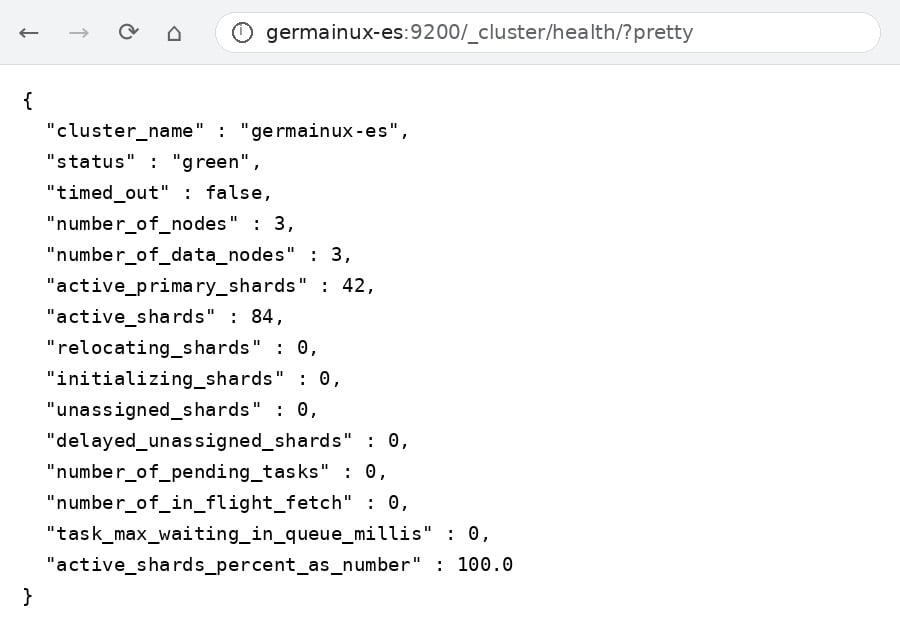
Elasticsearch cluster health response - GermainUX
Kibana
Confirm that:- Kibana is available through HTTPS.
- The browser trusts the certificate.
- HTTP is disabled or redirected according to policy.
- Kibana connects to Elasticsearch securely.
- Users must authenticate.
- Unauthorized users cannot access restricted spaces or data.
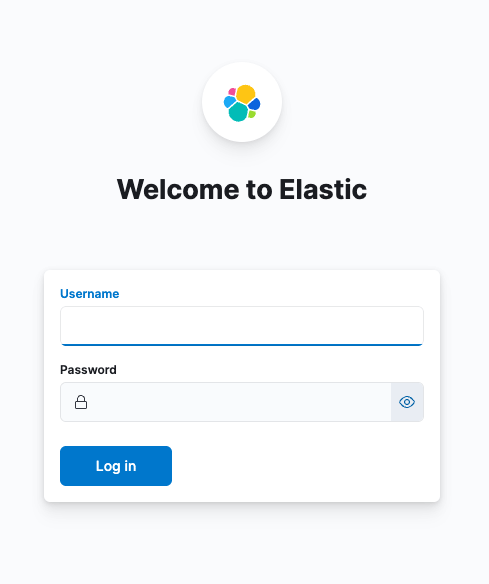
Users must authenticate.
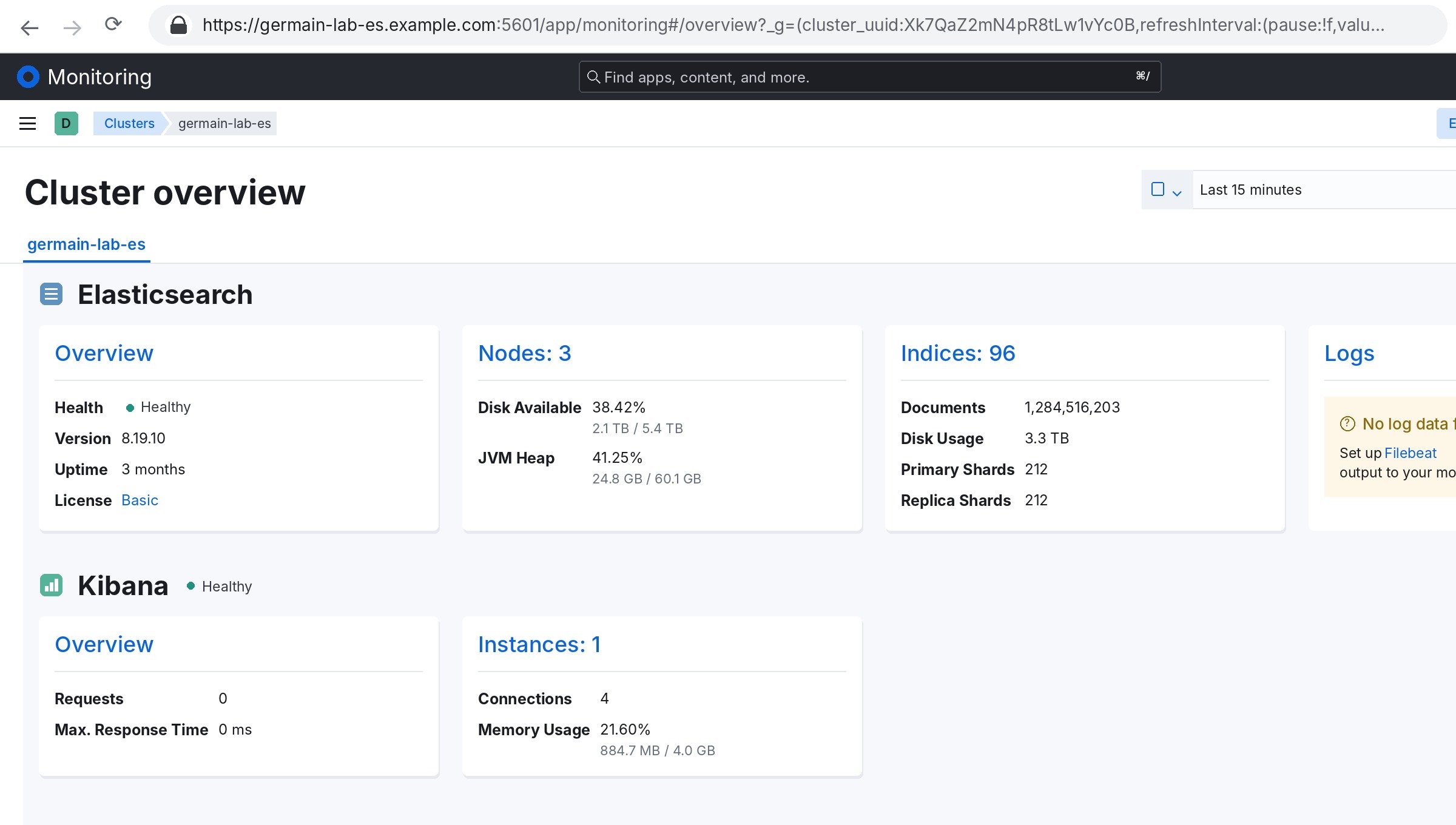
Kibana Cluster overview loaded over HTTPS - GermainUX
GermainUX
Confirm that:- GermainUX Enterprise connects successfully.
- No certificate or authentication errors appear in logs.
- New monitoring facts are indexed.
- Existing dashboards return data.
- Aggregations continue to run.
- Session Replay remains available.
- GermainUX Engines continue transmitting data.
- GermainUX State shows the expected services and components.
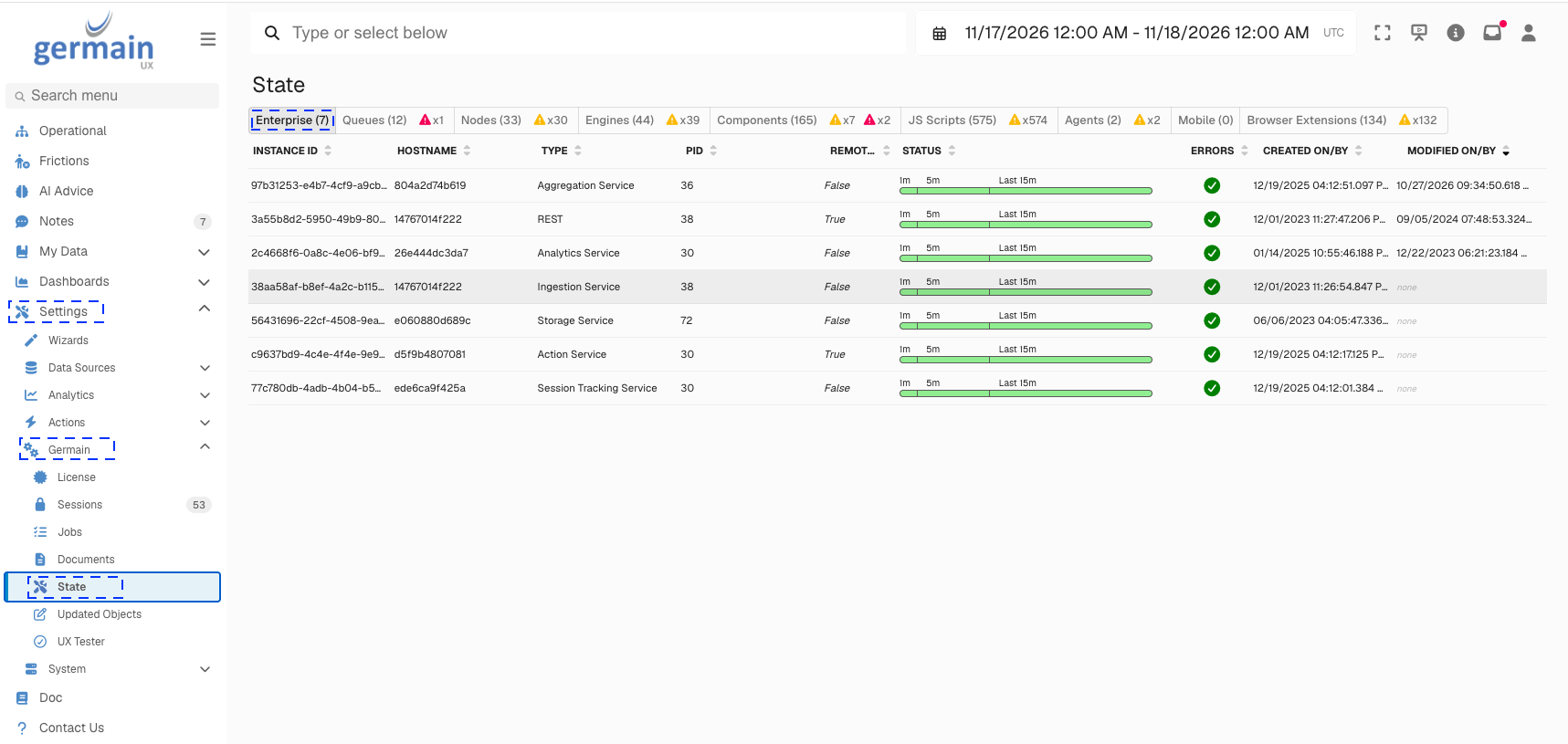
GermainUX State, Enterprise tab - GermainUX
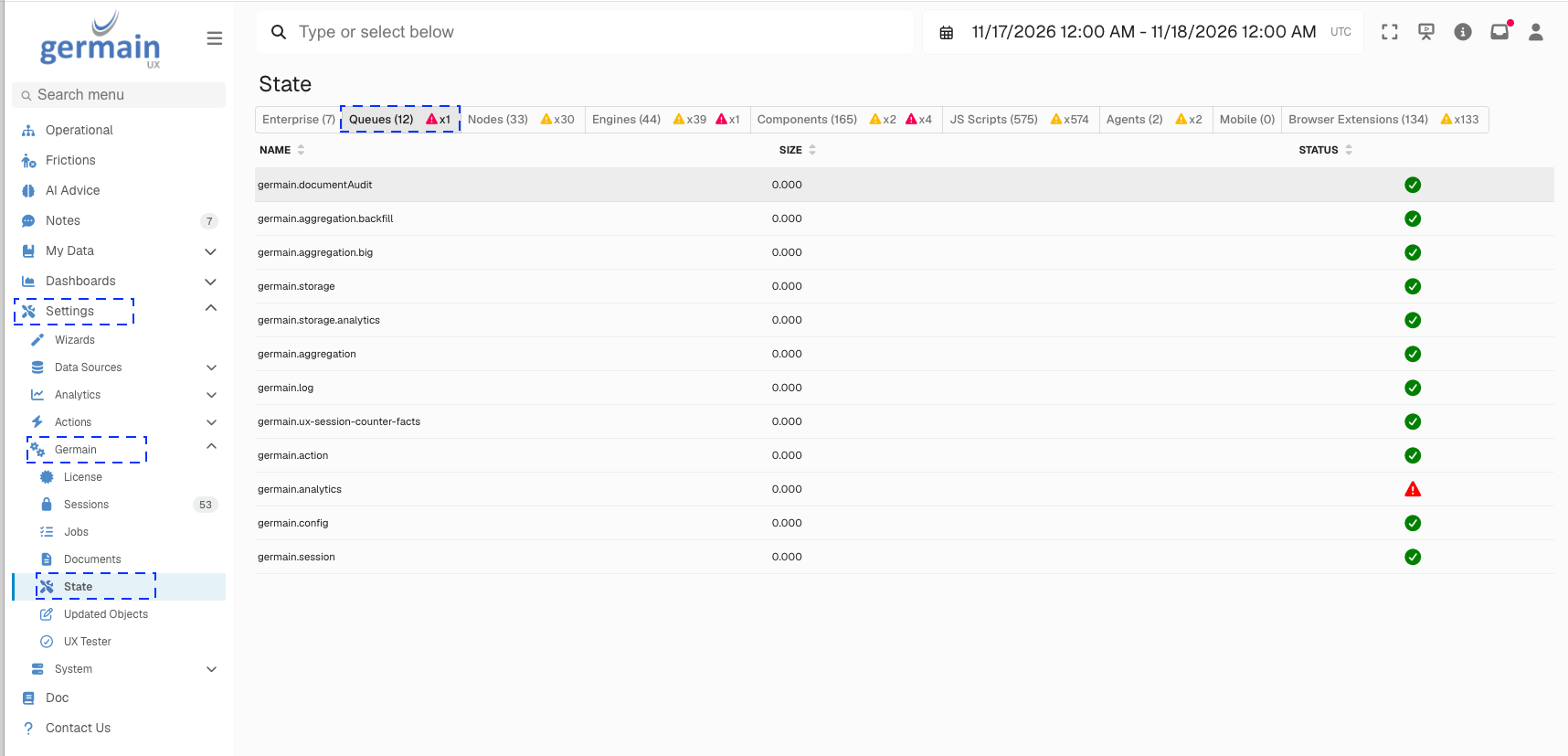
GermainUX State, Queues tab - GermainUX
Rollback Plan
Prepare rollback before making any changes. If validation fails:- Stop GermainUX Engines.
- Stop GermainUX services.
- Stop Kibana.
- Stop Elasticsearch safely.
- Restore the previous Elasticsearch, Kibana, Docker Compose, and GermainUX configuration.
- Restore the previous truststore and secret configuration.
- Start Elasticsearch.
- Validate cluster health.
- Start GermainUX core services.
- Validate datastore connectivity.
- Start remaining services and Engines.
- Confirm data reception and dashboards.
Certificate Lifecycle
For self-managed Elasticsearch and Kibana, your organization is responsible for:- Monitoring certificate expiration
- Renewing certificates before expiration
- Updating mounted certificates
- Updating Java truststores when the issuing CA changes
- Restarting or reloading services safely
- Testing certificate rotation
- Documenting emergency renewal procedures
Get Help
Contact GermainUX Support
The GermainUX team helps you get up and running faster, empower your team, turn data into actionable insights, and optimize performance to deliver measurable business outcomes.
Can't Find What You Need?
Search all GermainUX docs with Ctrl + K, or use the feedback buttons at the bottom of this page to tell us what is missing.
The content of this document is proprietary to GERMAIN SOFTWARE.