

Network Requirements
On-Premise Deployment
GermainUX Cloud Deployment
Firewall-Rule Checklist
Overview
GermainUX components must be able to communicate with GermainUX Enterprise and with the applications, databases, servers, and services they monitor. The exact firewall rules depend on:Network-Flow Principles
Most GermainUX communication follows these patterns: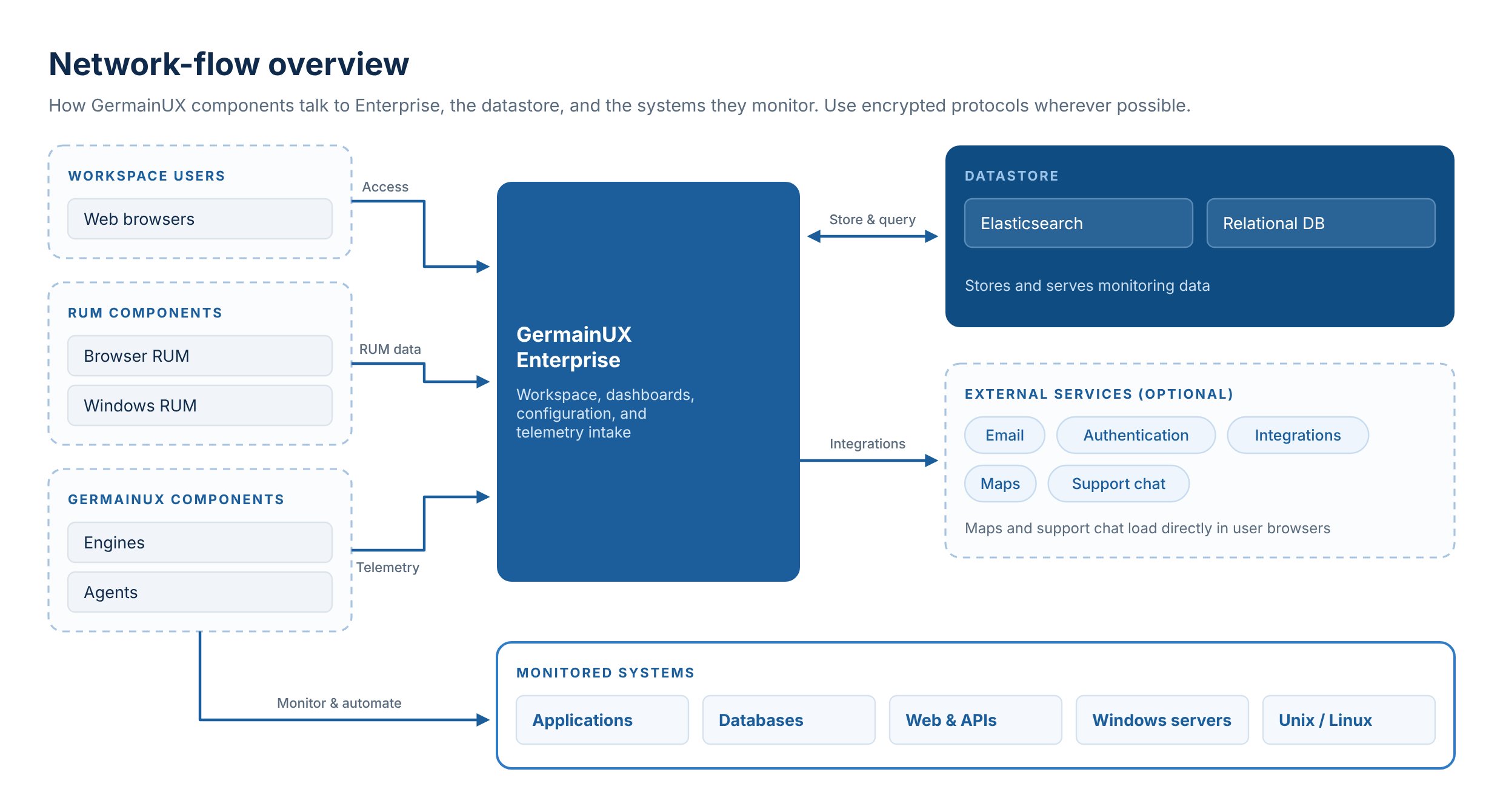
Users, RUM components, Engines, and Agents connect to GermainUX Enterprise, which stores data in the datastore and calls optional external services. Engines also connect directly to the systems they monitor.
On-Premise Deployment
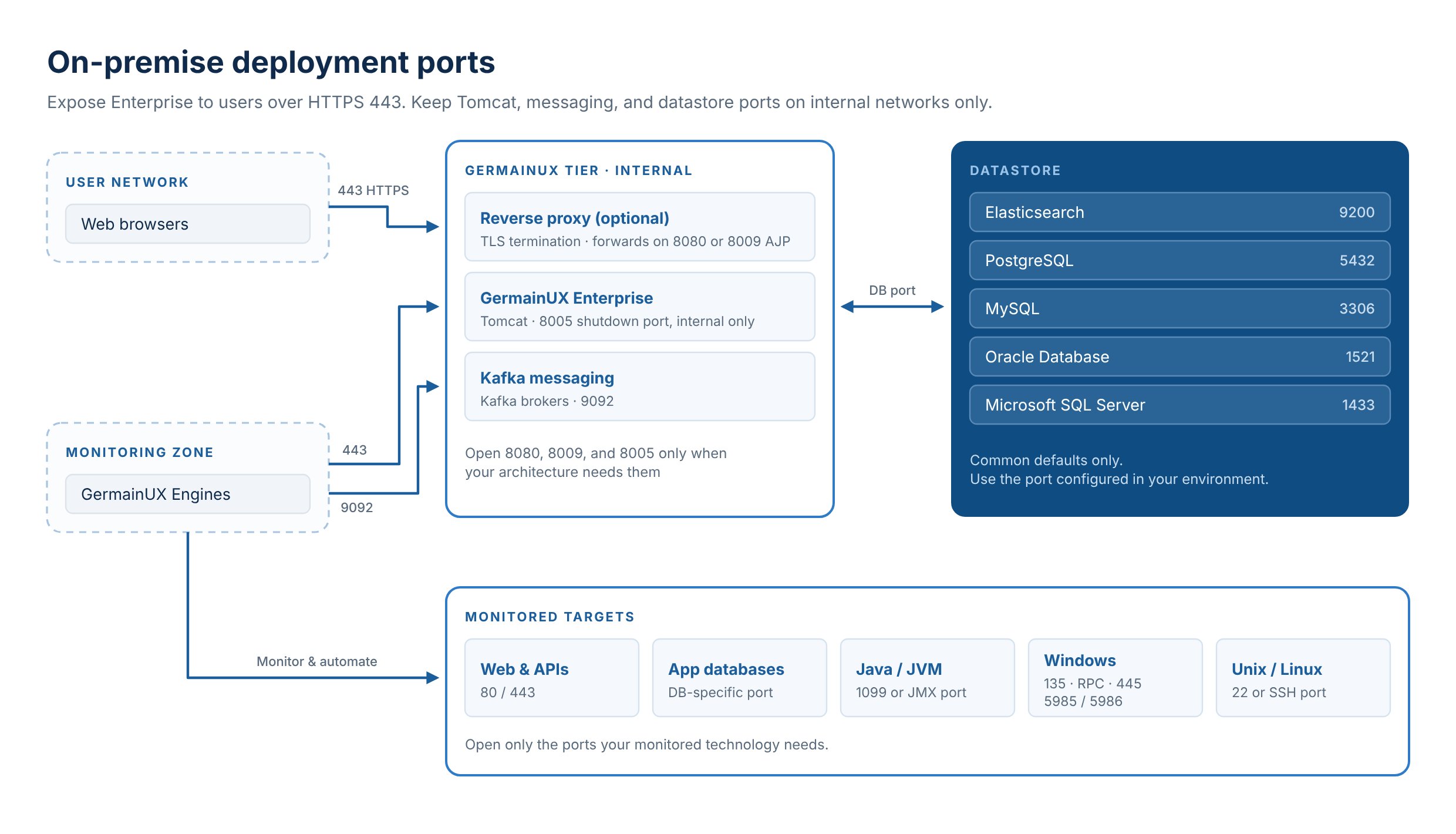
On-premise ports. Expose Enterprise to users over HTTPS 443 and keep Tomcat, messaging, and datastore ports on internal networks. Datastore ports shown are common defaults only.
Core GermainUX Communication
8080, 8005, and 8009 should remain internal and should be enabled only when required by the selected architecture.
Datastore Connectivity
Application and Database Monitoring
2320 or 2321. Open only the ports required by the monitored technology.
Windows Infrastructure Monitoring
The required ports depend on whether GermainUX uses WMI, PowerShell remoting, SMB, or another Windows-management protocol.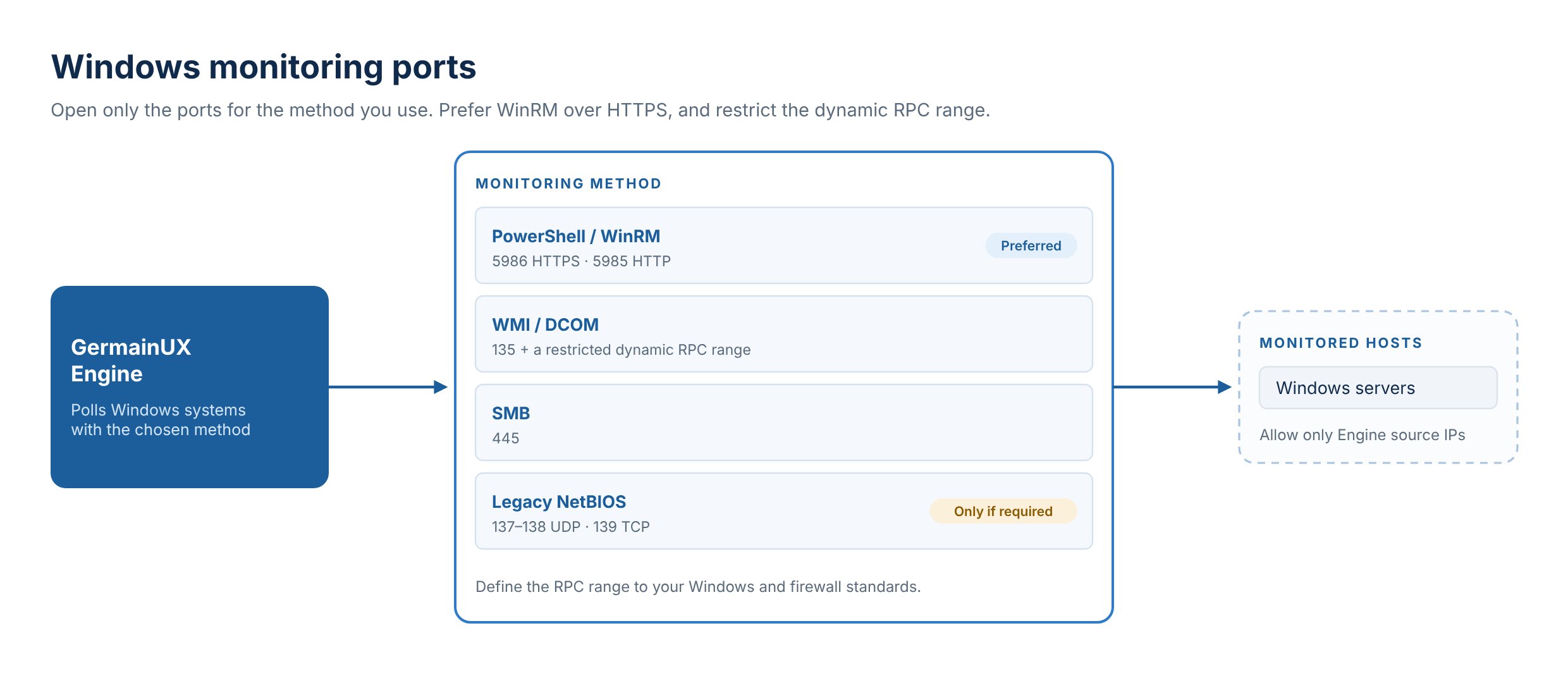
Open only the ports for the Windows monitoring method you use. Prefer WinRM over HTTPS and restrict the dynamic RPC range.
137–139 are generally required only for legacy NetBIOS-dependent monitoring. Do not open them unless the selected monitoring method requires them.
For WMI/DCOM, define and restrict the dynamic RPC range according to your Windows and firewall standards rather than opening an unrestricted port range.
Unix and Linux Monitoring
GermainUX Cloud Deployment
In a cloud deployment, GermainUX Enterprise is hosted and managed by Germain Software. Engines, Agents, profilers, and RUM components deployed within your environment normally initiate outbound connections to the cloud service.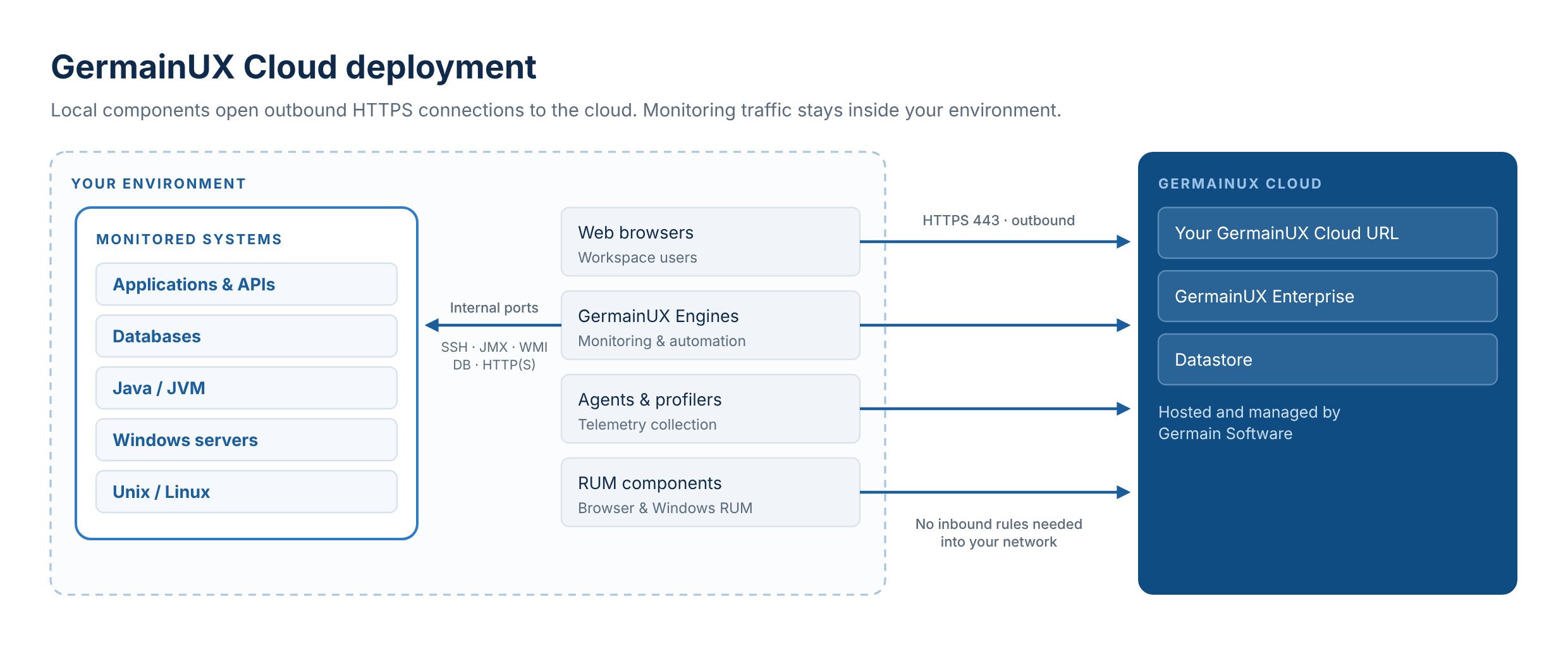
In GermainUX Cloud, local components open outbound HTTPS 443 connections to your Cloud URL. Monitoring traffic to your systems stays inside your environment, and no inbound rules are needed.
Required Cloud Connectivity
Connectivity to Monitored Systems
GermainUX Engines deployed inside your environment may also require access to monitored systems.Optional External Services
GermainUX Support Chat
If the embedded support-chat feature is enabled, user browsers require outbound HTTPS access on port 443 to:Geographic Maps
If geographic map visualization is enabled, user browsers require outbound HTTPS access on port 443 to:Proxy Requirements
If outbound communication must pass through a corporate proxy:Firewall-Rule Checklist
Before deployment:Get Help
Contact GermainUX Support
Can't Find What You Need?
The content of this document is proprietary to GERMAIN SOFTWARE.