

Profiles
Wizards
Design Profiles for Reuse
Validate an At-Scale Deployment
Overview
Deploy any Engine-specific monitoring or automation at scale using Profiles or Wizards. GermainUX simplifies the deployment of Engine-based monitoring and automation across many applications, servers, or environments through two mechanisms:Profiles
A profile is a reusable set of monitoring or automation components for a single application or use case. Components within a profile typically share common configuration settings. A profile can be used to standardize:- Components to deploy
- Execution frequency
- Monitoring thresholds
- Application-specific settings
- Credentials or credential references
- Rules and SLAs
- Automation settings
- Target Engine or Engine group
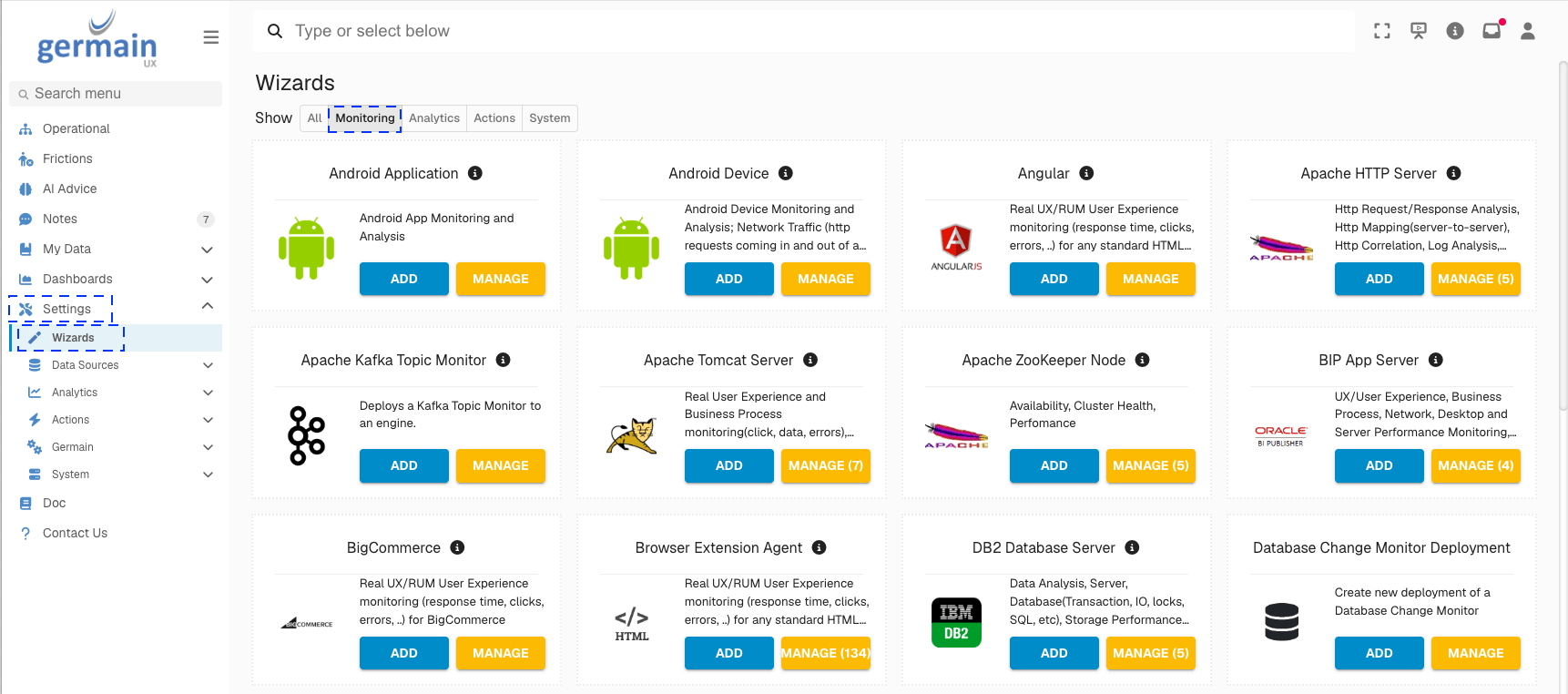
The Wizards page lists the reusable profiles available in the Workspace.
Wizards
Wizards provide a guided configuration workflow for supported applications, technologies, and monitoring scenarios.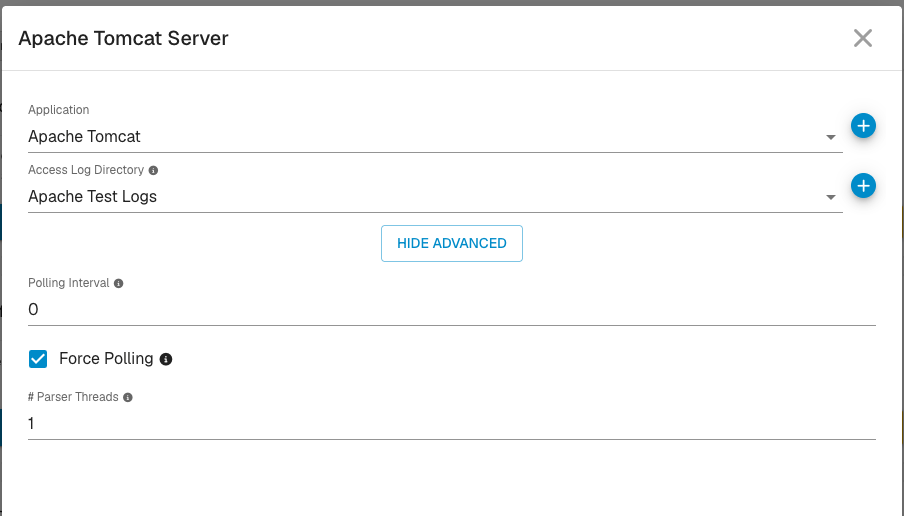
Example of a Tomcat Server Configuration Wizard
- Application
- Monitoring profile
- Components
- Credentials
- KPIs
- Rules and SLAs
- Engine assignment
- Technology-specific settings
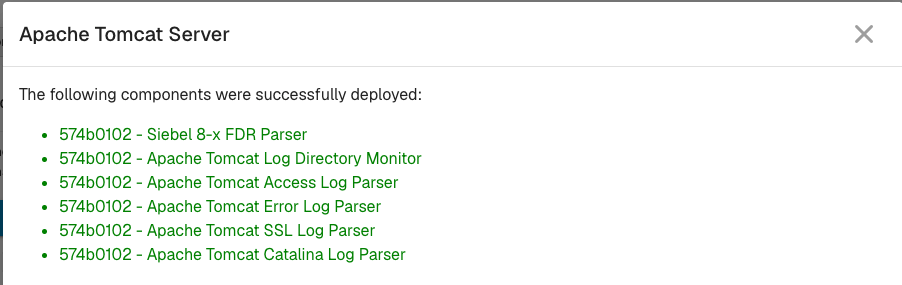
When the Wizard finishes, it summarizes the configuration objects it created.
Profiles Versus Wizards
Recommended Deployment Workflow
Define the application or use case to monitor
Identify the required monitoring and automation components
Use a Wizard when one is available for the target technology
Validate the generated configuration against a test target
Group reusable components and settings into a Profile
Parameterize settings that differ between environments or targets
Assign the Profile to the appropriate Engines or targets
Deploy to a limited pilot group
Validate data collection, alerts, and automation
Expand the deployment in controlled stages
Design Profiles for Reuse
When creating a Profile:Validate an At-Scale Deployment
Before expanding beyond a pilot group, confirm that on the engines, you can see the configured components under Profile Components section. Navigate through Left Menu, Settings > Germain > State and select Engines Tab. Filter and select the engine.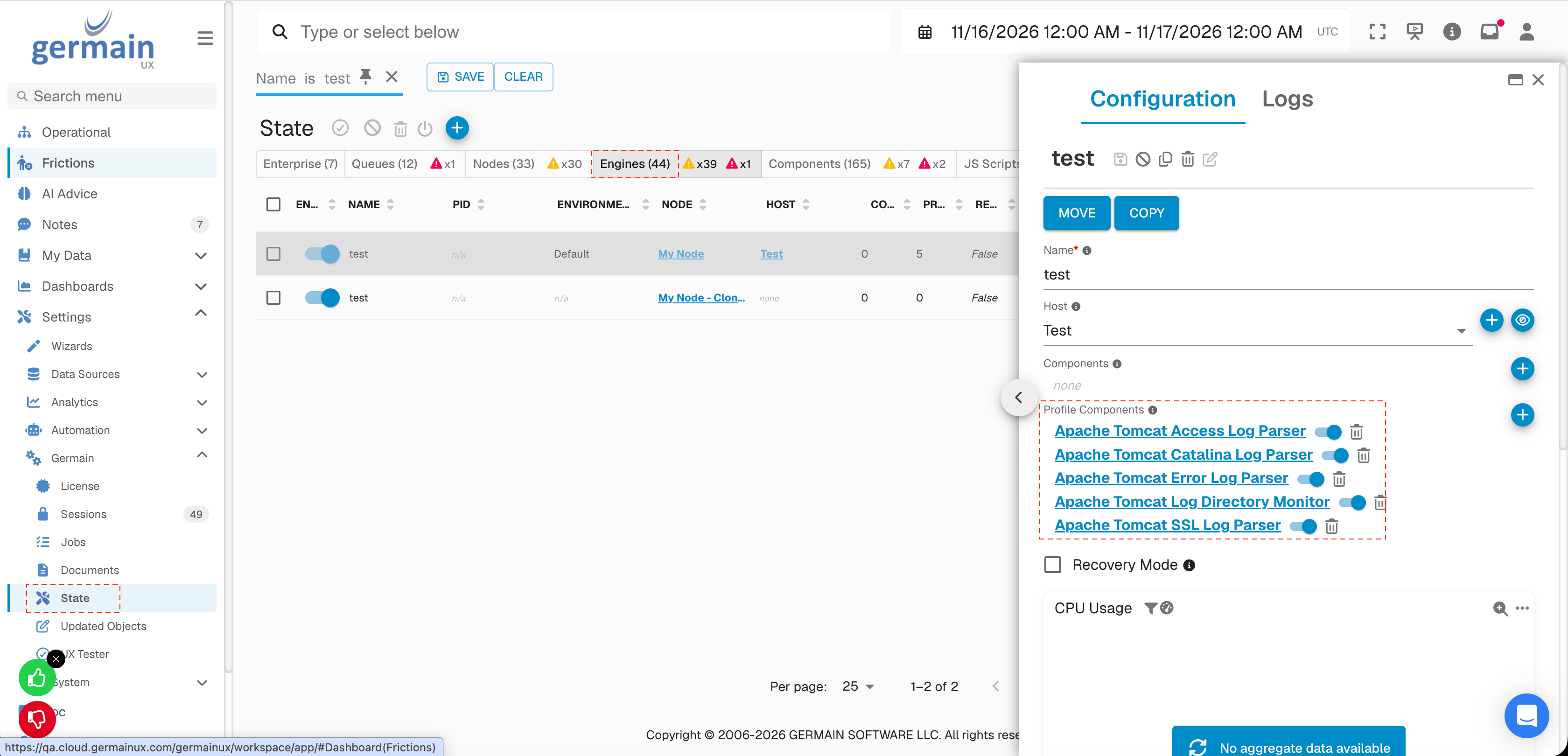
On the engine, you can see the configured components under Profile Components section
Change Management
When updating a widely deployed Profile:Back up or export the current configuration
Review the number and type of affected targets
Test the change in a non-production environment
Deploy it to a limited pilot group
Validate monitoring and automation behavior
Roll it out progressively
Confirm that all targets received the expected version
Retain a rollback procedure
Additional Resources
Profiles
Management
Get Help
Contact GermainUX Support
Can't Find What You Need?
The content of this document is proprietary to GERMAIN SOFTWARE.